Thanks to our partners at Designmodo, we are able to provide you with a gorgeous HTML newsletter template. Make sure to check out their website for more great free and premium templates. Images used in the templates were taken from freephotos.cc.
The template they prepared for Designer Daily’s readers is a gorgeous email newsletter template that you can use to send a selection of your latest articles.
In a connected world where technology rules over all the major industries, designers are the most sought-after professionals in a variety of fields. There has never been a better time for designers to showcase their skills and follow their passions through a creative outlet to earn the big bucks, all the while positively contributing to society. Although designing is often used in the broader context, there are several unconventional career choices for those who aspire to use their designing and creative skills to achieve their goals. Here are top 5 careers that are best suited for designers:
3D Designer
3D designing or designing objects as a three-dimensional representation through a software, finds application in a ton of different industries, ranging from healthcare, web design, research, automotive, gaming, space exploration, and more. A 3D designer must have a technical background in the form of coding or software knowledge, along with the artistic talent for creative thinking and the ability to use the most advanced tools for recreating their thoughts into the actual design. It is estimated that designers will be in massive demand for futuristic industries such as web design, robotics, and health care, where your talents and contributions can have a more significant impact on the social good.
Interior Designer
If your talents lie in designing a space for optimum utility without making any compromises on the aesthetics, interior designing may be an excellent career choice to put your creativity to good use. The primary responsibility of an interior designer is to create beautifully crafted interiors that are safe, functional, and healthy for its occupants. Interior designing is an elaborate subject that requires extensive knowledge about building codes, regulations, careful planning, and thoughtful implementation of ideas. However, interior designing is also one of the most lucrative career choices in the market, especially with the rise in the population and the ever-growing demand for better living/working spaces.
Games Designer
Games are guaranteed to soar in popularity in the coming years, as it is not just a concept that is relegated to a younger audience. For instance, online gaming nowadays also includes the gambling industry, especially popular games such as bingo, where more and more users are looking for an aesthetic, flexible, and reliable online gaming platform. You can learn more about the design and utility aspects of the best bingo sites in the UK by browsing through the various bingo sites or their allied resources, where you will be able to analyze the impact of modern graphical capabilities on the ultimate design of the interfaces. A games designer does not require the certifications or degrees that are usually associated with other professions, but you will be required to have extensive programming prowess and the ability to understand the needs of the gamers.
UX Designer
User Experience (UX) Design is a process that deals with the conceptualization of a product, integrating it with the design process, evaluating the user experience, and the actual branding that goes with it. UX Designers have a wide array of responsibilities, as they are ultimately held responsible for the success or failure of a product or service in the market. As the name suggests, a UX Designer is expected to have a solid plan on creating the best user experience. He/she has to understand the concept from the user’s perspective, and have a unique understanding of what, how, and why a product satisfies the demand of the individual user. A career in UX Designing is apt for individuals who love technology, and the way products are showcased to customers, as it is more of a career that involves extensive research, planning, and implementation.
Digital Product Designer
Everything is online these days; from your daily groceries to luxury items, digital products do have a massive impact on our spending behaviour. Therefore, digital product designers play a huge role into replicating actual products into the digital sphere, which requires a high level of creativity, programming knowledge, and the talent to understand the vibe of online users. Digital product designing may also incorporate 3D designing, but product designers are more concerned with how they can attract a larger audience through an online presence. Therefore, a career in this path will require a person to have a better understanding of the market, which requires elaborate market research, product knowledge, and the general tastes of the customers.
The Path to a Lucrative Career as a Designer
There are many avenues that render their support to aspiring individuals who wish to make it big in the designing industry. Although most design-oriented careers require a bachelor’s degree, or at least an associate degree, some design jobs only need software knowledge or programming skills with a bit of creativity. However, it is easy for designers to sign up for a degree through any local or online university, which can certainly help you to take all the right paths towards a rewarding career in design.
The rising demand for designers is undoubtedly a good indicator that points to a lucrative career choice, but it is also imperative for you to stay updated with the latest market trends and technological advancements. To enjoy success in any field, one must remain attuned to the latest happenings in the market, especially in a tech-driven industry such as design, where the software, technology, expertise, and other components change at a rapid pace.
Choosing what to hang on your walls for decoration can be tougher than it seems. Finding out how to hang it can also be problematic, as most art hanging techniques will damage your walls.
Enters Displate!
Displates are a new kind of wall art for your home. A Displate is a magnet-mounted metal print that will easily replace not-so-convenient paper posters or wall-destroying frames.
As you can see on the following video, it takes only about 20 seconds to hang Displate art on your walls.
The best part? It doesn’t even hurt your walls! Each print comes with a magnetic system that fixes the thin metal sheet printed using high-end giclee printing techniques. Each print is quality checked, so you don’t have to worry about this either, as Displate produces in-house.
Finding the right art for your taste
Thanks to a well-designed and well-organized website, Displate makes art discovery incredibly easy. You can browse Displates by category, by artist, or by collection, which is my favorite way as it is a curated selection.
In the category section, you can even filter the art by color, orientation, or tag. On top of that, you can find good vibes in the Get Inspired section of the website.
Maps, spaceships, animals, and movies!
Going through the art collections, it took me very little time to find several awesome posters that I want to purchase right away.
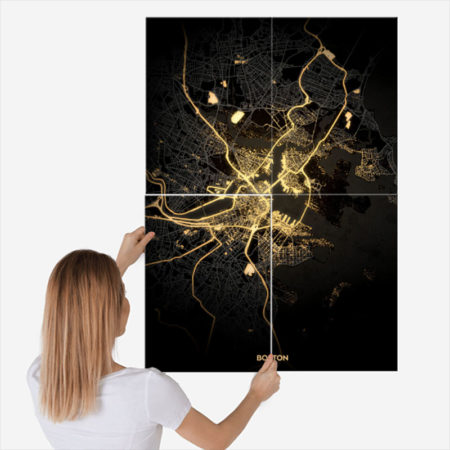
Maps: just check this illuminated city map! No need to be an urbanist to fall in love with it.
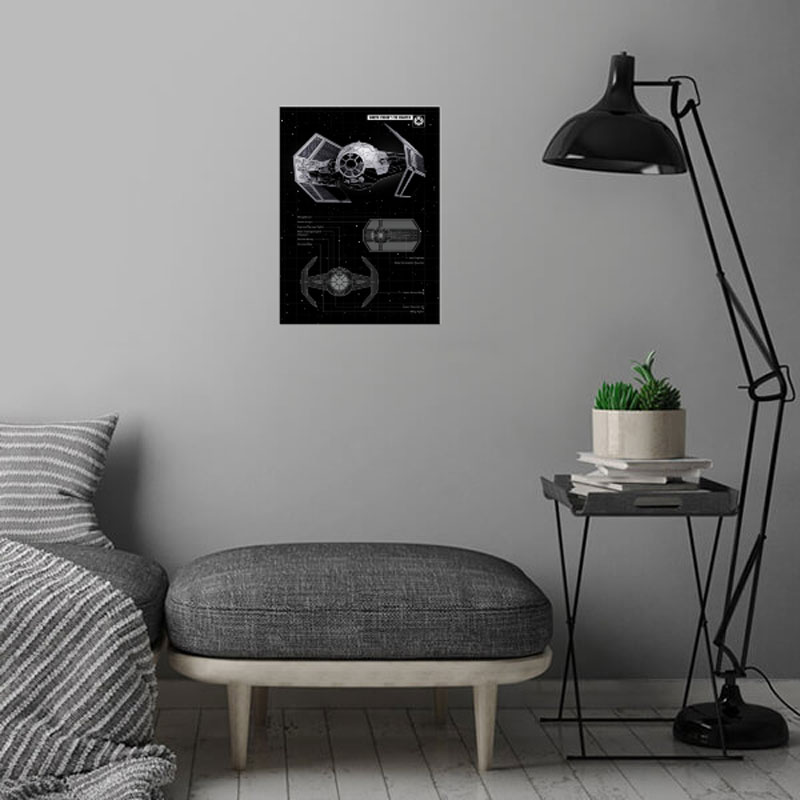
Spaceships: all geeks will go crazy with these spaceships posters.
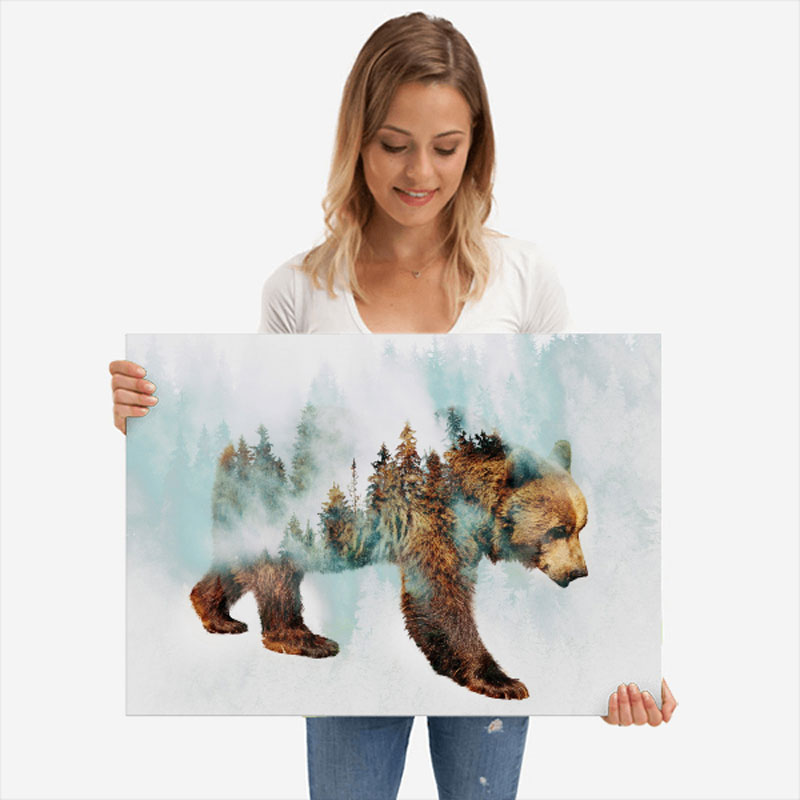
Animals: a great selection for nature lovers.
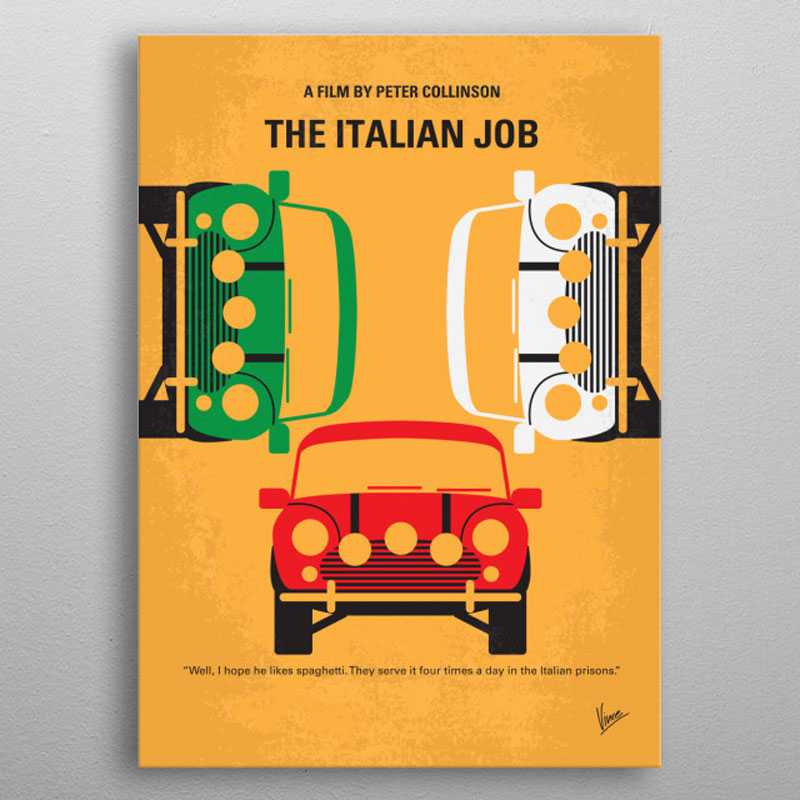
Movies: yep, movie geeks will also find the perfect art to show their passion on their walls.
Art is the perfect gift for creative people
Of course, it’s also a fine gift for not-so-creative people as well. It’s a shame that people don’t buy more art for each other, but it may very well change with Displate and their huge collection of art that can fit almost any taste.
Buy art, save the planet
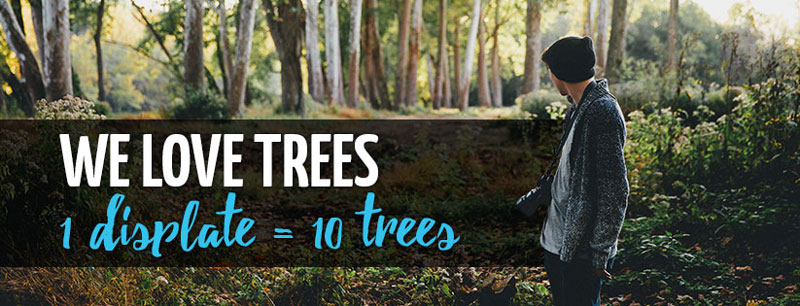
As an environmentally conscious company, Displate makes a big contribution to reforestation. For each print sold, the company plants 10 trees not just in a random place, but where it is most needed.
The numbers are impressive, there were already 7,431,510 by the time of writing the current article, and there will probably be many more by the time you will be reading it. So buy your art with Displate and help saving the planet!
Choosing what to hang on your walls for decoration can be tougher than it seems. Finding out how to hang it can also be problematic, as most art hanging techniques will damage your walls.
Enters Displate!
Displates are a new kind of wall art for your home. A Displate is a magnet-mounted metal print that will easily replace not-so-convenient paper posters or wall-destroying frames.
As you can see on the following video, it takes only about 20 seconds to hang Displate art on your walls.
The best part? It doesn’t even hurt your walls! Each print comes with a magnetic system that fixes the thin metal sheet printed using high-end giclee printing techniques. Each print is quality checked, so you don’t have to worry about this either, as Displate produces in-house.
Finding the right art for your taste
Thanks to a well-designed and well-organized website, Displate makes art discovery incredibly easy. You can browse Displates by category, by artist, or by collection, which is my favorite way as it is a curated selection.
In the category section, you can even filter the art by color, orientation, or tag. On top of that, you can find good vibes in the Get Inspired section of the website.
Maps, spaceships, animals, and movies!
Going through the art collections, it took me very little time to find several awesome posters that I want to purchase right away.
Maps: just check this illuminated city map! No need to be an urbanist to fall in love with it.
Spaceships: all geeks will go crazy with these spaceships posters.
Animals: a great selection for nature lovers.
Movies: yep, movie geeks will also find the perfect art to show their passion on their walls.
Art is the perfect gift for creative people
Of course, it’s also a fine gift for not-so-creative people as well. It’s a shame that people don’t buy more art for each other, but it may very well change with Displate and their huge collection of art that can fit almost any taste.
Buy art, save the planet
As an environmentally conscious company, Displate makes a big contribution to reforestation. For each print sold, the company plants 10 trees not just in a random place, but where it is most needed.
The numbers are impressive, there were already 7,431,510 by the time of writing the current article, and there will probably be many more by the time you will be reading it. So buy your art with Displate and help saving the planet!
With the except of some form elements, you’ve just set a font on every bit of text on a site! Nice! That’s probably what you were trying to do, because of the probably hundreds of elements all over your site, setting that font-family every time would be tedious and error-prone.
CSS is global by nature. On purpose!
I like how David Khourshid put it:
You ever stop and think about why CSS has a global scope? Maybe we want to use consistent typography, colors, sizing, spacing, layout, transitions, etc. and have our websites & apps feel like one cohesive unit?
Love the cascade, the cascade is your friend.
And yet. The global nature of CSS is perhaps the most-pointed-at anti-feature of CSS. Some people really don’t like it. We all know it’s very easy to write a single CSS rule that has implications all over a site, breaking things you really didn’t want to break.
Two CSS properties walk into a bar.
A barstool in a completely different bar falls over.
Scoped styles aren’t the only reason there is such interest and adoption in the landscape of tools that is CSS-in-JS, but it’s a big one. There are loads of sites that don’t directly author any CSS at all — even preprocessed styles — and go for a JavaScript library instead where styles are authored quite literally in JavaScript. There is a playground demonstrating the syntax of the various options. Here’s how styled-components works:
import React from 'react';
import styled from 'styled-components';

const Container = styled.main`
  display: flex;
  flex-direction: column;
  min-height: 100%;
  width: 100%;
  background-color: #f6f9fc;
`;

export default function Login() {
  return (
    <Container>
      ... Some stuff ....
    </Container>
  );
}
There are literally dozens of options, each doing things a bit differently while offering slightly different syntaxes and features. Vue even offers scoped CSS directly in .vue files:
Unfortunately, <style scoped> never quite made it as a native web platform feature. There is shadow DOM, though, where a style block can be injected in a template and those styles will be isolated from the rest of the page:
let myElement = document.querySelector('.my-element');

let shadow = myElement.attachShadow({
  mode: 'closed'
});
shadow.innerHTML = `
  <style>
    p {
      color: red;
    }
  </style>

  <p>Element with Shadow DOM</p>
`;
No styles will leak into or out of that shadow DOM boundary. That’s pretty cool for people seeking this kind of isolation, but it could be tricky. You’d likely have to architect the CSS to have certain global styles that can be imported with the shadow DOM’d web component so it can achieve some styling cohesion in your site. Personally, I wish it was possible to make the shadow DOM one-way permeable: styles can leak in, but styles defined inside can’t leak out.
CSS-in-JS stuff is only one way to scope styles. There are actually two sides to the spectrum. You could call CSS-in-JS total isolation, whereas you could author CSS directly with total abstraction:
Total abstraction might come from a project, like Tachyons, that gives you a fixed set of class names to use for styling (Tailwind is like a configurable version of that), or a programmatic tool (like Atomizer) that turns specially named HTML class attributes into a stylesheet with exactly what it needs.
Even adhering 100% to BEM across your entire site could be considered total CSS isolation, solving the problems that the global scope may bring.
When we write styles, we will always make a choice. Is this a global style? Am I, on purpose, leaking this style across the entire site? Or, am I writing CSS that is specific to this component? CSS will be split in half between these two. Component-specific styles will be scoped and bundled with the component and used as needed.
Best of both worlds, that.
Anyway, it’s tricky.
The problem is not CSS in JS.
It is CSS's global scope.
Solve the global scope, and CSS in JS will follow.
(I don't know if "follow" means disappear, being fully accepted, or getting a major overhaul.)
(For that matter, I don't know what "solving the global scope" means.)
Choosing what to hang on your walls for decoration can be tougher than it seems. Finding out how to hang it can also be problematic, as most art hanging techniques will damage your walls.
Enters Displate!
Displates are a new kind of wall art for your home. A Displate is a magnet-mounted metal print that will easily replace not-so-convenient paper posters or wall-destroying frames.
As you can see on the following video, it takes only about 20 seconds to hang Displate art on your walls.
The best part? It doesn’t even hurt your walls! Each print comes with a magnetic system that fixes the thin metal sheet printed using high-end giclee printing techniques. Each print is quality checked, so you don’t have to worry about this either, as Displate produces in-house.
Finding the right art for your taste
Thanks to a well-designed and well-organized website, Displate makes art discovery incredibly easy. You can browse Displates by category, by artist, or by collection, which is my favorite way as it is a curated selection.
In the category section, you can even filter the art by color, orientation, or tag. On top of that, you can find good vibes in the Get Inspired section of the website.
Maps, spaceships, animals, and movies!
Going through the art collections, it took me very little time to find several awesome posters that I want to purchase right away.
Maps: just check this illuminated city map! No need to be an urbanist to fall in love with it.
Spaceships: all geeks will go crazy with these spaceships posters.
Animals: a great selection for nature lovers.
Movies: yep, movie geeks will also find the perfect art to show their passion on their walls.
Art is the perfect gift for creative people
Of course, it’s also a fine gift for not-so-creative people as well. It’s a shame that people don’t buy more art for each other, but it may very well change with Displate and their huge collection of art that can fit almost any taste.
Buy art, save the planet
As an environmentally conscious company, Displate makes a big contribution to reforestation. For each print sold, the company plants 10 trees not just in a random place, but where it is most needed.
The numbers are impressive, there were already 7,431,510 by the time of writing the current article, and there will probably be many more by the time you will be reading it. So buy your art with Displate and help saving the planet!
With the except of some form elements, you’ve just set a font on every bit of text on a site! Nice! That’s probably what you were trying to do, because of the probably hundreds of elements all over your site, setting that font-family every time would be tedious and error-prone.
CSS is global by nature. On purpose!
I like how David Khourshid put it:
You ever stop and think about why CSS has a global scope? Maybe we want to use consistent typography, colors, sizing, spacing, layout, transitions, etc. and have our websites & apps feel like one cohesive unit?
Love the cascade, the cascade is your friend.
And yet. The global nature of CSS is perhaps the most-pointed-at anti-feature of CSS. Some people really don’t like it. We all know it’s very easy to write a single CSS rule that has implications all over a site, breaking things you really didn’t want to break.
Two CSS properties walk into a bar.
A barstool in a completely different bar falls over.
Scoped styles aren’t the only reason there is such interest and adoption in the landscape of tools that is CSS-in-JS, but it’s a big one. There are loads of sites that don’t directly author any CSS at all — even preprocessed styles — and go for a JavaScript library instead where styles are authored quite literally in JavaScript. There is a playground demonstrating the syntax of the various options. Here’s how styled-components works:
import React from 'react';
import styled from 'styled-components';

const Container = styled.main`
  display: flex;
  flex-direction: column;
  min-height: 100%;
  width: 100%;
  background-color: #f6f9fc;
`;

export default function Login() {
  return (
    <Container>
      ... Some stuff ....
    </Container>
  );
}
There are literally dozens of options, each doing things a bit differently while offering slightly different syntaxes and features. Vue even offers scoped CSS directly in .vue files:
Unfortunately, <style scoped> never quite made it as a native web platform feature. There is shadow DOM, though, where a style block can be injected in a template and those styles will be isolated from the rest of the page:
let myElement = document.querySelector('.my-element');

let shadow = myElement.attachShadow({
  mode: 'closed'
});
shadow.innerHTML = `
  <style>
    p {
      color: red;
    }
  </style>

  <p>Element with Shadow DOM</p>
`;
No styles will leak into or out of that shadow DOM boundary. That’s pretty cool for people seeking this kind of isolation, but it could be tricky. You’d likely have to architect the CSS to have certain global styles that can be imported with the shadow DOM’d web component so it can achieve some styling cohesion in your site. Personally, I wish it was possible to make the shadow DOM one-way permeable: styles can leak in, but styles defined inside can’t leak out.
CSS-in-JS stuff is only one way to scope styles. There are actually two sides to the spectrum. You could call CSS-in-JS total isolation, whereas you could author CSS directly with total abstraction:
Total abstraction might come from a project, like Tachyons, that gives you a fixed set of class names to use for styling (Tailwind is like a configurable version of that), or a programmatic tool (like Atomizer) that turns specially named HTML class attributes into a stylesheet with exactly what it needs.
Even adhering 100% to BEM across your entire site could be considered total CSS isolation, solving the problems that the global scope may bring.
When we write styles, we will always make a choice. Is this a global style? Am I, on purpose, leaking this style across the entire site? Or, am I writing CSS that is specific to this component? CSS will be split in half between these two. Component-specific styles will be scoped and bundled with the component and used as needed.
Best of both worlds, that.
Anyway, it’s tricky.
The problem is not CSS in JS.
It is CSS's global scope.
Solve the global scope, and CSS in JS will follow.
(I don't know if "follow" means disappear, being fully accepted, or getting a major overhaul.)
(For that matter, I don't know what "solving the global scope" means.)
Such a fragmented ecosystem was far from appealing. Which one should you pick, (if any)?
Contributing to Javascript fatigue — you need at most one. Also feel free to not learn any.
GitHub stars are one useful metric:
However, GitHub stars say nothing about a project’s trajectory — perhaps they were accumulated long ago and the repo has since fallen out of favor or is no longer maintained. Glamor has plenty of open issues, and hasn’t seen a commit in over a year. Its author advises:
…it mostly works, I’m not going to do any major changes… if you need something more modern, I’d recommend emotion, it mostly matches glamor’s api, and is actively maintained.
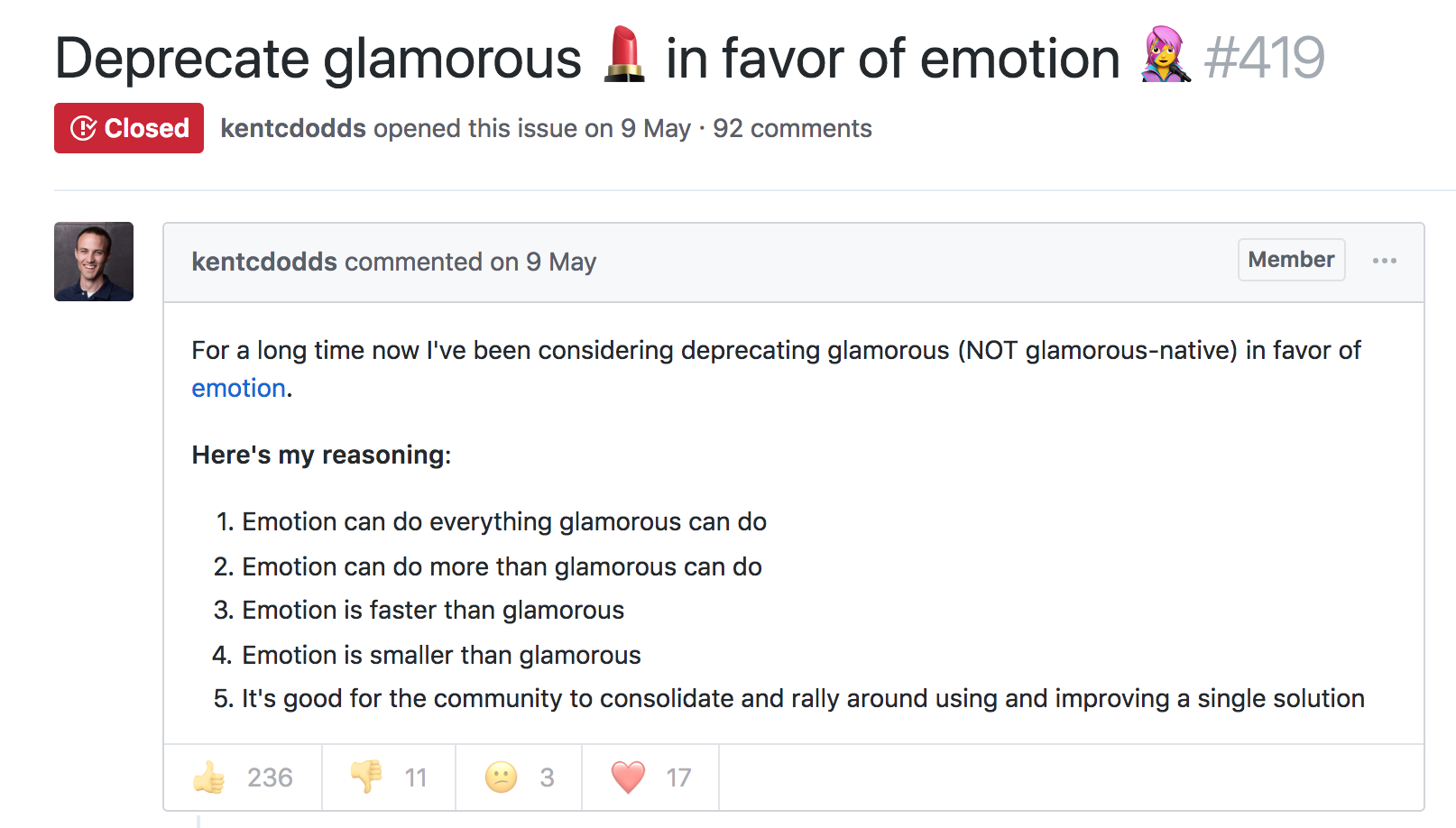
The similarly named Glamorous was recently deprecated with its author also recommending users switch to Emotion:
At the time, Emotion had some features that Styled Components didn’t. Since then, Styled Components has made some big announcements.
Styled Components sells itself as the CSS-in-JS library for people that *like* CSS. Styled Components gained popularity by utilizing tagged template literals — allowing developers to *just write CSS* in the same syntax they already know, but inside JavaScript files. While this has proven popular, some developers prefer to [write styles as JavaScript objects. Emotion offered flexibility — developers could choose how to write their styles. Styled Components eventually followed suit.
styled-components v3.3.0 is out with first-class object support! 😍
Lots of people have been asking for this, your wishes have been heard! Shoutout to @probablyup for taking care of this release.
The rival CSS-in-JS libraries have stolen from each other until landing upon the same feature set and the same syntax — Emotion and Styled Components have an almost identical API. What once felt like a total mess of competing methodologies and libraries now feels somewhat stable. Even if CSS-in-JS hasn’t standardized on a dependency, it now has standardized a way of doing things — they’re just implemented differently:
Internally, quite a bit. SC has a lot of complexity around organizing style tag order. Re css prop: SC requires Babel plugin and uses the entire SC custom component creation. Emotion will skip the custom component if it can and just renders the element with the className directly
Styled Components is by far the most popular CSS-in-JS library, but Emotion has seen a rapid increase in usage.
Both are used by some major companies. Styled Components are utilized by plenty of large companies, including Bloomberg, Atlassian, Reddit, Target, BBC News, The Huffington Post, Coinbase, Patreon, Vogue, Ticketmaster, Lego, InVision and Autodesk just to name a few.
Emotion boasts fewer recognizable names, but has been recently adopted by the New York Times.
Great article about the launch of our new Story designs on the NYT today. It mentions our Shared Components initiative – would have been impossible without Emotion / CSS-in-JS. Absolute game-changer. Living in the future. https://t.co/pZLDJjsbEr
While these libraries certainly do seem to be most popular amongst React users, they can be used with other frameworks. While they seem to have converged on the same features at last, it’s difficult to say whether this is the end point of CSS-in-JS, or whether we’ll see a continued evolution from here.
Such a fragmented ecosystem was far from appealing. Which one should you pick, (if any)?
Contributing to Javascript fatigue — you need at most one. Also feel free to not learn any.
GitHub stars are one useful metric:
However, GitHub stars say nothing about a project’s trajectory — perhaps they were accumulated long ago and the repo has since fallen out of favor or is no longer maintained. Glamor has plenty of open issues, and hasn’t seen a commit in over a year. Its author advises:
…it mostly works, I’m not going to do any major changes… if you need something more modern, I’d recommend emotion, it mostly matches glamor’s api, and is actively maintained.
The similarly named Glamorous was recently deprecated with its author also recommending users switch to Emotion:
At the time, Emotion had some features that Styled Components didn’t. Since then, Styled Components has made some big announcements.
Styled Components sells itself as the CSS-in-JS library for people that *like* CSS. Styled Components gained popularity by utilizing tagged template literals — allowing developers to *just write CSS* in the same syntax they already know, but inside JavaScript files. While this has proven popular, some developers prefer to [write styles as JavaScript objects. Emotion offered flexibility — developers could choose how to write their styles. Styled Components eventually followed suit.
styled-components v3.3.0 is out with first-class object support! 😍
Lots of people have been asking for this, your wishes have been heard! Shoutout to @probablyup for taking care of this release.
The rival CSS-in-JS libraries have stolen from each other until landing upon the same feature set and the same syntax — Emotion and Styled Components have an almost identical API. What once felt like a total mess of competing methodologies and libraries now feels somewhat stable. Even if CSS-in-JS hasn’t standardized on a dependency, it now has standardized a way of doing things — they’re just implemented differently:
Internally, quite a bit. SC has a lot of complexity around organizing style tag order. Re css prop: SC requires Babel plugin and uses the entire SC custom component creation. Emotion will skip the custom component if it can and just renders the element with the className directly
Styled Components is by far the most popular CSS-in-JS library, but Emotion has seen a rapid increase in usage.
Both are used by some major companies. Styled Components are utilized by plenty of large companies, including Bloomberg, Atlassian, Reddit, Target, BBC News, The Huffington Post, Coinbase, Patreon, Vogue, Ticketmaster, Lego, InVision and Autodesk just to name a few.
Emotion boasts fewer recognizable names, but has been recently adopted by the New York Times.
Great article about the launch of our new Story designs on the NYT today. It mentions our Shared Components initiative – would have been impossible without Emotion / CSS-in-JS. Absolute game-changer. Living in the future. https://t.co/pZLDJjsbEr
While these libraries certainly do seem to be most popular amongst React users, they can be used with other frameworks. While they seem to have converged on the same features at last, it’s difficult to say whether this is the end point of CSS-in-JS, or whether we’ll see a continued evolution from here.
I just read a nicely put together story about WooCommerce over on the CodeinWP blog. WooCommerce started life as WooThemes, sort of a „premium themes” business started by just a couple of fellas who had never even met in person. Two years and a few employees later they launch WooCommerce, and 2 years after that it hits a million downloads. A major success story, to be sure, but a collaborative and remote-work based one that wasn’t exactly overnight. Another 2 years and Automattic picks them up and the WooThemes part is spun down.
Now we’re 3-4 years into WooCommerce being an Automattic project and it’s looking at nearly 60 million downloads, 4 million of which are active. A number they are saying is about 30% of all eCommerce on the web. Daaaaang. I’ve used WooCommerce a number of times and it always does a great job for me.