Intro to React Hooks

Post pobrano z: Intro to React Hooks

Hooks make it possible to organize logic in components, making them tiny and reusable without writing a class. In a sense, they’re React’s way of leaning into functions because, before them, we’d have to write them in a component and, while components have proven to be powerful and functional in and of themselves, they have to render something on the front end. That’s all fine and dandy to some extent, but the result is a DOM that is littered with divs that make it gnarly to dig through through DevTools and debug.

Well, React Hooks change that. Instead of relying on the top-down flow of components or abstracting components in various ways, like higher-order components, we can call and manage flow inside of a component. Dan Abramov explains it well in his Making Sense of React post:

Hooks apply the React philosophy (explicit data flow and composition) inside a component, rather than just between the components. That’s why I feel that Hooks are a natural fit for the React component model.

Unlike patterns like render props or higher-order components, Hooks don’t introduce unnecessary nesting into your component tree. They also don’t suffer from the drawbacks of mixins.

The rest of Dan’s post provides a lot of useful context for why the React team is moving in this direction (they’re now available in React v16.7.0-alpha) and the various problems that hooks are designed to solve. The React docs have an introduction to hooks that, in turn, contains a section on what motivated the team to make them. We’re more concerned with how the heck to use them, so let’s move on to some examples!

The important thing to note as we get started is that there are nine hooks currently available, but we’re going to look at what the React docs call the three basic ones: useState(), useEffect, and setContext(). We’ll dig into each one in this post with a summary of the advanced hooks at the end.

Defining state with useState()

If you’ve worked with React at any level, then you’re probably familiar with how state is generally defined: write a class and use this.state to initialize a class:

class SomeComponent extends React.component {
  constructor(props)
  super(props);
  this.state = {
    name: Barney Stinson // Some property with the default state value    
  }
}

React hooks allow us to scrap all that class stuff and put the useState() hook to use instead. Something like this:

import { useState } from 'react';
    
function SomeComponent() {
  const [name, setName] = useState('Barney Stinson'); // Defines state variable (name) and call (setName) -- both of which can be named anything
}

Say what?! That’s it! Notice that we’re working outside of a class. Hooks don’t work inside of a class because they’re used in place of them. We’re using the hook directly in the component:

import { useState } from 'react';
    
function SomeComponent() {
  const [name, setName] = useState('Barney Stinson');
  
  return
    <div>
      <p>Howdy, {name}</p>
    </div>
}

Oh, you want to update the state of name? Let’s add an input and submit button to the output and call setName to update the default name on submission.

import { useState } from 'react'
    
function SomeComponent() {
  const [input, setValue] = useState("");
  const [name, setName] = useState('Barney Stinson');
  
  handleInput = (event) => {
    setValue(event.target.value);
  }
  
  updateName = (event) => {
    event.preventDefault();
    setName(input);
    setValue("");
  }
  
  return (
    <div>
      <p>Hello, {name}!</p>
      <div>
        <input type="text" value={input} onChange={handleInput} />
        <button onClick={updateName}>Save</button>
      </div>
    </div>
  )
}

See the Pen React Hook: setState Example by Geoff Graham (@geoffgraham) on CodePen.

Notice something else in this example? We’re constructing two different states (input and name). That’s because the useState() hook allows managing multiple states in the same component! In this case, input is the property and setValue holds the state of the input element, which is called by the handleInput function then triggers the updateName function that takes the input value and sets it as the new name state.

Create side effects with useEffect()

So, defining and setting states is all fine and dandy, but there’s another hook called useEffect() that can be used to—you guessed it—define and reuse effects directly in a component without the need for a class or the need to use both redundant code for each lifecycle of a method (i.e. componentDidMount, componentDidUpdate, and componentWillUnmount).

When we talk about effects, we’re referring to things like API calls, updates to the DOM, and event listeners, among other things. The React documentation cites examples like data fetching, setting up subscriptions, and changing the DOM as possible use cases for this hook. Perhaps the biggest differentiator from setState() is that useEffect() runs after render. Think of it like giving React an instruction to hold onto the function that passes and then make adjustments to the DOM after the render has happened plus any updates after that. Again, the React documentation spells it out nicely:

By default, it runs both after the first render and after every update. […] Instead of thinking in terms of “mounting” and “updating”, you might find it easier to think that effects happen “after render”. React guarantees the DOM has been updated by the time it runs the effects.

Right on, so how do we run these effects? Well, we start off by importing the hook the way we did for setState().

import { useEffect } from 'react';

In fact, we can call both setState() and useEffect() in the same import:

import { useState, useEffect } from 'react';

Or, construct them:

const { useState, useEffect } = React;

So, let’s deviate from our previous name example by hooking into an external API that contains user data using axios inside the useEffect() hook then renders that data into a list of of users.

First, let’s bring in our hooks and initialize the App.

const { useState, useEffect } = React

const App = () => {
  // Hooks and render UI
}

Now, let’s put setState() to define users as a variable that contains a state of setUsers that we’ll pass the user data to once it has been fetched so that it’s ready for render.

const { useState, useEffect } = React

const App = () => {
  const [users, setUsers] = useState([]);
  // Our effects come next
}

Here’s where useEffect() comes into play. We’re going to use it to connect to an API and fetch data from it, then map that data to variables we can call on render.

const { useState, useEffect } = React

const App = () => {
  const [users, setUsers] = useState([]);
  
  useEffect(() => {
    // Connect to the Random User API using axios
    axios("https://randomuser.me/api/?results=10")
      // Once we get a response, fetch name, username, email and image data
      // and map them to defined variables we can use later.
      .then(response =>
        response.data.results.map(user => ({
          name: `{user.name.first} ${user.name.last}`,
          username: `{user.login.username}`,
          email: `{user.email}`,
          image: `{user.picture.thumbnail}`
        }))
      )
      // Finally, update the `setUsers` state with the fetched data
      // so it stores it for use on render
      .then(data => {
        setUsers(data);
      });
  }, []);
  
  // The UI to render
}

OK, now let’s render our component!

const { useState, useEffect } = React

const App = () => {
  const [users, setUsers] = useState([]);

  useEffect(() => {
    axios("https://randomuser.me/api/?results=10")
      .then(response =>
        response.data.results.map(user => ({
          name: `{user.name.first} ${user.name.last}`,
          username: `{user.login.username}`,
          email: `{user.email}`,
          image: `{user.picture.thumbnail}`
        }))
      )
      .then(data => {
        setUsers(data);
      });
  }, []);
  
  return (
    <div className="users">
      {users.map(user => (
        <div key={user.username} className="users__user">
          <img src={user.image} className="users__avatar" />
          <div className="users__meta">
            <h1>{user.name}</h1>
            <p>{user.email}</p>
          </div>
        </div>
      ))}
    </div>
  )
}

Here’s what that gets us:

See the Pen React Hook: setEffect example by Geoff Graham (@geoffgraham) on CodePen.

It’s worth noting that useEffect() is capable of so, so, so much more, like chaining effects and triggering them on condition. Plus, there are cases where we need to cleanup after an effect has run—like subscribing to an external resource—to prevent memory leaks. Totally worth running through the detailed explanation of effects with cleanup in the React documentation.

Context and useContext()

Context in React makes it possible to pass props down from a parent component to a child component. This saves you from the hassle of prop drilling. However, you could only make use of context in class components, but now you can make use of context in functional components using useContext() . Let’s create a counter example, we will pass the state and functions which will be used to increase or decrease the count from the parent component to child component using useContext(). First, let’s create our context:

const CountContext = React.createContext();

We’ll declare the count state and increase/decrease methods of our counter in our App component and set up the wrapper that will hold the component. We’ll put the context hook to use in the actual counter component in just a bit.

const App = () => {
  // Use `setState()` to define a count variable and its state
  const [count, setCount] = useState(0);
  
  // Construct a method that increases the current `setCount` variable state by 1 with each click
  const increase = () => {
    setCount(count + 1);
  };
  
  // Construct a method that decreases the current `setCount` variable state by 1 with each click.
  const decrease = () => {
    setCount(count - 1);
  };

  // Create a wrapper for the counter component that contains the provider that will supply the context value.
  return (
    <div>
      <CountContext.Provider
        // The value is takes the count value and updates when either the increase or decrease methods are triggered.
        value={{ count, increase, decrease }}
      >
        // Call the Counter component we will create next
        <Counter />
      </CountContext.Provider>
    </div>
  );
};

Alright, onto the Counter component! useContext() accepts an object (we’re passing in the CountContext provider) and allows us to tell React exactly what value we want (`count) and what methods trigger updated values (increase and decrease). Then, of course, we’ll round things out by rendering the component, which is called by the App.

const Counter = () => {
  const { count, increase, decrease } = useContext(CountContext);
  return (
    <div className="counter">
      <button onClick={decrease}>-</button>
      <span className="count">{count}</span>
      <button onClick={increase}>+</button>
    </div>
  );
};

And voilà! Behold our mighty counter with the count powered by context objects and values.

See the Pen React hooks – useContext by Kingsley Silas Chijioke (@kinsomicrote) on CodePen.

Wrapping up

We’ve merely scratched the surface of what React hooks are capable of doing, but hopefully this gives you a solid foundation. For example, there are even more advanced hooks that are available in addition to the basic ones we covered in this post. Here’s a list of those hooks with the descriptions offered by the documentation so you can level up now that you’re equipped with the basics:

Hook Description
userReducer() An alternative to useState. Accepts a reducer of type (state, action) => newState, and returns the current state paired with a dispatch method.
useCallback() Returns a memoized callback. Pass an inline callback and an array of inputs. useCallback will return a memoized version of the callback that only changes if one of the inputs has changed.
useMemo() Returns a memoized value. Pass a “create” function and an array of inputs. useMemo will only recompute the memoized value when one of the inputs has changed.
useRef() useRef returns a mutable ref object whose .current property is initialized to the passed argument (initialValue). The returned object will persist for the full lifetime of the component.
useImperativeMethods useImperativeMethods customizes the instance value that is exposed to parent components when using ref. As always, imperative code using refs should be avoided in most cases. useImperativeMethods should be used with forwardRef.
useLayoutEffect The signature is identical to useEffect, but it fires synchronously after all DOM mutations. Use this to read layout from the DOM and synchronously re-render. Updates scheduled inside useLayoutEffect will be flushed synchronously, before the browser has a chance to paint.

The post Intro to React Hooks appeared first on CSS-Tricks.
Does it mutate?

Post pobrano z: Does it mutate?

This little site by Remy Sharp’s makes it clear whether or not a JavaScript method changes the original array (aka mutates) or not.

I was actually bitten by this the other day. I needed the last element from an array, so I remembered .pop() and used it.

const arr = ["doe", "ray", "mee"];
const last = arr.pop();
// mee, but array is now ["doe", "ray"]

This certainly worked great right away, but I didn’t realize the original array had changed and it caused a problem. Instead, I had to find the non-mutating alternative:

const arr = ["doe", "ray", "mee"];
const last = arr.slice(-1);
// ["mee"], arr is unchanged

Related: Array Explorer

Direct Link to ArticlePermalink

The post Does it mutate? appeared first on CSS-Tricks.

Angular, Autoprefixer, IE11, and CSS Grid Walk into a Bar…

Post pobrano z: Angular, Autoprefixer, IE11, and CSS Grid Walk into a Bar…

I am attracted to the idea that you shouldn’t care how the code you author ends up in the browser. It’s already minified. It’s already gzipped. It’s already transmogrified (real word!) by things that polyfill it, things that convert it into code that older browsers understand, things that make it run faster, things that strip away unused bits, and things that break it into chunks by technology far above my head.

The trend is that the code we author is farther and farther away from the code we write, and like I said, I’m attracted to that idea because generally, the purpose of that is to make websites faster for users.

But as Dave notes, when something goes wrong…

As toolchains grow and become more complex, unless you are expertly familiar with them, it’s very unclear what transformations are happening in our code. Tracking the differences between the input and output and the processes that code underwent can be overwhelming. When there’s a problem, it’s increasingly difficult to hop into the assembly line and diagnose the issue and often there’s not an precise fix.

Direct Link to ArticlePermalink

The post Angular, Autoprefixer, IE11, and CSS Grid Walk into a Bar… appeared first on CSS-Tricks.

How to Make a Banner

Post pobrano z: How to Make a Banner

Final product image
What You’ll Be Creating

Looking to boost your online traffic? Website banners are a great addition to your marketing campaign that can enhance your online presence, and in this tutorial I’m going to show you how to make a banner.

In this article, you will find out what web banners are, what makes them effective, and a few shortcuts when it comes to creating your own website banner. I’ll also provide you with a couple of tutorials on how to make a banner using Adobe Photoshop and Illustrator. 

Don’t know how to use this software? Placeit is a great online banner maker that’s easy to use and quick to customize. With hundreds of options to choose from, you are sure to find a banner template that suits your needs. Envato Elements also offers amazing and effective web banner templates and stock photos that can help you create a stunning campaign. 

The advertising world has evolved from printed ads to website banners. You can see them on Facebook ads, Instagram sponsored content, and on any website you are browsing. They are strategically placed and designed to attract consumers like you and me. The main purpose of these web banners is to sell a product, announce sales, and grab our attention. That’s why banner design is a very important element of your campaign, so let’s dive in!

Social Media Banners

A social media banner should be a visual representation of your brand and what you do. You can find these on sites ranging from LinkedIn, Facebook, and Twitter to many gaming sites.

The purpose of a banner is to provide information to potential consumers—sort of a welcome image. It can also be used as a marketing tool or as part of a campaign to promote an event and boost your appearance online. Using social media banners effectively can add value to a company by increasing followers and driving engagement.

Explore some Twitter header maker templatesYouTube banner maker templates, or Facebook banner makers that can help you take your business to the next level.

Social media banner

Ad Banners

In a similar way to social media banners, ad banners are a marketing campaign displayed on a website. The website banner can be image- or multimedia-based, and the intent is to drive traffic to a specific website by linking to it. Whether it’s promoting a new product or service, the main function of a banner is to get clicked on. Website banners are used on high-traffic websites and usually on websites that have something in common with the ad.

Here are some great looking ad maker templates that are easy to customize and get them on brand for your next campaign.

Ad banner

Banner Content

If you are either using a web ad maker or creating one of your own, there are a few things to take in consideration. Since consumers aren’t looking for ads, website banners need to be attention grabbers. There’s a good chance that consumers were looking at a website for something else, and they just happened to stumble upon your ad.

The main elements to include on a web banner design are: 

  • your logo
  • the offer
  • the call to action

The offer needs to be short and sweet. Consumers are lending you less than a second while scrolling through a website, so your website banner needs to be simple when it comes to body copy. 

Last and most importantly, you need to include a call to action. This is some text or a button with an invitation to the consumer. For instance, “join now” or “check out today’s deals” are great phrases to generate some interest in your offer. The design of this button needs to be on brand, noticeable, and clear.

Here are some amazing website banner designs that have distinct call to action buttons.

Banner content

Banner Imagery

You can create a great web banner design with only typography, but quality images are a good addition. When it comes to web banners, use relevant images that enhance the message. Remember about those limited attention spans, so be sure to grab them with stunning photography. If you can’t afford to set up a custom photo shoot, there are other great options like Envato Elements that can help you make a banner. With an extensive library, you are sure to find images that are great for advertising.

Or make a banner with Placeit, which is a great option too! They offer stock images with their web banner templates that can help you achieve the design you are looking for.

Banner imgery

Audience Considerations

Focusing your advertising banner on a specific target audience can create a better outcome for your campaign. Consider what websites or social media platforms your audience might be spending their time on. Also consider what images are relevant to your audience and your web banner—this can them relate to the product or service on a deeper level. 

Facebook is popular across multiple demographics and offers very detailed targeting options. Instagram is great with millennials, and you can create posts with multiple images, stories, and videos. If you happen to create a video ad, YouTube has the ability to display In-Stream Ads before, during or after a video.

Gathering data is a great way to successfully create a marketing campaign that will reach your consumers. Google AdWords will offer insight into how consumers are interacting with the banners. Testing and analyzing is great to see if your advertising campaign is working as you intended. Social media platforms offer instant feedback by looking at the reports. Use this as an advantage to measure your results and tweak your banner design as you need.

Here are a few target specific online ad maker templates that can help you reach your audience easily: fashion web banners and food banner templates.

Audience considerations

How to Create Your Own Banner

Adobe Photoshop

Photoshop is a great tool if your banner design will rely heavily on imagery. This piece of software is usually the first one many people get introduced to and is the easiest to understand. If you are using the newest CC version, the software now allows you to create multiple artboards. So you can create multiple banner sizes in one document and make sure they all match.

If you are looking for tutorials on how to make a banner in Adobe Photoshop, Melody Nieves shows you how to create a designer-inspired banner with multiple levitating assets. This tutorial is great if you are looking for Facebook/Twitter header banners. Check it out!

Levitating banner tutorial
How to Create a Design-Inspired Photo Manipulation for Twitter/Facebook Banners

Adobe Illustrator

Make a banner with Illustrator if you will be creating vectors in your design. If you will be using multiple sizes and layouts, Illustrator is great so you can get an overview of all the website banners and make sure they all match.

If you are looking for a tutorial on how to make a banner in Illustrator, Vladimir Galantsev shows you how to make a medical banner.

Medical banner tutorial
How to Create a Medical Banner With Icons in Adobe Illustrator

Placeit

If you don’t have time but still want to get involved with the design of your web banner, Placeit is a great option. Placeit is one of the fastest-growing mockup websites and is also a great online ad maker. It is easy to use, and you can create designs as easily as filling out a form. They have an expanding collection of affordable assets ready to be used.

Add your logo, copy, and your image. Browse through the different fonts and extensive image library as you design your web banner. The website will automatically translate all your designs into different web banner ad dimensions you might need.

YouTube Banner Maker

Placeit’s YouTube banner creator will help you improve the look of your channel. Use one of their stock photos or add your own and personalize it with your colors.

Youtube banner maker
Placeit YouTube Banner

Facebook Banner Maker

Maximize your campaign by personalizing this Facebook banner with your own brand colors. Explore many more styles on Placeit to fit your product or service.

Facebook banner maker
Placeit Facebook Ad

Twitter Banner Maker

Get amazing visuals with just a few clicks with Placeit’s Twitter header maker. Creating a Twitter header banner is fun and easy, and it takes only a few minutes!

Twitter banner maker
Placeit Twitter Banner

Twitch Banner Maker

Create amazing Twitch banners with Placeit’s Twitch banner maker—no software needed. Placeit’s interface is easy to use—choose from many avatars or add your own and coordinate the colors. You are all set to start streaming!

Twitch banner maker
Placeit Twitch Banner

Custom Banner Maker

Looking for a custom online banner maker? Placeit offers multiple sizes when you create web banners. Choose a template, customize it, and Placeit will generate other sizes that you might want to use.

Custom banner maker
Placeit Custom Banner Maker

Premium Asset Templates

If you are familiar with some of the Adobe software, a banner template is a great way to start your marketing campaign. We’ve put together a list with templates for different social media ads and website banners.

Facebook Ad Templates

This Facebook banner template will grab your audience’s attention quickly due to the high contrast in each image. This trendy template will make your page look cool and edgy. The pack includes ad templates, photo templates, and profile picture templates. The text, images, and background are easily editable in both Photoshop and Illustrator.

Facebook ad templates
Facebook Ad Templates

Social Media Pack Template

This set contains square layouts suitable for Instagram, Facebook, and Twitter posts. Create colorful posts to sell or advertise your product or services effectively. If you are familiar with Illustrator, this is the set for you.

Social media pack template
Social Media Pack

Gaming Channel YouTube Banner

This customizable YouTube banner creator offers five different styles. With well-organized layers, you are sure to get your subscriber count going up. The set is easily editable in Photoshop and includes free fonts.

Gaming channel youtube banner
Gaming Channel YouTube Banner

Animated Black Red Instagram Stories

Stand out from the crowd with this amazing set, which contains animated and static templates. These unique and stylish banners can be used on your Instagram stories, Facebook, Twitter, and others. The templates are sized for mobile screens, and the files can be edited with Photoshop.

Animated black red instagram stories
Animated Black Red Instagram Stories

Multipurpose Banners Ad

This template includes 15 banner sizes, including sizes for Google ads and Facebook ads. Colors and text are fully editable, and the template includes fonts. You are sure to find the size you need in this package.

Multipurpose banners ad
Multipurpose Banner Ad

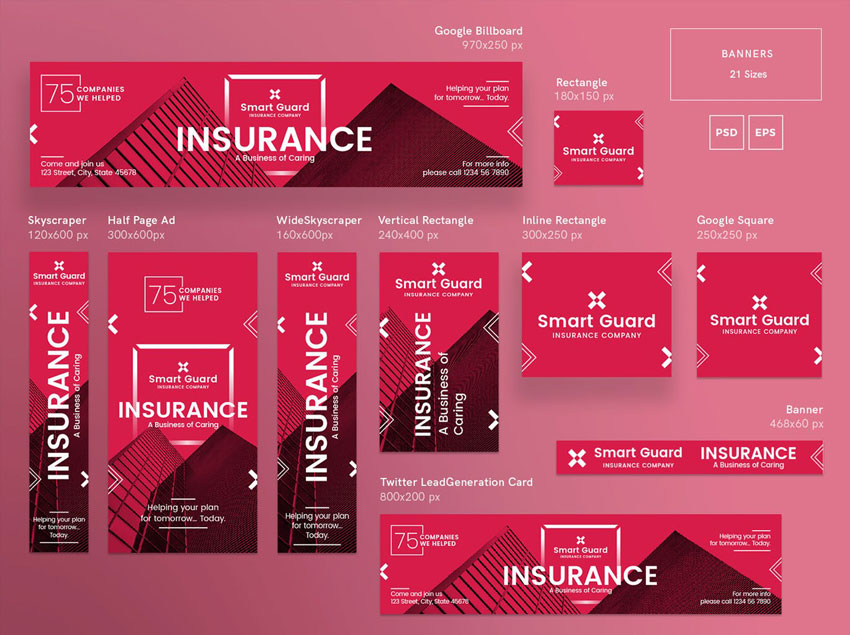
Insurance Company Banner Pack

This banner template pack is perfect for event invitations, party supplies, and labels. It is clean, professional, and perfect to grab your target’s attention. If you dabble in Photoshop and Illustrator, then this pack is for you. Whether you need an ad for Facebook, Twitter, YouTube, Google or Adroll, this pack has got you covered.

Insurance company banner pack
Insurance Company Banner Pack

80 Banners Shop Edition

Following the latest trends in design, this stylish banner is perfect for your website, mobile app, blog, or social media. These banners are resizable and fully editable, including a video tutorial to walk you through the process.

80s banners shop edition
80 Banners Shop Edition

Flat Banner Collection

These flat line vector-based banners are easily resizable and great for social media, digital marketing, sales, etc. The set contains six flat banners, highly customizable and editable in Adobe Illustrator.

Flat banner collection
Flat Banner Collection

Mobile Web App Banner Ads

This pack offers web banners that are great for promoting a smartphone application. It comes with 18 scalable sizes that are easy to edit. The sizes are optimized for AdWords templates, Twitter, Facebook, Instagram, and Pinterest.

Mobile web app banner ads
Mobile Web Banner Ad

Twitch Layout Bundle

Show off this Twitch layout bundle template on your next gaming session. If you dabble in Adobe Photoshop, this bundle is perfect for you. It includes different themes and screens, so just add your logo, change up the font, and you are ready to go!

Twitch layout bundle
Twitch Layout Bundle

There You Have It!

The internet is full of web banners, and if you want to grab your potential consumer’s attention, your banner needs to be well designed and have a strong impact. We’ve covered key points and the considerations you should have when designing a website banner.

Planning your next marketing campaign shouldn’t be difficult. With the help of our many templates from Envato Elements, you are sure to find something to get you started. Placeit is an all-in-one online banner maker—whether you need an ad for Facebook, Twitter, Twitch, or YouTube, Placeit has got you covered.

I hope this article inspires your next marketing campaign and drives traffic and sales to your business.

If you would like to explore more template ideas, you can find many customizable YouTube banner templates and Twitter banner templates. over at Envato Elements and GraphicRiver. Check it out!

If you liked this article, you might like these:

How to Make a Banner

Post pobrano z: How to Make a Banner

Final product image
What You’ll Be Creating

Looking to boost your online traffic? Website banners are a great addition to your marketing campaign that can enhance your online presence, and in this tutorial I’m going to show you how to make a banner.

In this article, you will find out what web banners are, what makes them effective, and a few shortcuts when it comes to creating your own website banner. I’ll also provide you with a couple of tutorials on how to make a banner using Adobe Photoshop and Illustrator. 

Don’t know how to use this software? Placeit is a great online banner maker that’s easy to use and quick to customize. With hundreds of options to choose from, you are sure to find a banner template that suits your needs. Envato Elements also offers amazing and effective web banner templates and stock photos that can help you create a stunning campaign. 

The advertising world has evolved from printed ads to website banners. You can see them on Facebook ads, Instagram sponsored content, and on any website you are browsing. They are strategically placed and designed to attract consumers like you and me. The main purpose of these web banners is to sell a product, announce sales, and grab our attention. That’s why banner design is a very important element of your campaign, so let’s dive in!

Social Media Banners

A social media banner should be a visual representation of your brand and what you do. You can find these on sites ranging from LinkedIn, Facebook, and Twitter to many gaming sites.

The purpose of a banner is to provide information to potential consumers—sort of a welcome image. It can also be used as a marketing tool or as part of a campaign to promote an event and boost your appearance online. Using social media banners effectively can add value to a company by increasing followers and driving engagement.

Explore some Twitter header maker templatesYouTube banner maker templates, or Facebook banner makers that can help you take your business to the next level.

Social media banner

Ad Banners

In a similar way to social media banners, ad banners are a marketing campaign displayed on a website. The website banner can be image- or multimedia-based, and the intent is to drive traffic to a specific website by linking to it. Whether it’s promoting a new product or service, the main function of a banner is to get clicked on. Website banners are used on high-traffic websites and usually on websites that have something in common with the ad.

Here are some great looking ad maker templates that are easy to customize and get them on brand for your next campaign.

Ad banner

Banner Content

If you are either using a web ad maker or creating one of your own, there are a few things to take in consideration. Since consumers aren’t looking for ads, website banners need to be attention grabbers. There’s a good chance that consumers were looking at a website for something else, and they just happened to stumble upon your ad.

The main elements to include on a web banner design are: 

  • your logo
  • the offer
  • the call to action

The offer needs to be short and sweet. Consumers are lending you less than a second while scrolling through a website, so your website banner needs to be simple when it comes to body copy. 

Last and most importantly, you need to include a call to action. This is some text or a button with an invitation to the consumer. For instance, “join now” or “check out today’s deals” are great phrases to generate some interest in your offer. The design of this button needs to be on brand, noticeable, and clear.

Here are some amazing website banner designs that have distinct call to action buttons.

Banner content

Banner Imagery

You can create a great web banner design with only typography, but quality images are a good addition. When it comes to web banners, use relevant images that enhance the message. Remember about those limited attention spans, so be sure to grab them with stunning photography. If you can’t afford to set up a custom photo shoot, there are other great options like Envato Elements that can help you make a banner. With an extensive library, you are sure to find images that are great for advertising.

Or make a banner with Placeit, which is a great option too! They offer stock images with their web banner templates that can help you achieve the design you are looking for.

Banner imgery

Audience Considerations

Focusing your advertising banner on a specific target audience can create a better outcome for your campaign. Consider what websites or social media platforms your audience might be spending their time on. Also consider what images are relevant to your audience and your web banner—this can them relate to the product or service on a deeper level. 

Facebook is popular across multiple demographics and offers very detailed targeting options. Instagram is great with millennials, and you can create posts with multiple images, stories, and videos. If you happen to create a video ad, YouTube has the ability to display In-Stream Ads before, during or after a video.

Gathering data is a great way to successfully create a marketing campaign that will reach your consumers. Google AdWords will offer insight into how consumers are interacting with the banners. Testing and analyzing is great to see if your advertising campaign is working as you intended. Social media platforms offer instant feedback by looking at the reports. Use this as an advantage to measure your results and tweak your banner design as you need.

Here are a few target specific online ad maker templates that can help you reach your audience easily: fashion web banners and food banner templates.

Audience considerations

How to Create Your Own Banner

Adobe Photoshop

Photoshop is a great tool if your banner design will rely heavily on imagery. This piece of software is usually the first one many people get introduced to and is the easiest to understand. If you are using the newest CC version, the software now allows you to create multiple artboards. So you can create multiple banner sizes in one document and make sure they all match.

If you are looking for tutorials on how to make a banner in Adobe Photoshop, Melody Nieves shows you how to create a designer-inspired banner with multiple levitating assets. This tutorial is great if you are looking for Facebook/Twitter header banners. Check it out!

Levitating banner tutorial
How to Create a Design-Inspired Photo Manipulation for Twitter/Facebook Banners

Adobe Illustrator

Make a banner with Illustrator if you will be creating vectors in your design. If you will be using multiple sizes and layouts, Illustrator is great so you can get an overview of all the website banners and make sure they all match.

If you are looking for a tutorial on how to make a banner in Illustrator, Vladimir Galantsev shows you how to make a medical banner.

Medical banner tutorial
How to Create a Medical Banner With Icons in Adobe Illustrator

Placeit

If you don’t have time but still want to get involved with the design of your web banner, Placeit is a great option. Placeit is one of the fastest-growing mockup websites and is also a great online ad maker. It is easy to use, and you can create designs as easily as filling out a form. They have an expanding collection of affordable assets ready to be used.

Add your logo, copy, and your image. Browse through the different fonts and extensive image library as you design your web banner. The website will automatically translate all your designs into different web banner ad dimensions you might need.

YouTube Banner Maker

Placeit’s YouTube banner creator will help you improve the look of your channel. Use one of their stock photos or add your own and personalize it with your colors.

Youtube banner maker
Placeit YouTube Banner

Facebook Banner Maker

Maximize your campaign by personalizing this Facebook banner with your own brand colors. Explore many more styles on Placeit to fit your product or service.

Facebook banner maker
Placeit Facebook Ad

Twitter Banner Maker

Get amazing visuals with just a few clicks with Placeit’s Twitter header maker. Creating a Twitter header banner is fun and easy, and it takes only a few minutes!

Twitter banner maker
Placeit Twitter Banner

Twitch Banner Maker

Create amazing Twitch banners with Placeit’s Twitch banner maker—no software needed. Placeit’s interface is easy to use—choose from many avatars or add your own and coordinate the colors. You are all set to start streaming!

Twitch banner maker
Placeit Twitch Banner

Custom Banner Maker

Looking for a custom online banner maker? Placeit offers multiple sizes when you create web banners. Choose a template, customize it, and Placeit will generate other sizes that you might want to use.

Custom banner maker
Placeit Custom Banner Maker

Premium Asset Templates

If you are familiar with some of the Adobe software, a banner template is a great way to start your marketing campaign. We’ve put together a list with templates for different social media ads and website banners.

Facebook Ad Templates

This Facebook banner template will grab your audience’s attention quickly due to the high contrast in each image. This trendy template will make your page look cool and edgy. The pack includes ad templates, photo templates, and profile picture templates. The text, images, and background are easily editable in both Photoshop and Illustrator.

Facebook ad templates
Facebook Ad Templates

Social Media Pack Template

This set contains square layouts suitable for Instagram, Facebook, and Twitter posts. Create colorful posts to sell or advertise your product or services effectively. If you are familiar with Illustrator, this is the set for you.

Social media pack template
Social Media Pack

Gaming Channel YouTube Banner

This customizable YouTube banner creator offers five different styles. With well-organized layers, you are sure to get your subscriber count going up. The set is easily editable in Photoshop and includes free fonts.

Gaming channel youtube banner
Gaming Channel YouTube Banner

Animated Black Red Instagram Stories

Stand out from the crowd with this amazing set, which contains animated and static templates. These unique and stylish banners can be used on your Instagram stories, Facebook, Twitter, and others. The templates are sized for mobile screens, and the files can be edited with Photoshop.

Animated black red instagram stories
Animated Black Red Instagram Stories

Multipurpose Banners Ad

This template includes 15 banner sizes, including sizes for Google ads and Facebook ads. Colors and text are fully editable, and the template includes fonts. You are sure to find the size you need in this package.

Multipurpose banners ad
Multipurpose Banner Ad

Insurance Company Banner Pack

This banner template pack is perfect for event invitations, party supplies, and labels. It is clean, professional, and perfect to grab your target’s attention. If you dabble in Photoshop and Illustrator, then this pack is for you. Whether you need an ad for Facebook, Twitter, YouTube, Google or Adroll, this pack has got you covered.

Insurance company banner pack
Insurance Company Banner Pack

80 Banners Shop Edition

Following the latest trends in design, this stylish banner is perfect for your website, mobile app, blog, or social media. These banners are resizable and fully editable, including a video tutorial to walk you through the process.

80s banners shop edition
80 Banners Shop Edition

Flat Banner Collection

These flat line vector-based banners are easily resizable and great for social media, digital marketing, sales, etc. The set contains six flat banners, highly customizable and editable in Adobe Illustrator.

Flat banner collection
Flat Banner Collection

Mobile Web App Banner Ads

This pack offers web banners that are great for promoting a smartphone application. It comes with 18 scalable sizes that are easy to edit. The sizes are optimized for AdWords templates, Twitter, Facebook, Instagram, and Pinterest.

Mobile web app banner ads
Mobile Web Banner Ad

Twitch Layout Bundle

Show off this Twitch layout bundle template on your next gaming session. If you dabble in Adobe Photoshop, this bundle is perfect for you. It includes different themes and screens, so just add your logo, change up the font, and you are ready to go!

Twitch layout bundle
Twitch Layout Bundle

There You Have It!

The internet is full of web banners, and if you want to grab your potential consumer’s attention, your banner needs to be well designed and have a strong impact. We’ve covered key points and the considerations you should have when designing a website banner.

Planning your next marketing campaign shouldn’t be difficult. With the help of our many templates from Envato Elements, you are sure to find something to get you started. Placeit is an all-in-one online banner maker—whether you need an ad for Facebook, Twitter, Twitch, or YouTube, Placeit has got you covered.

I hope this article inspires your next marketing campaign and drives traffic and sales to your business.

If you would like to explore more template ideas, you can find many customizable YouTube banner templates and Twitter banner templates. over at Envato Elements and GraphicRiver. Check it out!

If you liked this article, you might like these:

How to Make a Banner

Post pobrano z: How to Make a Banner

Final product image
What You’ll Be Creating

Looking to boost your online traffic? Website banners are a great addition to your marketing campaign that can enhance your online presence, and in this tutorial I’m going to show you how to make a banner.

In this article, you will find out what web banners are, what makes them effective, and a few shortcuts when it comes to creating your own website banner. I’ll also provide you with a couple of tutorials on how to make a banner using Adobe Photoshop and Illustrator. 

Don’t know how to use this software? Placeit is a great online banner maker that’s easy to use and quick to customize. With hundreds of options to choose from, you are sure to find a banner template that suits your needs. Envato Elements also offers amazing and effective web banner templates and stock photos that can help you create a stunning campaign. 

The advertising world has evolved from printed ads to website banners. You can see them on Facebook ads, Instagram sponsored content, and on any website you are browsing. They are strategically placed and designed to attract consumers like you and me. The main purpose of these web banners is to sell a product, announce sales, and grab our attention. That’s why banner design is a very important element of your campaign, so let’s dive in!

Social Media Banners

A social media banner should be a visual representation of your brand and what you do. You can find these on sites ranging from LinkedIn, Facebook, and Twitter to many gaming sites.

The purpose of a banner is to provide information to potential consumers—sort of a welcome image. It can also be used as a marketing tool or as part of a campaign to promote an event and boost your appearance online. Using social media banners effectively can add value to a company by increasing followers and driving engagement.

Explore some Twitter header maker templatesYouTube banner maker templates, or Facebook banner makers that can help you take your business to the next level.

Social media banner

Ad Banners

In a similar way to social media banners, ad banners are a marketing campaign displayed on a website. The website banner can be image- or multimedia-based, and the intent is to drive traffic to a specific website by linking to it. Whether it’s promoting a new product or service, the main function of a banner is to get clicked on. Website banners are used on high-traffic websites and usually on websites that have something in common with the ad.

Here are some great looking ad maker templates that are easy to customize and get them on brand for your next campaign.

Ad banner

Banner Content

If you are either using a web ad maker or creating one of your own, there are a few things to take in consideration. Since consumers aren’t looking for ads, website banners need to be attention grabbers. There’s a good chance that consumers were looking at a website for something else, and they just happened to stumble upon your ad.

The main elements to include on a web banner design are: 

  • your logo
  • the offer
  • the call to action

The offer needs to be short and sweet. Consumers are lending you less than a second while scrolling through a website, so your website banner needs to be simple when it comes to body copy. 

Last and most importantly, you need to include a call to action. This is some text or a button with an invitation to the consumer. For instance, “join now” or “check out today’s deals” are great phrases to generate some interest in your offer. The design of this button needs to be on brand, noticeable, and clear.

Here are some amazing website banner designs that have distinct call to action buttons.

Banner content

Banner Imagery

You can create a great web banner design with only typography, but quality images are a good addition. When it comes to web banners, use relevant images that enhance the message. Remember about those limited attention spans, so be sure to grab them with stunning photography. If you can’t afford to set up a custom photo shoot, there are other great options like Envato Elements that can help you make a banner. With an extensive library, you are sure to find images that are great for advertising.

Or make a banner with Placeit, which is a great option too! They offer stock images with their web banner templates that can help you achieve the design you are looking for.

Banner imgery

Audience Considerations

Focusing your advertising banner on a specific target audience can create a better outcome for your campaign. Consider what websites or social media platforms your audience might be spending their time on. Also consider what images are relevant to your audience and your web banner—this can them relate to the product or service on a deeper level. 

Facebook is popular across multiple demographics and offers very detailed targeting options. Instagram is great with millennials, and you can create posts with multiple images, stories, and videos. If you happen to create a video ad, YouTube has the ability to display In-Stream Ads before, during or after a video.

Gathering data is a great way to successfully create a marketing campaign that will reach your consumers. Google AdWords will offer insight into how consumers are interacting with the banners. Testing and analyzing is great to see if your advertising campaign is working as you intended. Social media platforms offer instant feedback by looking at the reports. Use this as an advantage to measure your results and tweak your banner design as you need.

Here are a few target specific online ad maker templates that can help you reach your audience easily: fashion web banners and food banner templates.

Audience considerations

How to Create Your Own Banner

Adobe Photoshop

Photoshop is a great tool if your banner design will rely heavily on imagery. This piece of software is usually the first one many people get introduced to and is the easiest to understand. If you are using the newest CC version, the software now allows you to create multiple artboards. So you can create multiple banner sizes in one document and make sure they all match.

If you are looking for tutorials on how to make a banner in Adobe Photoshop, Melody Nieves shows you how to create a designer-inspired banner with multiple levitating assets. This tutorial is great if you are looking for Facebook/Twitter header banners. Check it out!

Levitating banner tutorial
How to Create a Design-Inspired Photo Manipulation for Twitter/Facebook Banners

Adobe Illustrator

Make a banner with Illustrator if you will be creating vectors in your design. If you will be using multiple sizes and layouts, Illustrator is great so you can get an overview of all the website banners and make sure they all match.

If you are looking for a tutorial on how to make a banner in Illustrator, Vladimir Galantsev shows you how to make a medical banner.

Medical banner tutorial
How to Create a Medical Banner With Icons in Adobe Illustrator

Placeit

If you don’t have time but still want to get involved with the design of your web banner, Placeit is a great option. Placeit is one of the fastest-growing mockup websites and is also a great online ad maker. It is easy to use, and you can create designs as easily as filling out a form. They have an expanding collection of affordable assets ready to be used.

Add your logo, copy, and your image. Browse through the different fonts and extensive image library as you design your web banner. The website will automatically translate all your designs into different web banner ad dimensions you might need.

YouTube Banner Maker

Placeit’s YouTube banner creator will help you improve the look of your channel. Use one of their stock photos or add your own and personalize it with your colors.

Youtube banner maker
Placeit YouTube Banner

Facebook Banner Maker

Maximize your campaign by personalizing this Facebook banner with your own brand colors. Explore many more styles on Placeit to fit your product or service.

Facebook banner maker
Placeit Facebook Ad

Twitter Banner Maker

Get amazing visuals with just a few clicks with Placeit’s Twitter header maker. Creating a Twitter header banner is fun and easy, and it takes only a few minutes!

Twitter banner maker
Placeit Twitter Banner

Twitch Banner Maker

Create amazing Twitch banners with Placeit’s Twitch banner maker—no software needed. Placeit’s interface is easy to use—choose from many avatars or add your own and coordinate the colors. You are all set to start streaming!

Twitch banner maker
Placeit Twitch Banner

Custom Banner Maker

Looking for a custom online banner maker? Placeit offers multiple sizes when you create web banners. Choose a template, customize it, and Placeit will generate other sizes that you might want to use.

Custom banner maker
Placeit Custom Banner Maker

Premium Asset Templates

If you are familiar with some of the Adobe software, a banner template is a great way to start your marketing campaign. We’ve put together a list with templates for different social media ads and website banners.

Facebook Ad Templates

This Facebook banner template will grab your audience’s attention quickly due to the high contrast in each image. This trendy template will make your page look cool and edgy. The pack includes ad templates, photo templates, and profile picture templates. The text, images, and background are easily editable in both Photoshop and Illustrator.

Facebook ad templates
Facebook Ad Templates

Social Media Pack Template

This set contains square layouts suitable for Instagram, Facebook, and Twitter posts. Create colorful posts to sell or advertise your product or services effectively. If you are familiar with Illustrator, this is the set for you.

Social media pack template
Social Media Pack

Gaming Channel YouTube Banner

This customizable YouTube banner creator offers five different styles. With well-organized layers, you are sure to get your subscriber count going up. The set is easily editable in Photoshop and includes free fonts.

Gaming channel youtube banner
Gaming Channel YouTube Banner

Animated Black Red Instagram Stories

Stand out from the crowd with this amazing set, which contains animated and static templates. These unique and stylish banners can be used on your Instagram stories, Facebook, Twitter, and others. The templates are sized for mobile screens, and the files can be edited with Photoshop.

Animated black red instagram stories
Animated Black Red Instagram Stories

Multipurpose Banners Ad

This template includes 15 banner sizes, including sizes for Google ads and Facebook ads. Colors and text are fully editable, and the template includes fonts. You are sure to find the size you need in this package.

Multipurpose banners ad
Multipurpose Banner Ad

Insurance Company Banner Pack

This banner template pack is perfect for event invitations, party supplies, and labels. It is clean, professional, and perfect to grab your target’s attention. If you dabble in Photoshop and Illustrator, then this pack is for you. Whether you need an ad for Facebook, Twitter, YouTube, Google or Adroll, this pack has got you covered.

Insurance company banner pack
Insurance Company Banner Pack

80 Banners Shop Edition

Following the latest trends in design, this stylish banner is perfect for your website, mobile app, blog, or social media. These banners are resizable and fully editable, including a video tutorial to walk you through the process.

80s banners shop edition
80 Banners Shop Edition

Flat Banner Collection

These flat line vector-based banners are easily resizable and great for social media, digital marketing, sales, etc. The set contains six flat banners, highly customizable and editable in Adobe Illustrator.

Flat banner collection
Flat Banner Collection

Mobile Web App Banner Ads

This pack offers web banners that are great for promoting a smartphone application. It comes with 18 scalable sizes that are easy to edit. The sizes are optimized for AdWords templates, Twitter, Facebook, Instagram, and Pinterest.

Mobile web app banner ads
Mobile Web Banner Ad

Twitch Layout Bundle

Show off this Twitch layout bundle template on your next gaming session. If you dabble in Adobe Photoshop, this bundle is perfect for you. It includes different themes and screens, so just add your logo, change up the font, and you are ready to go!

Twitch layout bundle
Twitch Layout Bundle

There You Have It!

The internet is full of web banners, and if you want to grab your potential consumer’s attention, your banner needs to be well designed and have a strong impact. We’ve covered key points and the considerations you should have when designing a website banner.

Planning your next marketing campaign shouldn’t be difficult. With the help of our many templates from Envato Elements, you are sure to find something to get you started. Placeit is an all-in-one online banner maker—whether you need an ad for Facebook, Twitter, Twitch, or YouTube, Placeit has got you covered.

I hope this article inspires your next marketing campaign and drives traffic and sales to your business.

If you would like to explore more template ideas, you can find many customizable YouTube banner templates and Twitter banner templates. over at Envato Elements and GraphicRiver. Check it out!

If you liked this article, you might like these:

How to Make a Banner

Post pobrano z: How to Make a Banner

Final product image
What You’ll Be Creating

Looking to boost your online traffic? Website banners are a great addition to your marketing campaign that can enhance your online presence, and in this tutorial I’m going to show you how to make a banner.

In this article, you will find out what web banners are, what makes them effective, and a few shortcuts when it comes to creating your own website banner. I’ll also provide you with a couple of tutorials on how to make a banner using Adobe Photoshop and Illustrator. 

Don’t know how to use this software? Placeit is a great online banner maker that’s easy to use and quick to customize. With hundreds of options to choose from, you are sure to find a banner template that suits your needs. Envato Elements also offers amazing and effective web banner templates and stock photos that can help you create a stunning campaign. 

The advertising world has evolved from printed ads to website banners. You can see them on Facebook ads, Instagram sponsored content, and on any website you are browsing. They are strategically placed and designed to attract consumers like you and me. The main purpose of these web banners is to sell a product, announce sales, and grab our attention. That’s why banner design is a very important element of your campaign, so let’s dive in!

Social Media Banners

A social media banner should be a visual representation of your brand and what you do. You can find these on sites ranging from LinkedIn, Facebook, and Twitter to many gaming sites.

The purpose of a banner is to provide information to potential consumers—sort of a welcome image. It can also be used as a marketing tool or as part of a campaign to promote an event and boost your appearance online. Using social media banners effectively can add value to a company by increasing followers and driving engagement.

Explore some Twitter header maker templatesYouTube banner maker templates, or Facebook banner makers that can help you take your business to the next level.

Social media banner

Ad Banners

In a similar way to social media banners, ad banners are a marketing campaign displayed on a website. The website banner can be image- or multimedia-based, and the intent is to drive traffic to a specific website by linking to it. Whether it’s promoting a new product or service, the main function of a banner is to get clicked on. Website banners are used on high-traffic websites and usually on websites that have something in common with the ad.

Here are some great looking ad maker templates that are easy to customize and get them on brand for your next campaign.

Ad banner

Banner Content

If you are either using a web ad maker or creating one of your own, there are a few things to take in consideration. Since consumers aren’t looking for ads, website banners need to be attention grabbers. There’s a good chance that consumers were looking at a website for something else, and they just happened to stumble upon your ad.

The main elements to include on a web banner design are: 

  • your logo
  • the offer
  • the call to action

The offer needs to be short and sweet. Consumers are lending you less than a second while scrolling through a website, so your website banner needs to be simple when it comes to body copy. 

Last and most importantly, you need to include a call to action. This is some text or a button with an invitation to the consumer. For instance, “join now” or “check out today’s deals” are great phrases to generate some interest in your offer. The design of this button needs to be on brand, noticeable, and clear.

Here are some amazing website banner designs that have distinct call to action buttons.

Banner content

Banner Imagery

You can create a great web banner design with only typography, but quality images are a good addition. When it comes to web banners, use relevant images that enhance the message. Remember about those limited attention spans, so be sure to grab them with stunning photography. If you can’t afford to set up a custom photo shoot, there are other great options like Envato Elements that can help you make a banner. With an extensive library, you are sure to find images that are great for advertising.

Or make a banner with Placeit, which is a great option too! They offer stock images with their web banner templates that can help you achieve the design you are looking for.

Banner imgery

Audience Considerations

Focusing your advertising banner on a specific target audience can create a better outcome for your campaign. Consider what websites or social media platforms your audience might be spending their time on. Also consider what images are relevant to your audience and your web banner—this can them relate to the product or service on a deeper level. 

Facebook is popular across multiple demographics and offers very detailed targeting options. Instagram is great with millennials, and you can create posts with multiple images, stories, and videos. If you happen to create a video ad, YouTube has the ability to display In-Stream Ads before, during or after a video.

Gathering data is a great way to successfully create a marketing campaign that will reach your consumers. Google AdWords will offer insight into how consumers are interacting with the banners. Testing and analyzing is great to see if your advertising campaign is working as you intended. Social media platforms offer instant feedback by looking at the reports. Use this as an advantage to measure your results and tweak your banner design as you need.

Here are a few target specific online ad maker templates that can help you reach your audience easily: fashion web banners and food banner templates.

Audience considerations

How to Create Your Own Banner

Adobe Photoshop

Photoshop is a great tool if your banner design will rely heavily on imagery. This piece of software is usually the first one many people get introduced to and is the easiest to understand. If you are using the newest CC version, the software now allows you to create multiple artboards. So you can create multiple banner sizes in one document and make sure they all match.

If you are looking for tutorials on how to make a banner in Adobe Photoshop, Melody Nieves shows you how to create a designer-inspired banner with multiple levitating assets. This tutorial is great if you are looking for Facebook/Twitter header banners. Check it out!

Levitating banner tutorial
How to Create a Design-Inspired Photo Manipulation for Twitter/Facebook Banners

Adobe Illustrator

Make a banner with Illustrator if you will be creating vectors in your design. If you will be using multiple sizes and layouts, Illustrator is great so you can get an overview of all the website banners and make sure they all match.

If you are looking for a tutorial on how to make a banner in Illustrator, Vladimir Galantsev shows you how to make a medical banner.

Medical banner tutorial
How to Create a Medical Banner With Icons in Adobe Illustrator

Placeit

If you don’t have time but still want to get involved with the design of your web banner, Placeit is a great option. Placeit is one of the fastest-growing mockup websites and is also a great online ad maker. It is easy to use, and you can create designs as easily as filling out a form. They have an expanding collection of affordable assets ready to be used.

Add your logo, copy, and your image. Browse through the different fonts and extensive image library as you design your web banner. The website will automatically translate all your designs into different web banner ad dimensions you might need.

YouTube Banner Maker

Placeit’s YouTube banner creator will help you improve the look of your channel. Use one of their stock photos or add your own and personalize it with your colors.

Youtube banner maker
Placeit YouTube Banner

Facebook Banner Maker

Maximize your campaign by personalizing this Facebook banner with your own brand colors. Explore many more styles on Placeit to fit your product or service.

Facebook banner maker
Placeit Facebook Ad

Twitter Banner Maker

Get amazing visuals with just a few clicks with Placeit’s Twitter header maker. Creating a Twitter header banner is fun and easy, and it takes only a few minutes!

Twitter banner maker
Placeit Twitter Banner

Twitch Banner Maker

Create amazing Twitch banners with Placeit’s Twitch banner maker—no software needed. Placeit’s interface is easy to use—choose from many avatars or add your own and coordinate the colors. You are all set to start streaming!

Twitch banner maker
Placeit Twitch Banner

Custom Banner Maker

Looking for a custom online banner maker? Placeit offers multiple sizes when you create web banners. Choose a template, customize it, and Placeit will generate other sizes that you might want to use.

Custom banner maker
Placeit Custom Banner Maker

Premium Asset Templates

If you are familiar with some of the Adobe software, a banner template is a great way to start your marketing campaign. We’ve put together a list with templates for different social media ads and website banners.

Facebook Ad Templates

This Facebook banner template will grab your audience’s attention quickly due to the high contrast in each image. This trendy template will make your page look cool and edgy. The pack includes ad templates, photo templates, and profile picture templates. The text, images, and background are easily editable in both Photoshop and Illustrator.

Facebook ad templates
Facebook Ad Templates

Social Media Pack Template

This set contains square layouts suitable for Instagram, Facebook, and Twitter posts. Create colorful posts to sell or advertise your product or services effectively. If you are familiar with Illustrator, this is the set for you.

Social media pack template
Social Media Pack

Gaming Channel YouTube Banner

This customizable YouTube banner creator offers five different styles. With well-organized layers, you are sure to get your subscriber count going up. The set is easily editable in Photoshop and includes free fonts.

Gaming channel youtube banner
Gaming Channel YouTube Banner

Animated Black Red Instagram Stories

Stand out from the crowd with this amazing set, which contains animated and static templates. These unique and stylish banners can be used on your Instagram stories, Facebook, Twitter, and others. The templates are sized for mobile screens, and the files can be edited with Photoshop.

Animated black red instagram stories
Animated Black Red Instagram Stories

Multipurpose Banners Ad

This template includes 15 banner sizes, including sizes for Google ads and Facebook ads. Colors and text are fully editable, and the template includes fonts. You are sure to find the size you need in this package.

Multipurpose banners ad
Multipurpose Banner Ad

Insurance Company Banner Pack

This banner template pack is perfect for event invitations, party supplies, and labels. It is clean, professional, and perfect to grab your target’s attention. If you dabble in Photoshop and Illustrator, then this pack is for you. Whether you need an ad for Facebook, Twitter, YouTube, Google or Adroll, this pack has got you covered.

Insurance company banner pack
Insurance Company Banner Pack

80 Banners Shop Edition

Following the latest trends in design, this stylish banner is perfect for your website, mobile app, blog, or social media. These banners are resizable and fully editable, including a video tutorial to walk you through the process.

80s banners shop edition
80 Banners Shop Edition

Flat Banner Collection

These flat line vector-based banners are easily resizable and great for social media, digital marketing, sales, etc. The set contains six flat banners, highly customizable and editable in Adobe Illustrator.

Flat banner collection
Flat Banner Collection

Mobile Web App Banner Ads

This pack offers web banners that are great for promoting a smartphone application. It comes with 18 scalable sizes that are easy to edit. The sizes are optimized for AdWords templates, Twitter, Facebook, Instagram, and Pinterest.

Mobile web app banner ads
Mobile Web Banner Ad

Twitch Layout Bundle

Show off this Twitch layout bundle template on your next gaming session. If you dabble in Adobe Photoshop, this bundle is perfect for you. It includes different themes and screens, so just add your logo, change up the font, and you are ready to go!

Twitch layout bundle
Twitch Layout Bundle

There You Have It!

The internet is full of web banners, and if you want to grab your potential consumer’s attention, your banner needs to be well designed and have a strong impact. We’ve covered key points and the considerations you should have when designing a website banner.

Planning your next marketing campaign shouldn’t be difficult. With the help of our many templates from Envato Elements, you are sure to find something to get you started. Placeit is an all-in-one online banner maker—whether you need an ad for Facebook, Twitter, Twitch, or YouTube, Placeit has got you covered.

I hope this article inspires your next marketing campaign and drives traffic and sales to your business.

If you would like to explore more template ideas, you can find many customizable YouTube banner templates and Twitter banner templates. over at Envato Elements and GraphicRiver. Check it out!

If you liked this article, you might like these:

How to Make a Banner

Post pobrano z: How to Make a Banner

Final product image
What You’ll Be Creating

Looking to boost your online traffic? Website banners are a great addition to your marketing campaign that can enhance your online presence, and in this tutorial I’m going to show you how to make a banner.

In this article, you will find out what web banners are, what makes them effective, and a few shortcuts when it comes to creating your own website banner. I’ll also provide you with a couple of tutorials on how to make a banner using Adobe Photoshop and Illustrator. 

Don’t know how to use this software? Placeit is a great online banner maker that’s easy to use and quick to customize. With hundreds of options to choose from, you are sure to find a banner template that suits your needs. Envato Elements also offers amazing and effective web banner templates and stock photos that can help you create a stunning campaign. 

The advertising world has evolved from printed ads to website banners. You can see them on Facebook ads, Instagram sponsored content, and on any website you are browsing. They are strategically placed and designed to attract consumers like you and me. The main purpose of these web banners is to sell a product, announce sales, and grab our attention. That’s why banner design is a very important element of your campaign, so let’s dive in!

Social Media Banners

A social media banner should be a visual representation of your brand and what you do. You can find these on sites ranging from LinkedIn, Facebook, and Twitter to many gaming sites.

The purpose of a banner is to provide information to potential consumers—sort of a welcome image. It can also be used as a marketing tool or as part of a campaign to promote an event and boost your appearance online. Using social media banners effectively can add value to a company by increasing followers and driving engagement.

Explore some Twitter header maker templatesYouTube banner maker templates, or Facebook banner makers that can help you take your business to the next level.

Social media banner

Ad Banners

In a similar way to social media banners, ad banners are a marketing campaign displayed on a website. The website banner can be image- or multimedia-based, and the intent is to drive traffic to a specific website by linking to it. Whether it’s promoting a new product or service, the main function of a banner is to get clicked on. Website banners are used on high-traffic websites and usually on websites that have something in common with the ad.

Here are some great looking ad maker templates that are easy to customize and get them on brand for your next campaign.

Ad banner

Banner Content

If you are either using a web ad maker or creating one of your own, there are a few things to take in consideration. Since consumers aren’t looking for ads, website banners need to be attention grabbers. There’s a good chance that consumers were looking at a website for something else, and they just happened to stumble upon your ad.

The main elements to include on a web banner design are: 

  • your logo
  • the offer
  • the call to action

The offer needs to be short and sweet. Consumers are lending you less than a second while scrolling through a website, so your website banner needs to be simple when it comes to body copy. 

Last and most importantly, you need to include a call to action. This is some text or a button with an invitation to the consumer. For instance, “join now” or “check out today’s deals” are great phrases to generate some interest in your offer. The design of this button needs to be on brand, noticeable, and clear.

Here are some amazing website banner designs that have distinct call to action buttons.

Banner content

Banner Imagery

You can create a great web banner design with only typography, but quality images are a good addition. When it comes to web banners, use relevant images that enhance the message. Remember about those limited attention spans, so be sure to grab them with stunning photography. If you can’t afford to set up a custom photo shoot, there are other great options like Envato Elements that can help you make a banner. With an extensive library, you are sure to find images that are great for advertising.

Or make a banner with Placeit, which is a great option too! They offer stock images with their web banner templates that can help you achieve the design you are looking for.

Banner imgery

Audience Considerations

Focusing your advertising banner on a specific target audience can create a better outcome for your campaign. Consider what websites or social media platforms your audience might be spending their time on. Also consider what images are relevant to your audience and your web banner—this can them relate to the product or service on a deeper level. 

Facebook is popular across multiple demographics and offers very detailed targeting options. Instagram is great with millennials, and you can create posts with multiple images, stories, and videos. If you happen to create a video ad, YouTube has the ability to display In-Stream Ads before, during or after a video.

Gathering data is a great way to successfully create a marketing campaign that will reach your consumers. Google AdWords will offer insight into how consumers are interacting with the banners. Testing and analyzing is great to see if your advertising campaign is working as you intended. Social media platforms offer instant feedback by looking at the reports. Use this as an advantage to measure your results and tweak your banner design as you need.

Here are a few target specific online ad maker templates that can help you reach your audience easily: fashion web banners and food banner templates.

Audience considerations

How to Create Your Own Banner

Adobe Photoshop

Photoshop is a great tool if your banner design will rely heavily on imagery. This piece of software is usually the first one many people get introduced to and is the easiest to understand. If you are using the newest CC version, the software now allows you to create multiple artboards. So you can create multiple banner sizes in one document and make sure they all match.

If you are looking for tutorials on how to make a banner in Adobe Photoshop, Melody Nieves shows you how to create a designer-inspired banner with multiple levitating assets. This tutorial is great if you are looking for Facebook/Twitter header banners. Check it out!

Levitating banner tutorial
How to Create a Design-Inspired Photo Manipulation for Twitter/Facebook Banners

Adobe Illustrator

Make a banner with Illustrator if you will be creating vectors in your design. If you will be using multiple sizes and layouts, Illustrator is great so you can get an overview of all the website banners and make sure they all match.

If you are looking for a tutorial on how to make a banner in Illustrator, Vladimir Galantsev shows you how to make a medical banner.

Medical banner tutorial
How to Create a Medical Banner With Icons in Adobe Illustrator

Placeit

If you don’t have time but still want to get involved with the design of your web banner, Placeit is a great option. Placeit is one of the fastest-growing mockup websites and is also a great online ad maker. It is easy to use, and you can create designs as easily as filling out a form. They have an expanding collection of affordable assets ready to be used.

Add your logo, copy, and your image. Browse through the different fonts and extensive image library as you design your web banner. The website will automatically translate all your designs into different web banner ad dimensions you might need.

YouTube Banner Maker

Placeit’s YouTube banner creator will help you improve the look of your channel. Use one of their stock photos or add your own and personalize it with your colors.

Youtube banner maker
Placeit YouTube Banner

Facebook Banner Maker

Maximize your campaign by personalizing this Facebook banner with your own brand colors. Explore many more styles on Placeit to fit your product or service.

Facebook banner maker
Placeit Facebook Ad

Twitter Banner Maker

Get amazing visuals with just a few clicks with Placeit’s Twitter header maker. Creating a Twitter header banner is fun and easy, and it takes only a few minutes!

Twitter banner maker
Placeit Twitter Banner

Twitch Banner Maker

Create amazing Twitch banners with Placeit’s Twitch banner maker—no software needed. Placeit’s interface is easy to use—choose from many avatars or add your own and coordinate the colors. You are all set to start streaming!

Twitch banner maker
Placeit Twitch Banner

Custom Banner Maker

Looking for a custom online banner maker? Placeit offers multiple sizes when you create web banners. Choose a template, customize it, and Placeit will generate other sizes that you might want to use.

Custom banner maker
Placeit Custom Banner Maker

Premium Asset Templates

If you are familiar with some of the Adobe software, a banner template is a great way to start your marketing campaign. We’ve put together a list with templates for different social media ads and website banners.

Facebook Ad Templates

This Facebook banner template will grab your audience’s attention quickly due to the high contrast in each image. This trendy template will make your page look cool and edgy. The pack includes ad templates, photo templates, and profile picture templates. The text, images, and background are easily editable in both Photoshop and Illustrator.

Facebook ad templates
Facebook Ad Templates

Social Media Pack Template

This set contains square layouts suitable for Instagram, Facebook, and Twitter posts. Create colorful posts to sell or advertise your product or services effectively. If you are familiar with Illustrator, this is the set for you.

Social media pack template
Social Media Pack

Gaming Channel YouTube Banner

This customizable YouTube banner creator offers five different styles. With well-organized layers, you are sure to get your subscriber count going up. The set is easily editable in Photoshop and includes free fonts.

Gaming channel youtube banner
Gaming Channel YouTube Banner

Animated Black Red Instagram Stories

Stand out from the crowd with this amazing set, which contains animated and static templates. These unique and stylish banners can be used on your Instagram stories, Facebook, Twitter, and others. The templates are sized for mobile screens, and the files can be edited with Photoshop.

Animated black red instagram stories
Animated Black Red Instagram Stories

Multipurpose Banners Ad

This template includes 15 banner sizes, including sizes for Google ads and Facebook ads. Colors and text are fully editable, and the template includes fonts. You are sure to find the size you need in this package.

Multipurpose banners ad
Multipurpose Banner Ad

Insurance Company Banner Pack

This banner template pack is perfect for event invitations, party supplies, and labels. It is clean, professional, and perfect to grab your target’s attention. If you dabble in Photoshop and Illustrator, then this pack is for you. Whether you need an ad for Facebook, Twitter, YouTube, Google or Adroll, this pack has got you covered.

Insurance company banner pack
Insurance Company Banner Pack

80 Banners Shop Edition

Following the latest trends in design, this stylish banner is perfect for your website, mobile app, blog, or social media. These banners are resizable and fully editable, including a video tutorial to walk you through the process.

80s banners shop edition
80 Banners Shop Edition

Flat Banner Collection

These flat line vector-based banners are easily resizable and great for social media, digital marketing, sales, etc. The set contains six flat banners, highly customizable and editable in Adobe Illustrator.

Flat banner collection
Flat Banner Collection

Mobile Web App Banner Ads

This pack offers web banners that are great for promoting a smartphone application. It comes with 18 scalable sizes that are easy to edit. The sizes are optimized for AdWords templates, Twitter, Facebook, Instagram, and Pinterest.

Mobile web app banner ads
Mobile Web Banner Ad

Twitch Layout Bundle

Show off this Twitch layout bundle template on your next gaming session. If you dabble in Adobe Photoshop, this bundle is perfect for you. It includes different themes and screens, so just add your logo, change up the font, and you are ready to go!

Twitch layout bundle
Twitch Layout Bundle

There You Have It!

The internet is full of web banners, and if you want to grab your potential consumer’s attention, your banner needs to be well designed and have a strong impact. We’ve covered key points and the considerations you should have when designing a website banner.

Planning your next marketing campaign shouldn’t be difficult. With the help of our many templates from Envato Elements, you are sure to find something to get you started. Placeit is an all-in-one online banner maker—whether you need an ad for Facebook, Twitter, Twitch, or YouTube, Placeit has got you covered.

I hope this article inspires your next marketing campaign and drives traffic and sales to your business.

If you would like to explore more template ideas, you can find many customizable YouTube banner templates and Twitter banner templates. over at Envato Elements and GraphicRiver. Check it out!

If you liked this article, you might like these:

How to Make a Banner

Post pobrano z: How to Make a Banner

Final product image
What You’ll Be Creating

Looking to boost your online traffic? Website banners are a great addition to your marketing campaign that can enhance your online presence, and in this tutorial I’m going to show you how to make a banner.

In this article, you will find out what web banners are, what makes them effective, and a few shortcuts when it comes to creating your own website banner. I’ll also provide you with a couple of tutorials on how to make a banner using Adobe Photoshop and Illustrator. 

Don’t know how to use this software? Placeit is a great online banner maker that’s easy to use and quick to customize. With hundreds of options to choose from, you are sure to find a banner template that suits your needs. Envato Elements also offers amazing and effective web banner templates and stock photos that can help you create a stunning campaign. 

The advertising world has evolved from printed ads to website banners. You can see them on Facebook ads, Instagram sponsored content, and on any website you are browsing. They are strategically placed and designed to attract consumers like you and me. The main purpose of these web banners is to sell a product, announce sales, and grab our attention. That’s why banner design is a very important element of your campaign, so let’s dive in!

Social Media Banners

A social media banner should be a visual representation of your brand and what you do. You can find these on sites ranging from LinkedIn, Facebook, and Twitter to many gaming sites.

The purpose of a banner is to provide information to potential consumers—sort of a welcome image. It can also be used as a marketing tool or as part of a campaign to promote an event and boost your appearance online. Using social media banners effectively can add value to a company by increasing followers and driving engagement.

Explore some Twitter header maker templatesYouTube banner maker templates, or Facebook banner makers that can help you take your business to the next level.

Social media banner

Ad Banners

In a similar way to social media banners, ad banners are a marketing campaign displayed on a website. The website banner can be image- or multimedia-based, and the intent is to drive traffic to a specific website by linking to it. Whether it’s promoting a new product or service, the main function of a banner is to get clicked on. Website banners are used on high-traffic websites and usually on websites that have something in common with the ad.

Here are some great looking ad maker templates that are easy to customize and get them on brand for your next campaign.

Ad banner

Banner Content

If you are either using a web ad maker or creating one of your own, there are a few things to take in consideration. Since consumers aren’t looking for ads, website banners need to be attention grabbers. There’s a good chance that consumers were looking at a website for something else, and they just happened to stumble upon your ad.

The main elements to include on a web banner design are: 

  • your logo
  • the offer
  • the call to action

The offer needs to be short and sweet. Consumers are lending you less than a second while scrolling through a website, so your website banner needs to be simple when it comes to body copy. 

Last and most importantly, you need to include a call to action. This is some text or a button with an invitation to the consumer. For instance, “join now” or “check out today’s deals” are great phrases to generate some interest in your offer. The design of this button needs to be on brand, noticeable, and clear.

Here are some amazing website banner designs that have distinct call to action buttons.

Banner content

Banner Imagery

You can create a great web banner design with only typography, but quality images are a good addition. When it comes to web banners, use relevant images that enhance the message. Remember about those limited attention spans, so be sure to grab them with stunning photography. If you can’t afford to set up a custom photo shoot, there are other great options like Envato Elements that can help you make a banner. With an extensive library, you are sure to find images that are great for advertising.

Or make a banner with Placeit, which is a great option too! They offer stock images with their web banner templates that can help you achieve the design you are looking for.

Banner imgery

Audience Considerations

Focusing your advertising banner on a specific target audience can create a better outcome for your campaign. Consider what websites or social media platforms your audience might be spending their time on. Also consider what images are relevant to your audience and your web banner—this can them relate to the product or service on a deeper level. 

Facebook is popular across multiple demographics and offers very detailed targeting options. Instagram is great with millennials, and you can create posts with multiple images, stories, and videos. If you happen to create a video ad, YouTube has the ability to display In-Stream Ads before, during or after a video.

Gathering data is a great way to successfully create a marketing campaign that will reach your consumers. Google AdWords will offer insight into how consumers are interacting with the banners. Testing and analyzing is great to see if your advertising campaign is working as you intended. Social media platforms offer instant feedback by looking at the reports. Use this as an advantage to measure your results and tweak your banner design as you need.

Here are a few target specific online ad maker templates that can help you reach your audience easily: fashion web banners and food banner templates.

Audience considerations

How to Create Your Own Banner

Adobe Photoshop

Photoshop is a great tool if your banner design will rely heavily on imagery. This piece of software is usually the first one many people get introduced to and is the easiest to understand. If you are using the newest CC version, the software now allows you to create multiple artboards. So you can create multiple banner sizes in one document and make sure they all match.

If you are looking for tutorials on how to make a banner in Adobe Photoshop, Melody Nieves shows you how to create a designer-inspired banner with multiple levitating assets. This tutorial is great if you are looking for Facebook/Twitter header banners. Check it out!

Levitating banner tutorial
How to Create a Design-Inspired Photo Manipulation for Twitter/Facebook Banners

Adobe Illustrator

Make a banner with Illustrator if you will be creating vectors in your design. If you will be using multiple sizes and layouts, Illustrator is great so you can get an overview of all the website banners and make sure they all match.

If you are looking for a tutorial on how to make a banner in Illustrator, Vladimir Galantsev shows you how to make a medical banner.

Medical banner tutorial
How to Create a Medical Banner With Icons in Adobe Illustrator

Placeit

If you don’t have time but still want to get involved with the design of your web banner, Placeit is a great option. Placeit is one of the fastest-growing mockup websites and is also a great online ad maker. It is easy to use, and you can create designs as easily as filling out a form. They have an expanding collection of affordable assets ready to be used.

Add your logo, copy, and your image. Browse through the different fonts and extensive image library as you design your web banner. The website will automatically translate all your designs into different web banner ad dimensions you might need.

YouTube Banner Maker

Placeit’s YouTube banner creator will help you improve the look of your channel. Use one of their stock photos or add your own and personalize it with your colors.

Youtube banner maker
Placeit YouTube Banner

Facebook Banner Maker

Maximize your campaign by personalizing this Facebook banner with your own brand colors. Explore many more styles on Placeit to fit your product or service.

Facebook banner maker
Placeit Facebook Ad

Twitter Banner Maker

Get amazing visuals with just a few clicks with Placeit’s Twitter header maker. Creating a Twitter header banner is fun and easy, and it takes only a few minutes!

Twitter banner maker
Placeit Twitter Banner

Twitch Banner Maker

Create amazing Twitch banners with Placeit’s Twitch banner maker—no software needed. Placeit’s interface is easy to use—choose from many avatars or add your own and coordinate the colors. You are all set to start streaming!

Twitch banner maker
Placeit Twitch Banner

Custom Banner Maker

Looking for a custom online banner maker? Placeit offers multiple sizes when you create web banners. Choose a template, customize it, and Placeit will generate other sizes that you might want to use.

Custom banner maker
Placeit Custom Banner Maker

Premium Asset Templates

If you are familiar with some of the Adobe software, a banner template is a great way to start your marketing campaign. We’ve put together a list with templates for different social media ads and website banners.

Facebook Ad Templates

This Facebook banner template will grab your audience’s attention quickly due to the high contrast in each image. This trendy template will make your page look cool and edgy. The pack includes ad templates, photo templates, and profile picture templates. The text, images, and background are easily editable in both Photoshop and Illustrator.

Facebook ad templates
Facebook Ad Templates

Social Media Pack Template

This set contains square layouts suitable for Instagram, Facebook, and Twitter posts. Create colorful posts to sell or advertise your product or services effectively. If you are familiar with Illustrator, this is the set for you.

Social media pack template
Social Media Pack

Gaming Channel YouTube Banner

This customizable YouTube banner creator offers five different styles. With well-organized layers, you are sure to get your subscriber count going up. The set is easily editable in Photoshop and includes free fonts.

Gaming channel youtube banner
Gaming Channel YouTube Banner

Animated Black Red Instagram Stories

Stand out from the crowd with this amazing set, which contains animated and static templates. These unique and stylish banners can be used on your Instagram stories, Facebook, Twitter, and others. The templates are sized for mobile screens, and the files can be edited with Photoshop.

Animated black red instagram stories
Animated Black Red Instagram Stories

Multipurpose Banners Ad

This template includes 15 banner sizes, including sizes for Google ads and Facebook ads. Colors and text are fully editable, and the template includes fonts. You are sure to find the size you need in this package.

Multipurpose banners ad
Multipurpose Banner Ad

Insurance Company Banner Pack

This banner template pack is perfect for event invitations, party supplies, and labels. It is clean, professional, and perfect to grab your target’s attention. If you dabble in Photoshop and Illustrator, then this pack is for you. Whether you need an ad for Facebook, Twitter, YouTube, Google or Adroll, this pack has got you covered.

Insurance company banner pack
Insurance Company Banner Pack

80 Banners Shop Edition

Following the latest trends in design, this stylish banner is perfect for your website, mobile app, blog, or social media. These banners are resizable and fully editable, including a video tutorial to walk you through the process.

80s banners shop edition
80 Banners Shop Edition

Flat Banner Collection

These flat line vector-based banners are easily resizable and great for social media, digital marketing, sales, etc. The set contains six flat banners, highly customizable and editable in Adobe Illustrator.

Flat banner collection
Flat Banner Collection

Mobile Web App Banner Ads

This pack offers web banners that are great for promoting a smartphone application. It comes with 18 scalable sizes that are easy to edit. The sizes are optimized for AdWords templates, Twitter, Facebook, Instagram, and Pinterest.

Mobile web app banner ads
Mobile Web Banner Ad

Twitch Layout Bundle

Show off this Twitch layout bundle template on your next gaming session. If you dabble in Adobe Photoshop, this bundle is perfect for you. It includes different themes and screens, so just add your logo, change up the font, and you are ready to go!

Twitch layout bundle
Twitch Layout Bundle

There You Have It!

The internet is full of web banners, and if you want to grab your potential consumer’s attention, your banner needs to be well designed and have a strong impact. We’ve covered key points and the considerations you should have when designing a website banner.

Planning your next marketing campaign shouldn’t be difficult. With the help of our many templates from Envato Elements, you are sure to find something to get you started. Placeit is an all-in-one online banner maker—whether you need an ad for Facebook, Twitter, Twitch, or YouTube, Placeit has got you covered.

I hope this article inspires your next marketing campaign and drives traffic and sales to your business.

If you would like to explore more template ideas, you can find many customizable YouTube banner templates and Twitter banner templates. over at Envato Elements and GraphicRiver. Check it out!

If you liked this article, you might like these:

How to Make a Banner

Post pobrano z: How to Make a Banner

Final product image
What You’ll Be Creating

Looking to boost your online traffic? Website banners are a great addition to your marketing campaign that can enhance your online presence, and in this tutorial I’m going to show you how to make a banner.

In this article, you will find out what web banners are, what makes them effective, and a few shortcuts when it comes to creating your own website banner. I’ll also provide you with a couple of tutorials on how to make a banner using Adobe Photoshop and Illustrator. 

Don’t know how to use this software? Placeit is a great online banner maker that’s easy to use and quick to customize. With hundreds of options to choose from, you are sure to find a banner template that suits your needs. Envato Elements also offers amazing and effective web banner templates and stock photos that can help you create a stunning campaign. 

The advertising world has evolved from printed ads to website banners. You can see them on Facebook ads, Instagram sponsored content, and on any website you are browsing. They are strategically placed and designed to attract consumers like you and me. The main purpose of these web banners is to sell a product, announce sales, and grab our attention. That’s why banner design is a very important element of your campaign, so let’s dive in!

Social Media Banners

A social media banner should be a visual representation of your brand and what you do. You can find these on sites ranging from LinkedIn, Facebook, and Twitter to many gaming sites.

The purpose of a banner is to provide information to potential consumers—sort of a welcome image. It can also be used as a marketing tool or as part of a campaign to promote an event and boost your appearance online. Using social media banners effectively can add value to a company by increasing followers and driving engagement.

Explore some Twitter header maker templatesYouTube banner maker templates, or Facebook banner makers that can help you take your business to the next level.

Social media banner

Ad Banners

In a similar way to social media banners, ad banners are a marketing campaign displayed on a website. The website banner can be image- or multimedia-based, and the intent is to drive traffic to a specific website by linking to it. Whether it’s promoting a new product or service, the main function of a banner is to get clicked on. Website banners are used on high-traffic websites and usually on websites that have something in common with the ad.

Here are some great looking ad maker templates that are easy to customize and get them on brand for your next campaign.

Ad banner

Banner Content

If you are either using a web ad maker or creating one of your own, there are a few things to take in consideration. Since consumers aren’t looking for ads, website banners need to be attention grabbers. There’s a good chance that consumers were looking at a website for something else, and they just happened to stumble upon your ad.

The main elements to include on a web banner design are: 

  • your logo
  • the offer
  • the call to action

The offer needs to be short and sweet. Consumers are lending you less than a second while scrolling through a website, so your website banner needs to be simple when it comes to body copy. 

Last and most importantly, you need to include a call to action. This is some text or a button with an invitation to the consumer. For instance, “join now” or “check out today’s deals” are great phrases to generate some interest in your offer. The design of this button needs to be on brand, noticeable, and clear.

Here are some amazing website banner designs that have distinct call to action buttons.

Banner content

Banner Imagery

You can create a great web banner design with only typography, but quality images are a good addition. When it comes to web banners, use relevant images that enhance the message. Remember about those limited attention spans, so be sure to grab them with stunning photography. If you can’t afford to set up a custom photo shoot, there are other great options like Envato Elements that can help you make a banner. With an extensive library, you are sure to find images that are great for advertising.

Or make a banner with Placeit, which is a great option too! They offer stock images with their web banner templates that can help you achieve the design you are looking for.

Banner imgery

Audience Considerations

Focusing your advertising banner on a specific target audience can create a better outcome for your campaign. Consider what websites or social media platforms your audience might be spending their time on. Also consider what images are relevant to your audience and your web banner—this can them relate to the product or service on a deeper level. 

Facebook is popular across multiple demographics and offers very detailed targeting options. Instagram is great with millennials, and you can create posts with multiple images, stories, and videos. If you happen to create a video ad, YouTube has the ability to display In-Stream Ads before, during or after a video.

Gathering data is a great way to successfully create a marketing campaign that will reach your consumers. Google AdWords will offer insight into how consumers are interacting with the banners. Testing and analyzing is great to see if your advertising campaign is working as you intended. Social media platforms offer instant feedback by looking at the reports. Use this as an advantage to measure your results and tweak your banner design as you need.

Here are a few target specific online ad maker templates that can help you reach your audience easily: fashion web banners and food banner templates.

Audience considerations

How to Create Your Own Banner

Adobe Photoshop

Photoshop is a great tool if your banner design will rely heavily on imagery. This piece of software is usually the first one many people get introduced to and is the easiest to understand. If you are using the newest CC version, the software now allows you to create multiple artboards. So you can create multiple banner sizes in one document and make sure they all match.

If you are looking for tutorials on how to make a banner in Adobe Photoshop, Melody Nieves shows you how to create a designer-inspired banner with multiple levitating assets. This tutorial is great if you are looking for Facebook/Twitter header banners. Check it out!

Levitating banner tutorial
How to Create a Design-Inspired Photo Manipulation for Twitter/Facebook Banners

Adobe Illustrator

Make a banner with Illustrator if you will be creating vectors in your design. If you will be using multiple sizes and layouts, Illustrator is great so you can get an overview of all the website banners and make sure they all match.

If you are looking for a tutorial on how to make a banner in Illustrator, Vladimir Galantsev shows you how to make a medical banner.

Medical banner tutorial
How to Create a Medical Banner With Icons in Adobe Illustrator

Placeit

If you don’t have time but still want to get involved with the design of your web banner, Placeit is a great option. Placeit is one of the fastest-growing mockup websites and is also a great online ad maker. It is easy to use, and you can create designs as easily as filling out a form. They have an expanding collection of affordable assets ready to be used.

Add your logo, copy, and your image. Browse through the different fonts and extensive image library as you design your web banner. The website will automatically translate all your designs into different web banner ad dimensions you might need.

YouTube Banner Maker

Placeit’s YouTube banner creator will help you improve the look of your channel. Use one of their stock photos or add your own and personalize it with your colors.

Youtube banner maker
Placeit YouTube Banner

Facebook Banner Maker

Maximize your campaign by personalizing this Facebook banner with your own brand colors. Explore many more styles on Placeit to fit your product or service.

Facebook banner maker
Placeit Facebook Ad

Twitter Banner Maker

Get amazing visuals with just a few clicks with Placeit’s Twitter header maker. Creating a Twitter header banner is fun and easy, and it takes only a few minutes!

Twitter banner maker
Placeit Twitter Banner

Twitch Banner Maker

Create amazing Twitch banners with Placeit’s Twitch banner maker—no software needed. Placeit’s interface is easy to use—choose from many avatars or add your own and coordinate the colors. You are all set to start streaming!

Twitch banner maker
Placeit Twitch Banner

Custom Banner Maker

Looking for a custom online banner maker? Placeit offers multiple sizes when you create web banners. Choose a template, customize it, and Placeit will generate other sizes that you might want to use.

Custom banner maker
Placeit Custom Banner Maker

Premium Asset Templates

If you are familiar with some of the Adobe software, a banner template is a great way to start your marketing campaign. We’ve put together a list with templates for different social media ads and website banners.

Facebook Ad Templates

This Facebook banner template will grab your audience’s attention quickly due to the high contrast in each image. This trendy template will make your page look cool and edgy. The pack includes ad templates, photo templates, and profile picture templates. The text, images, and background are easily editable in both Photoshop and Illustrator.

Facebook ad templates
Facebook Ad Templates

Social Media Pack Template

This set contains square layouts suitable for Instagram, Facebook, and Twitter posts. Create colorful posts to sell or advertise your product or services effectively. If you are familiar with Illustrator, this is the set for you.

Social media pack template
Social Media Pack

Gaming Channel YouTube Banner

This customizable YouTube banner creator offers five different styles. With well-organized layers, you are sure to get your subscriber count going up. The set is easily editable in Photoshop and includes free fonts.

Gaming channel youtube banner
Gaming Channel YouTube Banner

Animated Black Red Instagram Stories

Stand out from the crowd with this amazing set, which contains animated and static templates. These unique and stylish banners can be used on your Instagram stories, Facebook, Twitter, and others. The templates are sized for mobile screens, and the files can be edited with Photoshop.

Animated black red instagram stories
Animated Black Red Instagram Stories

Multipurpose Banners Ad

This template includes 15 banner sizes, including sizes for Google ads and Facebook ads. Colors and text are fully editable, and the template includes fonts. You are sure to find the size you need in this package.

Multipurpose banners ad
Multipurpose Banner Ad

Insurance Company Banner Pack

This banner template pack is perfect for event invitations, party supplies, and labels. It is clean, professional, and perfect to grab your target’s attention. If you dabble in Photoshop and Illustrator, then this pack is for you. Whether you need an ad for Facebook, Twitter, YouTube, Google or Adroll, this pack has got you covered.

Insurance company banner pack
Insurance Company Banner Pack

80 Banners Shop Edition

Following the latest trends in design, this stylish banner is perfect for your website, mobile app, blog, or social media. These banners are resizable and fully editable, including a video tutorial to walk you through the process.

80s banners shop edition
80 Banners Shop Edition

Flat Banner Collection

These flat line vector-based banners are easily resizable and great for social media, digital marketing, sales, etc. The set contains six flat banners, highly customizable and editable in Adobe Illustrator.

Flat banner collection
Flat Banner Collection

Mobile Web App Banner Ads

This pack offers web banners that are great for promoting a smartphone application. It comes with 18 scalable sizes that are easy to edit. The sizes are optimized for AdWords templates, Twitter, Facebook, Instagram, and Pinterest.

Mobile web app banner ads
Mobile Web Banner Ad

Twitch Layout Bundle

Show off this Twitch layout bundle template on your next gaming session. If you dabble in Adobe Photoshop, this bundle is perfect for you. It includes different themes and screens, so just add your logo, change up the font, and you are ready to go!

Twitch layout bundle
Twitch Layout Bundle

There You Have It!

The internet is full of web banners, and if you want to grab your potential consumer’s attention, your banner needs to be well designed and have a strong impact. We’ve covered key points and the considerations you should have when designing a website banner.

Planning your next marketing campaign shouldn’t be difficult. With the help of our many templates from Envato Elements, you are sure to find something to get you started. Placeit is an all-in-one online banner maker—whether you need an ad for Facebook, Twitter, Twitch, or YouTube, Placeit has got you covered.

I hope this article inspires your next marketing campaign and drives traffic and sales to your business.

If you would like to explore more template ideas, you can find many customizable YouTube banner templates and Twitter banner templates. over at Envato Elements and GraphicRiver. Check it out!

If you liked this article, you might like these: