Prototyping tools have been with us for years, and there are
plenty of good ones on the market. They are used to simulate a software
application’s flow. Also to test and evaluate its expected performance and user
experience. For the designer, it’s matter of finding and selecting a tool
that’s a good match for the task. It is better than looking for a “best” tool that
will get the job done under any scenario.
Experienced web designers generally know what to look for.
Also do those who have previously followed prototyping approaches.
With handoff tools it’s a different story as they are a rather recent addition to a typical UI/UX toolkit. These tools are put to use when it’s time to hand a finished design over to the developers.
In either case, there’s no “best” tool and there’s no “right or wrong” even though you could conceivably make a poor choice. Tools are selected according to the task at hand and with the intention of making a project’s workflow that much smoother.
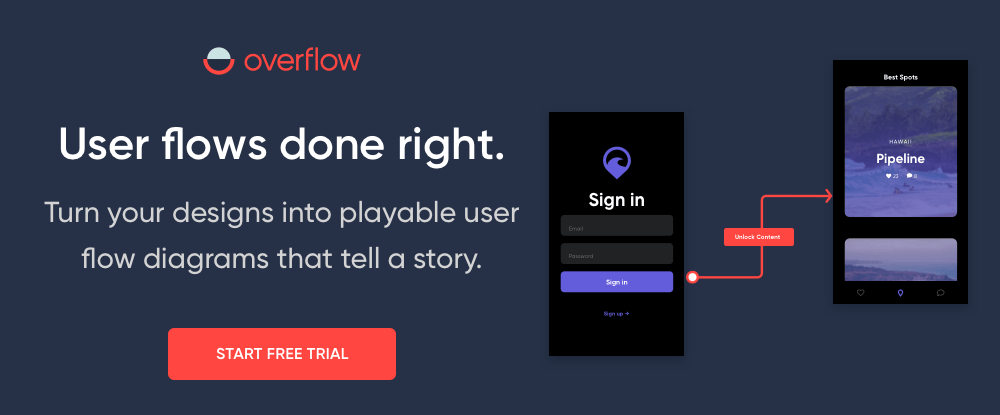
Overflow re-invented the way user flow diagramming should be
done and offers a comprehensive solution to designers and product teams. This
powerful tool integrates seamlessly with today’s most popular design tools to
enable designers to convert their designs into playable, interactive user flow
diagrams.
Typically, a designer had to export static PNGs of their
screenshots and attempt to import them into flowchart software that was not
designed to work with visuals, and then draw lines and connectors between the
screens, all in an attempt to produce a flow diagram that made sense.
Working with Overflow essentially involves syncing designs
from Sketch, Adobe XD, or Figma, and adding device skins, connectors and
annotations, all with the simple click of a button. Beautiful user flows that
tell a story can be created in minutes and viewers can either get the big
picture of the whole diagram to evaluate complexity and logic, or zoom to
individual screens to focus on design details.
Overflow is available for a 30-day free trial on MacOS – a Windows version is expected in the future.
Design/build/launch is, in a nutshell, what Webflow enables you to do —
all without writing a single line of code. You can start by creating prototypes
of your design, easily incorporating real dynamic content and functional forms,
and collaborating with others in the process.
Once your design’s complete, you can actually skip the handoff to dev,
pushing your site straight to production with a click.
You can create a custom, client-friendly CMS for every site, add immersive interactions and animations, and enjoy world-class, crazy-fast hosting — without any of the usual setup hassles.
Start a design from scratch, work from a template, or build with one of a host of community-created UI kits to build any type of website, including online stores.
Gone
are the days of linking static designs together! UXPin is the prototyping tool
your whole product team dreams about. You can design, prototype, and
collaborate in one place.
Starting with proof-of-concept wireframes, you can collect feedback in real time, and work your way up through interactive prototypes to easy hand-off. It has everything from interactive states, conditional logic, variables, code components, JavaScript expressions, and more.
Team collaboration gets truly simplified with UXPin –as proven by their clients, big and small like PayPal, Microsoft, but design agencies and freelancers as well.
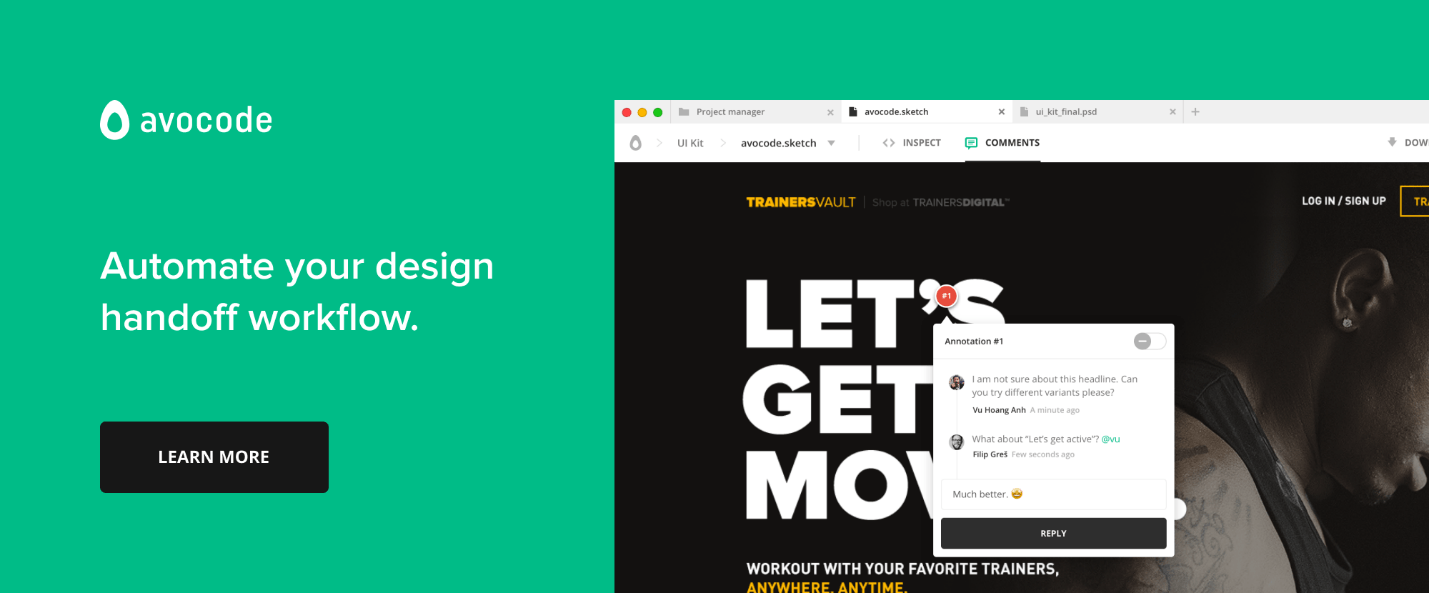
Avocode is a platform-independent tool that teams can use to sync Sketch, XD, PSD, AI, and Figma designs so team members, contractors, and clients can look at any design version you want to share with them. Avocode will help keep your design files organized and back them up on the cloud.
You don’t have to prepare your files in any way to let Avocode do its job. It recognizes all layers and enables exports for all assets.
Savah is a digital design platform that allows you to create an end-to-end user journey for any web and mobile app project. Savah can be integrated with Sketch and auto-synced design with Dropbox and Google Drive. You can upload unlimited designs, present in real-time, collect feedback.
Savah is free to use for solo designers, and paid plans start from $40/m for a team of 5 designers.
What does the “best” prototyping and handoff tool look like?
With respect to prototyping, there are so many
tools and methods on the market that finding one that will work for you isn’t
always an easy task.
What would the “Best” one look like?
There is no such thing since your choice would depend on what you need at the moment for a particular project! Here are some questions you want answered when choosing a prototyping tool:
How effective is the tool for collaborating and sharing information with others involved in the project?
What’s the learning curve and how easy is the tool to use?
Do you need low-fi for testing ideas, Medium-fi for testing layouts and primary interactions, or high-fi for testing micro-interactions and visuals?
Does the price fit your budget?
When evaluating the pros and cons of a prototyping or handoff tool, you should take into account the following criteria
Fidelity: How powerful is the tool for visual and interactive design?
Consistency: Does the tool support design consistency?
Accuracy: Does it support your organization’s “source of truth”?
Collaboration: Can you collaborate or co-design with others?
Developer Handoff: Will the tool correctly and effectively generate specifications and assets for developers?
All of these are important, but don’t get tied
up in knots worrying about making a “best” choice. These tools are supposed to help
you shape your ideas, and not in themselves determine how your products are
going to look or behave.
Conclusion
Naturally, you want to keep up to date with the latest tools and technologies. Selecting proper prototyping and handoff tools requires a lot of thought. Some tools will be more effective than others. It depends on a variety of factors including the level of collaboration supported, team size, the task at hand, the platform it will run on, etc.
The overarching goal is that of creating or maintaining a seamless product design workflow.
Prototyping tools have been with us for years, and there are
plenty of good ones on the market. They are used to simulate a software
application’s flow. Also to test and evaluate its expected performance and user
experience. For the designer, it’s matter of finding and selecting a tool
that’s a good match for the task. It is better than looking for a “best” tool that
will get the job done under any scenario.
Experienced web designers generally know what to look for.
Also do those who have previously followed prototyping approaches.
With handoff tools it’s a different story as they are a rather recent addition to a typical UI/UX toolkit. These tools are put to use when it’s time to hand a finished design over to the developers.
In either case, there’s no “best” tool and there’s no “right or wrong” even though you could conceivably make a poor choice. Tools are selected according to the task at hand and with the intention of making a project’s workflow that much smoother.
Overflow re-invented the way user flow diagramming should be
done and offers a comprehensive solution to designers and product teams. This
powerful tool integrates seamlessly with today’s most popular design tools to
enable designers to convert their designs into playable, interactive user flow
diagrams.
Typically, a designer had to export static PNGs of their
screenshots and attempt to import them into flowchart software that was not
designed to work with visuals, and then draw lines and connectors between the
screens, all in an attempt to produce a flow diagram that made sense.
Working with Overflow essentially involves syncing designs
from Sketch, Adobe XD, or Figma, and adding device skins, connectors and
annotations, all with the simple click of a button. Beautiful user flows that
tell a story can be created in minutes and viewers can either get the big
picture of the whole diagram to evaluate complexity and logic, or zoom to
individual screens to focus on design details.
Overflow is available for a 30-day free trial on MacOS – a Windows version is expected in the future.
Design/build/launch is, in a nutshell, what Webflow enables you to do —
all without writing a single line of code. You can start by creating prototypes
of your design, easily incorporating real dynamic content and functional forms,
and collaborating with others in the process.
Once your design’s complete, you can actually skip the handoff to dev,
pushing your site straight to production with a click.
You can create a custom, client-friendly CMS for every site, add immersive interactions and animations, and enjoy world-class, crazy-fast hosting — without any of the usual setup hassles.
Start a design from scratch, work from a template, or build with one of a host of community-created UI kits to build any type of website, including online stores.
Gone
are the days of linking static designs together! UXPin is the prototyping tool
your whole product team dreams about. You can design, prototype, and
collaborate in one place.
Starting with proof-of-concept wireframes, you can collect feedback in real time, and work your way up through interactive prototypes to easy hand-off. It has everything from interactive states, conditional logic, variables, code components, JavaScript expressions, and more.
Team collaboration gets truly simplified with UXPin –as proven by their clients, big and small like PayPal, Microsoft, but design agencies and freelancers as well.
Avocode is a platform-independent tool that teams can use to sync Sketch, XD, PSD, AI, and Figma designs so team members, contractors, and clients can look at any design version you want to share with them. Avocode will help keep your design files organized and back them up on the cloud.
You don’t have to prepare your files in any way to let Avocode do its job. It recognizes all layers and enables exports for all assets.
Savah is a digital design platform that allows you to create an end-to-end user journey for any web and mobile app project. Savah can be integrated with Sketch and auto-synced design with Dropbox and Google Drive. You can upload unlimited designs, present in real-time, collect feedback.
Savah is free to use for solo designers, and paid plans start from $40/m for a team of 5 designers.
What does the “best” prototyping and handoff tool look like?
With respect to prototyping, there are so many
tools and methods on the market that finding one that will work for you isn’t
always an easy task.
What would the “Best” one look like?
There is no such thing since your choice would depend on what you need at the moment for a particular project! Here are some questions you want answered when choosing a prototyping tool:
How effective is the tool for collaborating and sharing information with others involved in the project?
What’s the learning curve and how easy is the tool to use?
Do you need low-fi for testing ideas, Medium-fi for testing layouts and primary interactions, or high-fi for testing micro-interactions and visuals?
Does the price fit your budget?
When evaluating the pros and cons of a prototyping or handoff tool, you should take into account the following criteria
Fidelity: How powerful is the tool for visual and interactive design?
Consistency: Does the tool support design consistency?
Accuracy: Does it support your organization’s “source of truth”?
Collaboration: Can you collaborate or co-design with others?
Developer Handoff: Will the tool correctly and effectively generate specifications and assets for developers?
All of these are important, but don’t get tied
up in knots worrying about making a “best” choice. These tools are supposed to help
you shape your ideas, and not in themselves determine how your products are
going to look or behave.
Conclusion
Naturally, you want to keep up to date with the latest tools and technologies. Selecting proper prototyping and handoff tools requires a lot of thought. Some tools will be more effective than others. It depends on a variety of factors including the level of collaboration supported, team size, the task at hand, the platform it will run on, etc.
The overarching goal is that of creating or maintaining a seamless product design workflow.
Marketing is the
lifeblood of any startup, and certain marketing mistakes have the potential to
bring your new business crushing down. In the preliminary stages of launching a
new business idea, entrepreneurs are prone to make marketing mistakes. This is
because nine times out of ten, the founder of the startup is not a marketing
expert.
Avoiding these
mistakes saves you months of trying to salvage the situation. Working with
marketing specialist helps you circumvent these mistakes. Are you an expert
article writer? Writezillas allows you to
write jobs that work for you.
1. Jumping too quickly into Big Marketing
Everyone who launches
a startup wants it to succeed. That is why most founders find themselves
jumping to big marketing too soon. But for you to take the industry by storm,
you have to follow a tried and tested procedure.
This is a common marketing
mistake startup founders make and they end up messing with your budget
before they get their idea off the ground. Spending too much too soon sets you
up for targets your small business is incapable of meeting.
Don’t gamble on
what you think might work; instead, take your time to learn the market and
which marketing channel is suited for your business.
2. Marketing Through the Wrong Channels
If you take your
time to understand which channels works best for your business, you won’t waste
time and energy marketing on the wrong platform.
The number of
channels you can use to connect with prospects are unlimited. However, not all
of them can work for you. Determine where your target audience is and how best
you can get their attention.
3. Hiring an In-Staff Marketing Team too soon
Every startup up
founder wants to work with the
best marketing team. However, hiring an in-staff marketing team too soon is
a bad idea.
As a small
business, you cannot afford to invest in high-caliber marketing specialists.
Turn to the low-cost options to ensure you don’t exhaust the capital you set
aside to get the business off the ground.
4. Spending too Much Time Perfecting the Brand Image
As a startup,
the last thing you should do is rebrand. Since your business is not established
yet, brand image is the least of your worries.
Even though you
need to introduce your business to the market, there is such a thing as
excessive brand promotion. Making too much noise about your brand; especially
on social media only makes prospects want to tune out.
5. Accommodating Too Many Voices on Marketing Decisions
The more people
you listen to before making a marketing decision, the longer it takes to
finalize anything. Everyone will always have an opinion when it comes to
marketing a startup.
As a founder,
you need to learn how to exercise your power. After all, you can only implement
one marketing idea at a time.
6. Beginning to Chase Competitors too soon
One can only
compete with someone who’s on their level. Chasing rival businesses that were
in the market before you is a wrong move.
During the initial
stages of launching a startup, all you should focus on is identifying your
competitors in the market.
7. Forgetting to Track Your Progress
Tracking
everything you do ensures you don’t spend too much on strategies that don’t
give you reasonable return on investment. You need to learn how to measure
results for the onset as this is a practice you should maintain as a business
owner.
Conclusion
Learning about
mistakes startup founders make ensures you avoid them as you launch your
business. The initial stages of launching a startup play a crucial role in the
success of a venture.
Prototyping tools have been with us for years, and there are
plenty of good ones on the market. They are used to simulate a software
application’s flow. Also to test and evaluate its expected performance and user
experience. For the designer, it’s matter of finding and selecting a tool
that’s a good match for the task. It is better than looking for a “best” tool that
will get the job done under any scenario.
Experienced web designers generally know what to look for.
Also do those who have previously followed prototyping approaches.
With handoff tools it’s a different story as they are a rather recent addition to a typical UI/UX toolkit. These tools are put to use when it’s time to hand a finished design over to the developers.
In either case, there’s no “best” tool and there’s no “right or wrong” even though you could conceivably make a poor choice. Tools are selected according to the task at hand and with the intention of making a project’s workflow that much smoother.
Overflow re-invented the way user flow diagramming should be
done and offers a comprehensive solution to designers and product teams. This
powerful tool integrates seamlessly with today’s most popular design tools to
enable designers to convert their designs into playable, interactive user flow
diagrams.
Typically, a designer had to export static PNGs of their
screenshots and attempt to import them into flowchart software that was not
designed to work with visuals, and then draw lines and connectors between the
screens, all in an attempt to produce a flow diagram that made sense.
Working with Overflow essentially involves syncing designs
from Sketch, Adobe XD, or Figma, and adding device skins, connectors and
annotations, all with the simple click of a button. Beautiful user flows that
tell a story can be created in minutes and viewers can either get the big
picture of the whole diagram to evaluate complexity and logic, or zoom to
individual screens to focus on design details.
Overflow is available for a 30-day free trial on MacOS – a Windows version is expected in the future.
Design/build/launch is, in a nutshell, what Webflow enables you to do —
all without writing a single line of code. You can start by creating prototypes
of your design, easily incorporating real dynamic content and functional forms,
and collaborating with others in the process.
Once your design’s complete, you can actually skip the handoff to dev,
pushing your site straight to production with a click.
You can create a custom, client-friendly CMS for every site, add immersive interactions and animations, and enjoy world-class, crazy-fast hosting — without any of the usual setup hassles.
Start a design from scratch, work from a template, or build with one of a host of community-created UI kits to build any type of website, including online stores.
Gone
are the days of linking static designs together! UXPin is the prototyping tool
your whole product team dreams about. You can design, prototype, and
collaborate in one place.
Starting with proof-of-concept wireframes, you can collect feedback in real time, and work your way up through interactive prototypes to easy hand-off. It has everything from interactive states, conditional logic, variables, code components, JavaScript expressions, and more.
Team collaboration gets truly simplified with UXPin –as proven by their clients, big and small like PayPal, Microsoft, but design agencies and freelancers as well.
Avocode is a platform-independent tool that teams can use to sync Sketch, XD, PSD, AI, and Figma designs so team members, contractors, and clients can look at any design version you want to share with them. Avocode will help keep your design files organized and back them up on the cloud.
You don’t have to prepare your files in any way to let Avocode do its job. It recognizes all layers and enables exports for all assets.
Savah is a digital design platform that allows you to create an end-to-end user journey for any web and mobile app project. Savah can be integrated with Sketch and auto-synced design with Dropbox and Google Drive. You can upload unlimited designs, present in real-time, collect feedback.
Savah is free to use for solo designers, and paid plans start from $40/m for a team of 5 designers.
What does the “best” prototyping and handoff tool look like?
With respect to prototyping, there are so many
tools and methods on the market that finding one that will work for you isn’t
always an easy task.
What would the “Best” one look like?
There is no such thing since your choice would depend on what you need at the moment for a particular project! Here are some questions you want answered when choosing a prototyping tool:
How effective is the tool for collaborating and sharing information with others involved in the project?
What’s the learning curve and how easy is the tool to use?
Do you need low-fi for testing ideas, Medium-fi for testing layouts and primary interactions, or high-fi for testing micro-interactions and visuals?
Does the price fit your budget?
When evaluating the pros and cons of a prototyping or handoff tool, you should take into account the following criteria
Fidelity: How powerful is the tool for visual and interactive design?
Consistency: Does the tool support design consistency?
Accuracy: Does it support your organization’s “source of truth”?
Collaboration: Can you collaborate or co-design with others?
Developer Handoff: Will the tool correctly and effectively generate specifications and assets for developers?
All of these are important, but don’t get tied
up in knots worrying about making a “best” choice. These tools are supposed to help
you shape your ideas, and not in themselves determine how your products are
going to look or behave.
Conclusion
Naturally, you want to keep up to date with the latest tools and technologies. Selecting proper prototyping and handoff tools requires a lot of thought. Some tools will be more effective than others. It depends on a variety of factors including the level of collaboration supported, team size, the task at hand, the platform it will run on, etc.
The overarching goal is that of creating or maintaining a seamless product design workflow.
Prototyping tools have been with us for years, and there are
plenty of good ones on the market. They are used to simulate a software
application’s flow. Also to test and evaluate its expected performance and user
experience. For the designer, it’s matter of finding and selecting a tool
that’s a good match for the task. It is better than looking for a “best” tool that
will get the job done under any scenario.
Experienced web designers generally know what to look for.
Also do those who have previously followed prototyping approaches.
With handoff tools it’s a different story as they are a rather recent addition to a typical UI/UX toolkit. These tools are put to use when it’s time to hand a finished design over to the developers.
In either case, there’s no “best” tool and there’s no “right or wrong” even though you could conceivably make a poor choice. Tools are selected according to the task at hand and with the intention of making a project’s workflow that much smoother.
Overflow re-invented the way user flow diagramming should be
done and offers a comprehensive solution to designers and product teams. This
powerful tool integrates seamlessly with today’s most popular design tools to
enable designers to convert their designs into playable, interactive user flow
diagrams.
Typically, a designer had to export static PNGs of their
screenshots and attempt to import them into flowchart software that was not
designed to work with visuals, and then draw lines and connectors between the
screens, all in an attempt to produce a flow diagram that made sense.
Working with Overflow essentially involves syncing designs
from Sketch, Adobe XD, or Figma, and adding device skins, connectors and
annotations, all with the simple click of a button. Beautiful user flows that
tell a story can be created in minutes and viewers can either get the big
picture of the whole diagram to evaluate complexity and logic, or zoom to
individual screens to focus on design details.
Overflow is available for a 30-day free trial on MacOS – a Windows version is expected in the future.
Design/build/launch is, in a nutshell, what Webflow enables you to do —
all without writing a single line of code. You can start by creating prototypes
of your design, easily incorporating real dynamic content and functional forms,
and collaborating with others in the process.
Once your design’s complete, you can actually skip the handoff to dev,
pushing your site straight to production with a click.
You can create a custom, client-friendly CMS for every site, add immersive interactions and animations, and enjoy world-class, crazy-fast hosting — without any of the usual setup hassles.
Start a design from scratch, work from a template, or build with one of a host of community-created UI kits to build any type of website, including online stores.
Gone
are the days of linking static designs together! UXPin is the prototyping tool
your whole product team dreams about. You can design, prototype, and
collaborate in one place.
Starting with proof-of-concept wireframes, you can collect feedback in real time, and work your way up through interactive prototypes to easy hand-off. It has everything from interactive states, conditional logic, variables, code components, JavaScript expressions, and more.
Team collaboration gets truly simplified with UXPin –as proven by their clients, big and small like PayPal, Microsoft, but design agencies and freelancers as well.
Avocode is a platform-independent tool that teams can use to sync Sketch, XD, PSD, AI, and Figma designs so team members, contractors, and clients can look at any design version you want to share with them. Avocode will help keep your design files organized and back them up on the cloud.
You don’t have to prepare your files in any way to let Avocode do its job. It recognizes all layers and enables exports for all assets.
Savah is a digital design platform that allows you to create an end-to-end user journey for any web and mobile app project. Savah can be integrated with Sketch and auto-synced design with Dropbox and Google Drive. You can upload unlimited designs, present in real-time, collect feedback.
Savah is free to use for solo designers, and paid plans start from $40/m for a team of 5 designers.
What does the “best” prototyping and handoff tool look like?
With respect to prototyping, there are so many
tools and methods on the market that finding one that will work for you isn’t
always an easy task.
What would the “Best” one look like?
There is no such thing since your choice would depend on what you need at the moment for a particular project! Here are some questions you want answered when choosing a prototyping tool:
How effective is the tool for collaborating and sharing information with others involved in the project?
What’s the learning curve and how easy is the tool to use?
Do you need low-fi for testing ideas, Medium-fi for testing layouts and primary interactions, or high-fi for testing micro-interactions and visuals?
Does the price fit your budget?
When evaluating the pros and cons of a prototyping or handoff tool, you should take into account the following criteria
Fidelity: How powerful is the tool for visual and interactive design?
Consistency: Does the tool support design consistency?
Accuracy: Does it support your organization’s “source of truth”?
Collaboration: Can you collaborate or co-design with others?
Developer Handoff: Will the tool correctly and effectively generate specifications and assets for developers?
All of these are important, but don’t get tied
up in knots worrying about making a “best” choice. These tools are supposed to help
you shape your ideas, and not in themselves determine how your products are
going to look or behave.
Conclusion
Naturally, you want to keep up to date with the latest tools and technologies. Selecting proper prototyping and handoff tools requires a lot of thought. Some tools will be more effective than others. It depends on a variety of factors including the level of collaboration supported, team size, the task at hand, the platform it will run on, etc.
The overarching goal is that of creating or maintaining a seamless product design workflow.
Marketing is the
lifeblood of any startup, and certain marketing mistakes have the potential to
bring your new business crushing down. In the preliminary stages of launching a
new business idea, entrepreneurs are prone to make marketing mistakes. This is
because nine times out of ten, the founder of the startup is not a marketing
expert.
Avoiding these
mistakes saves you months of trying to salvage the situation. Working with
marketing specialist helps you circumvent these mistakes. Are you an expert
article writer? Writezillas allows you to
write jobs that work for you.
1. Jumping too quickly into Big Marketing
Everyone who launches
a startup wants it to succeed. That is why most founders find themselves
jumping to big marketing too soon. But for you to take the industry by storm,
you have to follow a tried and tested procedure.
This is a common marketing
mistake startup founders make and they end up messing with your budget
before they get their idea off the ground. Spending too much too soon sets you
up for targets your small business is incapable of meeting.
Don’t gamble on
what you think might work; instead, take your time to learn the market and
which marketing channel is suited for your business.
2. Marketing Through the Wrong Channels
If you take your
time to understand which channels works best for your business, you won’t waste
time and energy marketing on the wrong platform.
The number of
channels you can use to connect with prospects are unlimited. However, not all
of them can work for you. Determine where your target audience is and how best
you can get their attention.
3. Hiring an In-Staff Marketing Team too soon
Every startup up
founder wants to work with the
best marketing team. However, hiring an in-staff marketing team too soon is
a bad idea.
As a small
business, you cannot afford to invest in high-caliber marketing specialists.
Turn to the low-cost options to ensure you don’t exhaust the capital you set
aside to get the business off the ground.
4. Spending too Much Time Perfecting the Brand Image
As a startup,
the last thing you should do is rebrand. Since your business is not established
yet, brand image is the least of your worries.
Even though you
need to introduce your business to the market, there is such a thing as
excessive brand promotion. Making too much noise about your brand; especially
on social media only makes prospects want to tune out.
5. Accommodating Too Many Voices on Marketing Decisions
The more people
you listen to before making a marketing decision, the longer it takes to
finalize anything. Everyone will always have an opinion when it comes to
marketing a startup.
As a founder,
you need to learn how to exercise your power. After all, you can only implement
one marketing idea at a time.
6. Beginning to Chase Competitors too soon
One can only
compete with someone who’s on their level. Chasing rival businesses that were
in the market before you is a wrong move.
During the initial
stages of launching a startup, all you should focus on is identifying your
competitors in the market.
7. Forgetting to Track Your Progress
Tracking
everything you do ensures you don’t spend too much on strategies that don’t
give you reasonable return on investment. You need to learn how to measure
results for the onset as this is a practice you should maintain as a business
owner.
Conclusion
Learning about
mistakes startup founders make ensures you avoid them as you launch your
business. The initial stages of launching a startup play a crucial role in the
success of a venture.