Every week, we’ll give you an overview of the best deals for designers, make sure you don’t miss any by subscribing to our deals feed. You can also follow the recently launched website Type Deals if you are looking for free fonts or font deals.
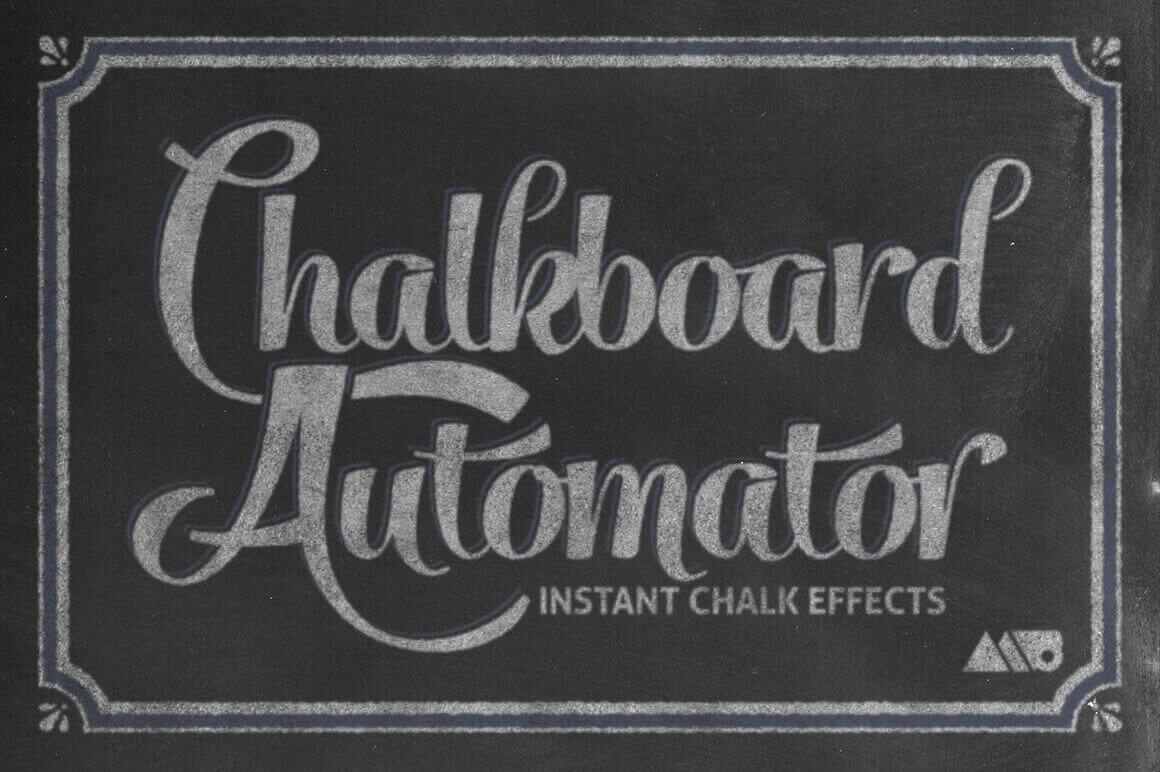
Instantly Create Realistic Chalk Effects with Chalkboard Automator
With Adobe Photoshop and the Chalkboard Automator tool, you can quickly and easily create professional looking chalk effects. Instantly build a chalk design with 15 unique chalk textures, 12 chalk backgrounds, 35 chalk stamp brushes, and 5 premade decorative frames. Detailed instructions and even a video walkthrough will teach you everything you need to know.
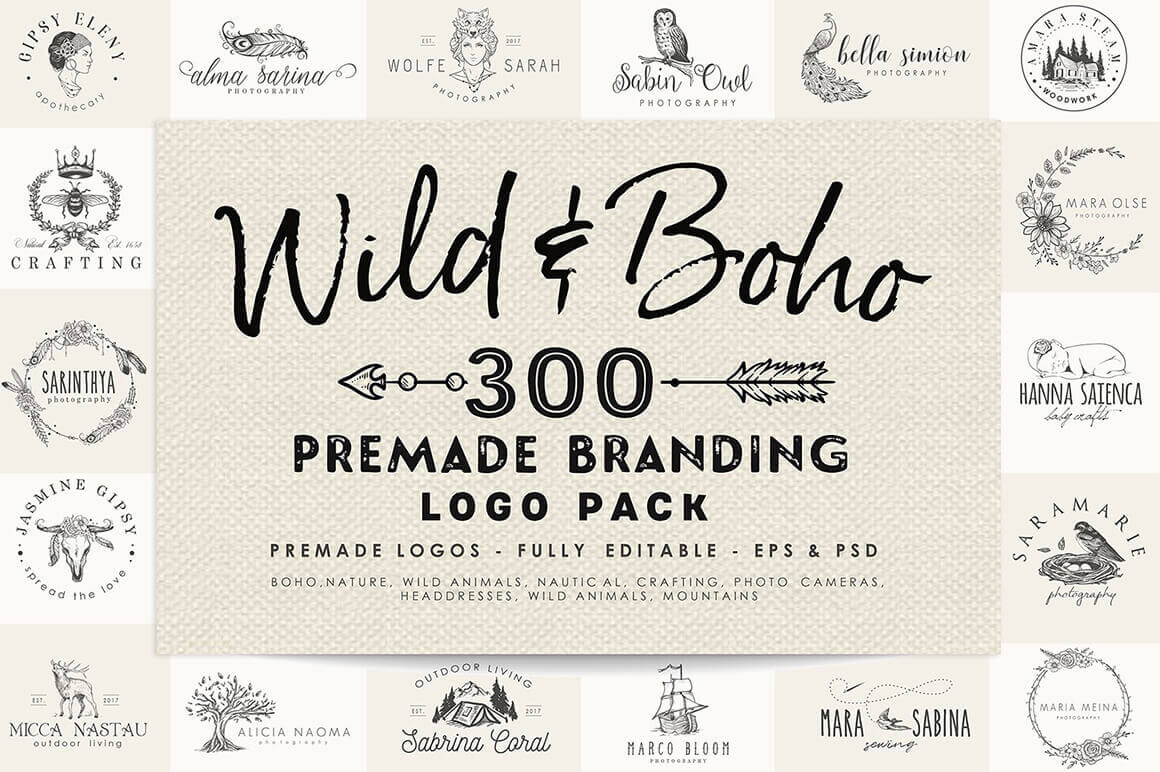
Capture a vintage feel with the Wild & Boho Premade Branding Logo Pack. This hand-drawn collection was made for you free spirits and sophisticated hearts. Covering 10 different themes from Boho to Nautical, you’ll get 300 professional premade logos. With the original EPS and PSD files, each of these logos are fully editable to help you create the perfect branding for your clients.
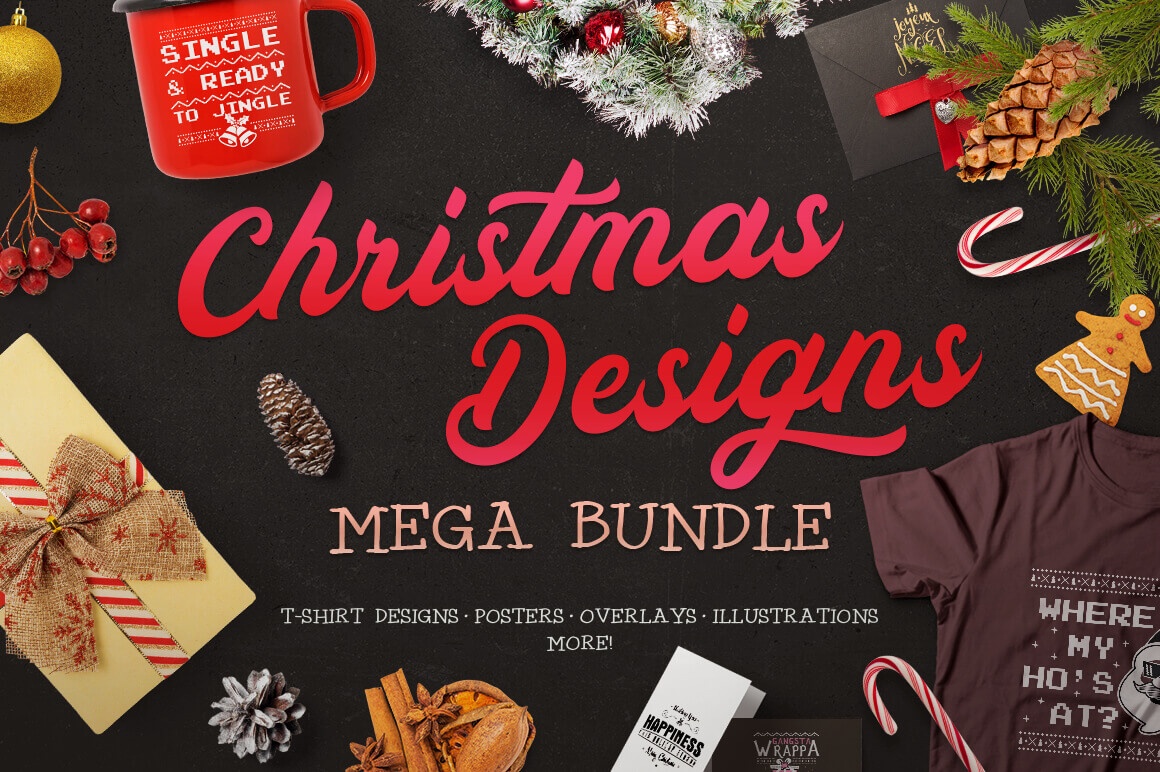
Ho-Ho-Ho! Holidays and Christmas are alomost here! No matter if you are a designer or hobbyist who is doing projects, home crafts or making special gifts for your family, you need a ton of Christmas graphics! Right? So feast your eyes on this Christmas Designs Mega Bundle and you’ll find everything you need to make your Holidays more cheerful.
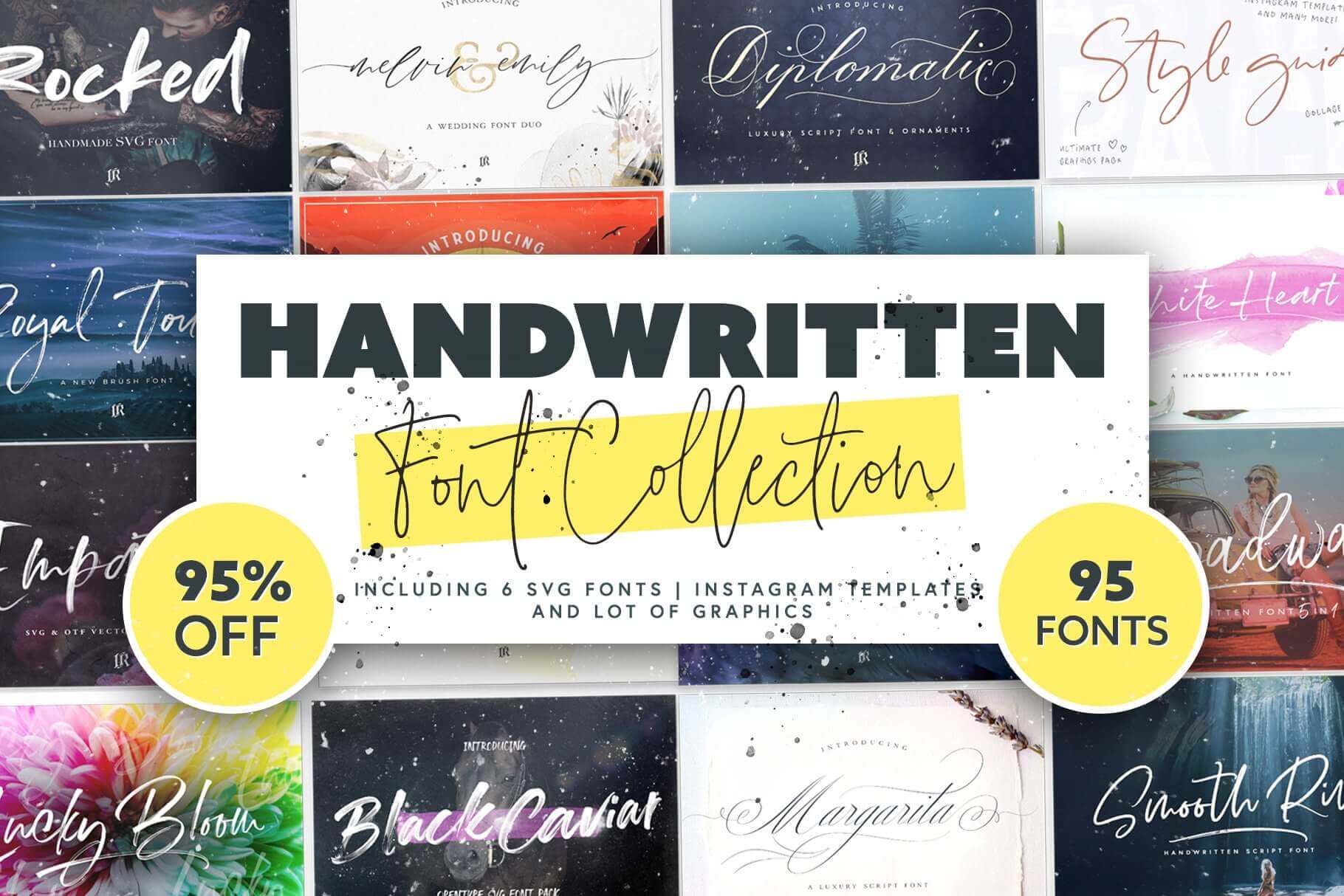
This Handwritten Font Collection is chock full of 95 different handwritten fonts in a wide range of styles from playful to elegant. Additionally, many typefaces include OpenType features like ligatures and alternates. You’ll also get 15 Instagram templates, 6 SVG fonts and various graphics to complete your designs.
1,400+ Isolated Items, Winter Scene Creator Bundle
Easily and quickly build the perfect winter mockup with this Winter Scene Creator Bundle! Stuffed with more than 1,400 isolated objects from food to fashion to foliage, you can customize any of the 31 pre-made scenes using smart objects, or simply create your own with 30 different backgrounds to choose from.
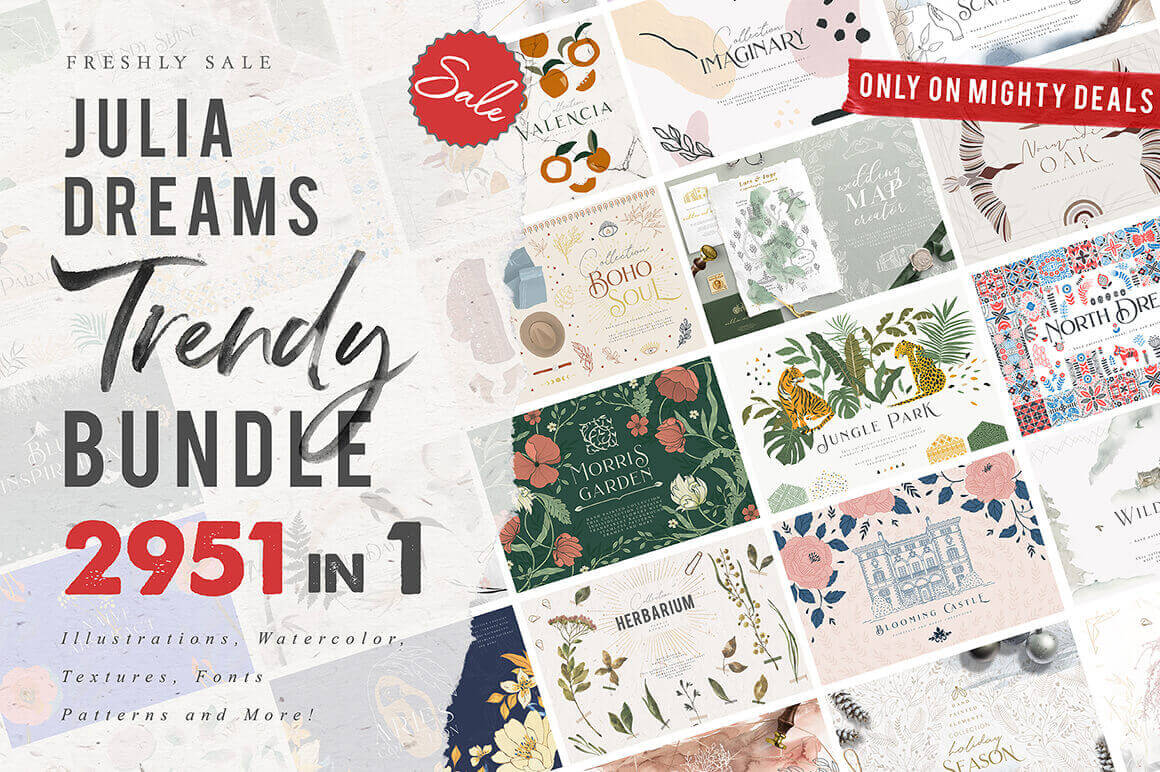
Sick of wasting time looking for that perfect something to improve your artwork? Look no further! This Mighty Deal from Julia Dreams features more than 2950 graphic design elements to help you push your projects to the next level! Made from 28 different collections, this deal covers a wide breadth of themes from wedding to frames to patterns. Make your designs sing for a ridiculously discounted price.
Every week, we’ll give you an overview of the best deals for designers, make sure you don’t miss any by subscribing to our deals feed. You can also follow the recently launched website Type Deals if you are looking for free fonts or font deals.
Instantly Create Realistic Chalk Effects with Chalkboard Automator
With Adobe Photoshop and the Chalkboard Automator tool, you can quickly and easily create professional looking chalk effects. Instantly build a chalk design with 15 unique chalk textures, 12 chalk backgrounds, 35 chalk stamp brushes, and 5 premade decorative frames. Detailed instructions and even a video walkthrough will teach you everything you need to know.
Capture a vintage feel with the Wild & Boho Premade Branding Logo Pack. This hand-drawn collection was made for you free spirits and sophisticated hearts. Covering 10 different themes from Boho to Nautical, you’ll get 300 professional premade logos. With the original EPS and PSD files, each of these logos are fully editable to help you create the perfect branding for your clients.
Ho-Ho-Ho! Holidays and Christmas are alomost here! No matter if you are a designer or hobbyist who is doing projects, home crafts or making special gifts for your family, you need a ton of Christmas graphics! Right? So feast your eyes on this Christmas Designs Mega Bundle and you’ll find everything you need to make your Holidays more cheerful.
This Handwritten Font Collection is chock full of 95 different handwritten fonts in a wide range of styles from playful to elegant. Additionally, many typefaces include OpenType features like ligatures and alternates. You’ll also get 15 Instagram templates, 6 SVG fonts and various graphics to complete your designs.
1,400+ Isolated Items, Winter Scene Creator Bundle
Easily and quickly build the perfect winter mockup with this Winter Scene Creator Bundle! Stuffed with more than 1,400 isolated objects from food to fashion to foliage, you can customize any of the 31 pre-made scenes using smart objects, or simply create your own with 30 different backgrounds to choose from.
Sick of wasting time looking for that perfect something to improve your artwork? Look no further! This Mighty Deal from Julia Dreams features more than 2950 graphic design elements to help you push your projects to the next level! Made from 28 different collections, this deal covers a wide breadth of themes from wedding to frames to patterns. Make your designs sing for a ridiculously discounted price.
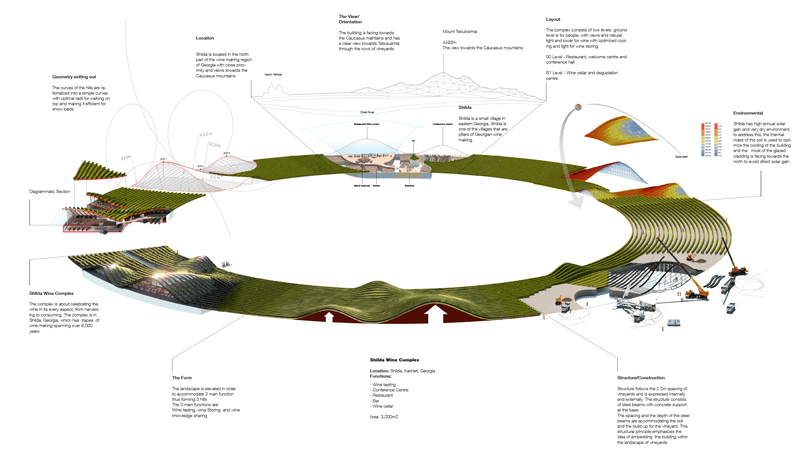
One of the most common complains you will hear about modern architecture is that it does not integrate with nature. This project, designed by X-architecture for Shilda winery in Kahketi, Georgia (the country, not the state).
At the core of the vineyard, the building forms a stream of curved beams that host several activities: wine tasting, wine storing, and wine knowledge sharing.
One of the most common complains you will hear about modern architecture is that it does not integrate with nature. This project, designed by X-architecture for Shilda winery in Kahketi, Georgia (the country, not the state).
At the core of the vineyard, the building forms a stream of curved beams that host several activities: wine tasting, wine storing, and wine knowledge sharing.
In my experience, developers generally find the benefits of the JAMstack easy to comprehend. Sites are faster because the resources are static and served from a CDN. Sites are more secure because there is no framework, application server or database to compromise. Development and deployment can be optimized because all of the pieces that make up the stack are unbundled. And so on.
What can be more difficult for developers to comprehend are the trade-offs that this can often require for the folks who create and edit content. Traditional, monolithic content management systems have often been ridiculed by developers (yes, even WordPress) who became frustrated trying to bend the tool to their will in order to meet project requirements. But, until recently, the JAMstack largely just passed that burden onto the non-technical content creators and editors.
By developers, for developers
Static site generators (i.e. tools like Jekyll, Hugo and Gatsby) grew enormously in popularity in large part because developers adopted them for projects. They became common solutions for things like blogs, documentation or simple static pages. By and large, these were sites created by developers, maintained by developers and with the content primarily written and edited by developers.
When I first wrote about these tools in a report for O’Reilly in 2015, this is what I said:
Just in case this isn’t already clear, I want to emphasize that static site generators are built for developers. This starts with the development of the site all the way through to adding content. It’s unlikely that non-developers will feel comfortable writing in Markdown with YAML or JSON front matter, which is the metadata contained at the beginning of most static site engine content or files. Nor would non- technical users likely feel comfortable editing YAML or JSON data files.
—Me (Static Site Generators report for O’Reilly 2015)
When, two years later, I wrote a book for O’Reilly on the topic (with my friend Raymond Camden), not too much had changed. There were some tools at the very early stages, including Jekyll Admin and Netlify CMS, but they had not matured to a point that they could realistically compete with the sort of WYSIWYG tooling that content editors were used to in tools like WordPress.
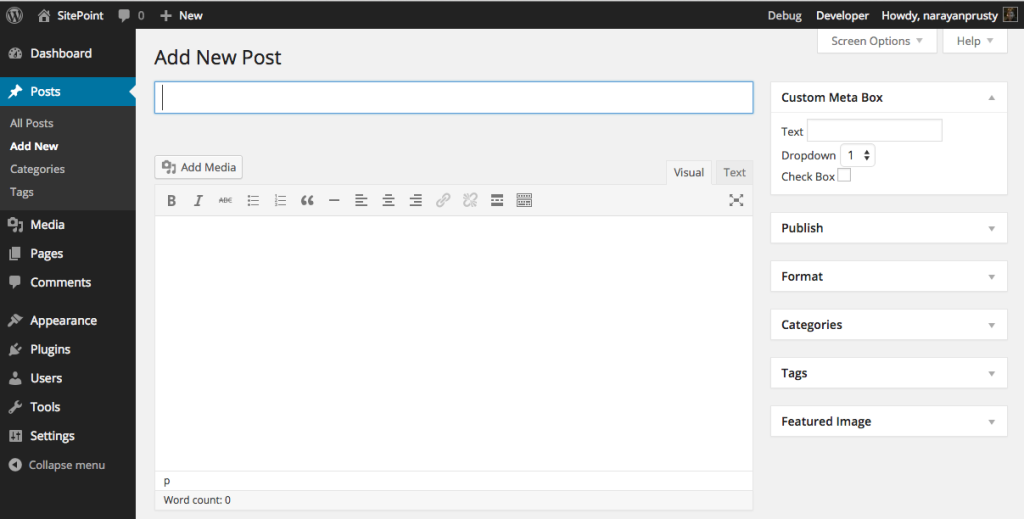
The WordPress editing experience
By contrast, the editing experience of static CMSs still required an understanding of Markdown and other markup (YAML, Liquid, etc.).
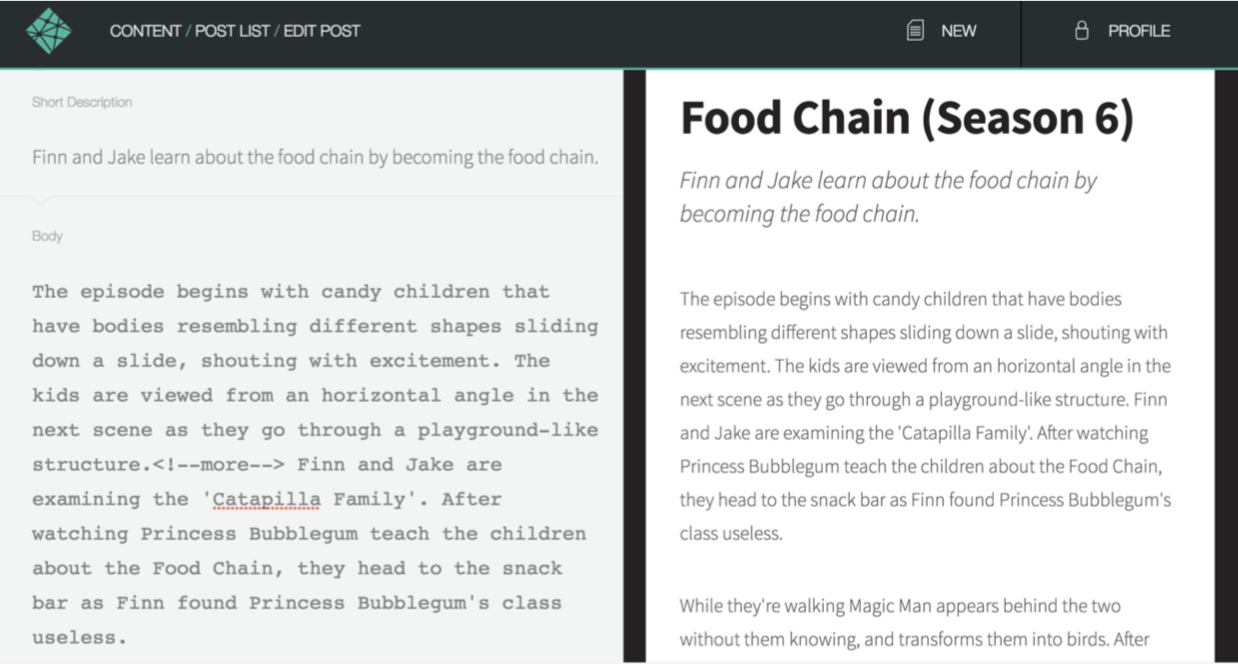
The Netlify CMS editing experience in 2017
Suffice it to say, whatever the technical merits of the architecture at the time, from a content editing standpoint, this was not a toolset that was ready for mainstream adoption.
The awkward teenage years
Over the ensuing two years, a combination of a couple of trends started to make the JAMstack a viable solution for mainstream content sites with non-technical editors. The first was that the static CMS matured into what we now generally refer to as git-based CMS solutions. The second was the rise of the headless, API-first CMS as a solution adopted by enterprises.
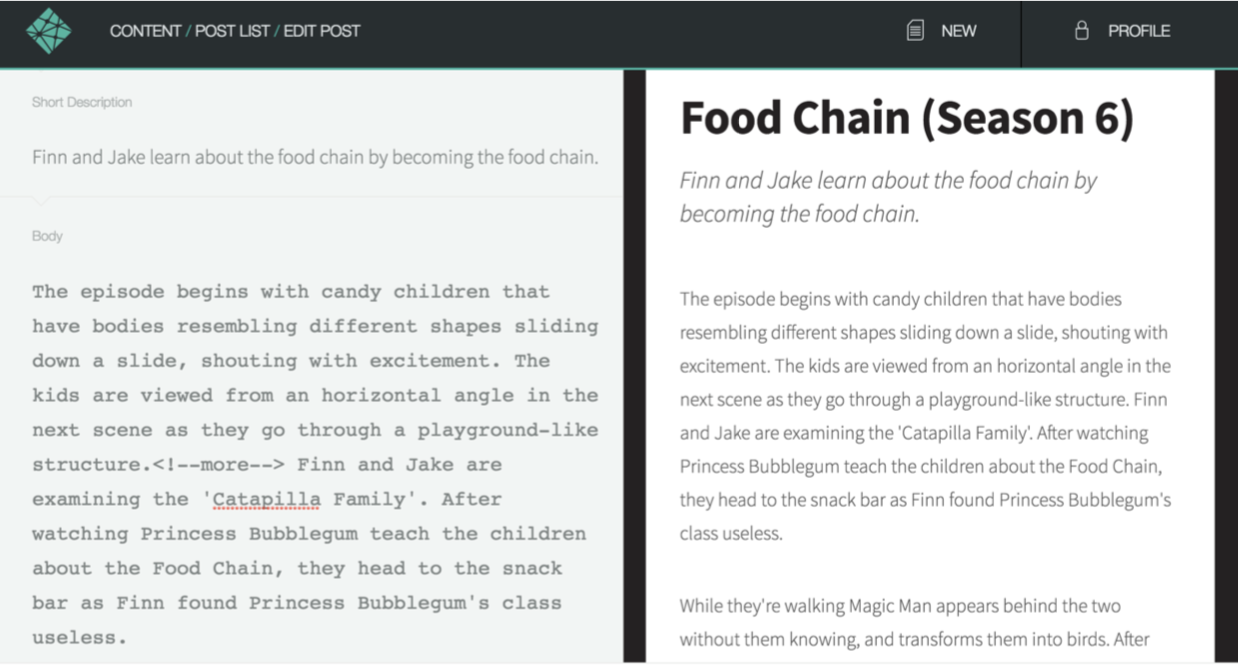
Let’s take a look at the first trend… well… first. Netlify CMS, an open-source project from Netlify, is an example of a git-based CMS. A git-based CMS doesn’t store your content, as a traditional CMS would, but it has tools that understand how to edit things like Markdown, YAML, JSON and other formats that make up a JAMstack site. This gives the content editors tools they feel comfortable with, but, behind the scenes, their content changes are simply committed back into the repository, forcing a rebuild of the site. While Netlify CMS is installed on the site itself, other popular git-based CMS options are web-based, including Forestry and DatoCMS.
The current editing experience in Netlify CMS
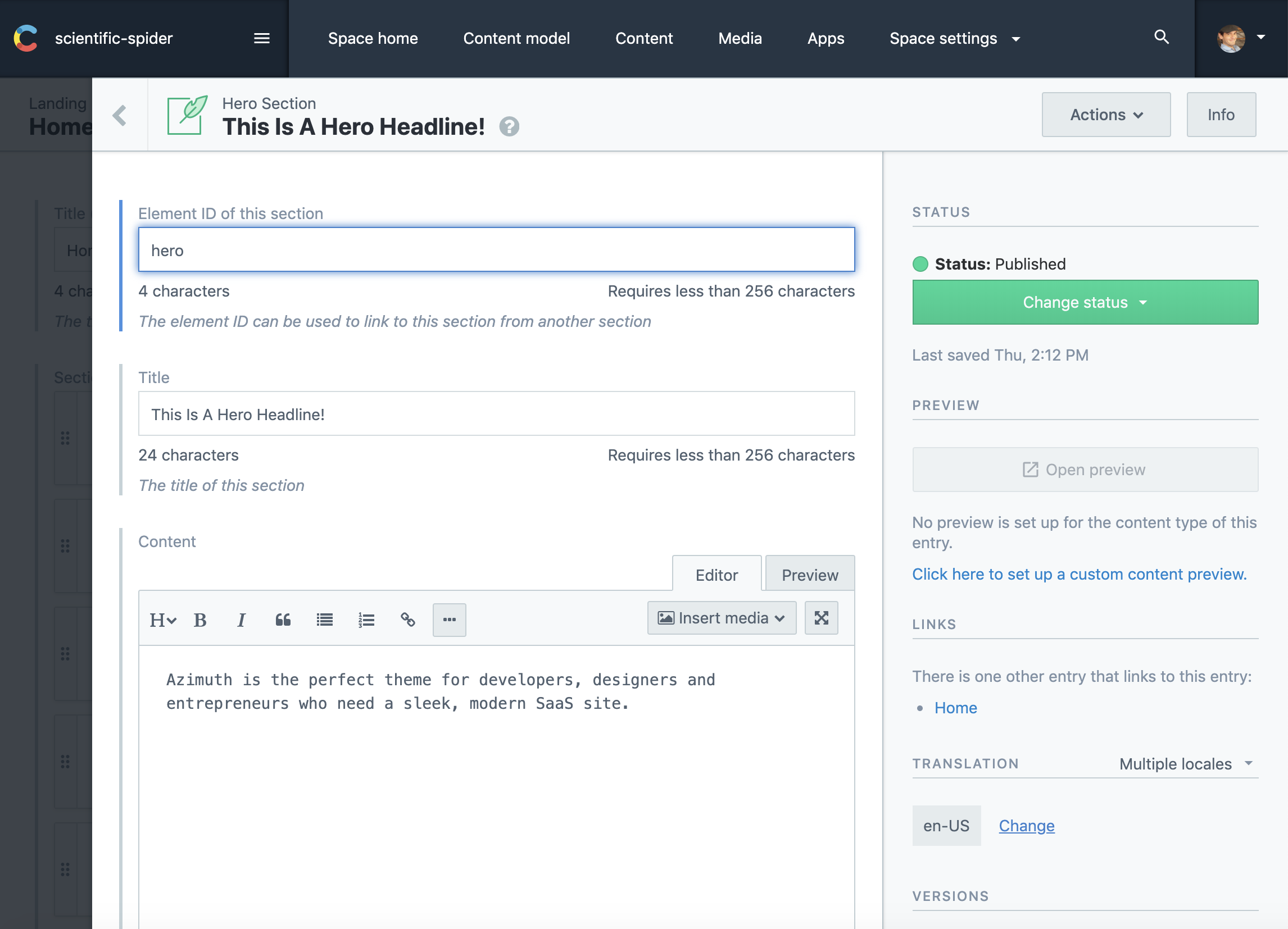
The headless, API-first CMS functions much more like the editing experience in a traditional CMS. It not only offers tools for creating and editing content, but it stores that content. However, it makes that content available to the front end – any front-end – via an API. While not limited to JAMstack in any way, an API-first CMS works well with it because the creation and management of the content is separate from the display of that content on the front end. In addition, many API-first CMSs offer pre-built integrations with some of the most widely used static site generators. Popular API-first options include Contentful and Sanity.
Contentful
HeadlessCMS.org is a site maintained by Netlify that has a comprehensive list of all the available tools, both git-based and API-first. For a good look at the differences, pros and cons between choosing a git-based versus an API-first CMS, check out this post by Bejamas.
Both git-based and API-first headless CMS options began to give non-technical content editors the tools they needed on the backend to create content. The awkwardness of these „teenage years” comes from the fact that the tooling is still disconnected from the frontend. This makes it difficult to see how changes you’ve made in the backend will impact the frontend until those changes are actually committed to the repo or pushed live via the API. Add in the time cost of a rebuild and you have a less than ideal editing experience where mistakes can more easily make it to the live site.
A Look at the future
So what does the future look like when the JAMstack CMS is finally grown up? Well, we got a good look at this year’s JAMstack_conf_sf. Coincidentally, there were two presentations demonstrating new tools that are bringing the content editing experience to the frontend, letting content editors see what they are changing, how their changes will look and how they will impact the layout of the site.
The first presentation was by Scott Gallant of Forestry. In it, he introduced an new open source projects from Forestry called TinaCMS that brings a WYSIWYG style content editing experience to the frontend of sites that use a git-based CMS and Gatsby or Next.js (both React-based tools).
TinaCMS
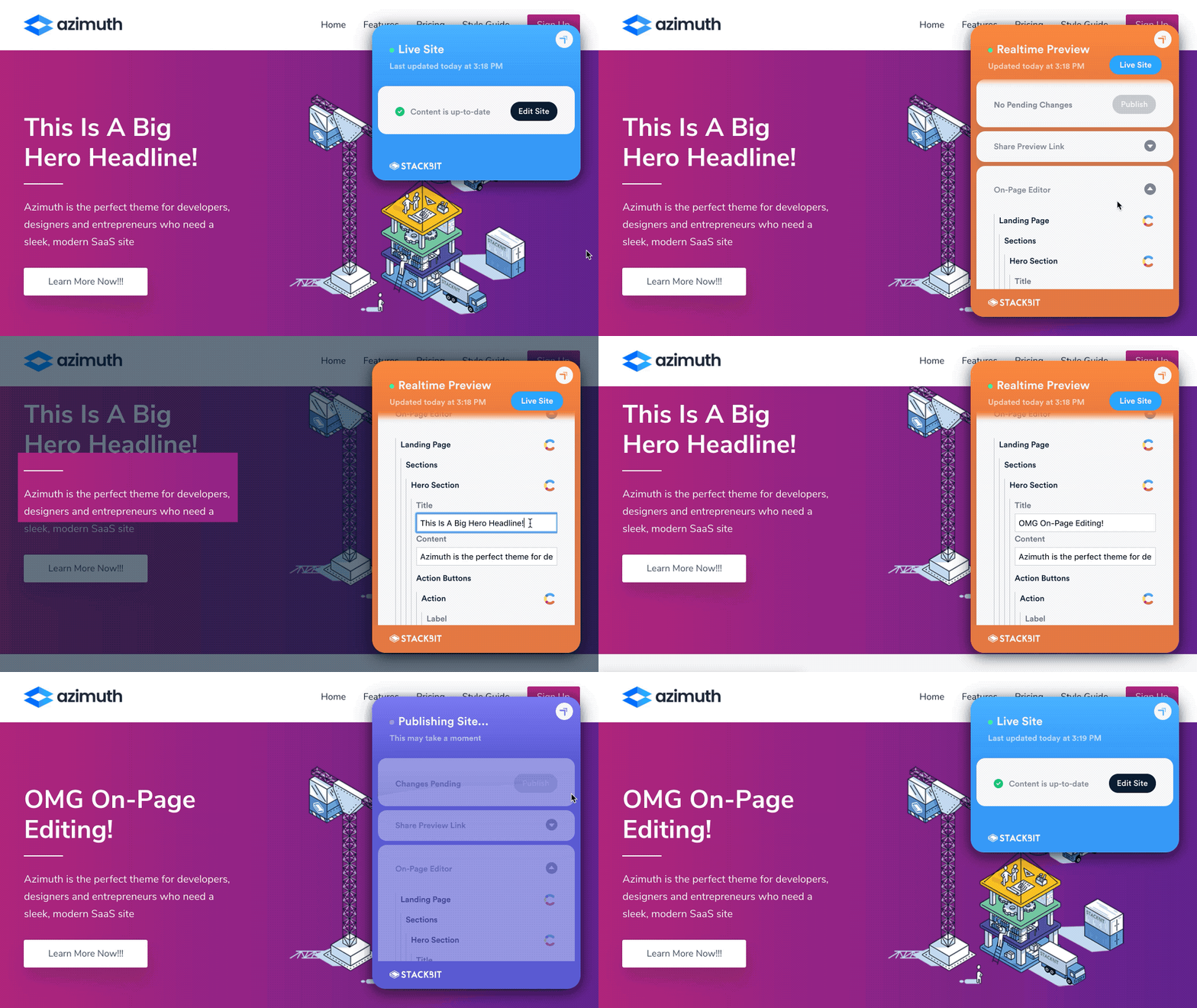
The second presentation was by Ohad Eder-Pressman of Stackbit (full disclosure: I work as a Developer Advocate for Stackbit) that introduced an upcoming set of tools called Stackbit Live. Stackbit Live is designed to be CMS and static site generator agnostic, while still allowing on-page editing and previewing of a JAMstack site.
Stackbit Live
What both these tools demonstrated is that we’re at a point where a „JAMStack + headless” architecture is a real alternative to a traditional CMS. I believe we’ve reached the tipping point whereby we’re no longer trading a great developer experience for an uncomfortable editing experience for content authors. By 2020, JAMstack CMS will officially be all grown up. 👩🏽🎓
I find myself web searching for some tool by Yoksel at least every month. I figured I’d list out some of my favorites here in case you aren’t aware of them.
Let’s say you have an SVG you want to use as a CSS background-image? Drop it in this URL-encoder tool to make sure it’s ready to go and safe to use.
Want to understand the difference between clipping and masking and how it works differently for SVG and CSS? We’ve written about that a few times, but Yoksel has the best reference for seeing live examples and the code for them.
Perhaps you have a SVG path that you ultimately want to use as a CSS clip-path? You might fight against absolute units, but Yoksel has a tool to fix that.
SVG filters are incredibly powerful. Hand-crafting them is pretty hard. Yoksel has GUI tool for playing with them and combining them.
Nice post from Thomas Ladd about how their front-end team does testing. The list feels like a nice place to be:
TypeScript – A language, but you’re essentially getting various testing for free (passing the right arguments and types of variables)
Jest – Unit tests. JavaScript functions are doing the right stuff. Works with React.
Cypress – Integration tests. Page loads, do stuff with page, expected things happen in DOM. Thomas says their end-to-end tests (e.g. hitting services) are also done in Cypress with zero mocking of data.
I would think this is reflective of a modern setup making its way across lots of front-end teams. If there is anything to add to it, I’d think visual regression testing (e.g. with a tool like Percy) would be the thing to add.
As an alternative to Cypress, jest-puppeteer is also worth mentioning because (1) Jest is already in use here and (2) Puppeteer is perhaps a more direct way of controlling the browser — no middleman language or Electron or anything.
Thomas even writes that there’s a downside here: too-many-tools:
Not only do we have to know how to write tests in these different tools; we also have to make decisions all the time about which tool to use. Should I write an E2E test covering this functionality or is just writing an integration test fine? Do I need unit tests covering some of these finer-grain details as well?
There is undoubtedly a mental load here that isn’t present if you only have one choice. In general, we start with integration tests as the default and then add on an E2E test if we feel the functionality is particularly critical and backend-dependent.
I’m not sure we’ll ever get to a point where we only have to write one kind of test, but having unit and integration tests share some common language is nice. I’m also theoretically opposite in my conclusion: integration/E2E tests are a better default, since they are closer to reality and prove that a ton is going right in just testing one thing. They should be the default. However, they are also slower and flakier, so sad trombone.
THE ORIGINAL? Aspirina Bayer – 2015 “Headaches will not stop you”
Source : Creative AD Awards
Agency : Garwich BBDO (Ecuador)
LESS ORIGINAL Ressacol (Remedy to avoid hangover) –2019
“Don’t let the hangover ruin the following day”
Source : Adsoftheworld
Agency : Delantero (Brazil)
THE ORIGINAL? Aspirina Bayer – 2015 “Headaches will not stop you”
Source : Creative AD Awards
Agency : Garwich BBDO (Ecuador)
LESS ORIGINAL Ressacol (Remedy to avoid hangover) –2019
“Don’t let the hangover ruin the following day”
Source : Adsoftheworld
Agency : Delantero (Brazil)
THE ORIGINAL? Aspirina Bayer – 2015 “Headaches will not stop you”
Source : Creative AD Awards
Agency : Garwich BBDO (Ecuador)
LESS ORIGINAL Ressacol (Remedy to avoid hangover) –2019
“Don’t let the hangover ruin the following day”
Source : Adsoftheworld
Agency : Delantero (Brazil)
Agregator najlepszych postów o designie, webdesignie, cssie i Internecie