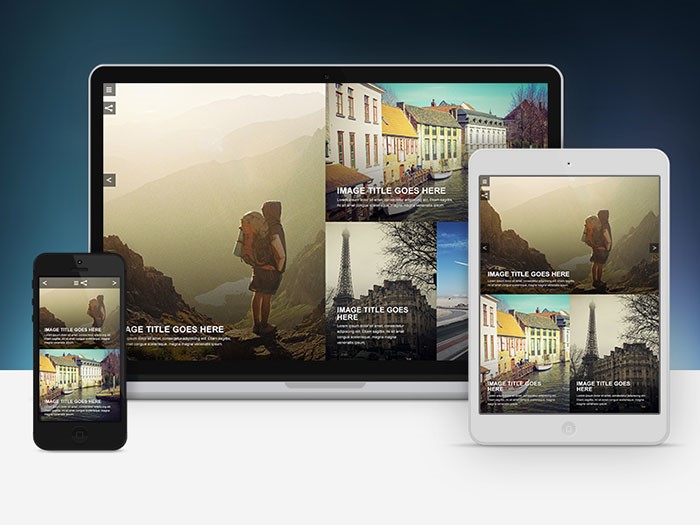
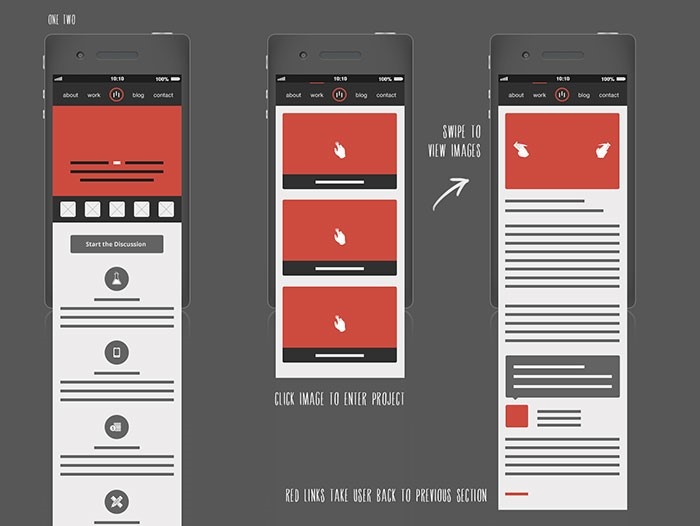
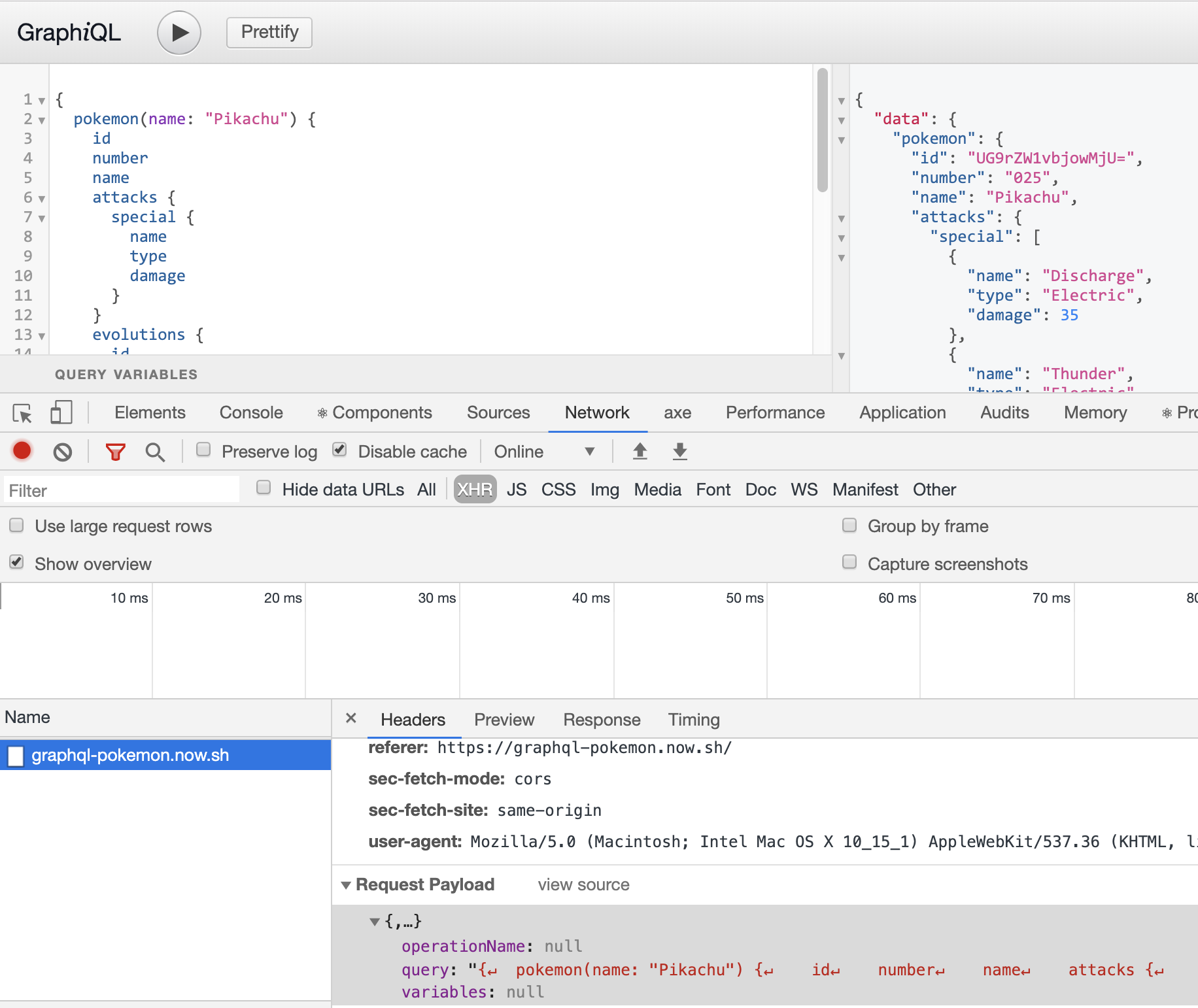
The Pantone Colour Institute announced the Classic Blue as the Colour of the Year for 2020. However, this colour reminds us of a bigger problem: the global issue of air pollution. Since carbon emissions in urban centres have increased dramatically, air pollution affects our lives in a number of ways. Not only painting our blue sky to smokey grey – but altering the whole ecosystem’s basic functions, too. The posters are created in a way that they are actually able to absorb pollution from the air.
There are billions of customers in the world, and there are a large number of ways to promote a business.
Nowadays the Internet has made it possible to open a business with minimal cost. For example, to create your own online clothing store, you do not need to spend money on renting premises, consultants’ salaries and purchasing goods. You can purchase things upon order and invest only in advertising on the Web.
There will be never the right time to start something. So, let’s start to advertise your business now.
How to promote your business online?
There are many ways to promote your business. No matter which method you choose, you will achieve a certain result. The only important thing is constantly to make efforts and use the appropriate set of marketing techniques.
Below you will find a list of the best ways that will help you to get more customers. Let’s find you the best way to market your website.
NB! You can choose one channel/method, or several at once, for example, the Landing Page website, social networks and email campaign.
Promote your brand on social media
Other ways to advertise your business are social media. This is one of the most popular digital marketing tools for your business.
It is suitable for you if:
You sell clothes, shoes, household goods, handmade jewelry, cosmetics, and so on.
Your target audience spends time on social networks.
There is enough information about goods and services to publish information posts.
When choosing your product/service, a potential customer pays attention to the brand.
Not ready to wait until six months to achieve the first results of the promotion.
You do not have a large promotion budget.
In fact, the page on social networks will not be superfluous for any online business. If this is not a key channel of your promotion, then you can post links to Facebook, Pinterest, Instagram, and Twitter on the site and regularly publish infrequent posts about company life or industry news.
This option is not suitable for large businesses with premium goods, the target audience of which will definitely not make spontaneous purchases through social networks.
Another thing is cosmetics, clothes, toys, textile products of the middle price category. Also, through social networks, the services of beauty masters, artists, artisans, and photographers are excellently sold.
Method Description
Promote your brand in any social media according to a single scheme:
Content plan development. Prepare topics and distribute publication dates one month in advance. Content may be duplicated. To do this, rely on competitors’ social networks, but do not copy them completely.
Content creation. The advantage of SMM is that this method gives scope for a wide variety of content: videos, texts, photos, pictures, podcasts. The main thing is that the content is consistent with the theme. You can hire an SMM ‑ specialist, copywriter, designer or videographer, or do it yourself. Also, you can use ready-made social media templates. They don’t cost much but help to present your business in a better light. All you need is to change texts on a template. Remember, it should be small and understandable to your audience.
The attraction of subscribers. Your content should be of interest to the target audience. For example, if you are selling tools for hairdressers, then on the page you should post tips on choosing such products, industry news, and useful life hacks. It is also necessary to set thematic hashtags and geolocation.
Social Media Favorites:
Facebook. One of the most popular social sites in the world with business and entertainment content. Facebook provides a convenient service for advertisers, provides advanced statistics on advertising companies, is equipped with useful functions for working with targeted advertising. The main audience – solvent people aged 30-45 years, residents of large cities.
Instagram. The platform contains mainly visual photo/video content with comments, which has the maximum number of views and responses. Instagram users are most loyal to branded accounts, willingly subscribe to business pages that provide the feed with unique, diverse content. The main audience is young active people aged 16-34 years.
YouTube. Video hosting with social network features. It makes it possible to clearly demonstrate the product in video reviews, post videos with useful tips, lessons, expert interviews. The brand’s own YouTube channel is a great source of traffic. YouTube reaches the widest audience – from 12 to 64 years.
Twitter. An independent communication channel, an online microblogging service that publishes the latest, relevant and urgent news. The main audience is young people aged 20-34.
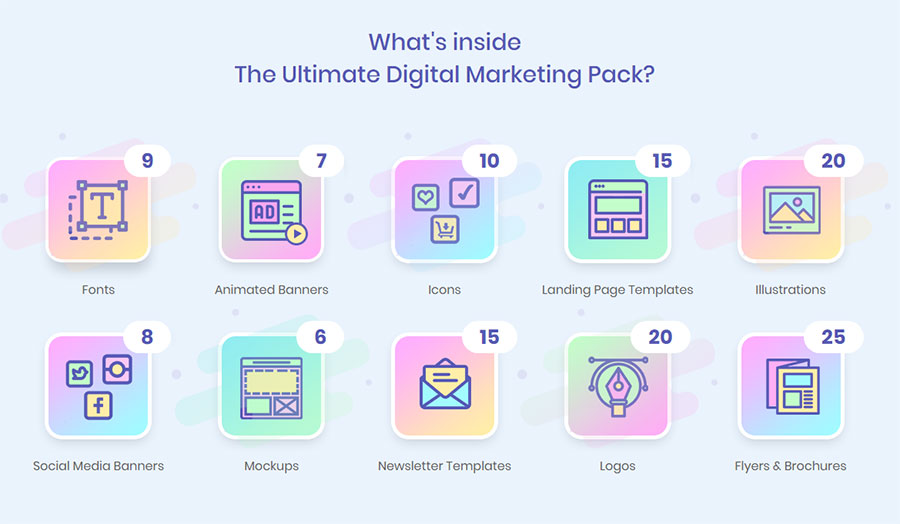
Choose one or several social media depending on your target audience. For those who decided to pick several social media platforms, I can suggest using a digital marketing bundle. There are not only different social media banners, but also newsletter templates, mockups, fonts, icons, logos, etc.
A landing page is a one-page site that is used to sell goods and services. This is the most important and the best way to promote a new business.
It will suit you if:
You have a small assortment (1-2 positions).
To purchase your product/service, the client does not need to get to know your company closely.
Your target audience is prone to impulsive one-click purchases.
You are selling a seasonal product/service.
You do not have the time, money or desire to work long hours with a multi-page website and groups in social networks.
I would say that a one-page site is ideal for selling one product or service. Moreover, it is effective for the implementation of both simple and inexpensive products, and for a complex, premium segment. For example, you only sell a portable speaker of a certain model or personal shopper services.
The advantage of this tool is that it does not require complex technical development and, with proper promotion, quickly leads to customers.
Landing Page is not suitable for online stores with a large assortment and for companies with an abundance of various services. This tool is also useless if, to stimulate a purchase, you need to arouse the confidence of the audience in the brand itself. For example, a company selling medical devices will need a site that contains detailed information about the company, services, and certificates.
Method Description
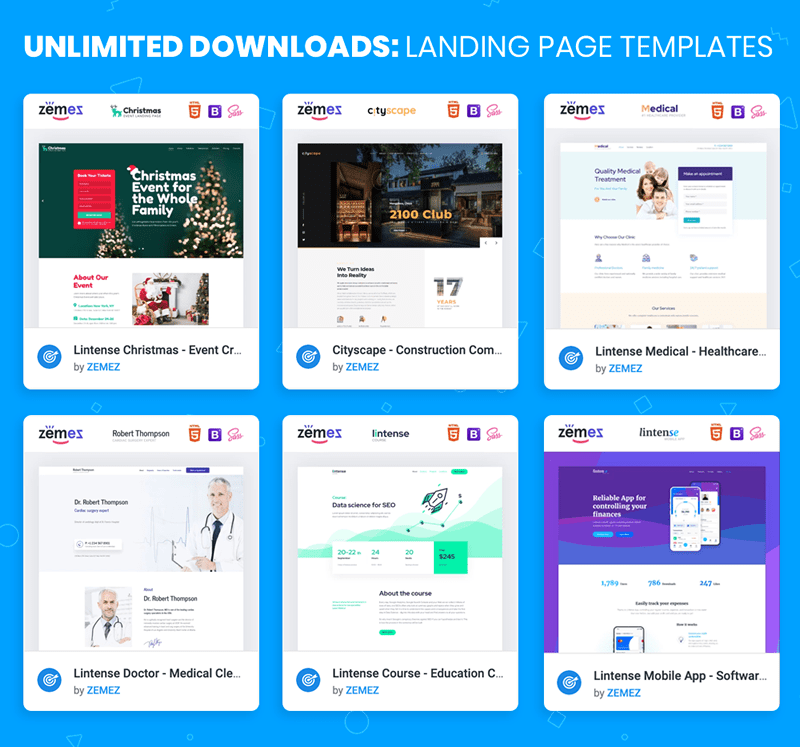
Not the only webmaster can create a landing page for you. You can do it yourself too. You can use any constructor (uKit, Wix, and others) or a ready-made website template. The second way is the most flexible and cheapest. For example, with ONE web development kit, you can create a website on any topic, have one year of free hosting, stock photos, graphics, and 24/7 online web support.
Join the MembershipThe effective landing should have the following parameters:
There is one offer on the page.
Text and graphic content are intended for one target audience. If your project has several, then it will take several different pages.
At the bottom, there is always a call to action – and offer to buy a product or service.
The text is divided into logically connected, small and visual blocks.
After reading, the potential buyer has no questions and doubts.
The purpose of the page is to quickly inform the buyer in the most accessible and selling form about why he should buy the presented product or order a service.
Create an online store
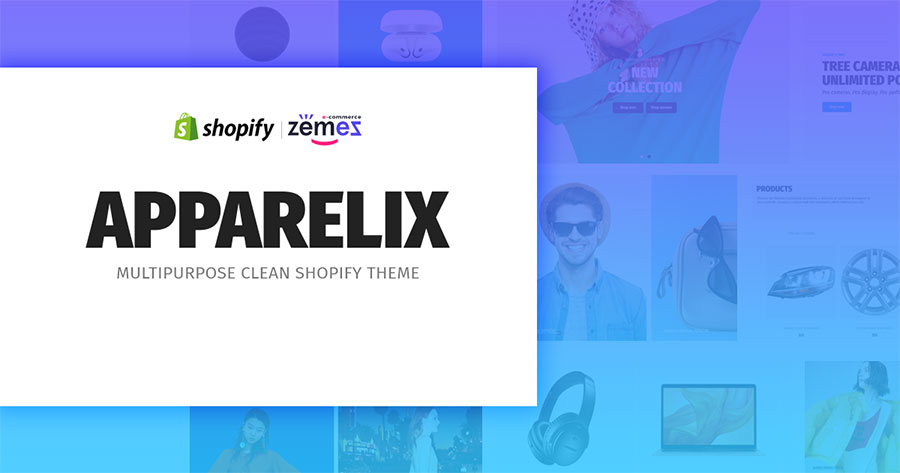
Landing Page is not suitable for online stores with a large assortment and for companies with an abundance of various services. If you already know that you need an online store, you need a suitable website template. The best platform for it is Shopify. Try to use one of Shopify themes. With it, you can create an online store or customize it to any niche.
So, if you have another business, you don’t need to buy another website theme.
Create a blog with quality content
Write regularly interesting blog posts in your store. Blogging is a great way to promote your store. Creating a blog will help increase traffic by increasing interest from Google and will lead to increased credibility in the industry. And this will increase your visibility, and as a result, sales too.
Email Marketing
Email marketing is the second way to market your website. It will help to attract attention to a brand through contact with the target audience. It is suitable for almost any online business.
It is suitable for you if:
You need to establish direct communication with the audience, to increase brand loyalty.
You are interested in resale (prompting the customer to purchase at least one more product/service along with the first purchase or immediately after it).
You have a limited promotion budget.
Your brand strategy involves a large number of discounts and promotions.
You regularly or periodically conduct thematic events.
The advantage of email marketing is that it does not require large financial investments and you can deal with it yourself.
But newsletters cannot be the only promotion tool on the Web. This is just a great additional tool that stimulates sales, increases recognition and stimulates brand loyalty.
Method Description
A mailing list about a company, goods, and services, as well as promotions and news of your business sector, can solve different problems:
Sales promotion, including through promotions and special offers.
Increasing company loyalty.
Increase brand awareness.
Develop relationships with them using systems such as Get Response, Aweber, Mailchimp or Constant Contact. Do not try to sell something right away. Build first a trusting relationship and then focus on sales.
Hold contests and Giveaways
A great tool to engage your audience and increase the visibility of your business.
When conducting a contest, the best thing to use as a prize is to use the goods of your online store or the product that you produce. Especially good contests and various promotions work on social networks.
Сontextual advertising
Let’s not forget to promote business on Google too. Contextual advertising allows you to display your site in the top for search queries without using SEO promotion.
It is suitable for you if:
It is necessary to bring traffic to the site as part of SEO promotion.
You have a new site, which so far by default cannot rise to the top of search results by SEO-promotion.
You urgently need the first clients for a speedy payback of the project.
You sell seasonal goods or services.
The target audience is looking for your product or service in search engines, and not in social networks.
You do not have strict budget restrictions, and you are ready to make significant financial investments.
Contextual advertising is well combined with SEO, making work on website promotion in search more effective.
Method Description
Thanks to a properly configured advertising campaign, your site appears in the first place with a note “Advertising”. The advantage of this digital marketing method for your business is that it gives results in just a few hours after the setup.
You do not need to wait a few months for the first customers to come to the site. Google Ads is the most popular service for setting up contextual advertising in the largest search engines. There you will find a step-by-step guide on setting up and running an advertising campaign. Also, you will find practical tips on how not to waste your budget on promotion and use the tool most effectively.
SEO
SEO optimization is a set of internal and external works for website promotion in search engines.
It is suitable for you if:
You are ready to wait until six months to get the first results.
The target audience comes for your product through the search.
For a potential buyer, trust in the brand is important.
You have a big budget for promotion.
You are ready to combine SEO with contextual advertising or other methods of promotion to accelerate the work on bringing the site to the top.
Search engine promotion consists of several steps:
Checking technical errors on the site.
The formation of the semantic core – a set of words and phrases that characterize the activity of the site.
Usability improvement.
Link building – the number of active external links to a site hosted on third-party sites.
Project analysis and content strategy development.
There are plenty of plugins for SEO-optimization. One of them is Yoast SEO. It has a free and premium version.
Use directories like Yahoo Local and Google Local
If you want to offer clients living nearby a brick or mortar, then you should enter your site in business directories such as Yahoo Local and Google Local.
Google Local is the best way to promote your business and to provide company information. The service allows you to display information on Google Maps such as the address of the company, hours of operation, etc. Just be sure to provide accurate information.
Conclusion
So, you have chosen the best way to market your website. The work did not end there. Control the intermediate results, draw conclusions and respond quickly to them.
If something goes wrong, does not bring results at all, then you need to make adjustments to the strategy.
However, a universal check of all promotion methods does not exist. For example, SEO gives the first results only after 3-6 months, and the quality of contextual advertising settings is immediately visible. Attracting real customers to the social network will also take time, and the effectiveness of the email distribution largely depends on the size of your contact database.
Regardless of what kind of marketing tools you use, promotion is always based on the right choice of the target audience.
Follow marketing news, promote your brand on social media, apply new advertising tools and pay attention to the audience’s reaction.
I wish you good luck with the promotion of your business. If you have more questions, feel free to ask them below in the comments.
There are billions of customers in the world, and there are a large number of ways to promote a business.
Nowadays the Internet has made it possible to open a business with minimal cost. For example, to create your own online clothing store, you do not need to spend money on renting premises, consultants’ salaries and purchasing goods. You can purchase things upon order and invest only in advertising on the Web.
There will be never the right time to start something. So, let’s start to advertise your business now.
How to promote your business online?
There are many ways to promote your business. No matter which method you choose, you will achieve a certain result. The only important thing is constantly to make efforts and use the appropriate set of marketing techniques.
Below you will find a list of the best ways that will help you to get more customers. Let’s find you the best way to market your website.
NB! You can choose one channel/method, or several at once, for example, the Landing Page website, social networks and email campaign.
Promote your brand on social media
Other ways to advertise your business are social media. This is one of the most popular digital marketing tools for your business.
It is suitable for you if:
You sell clothes, shoes, household goods, handmade jewelry, cosmetics, and so on.
Your target audience spends time on social networks.
There is enough information about goods and services to publish information posts.
When choosing your product/service, a potential customer pays attention to the brand.
Not ready to wait until six months to achieve the first results of the promotion.
You do not have a large promotion budget.
In fact, the page on social networks will not be superfluous for any online business. If this is not a key channel of your promotion, then you can post links to Facebook, Pinterest, Instagram, and Twitter on the site and regularly publish infrequent posts about company life or industry news.
This option is not suitable for large businesses with premium goods, the target audience of which will definitely not make spontaneous purchases through social networks.
Another thing is cosmetics, clothes, toys, textile products of the middle price category. Also, through social networks, the services of beauty masters, artists, artisans, and photographers are excellently sold.
Method Description
Promote your brand in any social media according to a single scheme:
Content plan development. Prepare topics and distribute publication dates one month in advance. Content may be duplicated. To do this, rely on competitors’ social networks, but do not copy them completely.
Content creation. The advantage of SMM is that this method gives scope for a wide variety of content: videos, texts, photos, pictures, podcasts. The main thing is that the content is consistent with the theme. You can hire an SMM ‑ specialist, copywriter, designer or videographer, or do it yourself. Also, you can use ready-made social media templates. They don’t cost much but help to present your business in a better light. All you need is to change texts on a template. Remember, it should be small and understandable to your audience.
The attraction of subscribers. Your content should be of interest to the target audience. For example, if you are selling tools for hairdressers, then on the page you should post tips on choosing such products, industry news, and useful life hacks. It is also necessary to set thematic hashtags and geolocation.
Social Media Favorites:
Facebook. One of the most popular social sites in the world with business and entertainment content. Facebook provides a convenient service for advertisers, provides advanced statistics on advertising companies, is equipped with useful functions for working with targeted advertising. The main audience – solvent people aged 30-45 years, residents of large cities.
Instagram. The platform contains mainly visual photo/video content with comments, which has the maximum number of views and responses. Instagram users are most loyal to branded accounts, willingly subscribe to business pages that provide the feed with unique, diverse content. The main audience is young active people aged 16-34 years.
YouTube. Video hosting with social network features. It makes it possible to clearly demonstrate the product in video reviews, post videos with useful tips, lessons, expert interviews. The brand’s own YouTube channel is a great source of traffic. YouTube reaches the widest audience – from 12 to 64 years.
Twitter. An independent communication channel, an online microblogging service that publishes the latest, relevant and urgent news. The main audience is young people aged 20-34.
Choose one or several social media depending on your target audience. For those who decided to pick several social media platforms, I can suggest using a digital marketing bundle. There are not only different social media banners, but also newsletter templates, mockups, fonts, icons, logos, etc.
A landing page is a one-page site that is used to sell goods and services. This is the most important and the best way to promote a new business.
It will suit you if:
You have a small assortment (1-2 positions).
To purchase your product/service, the client does not need to get to know your company closely.
Your target audience is prone to impulsive one-click purchases.
You are selling a seasonal product/service.
You do not have the time, money or desire to work long hours with a multi-page website and groups in social networks.
I would say that a one-page site is ideal for selling one product or service. Moreover, it is effective for the implementation of both simple and inexpensive products, and for a complex, premium segment. For example, you only sell a portable speaker of a certain model or personal shopper services.
The advantage of this tool is that it does not require complex technical development and, with proper promotion, quickly leads to customers.
Landing Page is not suitable for online stores with a large assortment and for companies with an abundance of various services. This tool is also useless if, to stimulate a purchase, you need to arouse the confidence of the audience in the brand itself. For example, a company selling medical devices will need a site that contains detailed information about the company, services, and certificates.
Method Description
Not the only webmaster can create a landing page for you. You can do it yourself too. You can use any constructor (uKit, Wix, and others) or a ready-made website template. The second way is the most flexible and cheapest. For example, with ONE web development kit, you can create a website on any topic, have one year of free hosting, stock photos, graphics, and 24/7 online web support.
Join the MembershipThe effective landing should have the following parameters:
There is one offer on the page.
Text and graphic content are intended for one target audience. If your project has several, then it will take several different pages.
At the bottom, there is always a call to action – and offer to buy a product or service.
The text is divided into logically connected, small and visual blocks.
After reading, the potential buyer has no questions and doubts.
The purpose of the page is to quickly inform the buyer in the most accessible and selling form about why he should buy the presented product or order a service.
Create an online store
Landing Page is not suitable for online stores with a large assortment and for companies with an abundance of various services. If you already know that you need an online store, you need a suitable website template. The best platform for it is Shopify. Try to use one of Shopify themes. With it, you can create an online store or customize it to any niche.
So, if you have another business, you don’t need to buy another website theme.
Create a blog with quality content
Write regularly interesting blog posts in your store. Blogging is a great way to promote your store. Creating a blog will help increase traffic by increasing interest from Google and will lead to increased credibility in the industry. And this will increase your visibility, and as a result, sales too.
Email Marketing
Email marketing is the second way to market your website. It will help to attract attention to a brand through contact with the target audience. It is suitable for almost any online business.
It is suitable for you if:
You need to establish direct communication with the audience, to increase brand loyalty.
You are interested in resale (prompting the customer to purchase at least one more product/service along with the first purchase or immediately after it).
You have a limited promotion budget.
Your brand strategy involves a large number of discounts and promotions.
You regularly or periodically conduct thematic events.
The advantage of email marketing is that it does not require large financial investments and you can deal with it yourself.
But newsletters cannot be the only promotion tool on the Web. This is just a great additional tool that stimulates sales, increases recognition and stimulates brand loyalty.
Method Description
A mailing list about a company, goods, and services, as well as promotions and news of your business sector, can solve different problems:
Sales promotion, including through promotions and special offers.
Increasing company loyalty.
Increase brand awareness.
Develop relationships with them using systems such as Get Response, Aweber, Mailchimp or Constant Contact. Do not try to sell something right away. Build first a trusting relationship and then focus on sales.
Hold contests and Giveaways
A great tool to engage your audience and increase the visibility of your business.
When conducting a contest, the best thing to use as a prize is to use the goods of your online store or the product that you produce. Especially good contests and various promotions work on social networks.
Сontextual advertising
Let’s not forget to promote business on Google too. Contextual advertising allows you to display your site in the top for search queries without using SEO promotion.
It is suitable for you if:
It is necessary to bring traffic to the site as part of SEO promotion.
You have a new site, which so far by default cannot rise to the top of search results by SEO-promotion.
You urgently need the first clients for a speedy payback of the project.
You sell seasonal goods or services.
The target audience is looking for your product or service in search engines, and not in social networks.
You do not have strict budget restrictions, and you are ready to make significant financial investments.
Contextual advertising is well combined with SEO, making work on website promotion in search more effective.
Method Description
Thanks to a properly configured advertising campaign, your site appears in the first place with a note “Advertising”. The advantage of this digital marketing method for your business is that it gives results in just a few hours after the setup.
You do not need to wait a few months for the first customers to come to the site. Google Ads is the most popular service for setting up contextual advertising in the largest search engines. There you will find a step-by-step guide on setting up and running an advertising campaign. Also, you will find practical tips on how not to waste your budget on promotion and use the tool most effectively.
SEO
SEO optimization is a set of internal and external works for website promotion in search engines.
It is suitable for you if:
You are ready to wait until six months to get the first results.
The target audience comes for your product through the search.
For a potential buyer, trust in the brand is important.
You have a big budget for promotion.
You are ready to combine SEO with contextual advertising or other methods of promotion to accelerate the work on bringing the site to the top.
Search engine promotion consists of several steps:
Checking technical errors on the site.
The formation of the semantic core – a set of words and phrases that characterize the activity of the site.
Usability improvement.
Link building – the number of active external links to a site hosted on third-party sites.
Project analysis and content strategy development.
There are plenty of plugins for SEO-optimization. One of them is Yoast SEO. It has a free and premium version.
Use directories like Yahoo Local and Google Local
If you want to offer clients living nearby a brick or mortar, then you should enter your site in business directories such as Yahoo Local and Google Local.
Google Local is the best way to promote your business and to provide company information. The service allows you to display information on Google Maps such as the address of the company, hours of operation, etc. Just be sure to provide accurate information.
Conclusion
So, you have chosen the best way to market your website. The work did not end there. Control the intermediate results, draw conclusions and respond quickly to them.
If something goes wrong, does not bring results at all, then you need to make adjustments to the strategy.
However, a universal check of all promotion methods does not exist. For example, SEO gives the first results only after 3-6 months, and the quality of contextual advertising settings is immediately visible. Attracting real customers to the social network will also take time, and the effectiveness of the email distribution largely depends on the size of your contact database.
Regardless of what kind of marketing tools you use, promotion is always based on the right choice of the target audience.
Follow marketing news, promote your brand on social media, apply new advertising tools and pay attention to the audience’s reaction.
I wish you good luck with the promotion of your business. If you have more questions, feel free to ask them below in the comments.
There are billions of customers in the world, and there are a large number of ways to promote a business.
Nowadays the Internet has made it possible to open a business with minimal cost. For example, to create your own online clothing store, you do not need to spend money on renting premises, consultants’ salaries and purchasing goods. You can purchase things upon order and invest only in advertising on the Web.
There will be never the right time to start something. So, let’s start to advertise your business now.
How to promote your business online?
There are many ways to promote your business. No matter which method you choose, you will achieve a certain result. The only important thing is constantly to make efforts and use the appropriate set of marketing techniques.
Below you will find a list of the best ways that will help you to get more customers. Let’s find you the best way to market your website.
NB! You can choose one channel/method, or several at once, for example, the Landing Page website, social networks and email campaign.
Promote your brand on social media
Other ways to advertise your business are social media. This is one of the most popular digital marketing tools for your business.
It is suitable for you if:
You sell clothes, shoes, household goods, handmade jewelry, cosmetics, and so on.
Your target audience spends time on social networks.
There is enough information about goods and services to publish information posts.
When choosing your product/service, a potential customer pays attention to the brand.
Not ready to wait until six months to achieve the first results of the promotion.
You do not have a large promotion budget.
In fact, the page on social networks will not be superfluous for any online business. If this is not a key channel of your promotion, then you can post links to Facebook, Pinterest, Instagram, and Twitter on the site and regularly publish infrequent posts about company life or industry news.
This option is not suitable for large businesses with premium goods, the target audience of which will definitely not make spontaneous purchases through social networks.
Another thing is cosmetics, clothes, toys, textile products of the middle price category. Also, through social networks, the services of beauty masters, artists, artisans, and photographers are excellently sold.
Method Description
Promote your brand in any social media according to a single scheme:
Content plan development. Prepare topics and distribute publication dates one month in advance. Content may be duplicated. To do this, rely on competitors’ social networks, but do not copy them completely.
Content creation. The advantage of SMM is that this method gives scope for a wide variety of content: videos, texts, photos, pictures, podcasts. The main thing is that the content is consistent with the theme. You can hire an SMM ‑ specialist, copywriter, designer or videographer, or do it yourself. Also, you can use ready-made social media templates. They don’t cost much but help to present your business in a better light. All you need is to change texts on a template. Remember, it should be small and understandable to your audience.
The attraction of subscribers. Your content should be of interest to the target audience. For example, if you are selling tools for hairdressers, then on the page you should post tips on choosing such products, industry news, and useful life hacks. It is also necessary to set thematic hashtags and geolocation.
Social Media Favorites:
Facebook. One of the most popular social sites in the world with business and entertainment content. Facebook provides a convenient service for advertisers, provides advanced statistics on advertising companies, is equipped with useful functions for working with targeted advertising. The main audience – solvent people aged 30-45 years, residents of large cities.
Instagram. The platform contains mainly visual photo/video content with comments, which has the maximum number of views and responses. Instagram users are most loyal to branded accounts, willingly subscribe to business pages that provide the feed with unique, diverse content. The main audience is young active people aged 16-34 years.
YouTube. Video hosting with social network features. It makes it possible to clearly demonstrate the product in video reviews, post videos with useful tips, lessons, expert interviews. The brand’s own YouTube channel is a great source of traffic. YouTube reaches the widest audience – from 12 to 64 years.
Twitter. An independent communication channel, an online microblogging service that publishes the latest, relevant and urgent news. The main audience is young people aged 20-34.
Choose one or several social media depending on your target audience. For those who decided to pick several social media platforms, I can suggest using a digital marketing bundle. There are not only different social media banners, but also newsletter templates, mockups, fonts, icons, logos, etc.
A landing page is a one-page site that is used to sell goods and services. This is the most important and the best way to promote a new business.
It will suit you if:
You have a small assortment (1-2 positions).
To purchase your product/service, the client does not need to get to know your company closely.
Your target audience is prone to impulsive one-click purchases.
You are selling a seasonal product/service.
You do not have the time, money or desire to work long hours with a multi-page website and groups in social networks.
I would say that a one-page site is ideal for selling one product or service. Moreover, it is effective for the implementation of both simple and inexpensive products, and for a complex, premium segment. For example, you only sell a portable speaker of a certain model or personal shopper services.
The advantage of this tool is that it does not require complex technical development and, with proper promotion, quickly leads to customers.
Landing Page is not suitable for online stores with a large assortment and for companies with an abundance of various services. This tool is also useless if, to stimulate a purchase, you need to arouse the confidence of the audience in the brand itself. For example, a company selling medical devices will need a site that contains detailed information about the company, services, and certificates.
Method Description
Not the only webmaster can create a landing page for you. You can do it yourself too. You can use any constructor (uKit, Wix, and others) or a ready-made website template. The second way is the most flexible and cheapest. For example, with ONE web development kit, you can create a website on any topic, have one year of free hosting, stock photos, graphics, and 24/7 online web support.
Join the MembershipThe effective landing should have the following parameters:
There is one offer on the page.
Text and graphic content are intended for one target audience. If your project has several, then it will take several different pages.
At the bottom, there is always a call to action – and offer to buy a product or service.
The text is divided into logically connected, small and visual blocks.
After reading, the potential buyer has no questions and doubts.
The purpose of the page is to quickly inform the buyer in the most accessible and selling form about why he should buy the presented product or order a service.
Create an online store
Landing Page is not suitable for online stores with a large assortment and for companies with an abundance of various services. If you already know that you need an online store, you need a suitable website template. The best platform for it is Shopify. Try to use one of Shopify themes. With it, you can create an online store or customize it to any niche.
So, if you have another business, you don’t need to buy another website theme.
Create a blog with quality content
Write regularly interesting blog posts in your store. Blogging is a great way to promote your store. Creating a blog will help increase traffic by increasing interest from Google and will lead to increased credibility in the industry. And this will increase your visibility, and as a result, sales too.
Email Marketing
Email marketing is the second way to market your website. It will help to attract attention to a brand through contact with the target audience. It is suitable for almost any online business.
It is suitable for you if:
You need to establish direct communication with the audience, to increase brand loyalty.
You are interested in resale (prompting the customer to purchase at least one more product/service along with the first purchase or immediately after it).
You have a limited promotion budget.
Your brand strategy involves a large number of discounts and promotions.
You regularly or periodically conduct thematic events.
The advantage of email marketing is that it does not require large financial investments and you can deal with it yourself.
But newsletters cannot be the only promotion tool on the Web. This is just a great additional tool that stimulates sales, increases recognition and stimulates brand loyalty.
Method Description
A mailing list about a company, goods, and services, as well as promotions and news of your business sector, can solve different problems:
Sales promotion, including through promotions and special offers.
Increasing company loyalty.
Increase brand awareness.
Develop relationships with them using systems such as Get Response, Aweber, Mailchimp or Constant Contact. Do not try to sell something right away. Build first a trusting relationship and then focus on sales.
Hold contests and Giveaways
A great tool to engage your audience and increase the visibility of your business.
When conducting a contest, the best thing to use as a prize is to use the goods of your online store or the product that you produce. Especially good contests and various promotions work on social networks.
Сontextual advertising
Let’s not forget to promote business on Google too. Contextual advertising allows you to display your site in the top for search queries without using SEO promotion.
It is suitable for you if:
It is necessary to bring traffic to the site as part of SEO promotion.
You have a new site, which so far by default cannot rise to the top of search results by SEO-promotion.
You urgently need the first clients for a speedy payback of the project.
You sell seasonal goods or services.
The target audience is looking for your product or service in search engines, and not in social networks.
You do not have strict budget restrictions, and you are ready to make significant financial investments.
Contextual advertising is well combined with SEO, making work on website promotion in search more effective.
Method Description
Thanks to a properly configured advertising campaign, your site appears in the first place with a note “Advertising”. The advantage of this digital marketing method for your business is that it gives results in just a few hours after the setup.
You do not need to wait a few months for the first customers to come to the site. Google Ads is the most popular service for setting up contextual advertising in the largest search engines. There you will find a step-by-step guide on setting up and running an advertising campaign. Also, you will find practical tips on how not to waste your budget on promotion and use the tool most effectively.
SEO
SEO optimization is a set of internal and external works for website promotion in search engines.
It is suitable for you if:
You are ready to wait until six months to get the first results.
The target audience comes for your product through the search.
For a potential buyer, trust in the brand is important.
You have a big budget for promotion.
You are ready to combine SEO with contextual advertising or other methods of promotion to accelerate the work on bringing the site to the top.
Search engine promotion consists of several steps:
Checking technical errors on the site.
The formation of the semantic core – a set of words and phrases that characterize the activity of the site.
Usability improvement.
Link building – the number of active external links to a site hosted on third-party sites.
Project analysis and content strategy development.
There are plenty of plugins for SEO-optimization. One of them is Yoast SEO. It has a free and premium version.
Use directories like Yahoo Local and Google Local
If you want to offer clients living nearby a brick or mortar, then you should enter your site in business directories such as Yahoo Local and Google Local.
Google Local is the best way to promote your business and to provide company information. The service allows you to display information on Google Maps such as the address of the company, hours of operation, etc. Just be sure to provide accurate information.
Conclusion
So, you have chosen the best way to market your website. The work did not end there. Control the intermediate results, draw conclusions and respond quickly to them.
If something goes wrong, does not bring results at all, then you need to make adjustments to the strategy.
However, a universal check of all promotion methods does not exist. For example, SEO gives the first results only after 3-6 months, and the quality of contextual advertising settings is immediately visible. Attracting real customers to the social network will also take time, and the effectiveness of the email distribution largely depends on the size of your contact database.
Regardless of what kind of marketing tools you use, promotion is always based on the right choice of the target audience.
Follow marketing news, promote your brand on social media, apply new advertising tools and pay attention to the audience’s reaction.
I wish you good luck with the promotion of your business. If you have more questions, feel free to ask them below in the comments.
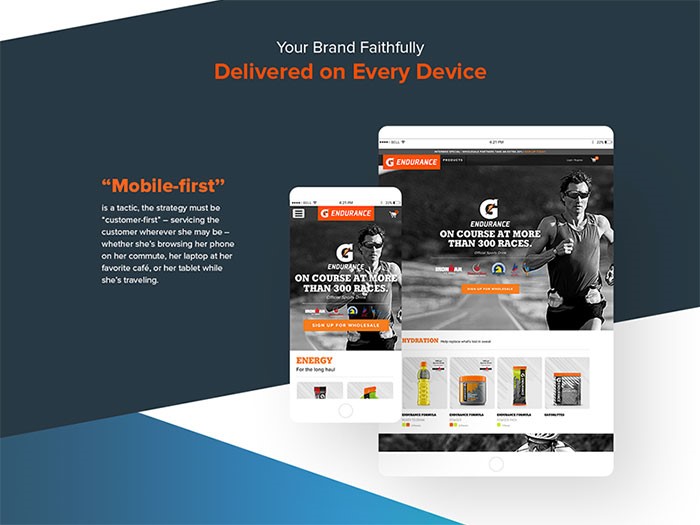
Mobile is
something that is not always designed for the first time around; however, it’s
something that should always be considered depending on the specific type of
website that’s being constructed, as well as the overall demographics and how
the website itself is used in general.
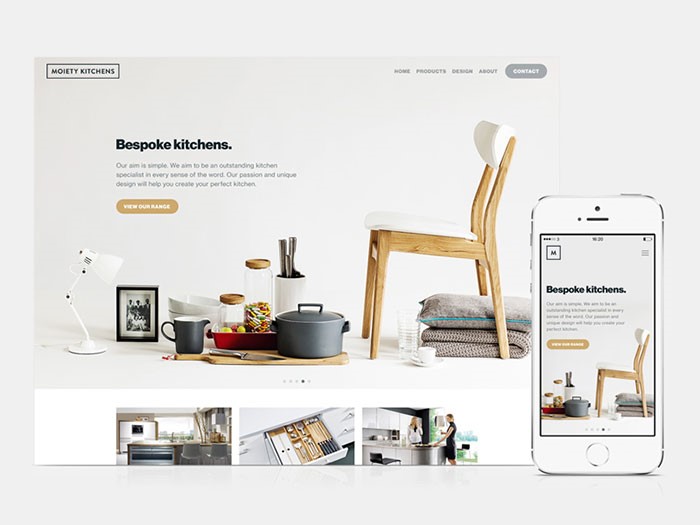
With a mobile-first approach, you are really seeing more of the content
than the graphics or the design itself, meaning that the content that you
create to help improve the user experience itself is extremely important.
This is
the most basic mobile-first definition. This kind of content not only includes
text, but also images, audio, and video. Designers always work hard to dedicate
their time to create a better user experience by ensuring that every bit of
content is arranged in a manner that is convenient, especially when it comes to
viewing this content on various kinds of mobile devices.
Why you should use a mobile-first strategy
All of
the different needs of mobile users are always met, including all of the
various specifications of mobile platforms. Besides that, designers are able to
focus on various technicalities, as well as details involving navigation,
structure, and content.
Let’s not
forget that websites are much easier to navigate, which leads to better user
experience. In addition, a fresher concept and design can materialize as the
result of a mobile-first approach.
There are
other additional benefits to approaching a mobile website before a more
traditional website. For starters, a mobile user’s requirements are able to be
met on a level that is more basic thanks in large part to the platform’s
landscape and performance constraints.
The
device used by a mobile user is smaller in terms of both real estate and
overall connection speed and/or specific data plan. This, essentially, makes us
become much more focused and direct with the content that is created, which, in
turn, produces a great user experience that can carry over to a desktop
website.
Delivering a better experience in various viewports
There are
many challenges in terms of mobile development that must be met before a
website can be created that works well for various types of mobile devices in
terms of context rather than just the smaller screen size.
Thanks to
the different constraints of mobile context, we are essentially forced to focus
on exactly what particular content is essential, as well as determining exactly
how to present that content in the quickest possible way.
When we
concentrate on first building mobile experiences that are both optimized and
fast-loading, this will eventually lead to a form of “trickle-down”
effect for other platforms such as desktops and tablets.
Different
adaptive experiences are able to be kept manageable and accessible thanks in
large part to the latest advancements in web technologies, especially in HTML, with the release of
HTML5, and CSS with the latest version, CSS3. For example, if responsive tables
were a bit science fiction a while ago, now they are the norm. I know at least
one WordPress table plugin that does this by default. Most likely, there
are several others.
The best
approach with this is not to reinvent the wheel, but to use one of the many CSS libraries out there and get on with the next task that
you have for the site.
One
useful way to help reduce the overall need for any type of background images is
to use special HTML characters for the simplest shapes. This is also a great
way to save HTTP requests as well.
When it
comes to stars that are generally used to rate something or other simple icons, you could use something as simple as a
question mark to create both solid and empty stars. Even better is the fact
that since it’s HTML and not an image, the end result will be a lot crisper
visually on screens that are of a higher resolution.
Whenever
we craft anything involving CSS, it’s important that we do anything to keep all
elements as fluid and lightweight as possible. It’s no secret that mobile
devices have many different screen sizes.
It’s also
no secret that the devices that come later on down the road won’t have a lot of
the same features as the ones of today do. The content itself is therefore used
to help determine how the layout should actually adjust to the device that
contains it.
When you
start with a style that is more baseline and shared, you will be able to
introduce more advanced layout rules whenever the screen size itself actually
permits you to do so. This is something that will help to keep the code
smaller, more maintainable, and a lot simpler.
JS libraries
JavaScript
enhancements can then be added to add a sense of functionality to the overall
navigation of the website. Doing so will also add functionality to aspects such
as auxiliary content and image galleries. The best interactive websites out there are taking advantage to the maximum
of JS libraries.
This is
something that can be especially tricky when it comes to experiences that are
adaptive. Aspects such as top navigation are very common for desktop websites;
however, this is something that can also clutter up the screen itself, as well
as push down the amount of primary content on screens that are smaller in size.
A
hamburger menu could be useful, but be careful to make some tests before using
one form of another of this type of navigation.
Mobile
optimized images should always be loaded in by default before loading in any
larger images whenever they are needed. Different techniques exist for responsive
images on both
the server-side and the client-side of the spectrum. Whenever images are
optimized, overall performance can also be optimized even further.
Make sure you deliver a good user experience
Search
engines such as Google have worked hard to identify many different components
involving user experience mistakes. These mistakes are common and are ones that
you should work hard not to make. This is because of the fact that Google uses
these to judge your pages on how mobile-friendly they actually are. For
example, if you have an event
website and
people can’t book events easily, you will lose positions in SERP.
Here are
the most common mistakes to avoid:
Avoid using lots of plugins
Avoid using font sizes that are not
legible. Also aim for good fonts.
Size all of your tap targets as
appropriately as possible
Forgetting to configure the viewport
Forgetting to size content to viewport
What you won’t like
Perhaps
the biggest downside of mobile web design is that it’s not fun, nor is it easy,
as you are hit with a lot of constraints from the first step.
These can
range from a smaller-sized screen to fewer amounts of resources, which can
create many headaches on your part. Additionally, beginning with mobile design
and working your way up from there can make it especially difficult to really
dive into a design concept, but it’s doable.
When you
adopt a mobile-first approach, you are essentially helping out your user base a
lot. After all, the main point of establishing a presence on the internet is to
reach all of your users and have a pleasant interaction with them.
Ending thoughts
Image source: Nathan Powell
Adopting
a mobile-first strategy can be extremely difficult at first; however, there are
many benefits to this concept. All that is required from you is to step up and
take the leap. So what’s holding you back from doing so?
Mobile is
something that is not always designed for the first time around; however, it’s
something that should always be considered depending on the specific type of
website that’s being constructed, as well as the overall demographics and how
the website itself is used in general.
With a mobile-first approach, you are really seeing more of the content
than the graphics or the design itself, meaning that the content that you
create to help improve the user experience itself is extremely important.
This is
the most basic mobile-first definition. This kind of content not only includes
text, but also images, audio, and video. Designers always work hard to dedicate
their time to create a better user experience by ensuring that every bit of
content is arranged in a manner that is convenient, especially when it comes to
viewing this content on various kinds of mobile devices.
Why you should use a mobile-first strategy
All of
the different needs of mobile users are always met, including all of the
various specifications of mobile platforms. Besides that, designers are able to
focus on various technicalities, as well as details involving navigation,
structure, and content.
Let’s not
forget that websites are much easier to navigate, which leads to better user
experience. In addition, a fresher concept and design can materialize as the
result of a mobile-first approach.
There are
other additional benefits to approaching a mobile website before a more
traditional website. For starters, a mobile user’s requirements are able to be
met on a level that is more basic thanks in large part to the platform’s
landscape and performance constraints.
The
device used by a mobile user is smaller in terms of both real estate and
overall connection speed and/or specific data plan. This, essentially, makes us
become much more focused and direct with the content that is created, which, in
turn, produces a great user experience that can carry over to a desktop
website.
Delivering a better experience in various viewports
There are
many challenges in terms of mobile development that must be met before a
website can be created that works well for various types of mobile devices in
terms of context rather than just the smaller screen size.
Thanks to
the different constraints of mobile context, we are essentially forced to focus
on exactly what particular content is essential, as well as determining exactly
how to present that content in the quickest possible way.
When we
concentrate on first building mobile experiences that are both optimized and
fast-loading, this will eventually lead to a form of “trickle-down”
effect for other platforms such as desktops and tablets.
Different
adaptive experiences are able to be kept manageable and accessible thanks in
large part to the latest advancements in web technologies, especially in HTML, with the release of
HTML5, and CSS with the latest version, CSS3. For example, if responsive tables
were a bit science fiction a while ago, now they are the norm. I know at least
one WordPress table plugin that does this by default. Most likely, there
are several others.
The best
approach with this is not to reinvent the wheel, but to use one of the many CSS libraries out there and get on with the next task that
you have for the site.
One
useful way to help reduce the overall need for any type of background images is
to use special HTML characters for the simplest shapes. This is also a great
way to save HTTP requests as well.
When it
comes to stars that are generally used to rate something or other simple icons, you could use something as simple as a
question mark to create both solid and empty stars. Even better is the fact
that since it’s HTML and not an image, the end result will be a lot crisper
visually on screens that are of a higher resolution.
Whenever
we craft anything involving CSS, it’s important that we do anything to keep all
elements as fluid and lightweight as possible. It’s no secret that mobile
devices have many different screen sizes.
It’s also
no secret that the devices that come later on down the road won’t have a lot of
the same features as the ones of today do. The content itself is therefore used
to help determine how the layout should actually adjust to the device that
contains it.
When you
start with a style that is more baseline and shared, you will be able to
introduce more advanced layout rules whenever the screen size itself actually
permits you to do so. This is something that will help to keep the code
smaller, more maintainable, and a lot simpler.
JS libraries
JavaScript
enhancements can then be added to add a sense of functionality to the overall
navigation of the website. Doing so will also add functionality to aspects such
as auxiliary content and image galleries. The best interactive websites out there are taking advantage to the maximum
of JS libraries.
This is
something that can be especially tricky when it comes to experiences that are
adaptive. Aspects such as top navigation are very common for desktop websites;
however, this is something that can also clutter up the screen itself, as well
as push down the amount of primary content on screens that are smaller in size.
A
hamburger menu could be useful, but be careful to make some tests before using
one form of another of this type of navigation.
Mobile
optimized images should always be loaded in by default before loading in any
larger images whenever they are needed. Different techniques exist for responsive
images on both
the server-side and the client-side of the spectrum. Whenever images are
optimized, overall performance can also be optimized even further.
Make sure you deliver a good user experience
Search
engines such as Google have worked hard to identify many different components
involving user experience mistakes. These mistakes are common and are ones that
you should work hard not to make. This is because of the fact that Google uses
these to judge your pages on how mobile-friendly they actually are. For
example, if you have an event
website and
people can’t book events easily, you will lose positions in SERP.
Here are
the most common mistakes to avoid:
Avoid using lots of plugins
Avoid using font sizes that are not
legible. Also aim for good fonts.
Size all of your tap targets as
appropriately as possible
Forgetting to configure the viewport
Forgetting to size content to viewport
What you won’t like
Perhaps
the biggest downside of mobile web design is that it’s not fun, nor is it easy,
as you are hit with a lot of constraints from the first step.
These can
range from a smaller-sized screen to fewer amounts of resources, which can
create many headaches on your part. Additionally, beginning with mobile design
and working your way up from there can make it especially difficult to really
dive into a design concept, but it’s doable.
When you
adopt a mobile-first approach, you are essentially helping out your user base a
lot. After all, the main point of establishing a presence on the internet is to
reach all of your users and have a pleasant interaction with them.
Ending thoughts
Image source: Nathan Powell
Adopting
a mobile-first strategy can be extremely difficult at first; however, there are
many benefits to this concept. All that is required from you is to step up and
take the leap. So what’s holding you back from doing so?
Is it harder or easier to build a website now than 10 years ago? Has the bar gone up or down? I don’t have any data for you, but I can shell out some loosey-goosey opinions.
HTML
HTML5 was the only big HTML change in the last decade, and it wasn’t particularly dramatic. It’s cool it’s the looser variant (instead of getting XHTML3 or something). More compatible this way. Maybe I’ll close my <br /> and maybe I <br> won’t. Having better semantic tags (e.g. <article>) is great. Input types are wonderful. But none of this pushes HTML to be significantly easier or harder.
Same.
CSS
CSS has gotten easier. We use way fewer „hacks” all the time. I can literally feel it. The CSS we write today feels so intentional and direct. 10 years ago I feel like every other element had some kind of weird hack on it, and today, almost none. If CSS feels any harder, I’d wager it’s because the sites we’re building are bigger and more complex so the styling systems for them need to be all the more robust and the dangers of getting it wrong more stark.
Easier.
JavaScript
I’m sure there are strong arguments to be made both ways here. The language, perhaps, with all its recent syntactic innovation… perhaps easier. But what JavaScript is being asked to do, and what we’re doing with it, is so astronomically larger that more difficulty comes along for the ride. It’s similar to CSS in that way, but even more pronounced since we’re not just doing what we were before on a new scale; we’re building entire interfaces with the language in a way we just weren’t before.
Harder.
Domains
I mention this one because it’s such a crucial step in any given person’s ability to go from zero to actually having a website.
I don’t think buying a domain name is any easier. Domain names are a commodity market, so the companies selling you them are selling you them for some other reason, meaning the incentive is very high for them to push other products on you. For someone entirely green, I can imagine the confusion is either high or they don’t know enough for the confusion to settle in yet. Do I buy it through this page builder thing? Do I have to buy it through this page builder thing? Do I need the WHOIS protection? Oh god, what even is DNS? I guess I do want email, right? Or is that like some weird special hosted email? Ughjakd. I’m gonna call it a wash. Nothing has made this any easier or harder in a decade.
Same.
Hosting
There is so much money in hosting it kind of blows my mind that we don’t see deeper innovation here. I might argue it’s a little easier these days. But commodity low-end hosting isn’t terribly different or being any more or less helpful than it was a decade ago. We’re still largely stringing together our own bespoke build and deployment processes like we were 10 years ago.
Large-scale stuff might have seen a lot of innovation, a la AWS, but nobody is going to argue that stuff is anywhere near easy.
The most innovation we’ve seen is from companies like Netlify and Zeit who are looking at the developer experience wholistically from helping you run things locally, to testing builds in staging, to immutable deploys. I’d love to see all hosting companies realize that every single one of their customers needs to get their code onto their platforms and they have a massive opportunity to help us do that directly.
Slightly easier.
How people actually do it
I like thinking about HTML, CSS, and JavaScript. But of course, precious few people actually start with those technologies to build actual websites from scratch. Really they end up being treated as underlying technologies you dabble in amongst a slew of other tech.
You can build a website from just an index.html file. I’d argue more people should. But people reach for more „complete” solutions and customize from there. I know I did. The first websites I ever created were WordPress because it was a whole website in a box (with its own struggles) and I customized it. People still do that today, probably more now than 10 years ago, and I don’t feel like it’s significantly easier or harder. Or they reach for something familiar. I made a one-page index.html site not long ago, only to have it picked up by another developer who turned it into a create-react-app site but otherwise changed nothing. They just didn’t know how to work on it without React.
Or they use WordPress.com, or Squarespace, or Wix, or Shopify, or BigCommerce, or you know what I mean. This isn’t about what people can do, it’s about what people do do. And for most people, these apps significantly lower the bar of creating a website.
So, for the average person, is it easier or harder to go from zero to having some kind of website?
Much easier.
Can people actually do it?
If we’re talking about creating from scratch, it’s interesting to see who feels like they even hold those keys anymore. The whole idea for this post came from a conversation I had with someone who has been a front-end developer and was asked to build a website by a friend. They declined because they didn’t know how.
Chatted with someone who’s been working at a company as a front-end developer for 3 years. Their friend asked them to help build a website, but they had to decline. They didn’t know how.
Some part of that doesn’t surprise me. As I write, the world is awfully full of React-specific developers working on huge sites (partially due to boot camps, partially due to market demand). They understand that very specific ecosystem and are perfectly productive within it, but don’t have a wider understanding of how it all comes together to make the complete site.
Specialists are specialists!
Them: What do you do? Me: I’m a web designer Them: Cool! Can you help me build my website? Me: [laughing] Oh god no, I have no idea how to do that
Another part of me is surprised. You know an index.html file with „Hello, World!” in it can be a website, right? Even React devs are generally highly aware of create-react-app and how that scaffolds out a ready-to-rock site. Tools like Stackbit slap together a JAMstack site for you that can go anywhere. For developers, it seems to be going from zero to website is a heck of a lot easier these days.
If you were starting out as a front end dev in 2020, what would you say is the first thing you would learn and why?
You need to put yourself in a position where it’s your job to create and take care of a website. Even if that feels like a stretch for you early on. Get the domain, get the website on the public internet. Put your name on it. Now you’ve given yourself stakes, and you’ll learn technology because you must make your ideas come to life.
For me, 650 years ago, that was putting up a website for the ol’ college band. We needed a website! That sounded like fun to me, and I managed to struggle through buying a domain, hosting, and putting up a WordPress website. Then, over time, I learned front-end web technologies because I wanted to change up the design, change up the templates, add cool features, etc.
Get yourself a project and learn through the project.
How do you determine what you want to turn into a blog post and what you leave as a simple Tweet?
I usually won’t avoid the tweet. The tweet is usually a good proving ground for the blog post anyway. If nobody cared, eh, maybe not that good of a post. If it does get good engagement, it’s like the conversation around it is useful in the creation of the blog post. Plus, tweets are so easy to kick out the door. Blog posts, for me, on purpose, have a longer schedule that includes editing and scheduling and such.
Here’s an example tweet. Just a silly little UI experiment. I didn’t feel like waiting to blog about it to drop the demo. But from the Twitter thread, I got some interesting technical feedback, info about what parts people were most suprised by, and some other related ideas. That will, hopefully, lead to a much more robust blog post.
Do you have a favorite CSS-Trick, where you were just like „wow”?
I think „scroll shadows” in CSS is one of my favorite CSS tricks of all time. It’s originally by Roman Komarov, but explained and improved by Lea Verou. I saw a tool the other day around the idea by Stefan Judis.
It’s a real mind-bender involving four-layered gradient backgrounds, each positioned, sized, and colored differently, and then behaviorally different regarding scrolling.
It’s not just a neat trick because it has real UX implications. Showing a shadow of where you can scroll is important UX. Consider this story of a recent design update in iOS that led to complete confusion around UI actions hidden behind a place you could scroll to, but had zero affordance on how to get there. (Happens to me all the time in Spotify, for the record.)
What would be your top 3 pieces of quick advice for developers trying to follow a similar path to growing their influence and exposure?
I think writing is literally the only way.
I can’t think of a developer with influence who has that influence for anything other than writing. Or if it’s not writing, then it’s a YouTube channel or some other form of creating public stuff.
How much do you see yourself personally playing with Houdini APIs as they are released? Which API are you most excited about (Painting, Layout, Typed OM, …)?
This super-low level stuff sometimes feels over my head. It’s hard for me to picture the industry implications of stuff like this just by looking at specs, ya know?
To me, it seems the Layout API has the most powerful potential.
What I’m imagining right now is that Houdini doesn’t affect normal day-to-day front-end developers like me that much. I won’t be writing much Houdini code. But I’ll use fancy things that other people create, because it does something useful for me. Just like most people don’t write their own libraries or have published npm packages — they just use them.
What is your favorite thing about working at CodePen and/or CSS-Tricks?
You know what I really like? I like getting into the office every day and having a pretty decent amount of freedom of what I’m going to do that day. I’ll probably have meetings. I’ll probably have some stuff on the ol’ calendar. I’ll probably have some team expectations I’m trying to meet. But I also usually have plenty of time to pursue things that are interesting to me at the moment.
Sometimes I’m in the moment to drill through some emails. Sometimes I want to tinker with some demo that sounds like fun. Sometimes I want to write up a thought or record a video. Sometimes I want to plan something out or document something. Sometimes I want to talk something out with other people or do some pair programming.
I’m fortunate that I’m the boss (lol) and I put myself in that position on purpose so I have that freedom.
What is something that you wish we could add in CSS?
I feel like every time someone asks this we all should take every opportunity to scream Container Queries! until we get them.
The idea is that we should be able to write CSS that says, „When this element is this wide, this CSS should take effect.” And not just width, but whatever media queries we have at the page level already.
I want to write a card component that shuffles itself around based on how wide it is, not how wide the page is, because there isn’t always a direct connection between those two things (e.g. a card component can show up in a narrow sidebar on a large screen, but be full-width on a tablet or something).
Every component can be in a situation like that, so for the love of CSS, let me write media queries scoped to those components. I echo a lot of other people when I saw that if we had this, the vast majority of media queries we write would be these, not page-level.
Do you think it’s worth suggesting a { position: above-fold; }?
I’m not sure I’ve ever made a big fold-based decision once in my career. Not a big fan of that thinking. THERE IS A LINE IN WHICH THIS IMPORTANT MODULE MUST NOT CROSS, haha. Prioritizing the most important stuff to be higher up the page, sure. Websites don’t fold like newspapers.
Plus, we’ve got viewport units now, so if you absolutely need to position something in the top visible viewport area, you can.
Since you’ve been writing blog posts for so long, have you developed a process for writing one?
Sorta! It still feels pretty casual to me (let’s call my writing medium quality), so it’s not like I’m renting a cabin in the wilderness and finding inspiration in the sunsets and cheap whiskey.
I write down every blog post idea that comes to me. I try to keep that list fairly public but I also have a personal list where I can be even sloppier.
I put as much context into those lists as I can, so I can hope to summon up the same emotion that made me write it down in the first place. If I revisit the idea a week later and can’t, it’s probably not a very good idea.
I write up the post with as much context as I can. Light research is typically involved.
We have a lead editor on CSS-Tricks, so it’s reviewed by at least one person before being scheduled.
CSS or CSS-in-JS?
I see a ton of cool stuff happening in CSS-in-JS. I think it solves a lot of interesting problems for certain websites. For example, I very much like the idea of having the option to write styles that are scoped to a component programmatically, and thus are tree-shaken when the component isn’t used automatically.
But the web is a big place, and dare I say most websites aren’t built with JavaScript-powered component models. Thus, CSS-in-JS isn’t necessary or appropriate for a lot of sites.
Although, two things to be clear:
You can’t have CSS-in-JS without CSS. CSS-in-JS is still styles that are applied to elements. It doesn’t absolve you from learning CSS.
The CSS-in-JS landscape is wide. It’s a little hard to talk about so vaguely. Each project in the bucket of CSS-in-JS handles things a bit differently and how the styles are applied to the site is even quite wide. I think it sometimes gets lost in the arguments that some of the approaches literally make a CSS stylesheet that you link up like you would any other CSS — even Sass-produced CSS — which there doesn’t seem to be much argument about anymore.
This seemingly simple task had me scratching my head for a few hours while I was working on my website. As it turns out, getting the current page URL in Gatsby is not as straightforward as you may think, but also not so complicated to understand.
Let’s look at a few methods of making it happen. But first, you might be wondering why on earth we’d even want to do something like this.
Why you might need the current URL
So before we get into the how, let’s first answer the bigger question: Why would you want to get the URL of the current page? I can offer a few use cases.
Meta tags
The first obvious thing that you’d want the current URL for is meta tags in the document head:
I’ve seen it on multiple websites where a link to the current page is displayed next to sharing buttons. Something like this (found on Creative Market)
Styling
This one is less obvious but I’ve used it a few times with styled-components. You can render different styles based on certain conditions. One of those conditions can be a page path (i.e. part of the URL after the name of the site). Here’s a quick example:
Here, I’ve created a styled Layout component that, based on the path, has a different background color.
This list of examples only illustrates the idea and is by no means comprehensive. I’m sure there are more cases where you might want to get the current page URL. So how do we get it?
Understand build time vs. runtime
Not so fast! Before we get to the actual methods and code snippets, I’d like to make one last stop and briefly explain a few core concepts of Gatsby.
The first thing that we need to understand is that Gatsby, among many other things, is a static site generator. That means it creates static files (that are usually HTML and JavaScript). There is no server and no database on the production website. All pieces of information (including the current page URL) must be pulled from other sources or generated during build time or runtime before inserting it into the markup.
That leads us to the second important concept we need to understand: Build time vs. runtime. I encourage you to read the official Gatsby documentation about it, but here’s my interpretation.
Runtime is when one of the static pages is opened in the browser. In that case, the page has access to all the wonderful browser APIs, including the Window API that, among many other things, contains the current page URL.
One thing that is easy to confuse, especially when starting out with Gatsby, is that running gatsby develop in the terminal in development mode spins up the browser for you. That means all references to the window object work and don’t trigger any errors.
Build time happens when you are done developing and tell Gatsby to generate final optimized assets using the gatsby build command. During build time, the browser doesn’t exist. This means you can’t use the window object.
Here comes the a-ha! moment. If builds are isolated from the browser, and there is no server or database where we can get the URL, how is Gatsby supposed to know what domain name is being used? That’s the thing — it can’t! You can get the slug or path of the page, but you simply can’t tell what the base URL is. You have to specify it.
This is a very basic concept, but if you are coming in fresh with years of WordPress experience, it can take some time for this info to sink in. You know that Gatsby is serverless and all but moments like this make you realize: There is no server.
Now that we have that sorted out, let’s jump to the actual methods for getting the URL of the current page.
Method 1: Use the href property of the window.location object
This first method is not specific to Gatsby and can be used in pretty much any JavaScript application in the browser. See, browser is the key word here.
Let’s say you are building one of those sharing components with an input field that must contain the URL of the current page. Here’s how you might do that:
If the window object exists, we get the href property of the location object that is a child of the window. If not, we give the url variable an empty string value.
If we do it without the check and write it like this:
const url = window.location.href;
…the build will fail with an error that looks something like this:
failed Building static HTML for pages - 2.431s
ERROR #95312
"window" is not available during server-side rendering.
As I mentioned earlier, this happens because the browser doesn’t exist during the build time. That’s a huge disadvantage of this method. You can’t use it if you need the URL to be present on the static version of the page.
But there is a big advantage as well! You can access the window object from a component that is nested deep inside other components. In other words, you don’t have to drill the URL prop from parent components.
Method 2: Get the href property of location data from props
Every page and template component in Gatsby has a location prop that contains information about the current page. However, unlike window.location, this prop is present on all pages.
Quoting Gatsby docs:
The great thing is you can expect the location prop to be available to you on every page.
But there may be a catch here. If you are new to Gatsby, you’ll log that prop to the console, and notice that it looks pretty much identical to the window.location (but it’s not the same thing) and also contains the href attribute. How is this possible? Well, it is not. The href prop is only there during runtime.
The worst thing about this is that using location.href directly without first checking if it exists won’t trigger an error during build time.
All this means that we can rely on the location prop to be on every page, but can’t expect it to have the href property during build time. Be aware of that, and don’t use this method for critical cases where you need the URL to be in the markup on the static version of the page.
So let’s rewrite the previous example using this method:
This has to be a top-level page or template component. You can’t just import it anywhere and expect it work. location prop will be undefined.
As you can see, this method is pretty similar to the previous one. Use it for cases where the URL is needed only during runtime.
But what if you need to have a full URL in the markup of a static page? Let’s move on to the third method.
Method 3: Generate the current page URL with the pathname property from location data
As we discussed at the start of this post, if you need to include the full URL to the static pages, you have to specify the base URL for the website somewhere and somehow get it during build time. I’ll show you how to do that.
As an example, I’ll create a <link rel="canonical" href={url} /> tag in the header. It is important to have the full page URL in it before the page hits the browser. Otherwise, search engines and site scrapers will see the empty href attribute, which is unacceptable.
Here’s the plan:
Add the siteURL property to siteMetadata in gatsby-config.js.
Create a static query hook to retrieve siteMetadata in any component.
Use that hook to get siteURL.
Combine it with the path of the page and add it to the markup.
Let’s break each step down.
Add the siteURL property to siteMetadata in gatsby-config.js
Gatsby has a configuration file called gatsby-config.js that can be used to store global information about the site inside siteMetadata object. That works for us, so we’ll add siteURL to that object:
module.exports = {
  siteMetadata: {
    title: 'Dmitry Mayorov',
    description: 'Dmitry is a front-end developer who builds cool sites.',
    author: '@dmtrmrv',
    siteURL: 'https://dmtrmrv.com',
  }
};
Create a static query hook to retrieve siteMetadata in any component
Next, we need a way to use siteMetadata in our components. Luckily, Gatsby has a StaticQuery API that allows us to do just that. You can use the useStaticQuery hook directly inside your components, but I prefer to create a separate file for each static query I use on the website. This makes the code easier to read.
To do that, create a file called use-site-metadata.js inside a hooks folder inside the src folder of your site and copy and paste the following code to it.
Make sure to check that all properties — like title, description, author, and any other properties you have in the siteMetadata object — appear in the GraphQL query.
Use that hook to get siteURL
Here’s the fun part: We get the site URL and use it inside the component.
On Line 3, we import the useSiteMetadata hook we created into the component.
import useSiteMetadata from '../hooks/use-site-metadata';
Then, on Line 6, we destructure the data that comes from it, creating the siteURL variable. Now we have the site URL that is available for us during build and runtime. Sweet!
const { siteURL } = useSiteMetadata();
Combine the site URL with the path of the page and add it to the markup
Now, remember the location prop from the second method? The great thing about it is that it contains the pathname property during both build and runtime. See where it’s going? All we have to do is combine the two:
`${siteURL}${location.pathname}`
This is probably the most robust solution that will work in the browsers and during production builds. I personally use this method the most.
I’m using React Helmet in this example. If you haven’t heard of it, it’s a tool for rendering the head section in React applications. Darrell Hoffman wrote up a nice explanation of it here on CSS-Tricks.
Method 4: Generate the current page URL on the server side
What?! Did you just say server? Isn’t Gatsby a static site generator? Yes, I did say server. But it’s not a server in the traditional sense.
As we already know, Gatsby generates (i.e. server renders) static pages during build time. That’s where the name comes from. What’s great about that is that we can hook into that process using multiple APIs that Gatsby already provides.
The API that interests us the most is called onRenderBody. Most of the time, it is used to inject custom scripts and styles to the page. But what’s exciting about this (and other server-side APIs) is that it has a pathname parameter. This means we can generate the current page URL “on the server.”
I wouldn’t personally use this method to add meta tags to the head section because the third method we looked at is more suitable for that. But for the sake of example, let me show you how you could add the canonical link to the site using onRenderBody.
To use any server-side API, you need to write the code in a file called gatsby-ssr.js that is located in the root folder of your site. To add the link to the head section, you would write something like this:
We require React on Line 1. It is necessary to make the JSX syntax work. Then, on Line 2, we pull data from the gatsby-config.js file into a config variable.
Next, we call the setHeadComponents method inside onRenderBody and pass it an array of components to add to the site header. In our case, it’s just one link tag. And for the href attribute of the link itself, we combine the siteURL and the pathname:
`${config.siteMetadata.siteURL}${pathname}`
Like I said earlier, this is probably not the go-to method for adding tags to the head section, but it is good to know that Gatsby has server-side APIs that make it possible to generate a URL for any given page during the server rendering stage.
If you want to learn more about server-side rendering with Gatsby, I encourage you to read their official documentation.
That’s it!
As you can see, getting the URL of the current page in Gatsby is not very complicated, especially once you understand the core concepts and know the tools that are available to use. If you know other methods, please let me know in the comments!
GraphQL has all kinds of awesome tooling built around it. But like everything on the web, it ultimately comes down to data shootin’ across the ol’ network and responses coming back. If you need to talk to a GraphQL API endpoint, you don’t absolutely have to use some kind of framework or library to make requests against it. As a matter of fact, you can do it pretty cleanly in vanilla JavaScript.
From that page, you can execute queries and see the results. You can also poke into the Network tab in DevTools and see the payload for requests it sends off, and see that it’s just a bit of JSON that is POSTed.
We can make our own JSON in that format too! First, we’ll make it an object in the right format, utilizing template literals to make the GraphQL query look nice (which is actually required because the query syntax is dependent on white-space). Then we JSON-ify it with the native JavaScript API and POST it via the also-native fetch API.