Post pobrano z: Optus Whale Song
 „Optus has a new brand positioning, When it comes to communication, anything is possible.”
Post pobrano z: Text Replacement Roundup: The Pros and Cons of SIFR, Cufon, Typeface.js, and FLIR
Those of you who have explored rich typography solutions for web development should be very familiar with the different techniques floating around the Internet. Until majority of the population uses browsers that support CSS3, and until commercial font licensing issues allow use of the @font-face rule to become a norm, many resort to these font embedding techniques.
The thing with non-standard font embedding techniques is that they mostly rely on JavaScript and sometimes Flash or PHP to render text in whatever custom font is specified. Thus, choosing the right solution for a web project can become tricky. This article aims to compare them by listing the pros and cons of each technique.
Probably one of the first full-blown text replacement solutions, SIFR uses a combination of JavaScript, CSS, and Flash to render custom fonts.
Pros:
Cons:
Cufón aims to become a worthy alternative to sIFR, which despite its merits still remains painfully tricky to set up and use.
Pros:
Cons:
Typeface.js is similar to Cufon, using a JavaScript engine to render fonts on a browser using canvas or VML.
Pros:
Cons:
Facelift Image Replacement (or FLIR, pronounced fleer) is an image replacement script that uses JavaScript, PHP and the GD library to dynamically generates image representations of text that use custom fonts.
Pros:
Cons:
The good thing about these techniques is that they all take into account things like accessibility, SEO readiness, and browser support. These are all huge factors in web development today. For Internet Explorer users, IE6 is supported at least, and for non-supported browsers, thankfully every one of them degrades gracefully into your standard HTML rendered text.
In conclusion, every one of these techniques has its own set of advantages and disadvantages. sIFR is the oldest and most “proven method”, however it relies on both Flash and JavaScript thus taking a hit on performance. FLIR uses the old school technique of replacing text with images and even offers text effects. However, it is hardest to set up and requires a web server with PHP and the GD library enabled.
Typeface and Cufon are the most promising beign the easiest to setup. On the other hand they are both plagued with licensing issues and lack of ability to select text, which for many can be a deal breaker. This appears to be changing though, as Type Select builds on top of typface.js and promises text selection functionality. Still, it is a relatively new player and is also plagued by limitations such as lack of support in IE and no support for :hover and line breaks.
Post pobrano z: 5 Great CSS Techniques To Improve Your Website
CSS or Cascading Style Sheets is normally used to separate the style and layout of your HTML files from the actual content. However, few are aware of the added value that CSS can give to your website. Aside from the obvious ones like style standardization, CSS can be utilized to provide other useful stuff not possible with table-based layouts.
Among these benefits are things like:
Much information about these techniques can be found on the web. Below are some example implementations.

CSS Optimization can translate to huge savings in server bandwidth, resulting in lower operational costs.
This article compares some of the best CSS optimizers available on the web by using heavy traffic websites like Digg and Slashdot as an example.

By utilizing the CSS media attribute, you can easily control display for different media types. This is best used when formatting websites for mobile display and creating printer-friendly pages.
Here is a good tutorial that covers CSS development for mobile browsers. For techniques related to print styling, refer to this tutorial, another tutorial, and this article by Eric Meyer.

The CSS z-index property specifies the order an element is stacked, similar to how layers are arranged in Adobe Photoshop. It is also relatively easy to understand, and can be quite powerful when used correctly. It can also come in handy when creating overlapping menus. Here is a very good tutorial on how this can be done.

In a previous article we linked to Jeff Howden’s CSS-Only, tableless forms article which gives an example of what can be accomplished with CSS form styling.

Then, there’s also The Form Assembly, a CSS Zen Garden clone for showcasing form designs.

When displaying an e-mail address on a website you obviously want to obfuscate it to avoid it getting harvested by spammers. There are many ways to accomplish this, and one such method can easily be implemented in CSS. Silvan Mühlemann tested nine methods and published a test page for spambots to harvest. 1.5 years later the results are out and surprisingly, only the CSS methods resulted in absolutely zero spam.
Post pobrano z: 5 Great CSS Techniques To Improve Your Website
CSS or Cascading Style Sheets is normally used to separate the style and layout of your HTML files from the actual content. However, few are aware of the added value that CSS can give to your website. Aside from the obvious ones like style standardization, CSS can be utilized to provide other useful stuff not possible with table-based layouts.
Among these benefits are things like:
Much information about these techniques can be found on the web. Below are some example implementations.
CSS Optimization can translate to huge savings in server bandwidth, resulting in lower operational costs.
This article compares some of the best CSS optimizers available on the web by using heavy traffic websites like Digg and Slashdot as an example.
By utilizing the CSS media attribute, you can easily control display for different media types. This is best used when formatting websites for mobile display and creating printer-friendly pages.
Here is a good tutorial that covers CSS development for mobile browsers. For techniques related to print styling, refer to this tutorial, another tutorial, and this article by Eric Meyer.
The CSS z-index property specifies the order an element is stacked, similar to how layers are arranged in Adobe Photoshop. It is also relatively easy to understand, and can be quite powerful when used correctly. It can also come in handy when creating overlapping menus. Here is a very good tutorial on how this can be done.
In a previous article we linked to Jeff Howden’s CSS-Only, tableless forms article which gives an example of what can be accomplished with CSS form styling.
Then, there’s also The Form Assembly, a CSS Zen Garden clone for showcasing form designs.
When displaying an e-mail address on a website you obviously want to obfuscate it to avoid it getting harvested by spammers. There are many ways to accomplish this, and one such method can easily be implemented in CSS. Silvan Mühlemann tested nine methods and published a test page for spambots to harvest. 1.5 years later the results are out and surprisingly, only the CSS methods resulted in absolutely zero spam.
Post pobrano z: Ugmonk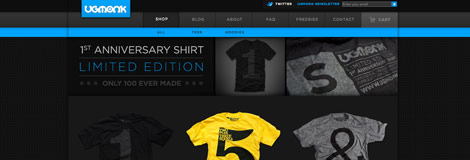
Post pobrano z: 5 Great CSS Techniques To Improve Your Website
CSS or Cascading Style Sheets is normally used to separate the style and layout of your HTML files from the actual content. However, few are aware of the added value that CSS can give to your website. Aside from the obvious ones like style standardization, CSS can be utilized to provide other useful stuff not possible with table-based layouts.
Among these benefits are things like:
Much information about these techniques can be found on the web. Below are some example implementations.
CSS Optimization can translate to huge savings in server bandwidth, resulting in lower operational costs.
This article compares some of the best CSS optimizers available on the web by using heavy traffic websites like Digg and Slashdot as an example.
By utilizing the CSS media attribute, you can easily control display for different media types. This is best used when formatting websites for mobile display and creating printer-friendly pages.
Here is a good tutorial that covers CSS development for mobile browsers. For techniques related to print styling, refer to this tutorial, another tutorial, and this article by Eric Meyer.
The CSS z-index property specifies the order an element is stacked, similar to how layers are arranged in Adobe Photoshop. It is also relatively easy to understand, and can be quite powerful when used correctly. It can also come in handy when creating overlapping menus. Here is a very good tutorial on how this can be done.
In a previous article we linked to Jeff Howden’s CSS-Only, tableless forms article which gives an example of what can be accomplished with CSS form styling.
Then, there’s also The Form Assembly, a CSS Zen Garden clone for showcasing form designs.
When displaying an e-mail address on a website you obviously want to obfuscate it to avoid it getting harvested by spammers. There are many ways to accomplish this, and one such method can easily be implemented in CSS. Silvan Mühlemann tested nine methods and published a test page for spambots to harvest. 1.5 years later the results are out and surprisingly, only the CSS methods resulted in absolutely zero spam.
Post pobrano z: SlickMap CSS Lets You Create Beautiful Visual Site Maps Easily

Bored with the same old uninspiring, list-based sitemaps? If you’re like me, most likely you will find that creating better looking sitemaps can be quite time consuming. Thus, we end up having to settle for text-based unordered lists that look nothing like a map.
Well well well, worry not my friends, for now you can have a very beautiful and visual site map with nothing more than your standard unordered list and some CSS magic. Thanks to the efforts of Matt Everson of Astuteo, LLC, who released for public consumption what they call SlickMap CSS.
SlickMap CSS is “a simple stylesheet for displaying finished sitemaps directly from HTML unordered list navigation. It’s suitable for most web sites – accommodating up to three levels of page navigation and additional utility links – and can easily be customized to meet your own individual needs, branding, or style preferences.”
The first thing that really impressed me with SlickMap was the way data is visualized. The arrangment, grouping, and color coding of data makes it very easy to identify and find relevant data. The “Home link” is color blue and found at the top left most corner, immediately followed by the “Main links”, also colored blue. Level 2 and level 3 links can be found below them, each level having its own color, with a connector leading to each link. “Utility links” are grouped at the top right corner, separate from the main map.
What’s even more amazing about SlickMap is that everything is implemented in pure CSS. There is not a single line of JavaScript to be found anywhere. It’s also very easy to implement. Simply create an HTML file with an unordered set of links and import the slickmap.css file. Couple this up with an online site map tool like WriteMaps and you should be all set to rock and roll.
It supports most standards-compliant browsers, which means Safari, Firefox, and Opera. Sorry, IE but no love for you.
In the README file:
SlickMap CSS was created for web designers, and such was tested and developed for use with Safari, Firefox, Opera, and other standards-compliant browsers. Because of that, current versions of Internet Explorer (and probably IE versions long into the future) might look like sh*t.
The only downside I could think of right now is actually a strength in itself. While those large boxes would work for small to medium websites with a fairly standard site map layout like the one Astuteo has, it might do very well for larger websites with hundreds of links on their site maps. But then again there are methods to optimize and trim down those gigantic things.
It is a very well thought out and solid demonstration of the power of CSS, and for this reason I raise my glass and give my kudos to Matt Everson and the folks at Astuteo. Well done guys!
 „This is the circular website of Ariza a photo-production agency from Istanbul Turkey.”
 „A provocative project providing consumers with knowledge and tools to challenge the status quo of the American health care system.”
 „laudividni.com grants consumers the ability to fully customize and preview handbags, with thousands of options of standard and high-end leathers and other embellishments.”