If you design websites with WordPress, you are at risk to develop “pluginitis”, especially if you are not very technical and can’t dig into code. The first symptom of “pluginitis” is a bloated website that has a hard time loading. If you seem to have developed it, you should check the installed plugins on that website and start crying if there are more than 20.
Quantity is not the only issue that can arise with plugins, quality can also become a big problem. A single buggy plugin or incompatibility between two plugins can break your entire site down. Even if it doesn’t break it, it can slow it down to an extent that makes it barely usable.
What can you do to assess the quality of a WordPress plugin?
As you can see in the introduction above, assessing the quality of a WordPress plugin before installing it is very important, but how can you do it?
In short, there a few things that can be done quickly to check if the plugin might break or harm your website, as you can see in this article about WordPress plugin assessment. This can be done for most plugins that add small functionality. However, if you are about to install a plugin that will add a core feature to your website, you want to look carefuly at every detail possible.
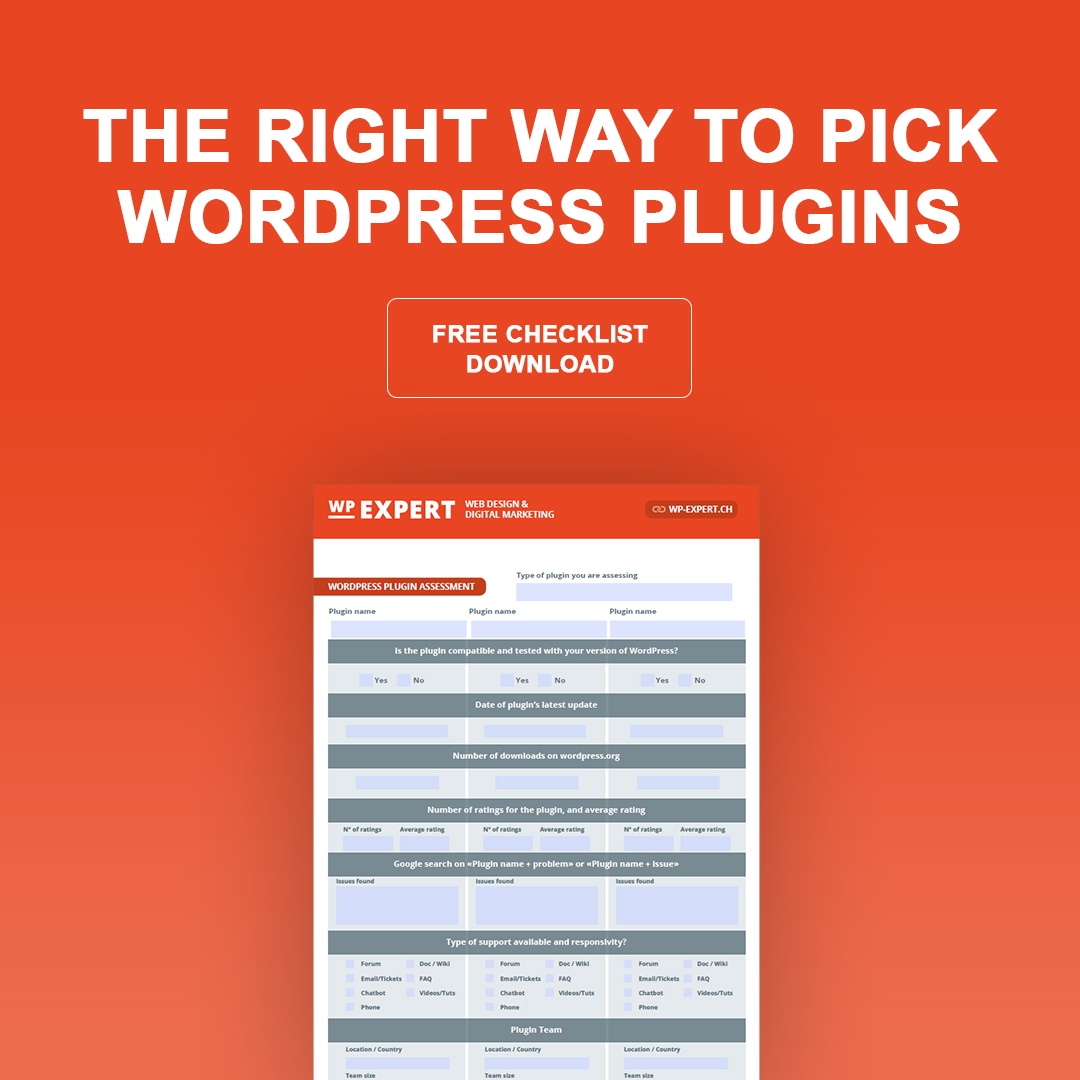
To get a reliable overview of WordPress plugins, their functionalities, support, and team, among other things, you should have a systematic approach and look at each plugin in detail. For that purpose, a useful WordPress plugin assessment checklist was released by WordPress Expert, a consultancy from Switzerland. The checklist walks you through the process of analyzing the plugins and comparing them, so you don’t end up making a wrong decision for your website.
In recent years, video has emerged as the most successful internet marketing medium. Furthermore, it is a vital web design item that you must use in your website using Video to make an eye-catching and visual dynamic. Isn’t it true that it’s easier said than done? Several reasons have led to the increased use of video in web design.
With the availability of video editing tools, quicker internet connections, and greater browser performance, web designers all around the world may now include video in their designs. If utilized correctly, a video backdrop on your website may also help you catch the attention of your website visitors!
If a website contains video, the typical visitor would spend 88 percent more time on it? And that isn’t all. Including video marketing in your website may increase click-through rates, average order value, conversion, and revenue. So how can you put videos on your website? Amongst the trendiest website design trends that appear to be around to stay is video backgrounds. Marketers adore video backdrops because they make websites appear more contemporary and add a feeling of creativity that static background photos just cannot match.
Furthermore, the growing availability of free stock videos and falling video production costs have made high-quality motion content more accessible than ever before. Above all, designers have come to realize the impact that video has on the spectator.
Motion, movement, and animation are all sure to captivate a digital audience far more successfully than static features. Below are some pointers for incorporating video on the web:
Extensive brand video integration
Many businesses have begun to incorporate completely integrated videos, including multiple segments, into their websites. Some films give in-depth lessons on certain items, while others may illustrate the brand’s specific lifestyle. Successful brand films are excellent for generating extremely engaging experiences that encourage audiences to form a personal bond with a particular product.
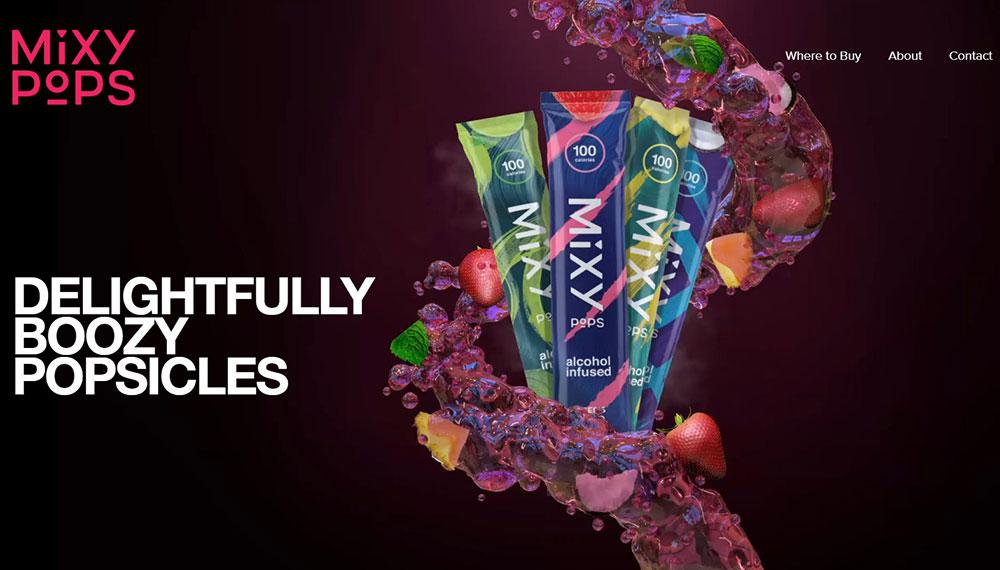
This design showcases the product in the best ways imaginable. It begins with a lovely parallax effect with a slight video texture, which causes the user to pause and read the opening text. As a consequence, the visual aspects of the website complement those of the product.
Welcoming background videos
Background movies with overlay text are a popular method to add a little animation to a website and are by far one of the most commonly utilized strategies. Background films might be merely ornamental or express important aspects of a company’s brand. And the more unique or stunning the film, the more likely your viewers will be piqued and desire to investigate your website. Only keep in mind your background video is muted for a quiet visit.
Despite background movies are an extremely successful user retention tactic, not all motion content must be filmed. Animation is still utilized often in web design and may accomplish comparable results. Dropbox is a great example of a website that uses animation rather than background video.
Once you initially visit the site, a short cartoon animation plays before becoming a still image. It demonstrates some of the technologies that may be used in conjunction with Dropbox — a computer and a tablet — as well as the brand logo synchronizing on the laptop screen. It provides a fair overview of the company’s services while also aesthetically stimulating visitors.
Video mouse-over effect
For years, the mouse-over effect has been utilized to encourage visitors to click on drop-down menus and star ratings on websites. Many websites now employ the mouse-over effect to activate videos. This approach draws the visitor’s attention, surprising them when a once static image begins moving.
It compels the audience to focus on the video and urges them to keep watching. Users can opt-out of typical click-to-play videos since they have the option of playing the video. In contrast, the hover effect offers companies a few extra seconds to pique the audience’s attention before they decide whether to stay or leave.
Furthermore, instead of just cumbersome YouTube embedded videos, the effect enables more seamless integration of video into the homepage. The main disadvantage of the mouse over effect is that it does not translate well to mobile sites, so keep this in mind if you’re creating a mobile version for a customer.
Interactive storytelling
Storytelling is an excellent method for companies to engage emotionally with their target group, and interactive videos are expanding the number of ways to convey a story. Users may visit the website for the items or merely out of curiosity, but they remain and return because the tale takes them on an experience.
Each portion of the tale connects Weber’s goods to the wider barbecue culture. The sequence of films appeals to passionate grillers, inviting them to “Continue the Journey” to discover more about the goods and business. When a member of the audience can connect to an event represented in the films, they begin to feel a part of the barbecue culture Weber is fostering through the site.
Interactive product exploration
One last popular application of video in web design is to allow consumers to get up close and personal with items. Whereas interactive storytelling wins the heart of the customer, interactive product discovery wins the head of the consumer. When used together, these two tactics are a highly efficient way of persuading visitors to buy an item!
This type of video interaction provides for a clear representation of the product and its benefits. It also illustrates the superiority of web-based videos over television ads. The audience is left with the feeling that they used the goods instead of watching an advertisement.
Choosing a Video Hosting Site
Essentially, by opting to embed videos on your website, you are delegating all server load concerns and file format modifications to someone with the necessary time and resources. Vimeo and YouTube are the most popular for this, but there are other players out there. However, as you are undoubtedly aware, to embed a video on your website, you must first upload it to a third-party video hosting provider. And you have a lot of options.
There is no perfect or the worst video host model; it is simply an issue of finding the perfect combination of functionality and pricing. So, the essential aspects to consider before selecting the best video hosting service have been summarized.
Quick steps to integrate a video on a web page:
Edit your HTML
Enter the page, article, or part of your website where you want to embed the video into edit mode. Locate the location in the code where you want the video to appear and move your pointer there.
Copy your embed code
After that, copy your embed code. Later in the post, you’ll discover where to locate embed codes for YouTube, Vimeo, Facebook, Instagram, and more, so if you’re not sure where to find the embed code, go ahead to learn more.
Paste the embed code into your HTML
Simply copy and paste the code into the location in your HTML that you discovered in the first step. You may now save or publish your work. The video should show exactly where you put the code inline.
You may need to modify the code depending on where you are embedding your video and how your website is set up. For further information, please contact your webmaster.
When writing a document or creating any content, you have to make it appealing to your audience. Doing so helps draw attention to the finer details of your content and deliver the required message.
People in different industries, such as marketers, realtors, and fund managers, always send the document to prospects to try and connect with them. Sending the documents isn’t a problem as there are mail, email, and newsletters that enable them to reach many prospects.
The main challenge always arises in getting the prospects to read your document or pick it out from the pile of email messages sent to them. Making your document standout has significantly been solved by faxing and mail as it avoids the spamming and crowding that emails bring. But even if you send fax online or through other forms, you still need to make it stand out for the target to read.
Here are some creative ways to make your document appealing and engaging to any reader:
1. Use Headings And Subheadings
Headings or topics are what summarizes what the content of the document is about. Your topic should be engaging so the reader will be curious about the article’s contents, enticing them to read it. On the other hand, subheadings will help section your document, helping you avoid a long format content, which will look boring. With subheadings, a reader who wants to skim through the document can quickly identify the points, which will make them read if they’re good.
In cases where you’re sending a fax through an email or just a direct email, always ensure to clearly state the subject of the document in the subject line. This helps the target to identify the document and its importance. An email without a subject line can be passed as spam or assumed as it doesn’t state what it’s about.
2. Use Typography Elements
Typography elements include fonts, colors, and styles used in texts. For example, if you want to bring attention to a quote, you can bold it, italicize, or highlight it. This will make readers concentrate on the section around the highlighted text. Also, you can use different font texts on your topics and heading from the ones used on the main body of the document. The headings should also be bolded to stand out.
Apart from font sizes and types, other important typography tips include font colors too. Colors are a great option to bring attention to a particular part of a document. You can then make comments about what the different colors indicate so that readers can understand.
3. Use Visual Objects
Visual objects represent information that can’t be explained in words or need further clarification through graphs, charts, pictures, and infographics. These visuals are easy to understand as, most of the time, they’re made distinct through colors. Hence, readers can easily pick up data points from them. Other than making different points distinct, the colors also improve the appeal, making the charts look beautiful, attracting attention.
So, instead of very long paragraphs that can be hard to follow through, it’s advisable to use visual cues to break down information that could be difficult to understand.
4. Use Short Paragraphs And Listings
Most readers will agree that it’s hard to follow through with long paragraphs and the essence of the document. Therefore, you need a structure that makes your content easy to follow and understand for readers. You can achieve this by breaking long paragraphs into shorter ones. You can also use shorter sentences that are straight to the point.
In addition, you can use numbering and bulletins to highlight points, especially those that should be on a list. Readers can easily concentrate on those points without having a problem finding the main talk points of the document. In long-form format, you should include a table of contents that indicates what part and page a particular section are in. This becomes easy for readers to find information.
5. Test The Quality
After you’ve created an online document, even after you feel it’s visually appealing and will stand out, you need to test if it meets the required standard. The first step is to make sure you’ve answered the main objective of the document. Why were you creating the document, and for whom? If the documents meet these, you can pass them through an editorial procedure to remove errors and ensure consistency in style. After passing these steps, you can send it.
Conclusion
Every day, different people always upload or send their documents online. One person can receive more than 30 documents in their inbox, and yours has to stand out among the rest. Therefore, you need to be creative in how you’ve presented your document so once it’s opened, the reader won’t bounce off quickly.
These creative ways can help you create appealing and engaging content. However, be keen to ensure that you don’t overdo it to a point where your document loses relevance.
Whether you are building a bridge, a house, or a website, it doesn’t matter how good your plans are if you don’t have the best design tools for the job. The task could take longer, the results could be substandard, or the project could fail completely.
We have assembled this collection of 15 top tools, services, and resources for designers for 2021. The primary reason is to help you build a successful online presence for your business and build upon an existing one. Or simply improve upon an existing business-related process.
We believe that you will find one or more of the following products and services useful. They will be not only beneficial but possibly a game changer for your business or the quality of the product you are creating.
BeTheme is limitless in terms of its website-building capabilities and the quality and performance characteristics it embeds in the software products it is used to create.
The reason lies in its 40+ core features, including its library of 600+ professionally-crafted, responsive, and customizable pre-built websites.
These pre-built websites cover 30+ industry sectors and are complemented by other key core features such as the Admin Panel, Shortcode and Layout Generators, and the popular Muffin Builder.
The Muffin Builder is gone. The good news is that it has been replaced by Muffin Builder 3.
Muffin Builder 3 offers users an enhanced, more intuitive UI
It features an array of pre-built sections, 200+ shortcodes, and a variety of styling options
Layout revisions can be stored and restored, making it easy to customize content without losing information
Blocks or sections of content can be exported or imported
Be’s Theme Options 3 is also new. With this feature’s 600+ settings you can globally set the styles of your blog, portfolio, and shop pages.
Total is another WordPress theme that, because of its multiple style options and flexible page builder, does not place limits on the page layouts you create.
You can build a page from scratch if you prefer, but Total’s users typically take advantage of its selection of Theme Demos to get started. These easy to import Theme Demos address the following product types:
Business websites
Portfolio websites
One-page websites
Personal and Creative websites
eCommerce and Shop sites
Blog sites, and others.
Other Total Features:
Pre-designed Cards for styling posts and archives and displaying post entries
Live Customizer for changing site colors, section and column widths, and typography
WPBakery for front end and back end drag and drop page building
Dynamic Templates for customizing post type layouts
Click on the banner to find out more about why Total’s user base is 47,000 and growing.
Mobirise is an offline website builder that is perfect for creating small to medium size websites. It is a particularly good choice for non-technical types who would normally prefer to do their website-building visually.
Mobirise is offline, so you are not tied to a specific platform, and you can host your site anywhere you wish
4000+ website blocks together with 300+ home page templates are included. They have been created with the most recent web design trends in mind.
Mobirise’s many page-building features include everything from sliders, galleries, images, and videos, to Google maps, forms, and icons.
Google AMP/Bootstrap4 assures your website will be super-fast and 100% mobile
Mobirise is free for personal and commercial use
Mobirise users have created more than 1.5million sites to date.
Click on the banner to learn more about this #1 offline website builder.
The Trafft booking software app is still in an early stage of release. You can select to join as an early adopter if you would like to have the opportunity of contributing to this apps’ game-changing approach to what businesses’ booking and appointment managing tasks should look like.
Highlights include:
SMS and email notifications for appointments
Customizable booking forms
Employee assignment tracking and management
Start by signing up for the Early Bird plan for $5/month.
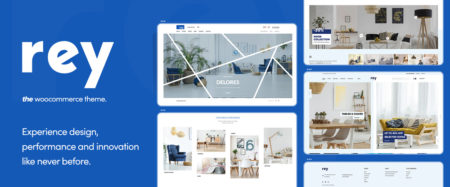
Rey’s integration with Elementor, WooCommerce, and the WordPress engine was most likely a main contributor to this highly modular WooCommerce theme’s gaining a reputation of being the best theme of its type in 2020.
Rey features an impressive array of customizing options
Rey’s authors placed a strong emphasis on performance
Rey’s design is modern, classy, and SEO friendly
Rey’s eCommerce custom features and tools are designed to do the job right
GOODIE provides web development services for businesses and individual web designers who need to get a website reliably coded and quickly up and running or have other reasons to connect with professional developers to complete a task.
GOODIE specializes in personal and small business and eCommerce website development and custom website design.
Other GOODIE specialties include website maintenance, responsive email development, and front-end development
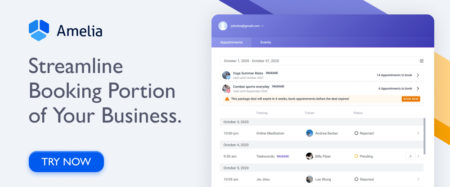
Amelia automates and manages appointments and events. In doing so, this application plugin saves businesses and their clients significant amounts of time.
Clients can make, change, or cancel appointments online 24/7
Amelia can manage bookings at multiple business locations and unlimited number of events
Amelia tracks and manages employee assignments and work availability schedules
Amelia can integrate with Zoom and Google meet for consultation or training purposes
The Litho Multipurpose HTML5 template showcases its modern design and its Bootstrap4 features make it a perfect website-building tool for any type of business, agency, or startup.
Key features include:
All the design elements needed to build beautiful websites: Hero sliders, contact forms, interactive banners, buttons, tables, tabs, and more
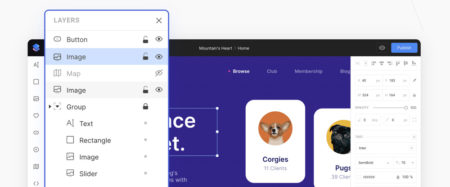
You can start using Siter at no cost: affordable monthly/annual subscriptions are available. This website builder is a great choice for design teams or projects where collaboration is necessary.
While Siter does not require coding, you can insert your own custom code
Siter has a royalty-free photo search capability and access to thousands of free icons
You can embed YouTube videos
Siter offers a free site domain or, you can use your own
With the Heroic Inbox app your business can manage its shared inboxes directly inside your website. This is especially useful when communicating with customers and there is a need to refer back to previous email communications.
Heroic Inbox uses tags to organize emails for future reference
Heroic Inbox enables staff members to work together to provide appropriate responses
An Inbox Zero status can be attained promptly and easily maintained
WHATFONTIS allows designers to find a font in a matter of seconds by identifying it from an uploaded image.
This app’s impressive search capabilities are based on a database of over 700K fonts and a set of powerful AI font-finding algorithms
Submitted fonts are positively identified 90% of the time
Premium support is on hand should the AI engine produce a strange result
Cursive fonts can also be identified although the letters must be separated
*****
You decide to build a website, but you don’t have much in the way of skills or experience to do so. Or you find “techie” talk a bit scary. Then one or more of the designer tools and services described in this article should serve you well.
Once you have a website up and running, you can sit back and relax – but only for a little while. Even the best websites have a habit of requiring periodic updates and maintenance. This is especially true of product-oriented websites, or any website containing time-sensitive information.
With right design tools keeping your site up to date can be a relatively an easy task.
The intent here is to give you what we believe to be the best software solutions for the tasks at hand. Once you put one or more of them to the test, we are certain you will believe that as well.
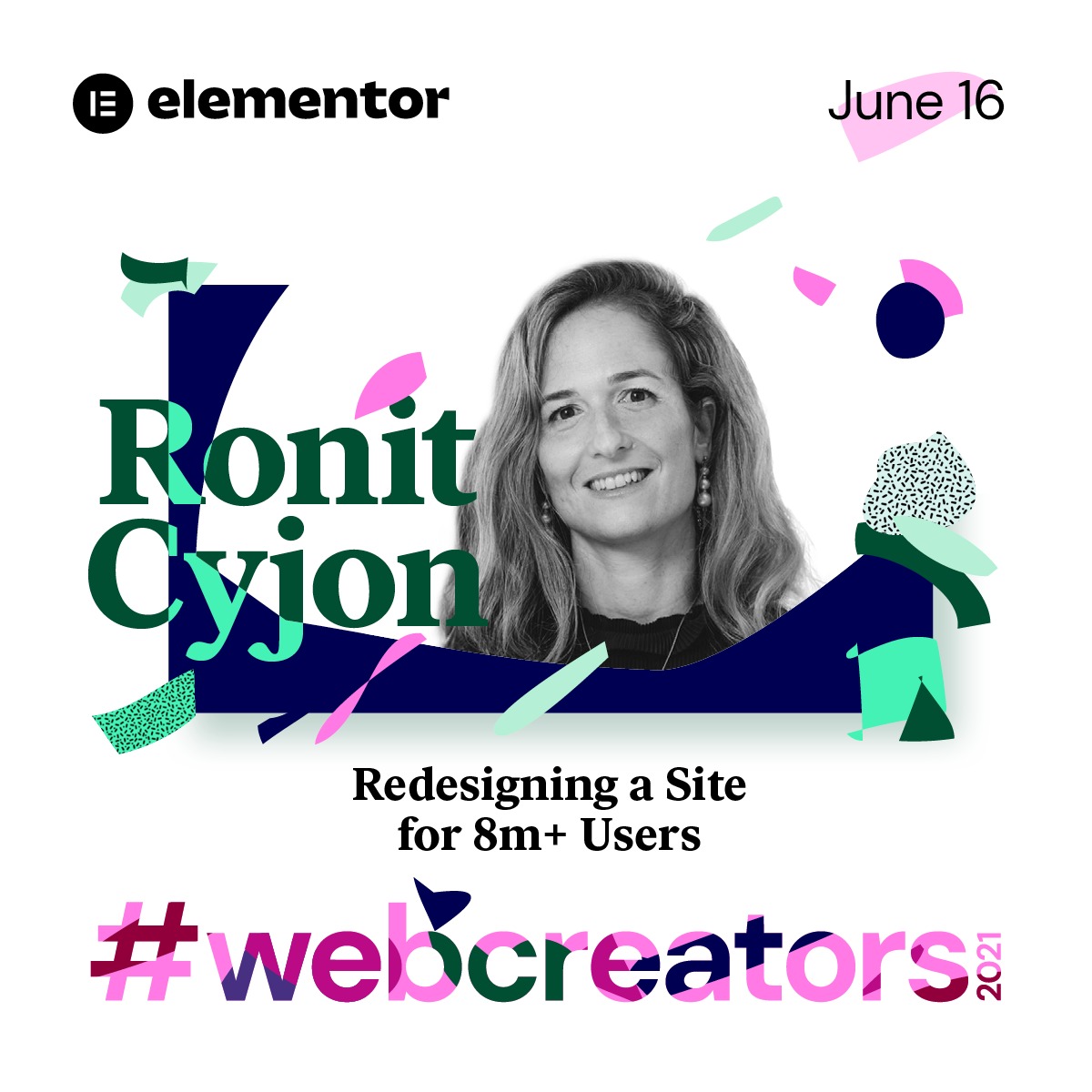
Elementor will celebrate 5 years of revolutionizing web creation at #webcreator2021, which will include keynote speakers and audience questions
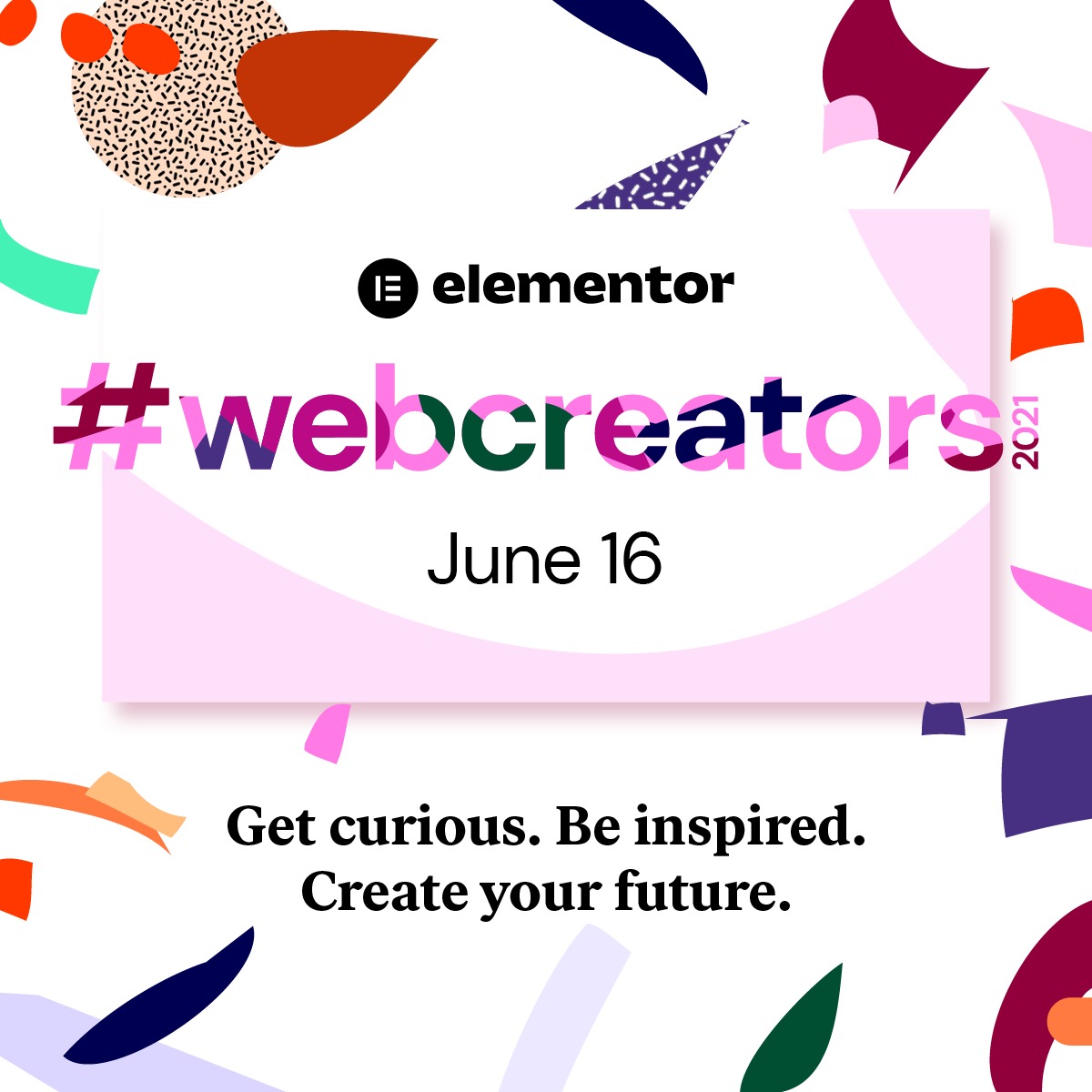
This week marks five years since the inception of Elementor, the leading open source website builder platform, and the company is marking this milestone by bringing its community #webcreators2021, a live virtual conference for the entire web creation community, exploring the future of the internet and web creation. Creators, designers, marketers, and digital thinkers alike will converge virtually to learn and discuss some of the hottest topics out there in the web building sphere.
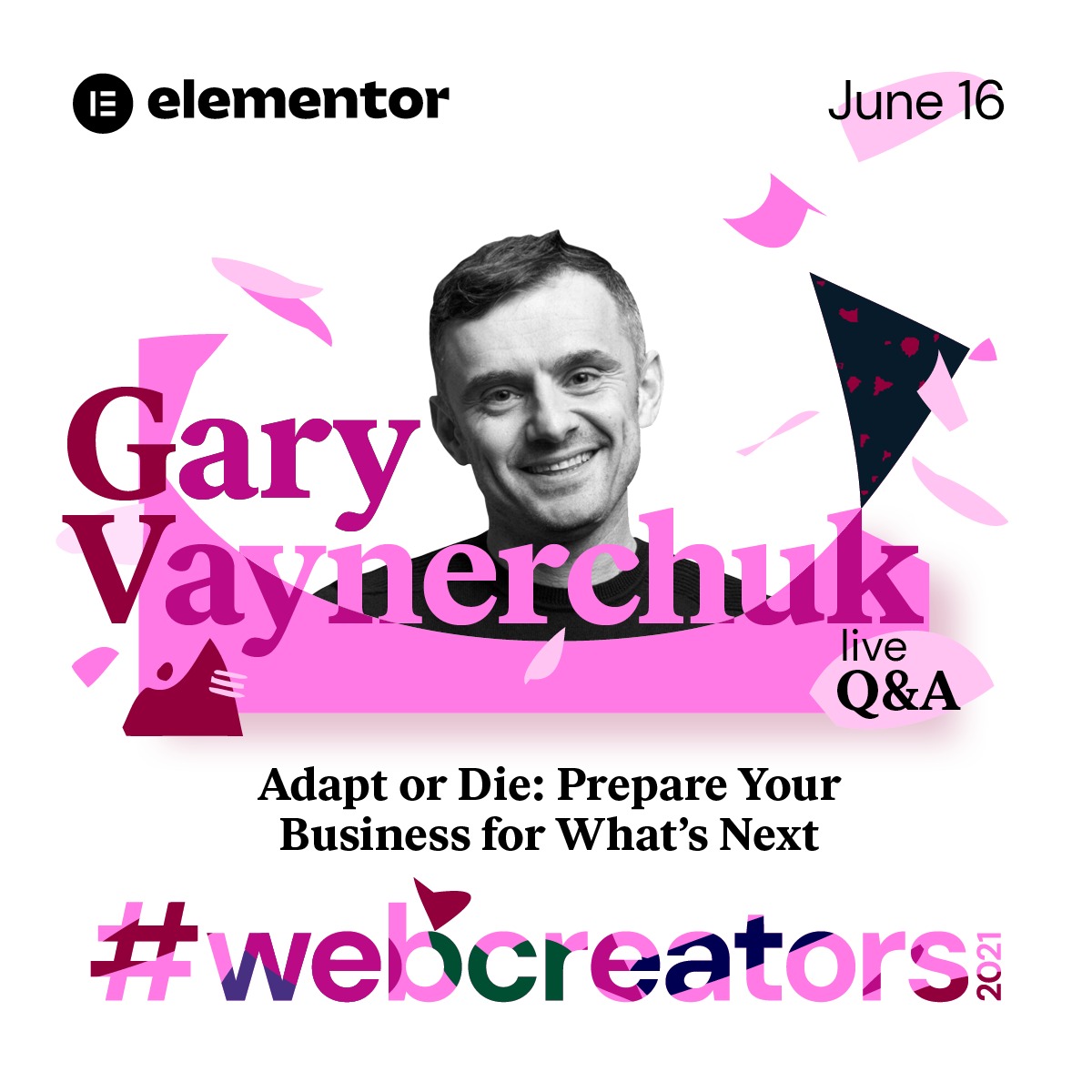
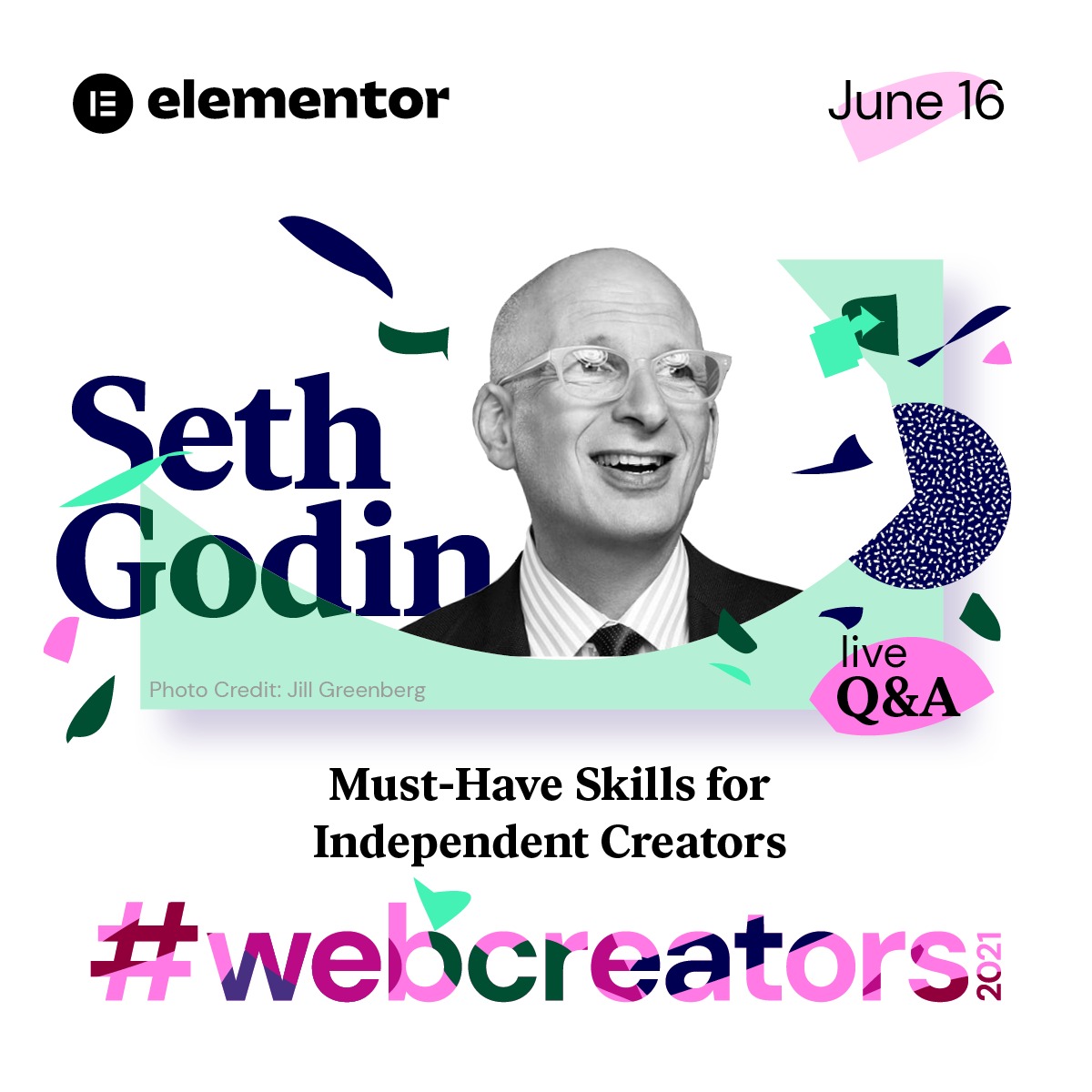
#webcreators2021 is set to take place on June 16, 2021 at 11 am EST and it will feature respected industry leaders Gary Vaynerchuk, Swan Sit, and Seth Godin. According to Vaynerchuk, “When big changes happen in society, big changes in consumer behavior stick. Covid brought many people different ways to consume information and buy products, and that doesn’t change when we go back to life post-covid — I am excited to talk more about this during the conference.”
Vaynerchuk, along with Seth Godin, will be speaking about how to prepare your business for what comes next, as well as skills for independent web creators. Seth Godin elaborates, “This conference is not about directing professional web creators to build advanced features, it’s about enabling them the freedom to dream, to make a difference. Building the future of the internet requires an inclusive culture where individuality and collaboration meet to create possibility.” Swan Sit’s presentation will cover brand secrets that are worth knowing for every web creator.
The headlining speakers will follow their talks with live Q&A sessions in which audience members will be welcome to ask questions.
Elementor CEO Yoni Luksenberg elaborates on the platform’s approach to web creation. “We are enabling web creators to realize their full potential,” he says. “Elementor unleashes the infinite creative power of web creators by giving them the tools they need to build professional websites, innovate and stretch their creative limits. Our passionate global community of web creators are highly talented, engaged, and supportive of each other, and this event is for them.”
Founded in 2016 by Luksenberg and Ariel Klikstein, Elementor empowers users to create powerful, beautiful websites on its open-source platform through WordPress. With over 8 million active websites and users in 157 countries, the Elementor community continues to flourish. Developers, designers, web creators, and marketers have made Elementor their platform of choice, and almost 5% of all websites are now built using Elementor.
This week’s conference is not to be missed for those who love all things internet.
Elementor is the leading website builder platform on WordPress. Serving over 8 million websites, Elementor’s code-free, open source platform empowers web professionals including web developers, designers, and marketers in 157 countries. Elementor enables web professionals and agencies to unleash their creative and business potential. For more information visit www.elementor.com.
Media Contact Shahni Ben-Haim NYGC Shahni@now-you.co.il
Finding a qualified UI/UX designer is not an easy task. An entire month might pass in just looking for potential candidates with a high level of expertise. The interview process may take even longer. After all, you need to assess the skill level and expertise before hiring the right designer.
But what if you come from a non-design background? How do you interview a user experience designer and ensure that they are the right fit for your organization?
Here is a complete interview guide with helpful tips on finding and hiring quality UI/UX experts for your project.
Evaluate Their Technical Skills
First and foremost, your UI/UX designer needs to come from an expert technical background. They need to have the right level of skills to complete your project quickly and efficiently. It is also essential for them to have a good amount of experience in the field – bonus points if they have experience in the domain that you are working.
According to Forrester, a better UI could increase your website conversion rate by about 200%, while a better UX design could deliver up to 400% conversation rates.
It explains why you should evaluate candidates’ skills accurately when hiring a UX/UI designer, as this person will influence your project success directly. So, how do you check the technical skills of potential candidates for your project? Here are some UI/UX designer interview questions you should ask.
Could You Please Send Across Your Portfolio?
A portfolio is an excellent way to judge past work, experience as well as the interests of your candidate. You will also be able to tell if their level of quality meets your expectations or not. Moreover, this work is about creativity, so you should ensure that your vision is similar.
What is UI/UX?
Sometimes, throwing a curveball in the form of a simple question like this can throw your candidate off their game. However, if they can easily answer this question, you know that they have a good grasp of the basics and have crafted a solid foundation for themselves.
The rest of the questions are designed to assess the UI/UX designer’s skills and the design process they implement. Your candidates need to explain their tools, techniques, and thinking clearly during the interview.
What are the main design principles for UI/UX?
Describe your website UI design process for us.
How do you analyze the target audience, and how does it help in design?
How do you test your web design?
What are the biggest trends in UI/UX design now?
What KPI do you use in your working process?
Evaluate Their Soft Skills
Hiring someone with an excellent technical background and good design skills is undoubtedly important – but none of this is going to matter if your designer’s soft skills do not match up to the standards. Your designer needs to communicate with other team members, especially if they work in a remote environment.
But how do you evaluate a candidate’s soft skills? After all, if you pose the question, “How do your soft skills measure up?” most candidates are likely to tell you that the soft skills are excellent.
There are several other questions that you can ask to gauge your candidate’s verbal communication skills, creativity, innovative thinking, and connection with the changing trends in their field. Some of these questions include:
Why is UI/UX design attractive for you?
How do you collaborate with other remote team members?
How do you manage your time when working from home?
What channels do you use for inspiration?
How do you react when a client tells you that they don’t like your design?
All these questions will help you understand how the candidate works in a team, solve arguments, and what they do to stay motivated and inspired.
Where To Hire A UI/UX Designer?
There are several channels to find remote UI/UX designers and freelancers for hire for your development project. But it can be an extremely time-consuming and complicated process to find an excellent fit for your team amongst this pool of specialists.
Of course, you will have certain expectations regarding the quality of the work along with a specific price in mind. As such, an immense amount of time goes in just looking for the right candidate. YouTeam suggests that you browse already verified profiles of UI/UX designers before hiring, and the process of finding the right candidate can take only 48 hours.
Summary
The hiring process need not be as much of a pain as you might expect. There is a speedy and efficient way to simplify the entire process while ensuring that you find the best candidates for your project. Simply follow the steps we have given in our guide and ensure that you look in the right places for the best UI/UX designers.
In 2019, convincing my clients to collaborate online on visual elements was quite hard. In 2020, for obvious reasons known by everyone, it’s much easier to explain to customers what are the advantages of online collaboration. They are still in time to move to a remote environment in a very fast way, adopt methodologies and start using all sorts of software like Miro’s online whiteboard or any of the video call tools, for better distance work.
1. Ensure you get the right setup
To work remotely and collaborate with people who are not in the same room as yourself, you should ensure that no technical issues will get in the way. Test your audio and video setup before getting started, you don’t want to lose precious meeting time and get everyone stressed. Don’t underestimate the importance of having good quality camera and microphone for better interactions. Obviously, having a good connection to the Internet is also crucial, don’t be greedy on the wrong things.
2. Prepare your meetings well
This tip goes for all meetings, but it is specially right for online visual collaboration. For an online visual meeting, you should ensure that everything you want to say is planned out, so you can make the points you wanted to make.
Ever been in a meeting where you felt that nothing of importance was said and that you wasted your time? If it happened, it was because nobody was ready for the working session. Don’t worry though, being ready for working together doesn’t mean that you need to prepare for hours, making a checklist in fifteen minutes is often enough to be ready. You can also dig into preparation principles for a good starting point.
3. Choose the right tools
In terms of tools, it is mostly the software that is worth mentioning. For visual collaboration online, Miro is the perfect companion. Better than your average whiteboard, Miro is an infinite canvas that helps you ideate, strategize, get organized, and work with your team.
You can kick off a project even faster by selecting one of Miro’s many pre-built templates. From business model canvases and user story maps, to fishbone diagrams, mind maps and more, templates provide an easy way to get your team ideating and collaborating.
When you need to meet with your team, use Zoom (which can be integrated with the mentioned whiteboard): after months of confinement, the company has improved its service, becoming the undisputed video call software -the easiest to use and the most secure, and the one that offers more integrations and personalization.
4. Ask the right questions
To collect feedback on your work, there are questions that will help you collect much better answers than others. Explain your design decisions to try to answer questions before they come, and be very specific on the type of feedback you need. For example, asking “What do you think of this logo design?”, you should write “I chose this font for this reason and that color for that reason, do you think it’s a good choice?”.
5. Follow-up
When the meeting is over, don’t wait for the next meeting to act upon what has been suggested and do everything you can immediately, your future self will thank you later. If you do this, not only you are already mentally involved in this task, which will make you more productive, but your colleagues or clients will also be ready and knowing what you are talking about.
Conclusion
The world is ready for online meeting and visual communication through the Internet now, so make the best of it. Use the tips given in this article wisely and you will become a more productive designer.
In 2019, convincing my clients to collaborate online on visual elements was quite hard. In 2020, for obvious reasons known by everyone, it’s much easier to explain to customers what are the advantages of online collaboration. They are still in time to move to a remote environment in a very fast way, adopt methodologies and start using all sorts of software like Miro’s online whiteboard or any of the video call tools, for better distance work.
1. Ensure you get the right setup
To work remotely and collaborate with people who are not in the same room as yourself, you should ensure that no technical issues will get in the way. Test your audio and video setup before getting started, you don’t want to lose precious meeting time and get everyone stressed. Don’t underestimate the importance of having good quality camera and microphone for better interactions. Obviously, having a good connection to the Internet is also crucial, don’t be greedy on the wrong things.
2. Prepare your meetings well
This tip goes for all meetings, but it is specially right for online visual collaboration. For an online visual meeting, you should ensure that everything you want to say is planned out, so you can make the points you wanted to make.
Ever been in a meeting where you felt that nothing of importance was said and that you wasted your time? If it happened, it was because nobody was ready for the working session. Don’t worry though, being ready for working together doesn’t mean that you need to prepare for hours, making a checklist in fifteen minutes is often enough to be ready. You can also dig into preparation principles for a good starting point.
3. Choose the right tools
In terms of tools, it is mostly the software that is worth mentioning. For visual collaboration online, Miro is the perfect companion. Better than your average whiteboard, Miro is an infinite canvas that helps you ideate, strategize, get organized, and work with your team.
You can kick off a project even faster by selecting one of Miro’s many pre-built templates. From business model canvases and user story maps, to fishbone diagrams, mind maps and more, templates provide an easy way to get your team ideating and collaborating.
When you need to meet with your team, use Zoom (which can be integrated with the mentioned whiteboard): after months of confinement, the company has improved its service, becoming the undisputed video call software -the easiest to use and the most secure, and the one that offers more integrations and personalization.
4. Ask the right questions
To collect feedback on your work, there are questions that will help you collect much better answers than others. Explain your design decisions to try to answer questions before they come, and be very specific on the type of feedback you need. For example, asking “What do you think of this logo design?”, you should write “I chose this font for this reason and that color for that reason, do you think it’s a good choice?”.
5. Follow-up
When the meeting is over, don’t wait for the next meeting to act upon what has been suggested and do everything you can immediately, your future self will thank you later. If you do this, not only you are already mentally involved in this task, which will make you more productive, but your colleagues or clients will also be ready and knowing what you are talking about.
Conclusion
The world is ready for online meeting and visual communication through the Internet now, so make the best of it. Use the tips given in this article wisely and you will become a more productive designer.
Think for a moment about how coronavirus has changed your life. You may have gone from commuting to an office to working at home. Instead of going to the gym, you exercise at home or not at all. You went from socializing in large groups to solely interacting with a small bubble of friends. You have replaced trips to the mall with online purchases. Fancy dinners out have been replaced with whole food delivery.
Individuals who visit your website are experiencing the same changes. As a result, their behaviors and preferences have shifted. This has changed what they expect when they visit your website. What was considered a good user experience at the start of 2020 may now seem out of touch and insufficient. According to the Toptal report, 88 percent of users are more likely not to return to a website after a bad user experience. Some research even showed that a well-designed UX interface could yield conversion rates up to 400 percent.
Now, anyone considering a job as a UX designer will need to value research as well as a proper education. The needs of users are shifting rapidly. Each group of users is unique and has been impacted by the coronavirus pandemic differently. Designers must be cognizant of:
Behavioral shifts
Changes in user groups
Psychological shifts
Regional effects
Temporal effects
Let’s look at some of these with the goal of understanding how they are creating the new normal in user experience.
How Behavioral Shifts Changed User Experience
Visitors to your website are not engaged in the same activities that they used to engage in. Or the frequency with which they perform certain activities has increased or diminished. Their motivation has also changed.
For example, your users may desire to use your product but feel afraid of catching the virus or spreading the virus. There are several industries that are affected by this. For example, the travel industry has seen a major downturn. This is true even in countries where people may fly around freely.
The economic consequences of COVID-19 are also changing the buying habits of people. Some people may have felt freer to charge purchases on their credit card because they were relatively confident that they were going to have a consistent paycheck. Now, they may avoid making purchases because they are worried that their future income is not guaranteed.
UX designers need to design with empathy for their customers’ worries, desires, and needs in mind. They need to dig past the superficial to uncover genuine concerns, needs, and behaviors when interacting with a website.
Designers need to think outside of the box and make websites that offer something that users will benefit from and come back to again and again. For example, people might not be booking flights yet. However, a website that also services as an easy portal to see travel restrictions across the world or that offers an up-to-date map of pandemic outbreaks and the ability to book flights might be a service that users come back to and eventually will opt to use for their flights.
Psychological Shifts and User Experience
Most people understand the immediate dangers caused by COVID-19. The psychological toll the pandemic is having has not yet been fully understood or quantified.
However, the pandemic has led to a lot of uncertainty. People want to feel secure. User design, whether it be of websites or of apps, can help generate less anxiety. Even if it’s not their primary function, digital apps can improve a person’s well-being and productivity. They can add a sense of normality to people’s lives, giving them something that they feel they can rely on.
UX designers must focus on building products that people want to use and want to come back to. They should also build products with their user’s mental health, especially considering the pandemic, in mind. Designers have the privilege and responsibility of creating products that society is going to use for the next years to come. They also have the benefit of years of studying user’s behavior.
This means that designers should be mindful of what they create. They should prioritize the impact of their design over its intent. They should consider the psychological makeup of their users and the long-term impact their designs can have.
It might sound like a stretch to say that websites and apps impact a person’s psychological well-being. However, most people have experienced the anxiety and stress that comes from not being able to check social media. They have experienced the elation that comes from getting positive feedback on something they post. Most know what it feels like to be bombarded with negative responses to a comment or post. This underscores the power of the impact of user design on the psyche of society.
Responding to Changes in User Groups
Not everyone has been affected by the COVID-19 pandemic equally. Some groups are higher risk, especially individuals who have certain pre-existing conditions or who are of a certain age group. Some professions are at higher risk, especially those in the medical field. And other groups may feel that they have little to no risk, especially young healthy adults.
The user experience for each one of these groups is going to be different. Each group may respond to the same information differently. For example, a photograph of a hotel being disinfected by an employee in a hazmat suit might cause an older individual or someone with serious concern about COVID-19 to feel at ease and want to stay at the hotel.
Conversely, the same photograph might cause a younger user with little concern about COVID-19 to shy away from the hotel because the image forces them to think about something that is not forefront in their mind. Politics and culture also play a factor. Certain governments have taken COVID-19 seriously, so their citizens have responded in kind. Others have downplayed the risk of the virus, creating a mirrored response in their citizens. Designers will need to take these regional differences into consideration.
Research is key in providing your users the best experience possible. COVID-19 has presented several challenges for businesses in all sectors. It is also providing opportunities for user experience teams to make adjustments to the websites, apps, and products they work on to benefit the lives of their users in ways that were not previously possible.
Think for a moment about how coronavirus has changed your life. You may have gone from commuting to an office to working at home. Instead of going to the gym, you exercise at home or not at all. You went from socializing in large groups to solely interacting with a small bubble of friends. You have replaced trips to the mall with online purchases. Fancy dinners out have been replaced with whole food delivery.
Individuals who visit your website are experiencing the same changes. As a result, their behaviors and preferences have shifted. This has changed what they expect when they visit your website. What was considered a good user experience at the start of 2020 may now seem out of touch and insufficient. According to the Toptal report, 88 percent of users are more likely not to return to a website after a bad user experience. Some research even showed that a well-designed UX interface could yield conversion rates up to 400 percent.
Now, anyone considering a job as a UX designer will need to value research as well as a proper education. The needs of users are shifting rapidly. Each group of users is unique and has been impacted by the coronavirus pandemic differently. Designers must be cognizant of:
Behavioral shifts
Changes in user groups
Psychological shifts
Regional effects
Temporal effects
Let’s look at some of these with the goal of understanding how they are creating the new normal in user experience.
How Behavioral Shifts Changed User Experience
Visitors to your website are not engaged in the same activities that they used to engage in. Or the frequency with which they perform certain activities has increased or diminished. Their motivation has also changed.
For example, your users may desire to use your product but feel afraid of catching the virus or spreading the virus. There are several industries that are affected by this. For example, the travel industry has seen a major downturn. This is true even in countries where people may fly around freely.
The economic consequences of COVID-19 are also changing the buying habits of people. Some people may have felt freer to charge purchases on their credit card because they were relatively confident that they were going to have a consistent paycheck. Now, they may avoid making purchases because they are worried that their future income is not guaranteed.
UX designers need to design with empathy for their customers’ worries, desires, and needs in mind. They need to dig past the superficial to uncover genuine concerns, needs, and behaviors when interacting with a website.
Designers need to think outside of the box and make websites that offer something that users will benefit from and come back to again and again. For example, people might not be booking flights yet. However, a website that also services as an easy portal to see travel restrictions across the world or that offers an up-to-date map of pandemic outbreaks and the ability to book flights might be a service that users come back to and eventually will opt to use for their flights.
Psychological Shifts and User Experience
Most people understand the immediate dangers caused by COVID-19. The psychological toll the pandemic is having has not yet been fully understood or quantified.
However, the pandemic has led to a lot of uncertainty. People want to feel secure. User design, whether it be of websites or of apps, can help generate less anxiety. Even if it’s not their primary function, digital apps can improve a person’s well-being and productivity. They can add a sense of normality to people’s lives, giving them something that they feel they can rely on.
UX designers must focus on building products that people want to use and want to come back to. They should also build products with their user’s mental health, especially considering the pandemic, in mind. Designers have the privilege and responsibility of creating products that society is going to use for the next years to come. They also have the benefit of years of studying user’s behavior.
This means that designers should be mindful of what they create. They should prioritize the impact of their design over its intent. They should consider the psychological makeup of their users and the long-term impact their designs can have.
It might sound like a stretch to say that websites and apps impact a person’s psychological well-being. However, most people have experienced the anxiety and stress that comes from not being able to check social media. They have experienced the elation that comes from getting positive feedback on something they post. Most know what it feels like to be bombarded with negative responses to a comment or post. This underscores the power of the impact of user design on the psyche of society.
Responding to Changes in User Groups
Not everyone has been affected by the COVID-19 pandemic equally. Some groups are higher risk, especially individuals who have certain pre-existing conditions or who are of a certain age group. Some professions are at higher risk, especially those in the medical field. And other groups may feel that they have little to no risk, especially young healthy adults.
The user experience for each one of these groups is going to be different. Each group may respond to the same information differently. For example, a photograph of a hotel being disinfected by an employee in a hazmat suit might cause an older individual or someone with serious concern about COVID-19 to feel at ease and want to stay at the hotel.
Conversely, the same photograph might cause a younger user with little concern about COVID-19 to shy away from the hotel because the image forces them to think about something that is not forefront in their mind. Politics and culture also play a factor. Certain governments have taken COVID-19 seriously, so their citizens have responded in kind. Others have downplayed the risk of the virus, creating a mirrored response in their citizens. Designers will need to take these regional differences into consideration.
Research is key in providing your users the best experience possible. COVID-19 has presented several challenges for businesses in all sectors. It is also providing opportunities for user experience teams to make adjustments to the websites, apps, and products they work on to benefit the lives of their users in ways that were not previously possible.
Agregator najlepszych postów o designie, webdesignie, cssie i Internecie