During the early days of the internet, many people viewed a business website as an online brochure that listed the services and products of the business.
Now, thanks to innovative design trends, it has evolved to become so much more than that. It is a place where customers can get valuable information about the products that they need. It can also help online shoppers recognize their challenges and is a great place for them to find solutions to their everyday problems. Furthermore, a website should help capture the customer’s trust through valuable content.
These are just some of the functions of a modern business website. To make the most of it and to help convert visitors into repeat customers, a website needs to have a few important elements. These include the following:
1. Offer A Visible Promise
One of the most crucial aspects of any business website is that it should gain the trust of visitors. When readers first access your website, they will often have a need that they are seeking to fulfill.
The first place that they will land is the home page. It is here that the business website should clearly state the promise for what they can offer the reader. This should also be centered on what services the business offers.
For instance, if you run an SEO agency then you can promise to drive more traffic to customer sites.
2. Spell Out A CTA
This means a “call to action” and is another important element of your business website. This can be something simple such as “download a free report”.
Keep in mind that customers still appreciate valuable information and support. What’s more, customers do not always want to subscribe to a free newsletter and give up their contact information straight away.
If you lack technical and web design skills, do not worry as you can always hire the services of a design agency to create the perfect website for your business.
3. Include Reviews
Gaining customer trust can be one of the most challenging aspects of running a business. Done the right way, however, it can help turn site visitors into repeat customers.
The business website is a great platform to build customer trust. You can do this by listing customer testimonials, logos of current corporate clients, as well as reviews from previous customers.
This shows that your business is legitimate and gives clients a sneak peek as to what type of services to expect.
4. Update The Content
This doesn’t mean changing the look of the website. It can be as simple as providing a feed on your business homepage that tells customers about any new releases.
This shows readers that the website is active and that they can expect new content regularly. As a result, they are more likely to frequently visit the website to check for new updates and releases.
5. Add A Video
While many businesses may not consider video as an important marketing aspect, it is an excellent way to convey what your business is about and what your potential customers can expect.
By placing the video on your homepage, visitors will find it easier to watch the video rather than go through the text on the homepage.
6. Make Premium Content Available
Customer contact information is an important part of nurturing them and turning them into repeat clients. However, before you can get the contact information, you will need to offer something valuable in return.
You can do this by offering downloadable premium content. For instance, if you have a blog post on your website on a DIY project, you can also offer a downloadable PDF that goes into more detail about how to create your own project.
7. List Your Core Services
You can do this by creating boxes that have images as well as a few words on the different types of core services that you offer. You don’t need to go into detail, as chances are that you will have entire pages that explain all that customers need to know about the services on your website.
That said, by listing the core services on your business home page, customers know what to expect from your business and can choose the service that they need.
Final Word
For a business website to be successful and draw in traffic, there are a few elements that should be incorporated in the website. For instance, it should list core services, and offer a call to action. This enables customers to engage more with the business which ultimately makes it easier to turn them into repeat customers.
Every week, we’ll give you an overview of the best deals for designers, make sure you don’t miss any by subscribing to our deals feed. You can also follow the recently launched website Type Deals if you are looking for free fonts or font deals.
The Mega Craft Bundle
All the fonts and decorative elements you need to create crafty designs.
Easily Turn Your Photos into Vectors with Photo Vectorizer
Photo Vectorizer is a simple-to-use Photoshop action that can convert any photo into a vector. With just a few clicks of your mouse, you can save tons of time and frustration by turning your photos into vectors. With super sharp results, these vectors are great for any project either online or in print.
PODIUM Soft is a bold family made of 13 unique styles. From ultra compressed to extra expanded, this powerful font family was created as a mix of various modular and geometric wood types. An extended license, OpenType Features, and a big bold appearance offer you all the tools you’ll need for powerful visual identity projects.
Midnight Tales is a vintage, elegant font with tons of alternate glyphs, ligatures and multilingual support. It’s a very versatile typeface that works great in large and small sizes. Perfect for branding projects, home-ware designs, product packaging, magazine headers – or simply as a stylish text overlay to any background image.
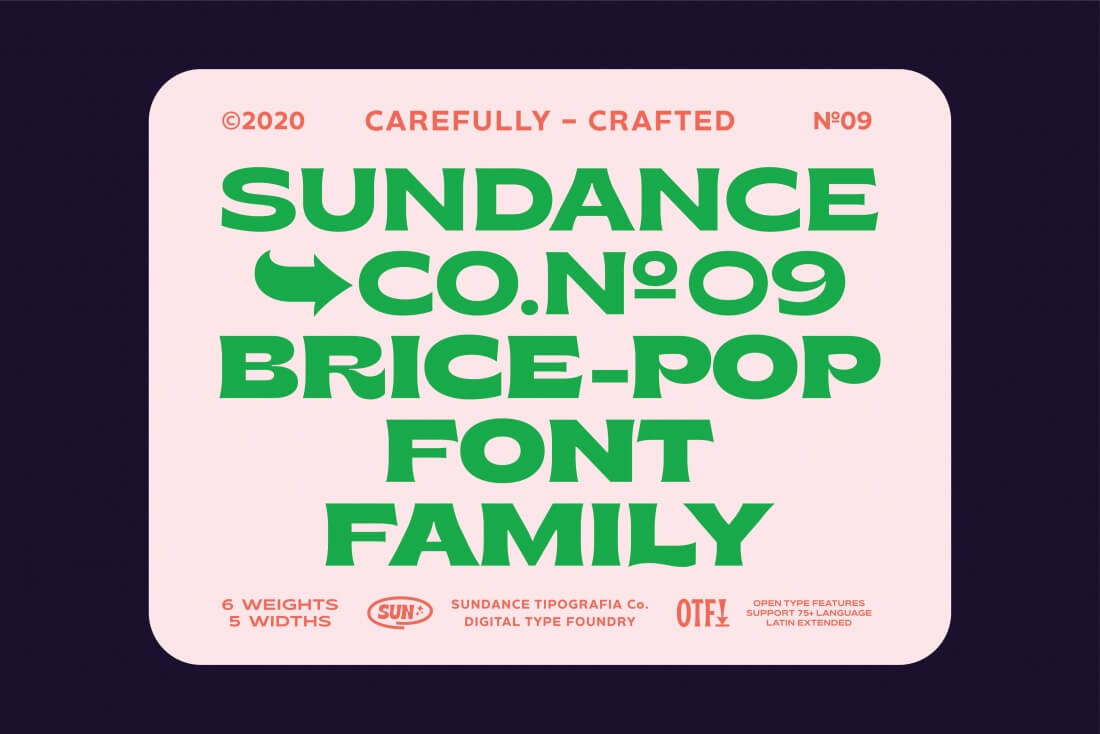
The Brice Font Family is the kind of typeface you want to hang out and have fun with! This set of 30 unique fonts features 5 different widths and 6 unique weights. This small bouncy serif font with a dynamic contrast is just perfect for everything from logos to captions to headers. Toss in stylistic sets and multilingual support and you mix flexibility in with the fun.
Give your ordinary images a truly unique appearance with Welter Glitch. These fun Photoshop Effects add a distorted, glitch-like effect to your ordinary images. Simple to use with Smart Objects, this set includes 13 photo effects, 6 text effects, and 3 animation templates as well. Hi-res files come in 3000x2000px and 300DPI to provide a truly artistic look to your latest masterpiece.
A casual handwritten font, Brotherhood truly embraces a natural appearance. Most trends with this style of font are relaxed with non-connected handwriting. This typeface sports some connected glyphs and double letters, as well as proportional uppercase letters for more prominence.
Every week, we’ll give you an overview of the best deals for designers, make sure you don’t miss any by subscribing to our deals feed. You can also follow the recently launched website Type Deals if you are looking for free fonts or font deals.
The Mega Craft Bundle
All the fonts and decorative elements you need to create crafty designs.
Easily Turn Your Photos into Vectors with Photo Vectorizer
Photo Vectorizer is a simple-to-use Photoshop action that can convert any photo into a vector. With just a few clicks of your mouse, you can save tons of time and frustration by turning your photos into vectors. With super sharp results, these vectors are great for any project either online or in print.
PODIUM Soft is a bold family made of 13 unique styles. From ultra compressed to extra expanded, this powerful font family was created as a mix of various modular and geometric wood types. An extended license, OpenType Features, and a big bold appearance offer you all the tools you’ll need for powerful visual identity projects.
Midnight Tales is a vintage, elegant font with tons of alternate glyphs, ligatures and multilingual support. It’s a very versatile typeface that works great in large and small sizes. Perfect for branding projects, home-ware designs, product packaging, magazine headers – or simply as a stylish text overlay to any background image.
The Brice Font Family is the kind of typeface you want to hang out and have fun with! This set of 30 unique fonts features 5 different widths and 6 unique weights. This small bouncy serif font with a dynamic contrast is just perfect for everything from logos to captions to headers. Toss in stylistic sets and multilingual support and you mix flexibility in with the fun.
Give your ordinary images a truly unique appearance with Welter Glitch. These fun Photoshop Effects add a distorted, glitch-like effect to your ordinary images. Simple to use with Smart Objects, this set includes 13 photo effects, 6 text effects, and 3 animation templates as well. Hi-res files come in 3000x2000px and 300DPI to provide a truly artistic look to your latest masterpiece.
A casual handwritten font, Brotherhood truly embraces a natural appearance. Most trends with this style of font are relaxed with non-connected handwriting. This typeface sports some connected glyphs and double letters, as well as proportional uppercase letters for more prominence.
When you’re a small business with a smaller budget, marketing your product or service can be an overwhelming prospect. However, the truth is that marketing your business doesn’t have to be costly. You don’t have to spend thousands or even hundreds of dollars, so don’t lose hope.
There are many marketing tactics and ideas you can implement for your business that bring great results without breaking the bank. Are you ready to finally jumpstart your business marketing efforts?
Check out these budget-friendly marketing tips:
1. Get A Professional Website For Your Brand
A website is critical in your efforts to spread the word about your brand. It serves as a central hub for every bit of information related to your business.
Create a professional website or have one created for your company by working with reputable website design and development service provider. You can check out sites, like https://mws.dev/, to learn more about the right solution you need to build an online presence for your business.
With the increasing number of web designers and developers nowadays, web design and development services have become more and more affordable. That being said, make sure to compare prices before hiring one.
You can strengthen the credibility of your company by putting your stamp on the web. It allows you to design compelling experiences for your prospective customers. People will quickly discover your business through eBooks and blog posts published on your website. Thus, create a professional website to draw consumers closer to your brand.
2. Be Active On Social Media
According to a survey in 2014, 52% of online adults use at least two social media accounts. Six years after the survey was conducted, imagine the increased number of people who are actively using social media today.
The potential to find prospects looking for your services on different social media platforms is high. This holds to whatever industry your business is operating in. The best part about utilizing social media in marketing your products or services is that you can optimize your advertisements for free. Paid ads, of course, also exist for those who can avail them.
Begin by interacting with customers and other businesses in your niche by creating your business account on various popular social media platforms. The essentials are, of course, Twitter and Facebook. If part of your service is offering visually appealing graphics or photography, Pinterest and Instagram are great options. If your business is focused on trade, LinkedIn can also be a great option.
To help people easily find your account when doing social searches, ensure to fill out your profile correctly. Include all essential details, such as business name, contact information, and website. Doing so will increase the exposure of your brand.
Social media marketing can bring a huge return to your business if done correctly. Utilizing social media is free, aside from the small investment you must make, which includes spending time to optimize your social posts and advertisements.
3. Encourage User-Generated Content (UGC) By Running An Online Contest
This marketing strategy is free, which is why a lot of business owners are using it. When encouraging user-generated content by running an online contest, a business owner has to give away a gift card or one of his products. But don’t fret about it. It’s just a marginal cost when compared to the exposure that your brand will get from these campaigns.
Running a contest that gives such type of effect on your prospects or target audience is super easy. If you’re looking for social proof of influence, UGC can give it to you. Keep everything simple and use your social media accounts, like Instagram or Facebook, to do it. One effective way of doing it is to ask your social media followers to post their picture while using your product. To make it trendy, ask them to include a customized hashtag, too.
With UGC online contests, the post with the highest number of likes usually gets the prize at a predetermined date. Through this campaign, your business will have hundreds or thousands of people talking about it on social media. Since anyone who follows the users who participated in your contest will see the posts, your brand will be exposed to a wider audience.
According to this research, 92% of consumers trust posts online made by their family and friends. Most of these consumers also believe that user-generated content is more memorable when compared to content produced by brands. The purchasing decisions of millennials are the ones heavily influenced by UGC.
4. Send Strategic Marketing Emails
Provide content that you know your prospects and existing customers will truly enjoy through email. Email marketing has always been an effective business marketing tactic. For your emails to come across as something valuable instead of appearing spammy, send helpful free resources and actionable blog posts.
There are affordable email services out there offering different plans that may suit your business needs. Once the number of subscribers on your email list grows, you can begin sending targeted emails based on each customer segment’s interests and preferences. Make it your habit to provide weekly newsletters; your subscribers will surely come to expect them in their inboxes regularly.
How do you grow your mailing list? What you can do is to reward those who will sign up for your emails with a special offer. The reward can be a discount coupon code to your store or a free downloadable eBook.
5. Apply Search Engine Optimization
SEO is one huge topic, but its basics boil down to handing out high-quality, helpful content to your audience. If you ever wondered why search engine optimization is essential or why you should care about getting found on Google, please know that the search engine handles up to 40,000 search queries every second.
People look for information on Google. As a business owner, you’d want to be the one who’s providing answers in your niche. What’s good about applying SEO is that you can study the process and do it yourself or hire someone to do it for you for an affordable price.
Fill in your content with eye-catching visuals and relevant keywords to optimize them. Answer a customer or audience query concisely and thoroughly to get that much-coveted “featured snippet” place at the top of the search engine. Also, create headers in your blog or website that convey what your audience can learn if they read your article to the end.
For local business owners, the local market is a gem. You must take advantage of optimizing your efforts for local search engine optimization. It includes creating a Google My Business account so local queries in the search engine can be directed to you, as well as putting place names in your posts.
6. Work With Local Influencers
This tip is related when applying local search engine optimization. Collaborating with influencers can be an affordable way of promoting your business to individuals who might have never seen your brand before. Most bloggers or Instagrammers are excited to partner with local businesses, so take advantage of it.
When working with influencers, pick your partners carefully and only collaborate with individuals that share the same vibe and values with your company. Otherwise, the content about your brand will look inauthentic when they post it on their social media accounts.
Look for Instagrammers and bloggers with authentic audience engagement. It’s essential to take note that you shouldn’t treat all engagement equally. The ability of an influencer’s post to get people sharing it, tagging their friends in the actual post, as well as stimulate conversations are the telltale signs that they’re a good one.
See if a specific influencer’s content gets people talking by looking at their posts’ comment section. This is the kind of engagement that leads to more sales for your business down the road.
7. Create And Publish Educational Or Promotional Videos
An effective way of convincing your potential customers to try your product or service is by publishing an educational video that also works as a promotional one. Post it on social media networks and cross-publish it on your business website and YouTube.
You should utilize your social media marketing skills and your partnership with a local influencer to encourage your audience to share the video with other people. You could even start an official YouTube channel for your company by investing a little bit more energy and time into this campaign.
8. Write Guest Posts
Besides publishing on your website, writing content for other people’s blogs and business publications is also an excellent way to market your business – known as guest posting.
Other than driving traffic to your website, creating strategic guest posts also builds your business reputation as an industry leader. You can reach out to editors of online business magazines. Email them directly or professionally contact them through social media platforms, such as Twitter or LinkedIn.
Most websites also have a contributor page and readily accept guest posts, so this wouldn’t be a problem.
Conclusion
Indeed, the success of any business lies in how it’s being positioned in the market. Marketing is essential, but an enormous marketing budget isn’t.
A professional website, social media, and email are some excellent ways to spread the news about your brand without breaking the bank.
Watch your business flourish by applying the tips discussed here.
When you’re a small business with a smaller budget, marketing your product or service can be an overwhelming prospect. However, the truth is that marketing your business doesn’t have to be costly. You don’t have to spend thousands or even hundreds of dollars, so don’t lose hope.
There are many marketing tactics and ideas you can implement for your business that bring great results without breaking the bank. Are you ready to finally jumpstart your business marketing efforts?
Check out these budget-friendly marketing tips:
1. Get A Professional Website For Your Brand
A website is critical in your efforts to spread the word about your brand. It serves as a central hub for every bit of information related to your business.
Create a professional website or have one created for your company by working with reputable website design and development service provider. You can check out sites, like https://mws.dev/, to learn more about the right solution you need to build an online presence for your business.
With the increasing number of web designers and developers nowadays, web design and development services have become more and more affordable. That being said, make sure to compare prices before hiring one.
You can strengthen the credibility of your company by putting your stamp on the web. It allows you to design compelling experiences for your prospective customers. People will quickly discover your business through eBooks and blog posts published on your website. Thus, create a professional website to draw consumers closer to your brand.
2. Be Active On Social Media
According to a survey in 2014, 52% of online adults use at least two social media accounts. Six years after the survey was conducted, imagine the increased number of people who are actively using social media today.
The potential to find prospects looking for your services on different social media platforms is high. This holds to whatever industry your business is operating in. The best part about utilizing social media in marketing your products or services is that you can optimize your advertisements for free. Paid ads, of course, also exist for those who can avail them.
Begin by interacting with customers and other businesses in your niche by creating your business account on various popular social media platforms. The essentials are, of course, Twitter and Facebook. If part of your service is offering visually appealing graphics or photography, Pinterest and Instagram are great options. If your business is focused on trade, LinkedIn can also be a great option.
To help people easily find your account when doing social searches, ensure to fill out your profile correctly. Include all essential details, such as business name, contact information, and website. Doing so will increase the exposure of your brand.
Social media marketing can bring a huge return to your business if done correctly. Utilizing social media is free, aside from the small investment you must make, which includes spending time to optimize your social posts and advertisements.
3. Encourage User-Generated Content (UGC) By Running An Online Contest
This marketing strategy is free, which is why a lot of business owners are using it. When encouraging user-generated content by running an online contest, a business owner has to give away a gift card or one of his products. But don’t fret about it. It’s just a marginal cost when compared to the exposure that your brand will get from these campaigns.
Running a contest that gives such type of effect on your prospects or target audience is super easy. If you’re looking for social proof of influence, UGC can give it to you. Keep everything simple and use your social media accounts, like Instagram or Facebook, to do it. One effective way of doing it is to ask your social media followers to post their picture while using your product. To make it trendy, ask them to include a customized hashtag, too.
With UGC online contests, the post with the highest number of likes usually gets the prize at a predetermined date. Through this campaign, your business will have hundreds or thousands of people talking about it on social media. Since anyone who follows the users who participated in your contest will see the posts, your brand will be exposed to a wider audience.
According to this research, 92% of consumers trust posts online made by their family and friends. Most of these consumers also believe that user-generated content is more memorable when compared to content produced by brands. The purchasing decisions of millennials are the ones heavily influenced by UGC.
4. Send Strategic Marketing Emails
Provide content that you know your prospects and existing customers will truly enjoy through email. Email marketing has always been an effective business marketing tactic. For your emails to come across as something valuable instead of appearing spammy, send helpful free resources and actionable blog posts.
There are affordable email services out there offering different plans that may suit your business needs. Once the number of subscribers on your email list grows, you can begin sending targeted emails based on each customer segment’s interests and preferences. Make it your habit to provide weekly newsletters; your subscribers will surely come to expect them in their inboxes regularly.
How do you grow your mailing list? What you can do is to reward those who will sign up for your emails with a special offer. The reward can be a discount coupon code to your store or a free downloadable eBook.
5. Apply Search Engine Optimization
SEO is one huge topic, but its basics boil down to handing out high-quality, helpful content to your audience. If you ever wondered why search engine optimization is essential or why you should care about getting found on Google, please know that the search engine handles up to 40,000 search queries every second.
People look for information on Google. As a business owner, you’d want to be the one who’s providing answers in your niche. What’s good about applying SEO is that you can study the process and do it yourself or hire someone to do it for you for an affordable price.
Fill in your content with eye-catching visuals and relevant keywords to optimize them. Answer a customer or audience query concisely and thoroughly to get that much-coveted “featured snippet” place at the top of the search engine. Also, create headers in your blog or website that convey what your audience can learn if they read your article to the end.
For local business owners, the local market is a gem. You must take advantage of optimizing your efforts for local search engine optimization. It includes creating a Google My Business account so local queries in the search engine can be directed to you, as well as putting place names in your posts.
6. Work With Local Influencers
This tip is related when applying local search engine optimization. Collaborating with influencers can be an affordable way of promoting your business to individuals who might have never seen your brand before. Most bloggers or Instagrammers are excited to partner with local businesses, so take advantage of it.
When working with influencers, pick your partners carefully and only collaborate with individuals that share the same vibe and values with your company. Otherwise, the content about your brand will look inauthentic when they post it on their social media accounts.
Look for Instagrammers and bloggers with authentic audience engagement. It’s essential to take note that you shouldn’t treat all engagement equally. The ability of an influencer’s post to get people sharing it, tagging their friends in the actual post, as well as stimulate conversations are the telltale signs that they’re a good one.
See if a specific influencer’s content gets people talking by looking at their posts’ comment section. This is the kind of engagement that leads to more sales for your business down the road.
7. Create And Publish Educational Or Promotional Videos
An effective way of convincing your potential customers to try your product or service is by publishing an educational video that also works as a promotional one. Post it on social media networks and cross-publish it on your business website and YouTube.
You should utilize your social media marketing skills and your partnership with a local influencer to encourage your audience to share the video with other people. You could even start an official YouTube channel for your company by investing a little bit more energy and time into this campaign.
8. Write Guest Posts
Besides publishing on your website, writing content for other people’s blogs and business publications is also an excellent way to market your business – known as guest posting.
Other than driving traffic to your website, creating strategic guest posts also builds your business reputation as an industry leader. You can reach out to editors of online business magazines. Email them directly or professionally contact them through social media platforms, such as Twitter or LinkedIn.
Most websites also have a contributor page and readily accept guest posts, so this wouldn’t be a problem.
Conclusion
Indeed, the success of any business lies in how it’s being positioned in the market. Marketing is essential, but an enormous marketing budget isn’t.
A professional website, social media, and email are some excellent ways to spread the news about your brand without breaking the bank.
Watch your business flourish by applying the tips discussed here.
When you’re a small business with a smaller budget, marketing your product or service can be an overwhelming prospect. However, the truth is that marketing your business doesn’t have to be costly. You don’t have to spend thousands or even hundreds of dollars, so don’t lose hope.
There are many marketing tactics and ideas you can implement for your business that bring great results without breaking the bank. Are you ready to finally jumpstart your business marketing efforts?
Check out these budget-friendly marketing tips:
1. Get A Professional Website For Your Brand
A website is critical in your efforts to spread the word about your brand. It serves as a central hub for every bit of information related to your business.
Create a professional website or have one created for your company by working with reputable website design and development service provider. You can check out sites, like https://mws.dev/, to learn more about the right solution you need to build an online presence for your business.
With the increasing number of web designers and developers nowadays, web design and development services have become more and more affordable. That being said, make sure to compare prices before hiring one.
You can strengthen the credibility of your company by putting your stamp on the web. It allows you to design compelling experiences for your prospective customers. People will quickly discover your business through eBooks and blog posts published on your website. Thus, create a professional website to draw consumers closer to your brand.
2. Be Active On Social Media
According to a survey in 2014, 52% of online adults use at least two social media accounts. Six years after the survey was conducted, imagine the increased number of people who are actively using social media today.
The potential to find prospects looking for your services on different social media platforms is high. This holds to whatever industry your business is operating in. The best part about utilizing social media in marketing your products or services is that you can optimize your advertisements for free. Paid ads, of course, also exist for those who can avail them.
Begin by interacting with customers and other businesses in your niche by creating your business account on various popular social media platforms. The essentials are, of course, Twitter and Facebook. If part of your service is offering visually appealing graphics or photography, Pinterest and Instagram are great options. If your business is focused on trade, LinkedIn can also be a great option.
To help people easily find your account when doing social searches, ensure to fill out your profile correctly. Include all essential details, such as business name, contact information, and website. Doing so will increase the exposure of your brand.
Social media marketing can bring a huge return to your business if done correctly. Utilizing social media is free, aside from the small investment you must make, which includes spending time to optimize your social posts and advertisements.
3. Encourage User-Generated Content (UGC) By Running An Online Contest
This marketing strategy is free, which is why a lot of business owners are using it. When encouraging user-generated content by running an online contest, a business owner has to give away a gift card or one of his products. But don’t fret about it. It’s just a marginal cost when compared to the exposure that your brand will get from these campaigns.
Running a contest that gives such type of effect on your prospects or target audience is super easy. If you’re looking for social proof of influence, UGC can give it to you. Keep everything simple and use your social media accounts, like Instagram or Facebook, to do it. One effective way of doing it is to ask your social media followers to post their picture while using your product. To make it trendy, ask them to include a customized hashtag, too.
With UGC online contests, the post with the highest number of likes usually gets the prize at a predetermined date. Through this campaign, your business will have hundreds or thousands of people talking about it on social media. Since anyone who follows the users who participated in your contest will see the posts, your brand will be exposed to a wider audience.
According to this research, 92% of consumers trust posts online made by their family and friends. Most of these consumers also believe that user-generated content is more memorable when compared to content produced by brands. The purchasing decisions of millennials are the ones heavily influenced by UGC.
4. Send Strategic Marketing Emails
Provide content that you know your prospects and existing customers will truly enjoy through email. Email marketing has always been an effective business marketing tactic. For your emails to come across as something valuable instead of appearing spammy, send helpful free resources and actionable blog posts.
There are affordable email services out there offering different plans that may suit your business needs. Once the number of subscribers on your email list grows, you can begin sending targeted emails based on each customer segment’s interests and preferences. Make it your habit to provide weekly newsletters; your subscribers will surely come to expect them in their inboxes regularly.
How do you grow your mailing list? What you can do is to reward those who will sign up for your emails with a special offer. The reward can be a discount coupon code to your store or a free downloadable eBook.
5. Apply Search Engine Optimization
SEO is one huge topic, but its basics boil down to handing out high-quality, helpful content to your audience. If you ever wondered why search engine optimization is essential or why you should care about getting found on Google, please know that the search engine handles up to 40,000 search queries every second.
People look for information on Google. As a business owner, you’d want to be the one who’s providing answers in your niche. What’s good about applying SEO is that you can study the process and do it yourself or hire someone to do it for you for an affordable price.
Fill in your content with eye-catching visuals and relevant keywords to optimize them. Answer a customer or audience query concisely and thoroughly to get that much-coveted “featured snippet” place at the top of the search engine. Also, create headers in your blog or website that convey what your audience can learn if they read your article to the end.
For local business owners, the local market is a gem. You must take advantage of optimizing your efforts for local search engine optimization. It includes creating a Google My Business account so local queries in the search engine can be directed to you, as well as putting place names in your posts.
6. Work With Local Influencers
This tip is related when applying local search engine optimization. Collaborating with influencers can be an affordable way of promoting your business to individuals who might have never seen your brand before. Most bloggers or Instagrammers are excited to partner with local businesses, so take advantage of it.
When working with influencers, pick your partners carefully and only collaborate with individuals that share the same vibe and values with your company. Otherwise, the content about your brand will look inauthentic when they post it on their social media accounts.
Look for Instagrammers and bloggers with authentic audience engagement. It’s essential to take note that you shouldn’t treat all engagement equally. The ability of an influencer’s post to get people sharing it, tagging their friends in the actual post, as well as stimulate conversations are the telltale signs that they’re a good one.
See if a specific influencer’s content gets people talking by looking at their posts’ comment section. This is the kind of engagement that leads to more sales for your business down the road.
7. Create And Publish Educational Or Promotional Videos
An effective way of convincing your potential customers to try your product or service is by publishing an educational video that also works as a promotional one. Post it on social media networks and cross-publish it on your business website and YouTube.
You should utilize your social media marketing skills and your partnership with a local influencer to encourage your audience to share the video with other people. You could even start an official YouTube channel for your company by investing a little bit more energy and time into this campaign.
8. Write Guest Posts
Besides publishing on your website, writing content for other people’s blogs and business publications is also an excellent way to market your business – known as guest posting.
Other than driving traffic to your website, creating strategic guest posts also builds your business reputation as an industry leader. You can reach out to editors of online business magazines. Email them directly or professionally contact them through social media platforms, such as Twitter or LinkedIn.
Most websites also have a contributor page and readily accept guest posts, so this wouldn’t be a problem.
Conclusion
Indeed, the success of any business lies in how it’s being positioned in the market. Marketing is essential, but an enormous marketing budget isn’t.
A professional website, social media, and email are some excellent ways to spread the news about your brand without breaking the bank.
Watch your business flourish by applying the tips discussed here.
During the early days of the internet, many people viewed a business website as an online brochure that listed the services and products of the business.
Now, thanks to innovative design trends, it has evolved to become so much more than that. It is a place where customers can get valuable information about the products that they need. It can also help online shoppers recognize their challenges and is a great place for them to find solutions to their everyday problems. Furthermore, a website should help capture the customer’s trust through valuable content.
These are just some of the functions of a modern business website. To make the most of it and to help convert visitors into repeat customers, a website needs to have a few important elements. These include the following:
1. Offer A Visible Promise
One of the most crucial aspects of any business website is that it should gain the trust of visitors. When readers first access your website, they will often have a need that they are seeking to fulfill.
The first place that they will land is the home page. It is here that the business website should clearly state the promise for what they can offer the reader. This should also be centered on what services the business offers.
For instance, if you run an SEO agency then you can promise to drive more traffic to customer sites.
2. Spell Out A CTA
This means a “call to action” and is another important element of your business website. This can be something simple such as “download a free report”.
Keep in mind that customers still appreciate valuable information and support. What’s more, customers do not always want to subscribe to a free newsletter and give up their contact information straight away.
If you lack technical and web design skills, do not worry as you can always hire the services of a design agency to create the perfect website for your business.
3. Include Reviews
Gaining customer trust can be one of the most challenging aspects of running a business. Done the right way, however, it can help turn site visitors into repeat customers.
The business website is a great platform to build customer trust. You can do this by listing customer testimonials, logos of current corporate clients, as well as reviews from previous customers.
This shows that your business is legitimate and gives clients a sneak peek as to what type of services to expect.
4. Update The Content
This doesn’t mean changing the look of the website. It can be as simple as providing a feed on your business homepage that tells customers about any new releases.
This shows readers that the website is active and that they can expect new content regularly. As a result, they are more likely to frequently visit the website to check for new updates and releases.
5. Add A Video
While many businesses may not consider video as an important marketing aspect, it is an excellent way to convey what your business is about and what your potential customers can expect.
By placing the video on your homepage, visitors will find it easier to watch the video rather than go through the text on the homepage.
6. Make Premium Content Available
Customer contact information is an important part of nurturing them and turning them into repeat clients. However, before you can get the contact information, you will need to offer something valuable in return.
You can do this by offering downloadable premium content. For instance, if you have a blog post on your website on a DIY project, you can also offer a downloadable PDF that goes into more detail about how to create your own project.
7. List Your Core Services
You can do this by creating boxes that have images as well as a few words on the different types of core services that you offer. You don’t need to go into detail, as chances are that you will have entire pages that explain all that customers need to know about the services on your website.
That said, by listing the core services on your business home page, customers know what to expect from your business and can choose the service that they need.
Final Word
For a business website to be successful and draw in traffic, there are a few elements that should be incorporated in the website. For instance, it should list core services, and offer a call to action. This enables customers to engage more with the business which ultimately makes it easier to turn them into repeat customers.
During the early days of the internet, many people viewed a business website as an online brochure that listed the services and products of the business.
Now, thanks to innovative design trends, it has evolved to become so much more than that. It is a place where customers can get valuable information about the products that they need. It can also help online shoppers recognize their challenges and is a great place for them to find solutions to their everyday problems. Furthermore, a website should help capture the customer’s trust through valuable content.
These are just some of the functions of a modern business website. To make the most of it and to help convert visitors into repeat customers, a website needs to have a few important elements. These include the following:
1. Offer A Visible Promise
One of the most crucial aspects of any business website is that it should gain the trust of visitors. When readers first access your website, they will often have a need that they are seeking to fulfill.
The first place that they will land is the home page. It is here that the business website should clearly state the promise for what they can offer the reader. This should also be centered on what services the business offers.
For instance, if you run an SEO agency then you can promise to drive more traffic to customer sites.
2. Spell Out A CTA
This means a “call to action” and is another important element of your business website. This can be something simple such as “download a free report”.
Keep in mind that customers still appreciate valuable information and support. What’s more, customers do not always want to subscribe to a free newsletter and give up their contact information straight away.
If you lack technical and web design skills, do not worry as you can always hire the services of a design agency to create the perfect website for your business.
3. Include Reviews
Gaining customer trust can be one of the most challenging aspects of running a business. Done the right way, however, it can help turn site visitors into repeat customers.
The business website is a great platform to build customer trust. You can do this by listing customer testimonials, logos of current corporate clients, as well as reviews from previous customers.
This shows that your business is legitimate and gives clients a sneak peek as to what type of services to expect.
4. Update The Content
This doesn’t mean changing the look of the website. It can be as simple as providing a feed on your business homepage that tells customers about any new releases.
This shows readers that the website is active and that they can expect new content regularly. As a result, they are more likely to frequently visit the website to check for new updates and releases.
5. Add A Video
While many businesses may not consider video as an important marketing aspect, it is an excellent way to convey what your business is about and what your potential customers can expect.
By placing the video on your homepage, visitors will find it easier to watch the video rather than go through the text on the homepage.
6. Make Premium Content Available
Customer contact information is an important part of nurturing them and turning them into repeat clients. However, before you can get the contact information, you will need to offer something valuable in return.
You can do this by offering downloadable premium content. For instance, if you have a blog post on your website on a DIY project, you can also offer a downloadable PDF that goes into more detail about how to create your own project.
7. List Your Core Services
You can do this by creating boxes that have images as well as a few words on the different types of core services that you offer. You don’t need to go into detail, as chances are that you will have entire pages that explain all that customers need to know about the services on your website.
That said, by listing the core services on your business home page, customers know what to expect from your business and can choose the service that they need.
Final Word
For a business website to be successful and draw in traffic, there are a few elements that should be incorporated in the website. For instance, it should list core services, and offer a call to action. This enables customers to engage more with the business which ultimately makes it easier to turn them into repeat customers.
During the early days of the internet, many people viewed a business website as an online brochure that listed the services and products of the business.
Now, thanks to innovative design trends, it has evolved to become so much more than that. It is a place where customers can get valuable information about the products that they need. It can also help online shoppers recognize their challenges and is a great place for them to find solutions to their everyday problems. Furthermore, a website should help capture the customer’s trust through valuable content.
These are just some of the functions of a modern business website. To make the most of it and to help convert visitors into repeat customers, a website needs to have a few important elements. These include the following:
1. Offer A Visible Promise
One of the most crucial aspects of any business website is that it should gain the trust of visitors. When readers first access your website, they will often have a need that they are seeking to fulfill.
The first place that they will land is the home page. It is here that the business website should clearly state the promise for what they can offer the reader. This should also be centered on what services the business offers.
For instance, if you run an SEO agency then you can promise to drive more traffic to customer sites.
2. Spell Out A CTA
This means a “call to action” and is another important element of your business website. This can be something simple such as “download a free report”.
Keep in mind that customers still appreciate valuable information and support. What’s more, customers do not always want to subscribe to a free newsletter and give up their contact information straight away.
If you lack technical and web design skills, do not worry as you can always hire the services of a design agency to create the perfect website for your business.
3. Include Reviews
Gaining customer trust can be one of the most challenging aspects of running a business. Done the right way, however, it can help turn site visitors into repeat customers.
The business website is a great platform to build customer trust. You can do this by listing customer testimonials, logos of current corporate clients, as well as reviews from previous customers.
This shows that your business is legitimate and gives clients a sneak peek as to what type of services to expect.
4. Update The Content
This doesn’t mean changing the look of the website. It can be as simple as providing a feed on your business homepage that tells customers about any new releases.
This shows readers that the website is active and that they can expect new content regularly. As a result, they are more likely to frequently visit the website to check for new updates and releases.
5. Add A Video
While many businesses may not consider video as an important marketing aspect, it is an excellent way to convey what your business is about and what your potential customers can expect.
By placing the video on your homepage, visitors will find it easier to watch the video rather than go through the text on the homepage.
6. Make Premium Content Available
Customer contact information is an important part of nurturing them and turning them into repeat clients. However, before you can get the contact information, you will need to offer something valuable in return.
You can do this by offering downloadable premium content. For instance, if you have a blog post on your website on a DIY project, you can also offer a downloadable PDF that goes into more detail about how to create your own project.
7. List Your Core Services
You can do this by creating boxes that have images as well as a few words on the different types of core services that you offer. You don’t need to go into detail, as chances are that you will have entire pages that explain all that customers need to know about the services on your website.
That said, by listing the core services on your business home page, customers know what to expect from your business and can choose the service that they need.
Final Word
For a business website to be successful and draw in traffic, there are a few elements that should be incorporated in the website. For instance, it should list core services, and offer a call to action. This enables customers to engage more with the business which ultimately makes it easier to turn them into repeat customers.
Is it difficult to find an app or tool that you can use to solve a particular web design problem?
The short answer is no. There are plenty of them with more appearing on the market every year.
Next question.
Is it difficult to find the best possible app or tool for a particular job? The answer to this one is that it can be; precisely because there’s such a huge number to choose from.
In your endeavors to keep up with the latest design trends and the desire for continual improvement you find yourself constantly searching for tools that will help you automate design processes, shorten workflows, and save precious time and money.
To give you a helping hand we’ve selected the following tools; tools we use everyday for our web design projects.
It’s always easier to design a website when you have the right tools at your fingertips. It’s even easier when those tools are neatly packaged together and ready to do the heavy lifting for you once you get a project underway.
BeTheme can do it all, no matter what the type, style, or purpose of your website might be.
Straightforward to use, BeTheme is an excellent choice for novices and advanced web designers alike.
This WordPress theme’s 40+ core features include:
An Administration (Options) Panel that gives designers unlimited flexibility
A Shortcode Generator and shortcode library that obviates any need for coding
The intuitively easy to use Muffin Builder page builder
The Layout Generator if you want to start your website from scratch
Or, if you don’t want to start from Scratch, there’s BeTheme’s library of 500+ pre-built websites
They are professionally crafted
They cover 30+ industry sectors and all website types
They are responsive, customizable, and feature basic UX functionality
Click on the banner to find out more about the biggest WordPress theme of them all.
Get the flexibility and functionality you need for your website-building projects, with the Total WordPress theme.
This drag and drop WordPress theme’s features include more than 100 drag and drop WPBakery page-building elements, over 550 custom code snippets, and 40+ pre-built demos that cover a range of industry sectors.
Other key Total features and capabilities include –
An Advanced Customizer theme panel the uses the native WordPress customizer to let you change many design features
The ability to easily switch between full-width and boxed layouts
Built-in WooCommerce support
Great online documentation including guidance for developers
Total was designed using the latest CSS3 code, it’s SEO ready, and Translation ready as well.
Powerful Page Builder modules together with its hierarchical theme options has made Uncode a favorite as attested by its more than 70.000 sales to date.
Uncode is great for agencies, freelancers, and bloggers, it’s ideal for building portfolio and magazine websites
A powerful Frontend Editor on steroids
The impressive showcase of user-built websites can serve as a source of inspiration.
Click on the banner to find out more about this pixel-perfect theme.
LayerSlider isn’t just for building sliders. It is an all-embracing, multi-purpose tool for creating animations and content that can give new life to a stale website.
LayerSlider’s extensive animation capabilities are also available in popups to help you maximizing conversion rates with beautiful call to action modal windows.
LayerSlider can be used to its fullest extent without coding.
Professionally-designed templates cover a wide range of uses.
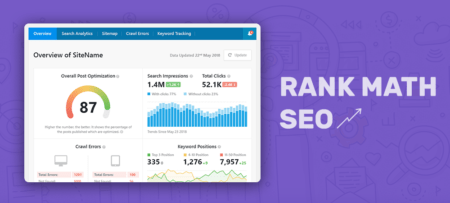
Rank Math SEO is a great tool for helping designers with a task they sometimes find daunting – SEO optimization.
Rank Math offers an abundance of SEO options including SEO Analysis tools for producing friendly SEO content
Automates the image SEO process
Contains built-in Schema options and 404 Monitor and Redirect Options
Rank Math integrates easily with the Google Search Console.
Click to learn more.
*****
Designing for the world wide web is easier than ever. Every day a new tool emerges that is marketed as “the last web design tool you’ll ever need”. 99% of the time it isn’t.
If you have a business or a project that you want to develop, then you should peruse this list of the tools and services that can give you a competitive edge. None of them may be the “last” tool you’ll ever need, but we’re confident you’ll have good use for them for a long, long time.
Agregator najlepszych postów o designie, webdesignie, cssie i Internecie