Archiwum kategorii: Design

Looka: an AI-Powered Design Platform

Post pobrano z: Looka: an AI-Powered Design Platform

Designing logos is hard! It takes time, skills, experience, creativity, and you never know how your work will be perceived if you are the designer. On the client’s side, you are investing considerable money without knowing if you will be satisfied with the outcoming logo.

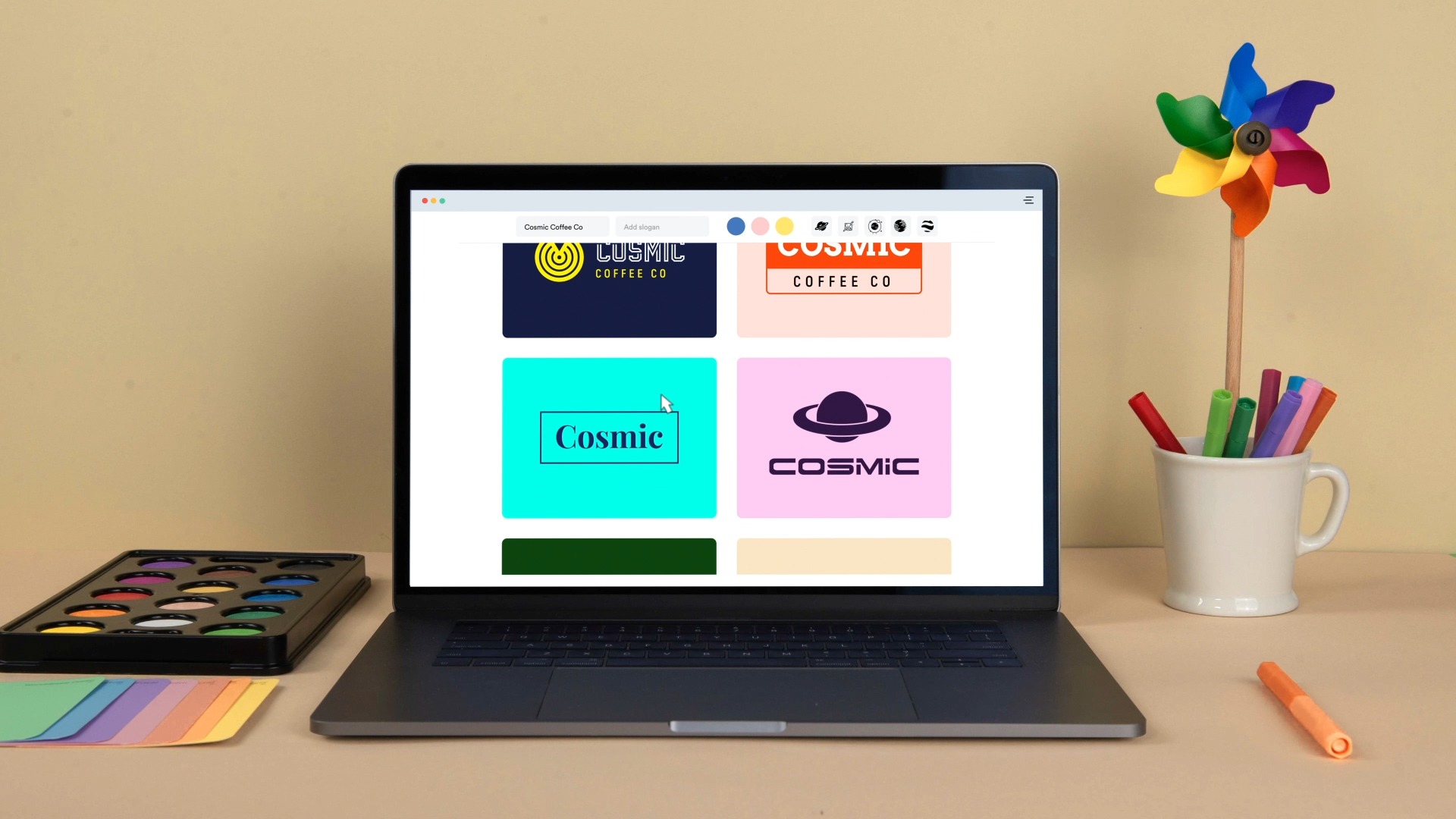
Knowing this, it’s impressive to see what Looka has achieved with its free logo designing tool. Powered by AI, the tool allows you to not only create a professional logo in a matter of minutes but also to design all the branding elements you need as well as social media kits.

The Process: How Designing With Looka Works

One of Looka’s main advantage is probably the onboarding process. On-screen, the logo design tool takes you through a series of questions to better understand your needs and your visual tastes.

This is actually the way graphic designers work when interviewing their clients to get started on a logo design. The only difference is that the process is so much faster with Looka.

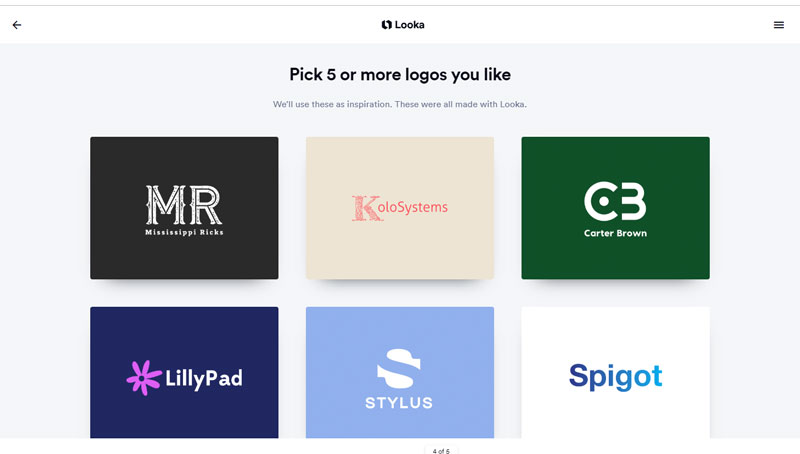
The logo selection helps the IA to understand your tastes in the matter of logo design.
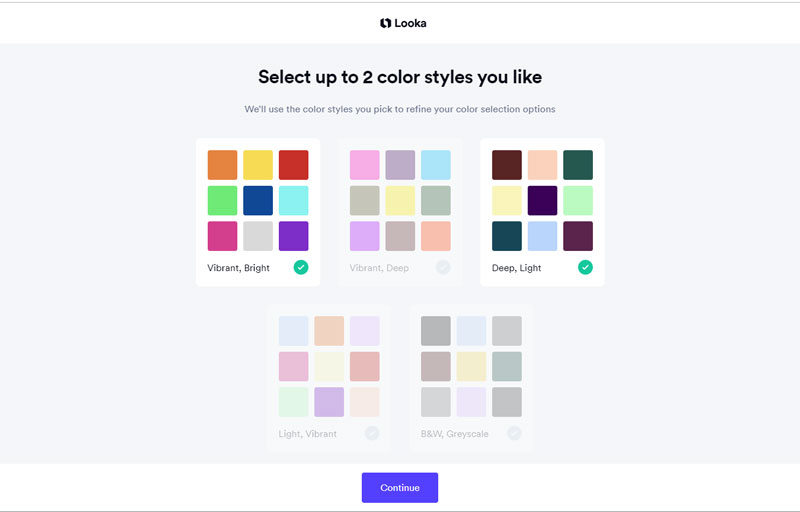
During the process, Looka tries to identify the type of color schemes that would work best for you.

Once you are done with the questionnaire, some logos will be generated based on your answers. You can choose the logo that best matches your needs, then it’s possible to click into the logo and see all the different variations of colors, fonts, symbols, graphics, etc.

The Results: Great Logo Design & Branding

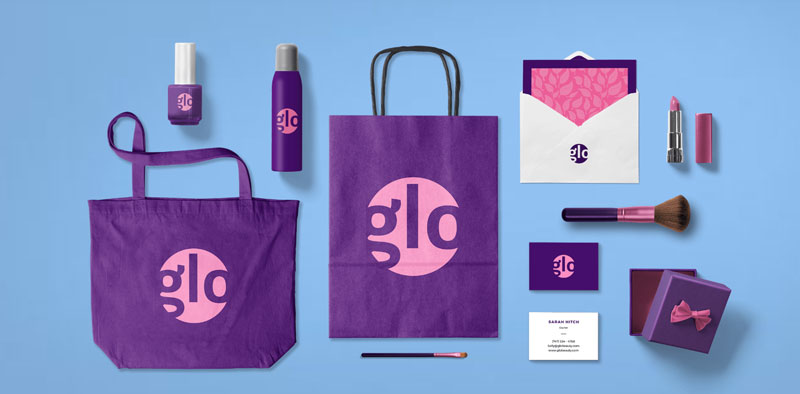
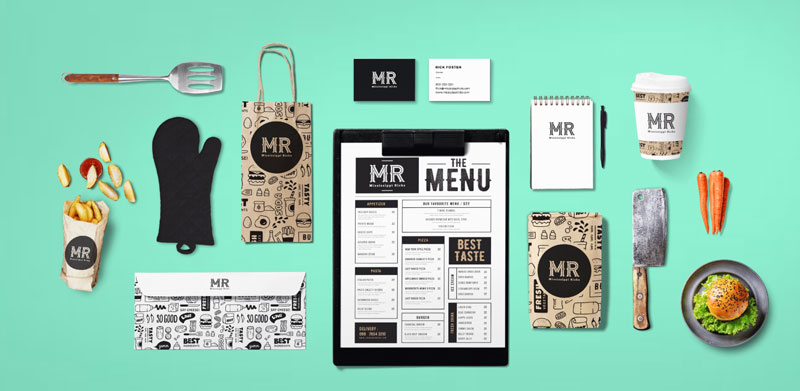
As you can see below, the results you can obtain with Looka are quite stunning. With the Looka Enterprise package, you get the full branding experience and can download ready-to-use business cards and other branding assets for printing or for the web.

To get a quality design like these, it doesn’t take a long process or cost huge money, so get started right away!

Quick Creation of Social Media Kits

Another priceless feature of Looka is the possibility to create visuals for social media extremely quickly. In a time when you need to manage a lot of accounts to be seen online, this will save you some precious time.

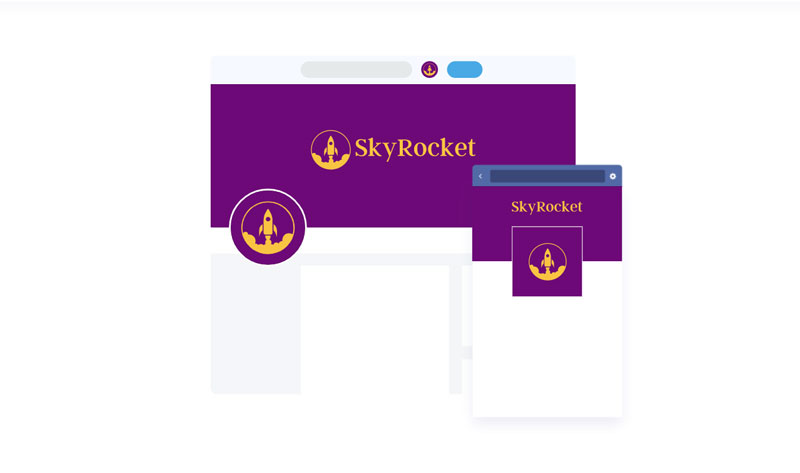
In short, this possibility allows you to download your logo in a bunch of different formats for social media profiles, they even include some formats that we tend to forget, such as the email signature image, for example.

There is Even a Website Builder Included!

On top of all these amazing features, Looka provides you with a website builder, which will be good enough for most websites, thanks to the many included features.

This extra-feature gives you almost all you need to quickly and cheaply build a strong presence for your company both online and offline.

There are already over 5 million entrepreneurs who trusted Looka to handle their branding, there is a good reason for that, just give it a try for yourself!

Thanks for being a subscriber, here is your FREE house vector icons set.

Looka: an AI-Powered Design Platform

Post pobrano z: Looka: an AI-Powered Design Platform

Designing logos is hard! It takes time, skills, experience, creativity, and you never know how your work will be perceived if you are the designer. On the client’s side, you are investing considerable money without knowing if you will be satisfied with the outcoming logo.

Knowing this, it’s impressive to see what Looka has achieved with its free logo designing tool. Powered by AI, the tool allows you to not only create a professional logo in a matter of minutes but also to design all the branding elements you need as well as social media kits.

The Process: How Designing With Looka Works

One of Looka’s main advantage is probably the onboarding process. On-screen, the logo design tool takes you through a series of questions to better understand your needs and your visual tastes.

This is actually the way graphic designers work when interviewing their clients to get started on a logo design. The only difference is that the process is so much faster with Looka.

The logo selection helps the IA to understand your tastes in the matter of logo design.
During the process, Looka tries to identify the type of color schemes that would work best for you.

Once you are done with the questionnaire, some logos will be generated based on your answers. You can choose the logo that best matches your needs, then it’s possible to click into the logo and see all the different variations of colors, fonts, symbols, graphics, etc.

The Results: Great Logo Design & Branding

As you can see below, the results you can obtain with Looka are quite stunning. With the Looka Enterprise package, you get the full branding experience and can download ready-to-use business cards and other branding assets for printing or for the web.

To get a quality design like these, it doesn’t take a long process or cost huge money, so get started right away!

Quick Creation of Social Media Kits

Another priceless feature of Looka is the possibility to create visuals for social media extremely quickly. In a time when you need to manage a lot of accounts to be seen online, this will save you some precious time.

In short, this possibility allows you to download your logo in a bunch of different formats for social media profiles, they even include some formats that we tend to forget, such as the email signature image, for example.

There is Even a Website Builder Included!

On top of all these amazing features, Looka provides you with a website builder, which will be good enough for most websites, thanks to the many included features.

This extra-feature gives you almost all you need to quickly and cheaply build a strong presence for your company both online and offline.

There are already over 5 million entrepreneurs who trusted Looka to handle their branding, there is a good reason for that, just give it a try for yourself!

Thanks for being a subscriber, here is your FREE house vector icons set.

The Open Source Alternatives to the Most Popular Design Software

Post pobrano z: The Open Source Alternatives to the Most Popular Design Software

Whether you are a professional graphic designer with formal education in the field or you are an advanced amateur, you are probably always on the lookout for the best tools.

The first recommendation you will surely receive is to go with the Adobe Suite. It comprises a series of very professional tools, so you couldn’t be wrong by choosing to work with it.

However, not everyone appreciates Adobe’s hegemony in the world of design software. Open Source advocates already proved with web publishing tools or server software that the free and open alternatives can be as good, if not better, than their paid counterparts. Also, many designers tend to find Adobe’s products too expensive. Making a living with these tools, I don’t think that the Adobe Creative Suite is too expensive, but if you design as a hobby, it surely is.

In this post, you will find some alternatives to Adobe’s most popular tools. It is not a comprehensive list, but it will give you some good alternatives to the most used design software.

Alternatives to Photoshop: Gimp or Krita

GIMP (aka GNU Image Manipulation Program) is the oldest free and open-source alternative to Photoshop, and it’s probably also the most well-known. It allows you to do pretty much everything Photoshop does, although there are some recent features that may not have been adopted.

The most common complaint about GIMP is its interface design, which is not as pleasant as Photoshop’s UI. This can be fixed by using a fork of GIMP: Gimpshop. This fork happened to build a version of GIMP that has a UI more similar to Photoshop in order to facilitate the transition. GIMP and its fork are available for all operating systems.

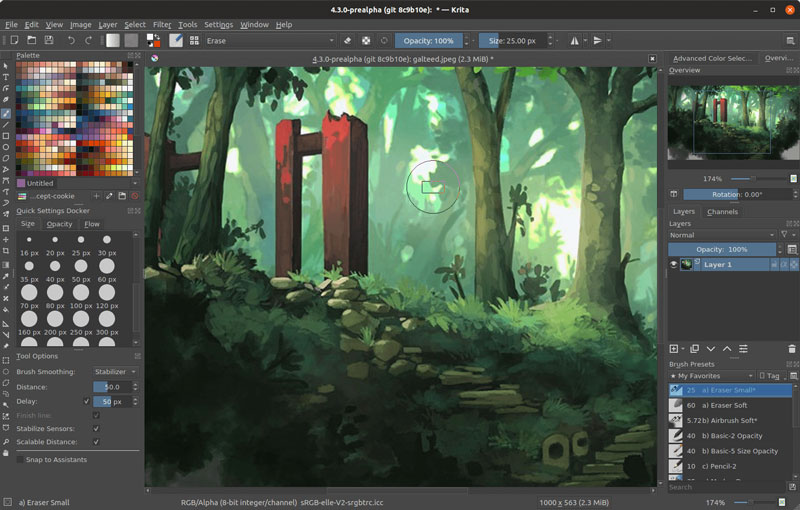
Krita is lesser-known, but it’s my favorite alternative to Photoshop. It may not have as many features as GIMP has, but it does one thing very well: digital art. Krita was built to be the go-to digital artists’ software of choice.

It comes with tons of great features: a great UI, tons of brushes for digital art, vector art editing capabilities, and even tools to create 2D animations.

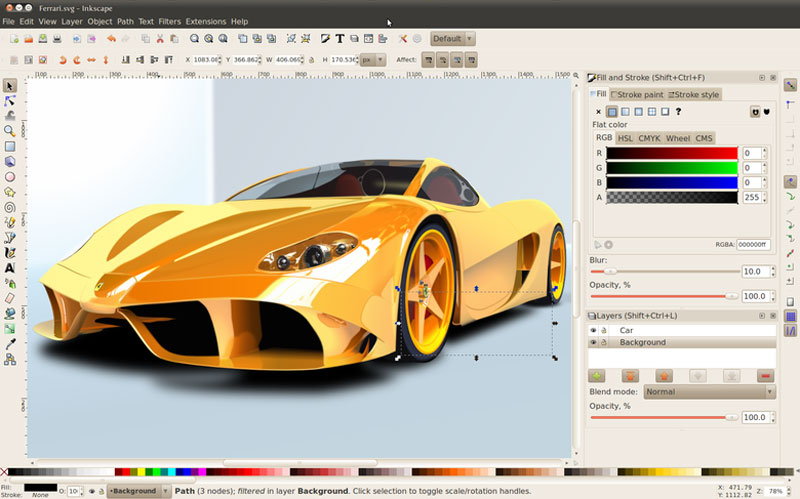
Alternative to Illustrator: Inkscape

Inkscape is a very complete and professional alternative to Adobe Illustrator. It comes with flexible drawing tools, compatibility for most necessary file formats, great text, and Bezier curve tools, among other things.

If you are too used to working with Illustrator, there will be a learning curve to work with Inkscape, as there would for any other software. However, once the transition is made, you can safely work with Inkscape for any professional project as it’s a very powerful solution.

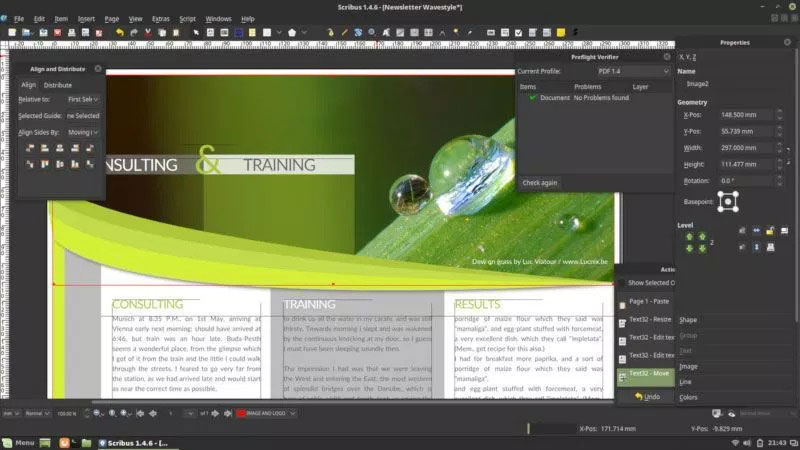
Alternative to InDesign: Scribus

For a long time, the hardest part of making the transition from Adobe’s Suite to open-source alternatives was the lack of decent alternatives to InDesign, Adobe’s powerful desktop publishing tool.

This is not longer the case, as Scribus has matured into a very professional tool that can be used to create anything that needs a layout.

The publishing features that you can now find in Scribus are: support for various color types management (CMYK, spot colors, ICC), PDF creation, vector drawing tools, powerful import/export filters, and an XML-based format that makes it much easier to recover damaged documents.

Alternative to Premiere: OpenShot

For designers who also like to work with moving things, video editing software is a must-have. If you are doing design professionally, it is also an area where finding work is getting easier, thanks to the fast growth of Youtube and online video in general.

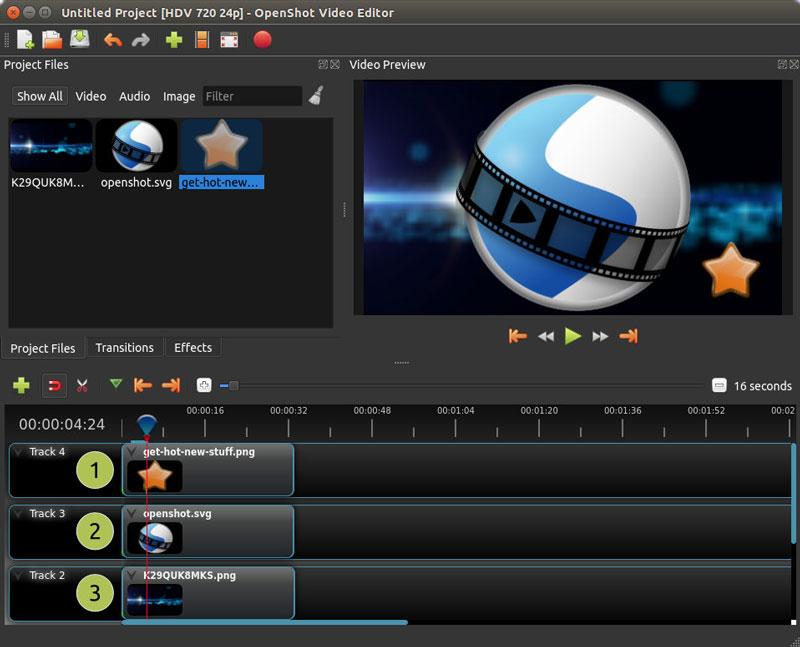
Although there are other alternatives that you could choose from, OpenShot is a safe bet if you are looking to make a quick transition. The user interface is extremely easy to get used to, especially if you have ever worked with video editing software.

Openshot is also filled with features that even go beyond simple video editing. It allows you to animate objects, use video effects, add as many layers as you need, edit text and titles, render 3D animations, or add some time effects.

Alternative to After Effects: Natron

Another tool that people into video editing use regularly is After Effects. Known for freezing computer due to high GPU usage, this software makes anything possible in your video, thanks to amazing video effect tools.

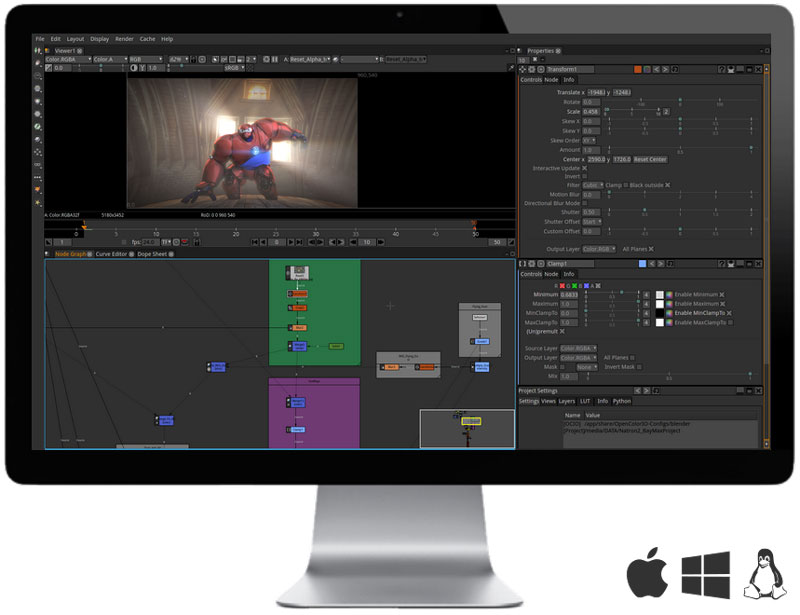
Natron is the only alternative to After Effects that I could find. It’s a powerful Digital Compositor for 2D and a little more (they call it 2.5D). You can create plenty of visual effects in your videos, tack and key elements, do rotoscoping, and more.

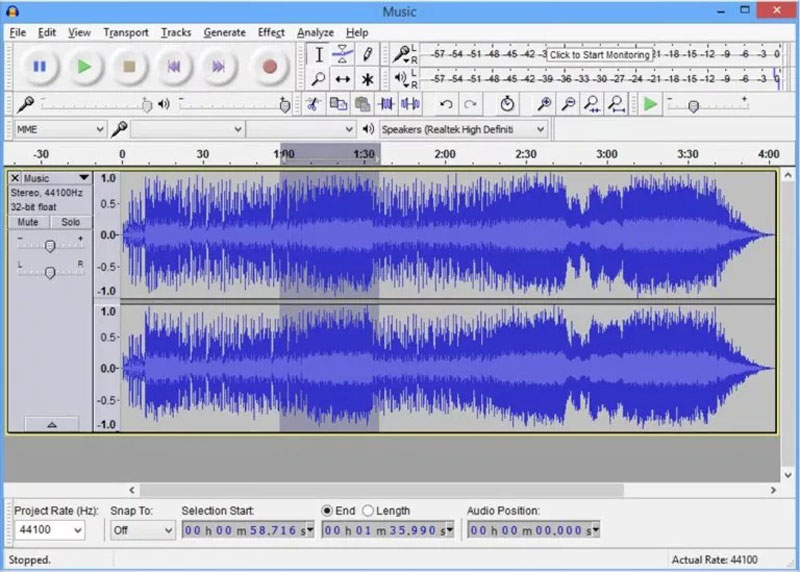
Alternative to Audition: Audacity

If you are creating videos, they would be very boring without sound. With Adobe’s Creative Suite, you would have used Audition to work on sound cutting and effects. There is a well-established open-source alternative: Audacity.

Audacity has been around for a long time now and its community of users has proved that it can be used professionally. It is a multi-track audio editor and recorder that allows you to fine-tune the sounds you want to publish.

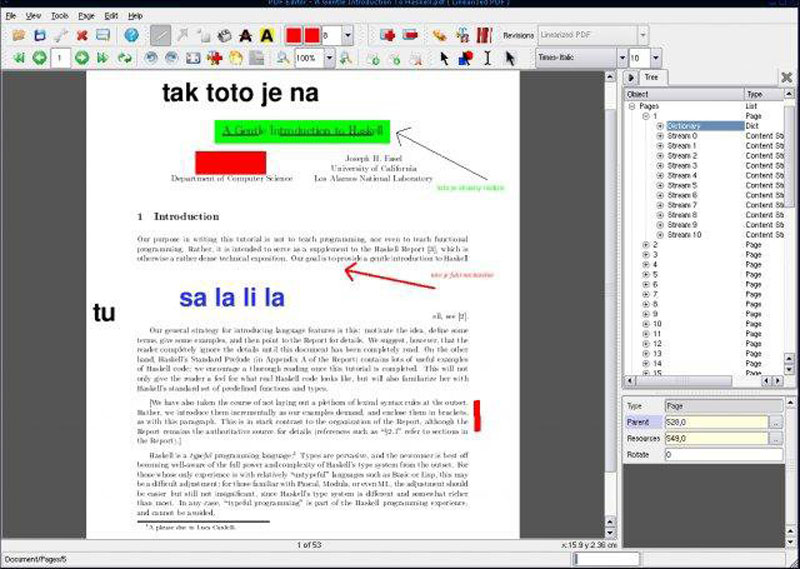
Alternative to Adobe Acrobat: PDFedit

Adobe Acrobat may be less used by designers in their day-to-day work, but it comes very handily when you need to edit some text in a PDF or extract some images.

There is a free alternative to Acrobat Pro, it’s named PDFedit and it allows you to edit anything in a PDF and even change some raw PDF objects. If you are geeky enough, you can even extend its features using ECMAScript.
Thanks for being a subscriber, here is your FREE house vector icons set.

The Open Source Alternatives to the Most Popular Design Software

Post pobrano z: The Open Source Alternatives to the Most Popular Design Software

Whether you are a professional graphic designer with formal education in the field or you are an advanced amateur, you are probably always on the lookout for the best tools.

The first recommendation you will surely receive is to go with the Adobe Suite. It comprises a series of very professional tools, so you couldn’t be wrong by choosing to work with it.

However, not everyone appreciates Adobe’s hegemony in the world of design software. Open Source advocates already proved with web publishing tools or server software that the free and open alternatives can be as good, if not better, than their paid counterparts. Also, many designers tend to find Adobe’s products too expensive. Making a living with these tools, I don’t think that the Adobe Creative Suite is too expensive, but if you design as a hobby, it surely is.

In this post, you will find some alternatives to Adobe’s most popular tools. It is not a comprehensive list, but it will give you some good alternatives to the most used design software.

Alternatives to Photoshop: Gimp or Krita

GIMP (aka GNU Image Manipulation Program) is the oldest free and open-source alternative to Photoshop, and it’s probably also the most well-known. It allows you to do pretty much everything Photoshop does, although there are some recent features that may not have been adopted.

The most common complaint about GIMP is its interface design, which is not as pleasant as Photoshop’s UI. This can be fixed by using a fork of GIMP: Gimpshop. This fork happened to build a version of GIMP that has a UI more similar to Photoshop in order to facilitate the transition. GIMP and its fork are available for all operating systems.

Krita is lesser-known, but it’s my favorite alternative to Photoshop. It may not have as many features as GIMP has, but it does one thing very well: digital art. Krita was built to be the go-to digital artists’ software of choice.

It comes with tons of great features: a great UI, tons of brushes for digital art, vector art editing capabilities, and even tools to create 2D animations.

Alternative to Illustrator: Inkscape

Inkscape is a very complete and professional alternative to Adobe Illustrator. It comes with flexible drawing tools, compatibility for most necessary file formats, great text, and Bezier curve tools, among other things.

If you are too used to working with Illustrator, there will be a learning curve to work with Inkscape, as there would for any other software. However, once the transition is made, you can safely work with Inkscape for any professional project as it’s a very powerful solution.

Alternative to InDesign: Scribus

For a long time, the hardest part of making the transition from Adobe’s Suite to open-source alternatives was the lack of decent alternatives to InDesign, Adobe’s powerful desktop publishing tool.

This is not longer the case, as Scribus has matured into a very professional tool that can be used to create anything that needs a layout.

The publishing features that you can now find in Scribus are: support for various color types management (CMYK, spot colors, ICC), PDF creation, vector drawing tools, powerful import/export filters, and an XML-based format that makes it much easier to recover damaged documents.

Alternative to Premiere: OpenShot

For designers who also like to work with moving things, video editing software is a must-have. If you are doing design professionally, it is also an area where finding work is getting easier, thanks to the fast growth of Youtube and online video in general.

Although there are other alternatives that you could choose from, OpenShot is a safe bet if you are looking to make a quick transition. The user interface is extremely easy to get used to, especially if you have ever worked with video editing software.

Openshot is also filled with features that even go beyond simple video editing. It allows you to animate objects, use video effects, add as many layers as you need, edit text and titles, render 3D animations, or add some time effects.

Alternative to After Effects: Natron

Another tool that people into video editing use regularly is After Effects. Known for freezing computer due to high GPU usage, this software makes anything possible in your video, thanks to amazing video effect tools.

Natron is the only alternative to After Effects that I could find. It’s a powerful Digital Compositor for 2D and a little more (they call it 2.5D). You can create plenty of visual effects in your videos, tack and key elements, do rotoscoping, and more.

Alternative to Audition: Audacity

If you are creating videos, they would be very boring without sound. With Adobe’s Creative Suite, you would have used Audition to work on sound cutting and effects. There is a well-established open-source alternative: Audacity.

Audacity has been around for a long time now and its community of users has proved that it can be used professionally. It is a multi-track audio editor and recorder that allows you to fine-tune the sounds you want to publish.

Alternative to Adobe Acrobat: PDFedit

Adobe Acrobat may be less used by designers in their day-to-day work, but it comes very handily when you need to edit some text in a PDF or extract some images.

There is a free alternative to Acrobat Pro, it’s named PDFedit and it allows you to edit anything in a PDF and even change some raw PDF objects. If you are geeky enough, you can even extend its features using ECMAScript.
Thanks for being a subscriber, here is your FREE house vector icons set.

The Open Source Alternatives to the Most Popular Design Software

Post pobrano z: The Open Source Alternatives to the Most Popular Design Software

Whether you are a professional graphic designer with formal education in the field or you are an advanced amateur, you are probably always on the lookout for the best tools.

The first recommendation you will surely receive is to go with the Adobe Suite. It comprises a series of very professional tools, so you couldn’t be wrong by choosing to work with it.

However, not everyone appreciates Adobe’s hegemony in the world of design software. Open Source advocates already proved with web publishing tools or server software that the free and open alternatives can be as good, if not better, than their paid counterparts. Also, many designers tend to find Adobe’s products too expensive. Making a living with these tools, I don’t think that the Adobe Creative Suite is too expensive, but if you design as a hobby, it surely is.

In this post, you will find some alternatives to Adobe’s most popular tools. It is not a comprehensive list, but it will give you some good alternatives to the most used design software.

Alternatives to Photoshop: Gimp or Krita

GIMP (aka GNU Image Manipulation Program) is the oldest free and open-source alternative to Photoshop, and it’s probably also the most well-known. It allows you to do pretty much everything Photoshop does, although there are some recent features that may not have been adopted.

The most common complaint about GIMP is its interface design, which is not as pleasant as Photoshop’s UI. This can be fixed by using a fork of GIMP: Gimpshop. This fork happened to build a version of GIMP that has a UI more similar to Photoshop in order to facilitate the transition. GIMP and its fork are available for all operating systems.

Krita is lesser-known, but it’s my favorite alternative to Photoshop. It may not have as many features as GIMP has, but it does one thing very well: digital art. Krita was built to be the go-to digital artists’ software of choice.

It comes with tons of great features: a great UI, tons of brushes for digital art, vector art editing capabilities, and even tools to create 2D animations.

Alternative to Illustrator: Inkscape

Inkscape is a very complete and professional alternative to Adobe Illustrator. It comes with flexible drawing tools, compatibility for most necessary file formats, great text, and Bezier curve tools, among other things.

If you are too used to working with Illustrator, there will be a learning curve to work with Inkscape, as there would for any other software. However, once the transition is made, you can safely work with Inkscape for any professional project as it’s a very powerful solution.

Alternative to InDesign: Scribus

For a long time, the hardest part of making the transition from Adobe’s Suite to open-source alternatives was the lack of decent alternatives to InDesign, Adobe’s powerful desktop publishing tool.

This is not longer the case, as Scribus has matured into a very professional tool that can be used to create anything that needs a layout.

The publishing features that you can now find in Scribus are: support for various color types management (CMYK, spot colors, ICC), PDF creation, vector drawing tools, powerful import/export filters, and an XML-based format that makes it much easier to recover damaged documents.

Alternative to Premiere: OpenShot

For designers who also like to work with moving things, video editing software is a must-have. If you are doing design professionally, it is also an area where finding work is getting easier, thanks to the fast growth of Youtube and online video in general.

Although there are other alternatives that you could choose from, OpenShot is a safe bet if you are looking to make a quick transition. The user interface is extremely easy to get used to, especially if you have ever worked with video editing software.

Openshot is also filled with features that even go beyond simple video editing. It allows you to animate objects, use video effects, add as many layers as you need, edit text and titles, render 3D animations, or add some time effects.

Alternative to After Effects: Natron

Another tool that people into video editing use regularly is After Effects. Known for freezing computer due to high GPU usage, this software makes anything possible in your video, thanks to amazing video effect tools.

Natron is the only alternative to After Effects that I could find. It’s a powerful Digital Compositor for 2D and a little more (they call it 2.5D). You can create plenty of visual effects in your videos, tack and key elements, do rotoscoping, and more.

Alternative to Audition: Audacity

If you are creating videos, they would be very boring without sound. With Adobe’s Creative Suite, you would have used Audition to work on sound cutting and effects. There is a well-established open-source alternative: Audacity.

Audacity has been around for a long time now and its community of users has proved that it can be used professionally. It is a multi-track audio editor and recorder that allows you to fine-tune the sounds you want to publish.

Alternative to Adobe Acrobat: PDFedit

Adobe Acrobat may be less used by designers in their day-to-day work, but it comes very handily when you need to edit some text in a PDF or extract some images.

There is a free alternative to Acrobat Pro, it’s named PDFedit and it allows you to edit anything in a PDF and even change some raw PDF objects. If you are geeky enough, you can even extend its features using ECMAScript.
Thanks for being a subscriber, here is your FREE house vector icons set.

The Open Source Alternatives to the Most Popular Design Software

Post pobrano z: The Open Source Alternatives to the Most Popular Design Software

Whether you are a professional graphic designer with formal education in the field or you are an advanced amateur, you are probably always on the lookout for the best tools.

The first recommendation you will surely receive is to go with the Adobe Suite. It comprises a series of very professional tools, so you couldn’t be wrong by choosing to work with it.

However, not everyone appreciates Adobe’s hegemony in the world of design software. Open Source advocates already proved with web publishing tools or server software that the free and open alternatives can be as good, if not better, than their paid counterparts. Also, many designers tend to find Adobe’s products too expensive. Making a living with these tools, I don’t think that the Adobe Creative Suite is too expensive, but if you design as a hobby, it surely is.

In this post, you will find some alternatives to Adobe’s most popular tools. It is not a comprehensive list, but it will give you some good alternatives to the most used design software.

Alternatives to Photoshop: Gimp or Krita

GIMP (aka GNU Image Manipulation Program) is the oldest free and open-source alternative to Photoshop, and it’s probably also the most well-known. It allows you to do pretty much everything Photoshop does, although there are some recent features that may not have been adopted.

The most common complaint about GIMP is its interface design, which is not as pleasant as Photoshop’s UI. This can be fixed by using a fork of GIMP: Gimpshop. This fork happened to build a version of GIMP that has a UI more similar to Photoshop in order to facilitate the transition. GIMP and its fork are available for all operating systems.

Krita is lesser-known, but it’s my favorite alternative to Photoshop. It may not have as many features as GIMP has, but it does one thing very well: digital art. Krita was built to be the go-to digital artists’ software of choice.

It comes with tons of great features: a great UI, tons of brushes for digital art, vector art editing capabilities, and even tools to create 2D animations.

Alternative to Illustrator: Inkscape

Inkscape is a very complete and professional alternative to Adobe Illustrator. It comes with flexible drawing tools, compatibility for most necessary file formats, great text, and Bezier curve tools, among other things.

If you are too used to working with Illustrator, there will be a learning curve to work with Inkscape, as there would for any other software. However, once the transition is made, you can safely work with Inkscape for any professional project as it’s a very powerful solution.

Alternative to InDesign: Scribus

For a long time, the hardest part of making the transition from Adobe’s Suite to open-source alternatives was the lack of decent alternatives to InDesign, Adobe’s powerful desktop publishing tool.

This is not longer the case, as Scribus has matured into a very professional tool that can be used to create anything that needs a layout.

The publishing features that you can now find in Scribus are: support for various color types management (CMYK, spot colors, ICC), PDF creation, vector drawing tools, powerful import/export filters, and an XML-based format that makes it much easier to recover damaged documents.

Alternative to Premiere: OpenShot

For designers who also like to work with moving things, video editing software is a must-have. If you are doing design professionally, it is also an area where finding work is getting easier, thanks to the fast growth of Youtube and online video in general.

Although there are other alternatives that you could choose from, OpenShot is a safe bet if you are looking to make a quick transition. The user interface is extremely easy to get used to, especially if you have ever worked with video editing software.

Openshot is also filled with features that even go beyond simple video editing. It allows you to animate objects, use video effects, add as many layers as you need, edit text and titles, render 3D animations, or add some time effects.

Alternative to After Effects: Natron

Another tool that people into video editing use regularly is After Effects. Known for freezing computer due to high GPU usage, this software makes anything possible in your video, thanks to amazing video effect tools.

Natron is the only alternative to After Effects that I could find. It’s a powerful Digital Compositor for 2D and a little more (they call it 2.5D). You can create plenty of visual effects in your videos, tack and key elements, do rotoscoping, and more.

Alternative to Audition: Audacity

If you are creating videos, they would be very boring without sound. With Adobe’s Creative Suite, you would have used Audition to work on sound cutting and effects. There is a well-established open-source alternative: Audacity.

Audacity has been around for a long time now and its community of users has proved that it can be used professionally. It is a multi-track audio editor and recorder that allows you to fine-tune the sounds you want to publish.

Alternative to Adobe Acrobat: PDFedit

Adobe Acrobat may be less used by designers in their day-to-day work, but it comes very handily when you need to edit some text in a PDF or extract some images.

There is a free alternative to Acrobat Pro, it’s named PDFedit and it allows you to edit anything in a PDF and even change some raw PDF objects. If you are geeky enough, you can even extend its features using ECMAScript.

Thanks for being a subscriber, here is your FREE house vector icons set.

How to use Email marketing wisely to increase your sales

Post pobrano z: How to use Email marketing wisely to increase your sales

If you believe
that paid social media ads will boost your sales and get you leads, you are
wrong. Email marketing is still the best companion for sales. It’s the ultimate
digital marketing tool that can get you qualified leads. Let’s resolve the
mystery by examining the well-known facts.

The reason why email marketing is so successful is that it is a preference of the target audience. The targeted group in this scenario are people between 38 – 53 years old or millennials, and they love to read emails. Let’s just say that 73% of millennials prefer communications from businesses to come via email. Yes, this fact testifies the lead generative power of email marketing.

New trends in
digital marketing are often a great way to try new things but also are the
cause of many clouded thoughts among entrepreneurs. Business owners forget that
the most effective way to capture leads and best website monetization sometimes is a
simple pop up on your website. You don’t need all the fuss with paid ads, even
though for some business models social media ads will work.

Let’s examine
how you can use email marketing wisely and increase your sales.

1. Lead scoring

It seems that
many business owners and marketing experts spend all of their time to get as
much leads as possible. With email marketing, quality is better than quantity.
Of course, capturing huge volumes of leads is not a bad thing but you need to
spend time scoring and grouping your captured email addresses.

Lead scoring is
a valuable process that will explain how your prospects moved from expressing
just an initial interest in revealing a purchasing intent. This process is a
way to track the prospect’s journey through the sales funnel and to analyze how
the conversion happened. The scoring can be explicit and implicit.

You can track
explicit data by analyzing the data left at the lead form, for instance, if the
lead left only the email address or there are more detail such as the telephone
number and the job title.

The implicit
data should be your assumptions about the behavior of the lead. However, these
assumptions can be made by analyzing Google Analytics data, such as website
visits, blog visits, registers for the webinars, etc.

With this data,
you can easily group your leads in your customized categories and create a
model that will fit your business perfectly. You will have a better overview
and make better decisions.

2. Lead nurturing

Lead nurturing
is simply the process of developing a relationship with your leads at every
stage of the sales funnel. Automated email sequences are not the only way to
nurture a lead, of course. The sequences are the crucial part but content is
also important.

This part will resolve any dilemmas you have about the importance of a quality social media presence and blogging. To nurture a lead you need to blog regularly, post thought leadership content and address the right pain points by offering value. It sounds complex of course but with the right effort and focus it can be achieved.

Keeping your
social media accounts updated and fresh is another important element. People
spend a lot of time on their mobile devices and social media. Keeping your
social media accounts active, professional and updated is another way to move
your leads down the sales funnel.  

We did say that
doing solely social media ads is probably not a good tactic but for lead
nurturing, remarketing ads can do wonders.

3. Helpful tools

If you are just
at the beginning of the lead generation process and don’t know how to find your
leads, then social media channels might help. You can use the filters of
LinkedIn Sales Navigator to track down and analyze people or Facebook Audience
Insights to see where and how you can reach your target audience.  

Adding lead
forms on your website is also a good idea and integrating everything with Mail
Chimp and Google Analytics. 

By using these
two tools, you will get statistics, storage and many useful tools to track,
nurture and categorize your leads.

Thanks for being a subscriber, here is your FREE house vector icons set.

How to use Email marketing wisely to increase your sales

Post pobrano z: How to use Email marketing wisely to increase your sales

If you believe
that paid social media ads will boost your sales and get you leads, you are
wrong. Email marketing is still the best companion for sales. It’s the ultimate
digital marketing tool that can get you qualified leads. Let’s resolve the
mystery by examining the well-known facts.

The reason why email marketing is so successful is that it is a preference of the target audience. The targeted group in this scenario are people between 38 – 53 years old or millennials, and they love to read emails. Let’s just say that 73% of millennials prefer communications from businesses to come via email. Yes, this fact testifies the lead generative power of email marketing.

New trends in
digital marketing are often a great way to try new things but also are the
cause of many clouded thoughts among entrepreneurs. Business owners forget that
the most effective way to capture leads and best website monetization sometimes is a
simple pop up on your website. You don’t need all the fuss with paid ads, even
though for some business models social media ads will work.

Let’s examine
how you can use email marketing wisely and increase your sales.

1. Lead scoring

It seems that
many business owners and marketing experts spend all of their time to get as
much leads as possible. With email marketing, quality is better than quantity.
Of course, capturing huge volumes of leads is not a bad thing but you need to
spend time scoring and grouping your captured email addresses.

Lead scoring is
a valuable process that will explain how your prospects moved from expressing
just an initial interest in revealing a purchasing intent. This process is a
way to track the prospect’s journey through the sales funnel and to analyze how
the conversion happened. The scoring can be explicit and implicit.

You can track
explicit data by analyzing the data left at the lead form, for instance, if the
lead left only the email address or there are more detail such as the telephone
number and the job title.

The implicit
data should be your assumptions about the behavior of the lead. However, these
assumptions can be made by analyzing Google Analytics data, such as website
visits, blog visits, registers for the webinars, etc.

With this data,
you can easily group your leads in your customized categories and create a
model that will fit your business perfectly. You will have a better overview
and make better decisions.

2. Lead nurturing

Lead nurturing
is simply the process of developing a relationship with your leads at every
stage of the sales funnel. Automated email sequences are not the only way to
nurture a lead, of course. The sequences are the crucial part but content is
also important.

This part will resolve any dilemmas you have about the importance of a quality social media presence and blogging. To nurture a lead you need to blog regularly, post thought leadership content and address the right pain points by offering value. It sounds complex of course but with the right effort and focus it can be achieved.

Keeping your
social media accounts updated and fresh is another important element. People
spend a lot of time on their mobile devices and social media. Keeping your
social media accounts active, professional and updated is another way to move
your leads down the sales funnel.  

We did say that
doing solely social media ads is probably not a good tactic but for lead
nurturing, remarketing ads can do wonders.

3. Helpful tools

If you are just
at the beginning of the lead generation process and don’t know how to find your
leads, then social media channels might help. You can use the filters of
LinkedIn Sales Navigator to track down and analyze people or Facebook Audience
Insights to see where and how you can reach your target audience.  

Adding lead
forms on your website is also a good idea and integrating everything with Mail
Chimp and Google Analytics. 

By using these
two tools, you will get statistics, storage and many useful tools to track,
nurture and categorize your leads.

Thanks for being a subscriber, here is your FREE house vector icons set.

10 Best UX Design Podcasts for Beginners

Post pobrano z: 10 Best UX Design Podcasts for Beginners

The main strategic goal of every company
is to grow by attracting more and more customers. Arguably, one of the most
important ways to do so is to focus on user experience (UX). The
primary reason for this is that the more appealing reliable the product is, the
more chances that customers will buy it. As a result, for a company, an ability
to make the best UX is nothing but an ability to compete in a particular market
successfully.

source: pexels.com

Sometimes looking for specific ways of UX design improvement may take much
time, especially if a company only begins to develop. The main advantage of
such podcasts is that they can be accessed at any time and any place via any
modern digital device.  For this reason,
the WritingCheap team prepared
a list of five best UX design podcasts for beginners.

1. 99% Invisible

The first podcast is 99% Invisible
by Roman Mars. The reason for such a title is that, as the author explains, the
vast majority of the design work is focused on making things which are barely
noticeable, yet crucial for an effective design. This podcast can be recommended
as a must-have for every company’s designer’s team, interested in improving
user experience effectively.

2. Wireframe

In its turn, Wireframe podcast,
created and hosted by Adobe principal designer Khoi Vinh, draws one’s attention
to the concept of design in general. Every episode of this podcast explains
what makes UX design good and which aspects a company should focus on to
improve it. Furthermore, Wireframe shares ideas regarding cool designs
which can be easily implemented by most companies.

3. User Defenders Podcast

The next podcast is the User Defenders
podcast
, hosted by UX designer Jason Ogle. While the first two podcasts
emphasize UX from the perspective of design elements, the User Defenders
aims at explaining the customer’s psychological specifics. Indeed, an ability
to understand the needs and desires of the target audience helps a company to
make the most appropriate UX design, and the Users Defenders podcast is
a useful tool to do so.

4. UX Podcast

For companies, which are familiar with the
basics of UX design but want to keep up with all the trends and innovations in
this area, UX Podcast, hosted by Per Axbom and James Royal-Lawson can be
recommended. After listening to this podcast, one may learn more about how to
use information architecture, cognitive neuroscience, and the most recent UX
strategies to create a decent and appealing product.

In other words, UX Podcast is a
nearly irreplaceable tool for those who want to balance business, advanced
technologies, and effective UX within the realm of digital media.

5. The Big Web Show

Finally, there is The Big Web Show.
Unlike the previous picks on the list, this podcast does not focus on
particular elements or aspects of UX. Instead, The Big Web Show’s format
relies on interviews with UX industry leaders, who educate their listeners
about a broad range of topics related to UX and web design, in general.

6. High Resolution

This
podcast features a limited series that spotlights the 25 world’s leading web
design virtuosos. To be more specific, these leaders run the iconic tech
companies such as Google, Facebook, Behance, Spotify, Airbnb, Ebay, and many
others. High Resolution focuses on the two key goals – teaching the viewers how
to approach web design and sharing the unique experience of the CEOs.

7.  Creative Pep Talk

As an essentially “creative” and
humor-laden podcast, Creative Pep Talk is a true discovery in this industry.
Driven by the lively acumen of its founder, Andy J. Miller, the podcast aims to
educate the listeners by inspiring and entertaining them. This podcast series
features Andy’s amusing life stories, his interviews with other designers, and
reveals some must-know techniques for reaching ultimate success in UX design
development. The episodes of this podcast are sometimes dedicated to the street art
from around the world.

8. What Is Wrong With UX?

This
podcast is hosted by two cult women in web design – Laura Klein and Kate
Runner. The series adopts a rather casual and carefree format, and features the
women holding a drink and discussing the current trends, problems, and
innovations of UX design. The laid-back atmosphere of each episode of this
podcast is its distinctive highlight, as it separates the series from most dull
and featureless shows.

9.  Shop
Talk

Two formidable design masterminds, Chris Coiler, and Dave Rupert, took up a pretty interesting and immersive project on UX design project they named Shop Talk. In the podcast, the viewers are introduced to the overview of the latest trends in the industry and are offered the expert opinion of the hosts. In addition, Shop Talk features a question-answer section, where the viewers can send their inquiries about UX design and receive comprehensive answers to them.

10. Dollars to Donuts

The
history of this legendary podcast dates back to 2016. The endless enthusiasm
and expertise of its creators allowed it to have lasted for so long. Dollars to
Donuts gives a viewer a good insight into the curiosities of the UX design
realm, responding to their most frequent and complicated questions. The podcast
even provides some worthy portfolio examples!

Of course, there are also many other high-quality, informative podcasts that offer the look at some important elements of UX design like typography blogs or design software. Still, these five picks are the most suitable for beginners who just undertook the art of developing cool designs. So, if you have troubles with finding the most appropriate UX design podcast, try something of this list, and you will not be disappointed!

Thanks for being a subscriber, here is your FREE house vector icons set.

10 Best UX Design Podcasts for Beginners

Post pobrano z: 10 Best UX Design Podcasts for Beginners

The main strategic goal of every company
is to grow by attracting more and more customers. Arguably, one of the most
important ways to do so is to focus on user experience (UX). The
primary reason for this is that the more appealing reliable the product is, the
more chances that customers will buy it. As a result, for a company, an ability
to make the best UX is nothing but an ability to compete in a particular market
successfully.

source: pexels.com

Sometimes looking for specific ways of UX design improvement may take much
time, especially if a company only begins to develop. The main advantage of
such podcasts is that they can be accessed at any time and any place via any
modern digital device.  For this reason,
the WritingCheap team prepared
a list of five best UX design podcasts for beginners.

1. 99% Invisible

The first podcast is 99% Invisible
by Roman Mars. The reason for such a title is that, as the author explains, the
vast majority of the design work is focused on making things which are barely
noticeable, yet crucial for an effective design. This podcast can be recommended
as a must-have for every company’s designer’s team, interested in improving
user experience effectively.

2. Wireframe

In its turn, Wireframe podcast,
created and hosted by Adobe principal designer Khoi Vinh, draws one’s attention
to the concept of design in general. Every episode of this podcast explains
what makes UX design good and which aspects a company should focus on to
improve it. Furthermore, Wireframe shares ideas regarding cool designs
which can be easily implemented by most companies.

3. User Defenders Podcast

The next podcast is the User Defenders
podcast
, hosted by UX designer Jason Ogle. While the first two podcasts
emphasize UX from the perspective of design elements, the User Defenders
aims at explaining the customer’s psychological specifics. Indeed, an ability
to understand the needs and desires of the target audience helps a company to
make the most appropriate UX design, and the Users Defenders podcast is
a useful tool to do so.

4. UX Podcast

For companies, which are familiar with the
basics of UX design but want to keep up with all the trends and innovations in
this area, UX Podcast, hosted by Per Axbom and James Royal-Lawson can be
recommended. After listening to this podcast, one may learn more about how to
use information architecture, cognitive neuroscience, and the most recent UX
strategies to create a decent and appealing product.

In other words, UX Podcast is a
nearly irreplaceable tool for those who want to balance business, advanced
technologies, and effective UX within the realm of digital media.

5. The Big Web Show

Finally, there is The Big Web Show.
Unlike the previous picks on the list, this podcast does not focus on
particular elements or aspects of UX. Instead, The Big Web Show’s format
relies on interviews with UX industry leaders, who educate their listeners
about a broad range of topics related to UX and web design, in general.

6. High Resolution

This
podcast features a limited series that spotlights the 25 world’s leading web
design virtuosos. To be more specific, these leaders run the iconic tech
companies such as Google, Facebook, Behance, Spotify, Airbnb, Ebay, and many
others. High Resolution focuses on the two key goals – teaching the viewers how
to approach web design and sharing the unique experience of the CEOs.

7.  Creative Pep Talk

As an essentially “creative” and
humor-laden podcast, Creative Pep Talk is a true discovery in this industry.
Driven by the lively acumen of its founder, Andy J. Miller, the podcast aims to
educate the listeners by inspiring and entertaining them. This podcast series
features Andy’s amusing life stories, his interviews with other designers, and
reveals some must-know techniques for reaching ultimate success in UX design
development. The episodes of this podcast are sometimes dedicated to the street art
from around the world.

8. What Is Wrong With UX?

This
podcast is hosted by two cult women in web design – Laura Klein and Kate
Runner. The series adopts a rather casual and carefree format, and features the
women holding a drink and discussing the current trends, problems, and
innovations of UX design. The laid-back atmosphere of each episode of this
podcast is its distinctive highlight, as it separates the series from most dull
and featureless shows.

9.  Shop
Talk

Two formidable design masterminds, Chris Coiler, and Dave Rupert, took up a pretty interesting and immersive project on UX design project they named Shop Talk. In the podcast, the viewers are introduced to the overview of the latest trends in the industry and are offered the expert opinion of the hosts. In addition, Shop Talk features a question-answer section, where the viewers can send their inquiries about UX design and receive comprehensive answers to them.

10. Dollars to Donuts

The
history of this legendary podcast dates back to 2016. The endless enthusiasm
and expertise of its creators allowed it to have lasted for so long. Dollars to
Donuts gives a viewer a good insight into the curiosities of the UX design
realm, responding to their most frequent and complicated questions. The podcast
even provides some worthy portfolio examples!

Of course, there are also many other high-quality, informative podcasts that offer the look at some important elements of UX design like typography blogs or design software. Still, these five picks are the most suitable for beginners who just undertook the art of developing cool designs. So, if you have troubles with finding the most appropriate UX design podcast, try something of this list, and you will not be disappointed!

Thanks for being a subscriber, here is your FREE house vector icons set.