Archiwum kategorii: Design

8 Platforms to Find Project Jobs for Designers

Post pobrano z: 8 Platforms to Find Project Jobs for Designers

If you ever
dreamed of having a job in the field of art, you might have been disappointed
by how hard it is to find a job. Being a
Designer and making cool designs for money is not the same as working as a
cashier in a grocery store because the specificity of tasks you perform is much
higher. It can simply be hard to fit your skill into
the needs of a particular employer, so clever people have developed Internet
platforms created for designers to find project jobs with ease.

source: pexels.com

1. Toptal

If you feel extremely competent or passionate about design, this is the platform of choice. The website conducts ferocious screening procedures which leads to an extremely tight selection procedure that allows only a small portion of candidates to work on the platform. Understandably, your competitors will be experienced and qualified professionals, so be prepared for it. Thus, good portfolio examples are a must in using this platform. Obviously, such great complexity leads to great rewards, so claim them if you dare.

2. Craigslist

This website is a global job finding platform that offers the design category for its users. Here, you can find positions all over the world, which also includes long-lasting projects for long-term employment.

3. Guru

This is a convenient service for graphics designers, as it offers a part-by-part payment release system that allows to receive money as the project moves towards its completion. The downsides are that you have to pass a paid test upon signing up and pay an extra monthly fee to receive more bids. However, if you are ready to pay $10-30 per month to make over $1000, then it can be worth it. Platforms like Guru motivate people to be loyal to their platform by such slight paywalls, but you can always try and test your luck and skills on this platform before choosing another. Plus, if the number of competitors is cut by a paywall, you have an easier time competing with them.

source: pexels.com

4. Behance

Behance is one of the world’s most famous designer platforms. Made by Adobe, this website is fit to work with designers, which is why it offers a social element of displaying the works for others to like and share. So, it is interesting for designers to proactively create their portfolios and show it to others, which will lead to more projects. Magazine designs, street art from all around the world, and many other expressions of your art can be displayed and appreciated by users of the website. So, if you seek modern, social-fueled experience of a freelance designer, Behance might be your platform of choice.

5. Working Not Working

This platform is specialized in finding long-term employees by big companies. If you do not want to be a freelancer, you can find a long-term job via this platform. Surely, freedom can be the most valuable asset for some, but stable employment can also be the goal people seek. With a user-friendly interface, Working Not Working offers convenient ways for employers to find talented people of art, not only designers.

6. Upwork

Upwork is a platform known for its pairing system which connects the customer and the freelancer in minutes judging by certain criteria of skill, experience, complexity, and more. Even big businesses and enterprises use Upwork, so there is a chance not only to find small projects but a company to work for years.

7. OnSite.io

As “.io” in the domain section of the address suggests, this website is gimmicky. It pushes a revolutionary idea of not standing between the customer and the designer. In short, there is no middleman and fees for using the service. As unbelievable as it might sound, it can be one of the most profitable platforms for both parties, as the prices do not have to be high to cover up the service fees. However, there is moderation and designers and freelancers have to be approved before they can find each other.

8. Freelancer.co.uk

This platform offers the crowdfunding option for designers and other experts. It has no geographic restrictions, so the chances are that it fits anybody. So, you can present your ideas to the public and they can fund it if they deem it worthy and profitable for them. If the standard approaches of freelancing and working for a company do not fit your style, then it might make sense to go ahead and try to crowdfund your own project. Maybe then you will be the one looking for designers to work for your idea.

As could be
seen, there are plenty of platforms for designers to choose from. Edward
Nickelson, an HR from Assignment.Essayshark, says that the company was inspired by the designer
freelance websites. Contacts between skilled people and people in need of
skilled people is a basic function which is performed brilliantly by the
Internet. So, if you feel that you are truly interested in design, then you
should waste no more time and
go and try any platform on the list. Do not, however, limit yourself to the
list, as the crucial skill is to find the information by yourself, which I
think is why you came here to read this article.

Thanks for being a subscriber, here is your FREE house vector icons set.
8 Platforms to Find Project Jobs for Designers

Post pobrano z: 8 Platforms to Find Project Jobs for Designers

If you ever
dreamed of having a job in the field of art, you might have been disappointed
by how hard it is to find a job. Being a
Designer and making cool designs for money is not the same as working as a
cashier in a grocery store because the specificity of tasks you perform is much
higher. It can simply be hard to fit your skill into
the needs of a particular employer, so clever people have developed Internet
platforms created for designers to find project jobs with ease.

source: pexels.com

1. Toptal

If you feel extremely competent or passionate about design, this is the platform of choice. The website conducts ferocious screening procedures which leads to an extremely tight selection procedure that allows only a small portion of candidates to work on the platform. Understandably, your competitors will be experienced and qualified professionals, so be prepared for it. Thus, good portfolio examples are a must in using this platform. Obviously, such great complexity leads to great rewards, so claim them if you dare.

2. Craigslist

This website is a global job finding platform that offers the design category for its users. Here, you can find positions all over the world, which also includes long-lasting projects for long-term employment.

3. Guru

This is a convenient service for graphics designers, as it offers a part-by-part payment release system that allows to receive money as the project moves towards its completion. The downsides are that you have to pass a paid test upon signing up and pay an extra monthly fee to receive more bids. However, if you are ready to pay $10-30 per month to make over $1000, then it can be worth it. Platforms like Guru motivate people to be loyal to their platform by such slight paywalls, but you can always try and test your luck and skills on this platform before choosing another. Plus, if the number of competitors is cut by a paywall, you have an easier time competing with them.

source: pexels.com

4. Behance

Behance is one of the world’s most famous designer platforms. Made by Adobe, this website is fit to work with designers, which is why it offers a social element of displaying the works for others to like and share. So, it is interesting for designers to proactively create their portfolios and show it to others, which will lead to more projects. Magazine designs, street art from all around the world, and many other expressions of your art can be displayed and appreciated by users of the website. So, if you seek modern, social-fueled experience of a freelance designer, Behance might be your platform of choice.

5. Working Not Working

This platform is specialized in finding long-term employees by big companies. If you do not want to be a freelancer, you can find a long-term job via this platform. Surely, freedom can be the most valuable asset for some, but stable employment can also be the goal people seek. With a user-friendly interface, Working Not Working offers convenient ways for employers to find talented people of art, not only designers.

6. Upwork

Upwork is a platform known for its pairing system which connects the customer and the freelancer in minutes judging by certain criteria of skill, experience, complexity, and more. Even big businesses and enterprises use Upwork, so there is a chance not only to find small projects but a company to work for years.

7. OnSite.io

As “.io” in the domain section of the address suggests, this website is gimmicky. It pushes a revolutionary idea of not standing between the customer and the designer. In short, there is no middleman and fees for using the service. As unbelievable as it might sound, it can be one of the most profitable platforms for both parties, as the prices do not have to be high to cover up the service fees. However, there is moderation and designers and freelancers have to be approved before they can find each other.

8. Freelancer.co.uk

This platform offers the crowdfunding option for designers and other experts. It has no geographic restrictions, so the chances are that it fits anybody. So, you can present your ideas to the public and they can fund it if they deem it worthy and profitable for them. If the standard approaches of freelancing and working for a company do not fit your style, then it might make sense to go ahead and try to crowdfund your own project. Maybe then you will be the one looking for designers to work for your idea.

As could be
seen, there are plenty of platforms for designers to choose from. Edward
Nickelson, an HR from Assignment.Essayshark, says that the company was inspired by the designer
freelance websites. Contacts between skilled people and people in need of
skilled people is a basic function which is performed brilliantly by the
Internet. So, if you feel that you are truly interested in design, then you
should waste no more time and
go and try any platform on the list. Do not, however, limit yourself to the
list, as the crucial skill is to find the information by yourself, which I
think is why you came here to read this article.

Thanks for being a subscriber, here is your FREE house vector icons set.

BugHerd: the Perfect Tool for Client Feedback and Bug Tracking for Teams

Post pobrano z: BugHerd: the Perfect Tool for Client Feedback and Bug Tracking for Teams

One of the most common issues dev teams face is that their clients don’t know how to give feedback if you don’t provide them with the proper tools. If you have ever received a Word document of 5 pages filled with comments like: “Page About Us, after the blue logo in the middle of the page, please make the text bigger”, you know what I’m talking about.

The Solution: BugHerd

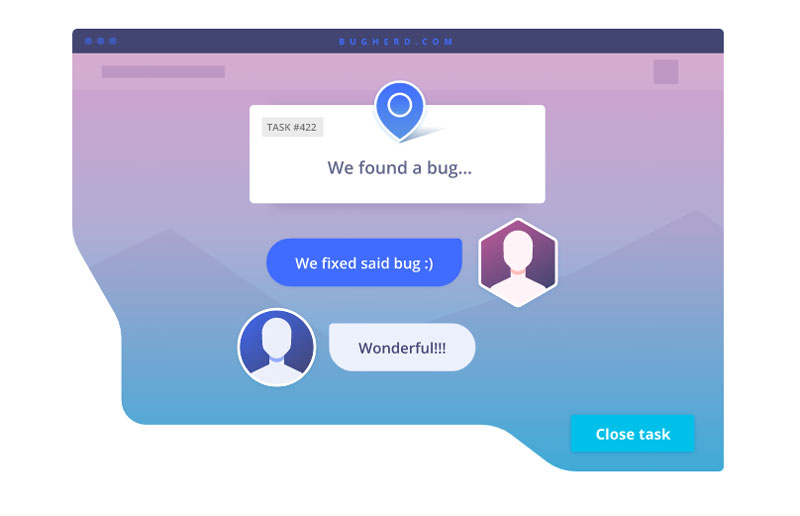
BugHerd fixes this problem (and others) in a brilliant way. After installing a browser extension or a JavaScript snippet, you will be able to let your client give feedback directly from the website.

This means that your client (or another team member) just goes on the website, points, and clicks where he sees a bug, then adds his or her comment in context.

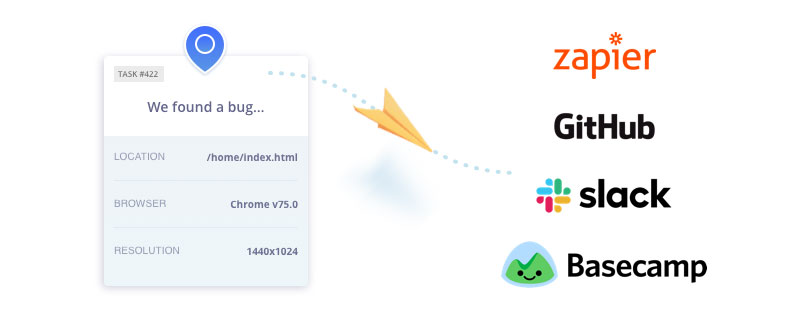
For each comment, the BugHerd sidebar allows you to tag your tasks for easier management and tracking, as well as assigning each task to the right person. For the developer, all necessary information will be provided automatically, such as the selector information or browser details. For every bug report, a screenshot is automatically attached.

A Visual Solution for Bug Tracking

You already know the old saying: “An image is worth a thousand words”. You can verify it if you try to describe a visual idea to someone, compared to creating mockups of the same idea.

Using a visual solution like BugHerd acts as a translator between tech and non-tech people. It removes the need to send annoying back and forth emails clarifying details. Instead, all the info needed to fix the issue is pinned directly to the task .

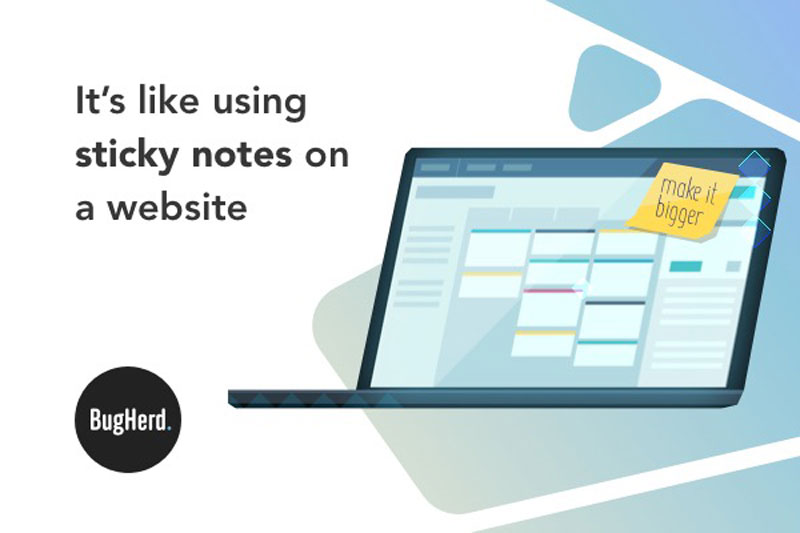
BugHerd is like using sticky-notes to pin client feedback and track bugs directly on a page. It’s a visual feedback tool for websites used by folks to manage projects across the web.

Bugs Management Done Right!

BugHerd is not only about visual feedback, but it also helps you track and manage bugs more efficiently as a team. You can manage as many projects as you want with it, and each task is organized into a Kanban board, which is a workflow visualization tool that enables you to optimize the flow of your work. This way, BugHerd also brings the power of visual bug management to developers.

On top of that, BugHerd shows a lot of love for developers by understanding that they don’t want to change all of their habits when they start using a new tool. The visual feedback and bug tracking tool also integrates with the apps that are most used by devs, such as Slack, GitHub, Zapier, or Basecamp.

Used by the Best Design Teams!

BugHerd has been around since 2010, which gives it a lot of experience and means that most of its features have been refined based on… their client feedback.

With thousands of users across the globe (172 counties at the time of writing this to be precise), you’re in good company. Some of their clients are among the best design teams you can think of, such as Dyson, Bloomberg, McKinsey & Company, among others.

Ready to give it a try? Head to their website and sign up for a free trial.

Thanks for being a subscriber, here is your FREE house vector icons set.
BugHerd: the Perfect Tool for Client Feedback and Bug Tracking for Teams

Post pobrano z: BugHerd: the Perfect Tool for Client Feedback and Bug Tracking for Teams

One of the most common issues dev teams face is that their clients don’t know how to give feedback if you don’t provide them with the proper tools. If you have ever received a Word document of 5 pages filled with comments like: “Page About Us, after the blue logo in the middle of the page, please make the text bigger”, you know what I’m talking about.

The Solution: BugHerd

BugHerd fixes this problem (and others) in a brilliant way. After installing a browser extension or a JavaScript snippet, you will be able to let your client give feedback directly from the website.

This means that your client (or another team member) just goes on the website, points, and clicks where he sees a bug, then adds his or her comment in context.

For each comment, the BugHerd sidebar allows you to tag your tasks for easier management and tracking, as well as assigning each task to the right person. For the developer, all necessary information will be provided automatically, such as the selector information or browser details. For every bug report, a screenshot is automatically attached.

A Visual Solution for Bug Tracking

You already know the old saying: “An image is worth a thousand words”. You can verify it if you try to describe a visual idea to someone, compared to creating mockups of the same idea.

Using a visual solution like BugHerd acts as a translator between tech and non-tech people. It removes the need to send annoying back and forth emails clarifying details. Instead, all the info needed to fix the issue is pinned directly to the task .

BugHerd is like using sticky-notes to pin client feedback and track bugs directly on a page. It’s a visual feedback tool for websites used by folks to manage projects across the web.

Bugs Management Done Right!

BugHerd is not only about visual feedback, but it also helps you track and manage bugs more efficiently as a team. You can manage as many projects as you want with it, and each task is organized into a Kanban board, which is a workflow visualization tool that enables you to optimize the flow of your work. This way, BugHerd also brings the power of visual bug management to developers.

On top of that, BugHerd shows a lot of love for developers by understanding that they don’t want to change all of their habits when they start using a new tool. The visual feedback and bug tracking tool also integrates with the apps that are most used by devs, such as Slack, GitHub, Zapier, or Basecamp.

Used by the Best Design Teams!

BugHerd has been around since 2010, which gives it a lot of experience and means that most of its features have been refined based on… their client feedback.

With thousands of users across the globe (172 counties at the time of writing this to be precise), you’re in good company. Some of their clients are among the best design teams you can think of, such as Dyson, Bloomberg, McKinsey & Company, among others.

Ready to give it a try? Head to their website and sign up for a free trial.

Thanks for being a subscriber, here is your FREE house vector icons set.
BugHerd: the Perfect Tool for Client Feedback and Bug Tracking for Teams

Post pobrano z: BugHerd: the Perfect Tool for Client Feedback and Bug Tracking for Teams

One of the most common issues dev teams face is that their clients don’t know how to give feedback if you don’t provide them with the proper tools. If you have ever received a Word document of 5 pages filled with comments like: “Page About Us, after the blue logo in the middle of the page, please make the text bigger”, you know what I’m talking about.

The Solution: BugHerd

BugHerd fixes this problem (and others) in a brilliant way. After installing a browser extension or a JavaScript snippet, you will be able to let your client give feedback directly from the website.

This means that your client (or another team member) just goes on the website, points, and clicks where he sees a bug, then adds his or her comment in context.

For each comment, the BugHerd sidebar allows you to tag your tasks for easier management and tracking, as well as assigning each task to the right person. For the developer, all necessary information will be provided automatically, such as the selector information or browser details. For every bug report, a screenshot is automatically attached.

A Visual Solution for Bug Tracking

You already know the old saying: “An image is worth a thousand words”. You can verify it if you try to describe a visual idea to someone, compared to creating mockups of the same idea.

Using a visual solution like BugHerd acts as a translator between tech and non-tech people. It removes the need to send annoying back and forth emails clarifying details. Instead, all the info needed to fix the issue is pinned directly to the task .

BugHerd is like using sticky-notes to pin client feedback and track bugs directly on a page. It’s a visual feedback tool for websites used by folks to manage projects across the web.

Bugs Management Done Right!

BugHerd is not only about visual feedback, but it also helps you track and manage bugs more efficiently as a team. You can manage as many projects as you want with it, and each task is organized into a Kanban board, which is a workflow visualization tool that enables you to optimize the flow of your work. This way, BugHerd also brings the power of visual bug management to developers.

On top of that, BugHerd shows a lot of love for developers by understanding that they don’t want to change all of their habits when they start using a new tool. The visual feedback and bug tracking tool also integrates with the apps that are most used by devs, such as Slack, GitHub, Zapier, or Basecamp.

Used by the Best Design Teams!

BugHerd has been around since 2010, which gives it a lot of experience and means that most of its features have been refined based on… their client feedback.

With thousands of users across the globe (172 counties at the time of writing this to be precise), you’re in good company. Some of their clients are among the best design teams you can think of, such as Dyson, Bloomberg, McKinsey & Company, among others.

Ready to give it a try? Head to their website and sign up for a free trial.

Thanks for being a subscriber, here is your FREE house vector icons set.
Brisk Graphics’ Design and Illustration Work

Post pobrano z: Brisk Graphics’ Design and Illustration Work

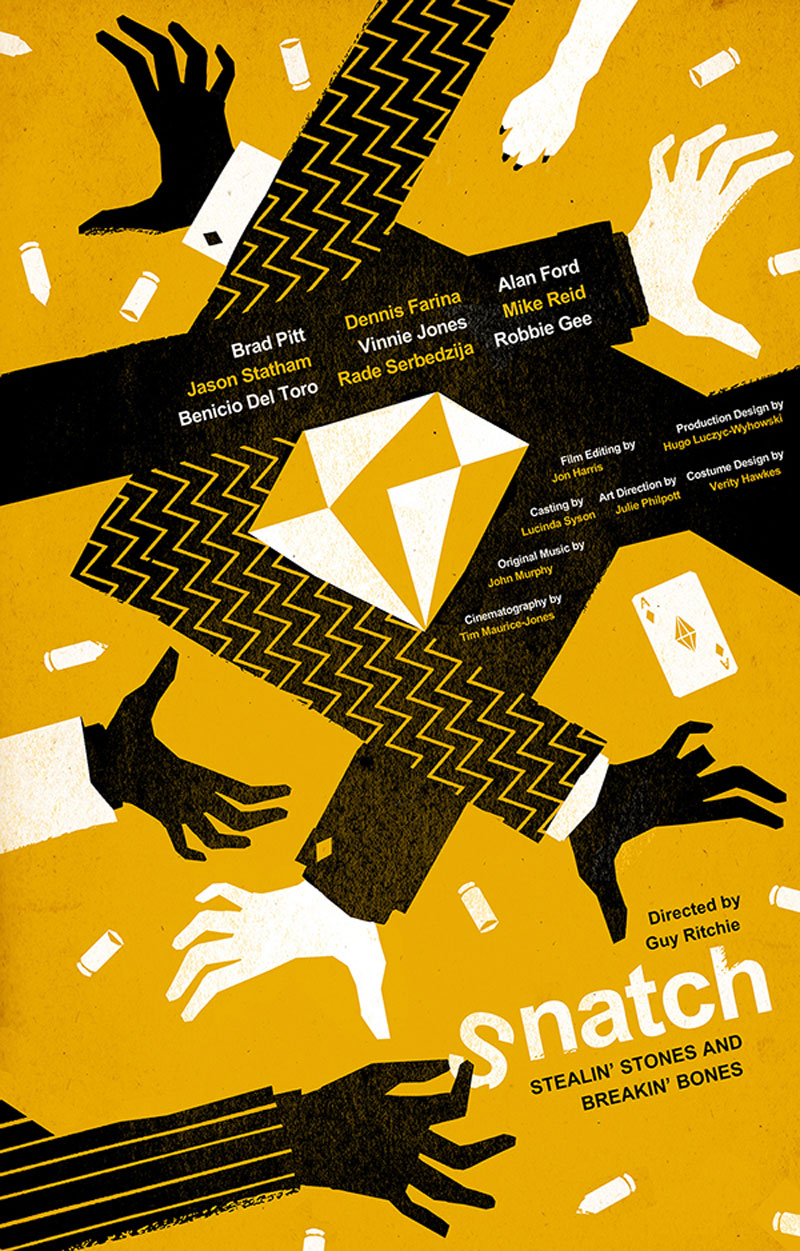
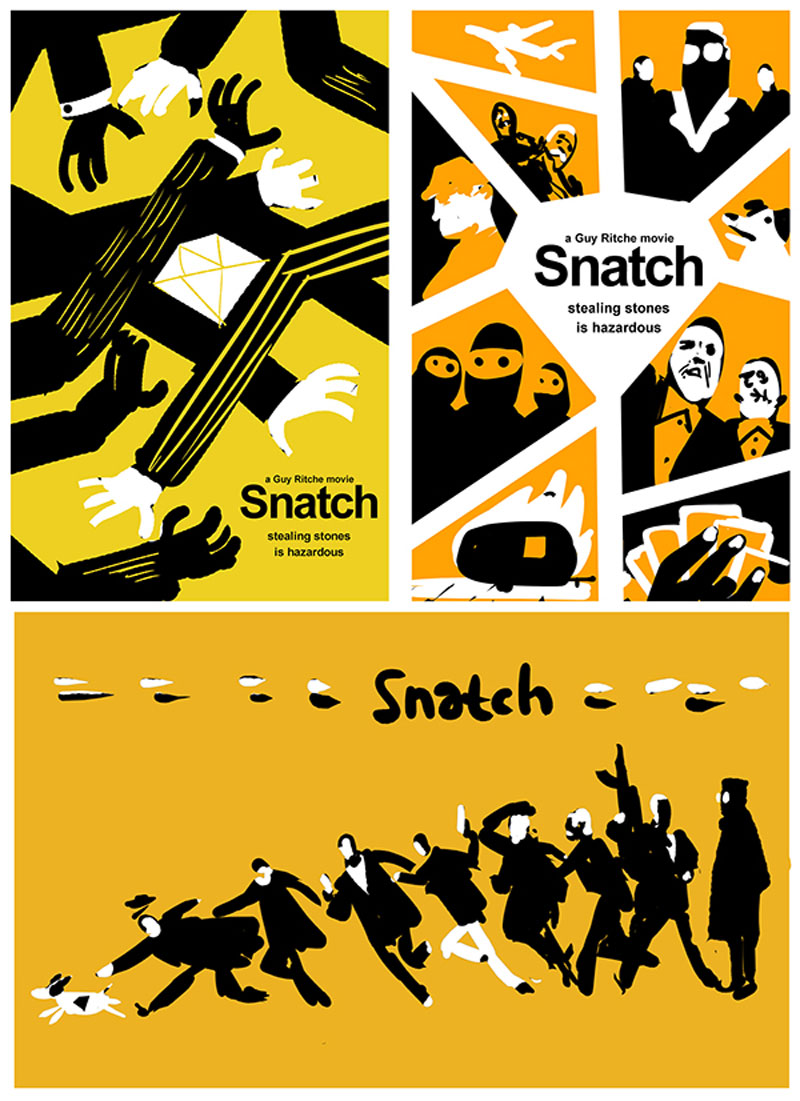
Freelance graphic designer and illustrator Levente Szabo, who goes by the name Brisk Graphics, has a portfolio filled with amazing work.

His illustrative style is a perfect fit for poster design and book covers, as it brings a very different look-and-feel from all these photographic posters that you see everywhere.

In his designs, you can see some clear references to great designers such as Saul Bass, the famous designer behind the Hitchcock movie posters, but Szabo still manages to get a unique touch that makes him recognizable.

Thanks for being a subscriber, here is your FREE house vector icons set.

Brisk Graphics’ Design and Illustration Work

Post pobrano z: Brisk Graphics’ Design and Illustration Work

Freelance graphic designer and illustrator Levente Szabo, who goes by the name Brisk Graphics, has a portfolio filled with amazing work.

His illustrative style is a perfect fit for poster design and book covers, as it brings a very different look-and-feel from all these photographic posters that you see everywhere.

In his designs, you can see some clear references to great designers such as Saul Bass, the famous designer behind the Hitchcock movie posters, but Szabo still manages to get a unique touch that makes him recognizable.

Thanks for being a subscriber, here is your FREE house vector icons set.
Brisk Graphics’ Design and Illustration Work

Post pobrano z: Brisk Graphics’ Design and Illustration Work

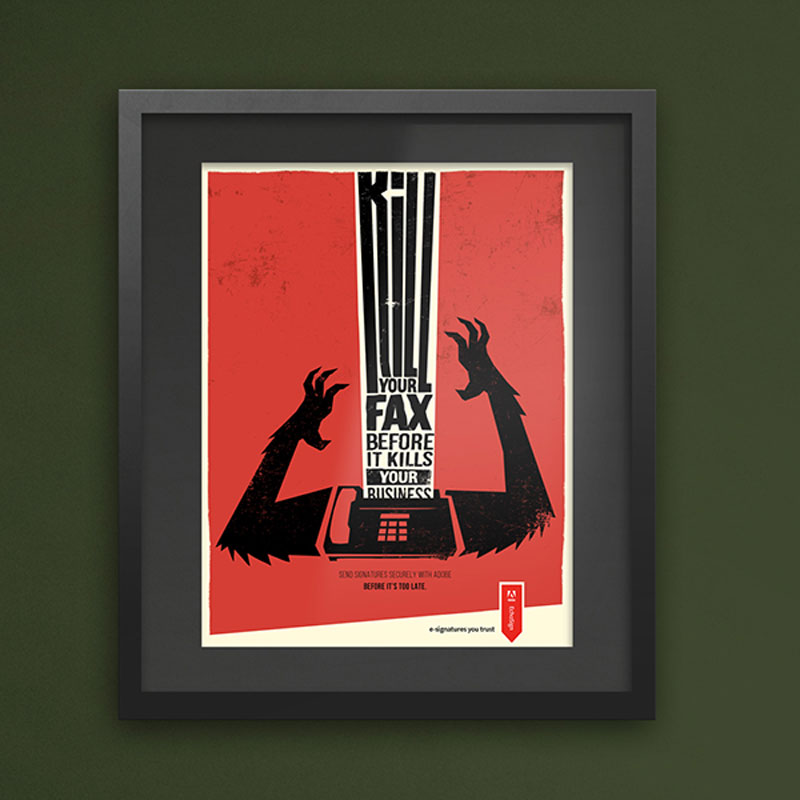
Freelance graphic designer and illustrator Levente Szabo, who goes by the name Brisk Graphics, has a portfolio filled with amazing work.

His illustrative style is a perfect fit for poster design and book covers, as it brings a very different look-and-feel from all these photographic posters that you see everywhere.

In his designs, you can see some clear references to great designers such as Saul Bass, the famous designer behind the Hitchcock movie posters, but Szabo still manages to get a unique touch that makes him recognizable.

Thanks for being a subscriber, here is your FREE house vector icons set.
Illustrated Stamps by TRÜF

Post pobrano z: Illustrated Stamps by TRÜF

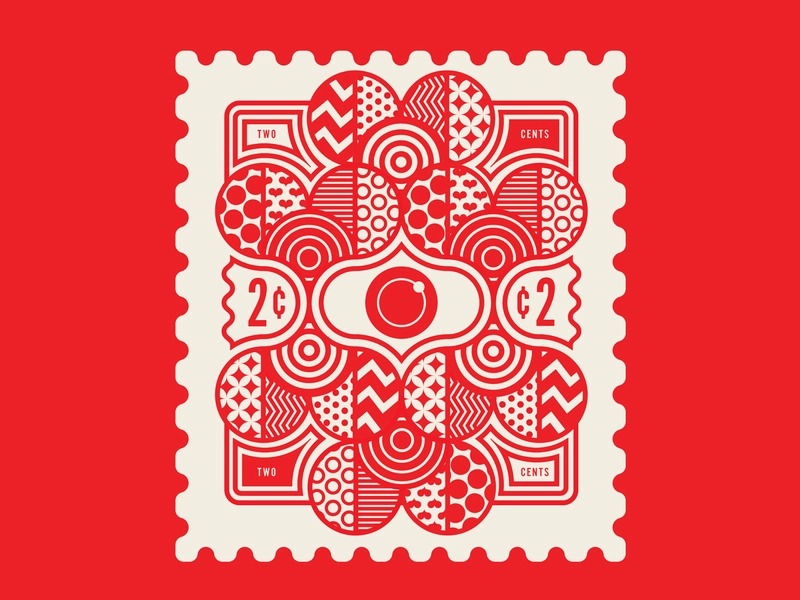
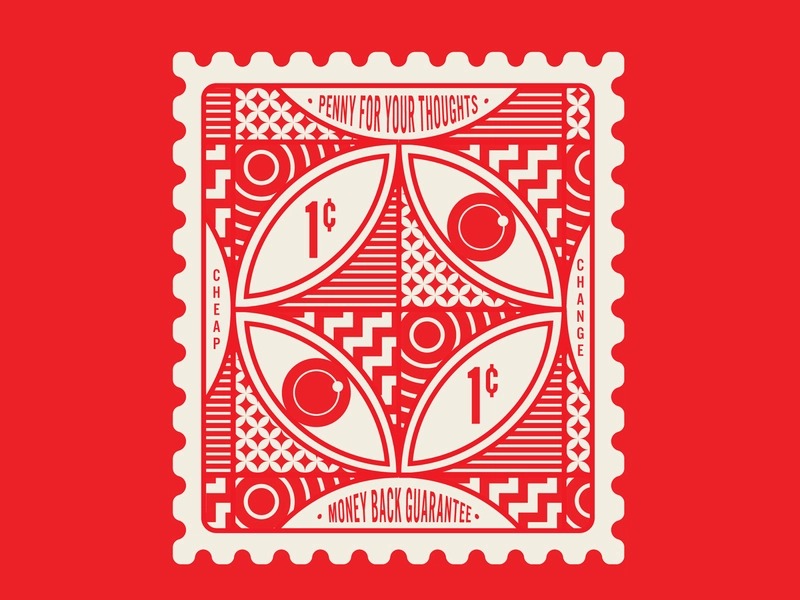
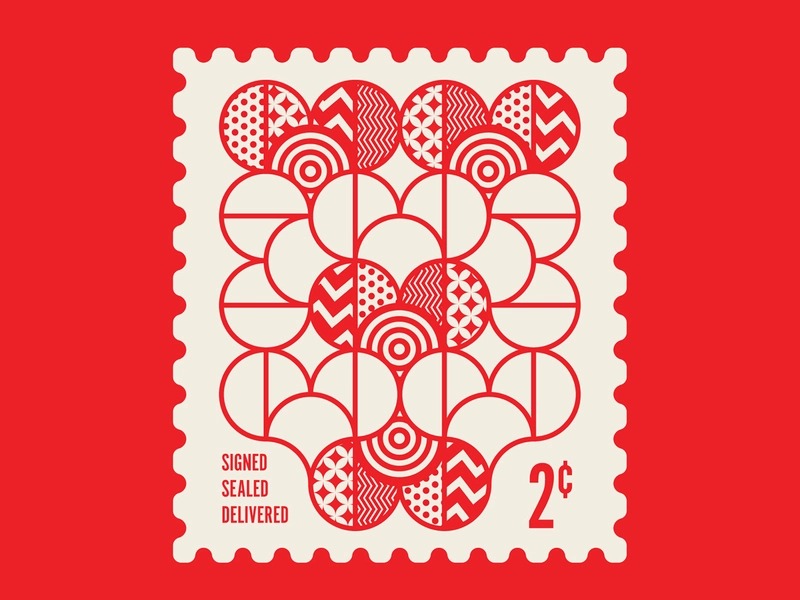
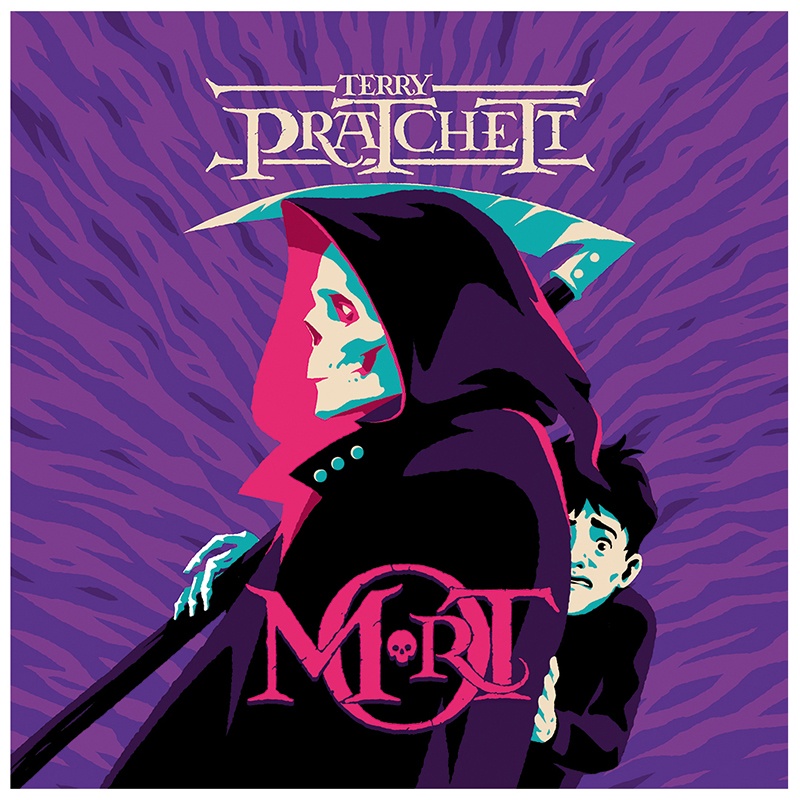
TRÜF is a small branding agency founded by Adam Goldberg and Monika Kehrer whose work is immediately recognizable for the unique illustrative style used.

The talented duo’s work has been featured in many major design magazines and blogs, mostly for their illustration work. For Designer Daily, it’s a project featured on their Dribbble account: a collection of very cheap concept stamps.

Thanks for being a subscriber, here is your FREE house vector icons set.
Illustrated Stamps by TRÜF

Post pobrano z: Illustrated Stamps by TRÜF

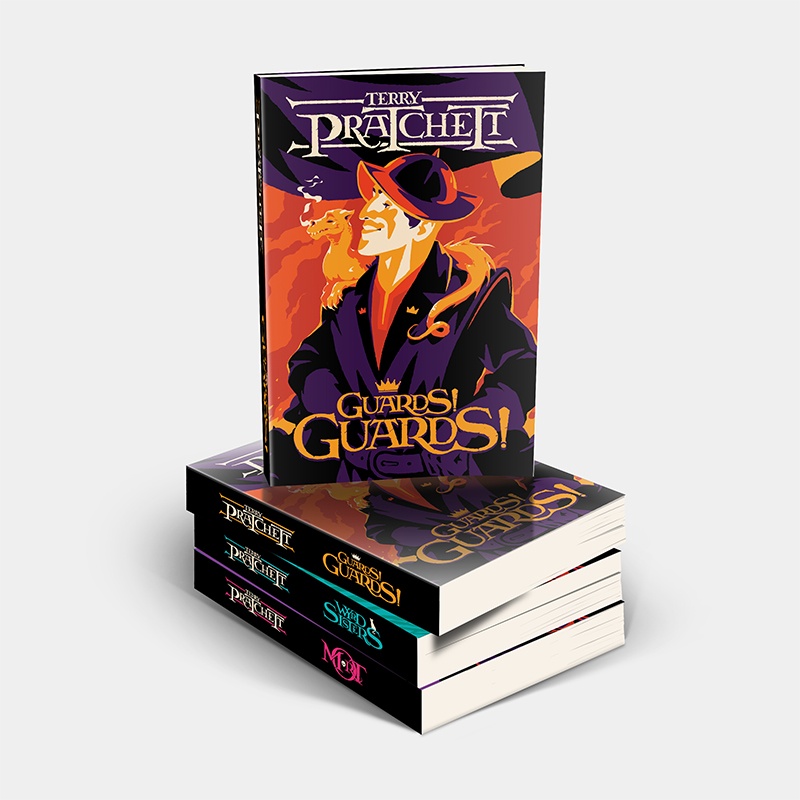
TRÜF is a small branding agency founded by Adam Goldberg and Monika Kehrer whose work is immediately recognizable for the unique illustrative style used.

The talented duo’s work has been featured in many major design magazines and blogs, mostly for their illustration work. For Designer Daily, it’s a project featured on their Dribbble account: a collection of very cheap concept stamps.

Thanks for being a subscriber, here is your FREE house vector icons set.