Archiwum kategorii: Design

Essential design subreddits you have to check out

Post pobrano z: Essential design subreddits you have to check out
first image of the post

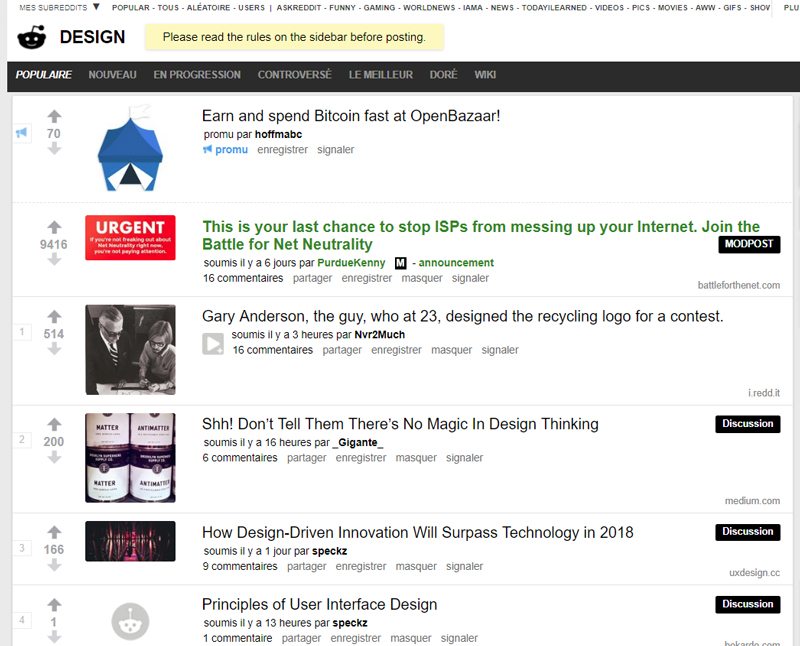
When working in the world of design, you often need to call upon a pool of different resources. Whether it’s to find the correct tool or maybe for some inspiration, the internet is a wonderful place to find these resources. However, given the breadth and depth of everything that’s out there on the web, finding what you’re looking for can be a challenge, to say the least. A salvation and a massive time saver can be found within the subsections of Reddit – called subreddits to those who lurk its pages daily. These subreddits are filled with thousands of active users who either work within or admire the design industry.

Whether you’re designing a logo or laying out a user interface, there exists within a specific subreddit those with the knowledge and wherewithal to help you out or put you in the correct direction. Don’t end up on one of these lists, instead, peruse some of the best subreddits for designers.

/r/design

The granddaddy of everything to do with design, /r/design boasts almost 200,000 users. The content features everything from graphic design to comic book sketching all the way to furniture and architecture. It’s a very general subreddit that is a good starting point if you’re looking for more niche design-related content, and if you can’t find what you’re looking for, merely create your own post and wait for someone in the know to correct your course.

/r/graphic_design

For anything and everything related to graphic design. It’s the perfect subreddit for those who are looking for news, theory, resources and inspirations for their respective projects. This includes anything that has to do with quality design such as logos, magazines, posters and illustrations.

/r/photoshopbattles

The place where the internet dukes it out, not with words or bullets, but with Photoshop edits. A lot of people prefer using other programs in lieu of Adobe’s popular software, but the concept remains the same: make something funny and sharable. You’ll need to have a good sense of humor and an eye for the uncanny and ridiculous, but when people start commenting, liking and sharing your work, you know you’ve hit the big time.

/r/designthought

For more in-depth academic posts that delve into the how and why of design, /r/designthoughts is the place for you. It’s a much smaller community than the other subreddits listed here, but the topics discussed tend to be much deeper, more thoughtful conversations than you would find listed elsewhere. Expect links to longer articles discussing the context of design, the societies that it reflects and how terminology can be used to shape the culture surrounding design.
14 free Android apps for designers

Post pobrano z: 14 free Android apps for designers
first image of the post

Android devices may not be as trendy as iPhones, but they are very popular too. If you are looking for buying latest android mobiles, you can check out Theandroidportal.com to find your dream smartphones. Developers enjoy creating apps for Android too and the market gets tons of free applications to choose from. If you are a designer with a phone or a tablet with the Android OS, you may be interested by the following cool (and free) apps.

1. Sketchbook Mobile Express

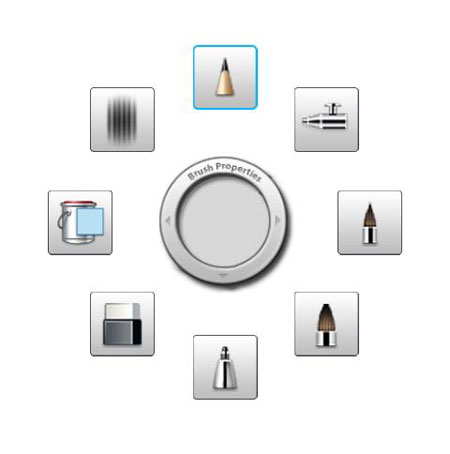
Drawing and painting application that allows you to create quick sketches from your mobile device.

2. Fontest

A typography tool for developpers that lets you preview how fonts display on Android devices.

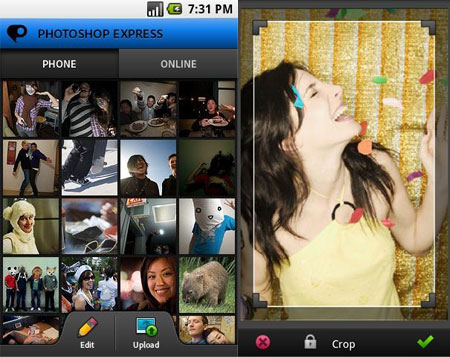
3. Adobe Photoshop Express

Of course this version of Photoshop is not exhaustive, but it can be a practical tool for editing your images.

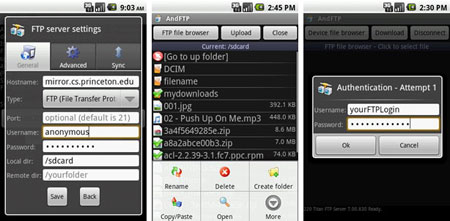
4. AndFTP

Very complete FTP client for Android devices, supports FTP, SFTP, SCP and FTPS. Lets you manage several FTP servers.

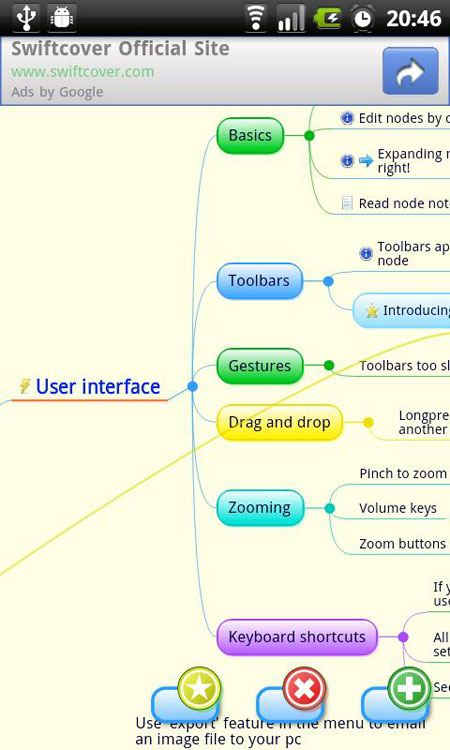
5. Thinking space

One task that you can easily work on from pretty much anywhere is looking for ideas. Mind mapping helps you to organize those ideas, Thinking space is perfect if you get an Android device.

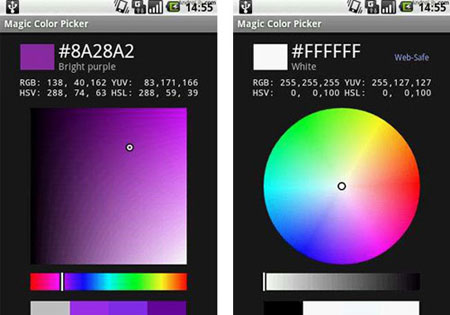
6. Magic Color picker

Color selection tool suitable for designers, artists and programmers for selecting colors using different color models. Supports 7 different modes and RGB, HSV, HSL and YUV color models.

7. SilverEdit

Web files editor for Android with syntax highlighting, a simple FTP client and more functionalities.

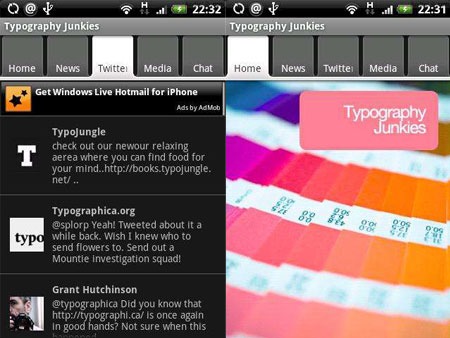
8. Typography Junkies

Stay up to date with the very latest in typography and font news on your Android Phone.

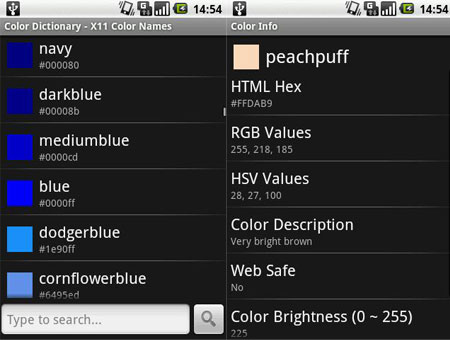
9. Color Dictionary

A reference of colors, provides RGB/HEX/CMYK/Lab values and detailed color analysis.

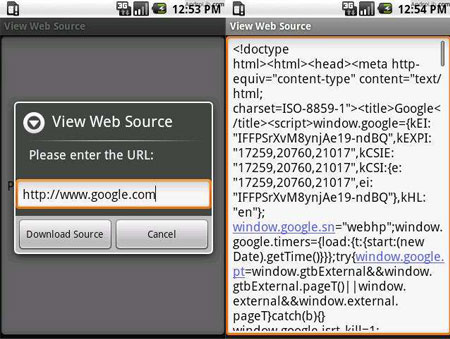
10. View web source

Check out the source of any web page, you will also be able to select text, search for text as well as copy and paste the HTML.

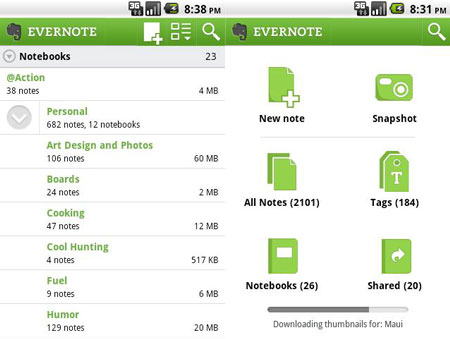
11. Evernote

Take notes of everything and in every format: photo, text, audio,…

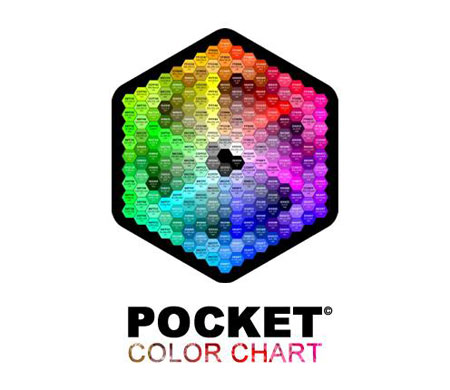
12. Pocket color chart

A Pantone reference in your Android app.

13. Photo enhance

Enhance and correct your photos, crop it or adjust it with this great little app.

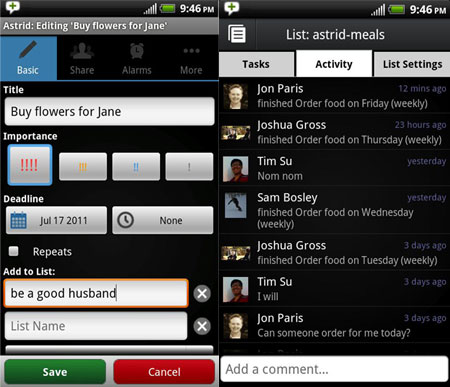
14. Astrid

For the productive designer, a great to-do list and task management application.

Design book: Can graphic design save your life?

Post pobrano z: Design book: Can graphic design save your life?
first image of the post

As designers, we are familiar with the crucial role graphic design plays in conveying information in a more efficient matter. Good graphic design actually goes much further than that; it goes as far as saving lives.

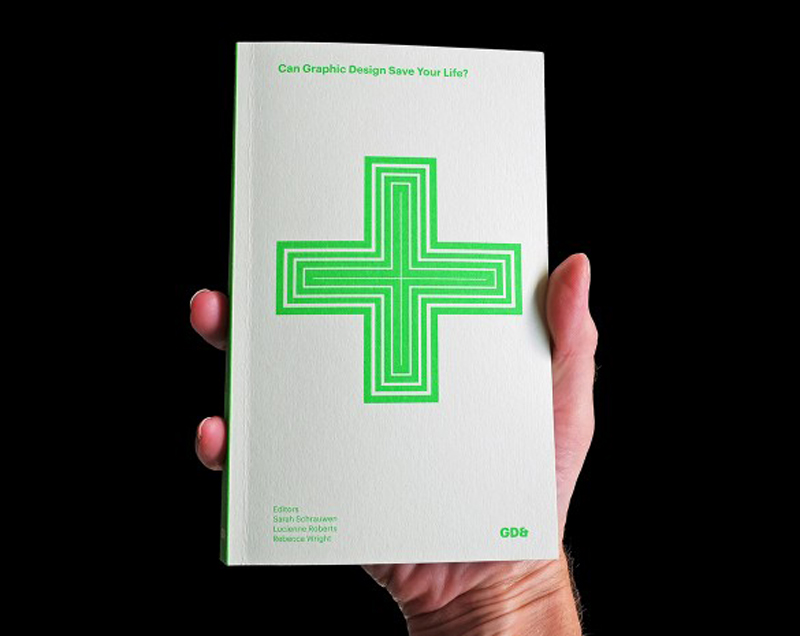
Specialized publisher GraphicDesign& recently released a book that demonstrates how graphic design, when done right, can save your life.

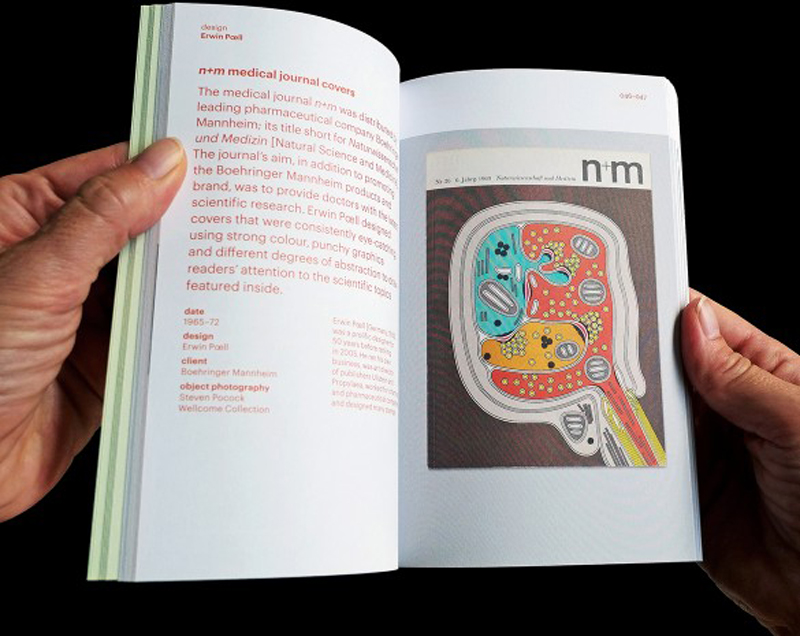
From unbranded cigarette packaging to apps about the human body, minimalist pill packaging to hospital information systems, and urgent public health warnings to revolutionizing health awareness campaigns, this well-illustrated book perfectly shows the vital need for good graphic design.

In a small, practical format, the book was conceived by asking to graphic designers, clients, and health professionals their answer to the question: “Can graphic design save your life?”.

What Is An EV SSL Certificate and why do you need one?

Post pobrano z: What Is An EV SSL Certificate and why do you need one?
first image of the post

Touted as the highest form of security verification currently available, an EV SSL Certificate (Extended Validation Secure Sockets Layer Certificate) confirms your identity and authority as a website owner. High-security browsers, such as the most recent editions of Safari, Explorer and Firefox can determine whether your SSL certificate has been subjected to Extended Validation. When it has, the browser address bar turns green, so your customers can readily determine your site has been subjected to this authentication.

Secure Sockets Layer Certification Explained

The standard tech for setting up an encrypted link between servers and browsers, SSL keeps your data private as it wends its way through the web from browser to the server and back to browser. To work, the server must have certified information about you to verify the data came from your machine. This is the certification part of the process in the name.

To get the certificate, a third party verification organization confirms all of the identifying information you provide when you request a domain name and hosting service. When the authentication process is complete, you’re issued a certificate of verification. Users see a lock next to the URL, which begins with “HTTPS” (S=secured) rather than simply “HTTP” when your site is SSL Certified.

Extended Validation Goes Even Farther

To qualify for an Extended Validation Certificate, your site must get through a more in-depth identity verification procedure. The goals are to confirm your existence as a certified entity, your exclusive right to use the domain and that your identity matches official records. Further, it affirms you requested to be certified. Once approved, your verification information travels with your data over the web. Browsers running high security protocols recognize EV SSL and will render the name of your organization as the site’s owner and your organization’s country of origin in the address bar.

Why Is This Important?

Scammers have become increasingly sophisticated and fake websites have become more prevalent—as well as exceedingly difficult to detect. The need for an improved system to counter this and verify the authenticity of a site emerged so users could feel better about trusting it. This is particularly critical in ecommerce, where financial information could potentially be exposed. Recognizing this need, the best free website template providers for ecommerce, such as Shopify, have incorporated accommodations for EV SSL into their platforms.

How To Acquire an EV SSL Certificate

The certificates are somewhat difficult to procure in order to maintain their validity. The Certification Authority Browser Forum (also known as the C/A Browser Forum) requires certified domains and servers to be listed with an officially recognized registration agency.

Corporations, general partnerships, unincorporated associations, government agencies and sole proprietorships are eligible to apply—if they already have a SSL Certificate and are located in a country approved by the U.S. government. Individuals are not eligible for certification. Certain industries are prohibited as well.

Your organization’s registered legal name, registration number, registered address, physical business address and any assumed business names will be investigated for verification. Your right to use the domain name will be verified as well. The investigating entity will also confirm you requested the issuance of an EV SSL certificate.

While it can be something of an arduous process, Extended Validation Certification benefits your online business by assuring your shoppers of your identity. By the way, the latest versions of Firefox, Safari and Explorer warn users when they are accessing unverified sites. This could cause them to leave your store and seek a validated place to shop. If you have yet to apply for EV SSL Certification, now is a good time to do so.

7 Ways to Improve Sales at Your Shopify Storefront

Post pobrano z: 7 Ways to Improve Sales at Your Shopify Storefront
first image of the post


Shopify users have helped propel this storefront to iconic standing – enabling this shopping cart services provider to amass an impressive 115,000 new active storefronts over the past two years. It’s no mystery why retailers love using Shopify – the service makes it easy for just about anyone to get a professional-looking store up and running in a short matter of time. With a variety of premade free and premium templates to choose from, multichannel integration and dropship integrations, it’s never been faster or easier to start selling online.

But getting your store up on Shopify is just one part of the equation. Generating the sales you want while building your customer list is quite another. If you want more sales on Shopify, there are many tried and true methods. To help you get ahead of the game and improve your bottom line and ROI, here are 7 tried and true methods you can use that have been proven to increase sales exponentially.

Consider Using Premium Themes

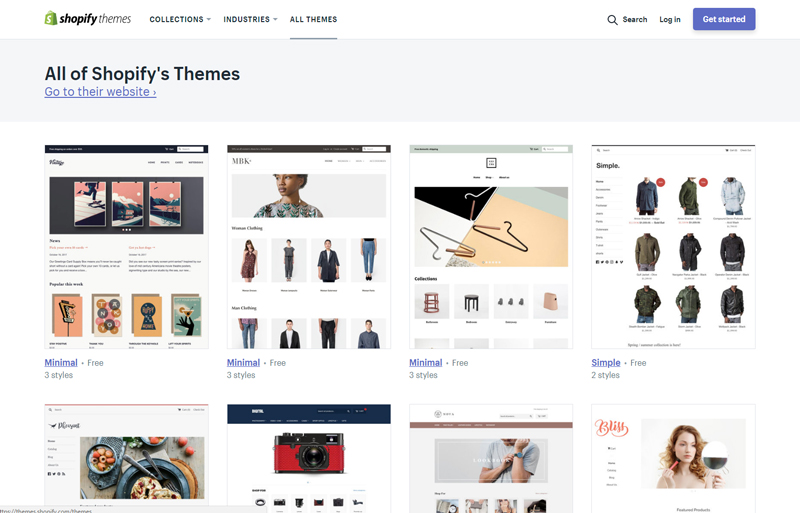
Certainly, the free themes on Shopify aren’t bad. But with so many stores already using them, they are not all that unique, either. The key to really making your store stand out is with using premium themes. Your first stop should be at the official Shopify Theme Store – where you can connect with theme creators and designers to get a custom-made or premade premium theme for your store.  Another good place is Theme Forest – where you can browse thousands of awesome themes. You can also find premium themes for Shopify at places like Out of the Sandbox and many others.

Rethink Social Media Marketing

What social media marketing are you doing for your Shopify store? If you are just posting updates, blog roll posts or pictures of your products, you probably are not doing enough to really generate buzz. Instead, consider hosting contests and polls as well as showcasing your wares on Instagram and Pinterest via sponsored posts and pins. Also, explore your options with hiring social media management experts from places like UpWork or Fiverr – which offer services starting at just $5 and up.

Improve the Customer Journey with a Shopify CRM

Once your customers arrive at your store, what’s next? Perhaps they are looking at multiple channels? Maybe they’ve purchased a product from an eBay store you’ve run in the past or from your Amazon store? What about their order history, customer profile, notes and more? In order to truly improve the customer journey and get to know your market like never before, you’ll want to look into a cross-channel Shopify CRM software solution to help you piece together all your data—so you can improve loyalty and retention while enhancing the customer journey.

Expand Niche Products with Drop Shipping Options

Are you unable to carry a product inventory? Or do you feel that your existing inventory is being limited by your overall budget? You have some options here. Look into drop shipping services like Dropified or Oberlo. They offer millions of products that you can auto-import into your Shopify store and the margins are very lucrative. It’s an easy and fast way to expand your inventory and get more sales without having to worry about fulfillment or overhead.

Streamline Fulfillment & Returns Logistics

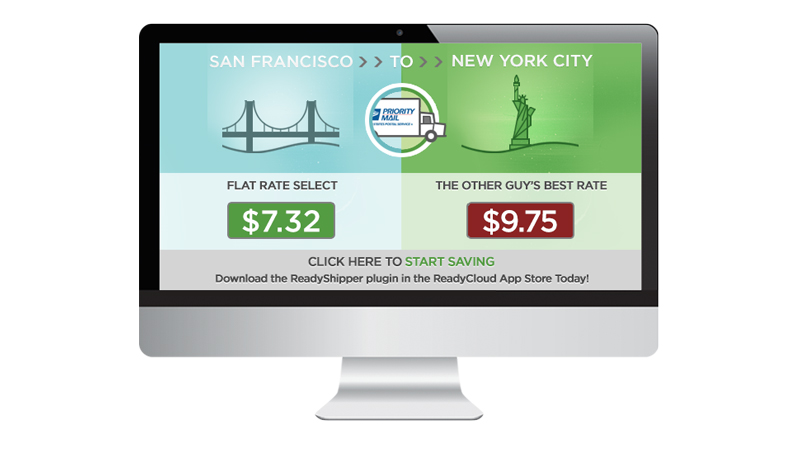
What about Fulfillment and returns logistics? You have lots of options these days with shipping software solutions and returns software. For fulfillment, consider software solutions like ReadyShipper X – which offers a multicarrier shipping solution. For returns, look to Shopify-friendly integrations like ReadyReturns, which automates your returns policy and works in tandem with ReadyShipper.

Also, make sure you look at the Shopify App Store to see all your options with products such as these. If your return and shipping volumes are low, you can always use Shopify’s included shipping and returns system. By making shipping and returns fast and easy for customers, you are 80% likelier to get more sales and earn repeat business, according to UPS.

Add Integrated Reviews & Digital Coupons

Don’t overlook the power of integrated reviews and digital coupons. More than 1 billion digital coupons were redeemed by smartphone users last year alone – and integrated reviews are a time-tested method of securing more conversions and improving customer loyalty. Shopify offers integrated apps for this, including YotPo for integrated customer reviews, and Better Coupon Box for easy digital coupons. Both will help you secure more social chatter, improve customer loyalty and trust, and will also help you improve your average order value exponentially.


Nine key questions to ask mobile app developers to help you choose the right one for the job

Post pobrano z: Nine key questions to ask mobile app developers to help you choose the right one for the job
first image of the post

The use of smartphones has made the need for apps to be on the increase. In fact if your business doesn’t have an app it’s possible that you’re losing customers. Technology has made life easier and patronizing a company that’s lagging behind in app development is one of the hardest things to do right now. I’d rather go with a company whose services can be accessible through their app. Everyone wants the easy way out, and if you’re not thinking app, you’re obviously not ready to win customers over. Having a good app is a plus to your company, which means you need to employ the services of a good web developer. There are lots of competitions out there when it comes to choosing a good web developer for your business. But here are nine key questions to ask the mobile app developers that’ll help you choose the company for the job.

Where can I find the apps you’ve developed?

One thing I love about app development companies is that their jobs are not far-fetched. By just a click you can access the apps your potential developers have created or collaborated in their creations. A good app company won’t even let you ask this question, a serious company would have shown you samples of their jobs and where their apps can be found.

May I have the list of your current and past clients?

This question is necessary to validate the answer to the first one. You don’t just believe that a company created something by mere asking, you need another company they’ve worked for to confirm their claims. Your verification shouldn’t only be about app creation but about everything you’d like to know about their services. In an email interview, Jamie Buck the co-founder of Payday loans UK, said “When in search of the right app developer, it’s not enough to see the apps they’ve developed, there’s a great need to reach out to their clients to find out their customer experience”.

What’s your pay?

This should be the next point to be discussed after you’ve confirmed the developer is up to the task. Find out if he/she can work within your budget.

What kind of smartphone do you use?

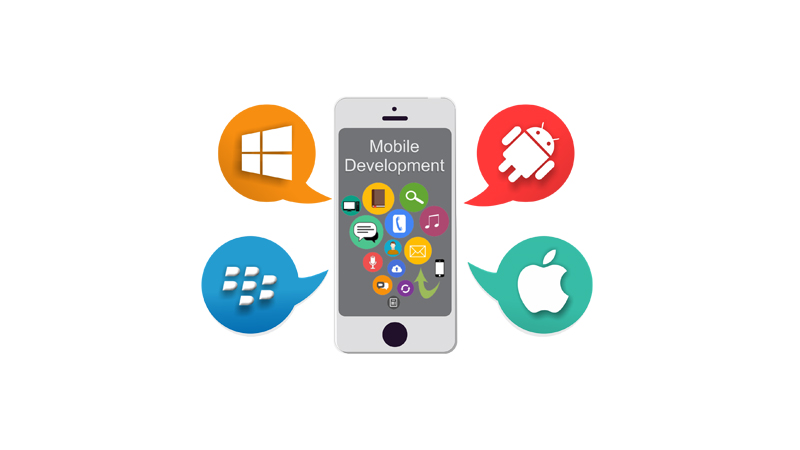
This question is necessary because the answer will let you know how knowledgeable a mobile web developer is about a particular mobile platform. If the developer is claiming to be a guru in developing apps on iPhone, then person should be using an iPhone. It is also applicable to blackberry and android.

How can my app make money?

If your goal for developing the app is to make money, then this question is necessary. The knowledge of this will help the developer add money making features in the app. You can either make it pay-per-download or free. Whatever your decision is between the two, make sure they are well clarified by the developer.

How do we communicate during the process?

How well you communicate during the development process determines how great the app will turn out. It’s expedient to enquire means of communication to ensure thorough follow up. Does the person prefer calling or video conferencing? Whatever his/her means of communication maybe, it should be convenient for you.

What kind of unique features can you create?

No matter how well designed your app is, if its features aren’t useful and very innovative it won’t catch customers’ attention. Find out the versatility of your developer and how well he/she can add features.

Who will own the app?

It’s okay to assume that you’re the owner of the app since you’re the one paying for it. But better it is to have a well written contract agreement with the developer. You guys should either sign “Work made for hire” or “Copyright assignment” contract that states you won everything related to the app.

Will my mobile app be submitted to app stores?

You ought to know if your app will be submitted to app store. This is the last step after you must have approved the beta-tested version of your app. The app submission process usually takes long.


Five mistakes to avoid when building your mobile app

Post pobrano z: Five mistakes to avoid when building your mobile app
first image of the post

Mobile app is one of the most popular words in recent times. This is due to the fact that companies and customers are embracing the idea of having services and products at their fingertips. And just like how these apps succeed, that’s how the way some fail as well. There are mistakes to avoid if you want your app to become a success and not the opposite.

We’ll be looking at five mistakes to avoid when building your mobile app.

Building multiple platforms app at a go

The competition in app building is so stiff that you would rarely see an app that doesn’t have competitions. There are over a million apps on both Apple App and Google Play Store, so it is necessary to take time in building one platform than trying to focus on many platforms.

You tend to get excited over how good your app turned out and become tempted to launch it on multiple platforms, don’t fall for it. It’s advisable that you kick off on a single platform first and see how it goes. Doing this aids in making your minimum value product (MVP) available in the app store on time.

It’s a new app and you’ll agree that there are likely to be changes, launching on multiple platforms will make introduction of changes costly. You can’t effect a change in Apple App store and not do same in Google Play Store. Starting off on iOS isn’t a bad idea. Remember you test the depth of a river with both feet.

 Having too many features

It’s always advisable to launch an app only with its core features. It’s the first time people are getting to use the app, give them a great user experience; which can be achieved by the ability to do more with less features in your app.

In the quest of building your app with its core features, do not for any reason build an app hastily. The reason why taking your time is good, is because in apps there are rarely second chances. Once your app has been written off by customers it will take only a miracle to come back bigger.

Skimming on user experience

Mobile app users are one of the most impatient people to come across. In the sense that 26% of apps are only opened once and never to be used again; if customers are finding it difficult in navigating through your app, it’s definitely bound to fail. Jim Rizzoli the co-founder of Zerobounce an online email verifier, in an emailed interview said that “Anything you create that has to do with people in the recent times must appeal to people to them at the very launch; even though you will still have to improve on it later. Your goal is capture their interest at first.”

They need to have a self-describing and not only intuitive experience when using your app. It’s expedient to get right your user experience before launching that app. There’s no room for second impression in the mobile app business. It’s either you get it right and keep improving, than to hurriedly build what won’t last.

Not incorporating analytics

Not including analytics is like running a business without records. It’s dangerous right?  Yeah. That’s the same way not incorporating analytics in your mobile app is dangerous. Analytics are used in measuring the progress of your app. With them you get to know your retention rate, engagement, average time spent within the app, daily active users, etc. The knowledge gotten through these analytics are to assist you in making necessary changes in the app.

Marketing after submitting App

You shouldn’t wait for the app to be launched in App store before marketing. It’s okay to start marketing as the app within two to four weeks before it goes live. You can send a pitch of your app to authors on tech sites to write about your app. Apps do not sell themselves, that’s why it is very much necessary to define your audience before launching.


An impressive cake designed with the help of algorithms

Post pobrano z: An impressive cake designed with the help of algorithms
first image of the post

What happens when a talented designer, architect, and 3D artist combines her passion for baking cakes with her professional skills? The answer is in pictures in this post, with one of the latest creations by Dinara Kasko, a designer gone pastry artist.

Thanks to the power of the Internet, this Ukrainian housewife mashed up her passion with her professional background and now gives cake-creation workshops all around the world. See the video at the end of this post to see more about the making-off of this cake.