Archiwum kategorii: Web Tools

32 Best Twitch Banners Using a Banner Maker (Including Offline Banner Designs)

Post pobrano z: 32 Best Twitch Banners Using a Banner Maker (Including Offline Banner Designs)

Looking to create an awesome banner design (or Twitch offline banner) for your Twitch channel? Well, we’ve got the perfect tool for you, a Twitch banner maker! This Twitch Banner Maker from Placeit offers terrific banner templates and Twitch offline banners that will help you create your very own profile or offline banner quickly and easily. 

The templates from this online banner maker are all sized optimally at 1200 x 380 pixels for profile banners and 1920 x 1080 pixels for offline banners and contain all the controls you need to easily customise your template. Let me show you how. 

Want to know how to create a Twitch banner without using Photoshop? Check out this video tutorial from our Envato Tuts+ YouTube channel on how to use a Twitch banner maker. 

How to Make a Banner Quickly and Easily

1. Navigate to the Twitch Banner Maker at Placeit.

How to Make a Banner Quickly and Easily

2. Review the Twitch banner templates (or Twitch offline banners) on offer and select the one you like the most.

How to Make a Banner Quickly and Easily

3. Use the Twitch banner template provided by the digital banner maker to make your very own banner design.

  • Starting with the controls on the left, you can add your own text and change the font style.
How to Make a Banner Quickly and Easily
  • Moving to the controls below the text options, you can change the graphics used in the design or add your own. 
How to Make a Banner Quickly and Easily
  • Moving to the controls on the right, you can change your background image, add your own custom image if you’d like, or opt to use no background image at all.
How to Make a Banner Quickly and Easily
  • Now use the controls highlighted on the online banner maker below to change the colour of the text, graphics, background, and social media icons. 
How to Make a Banner Quickly and Easily

4. You can resize any of your text or graphics and move them around to find the layout that’s right for you.

If you’re not happy with the changes you’ve made, you can reset the layout to return the design to its original layout.

How to Make a Banner Quickly and Easily

5. Once you’re satisfied with your banner design, hit the download button at the top of the screen and download your custom banner design for a small fee. 

If you regularly need to create banners, logos, flyers, posters, social media banners, etc., then the monthly plan may be the best deal for you. 

That’s how to make a banner in five simple steps using a digital banner maker.  

How to Make a Banner Quickly and Easily

16 Best Twitch Offline Banners

1. Simple Twitch Offline Banner Maker With Speed of Light Images

Simple Twitch Offline Banner Maker with Speed of Light Images

If you’re looking for a banner design with a bit of sophistication, check out this beautifully designed offline banner template which features a gorgeous speed of light effect overlaid by bold text and a beautiful background of clean lines with subtle shadow effects.

2. Twitch Offline Banner Template With Industrial Background Images

Twitch Offline Banner Template with Industrial Background Images

This template offers an alternative take on the previous design. Gone is the speed of light effect, and the subtle, understated tones of the background are replaced with brighter contrasting colours designed to arrest the eye and stimulate the senses.

3. Minimalist Twitch Offline Banner Design Template

Minimalist Twitch Offline Banner Design Template

If you’re looking for a more playful theme, this may be more your cup of tea. The template’s background image incorporates Japanese references with Mount Fuji and cherry blossoms. 

4. Twitch Offline Banner Creator With Curved Lines Vector

Twitch Offline Banner Creator with Curved Lines Vector

This template incorporates lovely wireframe shapes in warm and cool colours against a gorgeous midnight blue background. The shapes frame the text beautifully so that the eye is focused on it. 

5. Twitch Offline Banner Generator With Tetris Clipart

Twitch Offline Banner Generator with Tetris Clipart

What better way to reference gaming culture than with Tetris shapes in riotous colour? Just add your text, customise the colours, and your template is ready to use. 

6. Twitch Offline Banner Maker for a Minimalist Twitch Account

Twitch Offline Banner Maker for a Minimalist Twitch Account

If your taste tends towards simplicity, this minimalist banner may appeal to you. It features clean, bold text, striking lines and circles at the top and bottom of the design, and a solid background—which you can change to any colour that suits your needs.

7. Twitch Offline Banner Maker With Spray Paint Clipart

Twitch Offline Banner Maker with Spray Paint Clipart

A template with a whole lot of attitude, this banner features an eye-catching retro font, a flare accent, and a gorgeous textured background with bold colours. 

8. Twitch Offline Banner Design Template With Gaming Symbols
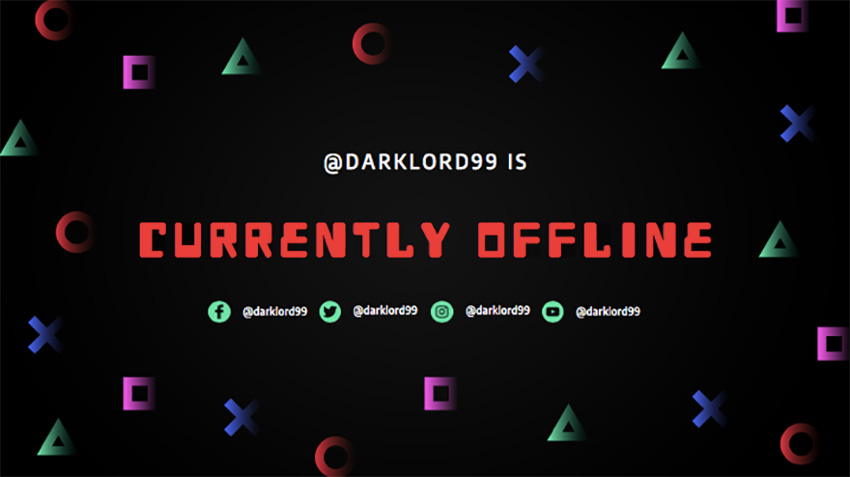
Twitch Offline Banner Design Template with Gaming Symbols

Use this classic gaming font surrounded by colourful geometric shapes to bring a vintage flair to your banner. Customisation is as easy as adding your text and selecting your colours. 

9. Offline Twitch Banner Generator With Space Background

Offline Twitch Banner Generator with Space Background

Let your imagination soar with this space-themed background featuring a smoking psychedelic planet. Totally trippy!

10. Twitch Offline Banner Generator With Diagonal Lines

Twitch Offline Banner Generator with Diagonal Lines

This template offers a different take on the space theme, with speeding light trails in riveting, engaging colours. Just add your text, select a font, add your colour scheme, and your template is ready to download. 

11. Twitch Offline Banner Maker With Colorful Background

Twitch Offline Banner Maker with Colorful Background

Inspire your followers with this terrific upbeat template which offers loads of riotous colours and shapes that are both engaging and fun.  

12. Offline Twitch Banner Generator

Offline Twitch Banner Generator

What could be cooler than this exploding galaxy background? If it’s not to your taste, no problem. The template offers loads of other terrific backgrounds that are bound to appeal. 

13. Twitch Offline Banner Maker With Microchip Clipart

Twitch Offline Banner Maker with Microchip Clipart

How can you not like this offline banner featuring a circuit board background? Add your details and take it for a spin. 

14. Twitch Offline Banner Maker With Tech Images

Twitch Offline Banner Maker with Tech Images

The aurora borealis has been mesmerising people for centuries, and this banner design uses its stunning patterns tastefully to show off some pretty awesome graphics and fonts. 

15. Offline Twitch Banner Generator

Offline Twitch Banner Generator

Another intergalactic theme, this banner template combines a terrific array of colours, patterns and fonts to create an attention-getting design. 

16. Twitch Offline Banner Maker With a Geometric Background With Square

Twitch Offline Banner Maker with a Geometric Background with Square

Riffing off the idea of buildings silhouetted against the skyline, this template uses stacked rectangle shapes to create a gorgeous backdrop for your information. Add your text, change the font and colours if you want, and your job is done.

16 Best Twitch Profile Banners

Before we jump into the free Twitch banners, let’s have a look at some of the many Twitch banner designs available. These give you more customising options than the free Twitch banners and will give you a more unique design to your channel.

1. Twitch Banner Creator With Aurora Borealis Background

Twitch Banner Creator with Aurora Borealis Background

The sister banner to Twitch Offline Banner Maker With Tech Images above, this profile banner uses a similarly stunning aurora borealis background paired with similar awesome graphics and fonts. 

2. Twitch Banner Generator With Space Visuals

Twitch Banner Generator with Space Visuals

This galaxy-themed profile banner uses clean text and colours that pop. Customise it by adding your own text and social media handle.

3. Twitch Banner Template With Custom Gaming Designs

Twitch Banner Template with Custom Gaming Designs

If action adventure is your thing, there’s no better way to let your potential followers know that than with this cool custom banner maker featuring a terrific selection of background images and bold, attention-getting fonts. 

4. Girly Twitch Banner Maker With Abstract Backgrounds

irly Twitch Banner Maker with Abstract Backgrounds

A bright, colourful and fun banner your Twitch audiences will love. Choose one of the terrific backgrounds, add your text, change font style and colour, and then add your social media profiles to complete your customisation.

5. Live Stream Gaming Banner Maker for Twitch

Live Stream Gaming Banner Maker for Twitch

This gaming banner lets you add any number of backgrounds from a wide selection of images or upload your own image if you prefer. Change your text and your banner is ready to use. 

6. Twitch Banner Template With Video Game Background

Twitch Banner Template with Video Game Background

If you’re looking for a fun, colourful gaming theme for your profile banner, this is it. Swap out backgrounds and change colours and fonts to make this great theme your very own. 

7. Twitch Banner Maker With Abstract Stars

 Twitch Banner Maker with Abstract Stars

Cool background, clean fonts, and bright colours make this template a great choice for your Twitch profile banner.

8. Twitch Banner Generator With Purple Gradients

Twitch Banner Generator with Purple Gradients

The perfect design for Twitch users looking for a profile banner template. The template features a beautiful gradient background, gorgeous graphics, and a stylish font. This highly customisable template offers you several options for changing the graphics and adding an image to the background if you so desire. 

9. Twitch Banner Template for Gamers

Twitch Banner Template for Gamers

Looking for a profile banner with a nightmarish edge? Then this is the perfect custom banner maker for you. The template offers a great selection of exciting images and clever fonts you can experiment with to help give the template your own unique stamp.

10. Twitch Banner Design Template With Milky Way Background

Twitch Banner Design Template with Milky Way Background

An intergalactic theme for a space age profile banner. The template offers lots of choice of fabulous backgrounds, graphics, and fonts to customise your design.

11. Live Streaming Twitch Banner Maker

Live Streaming Twitch Banner Maker

Groovy colours, fun shapes, and retro font. A terrific profile banner for those who like playful designs. 

12. Twitch Banner Template for a Streaming Twitch Channel

 Twitch Banner Template for a Streaming Twitch Channel

Another profile banner for those who like to keep things light, this banner features gorgeous geometric shapes in beautiful bright colours and an awesome Tetris-style font. 

13. Minimalist Twitch Banner Generator

Minimalist Twitch Banner Generator

Keep things simple but eye-catching with this banner, which features bold stripes that you can colour in 

14. Twitch Banner Template With Gaming Icons

Twitch Banner Template with Gaming Icons

Another one for the retro category. Use this terrific banner template with its gradient background and vintage graphics to make a statement. 

15. Online Banner Maker for Twitch With Geometric Shapes

Online Banner Maker for Twitch with Geometric Shapes

Create any number of awesome banners with this geometric themed profile banner. Just enter your text, select your font style and colour, and you’re set.

16. Linear Graphic Twitch Banner Maker

Linear Graphic Twitch Banner Maker

Wonderfully versatile, this profile banner template features a great range of backgrounds, fonts, and graphic elements to enhance your design. Mix and match them and you’ve got a terrific banner in minutes.

Free Twitch Banners

Placeit offers some free Twitch banners which may change from time to time. As of the day of publishing, this is currently their offering of free Twitch banners ready for you to download.

Free Twitch Banners on Placeit

Use the Digital Banner Maker and Create Your Own Banner Design

Online banner makers are a terrific tool to help you make a banner for your Twitch channel quickly and easily, with minimal cost. 

These 32 Twitch banners/Twitch offline banners are just a few of the banners that you can create with the custom banner maker at Placeit. I hope they have given you tons of banner ideas and you now feel confident that you know how to make a banner for your Twitch channel. Use your favourite template to make your own banner and share it with us here. We’d love to see what you come up with.

And if you’re interested in designing other resources like flyers, movie posters, magazine covers, etc., here are some great templates for you:

32 Best Twitch Banners Using a Banner Maker (Including Offline Banner Designs)

Post pobrano z: 32 Best Twitch Banners Using a Banner Maker (Including Offline Banner Designs)

Looking to create an awesome banner design (or Twitch offline banner) for your Twitch channel? Well, we’ve got the perfect tool for you, a Twitch banner maker! This Twitch Banner Maker from Placeit offers terrific banner templates and Twitch offline banners that will help you create your very own profile or offline banner quickly and easily. 

The templates from this online banner maker are all sized optimally at 1200 x 380 pixels for profile banners and 1920 x 1080 pixels for offline banners and contain all the controls you need to easily customise your template. Let me show you how. 

Want to know how to create a Twitch banner without using Photoshop? Check out this video tutorial from our Envato Tuts+ YouTube channel on how to use a Twitch banner maker. 

How to Make a Banner Quickly and Easily

1. Navigate to the Twitch Banner Maker at Placeit.

How to Make a Banner Quickly and Easily

2. Review the Twitch banner templates (or Twitch offline banners) on offer and select the one you like the most.

How to Make a Banner Quickly and Easily

3. Use the Twitch banner template provided by the digital banner maker to make your very own banner design.

  • Starting with the controls on the left, you can add your own text and change the font style.
How to Make a Banner Quickly and Easily
  • Moving to the controls below the text options, you can change the graphics used in the design or add your own. 
How to Make a Banner Quickly and Easily
  • Moving to the controls on the right, you can change your background image, add your own custom image if you’d like, or opt to use no background image at all.
How to Make a Banner Quickly and Easily
  • Now use the controls highlighted on the online banner maker below to change the colour of the text, graphics, background, and social media icons. 
How to Make a Banner Quickly and Easily

4. You can resize any of your text or graphics and move them around to find the layout that’s right for you.

If you’re not happy with the changes you’ve made, you can reset the layout to return the design to its original layout.

How to Make a Banner Quickly and Easily

5. Once you’re satisfied with your banner design, hit the download button at the top of the screen and download your custom banner design for a small fee. 

If you regularly need to create banners, logos, flyers, posters, social media banners, etc., then the monthly plan may be the best deal for you. 

That’s how to make a banner in five simple steps using a digital banner maker.  

How to Make a Banner Quickly and Easily

16 Best Twitch Offline Banners

1. Simple Twitch Offline Banner Maker With Speed of Light Images

Simple Twitch Offline Banner Maker with Speed of Light Images

If you’re looking for a banner design with a bit of sophistication, check out this beautifully designed offline banner template which features a gorgeous speed of light effect overlaid by bold text and a beautiful background of clean lines with subtle shadow effects.

2. Twitch Offline Banner Template With Industrial Background Images

Twitch Offline Banner Template with Industrial Background Images

This template offers an alternative take on the previous design. Gone is the speed of light effect, and the subtle, understated tones of the background are replaced with brighter contrasting colours designed to arrest the eye and stimulate the senses.

3. Minimalist Twitch Offline Banner Design Template

Minimalist Twitch Offline Banner Design Template

If you’re looking for a more playful theme, this may be more your cup of tea. The template’s background image incorporates Japanese references with Mount Fuji and cherry blossoms. 

4. Twitch Offline Banner Creator With Curved Lines Vector

Twitch Offline Banner Creator with Curved Lines Vector

This template incorporates lovely wireframe shapes in warm and cool colours against a gorgeous midnight blue background. The shapes frame the text beautifully so that the eye is focused on it. 

5. Twitch Offline Banner Generator With Tetris Clipart

Twitch Offline Banner Generator with Tetris Clipart

What better way to reference gaming culture than with Tetris shapes in riotous colour? Just add your text, customise the colours, and your template is ready to use. 

6. Twitch Offline Banner Maker for a Minimalist Twitch Account

Twitch Offline Banner Maker for a Minimalist Twitch Account

If your taste tends towards simplicity, this minimalist banner may appeal to you. It features clean, bold text, striking lines and circles at the top and bottom of the design, and a solid background—which you can change to any colour that suits your needs.

7. Twitch Offline Banner Maker With Spray Paint Clipart

Twitch Offline Banner Maker with Spray Paint Clipart

A template with a whole lot of attitude, this banner features an eye-catching retro font, a flare accent, and a gorgeous textured background with bold colours. 

8. Twitch Offline Banner Design Template With Gaming Symbols

Twitch Offline Banner Design Template with Gaming Symbols

Use this classic gaming font surrounded by colourful geometric shapes to bring a vintage flair to your banner. Customisation is as easy as adding your text and selecting your colours. 

9. Offline Twitch Banner Generator With Space Background

Offline Twitch Banner Generator with Space Background

Let your imagination soar with this space-themed background featuring a smoking psychedelic planet. Totally trippy!

10. Twitch Offline Banner Generator With Diagonal Lines

Twitch Offline Banner Generator with Diagonal Lines

This template offers a different take on the space theme, with speeding light trails in riveting, engaging colours. Just add your text, select a font, add your colour scheme, and your template is ready to download. 

11. Twitch Offline Banner Maker With Colorful Background

Twitch Offline Banner Maker with Colorful Background

Inspire your followers with this terrific upbeat template which offers loads of riotous colours and shapes that are both engaging and fun.  

12. Offline Twitch Banner Generator

Offline Twitch Banner Generator

What could be cooler than this exploding galaxy background? If it’s not to your taste, no problem. The template offers loads of other terrific backgrounds that are bound to appeal. 

13. Twitch Offline Banner Maker With Microchip Clipart

Twitch Offline Banner Maker with Microchip Clipart

How can you not like this offline banner featuring a circuit board background? Add your details and take it for a spin. 

14. Twitch Offline Banner Maker With Tech Images

Twitch Offline Banner Maker with Tech Images

The aurora borealis has been mesmerising people for centuries, and this banner design uses its stunning patterns tastefully to show off some pretty awesome graphics and fonts. 

15. Offline Twitch Banner Generator

Offline Twitch Banner Generator

Another intergalactic theme, this banner template combines a terrific array of colours, patterns and fonts to create an attention-getting design. 

16. Twitch Offline Banner Maker With a Geometric Background With Square

Twitch Offline Banner Maker with a Geometric Background with Square

Riffing off the idea of buildings silhouetted against the skyline, this template uses stacked rectangle shapes to create a gorgeous backdrop for your information. Add your text, change the font and colours if you want, and your job is done.

16 Best Twitch Profile Banners

Before we jump into the free Twitch banners, let’s have a look at some of the many Twitch banner designs available. These give you more customising options than the free Twitch banners and will give you a more unique design to your channel.

1. Twitch Banner Creator With Aurora Borealis Background

Twitch Banner Creator with Aurora Borealis Background

The sister banner to Twitch Offline Banner Maker With Tech Images above, this profile banner uses a similarly stunning aurora borealis background paired with similar awesome graphics and fonts. 

2. Twitch Banner Generator With Space Visuals

Twitch Banner Generator with Space Visuals

This galaxy-themed profile banner uses clean text and colours that pop. Customise it by adding your own text and social media handle.

3. Twitch Banner Template With Custom Gaming Designs

Twitch Banner Template with Custom Gaming Designs

If action adventure is your thing, there’s no better way to let your potential followers know that than with this cool custom banner maker featuring a terrific selection of background images and bold, attention-getting fonts. 

4. Girly Twitch Banner Maker With Abstract Backgrounds

irly Twitch Banner Maker with Abstract Backgrounds

A bright, colourful and fun banner your Twitch audiences will love. Choose one of the terrific backgrounds, add your text, change font style and colour, and then add your social media profiles to complete your customisation.

5. Live Stream Gaming Banner Maker for Twitch

Live Stream Gaming Banner Maker for Twitch

This gaming banner lets you add any number of backgrounds from a wide selection of images or upload your own image if you prefer. Change your text and your banner is ready to use. 

6. Twitch Banner Template With Video Game Background

Twitch Banner Template with Video Game Background

If you’re looking for a fun, colourful gaming theme for your profile banner, this is it. Swap out backgrounds and change colours and fonts to make this great theme your very own. 

7. Twitch Banner Maker With Abstract Stars

 Twitch Banner Maker with Abstract Stars

Cool background, clean fonts, and bright colours make this template a great choice for your Twitch profile banner.

8. Twitch Banner Generator With Purple Gradients

Twitch Banner Generator with Purple Gradients

The perfect design for Twitch users looking for a profile banner template. The template features a beautiful gradient background, gorgeous graphics, and a stylish font. This highly customisable template offers you several options for changing the graphics and adding an image to the background if you so desire. 

9. Twitch Banner Template for Gamers

Twitch Banner Template for Gamers

Looking for a profile banner with a nightmarish edge? Then this is the perfect custom banner maker for you. The template offers a great selection of exciting images and clever fonts you can experiment with to help give the template your own unique stamp.

10. Twitch Banner Design Template With Milky Way Background

Twitch Banner Design Template with Milky Way Background

An intergalactic theme for a space age profile banner. The template offers lots of choice of fabulous backgrounds, graphics, and fonts to customise your design.

11. Live Streaming Twitch Banner Maker

Live Streaming Twitch Banner Maker

Groovy colours, fun shapes, and retro font. A terrific profile banner for those who like playful designs. 

12. Twitch Banner Template for a Streaming Twitch Channel

 Twitch Banner Template for a Streaming Twitch Channel

Another profile banner for those who like to keep things light, this banner features gorgeous geometric shapes in beautiful bright colours and an awesome Tetris-style font. 

13. Minimalist Twitch Banner Generator

Minimalist Twitch Banner Generator

Keep things simple but eye-catching with this banner, which features bold stripes that you can colour in 

14. Twitch Banner Template With Gaming Icons

Twitch Banner Template with Gaming Icons

Another one for the retro category. Use this terrific banner template with its gradient background and vintage graphics to make a statement. 

15. Online Banner Maker for Twitch With Geometric Shapes

Online Banner Maker for Twitch with Geometric Shapes

Create any number of awesome banners with this geometric themed profile banner. Just enter your text, select your font style and colour, and you’re set.

16. Linear Graphic Twitch Banner Maker

Linear Graphic Twitch Banner Maker

Wonderfully versatile, this profile banner template features a great range of backgrounds, fonts, and graphic elements to enhance your design. Mix and match them and you’ve got a terrific banner in minutes.

Free Twitch Banners

Placeit offers some free Twitch banners which may change from time to time. As of the day of publishing, this is currently their offering of free Twitch banners ready for you to download.

Free Twitch Banners on Placeit

Use the Digital Banner Maker and Create Your Own Banner Design

Online banner makers are a terrific tool to help you make a banner for your Twitch channel quickly and easily, with minimal cost. 

These 32 Twitch banners/Twitch offline banners are just a few of the banners that you can create with the custom banner maker at Placeit. I hope they have given you tons of banner ideas and you now feel confident that you know how to make a banner for your Twitch channel. Use your favourite template to make your own banner and share it with us here. We’d love to see what you come up with.

And if you’re interested in designing other resources like flyers, movie posters, magazine covers, etc., here are some great templates for you:

32 Best Twitch Banners Using a Banner Maker (Including Offline Banner Designs)

Post pobrano z: 32 Best Twitch Banners Using a Banner Maker (Including Offline Banner Designs)

Looking to create an awesome banner design (or Twitch offline banner) for your Twitch channel? Well, we’ve got the perfect tool for you, a Twitch banner maker! This Twitch Banner Maker from Placeit offers terrific banner templates and Twitch offline banners that will help you create your very own profile or offline banner quickly and easily. 

The templates from this online banner maker are all sized optimally at 1200 x 380 pixels for profile banners and 1920 x 1080 pixels for offline banners and contain all the controls you need to easily customise your template. Let me show you how. 

Want to know how to create a Twitch banner without using Photoshop? Check out this video tutorial from our Envato Tuts+ YouTube channel on how to use a Twitch banner maker. 

How to Make a Banner Quickly and Easily

1. Navigate to the Twitch Banner Maker at Placeit.

How to Make a Banner Quickly and Easily

2. Review the Twitch banner templates (or Twitch offline banners) on offer and select the one you like the most.

How to Make a Banner Quickly and Easily

3. Use the Twitch banner template provided by the digital banner maker to make your very own banner design.

  • Starting with the controls on the left, you can add your own text and change the font style.
How to Make a Banner Quickly and Easily
  • Moving to the controls below the text options, you can change the graphics used in the design or add your own. 
How to Make a Banner Quickly and Easily
  • Moving to the controls on the right, you can change your background image, add your own custom image if you’d like, or opt to use no background image at all.
How to Make a Banner Quickly and Easily
  • Now use the controls highlighted on the online banner maker below to change the colour of the text, graphics, background, and social media icons. 
How to Make a Banner Quickly and Easily

4. You can resize any of your text or graphics and move them around to find the layout that’s right for you.

If you’re not happy with the changes you’ve made, you can reset the layout to return the design to its original layout.

How to Make a Banner Quickly and Easily

5. Once you’re satisfied with your banner design, hit the download button at the top of the screen and download your custom banner design for a small fee. 

If you regularly need to create banners, logos, flyers, posters, social media banners, etc., then the monthly plan may be the best deal for you. 

That’s how to make a banner in five simple steps using a digital banner maker.  

How to Make a Banner Quickly and Easily

16 Best Twitch Offline Banners

1. Simple Twitch Offline Banner Maker With Speed of Light Images

Simple Twitch Offline Banner Maker with Speed of Light Images

If you’re looking for a banner design with a bit of sophistication, check out this beautifully designed offline banner template which features a gorgeous speed of light effect overlaid by bold text and a beautiful background of clean lines with subtle shadow effects.

2. Twitch Offline Banner Template With Industrial Background Images

Twitch Offline Banner Template with Industrial Background Images

This template offers an alternative take on the previous design. Gone is the speed of light effect, and the subtle, understated tones of the background are replaced with brighter contrasting colours designed to arrest the eye and stimulate the senses.

3. Minimalist Twitch Offline Banner Design Template

Minimalist Twitch Offline Banner Design Template

If you’re looking for a more playful theme, this may be more your cup of tea. The template’s background image incorporates Japanese references with Mount Fuji and cherry blossoms. 

4. Twitch Offline Banner Creator With Curved Lines Vector

Twitch Offline Banner Creator with Curved Lines Vector

This template incorporates lovely wireframe shapes in warm and cool colours against a gorgeous midnight blue background. The shapes frame the text beautifully so that the eye is focused on it. 

5. Twitch Offline Banner Generator With Tetris Clipart

Twitch Offline Banner Generator with Tetris Clipart

What better way to reference gaming culture than with Tetris shapes in riotous colour? Just add your text, customise the colours, and your template is ready to use. 

6. Twitch Offline Banner Maker for a Minimalist Twitch Account

Twitch Offline Banner Maker for a Minimalist Twitch Account

If your taste tends towards simplicity, this minimalist banner may appeal to you. It features clean, bold text, striking lines and circles at the top and bottom of the design, and a solid background—which you can change to any colour that suits your needs.

7. Twitch Offline Banner Maker With Spray Paint Clipart

Twitch Offline Banner Maker with Spray Paint Clipart

A template with a whole lot of attitude, this banner features an eye-catching retro font, a flare accent, and a gorgeous textured background with bold colours. 

8. Twitch Offline Banner Design Template With Gaming Symbols

Twitch Offline Banner Design Template with Gaming Symbols

Use this classic gaming font surrounded by colourful geometric shapes to bring a vintage flair to your banner. Customisation is as easy as adding your text and selecting your colours. 

9. Offline Twitch Banner Generator With Space Background

Offline Twitch Banner Generator with Space Background

Let your imagination soar with this space-themed background featuring a smoking psychedelic planet. Totally trippy!

10. Twitch Offline Banner Generator With Diagonal Lines

Twitch Offline Banner Generator with Diagonal Lines

This template offers a different take on the space theme, with speeding light trails in riveting, engaging colours. Just add your text, select a font, add your colour scheme, and your template is ready to download. 

11. Twitch Offline Banner Maker With Colorful Background

Twitch Offline Banner Maker with Colorful Background

Inspire your followers with this terrific upbeat template which offers loads of riotous colours and shapes that are both engaging and fun.  

12. Offline Twitch Banner Generator

Offline Twitch Banner Generator

What could be cooler than this exploding galaxy background? If it’s not to your taste, no problem. The template offers loads of other terrific backgrounds that are bound to appeal. 

13. Twitch Offline Banner Maker With Microchip Clipart

Twitch Offline Banner Maker with Microchip Clipart

How can you not like this offline banner featuring a circuit board background? Add your details and take it for a spin. 

14. Twitch Offline Banner Maker With Tech Images

Twitch Offline Banner Maker with Tech Images

The aurora borealis has been mesmerising people for centuries, and this banner design uses its stunning patterns tastefully to show off some pretty awesome graphics and fonts. 

15. Offline Twitch Banner Generator

Offline Twitch Banner Generator

Another intergalactic theme, this banner template combines a terrific array of colours, patterns and fonts to create an attention-getting design. 

16. Twitch Offline Banner Maker With a Geometric Background With Square

Twitch Offline Banner Maker with a Geometric Background with Square

Riffing off the idea of buildings silhouetted against the skyline, this template uses stacked rectangle shapes to create a gorgeous backdrop for your information. Add your text, change the font and colours if you want, and your job is done.

16 Best Twitch Profile Banners

Before we jump into the free Twitch banners, let’s have a look at some of the many Twitch banner designs available. These give you more customising options than the free Twitch banners and will give you a more unique design to your channel.

1. Twitch Banner Creator With Aurora Borealis Background

Twitch Banner Creator with Aurora Borealis Background

The sister banner to Twitch Offline Banner Maker With Tech Images above, this profile banner uses a similarly stunning aurora borealis background paired with similar awesome graphics and fonts. 

2. Twitch Banner Generator With Space Visuals

Twitch Banner Generator with Space Visuals

This galaxy-themed profile banner uses clean text and colours that pop. Customise it by adding your own text and social media handle.

3. Twitch Banner Template With Custom Gaming Designs

Twitch Banner Template with Custom Gaming Designs

If action adventure is your thing, there’s no better way to let your potential followers know that than with this cool custom banner maker featuring a terrific selection of background images and bold, attention-getting fonts. 

4. Girly Twitch Banner Maker With Abstract Backgrounds

irly Twitch Banner Maker with Abstract Backgrounds

A bright, colourful and fun banner your Twitch audiences will love. Choose one of the terrific backgrounds, add your text, change font style and colour, and then add your social media profiles to complete your customisation.

5. Live Stream Gaming Banner Maker for Twitch

Live Stream Gaming Banner Maker for Twitch

This gaming banner lets you add any number of backgrounds from a wide selection of images or upload your own image if you prefer. Change your text and your banner is ready to use. 

6. Twitch Banner Template With Video Game Background

Twitch Banner Template with Video Game Background

If you’re looking for a fun, colourful gaming theme for your profile banner, this is it. Swap out backgrounds and change colours and fonts to make this great theme your very own. 

7. Twitch Banner Maker With Abstract Stars

 Twitch Banner Maker with Abstract Stars

Cool background, clean fonts, and bright colours make this template a great choice for your Twitch profile banner.

8. Twitch Banner Generator With Purple Gradients

Twitch Banner Generator with Purple Gradients

The perfect design for Twitch users looking for a profile banner template. The template features a beautiful gradient background, gorgeous graphics, and a stylish font. This highly customisable template offers you several options for changing the graphics and adding an image to the background if you so desire. 

9. Twitch Banner Template for Gamers

Twitch Banner Template for Gamers

Looking for a profile banner with a nightmarish edge? Then this is the perfect custom banner maker for you. The template offers a great selection of exciting images and clever fonts you can experiment with to help give the template your own unique stamp.

10. Twitch Banner Design Template With Milky Way Background

Twitch Banner Design Template with Milky Way Background

An intergalactic theme for a space age profile banner. The template offers lots of choice of fabulous backgrounds, graphics, and fonts to customise your design.

11. Live Streaming Twitch Banner Maker

Live Streaming Twitch Banner Maker

Groovy colours, fun shapes, and retro font. A terrific profile banner for those who like playful designs. 

12. Twitch Banner Template for a Streaming Twitch Channel

 Twitch Banner Template for a Streaming Twitch Channel

Another profile banner for those who like to keep things light, this banner features gorgeous geometric shapes in beautiful bright colours and an awesome Tetris-style font. 

13. Minimalist Twitch Banner Generator

Minimalist Twitch Banner Generator

Keep things simple but eye-catching with this banner, which features bold stripes that you can colour in 

14. Twitch Banner Template With Gaming Icons

Twitch Banner Template with Gaming Icons

Another one for the retro category. Use this terrific banner template with its gradient background and vintage graphics to make a statement. 

15. Online Banner Maker for Twitch With Geometric Shapes

Online Banner Maker for Twitch with Geometric Shapes

Create any number of awesome banners with this geometric themed profile banner. Just enter your text, select your font style and colour, and you’re set.

16. Linear Graphic Twitch Banner Maker

Linear Graphic Twitch Banner Maker

Wonderfully versatile, this profile banner template features a great range of backgrounds, fonts, and graphic elements to enhance your design. Mix and match them and you’ve got a terrific banner in minutes.

Free Twitch Banners

Placeit offers some free Twitch banners which may change from time to time. As of the day of publishing, this is currently their offering of free Twitch banners ready for you to download.

Free Twitch Banners on Placeit

Use the Digital Banner Maker and Create Your Own Banner Design

Online banner makers are a terrific tool to help you make a banner for your Twitch channel quickly and easily, with minimal cost. 

These 32 Twitch banners/Twitch offline banners are just a few of the banners that you can create with the custom banner maker at Placeit. I hope they have given you tons of banner ideas and you now feel confident that you know how to make a banner for your Twitch channel. Use your favourite template to make your own banner and share it with us here. We’d love to see what you come up with.

And if you’re interested in designing other resources like flyers, movie posters, magazine covers, etc., here are some great templates for you:

How to Make a Comic Book Cover

Post pobrano z: How to Make a Comic Book Cover

Final product image
What You’ll Be Creating

Truth be told, yes, you should judge a book by its cover, especially when it comes to comic book covers. Read this tutorial to learn some rules for designing a stand-out cover for your graphic novels.

Want to create a comic book covers to attract readers and entice people to buy your comic? Let me help you out. Think of comic book covers like Instagram posts… except with superheroes and people trying to save the world. 

These graphic story covers are the first thing to catch a potential buyer’s eye and a reader’s interest. For that reason, you need to make sure the cover design is engaging and attention grabbing, portraying the heroes’ brand style and voice, and overall giving a clue to the story within.

There are many approaches to comic cover art. Follow me and let’s learn some necessary basics to designing a good comic cover that stands out from the rest.

And if you need some useful resources for making comic book effects quickly and easily, you can find them here:

1. The Elements of Making a Comic Cover

Before you start laying out your design, you should know which elements to include when making your comic cover. This will enable you to utilise the 'artboard’ space correctly and to preview where the main artwork will be positioned. The basic elements to include on a comic cover are:

  • Logo
  • Title + Subtitle/Tagline
  • Date of Publication
  • Author 
  • Publisher
  • Price
  • Series # / Episode #
  • Names of artists & designers
  • Barcode

To set up the comic book cover template, you may need some graphic design skills to lay out these elements in a well-composed form. Once that’s assessed, you can start putting together your thoughts for the cover design. Just make sure to keep the title, series and episode numbers clearly displayed and readable once the artwork is laid in.

how to set up comic book cover template cmic book cover template needed logo title date  elements for publication author publisher price series episode artist barcode price

2. Brainstorm & Conceptualise

Step 1

If this is your first time creating a cover, it’s advisable to first look and get inspired by other comic covers in the market, so do your own research. Search online or visit comic stores to check the latest trends.

For example, if most comic books are colorful and full of art, you can choose to create a simple monotone cover design that will stand out from the crowd.

Think about the concept of your comic cover.

Try putting yourself in the place of the buyer, and ask yourself:

  • What would make the cover interesting enough for readers to pick up the comic book? 
  • Does the cover portray the genre of the story?
  • Does the cover illustration present a question of what the storyline is about?
  • Is the cover an example of the artwork inside?
  • Does the cover communicate the tone of the story? 

The comic book illustration is the front face of the story. The main focus is on having the cover illustration reveal the content of the book. If anything, it should reveal a teaser illustration that intrigues customers to pick up and read what’s happening within the comic. 

For example, if the comic is a family drama, depict a family scene in a critical moment as they are interacting with one another. If it’s about a superhero, show the superhero/heroine in a compromising or dangerous position. Make sure your primary character/s are on that cover!

Step 2

Plan the cover by sketching out a dummy.

To help you conceptualise, sketch out your ideas in thumbnail scale or create a dummy. This will help you work through your ideas and get the best image laid out properly. 

Designing a comic book cover artwork is really a technique of composition, and there are a few guidelines to follow to deliver a captivating design, so let’s go through them next.

how to sketch thumbnails for comic book cover dummy sketches book titles covers layout comic novel technique

3. Plan the Comic Cover Content

Step 1

Brainstorm a catchy and fitting title

Consider some words that might hook your audience in an instant. A title that perhaps reflects the character’s behaviour or emotional turmoil, action plot lines, battles, mystery, or perhaps a funny play on words. For example:

  • Emotional titles like „Playful Rage” or „Risky Behaviour”
  • Comeback titles like „Resurrection’ or „The Revival”
  • Battle titles like „5 Armies” or „Bloodbath VI”
  • Mysterious titles like 'In the Lap of the Gods” or „Hush-Hush”  
  • Pun titles like „The Great Cat-sby” or „Positivi-tea”

The most common titles either use the main character name, are 'action’ based, or have a mysterious tone. 

Make sure that whichever title you choose, it connects with the cover art and offers readers a feel for what the story will be like on the inside. So if it’s a romantic comic with the title „Love Lounge”, then it should probably reflect a love scene or seductive mood on the cover.  

Keep in mind that the font or lettering style of the title must fit the mood of the story. So don’t use a bubble-shaped title if your story is under a horror genre—instead, go for a distressed look. 

Design Tips:

  • Avoid use of bevels or drop shadow effects. The title should stand out alone.
  • Don’t load the title design with too much color. Keep it clean and simple.
  • Choose readable fonts. Avoid the use of fancy fonts for the title, author, artist, episode #, and series #.
  • Bolder and bigger is not better. Keep your title lettering spaced and not crammed in.
Design tips to choosing comic title and design
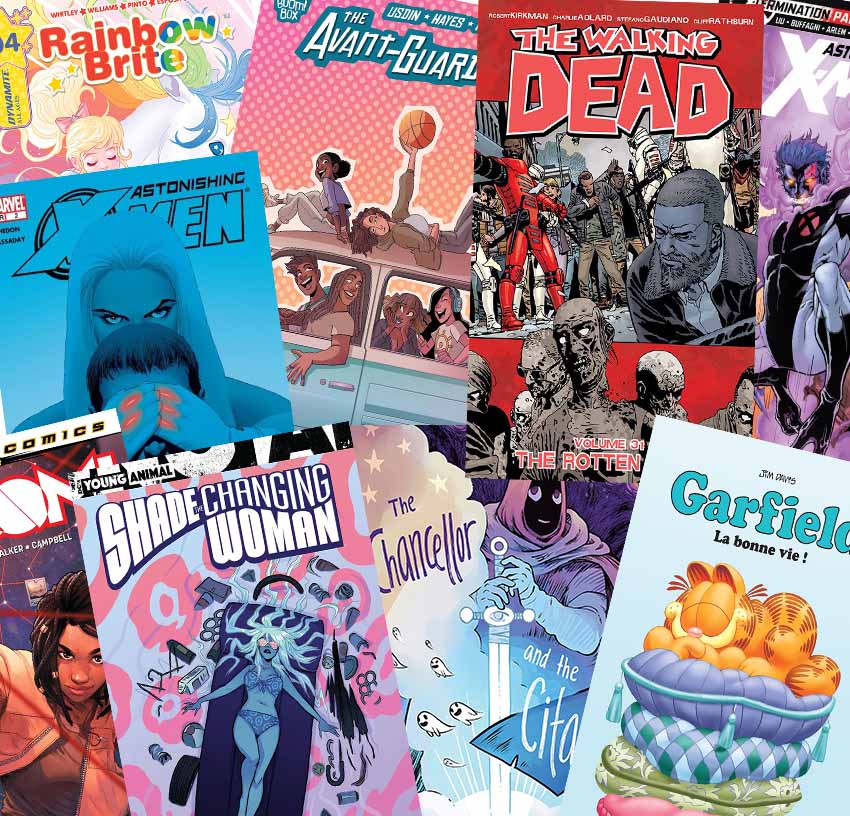
CREDITS: Image ComicsPanini Comics Deutschland : Emet Comics : Boom Studios

Step 2

Choose which characters to show and how many.

Which characters would you like to place on the comic book cover? Only one
main character, two main characters, a villain, a group of people, etc.? It’s important to showcase the stars of your comics on the cover, whether it’s the villain or the hero.

For instance, showcasing a single character has a more striking appearance than a group of characters. It tends to strengthen the presence of our star character and makes it easier for fans to recognise what and who
the comic is about. On top of that, single-character covers tend to give a sense of uniqueness, mystery, and the unexpected. It’s preferable to avoid too many characters on a cover, as it may look overcrowded and messy. 

Design Tip: 

  • Always remember, when positioning characters, that the human eye usually moves from left to right, onto the middle of the page and down to the bottom. 
  • Keep away from offensive, sexist, and biased content.
  • Make sure the characters on the cover have a purpose in the scene.
  • Don’t overcrowd the design unless you wish to show magnitude.
 Design tips to choosing comic book catchy cover character representation
CREDITS: Chapter House Comics : Image Comics : Boom StudiosMad Cave Studios : Marvel

Step 3

Distribute and position characters artistically. 

Comic covers often show characters performing all kinds of motions, like flying, swinging, running, jumping, falling, etc. There are several ways you can showcase your characters on the comic cover, but let’s learn how to do so in a more charismatic way.

  • A popular layout is the ’villain vs. hero’ face-off. Here, the characters are placed in the classic 'VS” pose, opposite each other. 
  • Eye contact is when the character stares directly into the reader’s eyes. This can create a focus of interest and the unknown.
  • Oversizing villains in the background is very dramatic and can create an ill-fated scene with an ominous tone.
  • Scaling is used when you wish to show the magnitude of a 'battle’ field. A large number of characters are presented at a smaller scale to give a sense of grandeur to the scene. This also helps to integrate more of the setting or environment of the storyline.
  • Pivotal Point is when a crucial part of the story is presented, for instance the star character stuck in an extraordinary situation. In this case, make sure the cover is centred on the 'hero’ in that pivotal point of the story. The artwork should reflect a 'hint’ of the story within, yet not reveal everything that’s going on.
How to distribute comic book cover characters in villian vs hero eye contact oversizing scaling pivotal point
CREDITS: MarvelBoom Studios : DC Comics

4. How to Incorporate Color Into the Cover Design

The colors you choose for your comic book cover can pique interest as well as drawing attention to the design. When selecting your color palette, make sure it reflects the mood you want to create. 

Dark colors convey a sense of evil, suspense, wisdom, or authority. Bright & Lustrous colors convey friendship, dynamism, confidence, and ambition. Pastels are suitable for innocence, romantic covers, and lighter subject matters. 

The color tone you choose for your comic should be unique,
eye-catching, and always remain consistent to the comic, or you will confuse readers. It works best when you have a branded color scheme so that the reader can distinguish and recognise the comic book amongst other novels.  

  • Bright covers are the first thing that readers may notice. However, if you find there are many bright-covered comics out there, then to stand out, choose to make a darker comic book cover.
  • Limited color schemes like monochrome tones,
    contrasting colours, or just the use of a bold color or shapes can make up very intriguing comic covers. By using monochrome or bold colors, you can make the cover visible from a distance. Contrast color is also a good method to follow, but it doesn’t create a hierarchy of focus points if you are trying to zero in on elements. Contrast colors basically increase visibility and ensure that the cover stands out on the shelf.
  • The use of Negative Space or lack of color (made up of a lot of white), is a brilliant composition technique that allows you to draw attention to your subject and creates an air of mystery.
How to choose color palette for comic book cover work with bright and lustrous colors limited contrast bold colors negative space or contrast color
CREDITS: Marvel : IDW Publishing : Dark Horse Comics
How to apply monochrome contrast and bold colors Use negative space for attractive colors
CREDITS: Top Cow Productions Inc.: Image Comics : Marvel 

5. How to Compose Characters on the Comic Cover

Composition is an important factor when designing the cover. It’s how artistic elements are arranged in terms of line work, texture, color, form, space, and so forth to create a
balanced image. A nicely composed cover may be achieved by using these compositional tricks:

  • Amusing angles: Low angle, overhead, flipped, twisted, etc.
  • Askew compositions that place the subject away from the center of the page, adding a sense of motion and interest to the scene.
  • Illusion of movement, motion, or action. To convey motion, line drawing is applied: speed lines, motion trails, or draw debris or sweat flying….
  • Graphic design elements: Geometric or organic shapes, texture, borders, or frames
  • Text Integration: Typography, letters, and lettering are an added value and create dynamic compositions.
Working with amusing angles askew compositions Illusion of movemnet Graphic Design elements Test Integration
CREDITS: Marvel Crazy8 Press
How to apply action graphic elements and text integration to comics
CREDITS: IDW Publishing Image Comics : Jinx World : Dark Horse Comics :Teshkeel

6. Creativity

Be creative.

Build a mood board, doodle, and play with ideas or word games to generate ideas. Get back to the basics of things and try to spark your imagination, as comic covers play an essential part in comic book sales. Keep in mind that you want to give purpose to your images and maintain artwork that is balanced, clean, and true to the content of the story. 

Try to push the forms and angles of your design and create signature looks by adding your own personal style and flavor to the design. That will get you noticed on the comic shelves and amongst the fans.

Creating a comic cover takes a lot of work. Get feedback from friends and family. Ask if the comic book looks interesting enough. Take note of any minor design issues that you may have overlooked, and gather their feedback and suggestions on how you can make the cover look more appealing. 

Keep yourself updated on the latest comic trends, and remember that these are just guidelines, and there are always exceptions to these suggestions. 

Congratulations! You’re Ready!

I hope you were able to learn something new. Now you know the guidelines to creating a good comic book cover, it will steer you in the direction of creating eye-catching designs.

Always remember to have fun and keep your personal style!

If you enjoyed this article and are looking for more comic content, why not check out the following roundups:

How to Make a Comic Book Cover

Post pobrano z: How to Make a Comic Book Cover

Final product image
What You’ll Be Creating

Truth be told, yes, you should judge a book by its cover, especially when it comes to comic book covers. Read this tutorial to learn some rules for designing a stand-out cover for your graphic novels.

Want to create a comic book covers to attract readers and entice people to buy your comic? Let me help you out. Think of comic book covers like Instagram posts… except with superheroes and people trying to save the world. 

These graphic story covers are the first thing to catch a potential buyer’s eye and a reader’s interest. For that reason, you need to make sure the cover design is engaging and attention grabbing, portraying the heroes’ brand style and voice, and overall giving a clue to the story within.

There are many approaches to comic cover art. Follow me and let’s learn some necessary basics to designing a good comic cover that stands out from the rest.

And if you need some useful resources for making comic book effects quickly and easily, you can find them here:

1. The Elements of Making a Comic Cover

Before you start laying out your design, you should know which elements to include when making your comic cover. This will enable you to utilise the 'artboard’ space correctly and to preview where the main artwork will be positioned. The basic elements to include on a comic cover are:

  • Logo
  • Title + Subtitle/Tagline
  • Date of Publication
  • Author 
  • Publisher
  • Price
  • Series # / Episode #
  • Names of artists & designers
  • Barcode

To set up the comic book cover template, you may need some graphic design skills to lay out these elements in a well-composed form. Once that’s assessed, you can start putting together your thoughts for the cover design. Just make sure to keep the title, series and episode numbers clearly displayed and readable once the artwork is laid in.

how to set up comic book cover template cmic book cover template needed logo title date  elements for publication author publisher price series episode artist barcode price

2. Brainstorm & Conceptualise

Step 1

If this is your first time creating a cover, it’s advisable to first look and get inspired by other comic covers in the market, so do your own research. Search online or visit comic stores to check the latest trends.

For example, if most comic books are colorful and full of art, you can choose to create a simple monotone cover design that will stand out from the crowd.

Think about the concept of your comic cover.

Try putting yourself in the place of the buyer, and ask yourself:

  • What would make the cover interesting enough for readers to pick up the comic book? 
  • Does the cover portray the genre of the story?
  • Does the cover illustration present a question of what the storyline is about?
  • Is the cover an example of the artwork inside?
  • Does the cover communicate the tone of the story? 

The comic book illustration is the front face of the story. The main focus is on having the cover illustration reveal the content of the book. If anything, it should reveal a teaser illustration that intrigues customers to pick up and read what’s happening within the comic. 

For example, if the comic is a family drama, depict a family scene in a critical moment as they are interacting with one another. If it’s about a superhero, show the superhero/heroine in a compromising or dangerous position. Make sure your primary character/s are on that cover!

Step 2

Plan the cover by sketching out a dummy.

To help you conceptualise, sketch out your ideas in thumbnail scale or create a dummy. This will help you work through your ideas and get the best image laid out properly. 

Designing a comic book cover artwork is really a technique of composition, and there are a few guidelines to follow to deliver a captivating design, so let’s go through them next.

how to sketch thumbnails for comic book cover dummy sketches book titles covers layout comic novel technique

3. Plan the Comic Cover Content

Step 1

Brainstorm a catchy and fitting title

Consider some words that might hook your audience in an instant. A title that perhaps reflects the character’s behaviour or emotional turmoil, action plot lines, battles, mystery, or perhaps a funny play on words. For example:

  • Emotional titles like „Playful Rage” or „Risky Behaviour”
  • Comeback titles like „Resurrection’ or „The Revival”
  • Battle titles like „5 Armies” or „Bloodbath VI”
  • Mysterious titles like 'In the Lap of the Gods” or „Hush-Hush”  
  • Pun titles like „The Great Cat-sby” or „Positivi-tea”

The most common titles either use the main character name, are 'action’ based, or have a mysterious tone. 

Make sure that whichever title you choose, it connects with the cover art and offers readers a feel for what the story will be like on the inside. So if it’s a romantic comic with the title „Love Lounge”, then it should probably reflect a love scene or seductive mood on the cover.  

Keep in mind that the font or lettering style of the title must fit the mood of the story. So don’t use a bubble-shaped title if your story is under a horror genre—instead, go for a distressed look. 

Design Tips:

  • Avoid use of bevels or drop shadow effects. The title should stand out alone.
  • Don’t load the title design with too much color. Keep it clean and simple.
  • Choose readable fonts. Avoid the use of fancy fonts for the title, author, artist, episode #, and series #.
  • Bolder and bigger is not better. Keep your title lettering spaced and not crammed in.
Design tips to choosing comic title and design
CREDITS: Image ComicsPanini Comics Deutschland : Emet Comics : Boom Studios

Step 2

Choose which characters to show and how many.

Which characters would you like to place on the comic book cover? Only one
main character, two main characters, a villain, a group of people, etc.? It’s important to showcase the stars of your comics on the cover, whether it’s the villain or the hero.

For instance, showcasing a single character has a more striking appearance than a group of characters. It tends to strengthen the presence of our star character and makes it easier for fans to recognise what and who
the comic is about. On top of that, single-character covers tend to give a sense of uniqueness, mystery, and the unexpected. It’s preferable to avoid too many characters on a cover, as it may look overcrowded and messy. 

Design Tip: 

  • Always remember, when positioning characters, that the human eye usually moves from left to right, onto the middle of the page and down to the bottom. 
  • Keep away from offensive, sexist, and biased content.
  • Make sure the characters on the cover have a purpose in the scene.
  • Don’t overcrowd the design unless you wish to show magnitude.
 Design tips to choosing comic book catchy cover character representation
CREDITS: Chapter House Comics : Image Comics : Boom StudiosMad Cave Studios : Marvel

Step 3

Distribute and position characters artistically. 

Comic covers often show characters performing all kinds of motions, like flying, swinging, running, jumping, falling, etc. There are several ways you can showcase your characters on the comic cover, but let’s learn how to do so in a more charismatic way.

  • A popular layout is the ’villain vs. hero’ face-off. Here, the characters are placed in the classic 'VS” pose, opposite each other. 
  • Eye contact is when the character stares directly into the reader’s eyes. This can create a focus of interest and the unknown.
  • Oversizing villains in the background is very dramatic and can create an ill-fated scene with an ominous tone.
  • Scaling is used when you wish to show the magnitude of a 'battle’ field. A large number of characters are presented at a smaller scale to give a sense of grandeur to the scene. This also helps to integrate more of the setting or environment of the storyline.
  • Pivotal Point is when a crucial part of the story is presented, for instance the star character stuck in an extraordinary situation. In this case, make sure the cover is centred on the 'hero’ in that pivotal point of the story. The artwork should reflect a 'hint’ of the story within, yet not reveal everything that’s going on.
How to distribute comic book cover characters in villian vs hero eye contact oversizing scaling pivotal point
CREDITS: MarvelBoom Studios : DC Comics

4. How to Incorporate Color Into the Cover Design

The colors you choose for your comic book cover can pique interest as well as drawing attention to the design. When selecting your color palette, make sure it reflects the mood you want to create. 

Dark colors convey a sense of evil, suspense, wisdom, or authority. Bright & Lustrous colors convey friendship, dynamism, confidence, and ambition. Pastels are suitable for innocence, romantic covers, and lighter subject matters. 

The color tone you choose for your comic should be unique,
eye-catching, and always remain consistent to the comic, or you will confuse readers. It works best when you have a branded color scheme so that the reader can distinguish and recognise the comic book amongst other novels.  

  • Bright covers are the first thing that readers may notice. However, if you find there are many bright-covered comics out there, then to stand out, choose to make a darker comic book cover.
  • Limited color schemes like monochrome tones,
    contrasting colours, or just the use of a bold color or shapes can make up very intriguing comic covers. By using monochrome or bold colors, you can make the cover visible from a distance. Contrast color is also a good method to follow, but it doesn’t create a hierarchy of focus points if you are trying to zero in on elements. Contrast colors basically increase visibility and ensure that the cover stands out on the shelf.
  • The use of Negative Space or lack of color (made up of a lot of white), is a brilliant composition technique that allows you to draw attention to your subject and creates an air of mystery.
How to choose color palette for comic book cover work with bright and lustrous colors limited contrast bold colors negative space or contrast color
CREDITS: Marvel : IDW Publishing : Dark Horse Comics
How to apply monochrome contrast and bold colors Use negative space for attractive colors
CREDITS: Top Cow Productions Inc.: Image Comics : Marvel 

5. How to Compose Characters on the Comic Cover

Composition is an important factor when designing the cover. It’s how artistic elements are arranged in terms of line work, texture, color, form, space, and so forth to create a
balanced image. A nicely composed cover may be achieved by using these compositional tricks:

  • Amusing angles: Low angle, overhead, flipped, twisted, etc.
  • Askew compositions that place the subject away from the center of the page, adding a sense of motion and interest to the scene.
  • Illusion of movement, motion, or action. To convey motion, line drawing is applied: speed lines, motion trails, or draw debris or sweat flying….
  • Graphic design elements: Geometric or organic shapes, texture, borders, or frames
  • Text Integration: Typography, letters, and lettering are an added value and create dynamic compositions.
Working with amusing angles askew compositions Illusion of movemnet Graphic Design elements Test Integration
CREDITS: Marvel Crazy8 Press
How to apply action graphic elements and text integration to comics
CREDITS: IDW Publishing Image Comics : Jinx World : Dark Horse Comics :Teshkeel

6. Creativity

Be creative.

Build a mood board, doodle, and play with ideas or word games to generate ideas. Get back to the basics of things and try to spark your imagination, as comic covers play an essential part in comic book sales. Keep in mind that you want to give purpose to your images and maintain artwork that is balanced, clean, and true to the content of the story. 

Try to push the forms and angles of your design and create signature looks by adding your own personal style and flavor to the design. That will get you noticed on the comic shelves and amongst the fans.

Creating a comic cover takes a lot of work. Get feedback from friends and family. Ask if the comic book looks interesting enough. Take note of any minor design issues that you may have overlooked, and gather their feedback and suggestions on how you can make the cover look more appealing. 

Keep yourself updated on the latest comic trends, and remember that these are just guidelines, and there are always exceptions to these suggestions. 

Congratulations! You’re Ready!

I hope you were able to learn something new. Now you know the guidelines to creating a good comic book cover, it will steer you in the direction of creating eye-catching designs.

Always remember to have fun and keep your personal style!

If you enjoyed this article and are looking for more comic content, why not check out the following roundups:

How to Make a Comic Book Cover

Post pobrano z: How to Make a Comic Book Cover

Final product image
What You’ll Be Creating

Truth be told, yes, you should judge a book by its cover, especially when it comes to comic book covers. Read this tutorial to learn some rules for designing a stand-out cover for your graphic novels.

Want to create a comic book covers to attract readers and entice people to buy your comic? Let me help you out. Think of comic book covers like Instagram posts… except with superheroes and people trying to save the world. 

These graphic story covers are the first thing to catch a potential buyer’s eye and a reader’s interest. For that reason, you need to make sure the cover design is engaging and attention grabbing, portraying the heroes’ brand style and voice, and overall giving a clue to the story within.

There are many approaches to comic cover art. Follow me and let’s learn some necessary basics to designing a good comic cover that stands out from the rest.

And if you need some useful resources for making comic book effects quickly and easily, you can find them here:

1. The Elements of Making a Comic Cover

Before you start laying out your design, you should know which elements to include when making your comic cover. This will enable you to utilise the 'artboard’ space correctly and to preview where the main artwork will be positioned. The basic elements to include on a comic cover are:

  • Logo
  • Title + Subtitle/Tagline
  • Date of Publication
  • Author 
  • Publisher
  • Price
  • Series # / Episode #
  • Names of artists & designers
  • Barcode

To set up the comic book cover template, you may need some graphic design skills to lay out these elements in a well-composed form. Once that’s assessed, you can start putting together your thoughts for the cover design. Just make sure to keep the title, series and episode numbers clearly displayed and readable once the artwork is laid in.

how to set up comic book cover template cmic book cover template needed logo title date  elements for publication author publisher price series episode artist barcode price

2. Brainstorm & Conceptualise

Step 1

If this is your first time creating a cover, it’s advisable to first look and get inspired by other comic covers in the market, so do your own research. Search online or visit comic stores to check the latest trends.

For example, if most comic books are colorful and full of art, you can choose to create a simple monotone cover design that will stand out from the crowd.

Think about the concept of your comic cover.

Try putting yourself in the place of the buyer, and ask yourself:

  • What would make the cover interesting enough for readers to pick up the comic book? 
  • Does the cover portray the genre of the story?
  • Does the cover illustration present a question of what the storyline is about?
  • Is the cover an example of the artwork inside?
  • Does the cover communicate the tone of the story? 

The comic book illustration is the front face of the story. The main focus is on having the cover illustration reveal the content of the book. If anything, it should reveal a teaser illustration that intrigues customers to pick up and read what’s happening within the comic. 

For example, if the comic is a family drama, depict a family scene in a critical moment as they are interacting with one another. If it’s about a superhero, show the superhero/heroine in a compromising or dangerous position. Make sure your primary character/s are on that cover!

Step 2

Plan the cover by sketching out a dummy.

To help you conceptualise, sketch out your ideas in thumbnail scale or create a dummy. This will help you work through your ideas and get the best image laid out properly. 

Designing a comic book cover artwork is really a technique of composition, and there are a few guidelines to follow to deliver a captivating design, so let’s go through them next.

how to sketch thumbnails for comic book cover dummy sketches book titles covers layout comic novel technique

3. Plan the Comic Cover Content

Step 1

Brainstorm a catchy and fitting title

Consider some words that might hook your audience in an instant. A title that perhaps reflects the character’s behaviour or emotional turmoil, action plot lines, battles, mystery, or perhaps a funny play on words. For example:

  • Emotional titles like „Playful Rage” or „Risky Behaviour”
  • Comeback titles like „Resurrection’ or „The Revival”
  • Battle titles like „5 Armies” or „Bloodbath VI”
  • Mysterious titles like 'In the Lap of the Gods” or „Hush-Hush”  
  • Pun titles like „The Great Cat-sby” or „Positivi-tea”

The most common titles either use the main character name, are 'action’ based, or have a mysterious tone. 

Make sure that whichever title you choose, it connects with the cover art and offers readers a feel for what the story will be like on the inside. So if it’s a romantic comic with the title „Love Lounge”, then it should probably reflect a love scene or seductive mood on the cover.  

Keep in mind that the font or lettering style of the title must fit the mood of the story. So don’t use a bubble-shaped title if your story is under a horror genre—instead, go for a distressed look. 

Design Tips:

  • Avoid use of bevels or drop shadow effects. The title should stand out alone.
  • Don’t load the title design with too much color. Keep it clean and simple.
  • Choose readable fonts. Avoid the use of fancy fonts for the title, author, artist, episode #, and series #.
  • Bolder and bigger is not better. Keep your title lettering spaced and not crammed in.
Design tips to choosing comic title and design
CREDITS: Image ComicsPanini Comics Deutschland : Emet Comics : Boom Studios

Step 2

Choose which characters to show and how many.

Which characters would you like to place on the comic book cover? Only one
main character, two main characters, a villain, a group of people, etc.? It’s important to showcase the stars of your comics on the cover, whether it’s the villain or the hero.

For instance, showcasing a single character has a more striking appearance than a group of characters. It tends to strengthen the presence of our star character and makes it easier for fans to recognise what and who
the comic is about. On top of that, single-character covers tend to give a sense of uniqueness, mystery, and the unexpected. It’s preferable to avoid too many characters on a cover, as it may look overcrowded and messy. 

Design Tip: 

  • Always remember, when positioning characters, that the human eye usually moves from left to right, onto the middle of the page and down to the bottom. 
  • Keep away from offensive, sexist, and biased content.
  • Make sure the characters on the cover have a purpose in the scene.
  • Don’t overcrowd the design unless you wish to show magnitude.
 Design tips to choosing comic book catchy cover character representation
CREDITS: Chapter House Comics : Image Comics : Boom StudiosMad Cave Studios : Marvel

Step 3

Distribute and position characters artistically. 

Comic covers often show characters performing all kinds of motions, like flying, swinging, running, jumping, falling, etc. There are several ways you can showcase your characters on the comic cover, but let’s learn how to do so in a more charismatic way.

  • A popular layout is the ’villain vs. hero’ face-off. Here, the characters are placed in the classic 'VS” pose, opposite each other. 
  • Eye contact is when the character stares directly into the reader’s eyes. This can create a focus of interest and the unknown.
  • Oversizing villains in the background is very dramatic and can create an ill-fated scene with an ominous tone.
  • Scaling is used when you wish to show the magnitude of a 'battle’ field. A large number of characters are presented at a smaller scale to give a sense of grandeur to the scene. This also helps to integrate more of the setting or environment of the storyline.
  • Pivotal Point is when a crucial part of the story is presented, for instance the star character stuck in an extraordinary situation. In this case, make sure the cover is centred on the 'hero’ in that pivotal point of the story. The artwork should reflect a 'hint’ of the story within, yet not reveal everything that’s going on.
How to distribute comic book cover characters in villian vs hero eye contact oversizing scaling pivotal point
CREDITS: MarvelBoom Studios : DC Comics

4. How to Incorporate Color Into the Cover Design

The colors you choose for your comic book cover can pique interest as well as drawing attention to the design. When selecting your color palette, make sure it reflects the mood you want to create. 

Dark colors convey a sense of evil, suspense, wisdom, or authority. Bright & Lustrous colors convey friendship, dynamism, confidence, and ambition. Pastels are suitable for innocence, romantic covers, and lighter subject matters. 

The color tone you choose for your comic should be unique,
eye-catching, and always remain consistent to the comic, or you will confuse readers. It works best when you have a branded color scheme so that the reader can distinguish and recognise the comic book amongst other novels.  

  • Bright covers are the first thing that readers may notice. However, if you find there are many bright-covered comics out there, then to stand out, choose to make a darker comic book cover.
  • Limited color schemes like monochrome tones,
    contrasting colours, or just the use of a bold color or shapes can make up very intriguing comic covers. By using monochrome or bold colors, you can make the cover visible from a distance. Contrast color is also a good method to follow, but it doesn’t create a hierarchy of focus points if you are trying to zero in on elements. Contrast colors basically increase visibility and ensure that the cover stands out on the shelf.
  • The use of Negative Space or lack of color (made up of a lot of white), is a brilliant composition technique that allows you to draw attention to your subject and creates an air of mystery.
How to choose color palette for comic book cover work with bright and lustrous colors limited contrast bold colors negative space or contrast color
CREDITS: Marvel : IDW Publishing : Dark Horse Comics
How to apply monochrome contrast and bold colors Use negative space for attractive colors
CREDITS: Top Cow Productions Inc.: Image Comics : Marvel 

5. How to Compose Characters on the Comic Cover

Composition is an important factor when designing the cover. It’s how artistic elements are arranged in terms of line work, texture, color, form, space, and so forth to create a
balanced image. A nicely composed cover may be achieved by using these compositional tricks:

  • Amusing angles: Low angle, overhead, flipped, twisted, etc.
  • Askew compositions that place the subject away from the center of the page, adding a sense of motion and interest to the scene.
  • Illusion of movement, motion, or action. To convey motion, line drawing is applied: speed lines, motion trails, or draw debris or sweat flying….
  • Graphic design elements: Geometric or organic shapes, texture, borders, or frames
  • Text Integration: Typography, letters, and lettering are an added value and create dynamic compositions.
Working with amusing angles askew compositions Illusion of movemnet Graphic Design elements Test Integration
CREDITS: Marvel Crazy8 Press
How to apply action graphic elements and text integration to comics
CREDITS: IDW Publishing Image Comics : Jinx World : Dark Horse Comics :Teshkeel

6. Creativity

Be creative.

Build a mood board, doodle, and play with ideas or word games to generate ideas. Get back to the basics of things and try to spark your imagination, as comic covers play an essential part in comic book sales. Keep in mind that you want to give purpose to your images and maintain artwork that is balanced, clean, and true to the content of the story. 

Try to push the forms and angles of your design and create signature looks by adding your own personal style and flavor to the design. That will get you noticed on the comic shelves and amongst the fans.

Creating a comic cover takes a lot of work. Get feedback from friends and family. Ask if the comic book looks interesting enough. Take note of any minor design issues that you may have overlooked, and gather their feedback and suggestions on how you can make the cover look more appealing. 

Keep yourself updated on the latest comic trends, and remember that these are just guidelines, and there are always exceptions to these suggestions. 

Congratulations! You’re Ready!

I hope you were able to learn something new. Now you know the guidelines to creating a good comic book cover, it will steer you in the direction of creating eye-catching designs.

Always remember to have fun and keep your personal style!

If you enjoyed this article and are looking for more comic content, why not check out the following roundups:

How to Make a Comic Book Cover

Post pobrano z: How to Make a Comic Book Cover

Final product image
What You’ll Be Creating

Truth be told, yes, you should judge a book by its cover, especially when it comes to comic book covers. Read this tutorial to learn some rules for designing a stand-out cover for your graphic novels.

Want to create a comic book covers to attract readers and entice people to buy your comic? Let me help you out. Think of comic book covers like Instagram posts… except with superheroes and people trying to save the world. 

These graphic story covers are the first thing to catch a potential buyer’s eye and a reader’s interest. For that reason, you need to make sure the cover design is engaging and attention grabbing, portraying the heroes’ brand style and voice, and overall giving a clue to the story within.

There are many approaches to comic cover art. Follow me and let’s learn some necessary basics to designing a good comic cover that stands out from the rest.

And if you need some useful resources for making comic book effects quickly and easily, you can find them here:

1. The Elements of Making a Comic Cover

Before you start laying out your design, you should know which elements to include when making your comic cover. This will enable you to utilise the 'artboard’ space correctly and to preview where the main artwork will be positioned. The basic elements to include on a comic cover are:

  • Logo
  • Title + Subtitle/Tagline
  • Date of Publication
  • Author 
  • Publisher
  • Price
  • Series # / Episode #
  • Names of artists & designers
  • Barcode

To set up the comic book cover template, you may need some graphic design skills to lay out these elements in a well-composed form. Once that’s assessed, you can start putting together your thoughts for the cover design. Just make sure to keep the title, series and episode numbers clearly displayed and readable once the artwork is laid in.

how to set up comic book cover template cmic book cover template needed logo title date  elements for publication author publisher price series episode artist barcode price

2. Brainstorm & Conceptualise

Step 1

If this is your first time creating a cover, it’s advisable to first look and get inspired by other comic covers in the market, so do your own research. Search online or visit comic stores to check the latest trends.

For example, if most comic books are colorful and full of art, you can choose to create a simple monotone cover design that will stand out from the crowd.

Think about the concept of your comic cover.

Try putting yourself in the place of the buyer, and ask yourself:

  • What would make the cover interesting enough for readers to pick up the comic book? 
  • Does the cover portray the genre of the story?
  • Does the cover illustration present a question of what the storyline is about?
  • Is the cover an example of the artwork inside?
  • Does the cover communicate the tone of the story? 

The comic book illustration is the front face of the story. The main focus is on having the cover illustration reveal the content of the book. If anything, it should reveal a teaser illustration that intrigues customers to pick up and read what’s happening within the comic. 

For example, if the comic is a family drama, depict a family scene in a critical moment as they are interacting with one another. If it’s about a superhero, show the superhero/heroine in a compromising or dangerous position. Make sure your primary character/s are on that cover!

Step 2

Plan the cover by sketching out a dummy.

To help you conceptualise, sketch out your ideas in thumbnail scale or create a dummy. This will help you work through your ideas and get the best image laid out properly. 

Designing a comic book cover artwork is really a technique of composition, and there are a few guidelines to follow to deliver a captivating design, so let’s go through them next.

how to sketch thumbnails for comic book cover dummy sketches book titles covers layout comic novel technique

3. Plan the Comic Cover Content

Step 1

Brainstorm a catchy and fitting title

Consider some words that might hook your audience in an instant. A title that perhaps reflects the character’s behaviour or emotional turmoil, action plot lines, battles, mystery, or perhaps a funny play on words. For example:

  • Emotional titles like „Playful Rage” or „Risky Behaviour”
  • Comeback titles like „Resurrection’ or „The Revival”
  • Battle titles like „5 Armies” or „Bloodbath VI”
  • Mysterious titles like 'In the Lap of the Gods” or „Hush-Hush”  
  • Pun titles like „The Great Cat-sby” or „Positivi-tea”

The most common titles either use the main character name, are 'action’ based, or have a mysterious tone. 

Make sure that whichever title you choose, it connects with the cover art and offers readers a feel for what the story will be like on the inside. So if it’s a romantic comic with the title „Love Lounge”, then it should probably reflect a love scene or seductive mood on the cover.  

Keep in mind that the font or lettering style of the title must fit the mood of the story. So don’t use a bubble-shaped title if your story is under a horror genre—instead, go for a distressed look. 

Design Tips:

  • Avoid use of bevels or drop shadow effects. The title should stand out alone.
  • Don’t load the title design with too much color. Keep it clean and simple.
  • Choose readable fonts. Avoid the use of fancy fonts for the title, author, artist, episode #, and series #.
  • Bolder and bigger is not better. Keep your title lettering spaced and not crammed in.
Design tips to choosing comic title and design
CREDITS: Image ComicsPanini Comics Deutschland : Emet Comics : Boom Studios

Step 2

Choose which characters to show and how many.

Which characters would you like to place on the comic book cover? Only one
main character, two main characters, a villain, a group of people, etc.? It’s important to showcase the stars of your comics on the cover, whether it’s the villain or the hero.

For instance, showcasing a single character has a more striking appearance than a group of characters. It tends to strengthen the presence of our star character and makes it easier for fans to recognise what and who
the comic is about. On top of that, single-character covers tend to give a sense of uniqueness, mystery, and the unexpected. It’s preferable to avoid too many characters on a cover, as it may look overcrowded and messy. 

Design Tip: 

  • Always remember, when positioning characters, that the human eye usually moves from left to right, onto the middle of the page and down to the bottom. 
  • Keep away from offensive, sexist, and biased content.
  • Make sure the characters on the cover have a purpose in the scene.
  • Don’t overcrowd the design unless you wish to show magnitude.
 Design tips to choosing comic book catchy cover character representation
CREDITS: Chapter House Comics : Image Comics : Boom StudiosMad Cave Studios : Marvel

Step 3

Distribute and position characters artistically. 

Comic covers often show characters performing all kinds of motions, like flying, swinging, running, jumping, falling, etc. There are several ways you can showcase your characters on the comic cover, but let’s learn how to do so in a more charismatic way.

  • A popular layout is the ’villain vs. hero’ face-off. Here, the characters are placed in the classic 'VS” pose, opposite each other. 
  • Eye contact is when the character stares directly into the reader’s eyes. This can create a focus of interest and the unknown.
  • Oversizing villains in the background is very dramatic and can create an ill-fated scene with an ominous tone.
  • Scaling is used when you wish to show the magnitude of a 'battle’ field. A large number of characters are presented at a smaller scale to give a sense of grandeur to the scene. This also helps to integrate more of the setting or environment of the storyline.
  • Pivotal Point is when a crucial part of the story is presented, for instance the star character stuck in an extraordinary situation. In this case, make sure the cover is centred on the 'hero’ in that pivotal point of the story. The artwork should reflect a 'hint’ of the story within, yet not reveal everything that’s going on.
How to distribute comic book cover characters in villian vs hero eye contact oversizing scaling pivotal point
CREDITS: MarvelBoom Studios : DC Comics

4. How to Incorporate Color Into the Cover Design

The colors you choose for your comic book cover can pique interest as well as drawing attention to the design. When selecting your color palette, make sure it reflects the mood you want to create. 

Dark colors convey a sense of evil, suspense, wisdom, or authority. Bright & Lustrous colors convey friendship, dynamism, confidence, and ambition. Pastels are suitable for innocence, romantic covers, and lighter subject matters. 

The color tone you choose for your comic should be unique,
eye-catching, and always remain consistent to the comic, or you will confuse readers. It works best when you have a branded color scheme so that the reader can distinguish and recognise the comic book amongst other novels.  

  • Bright covers are the first thing that readers may notice. However, if you find there are many bright-covered comics out there, then to stand out, choose to make a darker comic book cover.
  • Limited color schemes like monochrome tones,
    contrasting colours, or just the use of a bold color or shapes can make up very intriguing comic covers. By using monochrome or bold colors, you can make the cover visible from a distance. Contrast color is also a good method to follow, but it doesn’t create a hierarchy of focus points if you are trying to zero in on elements. Contrast colors basically increase visibility and ensure that the cover stands out on the shelf.
  • The use of Negative Space or lack of color (made up of a lot of white), is a brilliant composition technique that allows you to draw attention to your subject and creates an air of mystery.
How to choose color palette for comic book cover work with bright and lustrous colors limited contrast bold colors negative space or contrast color
CREDITS: Marvel : IDW Publishing : Dark Horse Comics
How to apply monochrome contrast and bold colors Use negative space for attractive colors
CREDITS: Top Cow Productions Inc.: Image Comics : Marvel 

5. How to Compose Characters on the Comic Cover

Composition is an important factor when designing the cover. It’s how artistic elements are arranged in terms of line work, texture, color, form, space, and so forth to create a
balanced image. A nicely composed cover may be achieved by using these compositional tricks:

  • Amusing angles: Low angle, overhead, flipped, twisted, etc.
  • Askew compositions that place the subject away from the center of the page, adding a sense of motion and interest to the scene.
  • Illusion of movement, motion, or action. To convey motion, line drawing is applied: speed lines, motion trails, or draw debris or sweat flying….
  • Graphic design elements: Geometric or organic shapes, texture, borders, or frames
  • Text Integration: Typography, letters, and lettering are an added value and create dynamic compositions.
Working with amusing angles askew compositions Illusion of movemnet Graphic Design elements Test Integration
CREDITS: Marvel Crazy8 Press
How to apply action graphic elements and text integration to comics
CREDITS: IDW Publishing Image Comics : Jinx World : Dark Horse Comics :Teshkeel

6. Creativity

Be creative.

Build a mood board, doodle, and play with ideas or word games to generate ideas. Get back to the basics of things and try to spark your imagination, as comic covers play an essential part in comic book sales. Keep in mind that you want to give purpose to your images and maintain artwork that is balanced, clean, and true to the content of the story. 

Try to push the forms and angles of your design and create signature looks by adding your own personal style and flavor to the design. That will get you noticed on the comic shelves and amongst the fans.

Creating a comic cover takes a lot of work. Get feedback from friends and family. Ask if the comic book looks interesting enough. Take note of any minor design issues that you may have overlooked, and gather their feedback and suggestions on how you can make the cover look more appealing. 

Keep yourself updated on the latest comic trends, and remember that these are just guidelines, and there are always exceptions to these suggestions. 

Congratulations! You’re Ready!

I hope you were able to learn something new. Now you know the guidelines to creating a good comic book cover, it will steer you in the direction of creating eye-catching designs.

Always remember to have fun and keep your personal style!

If you enjoyed this article and are looking for more comic content, why not check out the following roundups:

How to Make a Comic Book Cover

Post pobrano z: How to Make a Comic Book Cover

Final product image
What You’ll Be Creating

Truth be told, yes, you should judge a book by its cover, especially when it comes to comic book covers. Read this tutorial to learn some rules for designing a stand-out cover for your graphic novels.

Want to create a comic book covers to attract readers and entice people to buy your comic? Let me help you out. Think of comic book covers like Instagram posts… except with superheroes and people trying to save the world. 

These graphic story covers are the first thing to catch a potential buyer’s eye and a reader’s interest. For that reason, you need to make sure the cover design is engaging and attention grabbing, portraying the heroes’ brand style and voice, and overall giving a clue to the story within.

There are many approaches to comic cover art. Follow me and let’s learn some necessary basics to designing a good comic cover that stands out from the rest.

And if you need some useful resources for making comic book effects quickly and easily, you can find them here:

1. The Elements of Making a Comic Cover

Before you start laying out your design, you should know which elements to include when making your comic cover. This will enable you to utilise the 'artboard’ space correctly and to preview where the main artwork will be positioned. The basic elements to include on a comic cover are:

  • Logo
  • Title + Subtitle/Tagline
  • Date of Publication
  • Author 
  • Publisher
  • Price
  • Series # / Episode #
  • Names of artists & designers
  • Barcode

To set up the comic book cover template, you may need some graphic design skills to lay out these elements in a well-composed form. Once that’s assessed, you can start putting together your thoughts for the cover design. Just make sure to keep the title, series and episode numbers clearly displayed and readable once the artwork is laid in.

how to set up comic book cover template cmic book cover template needed logo title date  elements for publication author publisher price series episode artist barcode price

2. Brainstorm & Conceptualise

Step 1

If this is your first time creating a cover, it’s advisable to first look and get inspired by other comic covers in the market, so do your own research. Search online or visit comic stores to check the latest trends.

For example, if most comic books are colorful and full of art, you can choose to create a simple monotone cover design that will stand out from the crowd.

Think about the concept of your comic cover.

Try putting yourself in the place of the buyer, and ask yourself:

  • What would make the cover interesting enough for readers to pick up the comic book? 
  • Does the cover portray the genre of the story?
  • Does the cover illustration present a question of what the storyline is about?
  • Is the cover an example of the artwork inside?
  • Does the cover communicate the tone of the story? 

The comic book illustration is the front face of the story. The main focus is on having the cover illustration reveal the content of the book. If anything, it should reveal a teaser illustration that intrigues customers to pick up and read what’s happening within the comic. 

For example, if the comic is a family drama, depict a family scene in a critical moment as they are interacting with one another. If it’s about a superhero, show the superhero/heroine in a compromising or dangerous position. Make sure your primary character/s are on that cover!

Step 2

Plan the cover by sketching out a dummy.

To help you conceptualise, sketch out your ideas in thumbnail scale or create a dummy. This will help you work through your ideas and get the best image laid out properly. 

Designing a comic book cover artwork is really a technique of composition, and there are a few guidelines to follow to deliver a captivating design, so let’s go through them next.

how to sketch thumbnails for comic book cover dummy sketches book titles covers layout comic novel technique

3. Plan the Comic Cover Content

Step 1

Brainstorm a catchy and fitting title

Consider some words that might hook your audience in an instant. A title that perhaps reflects the character’s behaviour or emotional turmoil, action plot lines, battles, mystery, or perhaps a funny play on words. For example:

  • Emotional titles like „Playful Rage” or „Risky Behaviour”
  • Comeback titles like „Resurrection’ or „The Revival”
  • Battle titles like „5 Armies” or „Bloodbath VI”
  • Mysterious titles like 'In the Lap of the Gods” or „Hush-Hush”  
  • Pun titles like „The Great Cat-sby” or „Positivi-tea”

The most common titles either use the main character name, are 'action’ based, or have a mysterious tone. 

Make sure that whichever title you choose, it connects with the cover art and offers readers a feel for what the story will be like on the inside. So if it’s a romantic comic with the title „Love Lounge”, then it should probably reflect a love scene or seductive mood on the cover.  

Keep in mind that the font or lettering style of the title must fit the mood of the story. So don’t use a bubble-shaped title if your story is under a horror genre—instead, go for a distressed look. 

Design Tips:

  • Avoid use of bevels or drop shadow effects. The title should stand out alone.
  • Don’t load the title design with too much color. Keep it clean and simple.
  • Choose readable fonts. Avoid the use of fancy fonts for the title, author, artist, episode #, and series #.
  • Bolder and bigger is not better. Keep your title lettering spaced and not crammed in.
Design tips to choosing comic title and design
CREDITS: Image ComicsPanini Comics Deutschland : Emet Comics : Boom Studios

Step 2

Choose which characters to show and how many.

Which characters would you like to place on the comic book cover? Only one
main character, two main characters, a villain, a group of people, etc.? It’s important to showcase the stars of your comics on the cover, whether it’s the villain or the hero.

For instance, showcasing a single character has a more striking appearance than a group of characters. It tends to strengthen the presence of our star character and makes it easier for fans to recognise what and who
the comic is about. On top of that, single-character covers tend to give a sense of uniqueness, mystery, and the unexpected. It’s preferable to avoid too many characters on a cover, as it may look overcrowded and messy. 

Design Tip: 

  • Always remember, when positioning characters, that the human eye usually moves from left to right, onto the middle of the page and down to the bottom. 
  • Keep away from offensive, sexist, and biased content.
  • Make sure the characters on the cover have a purpose in the scene.
  • Don’t overcrowd the design unless you wish to show magnitude.
 Design tips to choosing comic book catchy cover character representation
CREDITS: Chapter House Comics : Image Comics : Boom StudiosMad Cave Studios : Marvel

Step 3

Distribute and position characters artistically. 

Comic covers often show characters performing all kinds of motions, like flying, swinging, running, jumping, falling, etc. There are several ways you can showcase your characters on the comic cover, but let’s learn how to do so in a more charismatic way.

  • A popular layout is the ’villain vs. hero’ face-off. Here, the characters are placed in the classic 'VS” pose, opposite each other. 
  • Eye contact is when the character stares directly into the reader’s eyes. This can create a focus of interest and the unknown.
  • Oversizing villains in the background is very dramatic and can create an ill-fated scene with an ominous tone.
  • Scaling is used when you wish to show the magnitude of a 'battle’ field. A large number of characters are presented at a smaller scale to give a sense of grandeur to the scene. This also helps to integrate more of the setting or environment of the storyline.
  • Pivotal Point is when a crucial part of the story is presented, for instance the star character stuck in an extraordinary situation. In this case, make sure the cover is centred on the 'hero’ in that pivotal point of the story. The artwork should reflect a 'hint’ of the story within, yet not reveal everything that’s going on.
How to distribute comic book cover characters in villian vs hero eye contact oversizing scaling pivotal point
CREDITS: MarvelBoom Studios : DC Comics

4. How to Incorporate Color Into the Cover Design

The colors you choose for your comic book cover can pique interest as well as drawing attention to the design. When selecting your color palette, make sure it reflects the mood you want to create. 

Dark colors convey a sense of evil, suspense, wisdom, or authority. Bright & Lustrous colors convey friendship, dynamism, confidence, and ambition. Pastels are suitable for innocence, romantic covers, and lighter subject matters. 

The color tone you choose for your comic should be unique,
eye-catching, and always remain consistent to the comic, or you will confuse readers. It works best when you have a branded color scheme so that the reader can distinguish and recognise the comic book amongst other novels.  

  • Bright covers are the first thing that readers may notice. However, if you find there are many bright-covered comics out there, then to stand out, choose to make a darker comic book cover.
  • Limited color schemes like monochrome tones,
    contrasting colours, or just the use of a bold color or shapes can make up very intriguing comic covers. By using monochrome or bold colors, you can make the cover visible from a distance. Contrast color is also a good method to follow, but it doesn’t create a hierarchy of focus points if you are trying to zero in on elements. Contrast colors basically increase visibility and ensure that the cover stands out on the shelf.
  • The use of Negative Space or lack of color (made up of a lot of white), is a brilliant composition technique that allows you to draw attention to your subject and creates an air of mystery.
How to choose color palette for comic book cover work with bright and lustrous colors limited contrast bold colors negative space or contrast color
CREDITS: Marvel : IDW Publishing : Dark Horse Comics
How to apply monochrome contrast and bold colors Use negative space for attractive colors
CREDITS: Top Cow Productions Inc.: Image Comics : Marvel 

5. How to Compose Characters on the Comic Cover

Composition is an important factor when designing the cover. It’s how artistic elements are arranged in terms of line work, texture, color, form, space, and so forth to create a
balanced image. A nicely composed cover may be achieved by using these compositional tricks:

  • Amusing angles: Low angle, overhead, flipped, twisted, etc.
  • Askew compositions that place the subject away from the center of the page, adding a sense of motion and interest to the scene.
  • Illusion of movement, motion, or action. To convey motion, line drawing is applied: speed lines, motion trails, or draw debris or sweat flying….
  • Graphic design elements: Geometric or organic shapes, texture, borders, or frames
  • Text Integration: Typography, letters, and lettering are an added value and create dynamic compositions.
Working with amusing angles askew compositions Illusion of movemnet Graphic Design elements Test Integration
CREDITS: Marvel Crazy8 Press
How to apply action graphic elements and text integration to comics
CREDITS: IDW Publishing Image Comics : Jinx World : Dark Horse Comics :Teshkeel

6. Creativity

Be creative.

Build a mood board, doodle, and play with ideas or word games to generate ideas. Get back to the basics of things and try to spark your imagination, as comic covers play an essential part in comic book sales. Keep in mind that you want to give purpose to your images and maintain artwork that is balanced, clean, and true to the content of the story. 

Try to push the forms and angles of your design and create signature looks by adding your own personal style and flavor to the design. That will get you noticed on the comic shelves and amongst the fans.

Creating a comic cover takes a lot of work. Get feedback from friends and family. Ask if the comic book looks interesting enough. Take note of any minor design issues that you may have overlooked, and gather their feedback and suggestions on how you can make the cover look more appealing. 

Keep yourself updated on the latest comic trends, and remember that these are just guidelines, and there are always exceptions to these suggestions. 

Congratulations! You’re Ready!

I hope you were able to learn something new. Now you know the guidelines to creating a good comic book cover, it will steer you in the direction of creating eye-catching designs.

Always remember to have fun and keep your personal style!

If you enjoyed this article and are looking for more comic content, why not check out the following roundups:

How to Make a Comic Book Cover

Post pobrano z: How to Make a Comic Book Cover

Final product image
What You’ll Be Creating

Truth be told, yes, you should judge a book by its cover, especially when it comes to comic book covers. Read this tutorial to learn some rules for designing a stand-out cover for your graphic novels.

Want to create a comic book covers to attract readers and entice people to buy your comic? Let me help you out. Think of comic book covers like Instagram posts… except with superheroes and people trying to save the world. 

These graphic story covers are the first thing to catch a potential buyer’s eye and a reader’s interest. For that reason, you need to make sure the cover design is engaging and attention grabbing, portraying the heroes’ brand style and voice, and overall giving a clue to the story within.

There are many approaches to comic cover art. Follow me and let’s learn some necessary basics to designing a good comic cover that stands out from the rest.

And if you need some useful resources for making comic book effects quickly and easily, you can find them here:

1. The Elements of Making a Comic Cover

Before you start laying out your design, you should know which elements to include when making your comic cover. This will enable you to utilise the 'artboard’ space correctly and to preview where the main artwork will be positioned. The basic elements to include on a comic cover are:

  • Logo
  • Title + Subtitle/Tagline
  • Date of Publication
  • Author 
  • Publisher
  • Price
  • Series # / Episode #
  • Names of artists & designers
  • Barcode

To set up the comic book cover template, you may need some graphic design skills to lay out these elements in a well-composed form. Once that’s assessed, you can start putting together your thoughts for the cover design. Just make sure to keep the title, series and episode numbers clearly displayed and readable once the artwork is laid in.

how to set up comic book cover template cmic book cover template needed logo title date  elements for publication author publisher price series episode artist barcode price

2. Brainstorm & Conceptualise

Step 1

If this is your first time creating a cover, it’s advisable to first look and get inspired by other comic covers in the market, so do your own research. Search online or visit comic stores to check the latest trends.

For example, if most comic books are colorful and full of art, you can choose to create a simple monotone cover design that will stand out from the crowd.

Think about the concept of your comic cover.

Try putting yourself in the place of the buyer, and ask yourself:

  • What would make the cover interesting enough for readers to pick up the comic book? 
  • Does the cover portray the genre of the story?
  • Does the cover illustration present a question of what the storyline is about?
  • Is the cover an example of the artwork inside?
  • Does the cover communicate the tone of the story? 

The comic book illustration is the front face of the story. The main focus is on having the cover illustration reveal the content of the book. If anything, it should reveal a teaser illustration that intrigues customers to pick up and read what’s happening within the comic. 

For example, if the comic is a family drama, depict a family scene in a critical moment as they are interacting with one another. If it’s about a superhero, show the superhero/heroine in a compromising or dangerous position. Make sure your primary character/s are on that cover!

Step 2

Plan the cover by sketching out a dummy.

To help you conceptualise, sketch out your ideas in thumbnail scale or create a dummy. This will help you work through your ideas and get the best image laid out properly. 

Designing a comic book cover artwork is really a technique of composition, and there are a few guidelines to follow to deliver a captivating design, so let’s go through them next.

how to sketch thumbnails for comic book cover dummy sketches book titles covers layout comic novel technique

3. Plan the Comic Cover Content

Step 1

Brainstorm a catchy and fitting title

Consider some words that might hook your audience in an instant. A title that perhaps reflects the character’s behaviour or emotional turmoil, action plot lines, battles, mystery, or perhaps a funny play on words. For example:

  • Emotional titles like „Playful Rage” or „Risky Behaviour”
  • Comeback titles like „Resurrection’ or „The Revival”
  • Battle titles like „5 Armies” or „Bloodbath VI”
  • Mysterious titles like 'In the Lap of the Gods” or „Hush-Hush”  
  • Pun titles like „The Great Cat-sby” or „Positivi-tea”

The most common titles either use the main character name, are 'action’ based, or have a mysterious tone. 

Make sure that whichever title you choose, it connects with the cover art and offers readers a feel for what the story will be like on the inside. So if it’s a romantic comic with the title „Love Lounge”, then it should probably reflect a love scene or seductive mood on the cover.  

Keep in mind that the font or lettering style of the title must fit the mood of the story. So don’t use a bubble-shaped title if your story is under a horror genre—instead, go for a distressed look. 

Design Tips:

  • Avoid use of bevels or drop shadow effects. The title should stand out alone.
  • Don’t load the title design with too much color. Keep it clean and simple.
  • Choose readable fonts. Avoid the use of fancy fonts for the title, author, artist, episode #, and series #.
  • Bolder and bigger is not better. Keep your title lettering spaced and not crammed in.
Design tips to choosing comic title and design
CREDITS: Image ComicsPanini Comics Deutschland : Emet Comics : Boom Studios

Step 2

Choose which characters to show and how many.

Which characters would you like to place on the comic book cover? Only one
main character, two main characters, a villain, a group of people, etc.? It’s important to showcase the stars of your comics on the cover, whether it’s the villain or the hero.

For instance, showcasing a single character has a more striking appearance than a group of characters. It tends to strengthen the presence of our star character and makes it easier for fans to recognise what and who
the comic is about. On top of that, single-character covers tend to give a sense of uniqueness, mystery, and the unexpected. It’s preferable to avoid too many characters on a cover, as it may look overcrowded and messy. 

Design Tip: 

  • Always remember, when positioning characters, that the human eye usually moves from left to right, onto the middle of the page and down to the bottom. 
  • Keep away from offensive, sexist, and biased content.
  • Make sure the characters on the cover have a purpose in the scene.
  • Don’t overcrowd the design unless you wish to show magnitude.
 Design tips to choosing comic book catchy cover character representation
CREDITS: Chapter House Comics : Image Comics : Boom StudiosMad Cave Studios : Marvel

Step 3

Distribute and position characters artistically. 

Comic covers often show characters performing all kinds of motions, like flying, swinging, running, jumping, falling, etc. There are several ways you can showcase your characters on the comic cover, but let’s learn how to do so in a more charismatic way.

  • A popular layout is the ’villain vs. hero’ face-off. Here, the characters are placed in the classic 'VS” pose, opposite each other. 
  • Eye contact is when the character stares directly into the reader’s eyes. This can create a focus of interest and the unknown.
  • Oversizing villains in the background is very dramatic and can create an ill-fated scene with an ominous tone.
  • Scaling is used when you wish to show the magnitude of a 'battle’ field. A large number of characters are presented at a smaller scale to give a sense of grandeur to the scene. This also helps to integrate more of the setting or environment of the storyline.
  • Pivotal Point is when a crucial part of the story is presented, for instance the star character stuck in an extraordinary situation. In this case, make sure the cover is centred on the 'hero’ in that pivotal point of the story. The artwork should reflect a 'hint’ of the story within, yet not reveal everything that’s going on.
How to distribute comic book cover characters in villian vs hero eye contact oversizing scaling pivotal point
CREDITS: MarvelBoom Studios : DC Comics

4. How to Incorporate Color Into the Cover Design

The colors you choose for your comic book cover can pique interest as well as drawing attention to the design. When selecting your color palette, make sure it reflects the mood you want to create. 

Dark colors convey a sense of evil, suspense, wisdom, or authority. Bright & Lustrous colors convey friendship, dynamism, confidence, and ambition. Pastels are suitable for innocence, romantic covers, and lighter subject matters. 

The color tone you choose for your comic should be unique,
eye-catching, and always remain consistent to the comic, or you will confuse readers. It works best when you have a branded color scheme so that the reader can distinguish and recognise the comic book amongst other novels.  

  • Bright covers are the first thing that readers may notice. However, if you find there are many bright-covered comics out there, then to stand out, choose to make a darker comic book cover.
  • Limited color schemes like monochrome tones,
    contrasting colours, or just the use of a bold color or shapes can make up very intriguing comic covers. By using monochrome or bold colors, you can make the cover visible from a distance. Contrast color is also a good method to follow, but it doesn’t create a hierarchy of focus points if you are trying to zero in on elements. Contrast colors basically increase visibility and ensure that the cover stands out on the shelf.
  • The use of Negative Space or lack of color (made up of a lot of white), is a brilliant composition technique that allows you to draw attention to your subject and creates an air of mystery.
How to choose color palette for comic book cover work with bright and lustrous colors limited contrast bold colors negative space or contrast color
CREDITS: Marvel : IDW Publishing : Dark Horse Comics
How to apply monochrome contrast and bold colors Use negative space for attractive colors
CREDITS: Top Cow Productions Inc.: Image Comics : Marvel 

5. How to Compose Characters on the Comic Cover

Composition is an important factor when designing the cover. It’s how artistic elements are arranged in terms of line work, texture, color, form, space, and so forth to create a
balanced image. A nicely composed cover may be achieved by using these compositional tricks:

  • Amusing angles: Low angle, overhead, flipped, twisted, etc.
  • Askew compositions that place the subject away from the center of the page, adding a sense of motion and interest to the scene.
  • Illusion of movement, motion, or action. To convey motion, line drawing is applied: speed lines, motion trails, or draw debris or sweat flying….
  • Graphic design elements: Geometric or organic shapes, texture, borders, or frames
  • Text Integration: Typography, letters, and lettering are an added value and create dynamic compositions.
Working with amusing angles askew compositions Illusion of movemnet Graphic Design elements Test Integration
CREDITS: Marvel Crazy8 Press
How to apply action graphic elements and text integration to comics
CREDITS: IDW Publishing Image Comics : Jinx World : Dark Horse Comics :Teshkeel

6. Creativity

Be creative.

Build a mood board, doodle, and play with ideas or word games to generate ideas. Get back to the basics of things and try to spark your imagination, as comic covers play an essential part in comic book sales. Keep in mind that you want to give purpose to your images and maintain artwork that is balanced, clean, and true to the content of the story. 

Try to push the forms and angles of your design and create signature looks by adding your own personal style and flavor to the design. That will get you noticed on the comic shelves and amongst the fans.

Creating a comic cover takes a lot of work. Get feedback from friends and family. Ask if the comic book looks interesting enough. Take note of any minor design issues that you may have overlooked, and gather their feedback and suggestions on how you can make the cover look more appealing. 

Keep yourself updated on the latest comic trends, and remember that these are just guidelines, and there are always exceptions to these suggestions. 

Congratulations! You’re Ready!

I hope you were able to learn something new. Now you know the guidelines to creating a good comic book cover, it will steer you in the direction of creating eye-catching designs.

Always remember to have fun and keep your personal style!

If you enjoyed this article and are looking for more comic content, why not check out the following roundups:

32 Cool Twitter Headers Using a Twitter Header Maker

Post pobrano z: 32 Cool Twitter Headers Using a Twitter Header Maker

Open any Twitter page, and the first thing that catches your eye is the Twitter header. But in spite of its prominent place at the top of the page, far too many Twitter users miss the opportunity to display a banner that expresses their brand identity and sets the tone for their account. 

Twitter headers
Check out this cute Twitter header from Placeit

Given the Twitter header dimensions—1500 pixels wide by 500 pixels high—many people end up with headers where the subject matter is cut off unattractively, or they just settle for the default header which says nothing about their business, personal style, or interests.

If you want to make the best use of your Twitter header, you’re in the right place. Today we’ll introduce you to a tool that’s designed to take all the stress and guesswork out of creating cool Twitter headers: the Twitter Header Maker from Placeit.

The Twitter Header Maker allows you to create stunning Twitter headers in the right dimensions in a matter of minutes, but it also offers an exceptionally large selection of premium Twitter header templates that are easy to customise.

Today we’ll share 32 of the best Twitter headers for business and personal use. 

How to Make Cool Twitter Headers Using a Twitter Header Maker

1. Choose a Design

Navigate to Placeit’s Twitter Header Maker and select a Twitter header template you like.

How to Make Cool Twitter Headers using a Twitter Header Maker

2. Change the Text

Starting on the left side of the Twitter header template, you can add the title of your page and any additional text you care to. Here, you can also change the font style and colour. 

How to Make Cool Twitter Headers using a Twitter Header Maker

3. Customise the Graphics

When you’re done, move to the right side of the Twitter header maker to choose a graphic for your Twitter banner or upload your own graphic, photo, or logo.

How to Make Cool Twitter Headers using a Twitter Header Maker

4. Download Your Cool Twitter Header

When you’re happy with your image, you can download it for a small fee. And just like that, you can create a cool Twitter header in a couple of minutes.

How to Make Cool Twitter Headers using a Twitter Header Maker

32 Cool Twitter Headers

Now, let’s take a look at the 32 best Twitter headers at Placeit.

1. Twitter Header Template for a Work Motivation Quote

Twitter headers

We start our list with this aesthetically pleasing Twitter header for photography pros or dedicated amateurs. The key here is that the header maker offers you a variety of gorgeous photos cropped expertly to fit the Twitter header size and then allows you to add your own text to an attractive rectangular bar on the right. You can change the colours of the bar and text to reflect your brand. 

2. Twitter Header Template With Beautiful Illustrations

Twitter headers

Funny Twitter headers are always a good idea, and Placeit offers a number of great illustrations and pithy sayings that you can use when you want to set a light-hearted, humorous tone. And if you’re looking for a template of a specific colour—like, say, a blue Twitter header—Placeit’s got you covered as well. You can customise each template to reflect the colour you need. 

3. Simple Twitter Header Maker With Plant Graphics

Twitter headers

Gardners and horticulturists are spoilt for choice when it comes to finding dope Twitter headers for their brand. This white Twitter header features a variety of leaves attractively placed to frame the text, which sits in the centre of the banner. 

4. Valentine’s Day Twitter Header Template With Chocolate Treat Illustrations

Twitter headers

One great idea for keeping your Twitter page up to date is to change it to celebrate global events like Valentine’s Day or International Women’s Day. Placeit has a number of awesome Twitter templates that you can easily customise for every occasion, like this pink Twitter header specially designed for Valentine’s Day.

5. Modern Twitter Header Maker

Twitter headers

To create an aesthetically appealing Twitter header that conforms to the Twitter header size requirements, you need a few key elements: great images or graphics; clean, bold text; and an attractive colour scheme. All qualities that Placeit Twitter templates offer.

6. Twitter Header Maker for Quotes With a Text Ribbon

Twitter headers

Draw attention to your favourite quote by adding it to this centre-placed ribbon and uploading the Twitter header template to your site. 

7. Twitter Header Maker With Flower Graphics

Twitter headers

Cute Twitter headers are easy to create with Placeit templates. Just take a look at this wonderful pink Twitter header. The floral theme offers a wide selection of floral choices that frame your text nicely.

8. Minimalist Twitter Header Generator Featuring a Brief Quote

Twitter headers

Fashionistas will love this cool Twitter header, which features a wonderful selection of photos that you can choose from. Then all you need to do is add your own text, and your Twitter header is ready to use. 

9. Twitter Header Maker for a Recipe Account

Twitter headers

Cooking aficionados, this Twitter header is for you. Add an image of your favourite dish, along with a title and any text you want to include, and your job is done. 

10. Twitter Header Design Template for the Big Game Day

Twitter headers

Sports teams will love this sports-related theme, which offers a plethora of gorgeous background photos and an attractive bar layout that you can use to add various text. 

11. Thanksgiving-Themed Twitter Header Maker With a Quote

Twitter headers

If you’re in North America, adding Thanksgiving or Halloween Twitter headers to celebrate these holidays with your fans and followers is a great idea. And Placeit helps you do just that with its range of themed Twitter headers. Browse the cool collection to find the header that works best for you.

12. Twitter Header Template for a Wedding Planner Profile

Twitter headers

Are you a wedding planner or caterer? Then this black Twitter header with delicate flowers framing the text is for you. Add your own text, select the background image that reflects your brand or aesthetic, and your template is ready to go. 

13. Simple Twitter Header Generator With Sunset Background

Twitter headers

Travellers and adventurers deserve a Twitter header that reflects their sense of possibility. That’s why you should consider this dope Twitter header, which offers one stunning and inspiring image after the other, to which you can add the text that most inspires you. 

14. Twitter Header Template for a Quote Image

Twitter headers

This abstract Twitter header template offers a whole lot of versatility, so that a number of different people or businesses can easily adapt it to their style or brand. Choose the pattern you most like from those on offer, and then add your brand colours and any text you want to. Customisation is as easy as that. 

15. Twitter Header Maker for a Flower Company

Twitter headers

Flower companies, here’s a cute Twitter header just for you. If purple isn’t your colour and you want, say, a yellow Twitter header, first change the background colour and then choose a flower that complements your colour choice. After that, add your text, and your Twitter header is ready to download. 

16. Twitter Header Maker for an Inspirational Quote

Twitter headers

Share your philosophy with the world when you use this simple Twitter header, which features stunning photos for your background and a variety of stylish boxes to which you can add your text. 

17. Twitter Header Maker for a Meditation Blog

Twitter headers

A meditative blog deserves a meditative Twitter header. Choose the right design for you when you select this template. First, decide on your background photo, then select your colour scheme, and finally add your text. Easy peasy. 

18. Motivational Twitter Header Maker

Twitter headers

How lovely is this Twitter header template? A great choice for greeting new and old followers alike.

19. Twitter Header Maker for Entrepreneurial Motivation

Twitter headers

Entrepreneurs and solopreneurs will love this cool Twitter header template. Choose the background from a wide range that includes combinations with cameras, iPads, notebooks, laptops, etc. Then just add your text and favourite colours. 

20. Simple Twitter Header Template for a Framed Quote

Twitter headers

Going places, either literally or figuratively? Then this may be the perfect template for you. It offers loads of inspiring background images, and you can add any inspirational quote that rocks your world. 

21. Fiery Football-Themed Twitter Header Maker for a Sports Bar

Twitter headers

If you’re a tweeter who specialises in American football, use this Twitter header template to update your fans on each game you’re going to be tweeting about. What a great way to keep things fresh and updated on your Twitter account. 

22. Floral Design Twitter Header Maker

Twitter headers

A classy florist deserves to have a classy image on Twitter, and you can do just that with this cute Twitter header for florists. You can change your background colour, change the floral arrangement used in the template, and of course add your very own text. 

23. Twitter Header Template With a Thanksgiving Quote

Twitter headers

Celebrate Thanksgiving with your Twitter header when you use this template. Select an image from those provided or upload your own special image. 

24. Twitter Header Generator With a Latte Art Image

Twitter headers

The great thing about using the template is that you don’t have to worry about Twitter header dimensions because all Twitter templates at Placeit are designed with the correct Twitter header size in mind. So if you’re a blogger who tweets, you can use a template like this one, without worrying about whether it will fit or not.  

25. Twitter Header Maker with a Text Bubble

Twitter headers

Who doesn’t love a speech bubble effect? If you are one of those people who can’t get enough of them or are looking for dope Twitter header templates that incorporate speech bubbles, you’re in luck. With this template, you have a great selection of speech bubbles of varying shapes. Choose the one that appeals the most, and add your own text and colour scheme.

26. Cute Twitter Header Template With Pretty Graphics

Twitter headers

This funny Twitter header is just what you need to add a touch of humour to your Twitter page. The template requires very little customisation. If you like it, you can download it and use it as is. 

27. Twitter Header Template for an Art Account

Twitter headers

Artists who tweet are not left out when it comes to cool Twitter headers. This black Twitter header, with abstract art references and an area in the middle for a quote or whatever text you want, is perfect for artists. Personalise the template by uploading your own images if you choose. 

28. Twitter Banner Template for Spring With a Frame of Flowers

Twitter headers

The arrival of spring is reason enough to celebrate, so why not take this yellow Twitter header for a whirl whenever the season bursts on the scene in all its splendour. 

29. Twitter Header Maker With a Quote

Twitter headers

There are many ways to add inspirational quotes to your Twitter page, but the easiest is to customise and download one of these cool Twitter headers from Placeit. They make life a whole lot easier. 

30. Twitter Header Template for an Online Flower Shop

Twitter headers

Show your flower love and expertise with this bountiful garden Twitter header. Add your text and use it as is, or select your favourite flower image and download.

31. Fall-Themed Twitter Header Template With Pumpkins

Twitter headers

The pumpkin spice craze shows no signs of growing old, and if you’re one of its fans or you just love fall, you may enjoy this cool Twitter header.

32. Twitter Header Maker for Cute Quotes

Twitter headers

We end with a lovely illustration paired with an inspirational quote that would work well as a Twitter header for a number of individual and business accounts. There are several great illustrations to choose from, and of course you can add the inspirational text of your choice.

Make Your Own Twitter Header Today

That’s it for your list of the best Twitter headers available at Placeit. Now that you know how to make a Twitter header online, why not use the Placeit Twitter header maker to create your own unique Twitter banner and share your design with us in the comments below? We’d love to see what you come up with. 

And if you’re interested in other designs, check out these handy roundups of the best resources in different categories that you can find at Placeit: