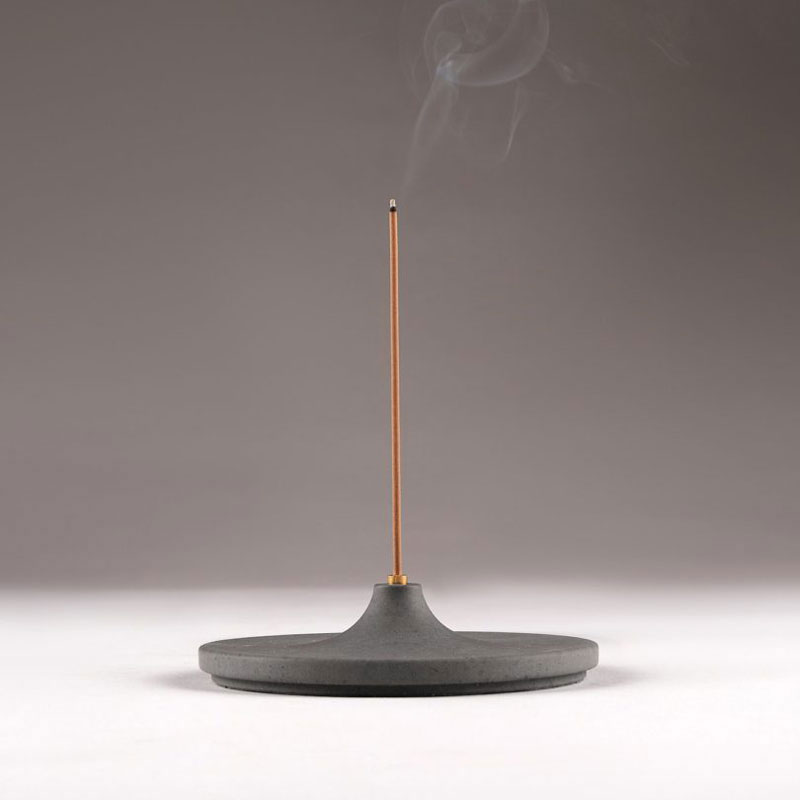
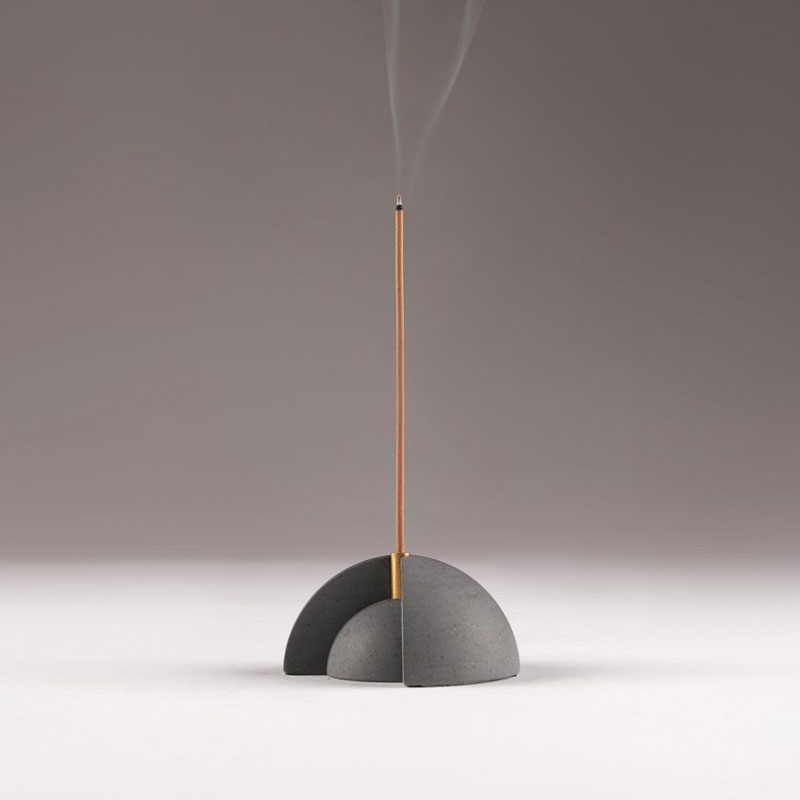
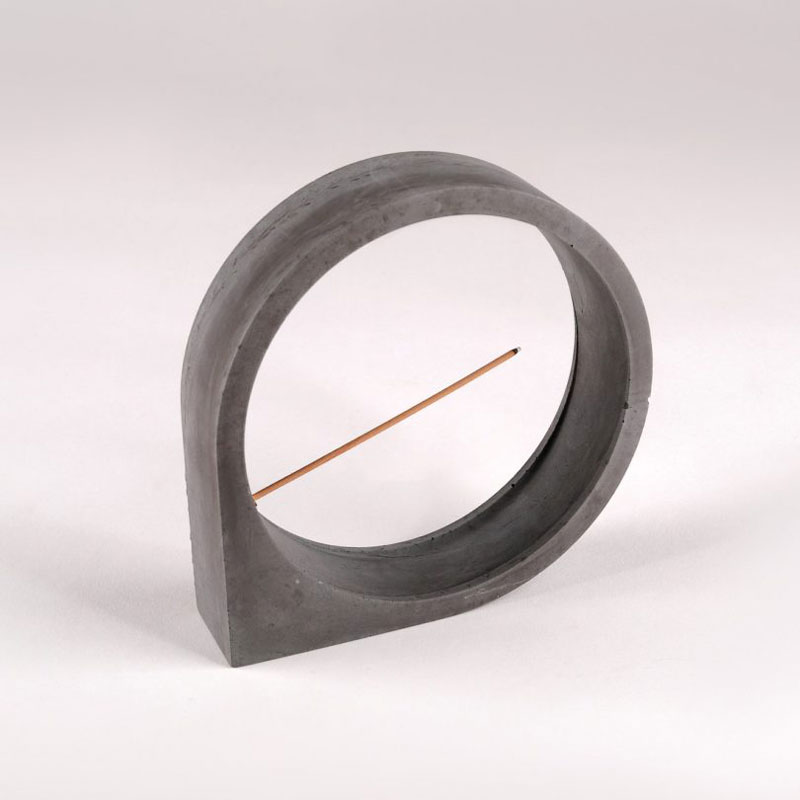
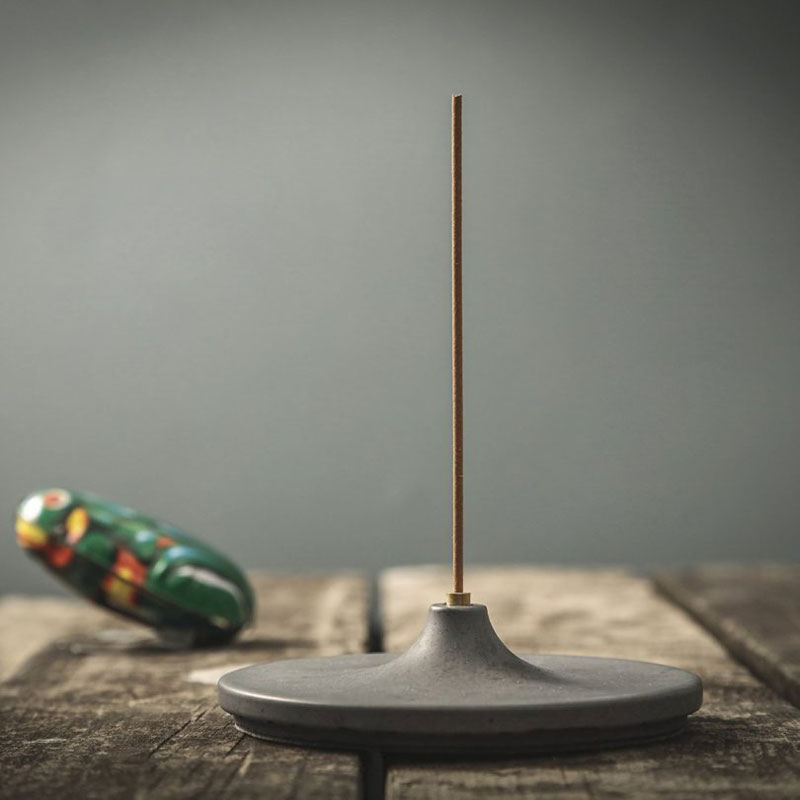
When you think of exciting design, incense burners are not the first product that comes to mind. With these designs inspired by the brutalist movement, the designers at Kin Objects demonstrate once more that we should look for inspiration in unusual places.
The designs come from a couple of first-generation immigrants who landed to USA and Australia and decided to go back to their roots. With these incense burners, they blend their mixed origins to create unique designs.
When you think of exciting design, incense burners are not the first product that comes to mind. With these designs inspired by the brutalist movement, the designers at Kin Objects demonstrate once more that we should look for inspiration in unusual places.
The designs come from a couple of first-generation immigrants who landed to USA and Australia and decided to go back to their roots. With these incense burners, they blend their mixed origins to create unique designs.
It is great fun to design a website. When your client is about to enter into a new project, all they do is put their complete faith on you to bring their ideas into life. Seeing a big smile on your happy client’s face is the most satisfying thing that any designer can ever ask for. But, even the best of the relationship with your client can go wrong if a proper web design contract is not in place.
A complete and solid contract can avert the concerns that you fear and try to avoid. A web design contract can be complicated or simple according to the project’s complexity and size but, there are certain elements that one should never miss even in the smallest of the contract. You and your client can save yourself a lot of trouble and time by simply having a proper web design contract with some of the key points mentioned in it. Here are the 5 things you should never forget in a web design contract.
There are various components when you design a website. When a contract is worked in print, it’s usually believed that the client pays 100% for your services and takes complete ownership of the work produced. But, it doesn’t remain that simple when you actually start developing the website and offering your services. So, it is very important to mention what you are offering and what you are not in the web design contract.
For instance, what should be done if your client wishes to change web hosting in the future, the layout, etc.? Other things that you may include in the web design contract are – theme or web layout ownership, the web design, site development coding, site’s CMS System, any intellectual property owned by the client or you, web copy, and more. To avoid any sticky legal mess, it is important to state each of the points in the web design contract clearly.
Client and Your Layout Responsibilities
When a website is designed, it is a two-way process. Firstly, your responsibility is to ensure 100% perfection in what you deliver and also maintain your repute in the industry. And secondly, your client’s responsibilities to provide all the information you need to complete the project and also offer on-time feedback to help you with the on-going development.
Often clients fail to understand it, so always better to put down in writing like client need to provide the product info, photos, complete plan of the site, key information such as FTP or WordPress detail. One of the most vital things is who is going to upload the content, the client or the designer, which creates a lot of tension. So, it is always better to be clear from the beginning by including these points in the web design contract.
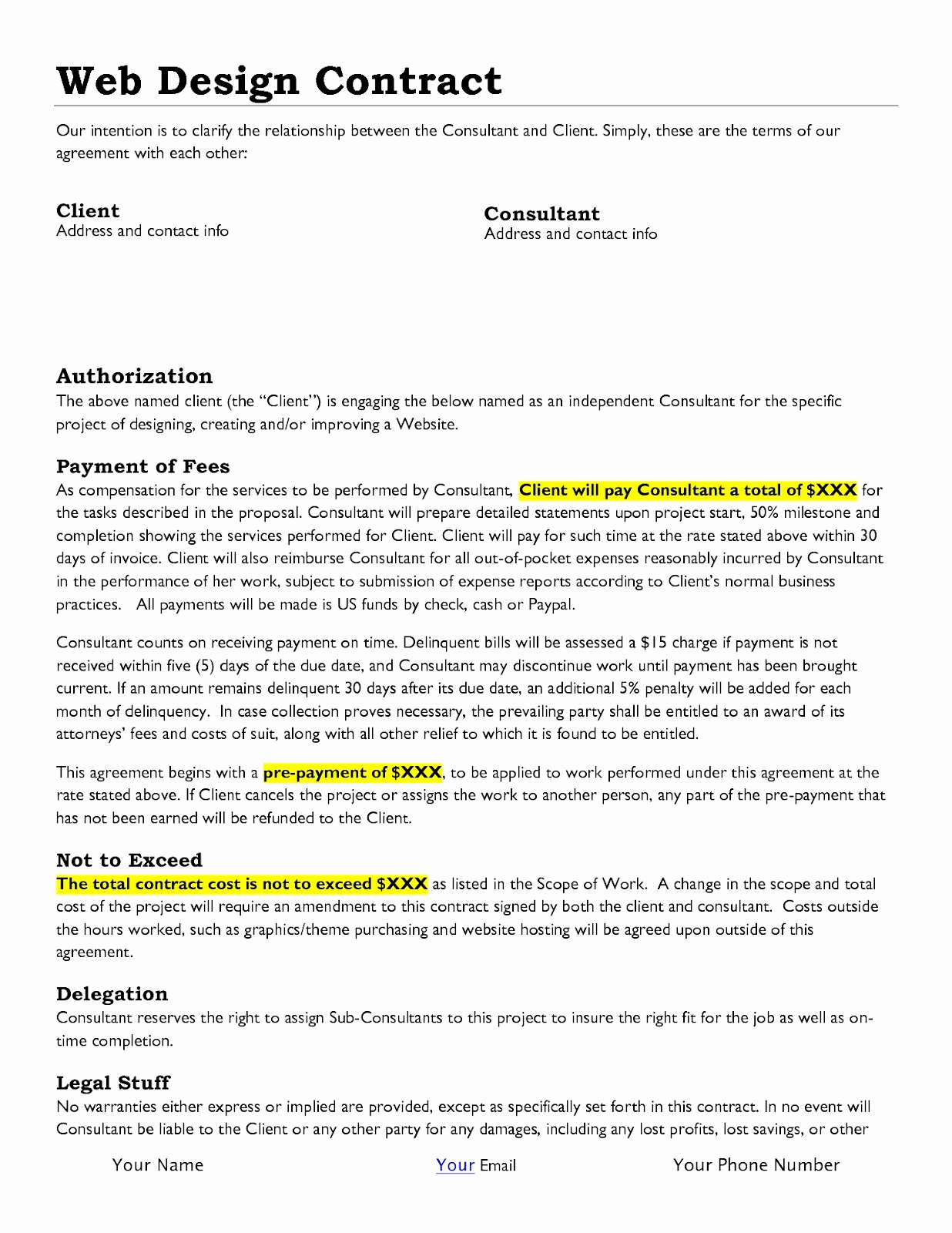
It might be a tricky situation when it comes to the payment part but it is the most vital one too. In order to ensure that you receive the full payment, never feel shy to get your payment upfront. Completing work and then getting paid is what you would never look forward to, as there are chances of the client ignoring or delaying your payment. If you cannot ask for the payment upfront, ensure to get part payments as you keep completing the work.
Mention each of the milestones whatever is discussed with your client regarding payment in the contract to avoid any confusion at a later date. For instance, if you have a $6000 project, you may divide and detail your milestone into 50% and 25%-25% ratio. Like 50% as deposit, 25% at the completion of the design phase and another 25%at the final site delivery phase. Never start the work without getting any upfront fees.
Charge for Any Kind of Additional Work or Time
It is important to note that if you do good work, clients will automatically come to you for your web design/development services. You don’t need to do any work other than the work mentioned in the contract or revisions free of cost to please your client. If you are given any additional work by the client, you might feel it is just a matter of 30 seconds so let’s fix but never do so without charging the money.
Any kind of additional work must always be billed hourly. Even if you are visiting a client, ensure to charge for it, whether effort or your time, it is your money. Apart from web design, if you also offer hosting services, mention the same in the web design contract. Keep the detail handy about how often and how much your client needs to pay you.
Contract Termination or Change of Terms
If you don’t wish to work with a client for whatever reason it might be or if you want to change any clause, your contract must have the point that you are allowed to do so to avoid any problem in the future. It definitely has to be fair for the client as well, for example, giving a notice period before leaving or coming to a decision from both parties before changing a clause.
In case of termination of the contract, the web design contract must have the details like within how many days the client properties like discs, images, etc. have to be returned, etc.
You must think of every situation and then draft the web design contract. Do you have any other important points to share that must be included in a web design contract? Feel free to share.
In the age of online branding, some would think that business cards are a thing of the past. It’s far from true!
Printed business cards are still a very simple and practical way to give out your information to anyone, in any situation. In some cases, handing out a business card can be the best conversation starter, especially if you have been creative with your design.
How to create an impact with your business card and start a conversation
To create an impact, your business card has to be different from others in one way or another. It can be with a creative idea, special folding, or a provocative text on it, but it can be more simple. If your business card is well-crafted and printed, it will often be enough to have people asking questions.
1. Go with different shapes
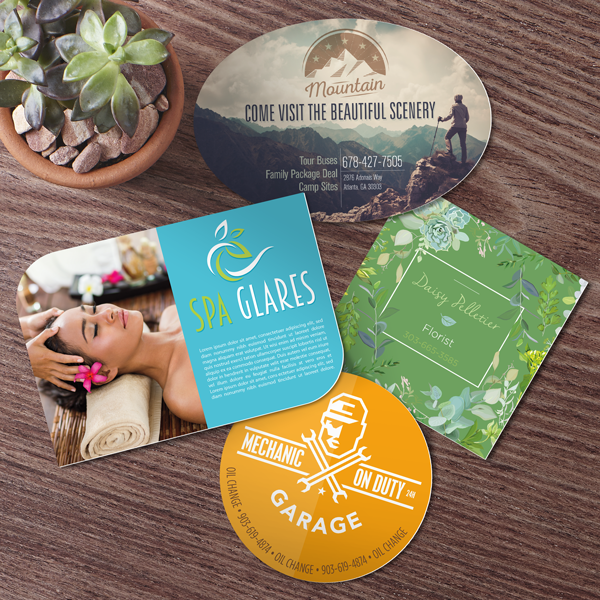
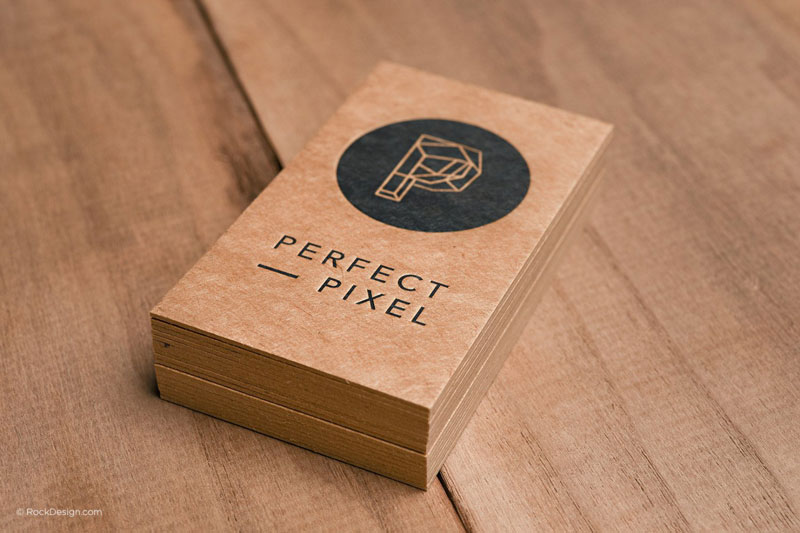
Not all business cards should be rectangular. Modern cutting techniques make it very affordable to shape your cards differently. Pull out an oval-shaped business card and you will see some surprise in the eyes of your interlocutor.
The people who are handed your business cards will not only be able to see it, but they will also feel it even if they are not looking at it. The right choice of paper can say a lot about your business and it can be a great conversation starter.
3. Add a quote on your business card
There is a reason people like to share quotes on social media, the quotes are an easy way to let someone famous say something deep better than you would have said it yourself.
Add a quote that reflects your business values on your card, and people will surely start talking about it when they are handed the card.
4. Don’t put a phone number
Or don’t put another information that people are expecting to see on your business card. People will notice it and ask about it, which can be the beginning of a conversation. You can for example answer that you are generally too busy to take phone call, but that you are willing to give them your phone information, this will make them feel more unique.
5. Choose a creative job title
If you are in a large corporation, you may not have your word to say on this, but if you are a freelancer or a small business owner, it’s up to you to choose the job title you want, and, let’s face it, CEO or General Manager sound a bit weird when you are a sole proprietorship.
Why not try something a bit different and go for “Chief Visionary Officer” or “Master of All That Is”, it will surely get you more reactions than a dull title.
6. Use a QR code
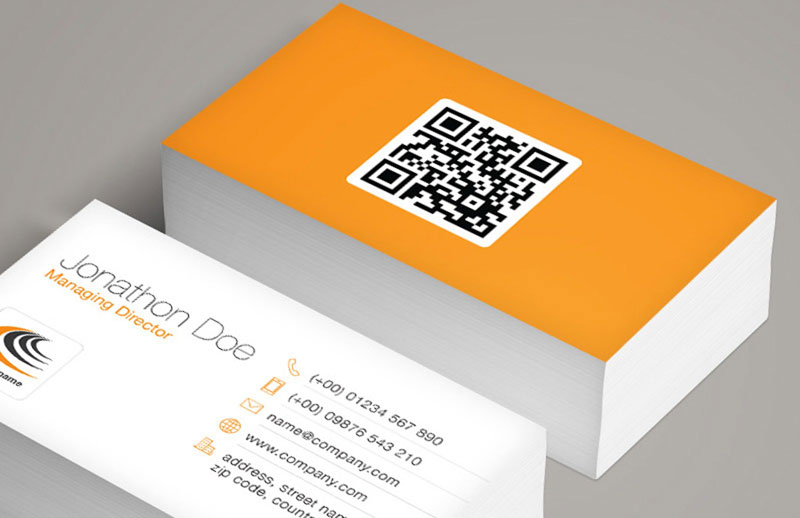
Nowadays, QR codes are popular enough to be used safely and know that people will know how to use them. The nice part about QR code is that they let you expand the reach of your business card. You can use them to send people to your website, of course, but you can also use them to let people add you on LinkedIn or any other creative thing that you can think of.
7. Use AR on the card
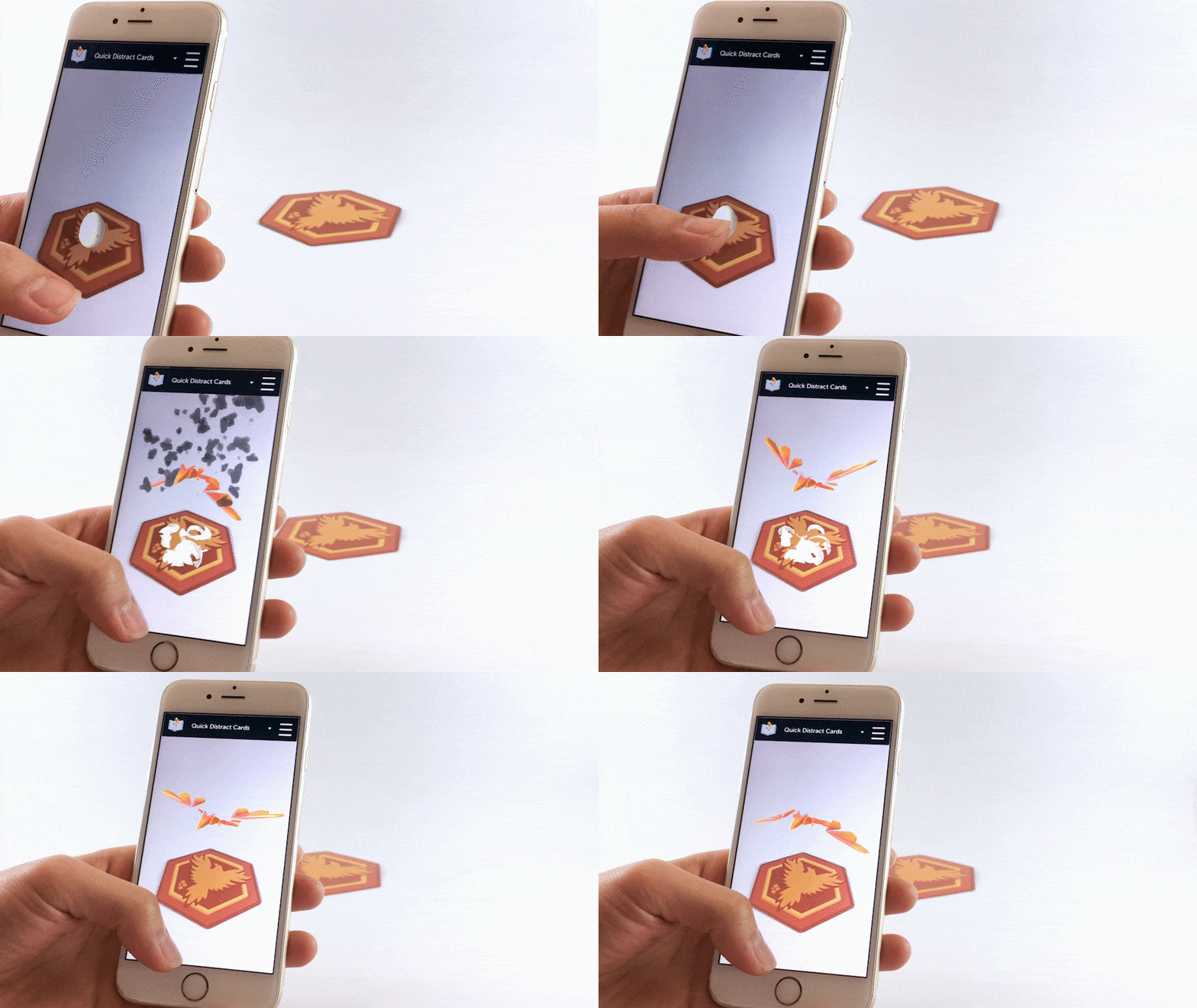
Augmented Reality is the amazing new technology that allows you to add all kinds of content to a visual when filming it with your cell phone. Using AR, you can, for example, add some video introduction to your business card.
8. Use photography
A picture is worth a thousand words. Everyone knows that, or at least everyone should know it. Using powerful photo imagery is a great way to have people more interested in your business card.
9. Use a coupon on your business cards
A business card is not only a medium to share some printed contact information, it also acts as a proof that you have met a certain person. To reward the people you have met in person, add a coupon code for your services or products, this way you will be sure that they will not forget you.
10. Use 3D on your business cards
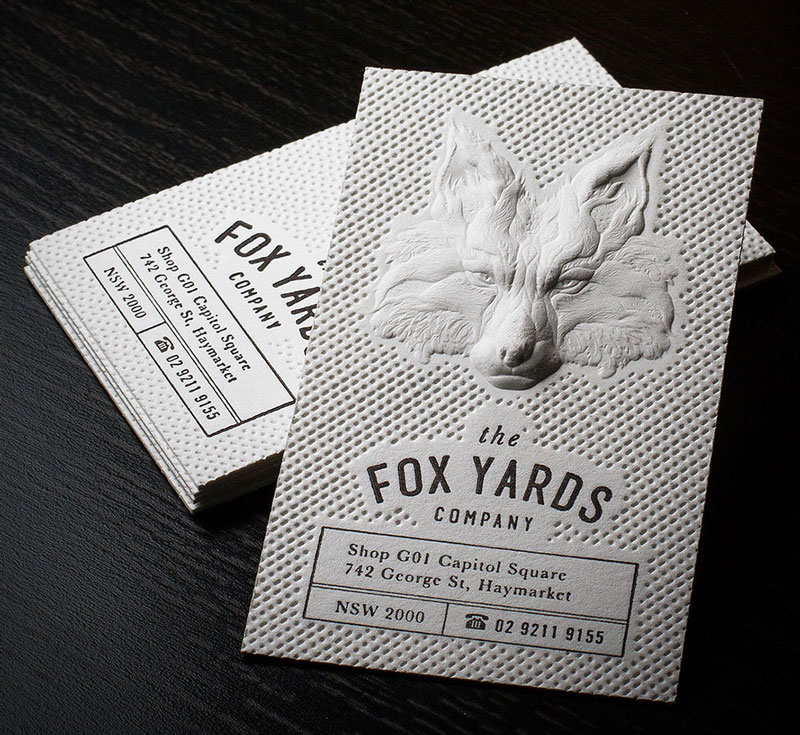
3D or embossing will bring your business cards to a whole new world. It allows you to be more creative and add special effect, but also to ensure that people will be able to feel your business cards, not only to read them.
Websites have a tendency to decay all by themselves. Link rot, they call it. Unpaid domain name registrations. Companies that have gone out of business. Site owners that have lost interest. What’s sadder than a 404? Landing on a holding page of a URL that used to exist, but now has fallen into the hands of some domain hoarder after it expired, hoping someone will pay a premium to get it back.
That stuff is no fun. But what about sites that are totally still around, just old? What kind of fun things could we do to indicate oldness that’s, like, on purpose?
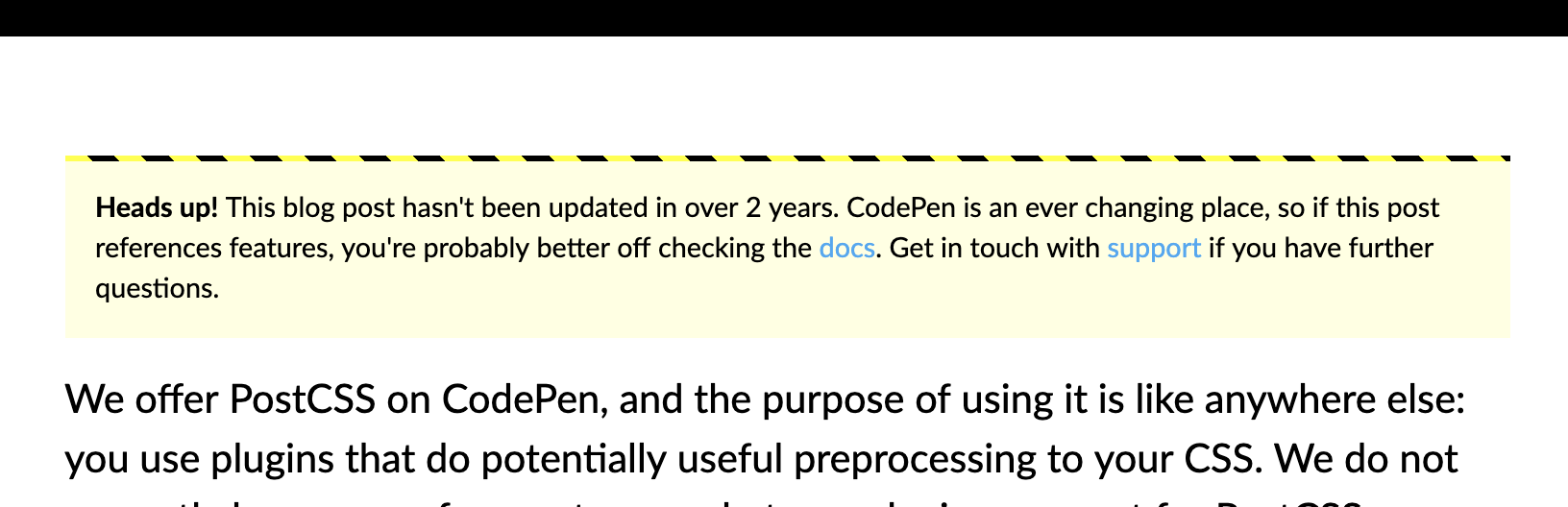
On the CodePen blog, we call out blog posts that haven’t been updated in at least a couple of years. We update documentation, sure, but we tend to leave blog posts alone as a historical record. So, we’re pretty clear about that:
<?php if (get_the_modified_date("Y") < 2017) { ?>
  <p class="callout"><strong>Heads up!</strong> This blog post hasn't been updated in over 2 years. CodePen is an ever changing place, so if this post references features, you're probably better off checking the <a href="/documentation/">docs</a>. Get in touch with <a href="https://codepen.io/support/">support</a> if you have further questions.</p>
<?php } ?>
We style it up like a little warning:
But what if it was less obvious? What if the text just kinda started going all to crap? Words falling off their lines and going out of focus? The older the content, the more decay:
What if you let a site decaye on purpose? Say, perhaps, you’re holding oto client work and the client hasn’t paid their bill. Dragoi Ciprian has a little idea (repo) for that. You set the due date and deadline:
var due_date = new Date('2017-02-27');
var days_deadline = 60;
Here’s a demo of that. As I write, I’m 30 days into a 90-day deadline. If the demo looks blank to you, well, I guess I should have paid my bill so this code could have been removed 😉
Or maybe the screen could kinda flash red, like you’re getting hit in a video game.
Dave once mentioned this would be a cool browser extension, like the browser window could flash red when certain bad things are happening, like layout jank.
Or you could get all glitchy! (This demo is click-to-load, fast colors and motion warning.)
Perhaps rather than basing things off a payment due date or the age of the content, these effects come into play based on how long it’s been since the site’s dependencies have been updated. Or at least had some kind of deployment push.
This is only sorta tangentially related, but it reminds me of the very, very scary game Lose/Lose:
Lose/Lose is a video-game with real life consequences. Each alien in the game is created based on a random file on the players [sic] computer. If the player kills the alien, the file it is based on is deleted. If the players [sic] ship is destroyed, the application itself is deleted.
Although touching aliens will cause the player to lose the game, and killing aliens awards points, the aliens will never actually fire at the player. This calls into question the player’s mission, which is never explicitly stated, only hinted at through classic game mechanics. Is the player supposed to be an aggressor? Or merely an observer, traversing through a dangerous land?
High fives to Wufoo, our long-time sponsor here on CSS-Tricks. It’s powered the vast majority of forms I’ve built over the past decade. If you’ve never used it or heard of it: it’s a form builder. It makes the arduous task of implementing forms trivially easy. Building a form on Wufoo means you’ll get a form that does everything right UX-wise, gives you full design control, integrates with anything, and that you can put anywhere.
The feature list is too long to cover in the confines of a single post, so I always like to cover little bits that I’ve used recently and liked.
Don’t forget they have a robust API. I used the API to submit form entries on a form just the other day. I wanted to do some special things on a form, like be able to react to the DOM event of submitting the form. That’s not really possible when the form is in an <iframe>, but just fine when you host the form yourself and submit via API. Worked great.
Nature took thousands of years to perfect the packaging of fruits, but paradoxically, we are replacing them with plastic packaging that, instead of protecting, is destroying nature. In Conservation International we want to stop this madness.
No fruit peel takes 400 years to decompose. Stop this madness.
Nature took thousands of years to perfect the packaging of fruits, but paradoxically, we are replacing them with plastic packaging that, instead of protecting, is destroying nature. In Conservation International we want to stop this madness.
No fruit peel takes 400 years to decompose. Stop this madness.
When you negotiate with stolen merchandise, you’re paying with your own business When you buy stolen items, you’re paying with the safety of your family When you buy stolen auto parts, you’re paying with those of your own vehicle When you buy stolen merchandise, you’re paying with your business and reputation
Denounce any illegality in adenunciar.policia.gov.co or downloading the APP ADenunciar Do business without negotiating your principles