Using Netlify Forms and Netlify Functions to Build an Email Sign-Up Widget

Post pobrano z: Using Netlify Forms and Netlify Functions to Build an Email Sign-Up Widget

Building and maintaining your own website is a great idea. Not only do you own your platform, but you get to experiment with web technologies along the way. Recently, I dug into a concept called serverless functions, starting with my own website. I’d like to share the results and what I learned along the way, so you can get your hands dirty, too!

But first, a 1-minute intro to serverless functions

A serverless function (sometimes called a lambda function or cloud function) is a piece of code that you can write, host, and run independently of your website, app, or any other code. Despite the name, serverless functions do, indeed, run on a server; but it’s a server you don’t have to build or maintain. Serverless functions are exciting because they take a lot of the legwork out of making powerful, scalable, apps.

There’s lots of great information on serverless functions out there, and a great place to start is CSS Trick’s own guide: The Power of Serverless Front-End Developers.

The Challenge: Build a Mailing List Sign Up Form

I started my journey with a challenge: I wanted to have an email list sign-up form on my site. The rules are as follows:

  • It should work without JavaScript. I’d like to see how much I can get by with just CSS and HTML. Progressive enhancements are OK.
  • It shouldn’t require external dependencies. This is a learning project, so I want to write 100% of the code if possible.
  • It should use serverless functions. Instead of sending data to my email list service client-side, let’s do it server(less)-side!

Meet the team: 11ty, Netlify, and Buttondown

My website is built using a static site framework called 11ty. 11ty allows me to write templates and components in HTML, so that’s how we’ll build our email form. (Chris recently wrote a great article about his experience with 11ty if you’re interested in learning more.)

The website is then deployed using a service called Netlify) and it is the key player on our team here: the point guard, the quarterback, the captain. That’s because Netlify has three features that work together to produce serverless excellence:

  • Netlify can deploy automatically from a GitHub repo. This means I can write my code, create a pull request, and instantly see if my code works. While there are tools to test serverless functions locally, Netlify makes it super easy to test live.
  • Netlify Forms handles any form submissions my site gets. This is one part of the serverless equation: instead of writing code to collect submissions, I’ll configure the HTML with a few simple attributes and let Netlify handle the rest.
  • Netlify Functions allows me to take action with the data from my forms. I’ll write some code to send emails off to my email list provider, and tell Netlify when to run that code.

Finally, I’ll manage my email list with a service called Buttondown. It’s a no-frills email newsletter provider, with an easy-to-use API.

Bonus: for personal sites like mine, 11ty, Netlify, and Buttondown are free. You can’t beat that.

The form

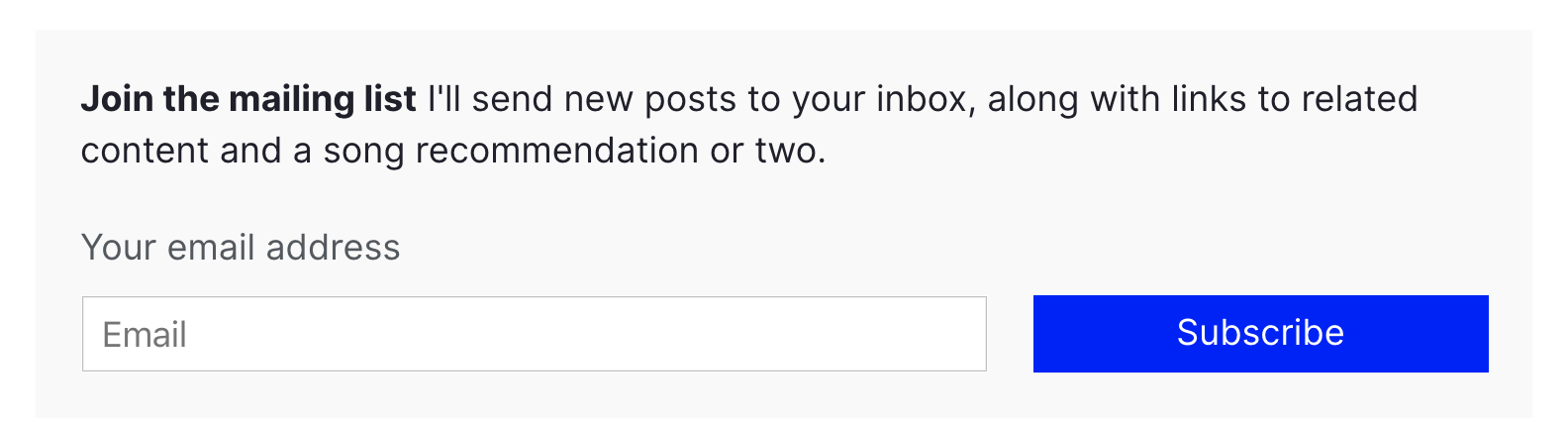
The HTML for my email subscription form is very minimal, with a few extras for Netlify Forms to work.

<form class="email-form" name="newsletter" method="POST" data-netlify="true" netlify-honeypot="bot-field">
  <div hidden aria-hidden="true">
    <label>
      Don’t fill this out if you're human: 
      <input name="bot-field" />
    </label>
  </div>
  <label for="email">Your email address</label>
  <div>
    <input type="email" name="email" placeholder="Email"  id="email" required />
    <button type="submit">Subscribe</button>
  </div>
</form>

First, I set the data-netlify attribute to true to tell Netlify to handle this form.

The first input in the form is named bot-field. This tricks robots into revealing themselves: I tell Netlify to watch for any suspicious submissions by setting the netlify-honeypot attribute to bot-field. I then hide the field from humans using the html hidden and aria-hidden values — users with and without assistive technology won’t be able to fill out the fake input.

If the form gets submitted with anything in the bot-field input, Netlify knows it’s coming from a robot, and ignores the input. In addition to this layer of protection, Netlify automatically filters suspicious submissions with Askimethttps://www.netlify.com/blog/2019/02/12/improved-netlify-forms-spam-filtering-using-akismet/). I don’t have to worry about spam!

The next input in the form is named email. This is where the email address goes! I’ve specified the input-type as email, and indicated that is required; this means that the browser will do all my validation for me, and won’t let users submit anything other than a valid email address.
Progressive enhancement with JavaScript

One neat feature of Netlify Forms is the ability to automatically redirect users to a “thank you” page when they submit a form. But ideally, I’d like to keep my users on the page. I wrote a short function to submit the form without a redirect.

const processForm = form => {
  const data = new FormData(form)
  data.append('form-name', 'newsletter');
  fetch('/', {
    method: 'POST',
    body: data,
  })
  .then(() => {
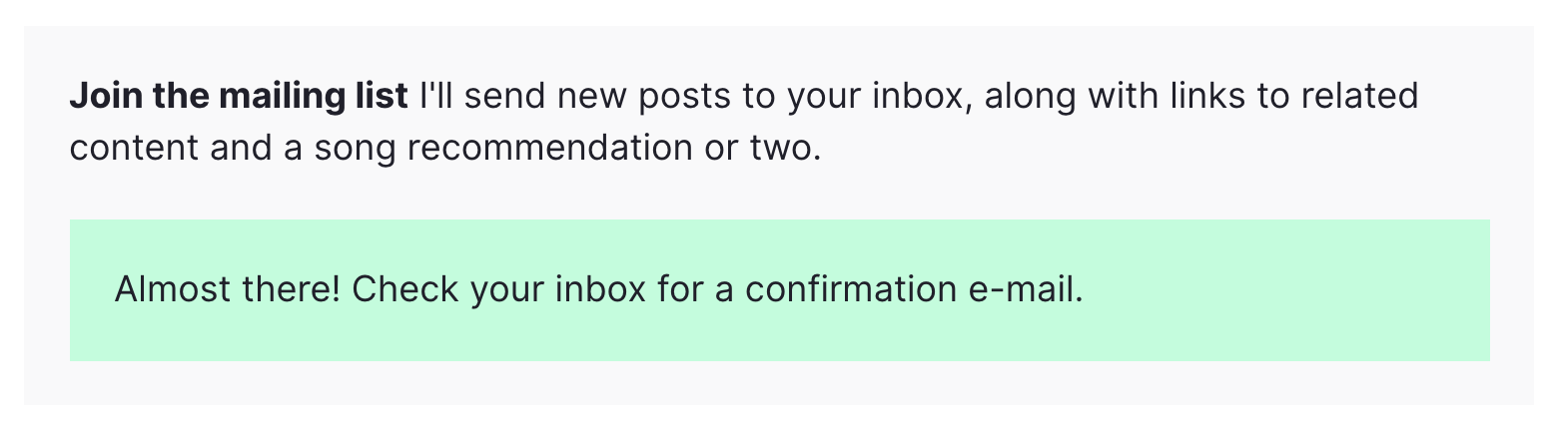
    form.innerHTML = `<div class="form--success">Almost there! Check your inbox for a confirmation e-mail.</div>`;
  })
  .catch(error => {
    form.innerHTML = `<div class="form--error">Error: ${error}</div>`;
  })
}

When I provide the content of my email form to this function via the form value, it submits the form using JavaScript’s built-in Fetch API. If the function was successful, it shows a pleasant message to the user. If the function hits a snag, it’ll tell my users that something went wrong.

This function is called whenever a user clicks the “submit” button on the form:

const emailForm = document.querySelector('.email-form')
if (emailForm) {
  emailForm.addEventListener('submit', e => {
    e.preventDefault();
    processForm(emailForm);
  })
}

This listener progressively enhances the default behavior of the form. This means that if the user has JavaScript disabled, the form still works!
The serverless function

Now that we have a working email submission form, it’s time to do some automation with a serverless function.

The way Netlify functions work is as follows:

  1. Write the function in a JavaScript file in your project.
  2. Tell Netlify where to look for your function via the netlify.toml file in your project.
  3. Add any environment variables you’ll need via Netlify’s admin interface. An environment variable is something like an API key that you need to keep secret.

That’s it! The next time you deploy your site, the function will be ready to go.

The function for my site is going to be in the functions folder, so I have the following in my netlify.toml file:

[build]
  base = "."
  functions = "./functions"

Then, I’ll add a file in the functions folder called submission-created.js. It’s important to name the file submission-created so that Netlify knows to run it every time a new form submission occurs. A full list of events you can script against can be found in Netlify’s documentation. If you’ve correctly named and configured your function, you should see it on Netlify’s Functions dashboard:
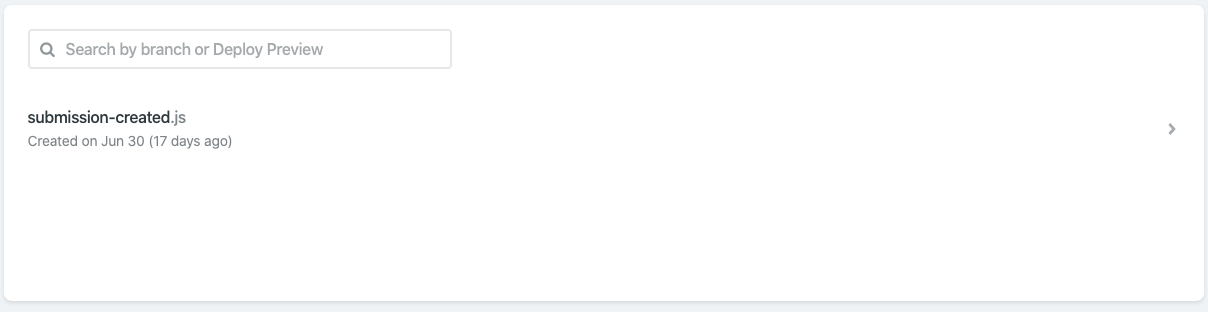
Netlify’s Functions dashboard shows I’ve correctly configured my submission-created function

The content in submission-created.js looks like this:

require('dotenv').config()
const fetch = require('node-fetch')
const { EMAIL_TOKEN } = process.env
exports.handler = async event => {
  const email = JSON.parse(event.body).payload.email
  console.log(`Recieved a submission: ${email}`)
  return fetch('https://api.buttondown.email/v1/subscribers', {
    method: 'POST',
    headers: {
      Authorization: `Token ${EMAIL_TOKEN}`,
      'Content-Type': 'application/json',
    },
    body: JSON.stringify({ email }),
  })
    .then(response => response.json())
    .then(data => {
      console.log(`Submitted to Buttondown:\n ${data}`)
    })
    .catch(error => ({ statusCode: 422, body: String(error) }))
}

Let’s look at this line-by-line.

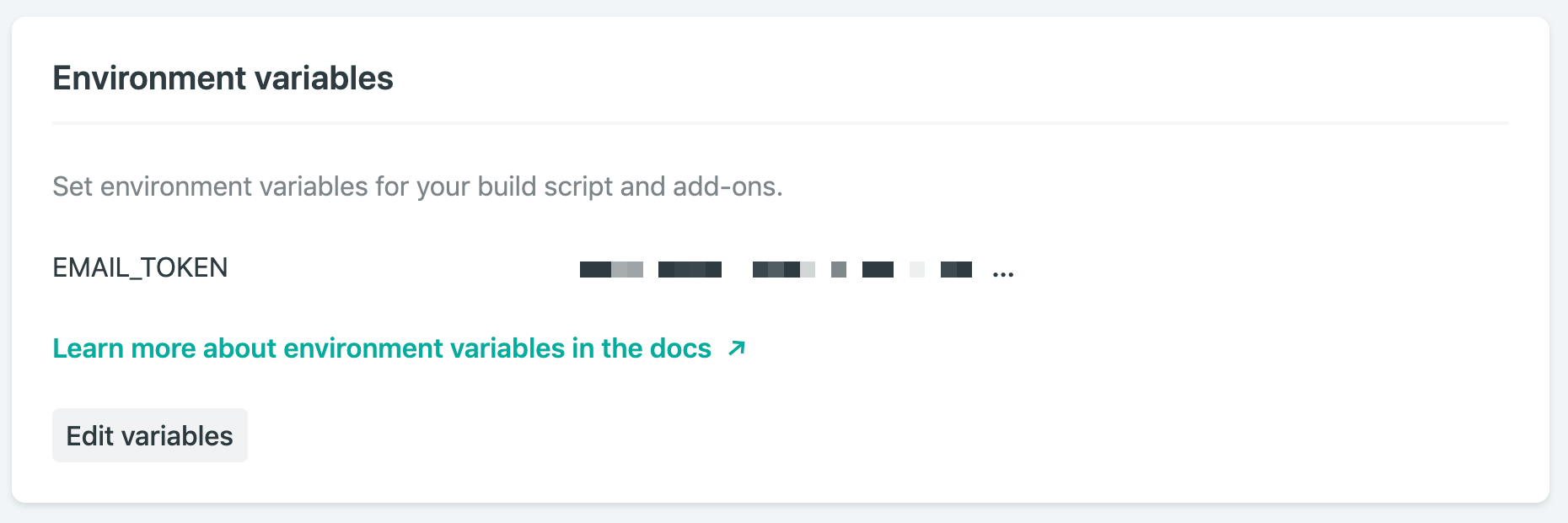
Line 1 includes a library called dotenv. This will help me use environment variables. Environment variables are useful to hold information that I don’t want to make public, like an API key. If I’m running my project locally, I set my environment variables with a .env file in the repo, and make sure it’s listed my .gitignore file. In order to deploy on Netlify, I also set up environment variables in Netlify’s web interface.
On line 2, I add a small library called node-fetch. This allows me to use Javascript’s Fetch API in node, which is how we’ll send data to Buttondown. Netlify automatically includes this dependency, as long as it’s listed in my project’s package.json file.

On line 3, I import my API key from the environment variables object, process.env.

Line 4 is where the function is defined. The exports.handler value is where Netlify expects to find our function, so we define it there. The only input we’ll need is the event value, which will contain all of the data from the form submission.

After retrieving the email address from the event value using JSON.parse, I’m ready to send it off to Buttondown. Here’s where I use the node-fetch library I imported earlier: I send a POST request to https://api.buttondown.email/v1/subscribers, including my API key in the header. Buttondown’s API doesn’t have many features, so it doesn’t take long to read through the documentation if you’d like to learn more.

The body of my POST request consists of the email address we retrieved.

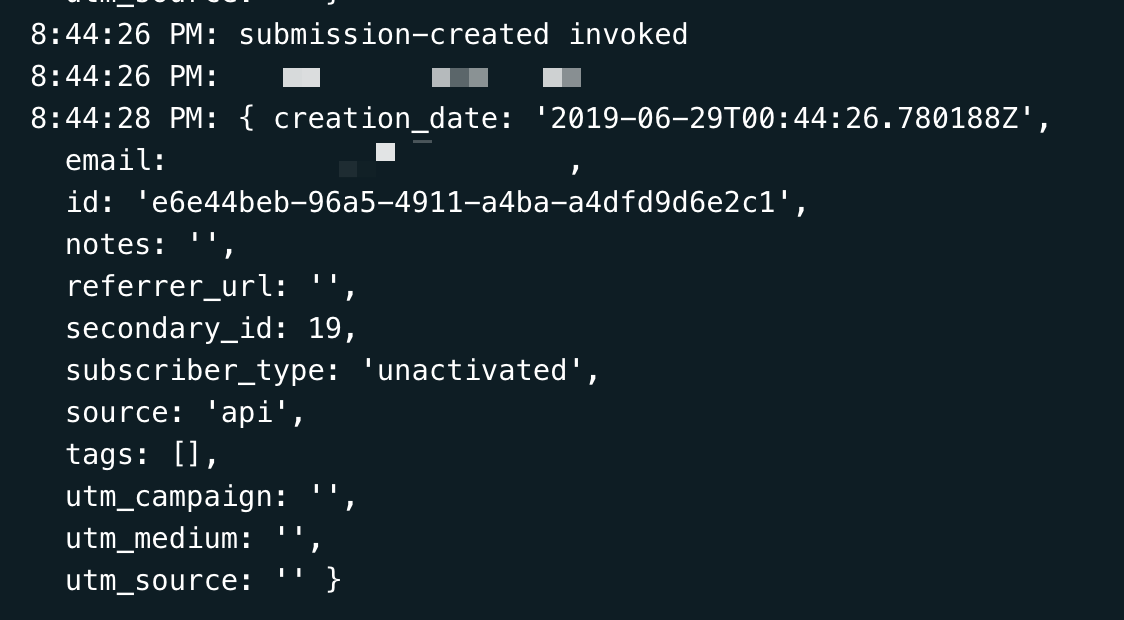
Then (using the neat .then() syntax), I collect the response from Buttondown’s server. I do this so I can diagnose any issues that are happening with the process — Netlify makes it easy to check your function’s logs, so use console.log often!
Deploying the function

Now that I’ve written my function, configured my netlify.toml file, and added my environment variables, everything is ready to go. Deploying is painless: just set up Netlify’s GitHub integration, and your function will be deployed when your project is pushed.

Netlify projects can also be tested locally using Netlify Dev. Depending on the complexity of your code, it can be faster to develop locally: just run npm i netlify -g, then netlify dev. Netlify Dev will use the netlify.toml file to configure and run the project locally, including any serverless functions. Neat, right? One caveat: Netlify Dev currently can’t trigger serverless functions on form submissions, so you’ll have to test that using preview builds.

An idea for the future

Buttondown’s API has a few possible responses when I submit a new email. For instance, if a user submits an email that’s already subscribed to the list, I’d love to be able to tell them as soon as they submit the form.

Conclusion

All in all, I only had to write about 50 lines of code to have a functional email newsletter sign-up form available on my website. I wrote it all in HTML, CSS, and JavaScript, without having to fret with the server side of the equation. The form handles spam, and my readers get a nice experience whether they have JavaScript enabled or not.

The post Using Netlify Forms and Netlify Functions to Build an Email Sign-Up Widget appeared first on CSS-Tricks.

New Course: Up and Running With OnlyOffice Presentations

Post pobrano z: New Course: Up and Running With OnlyOffice Presentations

Tired of PowerPoint? Don’t worry—you can create great presentations using a free, open-source application: OnlyOffice. Discover how to get the most out of it in our new course, Up and Running With OnlyOffice Presentations.

What You’ll Learn

You can use OnlyOffice online, on every desktop and mobile operating system, self-hosted, or hosted via a cloud service. It supports PPTX, PPT, and ODP file formats, and on top of that it’s open source and can be used completely free of charge on the desktop or when self-hosted.

In this course, instructor Kezz Bracey will tell you everything you need to know to start creating awesome presentations in OnlyOffice.

OnlyOffice presentation

Here are some free lessons from this course, as a preview of what you can expect:

Interface Overview

This video will give you a quick overview of the OnlyOffice Presentations interface and its key components.


Working With Text in OnlyOffice

In this video, you’ll see how to add text and control its layout and basic styling attributes. You’ll also learn how to work with text boxes and handle some extras, like adding special characters and formatting code examples.


Themes and Colour Schemes

OnlyOffice uses a system of themes and premade color schemes that control how things like new slides, charts, shapes and text look throughout your presentation. Discover how you can use these systems in this video.


Take the Course

You can take our new course straight away with a subscription to Envato Elements. For a single low monthly fee, you get access not only to this course, but also to our growing library of over 1,250 video courses and industry-leading eBooks on Envato Tuts+. 

Plus you can download unlimited items from the huge Envato Elements library of more than 1.3 million creative assets. Create with unique fonts, photos, graphics and templates, and deliver better projects faster.

New Course: Up and Running With OnlyOffice Presentations

Post pobrano z: New Course: Up and Running With OnlyOffice Presentations

Tired of PowerPoint? Don’t worry—you can create great presentations using a free, open-source application: OnlyOffice. Discover how to get the most out of it in our new course, Up and Running With OnlyOffice Presentations.

What You’ll Learn

You can use OnlyOffice online, on every desktop and mobile operating system, self-hosted, or hosted via a cloud service. It supports PPTX, PPT, and ODP file formats, and on top of that it’s open source and can be used completely free of charge on the desktop or when self-hosted.

In this course, instructor Kezz Bracey will tell you everything you need to know to start creating awesome presentations in OnlyOffice.

OnlyOffice presentation

Here are some free lessons from this course, as a preview of what you can expect:

Interface Overview

This video will give you a quick overview of the OnlyOffice Presentations interface and its key components.


Working With Text in OnlyOffice

In this video, you’ll see how to add text and control its layout and basic styling attributes. You’ll also learn how to work with text boxes and handle some extras, like adding special characters and formatting code examples.


Themes and Colour Schemes

OnlyOffice uses a system of themes and premade color schemes that control how things like new slides, charts, shapes and text look throughout your presentation. Discover how you can use these systems in this video.


Take the Course

You can take our new course straight away with a subscription to Envato Elements. For a single low monthly fee, you get access not only to this course, but also to our growing library of over 1,250 video courses and industry-leading eBooks on Envato Tuts+. 

Plus you can download unlimited items from the huge Envato Elements library of more than 1.3 million creative assets. Create with unique fonts, photos, graphics and templates, and deliver better projects faster.

New Course: Up and Running With OnlyOffice Presentations

Post pobrano z: New Course: Up and Running With OnlyOffice Presentations

Tired of PowerPoint? Don’t worry—you can create great presentations using a free, open-source application: OnlyOffice. Discover how to get the most out of it in our new course, Up and Running With OnlyOffice Presentations.

What You’ll Learn

You can use OnlyOffice online, on every desktop and mobile operating system, self-hosted, or hosted via a cloud service. It supports PPTX, PPT, and ODP file formats, and on top of that it’s open source and can be used completely free of charge on the desktop or when self-hosted.

In this course, instructor Kezz Bracey will tell you everything you need to know to start creating awesome presentations in OnlyOffice.

OnlyOffice presentation

Here are some free lessons from this course, as a preview of what you can expect:

Interface Overview

This video will give you a quick overview of the OnlyOffice Presentations interface and its key components.


Working With Text in OnlyOffice

In this video, you’ll see how to add text and control its layout and basic styling attributes. You’ll also learn how to work with text boxes and handle some extras, like adding special characters and formatting code examples.


Themes and Colour Schemes

OnlyOffice uses a system of themes and premade color schemes that control how things like new slides, charts, shapes and text look throughout your presentation. Discover how you can use these systems in this video.


Take the Course

You can take our new course straight away with a subscription to Envato Elements. For a single low monthly fee, you get access not only to this course, but also to our growing library of over 1,250 video courses and industry-leading eBooks on Envato Tuts+. 

Plus you can download unlimited items from the huge Envato Elements library of more than 1.3 million creative assets. Create with unique fonts, photos, graphics and templates, and deliver better projects faster.

RebraandKotlety: Local Bar Against National Shame

Post pobrano z: RebraandKotlety: Local Bar Against National Shame

Integrated
Rebra&Kotlety

When Champions League Final came to Kyiv, we&rsquo;ve lost our best feature – hospitality. There were only money and profit in minds. Owners of the apartments canceled reservations to resell it more expensive later. B&amp;B prices increased in 50-60 times. The biggest European media wrote about Ukrainian&rsquo;s greediness. The Liverpool FC officials appealed to UEFA to ask help in dealing with crazy prices for housing in Kyiv. It was a national shame! To earn back our reputation of hospitable nation, gastro-bar &ldquo;Rebra &amp; Kotlety&rdquo; decided to lose money. We transformed gastro-bar into a free hostel for European fans and listed it on Airbnb. Day later fans have booked all beds in our Hostel-Bar. On May 26, they arrived in Kyiv. &ldquo;Rebra &amp; Kotlety&rdquo; became the headliner of national TV and online media. We received over 100 million impressions. Local bar became the pride of the whole country. Hospitality pushed the greediness away from media titles. Sometimes you should lose in some money to get more valuable thing. &ldquo;Rebra &amp; Kotlety&rdquo; became the headliner of national TV and online media. We received over 100 million impressions. Local bar became the pride of the whole country. Hospitality pushed greediness away from media titles. Sometimes you should lose in some money to get more valuable thing.

Advertising Agency:Saatchi&Saatchi Ukraie, Kiev, Ukraine
Business Development Director:Dmytro Grushevsky
Pr Coordinator:Yulia Meduna
Senior Account Manager:Marina Kondriyanenko
Head Of Art:Oleksiy Tertyshnyk
Head Of Group:Sergey Beloshitsky
Copywriter:Sergey Beloshitsky
Creative Director:Kosta Schneider

RebraandKotlety: Local Bar Against National Shame

Post pobrano z: RebraandKotlety: Local Bar Against National Shame

Integrated
Rebra&Kotlety

When Champions League Final came to Kyiv, we&rsquo;ve lost our best feature – hospitality. There were only money and profit in minds. Owners of the apartments canceled reservations to resell it more expensive later. B&amp;B prices increased in 50-60 times. The biggest European media wrote about Ukrainian&rsquo;s greediness. The Liverpool FC officials appealed to UEFA to ask help in dealing with crazy prices for housing in Kyiv. It was a national shame! To earn back our reputation of hospitable nation, gastro-bar &ldquo;Rebra &amp; Kotlety&rdquo; decided to lose money. We transformed gastro-bar into a free hostel for European fans and listed it on Airbnb. Day later fans have booked all beds in our Hostel-Bar. On May 26, they arrived in Kyiv. &ldquo;Rebra &amp; Kotlety&rdquo; became the headliner of national TV and online media. We received over 100 million impressions. Local bar became the pride of the whole country. Hospitality pushed the greediness away from media titles. Sometimes you should lose in some money to get more valuable thing. &ldquo;Rebra &amp; Kotlety&rdquo; became the headliner of national TV and online media. We received over 100 million impressions. Local bar became the pride of the whole country. Hospitality pushed greediness away from media titles. Sometimes you should lose in some money to get more valuable thing.

Advertising Agency:Saatchi&Saatchi Ukraie, Kiev, Ukraine
Business Development Director:Dmytro Grushevsky
Pr Coordinator:Yulia Meduna
Senior Account Manager:Marina Kondriyanenko
Head Of Art:Oleksiy Tertyshnyk
Head Of Group:Sergey Beloshitsky
Copywriter:Sergey Beloshitsky
Creative Director:Kosta Schneider

RebraandKotlety: Local Bar Against National Shame

Post pobrano z: RebraandKotlety: Local Bar Against National Shame

Integrated
Rebra&Kotlety

When Champions League Final came to Kyiv, we&rsquo;ve lost our best feature – hospitality. There were only money and profit in minds. Owners of the apartments canceled reservations to resell it more expensive later. B&amp;B prices increased in 50-60 times. The biggest European media wrote about Ukrainian&rsquo;s greediness. The Liverpool FC officials appealed to UEFA to ask help in dealing with crazy prices for housing in Kyiv. It was a national shame! To earn back our reputation of hospitable nation, gastro-bar &ldquo;Rebra &amp; Kotlety&rdquo; decided to lose money. We transformed gastro-bar into a free hostel for European fans and listed it on Airbnb. Day later fans have booked all beds in our Hostel-Bar. On May 26, they arrived in Kyiv. &ldquo;Rebra &amp; Kotlety&rdquo; became the headliner of national TV and online media. We received over 100 million impressions. Local bar became the pride of the whole country. Hospitality pushed the greediness away from media titles. Sometimes you should lose in some money to get more valuable thing. &ldquo;Rebra &amp; Kotlety&rdquo; became the headliner of national TV and online media. We received over 100 million impressions. Local bar became the pride of the whole country. Hospitality pushed greediness away from media titles. Sometimes you should lose in some money to get more valuable thing.

Advertising Agency:Saatchi&Saatchi Ukraie, Kiev, Ukraine
Business Development Director:Dmytro Grushevsky
Pr Coordinator:Yulia Meduna
Senior Account Manager:Marina Kondriyanenko
Head Of Art:Oleksiy Tertyshnyk
Head Of Group:Sergey Beloshitsky
Copywriter:Sergey Beloshitsky
Creative Director:Kosta Schneider

StopCancer Association: The Cancer That Stuck Me

Post pobrano z: StopCancer Association: The Cancer That Stuck Me

Media
StopCancer Association

Every day in Israel, ten young adults ages 18-40 find out they are have cancer. Still, the country&rsquo;s support system does not recognize this age category as a population with special needs.
Quite the opposite in fact. For many of these young adults who are just starting out in life – starting a family, buying an apartment, beginning their careers; getting cancer means getting stuck.

Why? Because young cancer patients (and even recovering young cancer patients) can’t get a mortgage, women cancer patients are not told to freeze their eggs (in spite of what you can imagine cancer treatments may do to their ability to conceive &amp; have a baby) and 60% of them are not hired back to work. For them, getting cancer means getting stuck.

The &ldquo;Stop Cancer&rdquo; association was created to change that and provide a network of support for young adults with cancer. Therefore, in honour of the first &lsquo;Young Adult Cancer Awareness Week&rsquo;, we launched #The_Cancer_That_Stuck_Me.

The idea behind the campaign was to emphasize that while a &lsquo;regular&rsquo; 29-year-old, buying his first apartment, life is on track to move forward, the life of another person that same age, who just was diagnosed with cancer, suddenly gets stuck. While he is asked to deal with the disease, once recovered buying an apartment will be an impossible dream as he will not be eligible for any funding or mortgage.

The campaign carried which was carried out on every media platform available, attempts to illustrate our cancer patients getting stuck and began with organic Instagram stories which hit a nerve and spread everywhere as hundreds of celebrities joined our cause and shared their stories. Live prime television broadcasts froze, live radio broadcasts got stuck as did TV Promos, Movie trailers and YouTube pre-rolls. Even Israeli President Mr. Reuven Rivlin voiced his position in support of our goal.

Advertising Agency:BBR Saatchi & Saatchi, Israel
Chief Executive Officer:Ben Muskal
Chief Creative Officer:Yaron Perel
Creative Director:Kobi Cohen
Art Director:Gali Divon
Account Supervisor:Moran Darzi
Account Executive:Adva Aviad
Media Strategy Manager:Ronit Shekel
Marcom Director:Eva Hasson
VP Content & Production:Iris Yisraeli
Producers:Livnat Alon
Photographer:Ron Kedmi
Video Photographer:Leehou Porat
Video Editor:Tom Lin
Original Music:Yaya Cohen Aharonov
Studio BBR Manager:Yaron Keinan
Studio BBR:Zehava Gonen Greenberg, Masha Varshitsky, Noam Carmel, Jenny Gindus, Eyal Vinitzer, Gabi Levi Elkayam, Robert Mizikovsky

StopCancer Association: The Cancer That Stuck Me

Post pobrano z: StopCancer Association: The Cancer That Stuck Me

Media
StopCancer Association

Every day in Israel, ten young adults ages 18-40 find out they are have cancer. Still, the country&rsquo;s support system does not recognize this age category as a population with special needs.
Quite the opposite in fact. For many of these young adults who are just starting out in life – starting a family, buying an apartment, beginning their careers; getting cancer means getting stuck.

Why? Because young cancer patients (and even recovering young cancer patients) can’t get a mortgage, women cancer patients are not told to freeze their eggs (in spite of what you can imagine cancer treatments may do to their ability to conceive &amp; have a baby) and 60% of them are not hired back to work. For them, getting cancer means getting stuck.

The &ldquo;Stop Cancer&rdquo; association was created to change that and provide a network of support for young adults with cancer. Therefore, in honour of the first &lsquo;Young Adult Cancer Awareness Week&rsquo;, we launched #The_Cancer_That_Stuck_Me.

The idea behind the campaign was to emphasize that while a &lsquo;regular&rsquo; 29-year-old, buying his first apartment, life is on track to move forward, the life of another person that same age, who just was diagnosed with cancer, suddenly gets stuck. While he is asked to deal with the disease, once recovered buying an apartment will be an impossible dream as he will not be eligible for any funding or mortgage.

The campaign carried which was carried out on every media platform available, attempts to illustrate our cancer patients getting stuck and began with organic Instagram stories which hit a nerve and spread everywhere as hundreds of celebrities joined our cause and shared their stories. Live prime television broadcasts froze, live radio broadcasts got stuck as did TV Promos, Movie trailers and YouTube pre-rolls. Even Israeli President Mr. Reuven Rivlin voiced his position in support of our goal.

Advertising Agency:BBR Saatchi & Saatchi, Israel
Chief Executive Officer:Ben Muskal
Chief Creative Officer:Yaron Perel
Creative Director:Kobi Cohen
Art Director:Gali Divon
Account Supervisor:Moran Darzi
Account Executive:Adva Aviad
Media Strategy Manager:Ronit Shekel
Marcom Director:Eva Hasson
VP Content & Production:Iris Yisraeli
Producers:Livnat Alon
Photographer:Ron Kedmi
Video Photographer:Leehou Porat
Video Editor:Tom Lin
Original Music:Yaya Cohen Aharonov
Studio BBR Manager:Yaron Keinan
Studio BBR:Zehava Gonen Greenberg, Masha Varshitsky, Noam Carmel, Jenny Gindus, Eyal Vinitzer, Gabi Levi Elkayam, Robert Mizikovsky

StopCancer Association: The Cancer That Stuck Me

Post pobrano z: StopCancer Association: The Cancer That Stuck Me

Media
StopCancer Association

Every day in Israel, ten young adults ages 18-40 find out they are have cancer. Still, the country&rsquo;s support system does not recognize this age category as a population with special needs.
Quite the opposite in fact. For many of these young adults who are just starting out in life – starting a family, buying an apartment, beginning their careers; getting cancer means getting stuck.

Why? Because young cancer patients (and even recovering young cancer patients) can’t get a mortgage, women cancer patients are not told to freeze their eggs (in spite of what you can imagine cancer treatments may do to their ability to conceive &amp; have a baby) and 60% of them are not hired back to work. For them, getting cancer means getting stuck.

The &ldquo;Stop Cancer&rdquo; association was created to change that and provide a network of support for young adults with cancer. Therefore, in honour of the first &lsquo;Young Adult Cancer Awareness Week&rsquo;, we launched #The_Cancer_That_Stuck_Me.

The idea behind the campaign was to emphasize that while a &lsquo;regular&rsquo; 29-year-old, buying his first apartment, life is on track to move forward, the life of another person that same age, who just was diagnosed with cancer, suddenly gets stuck. While he is asked to deal with the disease, once recovered buying an apartment will be an impossible dream as he will not be eligible for any funding or mortgage.

The campaign carried which was carried out on every media platform available, attempts to illustrate our cancer patients getting stuck and began with organic Instagram stories which hit a nerve and spread everywhere as hundreds of celebrities joined our cause and shared their stories. Live prime television broadcasts froze, live radio broadcasts got stuck as did TV Promos, Movie trailers and YouTube pre-rolls. Even Israeli President Mr. Reuven Rivlin voiced his position in support of our goal.

Advertising Agency:BBR Saatchi & Saatchi, Israel
Chief Executive Officer:Ben Muskal
Chief Creative Officer:Yaron Perel
Creative Director:Kobi Cohen
Art Director:Gali Divon
Account Supervisor:Moran Darzi
Account Executive:Adva Aviad
Media Strategy Manager:Ronit Shekel
Marcom Director:Eva Hasson
VP Content & Production:Iris Yisraeli
Producers:Livnat Alon
Photographer:Ron Kedmi
Video Photographer:Leehou Porat
Video Editor:Tom Lin
Original Music:Yaya Cohen Aharonov
Studio BBR Manager:Yaron Keinan
Studio BBR:Zehava Gonen Greenberg, Masha Varshitsky, Noam Carmel, Jenny Gindus, Eyal Vinitzer, Gabi Levi Elkayam, Robert Mizikovsky