JAMstack Tools and The Spectrum of Classification

Post pobrano z: JAMstack Tools and The Spectrum of Classification

With the wonderful world of JAMstack getting big, all the categories of services and tools that help it along are as important as ever. There are static site generators, headless CMSs, and static file hosts.

I think those classifications are handy, and help conversations along. But there is a point where nuance is necessary and these classification buckets get a little leaky.

Note, these charts are just intended to paint a spectrum, not to be a comprehensive list of services.

Headless CMSs

A Headless CMS is a CMS that provides an admin area for creating and editing content, but offers no front-end to build the website from. All the content is accessed via APIs.

Imagine WordPress, which has an admin area, but it also has themes from which you build the website from on the server-side, with all kinds of PHP functions for you to use the content data. All that theming stuff is the „head”. So a headless CMS would be like WordPress with just the admin area. And indeed you can use it that way, as it offers APIs.

There is even more nuance here, as there are services that offer an admin area, but don’t actually store the data for you. Plus there is CMSs that are hosted for you, and CMSs where you have to bring your own hosting. Let’s have a peak.

Service Headless? Hosting Notes
Contentful Yes Cloud A classic headless CMS
Sanity JSON data structure, accessed via APIs, custom admin area is self-hosted
Cockpit Self Comes with admin UI
Strapi
KeystoneJS All code, not even an admin UI
WordPress Sorta – Usually used with head Self or Cloud Has a head, but you don’t have to use it, you choose to only use APIs to access content if you wish.
Drupal Self
CraftCMS Self Specifically has a headless mode and GraphQL API. Craft Cloud will bring a cloud-hosted headless varient
NetlifyCMS Sorta – Doesn’t actually store content, just helps edit it. GUI for Git-hosted Markdown
Forestry Cloud
Joomla No Self A classic headed CMS
Squarespace Cloud Site builder, meant to build hosted/headed sites
Wix

Static Site Hosts

This is tricky to talk about because literally, any web host will host static files, and probably do an OK job of it. I think it’s most useful to consider hosts that only do static hosting on purpose because it means they can optimize for that situation do other useful things.

Service Notes
Netlify The gold standard in static file hosts right now. Developer conviences galore.
Cloudflare Workers Sites CDN-first static file hosting alongside a cloud functions service.
Firebase Hosting Firebase is a whole suite of sub-products, but the hosting in particular is static and on a CDN.
GitHub Pages Static file host, but will also run Jekyll and other actions. Is not a CDN.
Neocities Static file host with online editor and community.
S3 Raw file storage. Can be configured to be a web host. Not a CDN unless you put CloudFront in front of it.
Bluehost Not really a static file host.
MediaTemple
Hostgator

Sometimes you’ll see people trying to use stuff like Dropbox or Google Drive to do static file hosting (for a website), but I’ve found these services generally ultimately don’t like that and prevent the use for that. If it works today, fine, but I wouldn’t count on any of them long term.

Static Site Generators

You would think this category would be straightforward, without much spectrum. A static site generator takes input and makes statically generated pages that can render without, say, needing to hit a database. But even here there is a spectrum.

The language the generator is in kinda matters. It affects speed. It affects installability on different local platforms. It affects your ability to write code to extend it and hack on it.

But perhaps more importantly, not all static site generators are only static site generators. Some can be run on the server as well, weirdly enough. And there are some that kinda look like static site generators, but are more correctly classified as flat-file CMSs.

Software Lang Notes
Jekyll Ruby One of the originals in this generation of static site generator.
Hugo Go Known for speed.
11ty Node Processes 11 different template languages out of the box.
Gatsby React Gatsby is truly a static site generator, but generally, the sites „hydrate” into SPAs, but remain static (nothing server-rendered). Big ecosystem of plugins to help with connecting data sources, handling images, etc.
Next Next can do static site generation, but it can also run live in Node and do server-side rendering on the fly („Isomorphic JavaScript”).
Nuxt Vue Nuxt is the spirtiual companion to Next but in Vue. It also can either be staticly generator or run isomorphicly.
Kirby PHP Kirby runs from static files (no database), but isn’t really a static site as the pages are rendered by PHP.
Statamic Statamic is similar to Kirby in that static files are used for data but the page themselves are rendered by PHP.
Perch Just an example of a CMS that keeps data in a database and isn’t trying to be a static site generator at all.

The post JAMstack Tools and The Spectrum of Classification appeared first on CSS-Tricks.

Weekly Platform News: CSS column-span Property, ADA applies to Websites, Auto-generated Image Descriptions

Post pobrano z: Weekly Platform News: CSS column-span Property, ADA applies to Websites, Auto-generated Image Descriptions

In this week’s roundup: multi-column layouts gain wide support, the ADA means more A11y for retailers, and Google is doing something about all the empty image alt attributes in the wild.

The CSS column-span property will soon be widely supported

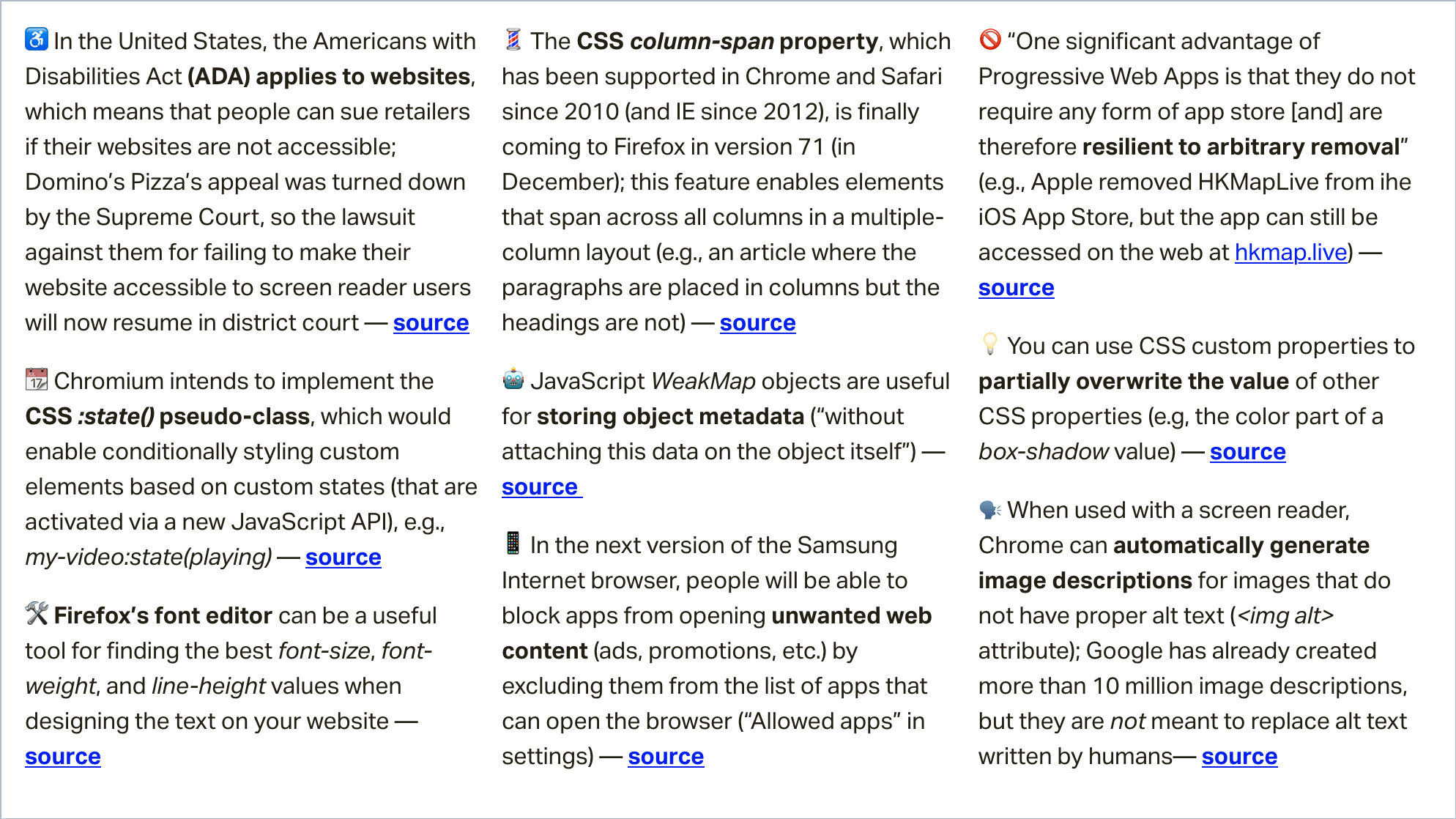
The CSS column-span property, which has been supported in Chrome and Safari since 2010 (and IE since 2012), is finally coming to Firefox in version 71 (in December).

This feature enables elements that span across all columns in a multiple-column layout. In the following demo, the headings span across both columns.

article {
  column-count: 2;
}

h2 {
  column-span: all;
}

See the Pen
Demo of CSS column-span: all
by Šime Vidas (@simevidas)
on CodePen.

(via Ting-Yu Lin)

The Americans with Disabilities Act applies to websites

In the United States, the Americans with Disabilities Act (ADA) applies to websites, which means that people can sue retailers if their websites are not accessible.

Domino’s Pizza’s appeal was recently turned down by the Supreme Court, so the lawsuit against them for failing to make their website accessible to screen reader users will now resume in district court.

Guillermo Robles, who is blind, filed suit in Los Angeles three years ago and complained he had been unable to order a pizza online because the Domino’s website lacked the software that would allow him to communicate. He cited the ADA, which guarantees to people with a disability “full and equal enjoyment of the goods and services … of any place of public accommodations.”

(via David G. Savage)

Google announces automatically generated image descriptions for Chrome

When used with the VoiceOver screen reader, Chrome can now automatically generate image descriptions for images that do not have proper alt text (<img alt> attribute). Google has already created more than 10 million image descriptions, but they are not meant to replace alt text written by humans.

Image descriptions automatically generated by a computer aren’t as good as those written by a human who can include additional context, but they can be accurate and helpful.

This new accessibility feature, called “Accessibility Image Descriptions,” may not be enabled by default in your version of Chrome, but you can enable it manually on the chrome://flags page.

(via Dominic Mazzoni)

More news…

Read even more news in my weekly Sunday issue that can be delivered to you via email every Monday morning.

More News →

The post Weekly Platform News: CSS column-span Property, ADA applies to Websites, Auto-generated Image Descriptions appeared first on CSS-Tricks.
Options for Hosting Your Own Non-JavaScript-Based Analytics

Post pobrano z: Options for Hosting Your Own Non-JavaScript-Based Analytics

There are loads of analytics platforms to help you track visitor and usage data on your sites. Perhaps most notably Google Analytics, which is widely used (including on this site), probably due to it’s ease of integration, feature-richness, and the fact that it’s free (until you need to jump up to the enterprise tier which is some crazy six-figure jump).

I don’t take any particular issue with Google Analytics. In fact I quite like it, especially as I’ve learned more about customizing it, like we’ve done here on CSS-Tricks as well as on CodePen.

But there are other options. In particular, I wanted to look at some other options where:

  • You can self-host the analytics. Always something to be said for owning your own data.
  • Data collection doesn’t require JavaScript. That’s so often blocked these days, as wariness of third-party JavaScript grows. It’s interesting to consider the entirely unobtrusive server-log based analytics.

I didn’t find a sea of options to look at. The classic one I always think of in this category is Shaun Inman’s Mint, but Mint isn’t taking new customers anymore. Maybe I’m not looking in all the right places, and perhaps you can help with that. Please chime in with a comment if you know of more options — especially ones you have experience with.

Fathom Analytics

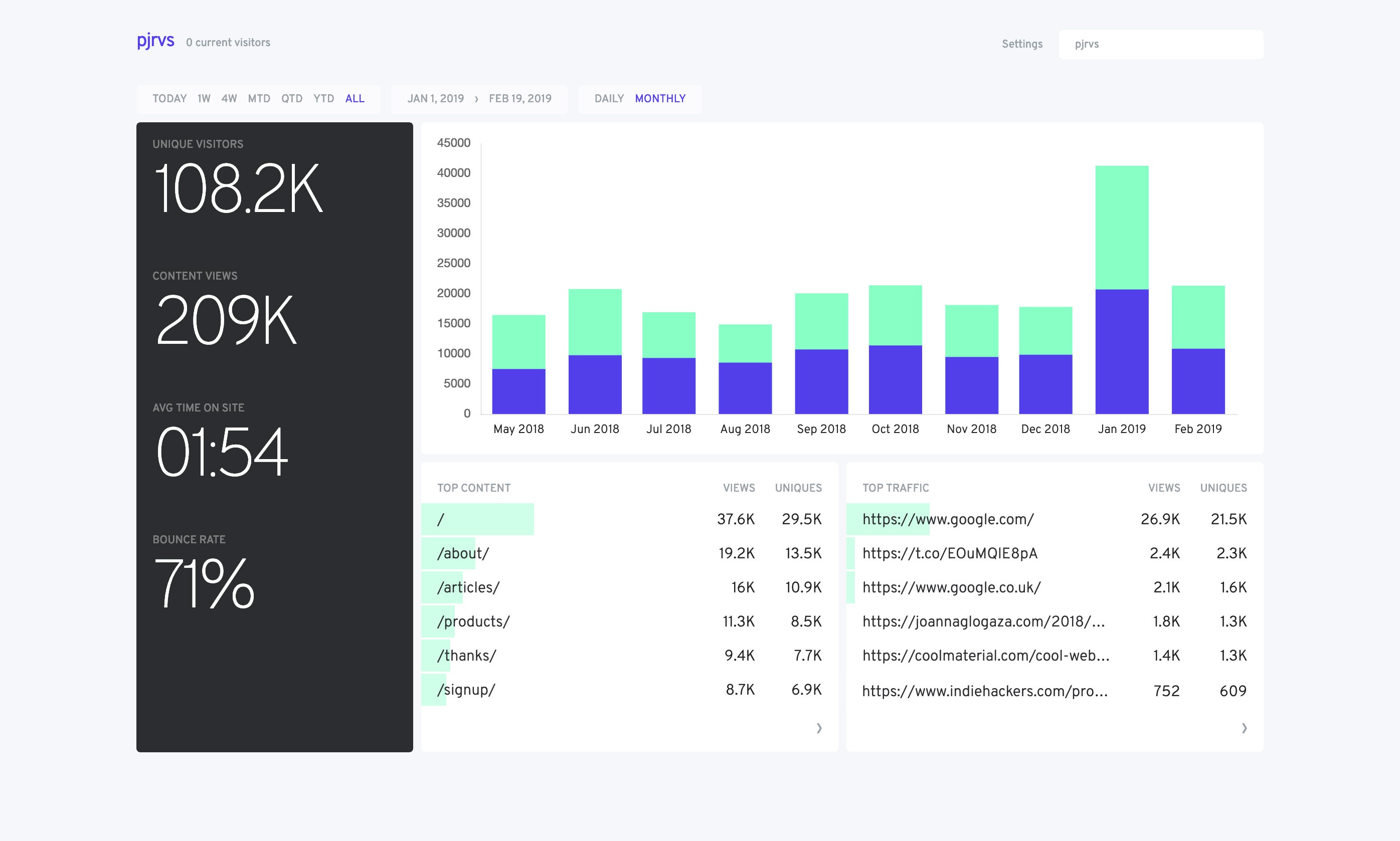
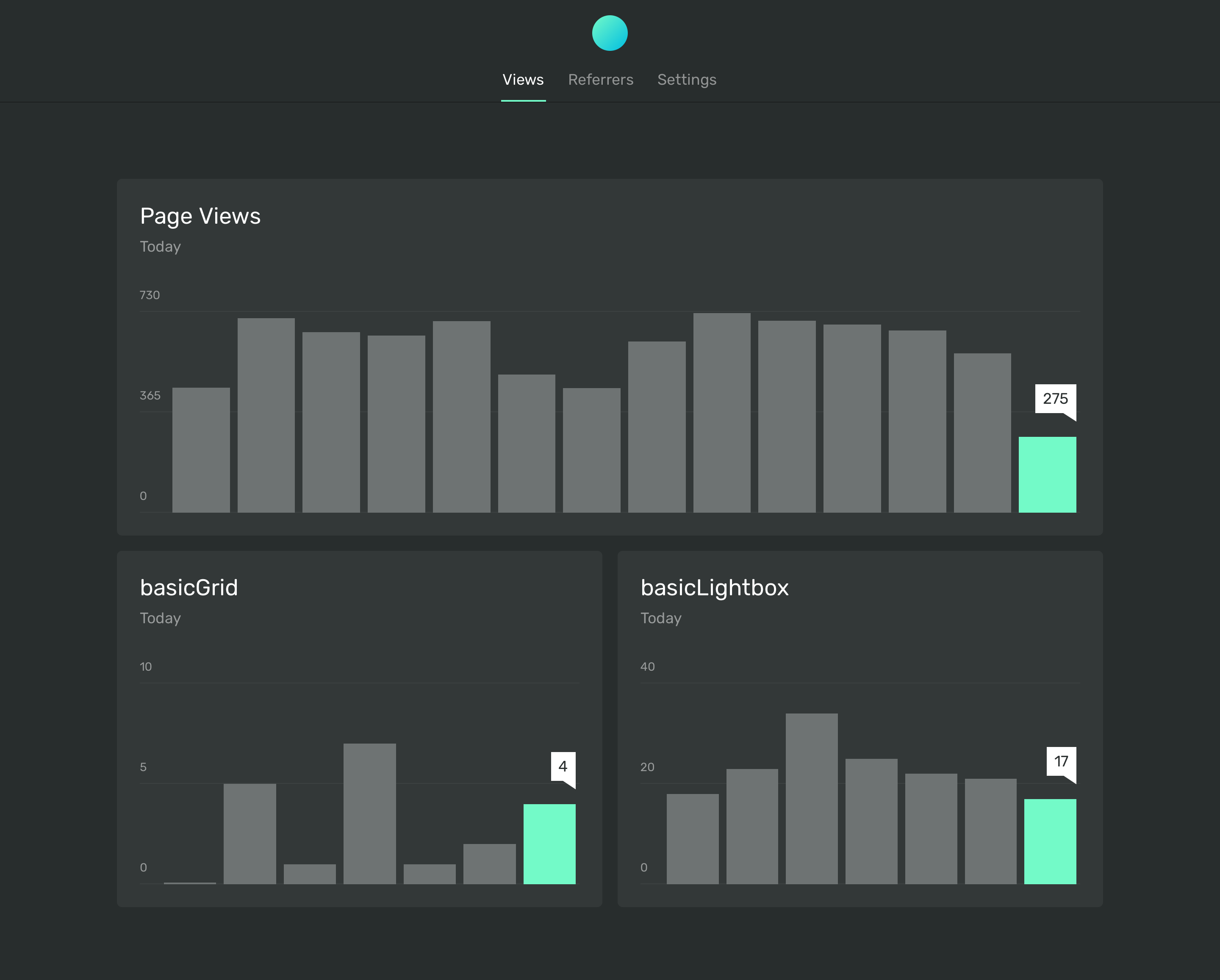
This is one Dave Rupert uses on his personal site and has written about. They have a paid hosted version, which is still focused on privacy in the sense that it does not track or store user data. But they also have a free self-hosted version you can run on your own. Actual data collection is done via a JavaScript snippet you put into your site.

I use @usefathom on Postgres with @HasuraHQ to get my stats through GraphQL on my @gatsbyjs powered blog https://t.co/fKotgYuHFG (generates the “most views” list in the footer).

— knut (@kmelve) September 9, 2019

Ackee

This is based on Node.js and can only be self-hosted. Actual data collection is done with a JavaScript snippet you put into the site.

Matomo On-Premise

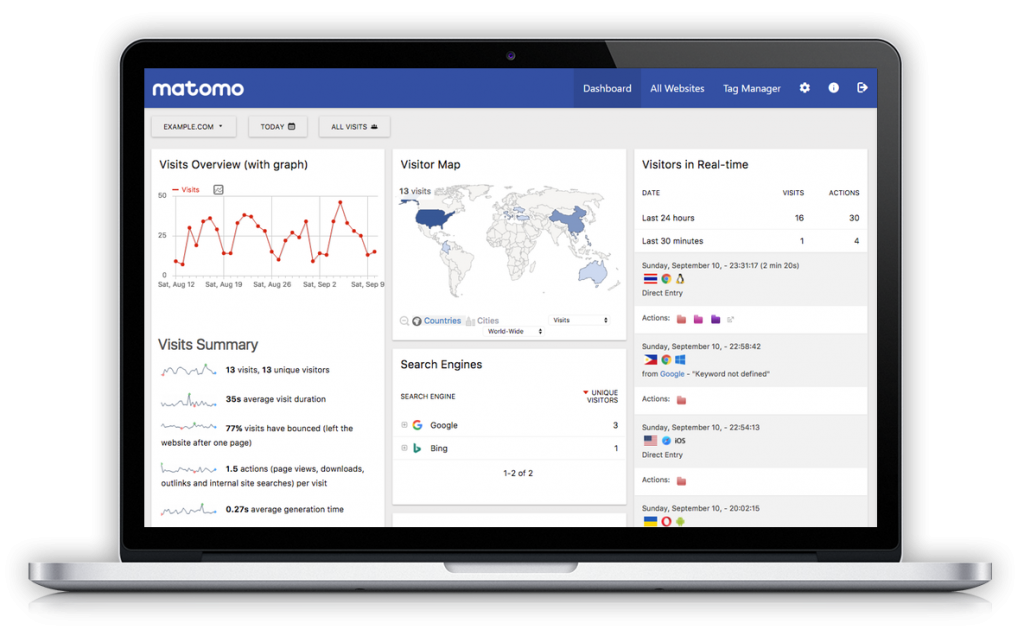
Matomo Cloud is their hosted version, and On-Premisis is the self-hosted version. The actual data collection is done via a JavaScript snippet you put into the site.

I personally use matomo for my side projects. Its vast and getten me fall into love. ✌

— RaKesh Mandal (@rkalways_) September 10, 2019

GoAccess

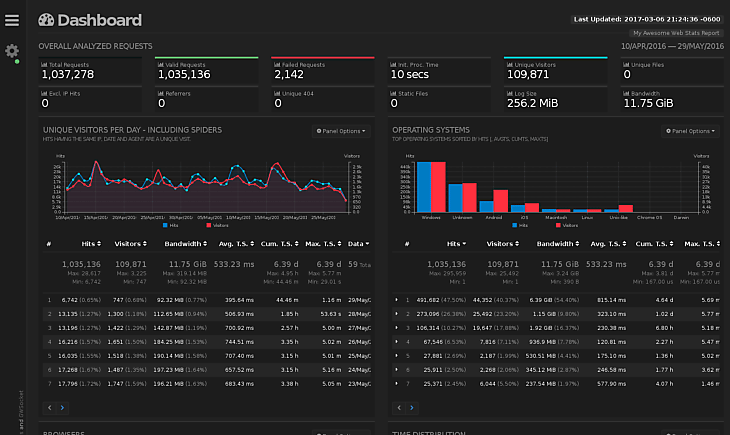
GoAccess is notable because it’s the first in the list that is a „web log analyzer” which means it looks at access logs that your web server creates rather than relying on JavaScript reporting from the client side. Theoretically, this should be more accurate since client-side JavaScript can be blocked. GoAccess generates reporting that can be viewed in the terminal, as well as browser-based charts and graphs.

I use GoAccess as a static site generated on a cronjob (https://t.co/yiQMev7NDu) which seems to work quite nicely for very basic site. Doesn’t (afaik) handle ignoring spiders etc

— Shane Hudson (@ShaneHudson) September 9, 2019

Netlify Analytics

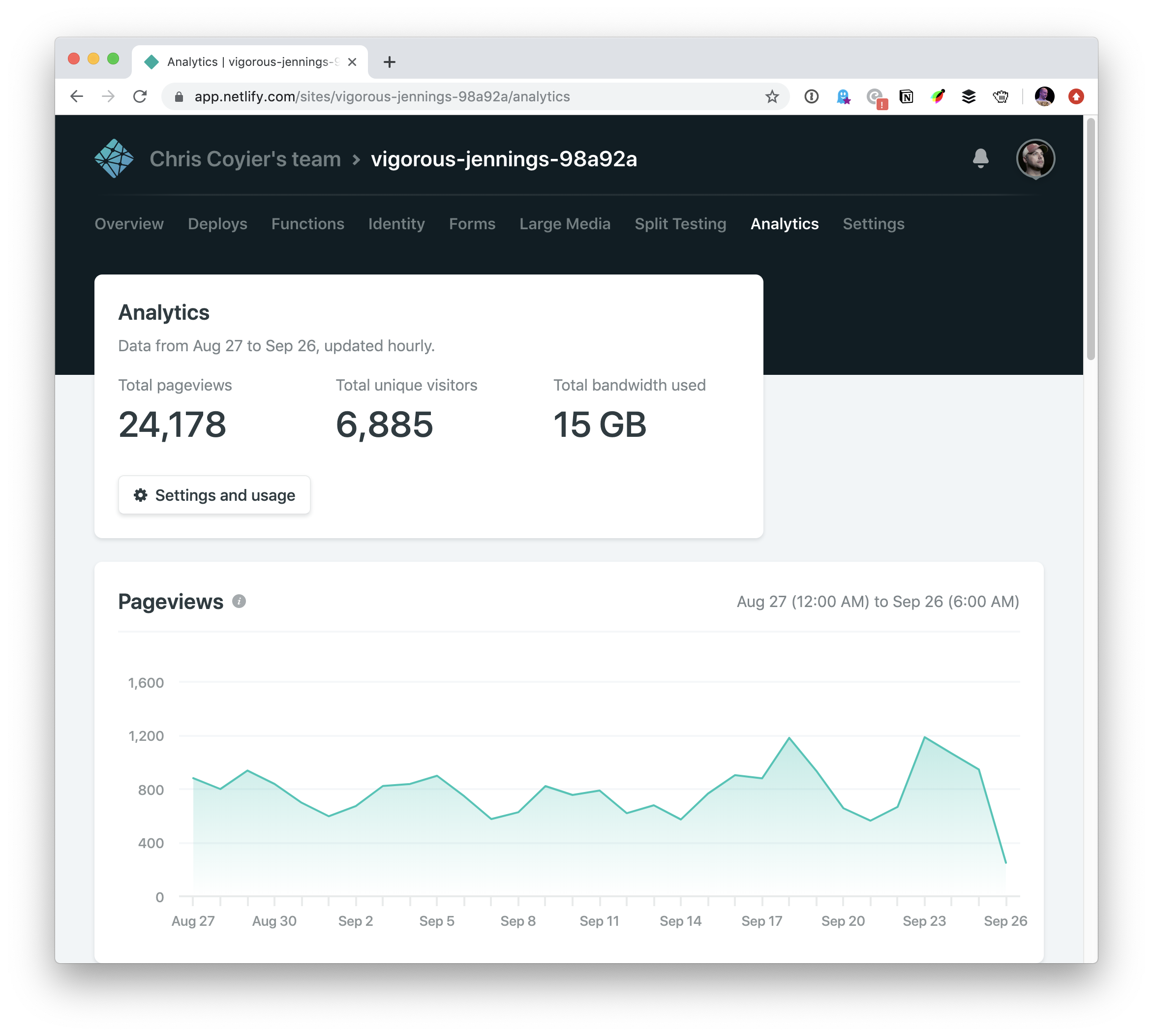
Netlify Analytics isn’t self-hosted in that you install it yourself on servers you rent. A big point of using Netlify is that it prevents you from dealing with your own servers. The analytics are server-log based rather than JavaScript which can be desirable as they are likely more accurate and don’t impact performance.

Web hosts are uniquely qualified to offer analytics to their users as they configure their own logging and such. For example, I also have analytics on this site through Flywheel, without installing anything, because they can analyze the traffic going through their servers. We wrote up an overview of the service when it was released.

AWStats

AWStats is the oldest analytics tool on the block. When I started out on the web, all the web hosting providers touted AWStats dashboards as part of their offerings. It runs on Perl, and like the last two services above, it gets data from server logs.

It ain’t pretty but it’s free, open-source, and has the stability of being a software project nearly 20 years old.

The post Options for Hosting Your Own Non-JavaScript-Based Analytics appeared first on CSS-Tricks.

Options for Hosting Your Own Non-JavaScript-Based Analytics

Post pobrano z: Options for Hosting Your Own Non-JavaScript-Based Analytics

There are loads of analytics platforms to help you track visitor and usage data on your sites. Perhaps most notably Google Analytics, which is widely used (including on this site), probably due to it’s ease of integration, feature-richness, and the fact that it’s free (until you need to jump up to the enterprise tier which is some crazy six-figure jump).

I don’t take any particular issue with Google Analytics. In fact I quite like it, especially as I’ve learned more about customizing it, like we’ve done here on CSS-Tricks as well as on CodePen.

But there are other options. In particular, I wanted to look at some other options where:

  • You can self-host the analytics. Always something to be said for owning your own data.
  • Data collection doesn’t require JavaScript. That’s so often blocked these days, as wariness of third-party JavaScript grows. It’s interesting to consider the entirely unobtrusive server-log based analytics.

I didn’t find a sea of options to look at. The classic one I always think of in this category is Shaun Inman’s Mint, but Mint isn’t taking new customers anymore. Maybe I’m not looking in all the right places, and perhaps you can help with that. Please chime in with a comment if you know of more options — especially ones you have experience with.

Fathom Analytics

This is one Dave Rupert uses on his personal site and has written about. They have a paid hosted version, which is still focused on privacy in the sense that it does not track or store user data. But they also have a free self-hosted version you can run on your own. Actual data collection is done via a JavaScript snippet you put into your site.

I use @usefathom on Postgres with @HasuraHQ to get my stats through GraphQL on my @gatsbyjs powered blog https://t.co/fKotgYuHFG (generates the “most views” list in the footer).

— knut (@kmelve) September 9, 2019

Ackee

This is based on Node.js and can only be self-hosted. Actual data collection is done with a JavaScript snippet you put into the site.

Matomo On-Premise

Matomo Cloud is their hosted version, and On-Premisis is the self-hosted version. The actual data collection is done via a JavaScript snippet you put into the site.

I personally use matomo for my side projects. Its vast and getten me fall into love. ✌

— RaKesh Mandal (@rkalways_) September 10, 2019

GoAccess

GoAccess is notable because it’s the first in the list that is a „web log analyzer” which means it looks at access logs that your web server creates rather than relying on JavaScript reporting from the client side. Theoretically, this should be more accurate since client-side JavaScript can be blocked. GoAccess generates reporting that can be viewed in the terminal, as well as browser-based charts and graphs.

I use GoAccess as a static site generated on a cronjob (https://t.co/yiQMev7NDu) which seems to work quite nicely for very basic site. Doesn’t (afaik) handle ignoring spiders etc

— Shane Hudson (@ShaneHudson) September 9, 2019

Netlify Analytics

Netlify Analytics isn’t self-hosted in that you install it yourself on servers you rent. A big point of using Netlify is that it prevents you from dealing with your own servers. The analytics are server-log based rather than JavaScript which can be desirable as they are likely more accurate and don’t impact performance.

Web hosts are uniquely qualified to offer analytics to their users as they configure their own logging and such. For example, I also have analytics on this site through Flywheel, without installing anything, because they can analyze the traffic going through their servers. We wrote up an overview of the service when it was released.

AWStats

AWStats is the oldest analytics tool on the block. When I started out on the web, all the web hosting providers touted AWStats dashboards as part of their offerings. It runs on Perl, and like the last two services above, it gets data from server logs.

It ain’t pretty but it’s free, open-source, and has the stability of being a software project nearly 20 years old.

The post Options for Hosting Your Own Non-JavaScript-Based Analytics appeared first on CSS-Tricks.
Laying the Foundations

Post pobrano z: Laying the Foundations

Here’s a new book by Andrew Couldwell all about design systems and I’m looking forward to reading the book because it looks like his experience will offer a bunch of insightful thoughts and advice.

A spread from Laying the Foundations

From the book’s description:

This is real talk about creating design systems and digital brand guidelines. No jargon, no glossing over the hard realities, and no company hat. Just good advice, experience, and practical tips.

System design is not a scary thing — this book aims to dispel that myth. It covers what design systems are, why they are important, and how to get stakeholder buy-in to create one. It introduces you to a simple model, and two very different approaches to creating a design system. What’s unique about this book is its focus on the importance of brand in design systems and creating documentation. It’s a comprehensive, practical guide that’s simple to follow and easy on the eye.

Direct Link to ArticlePermalink

The post Laying the Foundations appeared first on CSS-Tricks.

Samsung: #UseInternetResponsibly

Post pobrano z: Samsung: #UseInternetResponsibly

Samsung

We can&rsquo;t stop to look at our new notification even in a very blissful moment with our friends. We can&rsquo;t stop to criticise people&rsquo;s sharing who doesn&rsquo;t share the same opinion with us. We can&rsquo;t stop our children who want to watch YouTube videos while eating dinner. We just can&rsquo;t. Because these are our new habits. So we can&rsquo;t stop ourselves but we can change. We can use intenet responsibly. Let&rsquo;s have a try. #UseInternetResponsibly

Advertising Agency:Cheil Worldwide, Istanbul, Turkey
Creative Director:Armagan Sercan Ukunc
Copywriter:Didem Demircelik
Creative Group Head:Hakan Simsek
Art:Hakan Simsek