Wszystkie wpisy, których autorem jest admin

People Writing About Style Guides

Post pobrano z: People Writing About Style Guides

Are you thinking about style guides lately? It seems to me it couldn’t be a hotter topic these days. I’m delighted to see it, as someone who was trying to think and build this way when the prevailing wisdom was nice thought, but these never work. I suspect it’s threefold why style guides and design systems have taken off:

  1. Component-based front-end architectures becoming very popular
  2. Styling philosophies that scope styles becoming very popular
  3. A shift in community attitude that style guides work

That last one feels akin to cryptocurrency to me. If everyone believes in the value, it works. If people stop believing in the value, it dies.

Anyway, in my typical Coffee-and-RSS mornings, I’ve come across quite a few recently written articles on style guides, so I figured I’d round them up for your enjoyment.


How to Build a Design System with a Small Team by Naema Baskanderi:

As a small team working on B2B enterprise software, we were diving into creating a design system with limited time, budget and resources … Where do you start when you don’t have enough resources, time or budget?

Her five tips feel about right to me:

  1. Don’t start from scratch
  2. Know what you’re working with (an audit)
  3. Build as you go
  4. Know your limits
  5. Stay organized

Style guide-driven design systems by Brad Frost:

I’ll often have teams stand up the style guide website on Day 1 of their design system initiative. A style guide serves as the storefront that showcases all of the design system’s ingredients and serves as a tangible center of mass for the whole endeavor.


This Also published their style guide (Here’s 100’s of others, if you like peaking at other people’s take on this kind of thing).

What is notable about this to me is that it’s the closest to the meaning of style guide to me (as opposed to a pattern library or design system that are more about design instructions for building out parts of the website). They only include the three things that are most important to their brand: typography, writing, and identity. Smart.

Everything you write should be easy to understand. Clarity of writing usually follows clarity of thought. Take time to think about what you’re going to say, then say it as simply as possible. Keep these rules in mind whenever you’re writing on behalf of the studio.


Laying the foundations for system design by Andrew Couldwell:

I use the term ‘foundations’ as part of a hierarchy for design systems and thinking. Think of the foundations as digital brand guidelines. They inspire and dovetail into our design systems, guiding all our digital products.

  • At a brand level they cover things like values, identity, tone of voice, photography, illustration, colours and typography.
  • At a digital level they cover things like formatting, localization, calls to action, responsive design and accessibility.
  • And in design systems they are the basis of, and cover the application of, things like text styles, form inputs, buttons and responsive grids.

Again a step back and wider view. Yes, a design system, but one that works alongside brand values.


How to create a living style guide by Adriana De La Cuadra:

Similar to a standard style guide, a living style guide provides a set of standards for the use and creation of styles for an application. In the case of a standard style guide, the purpose is to maintain brand cohesiveness and prevent the misuse of graphics and design elements. In the same way LSGs are used to maintain consistency in an application and to guide their implementation. But what makes a LSG different and more powerful is that much of its information comes right from the source code

An easy first reaction might be: Of course our style guide is „living”, we aren’t setting out to build a dead style guide. But I think it’s an interesting distinction to make. Style guides can sit in your development process in different places, as I wrote a few years back.

It’s all to easy to make a style guide that sits on the sidelines or is „the exhaust” of the process. It’s different entirely to place your style guide smack in the middle of a development workflow and not allow any sidestepping.


Lastly, Punit Web rounds up some very recently published style guides, in case you’re particularly interested in fresh ones you perhaps haven’t seen before.


People Writing About Style Guides is a post from CSS-Tricks
The Best Tools and Services to Try in 2018

Post pobrano z: The Best Tools and Services to Try in 2018

Have you thought about how you can cut costs in 2018?

After all, money is the lifeblood of every business, so it makes sense to cut expenses wherever you can.

These tools will help you save both time and money in the long run, so don’t hesitate to try them out!

ActiveCollab

You can’t expect your employees to perform well if all communications and data are scattered over Gmail, Skype, Slack, and God knows what else.

This is why you need a centralized project management system where people could communicate with each other and find all the relevant data.

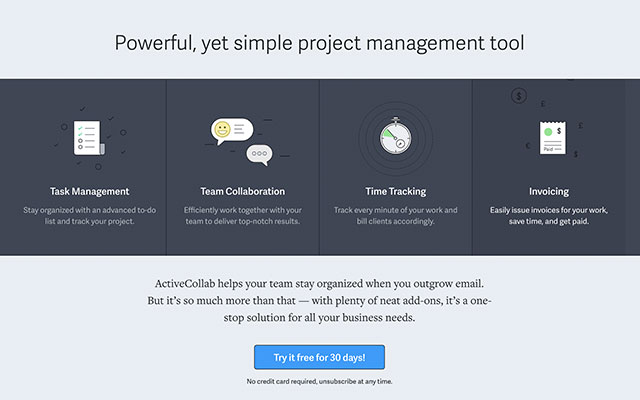
ActiveCollab is that system. It’s a tool that allows you to manage tasks, collaborate with your team, track time, and more. Most importantly, it ensures that everything is in one place. No more miscommunications and misunderstandings!

Futuramo

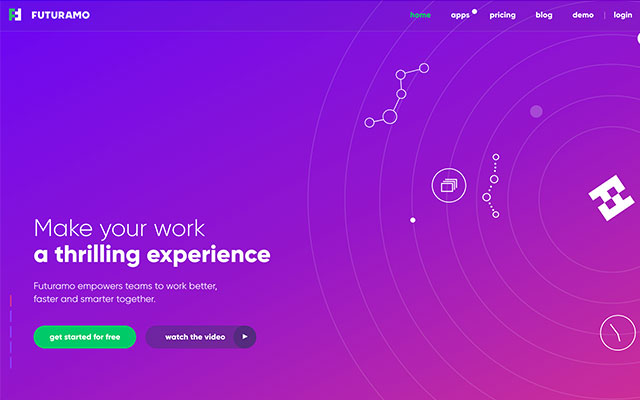
Futuramo is a sophisticated collaboration platform that was built with creative teams in mind. It allows you communicate with both your team and your clients, track time, create visual tickets, and more. It even has a bug & issue tracking app!

Futuramo will definitely make working on creative projects much easier!

Undsgn

When it comes to blogging, people often talk about how crucial content is, but rarely mention the importance of design.

However, overlooking design is a big mistake, because if your blog looks ugly, no one will want to read it, no matter how great your content is.

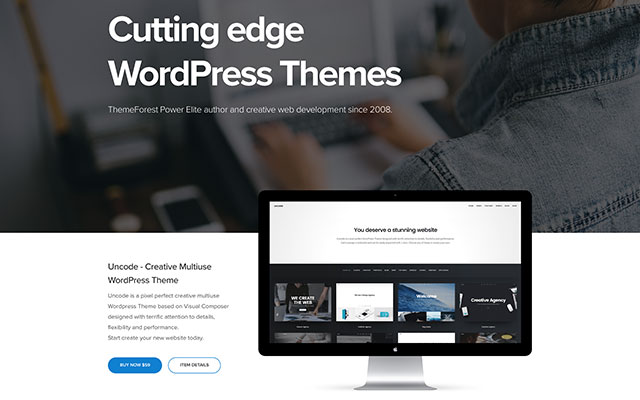
Undsgn is a design team that has been developing WordPress themes since 2008 and have received multiple international awards for their work.

Their team Uncode was built specifically for flexibility, performance and aesthetics. It looks great. Why don’t you try it for your blog?

DepositPhotos

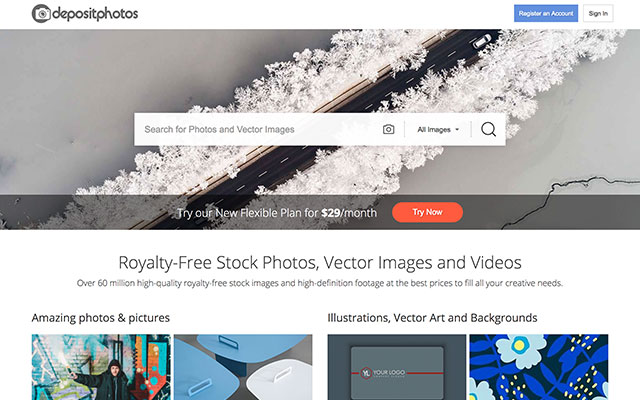
Okay, so what can you do when you need photos for your business, your iPhone snapshots won’t cut it, and you don’t have money for hiring a professional photographer?

A leading stock photography website called DepositPhotos can help you here. Subscribe, pick the photos you like, and use them any way you see fit. These photos are royalty-free, so there are no restrictions on their usage.

WPKube

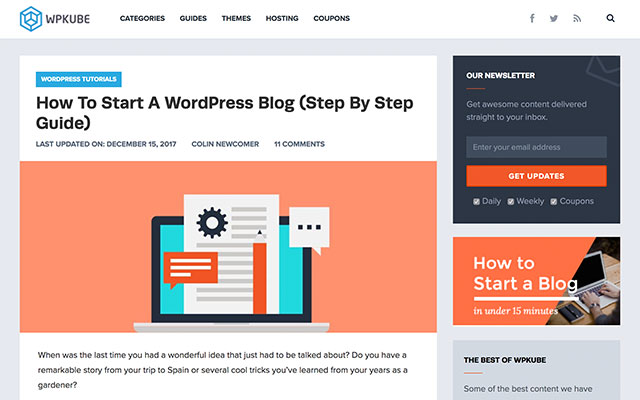
Do you have WordPress questions? It’s okay. We have all been there. It can be really confusing at times.

WPKube is an excellent resource that probably has answers to your most pressing questions. There, you’ll find everything, from advice on choosing your domain name to tips on WordPress security. It should be your go-to resource whenever you need some WordPress guidance!

MeridianThemes

Still looking for that winning WordPress theme?

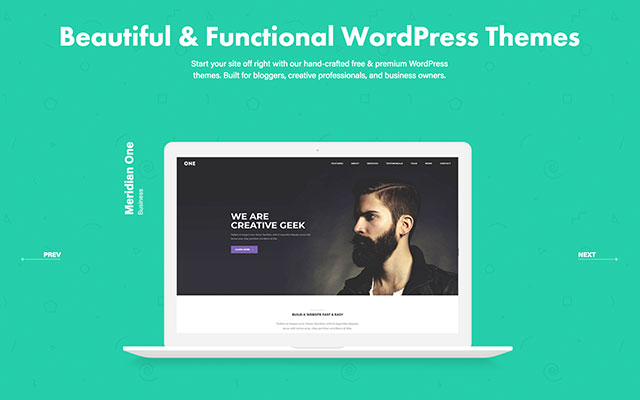
MeridianThemes offer a bunch of beautiful, easily customizable WordPress themes in a very affordable range of $49 – $59. Just pick one and go with it. They are all gorgeous, so you can’t really go wrong there!

123FormBuilder

Okay, so you need to build a form for your website, but you have no idea how. What now? Should you try and learn to code one from scratch yourself? Or maybe you should hire a developer?

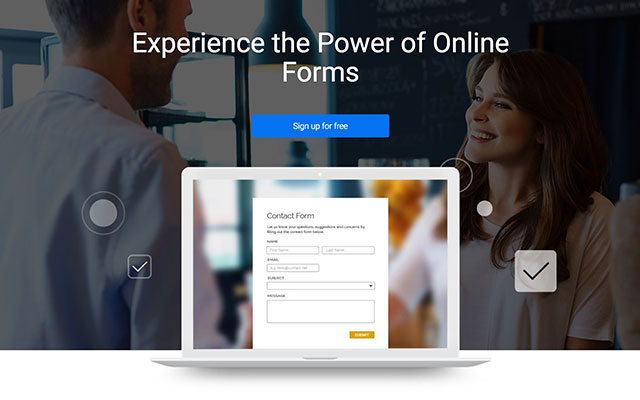
Thankfully, there’s an easier solution, and it’s called 123FormBuilder. It’s an app that allows you to create all kinds of online forms, from contact forms to event confirmation forms, all by yourself, without any coding skills! It will save you quite a bit of time and money!

Crello

Now, what about situations where you need some graphic design thing done, but you aren’t exactly artistically inclined yourself? Hiring a designer for something small seems a bit silly. But what are the other options?

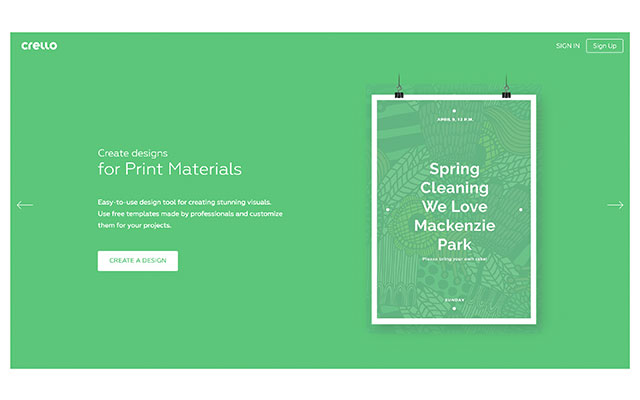
Well, believe it or not, you can do graphic design yourself, with a little bit of help from Crello. Crello offers a three step process for creating stunning designs. First, choose a format. Then, choose a template. Then, customize it all. Sounds easy? It is!

Viraltag

Are you struggling with social media marketing? You are not alone. It can be hard to stay on top of things when there are so many networks that you need to keep up with.

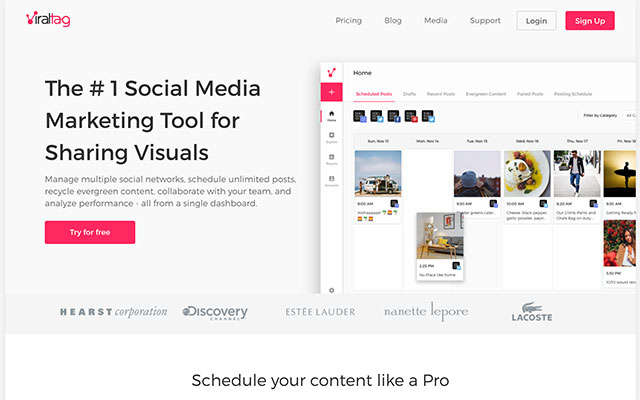
Viraltag can make your life a lot easier, though. It’s a social media marketing app that allows you to share visuals on a bunch of different networks. It also let’s you schedule posts, recycle evergreen content, and more… All from a single dashboard!

Instagrowth Ninja

Instagram is a major social network and if you aren’t active on it, you are missing out. But how can you stand out in such a crowded place?

Instagrowth Ninja can help you do that. It’s a monthly organic Instagram marketing service. What does that mean?

They will identify your target audience and interact with them 24/7 to build up interest around your brand. Believe me, with Instagrowth Ninja your Instagram profile will grow faster than ever before. It pays off to leave your Instagram marketing to professionals!

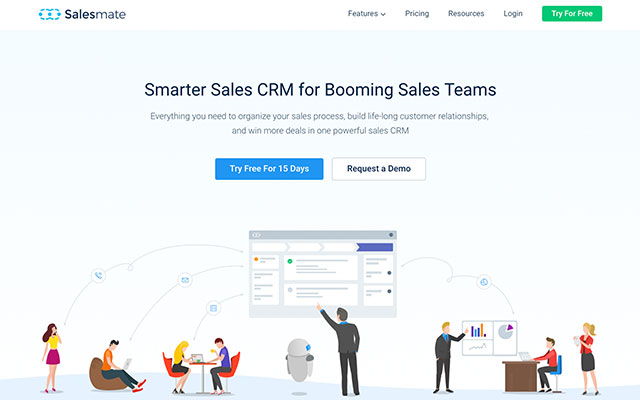
Salesmate

As I have said in the introduction, money is the lifeblood of every business… And where does the money come from? Sales!

So how well are you managing your sales process? You could probably use a customer relationship management system like Salesmate if you aren’t using it already. It will help you tighten up your sales pipeline, optimize the process, and build great relationships with your clients… And, of course, make more money!

Conclusion

As you can see, having the right tools can save you a lot of time and money, be it by helping you optimize your processes, empowering you to do small design and development tasks yourself, or improving your social media marketing.

So don’t be stingy when it comes to these tools. Get them now. They will all pay for themselves in the long run!

Lamb Side Story unites Australian left and right

Post pobrano z: Lamb Side Story unites Australian left and right

MLA (Meat & Livestock Australia) is running “Lamb Side Story”, an advertising campaign encouraging Australians to put aside their differences and embrace a summer ‘Lambnesty’. The commercial at the heart of the campaign provides a song and dance homage to the West Side Story musical. A modern day lamb barbecue set in a suburban cul de sac is momentarily threatened by a showdown between the right wing (in blues and greens) and left wing (in reds and pinks), recreating a scene from the Jets and Sharks. With the stage set, Australia’s diverse opinions go head to head, before ultimately showing that lamb is the one thing that brings everyone together.

Lamb Side Story commercial

Lamb Side Story Integration

The Lamb Side Story commercial is being shown acoss digital, social, TV and cinema channels. Nova Network’s Fitzy & Whippa spearheaded the mission, with listeners offered Lambnesty barbeque boxes, as well as a seat to Australia’s first Lambnesty barbecue where people with differing opinions will unite over the ultimate lamb feast. Broadcast partner Channel Nine has integrated the campaign into the channel’s news, sport and social platforms, with on air features with TODAY, Nine News Now and the Cricket One Day International series. In-store, product-focused point-of-sale will deliver lamb barbeque inspiration, focusing on the variety of different cuts and cuisines. Recipes developed by Darren Robertson, Head Chef at Three Blue Ducks and Rocker, will underpin the campaign by inspiring young Aussies to get cooking with lamb this summer.

Lamb Side Story commercial

Scott Nowell, co-founder and Chief Creative Officer at The Monkeys, says “Lamb Side Story proves that both extremes of global political views can be fun – there’s nothing like lamb and dancing to bring people with various levels of outrage together.”

Lisa Sharp, Chief Marketing Officer at MLA says, “Lamb as a brand stands for unity and this latest campaign shines a light on what unites us rather than divides us. In true Aussie spirit we are celebrating our nation’s ability to put aside our differences and join together over our love of lamb, the meat that brings everyone to the table.”

Lamb Side Story commercial

Lamb Side Story Credits

The Lamb Side Story campaign was developed at The Monkeys by executive creative director Scott Nowell, creative director Scott Dettrick, art director Scott Zuliani, copywriter Tim Pashen, head of planning Michael Hogg, planner Charlotte Marshall, head of production Thea Carone, senior producer Jade Rodriguez, group content director Humphrey Taylor, senior content director Katie Wong-Hee, content manager Victoria Zourkas, content executive Will Davies, working with MLA chief marketing officer Lisa Sharp, brand manager Anna Sharp, acting brand manager Rebecca Tearle and assistant brand manager Jasmin Koch.

Filming was shot by director Paul Middleditch via Plaza Films with director of photography Daniel Ardilley, executive producer Peter Masterton and producer Alex Taussig.

Editor was Stu Morley at The Editors.

Sound and music were produced at Song Zu by music director Ramesh Sathiah and composer Gerard Fitzgerald.

Media was handled at UM by group director Mike Worden, senior client director Tim Rogers, Sydney strategy director Chris Colter, strategy director David Toussaint, partnerships manager Jessica Ngu and partnership trader Emily Ng.

PR was handled at One Green Bean.

18 Best New Event Flyers for 2018

Post pobrano z: 18 Best New Event Flyers for 2018

Get professional designs in less time! Check out these incredible flyer templates.

18 New Event Flyers for 2018

Make 2018 a year to remember! Kick off your festive celebrations with modern event flyers that are stunning and surreal.

Today we bring you another wonderful collection of design assets from Envato Market and Envato Elements. This selection includes awesome flyer designs featuring the latest trends in graphic design.

With choices ranging from awesome vintage-inspired templates to beautiful minimalist designs, you’ll be happy you went with these flyers. Take your events to the next level with these easy-to-use templates!

Need more help? Get custom flyer designs from our experts at Envato Studio.

Learn More About Flyer Design

New to design? Follow along with our experts with these helpful lessons:

Multipurpose Splash Music Event Flyer

Multipurpose designs give you room to take your flyers to the next level. This colorful event flyer and social media package is a surefire way to kick-start your online campaigns. Enjoy high-quality A4 and letter format designs, with additional templates for Facebook and Instagram.

Multipurpose Splash Music Event Flyer

Minimalist Music Event Flyer

Need
something fast yet simple? This brilliant minimalist flyer has just the
right balance of design and color. Use it for any jazz, club, or party
event and easily update the text with editable layers. Download it now
to try out the 100% vector design.

Minimalist Music Event Flyer

Music Event Flyer

Everyone needs a fun night out every once in a while. Celebrate great music and even greater company with this music event flyer. Used to promote your music event, this flyer comes with a print-ready file that is easy to edit. It’s available in both Photoshop and Illustrator formats.

Music Event Flyer

DJ Minoly Poster

Stand out from all the other DJs in town. This fun flyer package features A3 sized posters with four color variations. Replace the main image with one of your own and match the colors to your brand. Give it a try!

DJ Minoly Poster

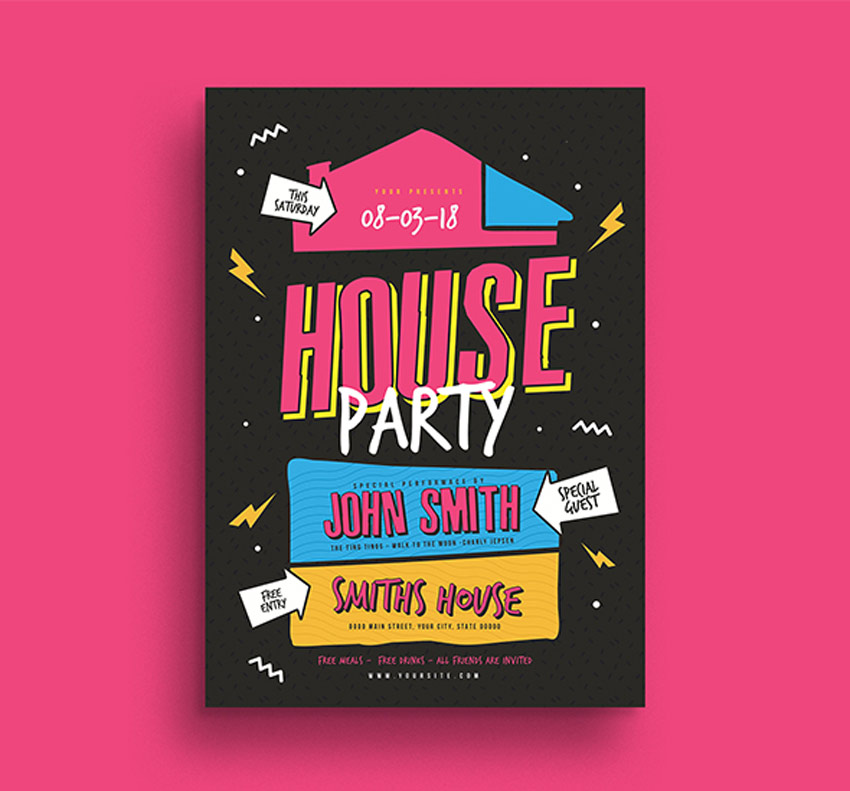
House Party Flyer

Did someone say house party? Invite your friends, family, and favorite Photoshop instructor to the party of the century with this awesome 80s-inspired design. Made to look like a blast from the past, this trendy design is nostalgic and fun. You’ll love this template!

House Party Flyer

Music Event Promotion Kit

Get an entire promotional kit with this great deal! Packed with loads of awesome resources, this kit includes two print-ready Photoshop flyers, a Facebook cover, and optional Instagram banner. Easily arrange your content with editable layers and text. Try it out!

Music Event Promotion Kit

Indierock Event Flyer

Indie rock fans unite! We’ve got a wicked flyer ready for your next musical event. This modern design features minimalist text and elements centered around the main microphone. Update this file with your information using Adobe Photoshop or Illustrator.

Indierock Event flyer

Sky Zeppelin Flyer Template

For the vintage music enthusiast, you’ll definitely love this Sky Zeppelin flyer. It works perfectly as an event flyer or as a cool decoration for your home or office. And since it’s created in traditional CMYK format, you won’t have to worry about loss of color or quality.
Sky Zeppelin Flyer Template

Ice Skating Party Flyer

Get ready to lace up your ice skates for a magical time! This party flyer features a sleek and minimalist design with ample room for your event details. It’s designed with Adobe Photoshop, and you’ll get one other color variation with helpful bleed lines. Download it today!

Ice Skating Party Flyer

Inuti – Abstract Party Flyer

Or blow away your party-goers with an epic abstract design. This party flyer is best suited for high-energy techno music and more. The full package includes not only a professional A3 Photoshop poster, but also a web banner template. You’ll want this design!

Inuti - Abstract Party Flyer

Toy Drive Flyer Template

Make a child’s day today! Get your friends and community together for a special cause with this flyer template. Designed with friendly stuffed animals and more, this flyer is one that both kids and parents will love! Download A4 sized templates supported by Photoshop and Illustrator.

Toy Drive Flyer Template

Music Event Flyer

If a clean and professional design is what you need then feast your eyes on this stunning example! This lovely event flyer features a relaxing color scheme with a gorgeous minimalist guitar. The multipurpose design is well organized and even includes free fonts and icons!

Music Event Poster

Church Themed Event Flyer

The world could use a little more peace. Spread love with this spiritual-themed event flyer. Designed with a peaceful landscape and sublime color scheme, this flyer is 6×8 inches with all the standard industry specifications. Use it for conferences, events, or prayer services.

Church Themed Event Flyer

Winter Sounds Flyer

If you’re having trouble deciding on a design, then try a professional flyer template bundle. This stunning design features a winter theme with beautiful abstract elements. Easily switch out the text for your own and choose from the three lovely color variations included.

Winter Sounds Flyer

Motorclub Event Flyer

Tell your buddies to tag along for a fun motor club event! This awesome bundle includes Photoshop and Illustrator supported files that are 100% vector. Also included are free fonts and helpful bleed lines for your convenience.

Motorclub Event Flyer

Birthday Invitation Flyer

Your birthday is a special event, so celebrate it with all your loved ones! This modern design features two well-organized flyers with easily editable layers. Just swap out one of the images for one of your own to get started right away!

Birthday Invitation Flyer

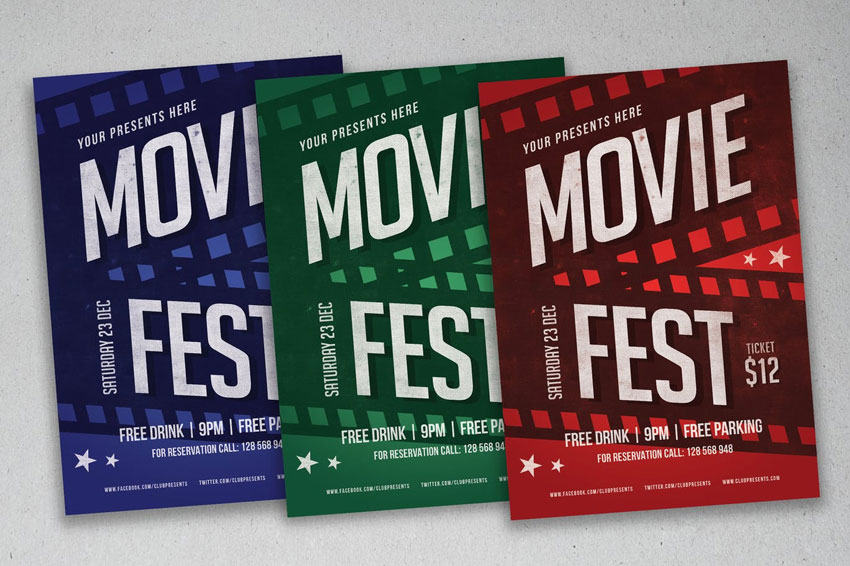
Movie Fest Flyer

Movie nights are the best nights! This Photoshop template is perfect for beginners to flyer design. Choose from the red, green, and blue colors included or update it with your own in minutes! Not sure where to begin? Just access helpful documentation to help you get started.

Movie Fest Flyer

Happy Hour Vintage Flyer

Or promote your local specials with this vintage flyer. Designed using Adobe Photoshop, this flyer is print-ready, with bleed lines and more. Easily change the colors or edit the text to your liking. Try it out today!

Happy Hour Vintage Flyer

Conclusion

This list features exciting
resources for the avid designer
familiar with Adobe Photoshop, Illustrator, and InDesign. For
additional help with your flyer needs, enlist the skills of a talented
professional by choosing one of the amazing designers from Envato Studio.

And
with loads of event flyers available at your fingertips, chances are we’ve
missed a few to add to your personal collection. Be sure to browse Envato Market and Envato Elements for more resources, and let us know your favorites in the comments below!

Career Tips for Graphic Designers

Post pobrano z: Career Tips for Graphic Designers

Junior graphic designers provide a visual representation of a client’s brief.  This means using typeface, images, animation, color and composition to communicate ideas.  Designers create advertisements, websites, multimedia products and illustrations.

If you are starting out in the field of graphic design as a recent graduate (or even if you’re a design student) the following tips may help you.

Common Responsibilities of Junior Graphic Designers

You might wonder what the job of a junior or entry-level graphic designer entails.

Junior graphic designers often use Illustrator to create and edit illustrations.

They work with typefaces to create a clear message about a product or brand.

They develop guidelines for companies to communicate their brand messages or images.

They create digital interfaces which convey atmosphere and are in alignment with a company’s brand identity.

Join design networks

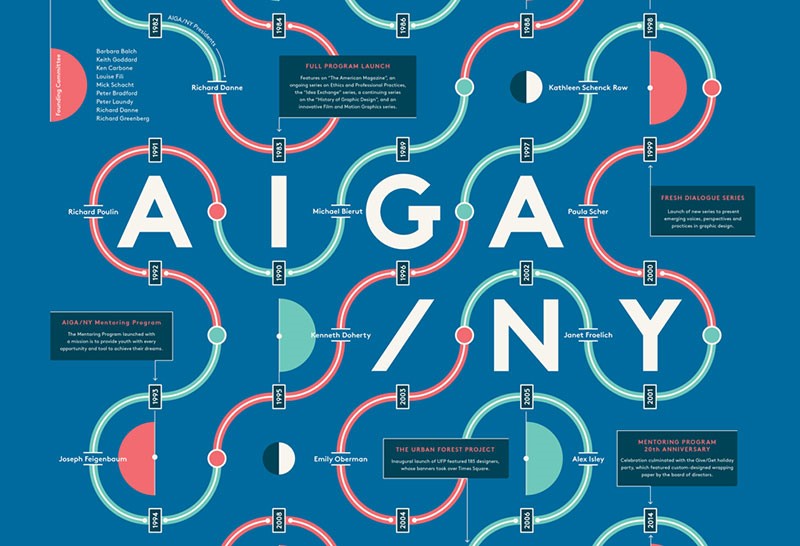
As a student designer, it is helpful to join organizations such as AIGA.  This way you can network with professionals in the industry.  This will help you to gain insight into industry players.  You will also get the chance to speak to people who will inspire you.

Within a networking organization, you can gain insight into the industry.  You will also be able to obtain knowledge or advice on how to work as a graphic designer.  As a student, you may also gain the attention of key industry players.

Volunteer

If you would like to build up your portfolio while working for a worthy cause, you could volunteer with charity organizations.

This will give you the opportunity to gain experience following a client’s brief.  If you believe in the cause, you’ll put in your best and acquire a stellar portfolio piece.

Working with charities could lead to further work for you (some of this may be paid work).  You could approach animal shelters, children’s homes or even local galleries.  Choose work that is close to your heart to keep you motivated.

Seek out internships

If you’re looking to gain valuable experience with a good design studio, you could look for an internship.  An internship will teach you skills that you can use throughout your career.  You’ll learn how organizations are run, understand how to work with client briefs and how design teams work.

If you work hard and put in every effort, you may be able to make a real contribution.  Make the most of your talents and show your commitment to the company.  By doing so, you may be able to turn your internship into a full-time job.  At the very least, you’ll be able to develop new skills and develop a professional network.

Nurture your networks

Instead of seeing your design peers as competition, develop networks.  Peers become supporters and collaborators for future projects.  It pays to develop professional networks.

Projects are often assigned based on word of mouth.   A busy peer may have the perfect project for you.  Another might know of a job opportunity, which you would love to take up.  Those small jobs an experienced designer will pass over could be a great opportunity for you to build your portfolio.

Become a fan

We all enjoy it when someone shares their appreciation of our work.  Let your heroes know how you feel.

If you send short emails to people in the industry that you admire, this might lead to opportunities.  You may be able to fill a gap in a large project.  You might also be able to do contract work on a project that suits your skills set.

Don’t be discouraged if your heroes don’t always respond.  You could send a follow-up mail and an example of some of your newest work.  By doing this, you could keep recipients interested, as well as remind them that you are available.

Create an online presence

When you apply for job opportunities or set yourself up as a freelance designer, your prospective employers will search for you on the internet.  Creating an online presence will give you a head start.

When you create an online presence, showcase your talents to the best of your ability.  You could set up a blog or website to showcase your best work.

Show all of your skills

If you are a skilled illustrator or an excellent photographer, draw attention to these skills and include them in your design portfolio.  This could catch the attention of talented art directors.

Pull together your best work in either a PDF or print format, and send it to agencies or companies you would love to work for.

Also, make sure you set up a great looking resume. You can use a resume template, if you want, however it’s best to create one yourself, if you have the skills for it.

Submit your work for award

Awards can help you build your reputation in the art industry.  They also gain the attention of significant art directors.

If you have awards linked to your name, it will help you to become a designer of choice for creative directors making a choice between talented applicants.

Use your people skills

In the design industry, emotional connectedness guides a designer’s intuition and builds a reputation.  By being respectful, friendly and genuinely interested in a client’s project you will be able to win contracts, work with a team or attract repeat clients.

Effective communication and respectful relationships lie at the heart of developing an effective design practice.  By using your people skills to the best of your ability, you will be able to develop an excellent reputation as a graphic designer.

Initiate your own projects

As a creative person, you have the option of starting your own projects.  This will help you build a portfolio and generate opportunity.

If you prefer to work in an art studio or with a design team, you could search for work for one part of your day while working on your own projects at the same time.  These projects could include ebooks, postcards, t-shirt designs, websites, logos or invitations for family and friends or even illustration projects that you could sell online.

Your own projects allow you to give your creativity free reign.  You could also connect with like-minded people to develop your projects, expand your ideas and build on the work of others.

As internet culture grows and expands there are a great many more opportunities for designers to sell or promote products and services.  You could search for ways that this could work best for you.

Assess your goals, talents, and interests

Always ask yourself what you can do to make yourself useful to the design industry.  How can you offer the most to your employer, clients or the people you care for.

What would you like to do to expand your talents or work towards your dreams?  Asking what you might do to work towards growth will get you past momentary frustrations or personal blocks.

If you feel stuck in a situation, ask yourself what you would like a year from now?  If this means leaving a difficult situation, you will gain perspective towards the bigger picture.

Focus on your unique talents.  This will make you stand out as a memorable designer.  Too many designers try to shape themselves into a mold.  By focusing on what makes you unique, you’ll create a portfolio which is unique to you.

Share your passions, even if these are outside of traditional graphic design.  Illustration, photography, painting, and sculpture are all aspects of visual design.  It takes talent and dedication to learn each new skill.  The more you share, the greater your uniqueness as a designer.

Develop your interests beyond graphic design.  Passionate designers are inspiring but let your interests roam.  By going beyond your own field you’ll expand your ability to relate to new areas of the world.  Remain curious.  Read widely.  Understand the human body, ancient mythology or even astronomy.  The wider your knowledge, the more you have to bring into the field.

When working freelance, always make your terms clear

As a designer, you want to be clear about the terms and conditions of your employment.  There’s nothing wrong with working on a project at a low rate.

You can even volunteer, but ensure that you know how you will be working and how much you will get for this.  Ask for a deposit.  Don’t let vague terms or employment conditions rob you of your time.

Summary

By following these tips, you can develop your budding graphic design career into the direction you choose.

This will help you get started by putting your best foot forward.  Keep working, stay positive and seize the opportunity to develop your portfolio.

Design deals for the week

Post pobrano z: Design deals for the week

Every week, we’ll give you an overview of the best deals for designers, make sure you don’t miss any by subscribing to our deals feed. You can also follow the recently launched website Type Deals if you are looking for free fonts or font deals.

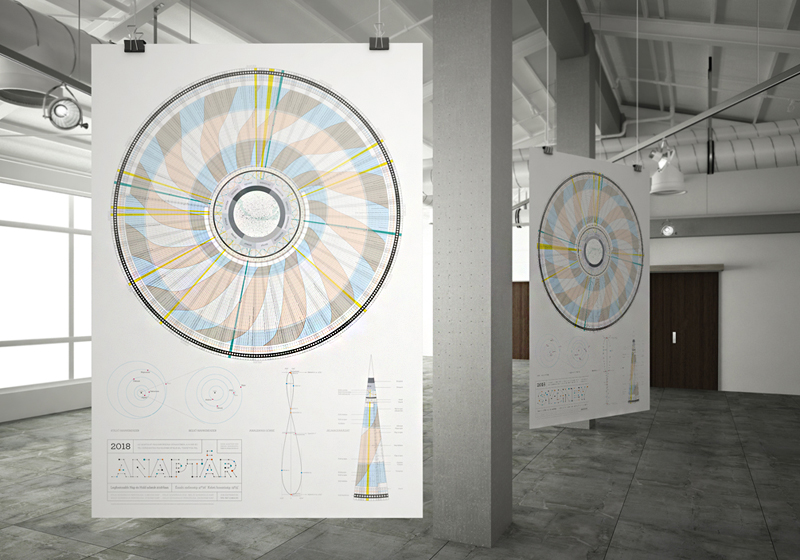
ANAPTÁR—WHERE ART MEETS SCIENCE

Anaptár is a unique, informative poster calendar, which is not only a work of beauty but also a source of fascinating new discoveries. Anaptár is much more than a traditional calendar. It provides lots of information beside enumerating days: visualizing data on the Sun and the Moon in a new way the calendar shows the movement of these heavenly bodies in the sky, and because of the radial arrangement this huge amount of data is incorporated in a spectacular, complex and yet easily comprehensible system.

Anaptár is the result of exceptionally meticulous work: all the versions made for various cities are different because the represented data are specific to the given city only. For 2018 Anaptár has versions adapted for the geographic locations of Budapest, Chicago, London, Los Angeles, New York and Sydney.

Get 10% discount by using this coupon code: dd10dis18 on Anaptar by Anagraphic

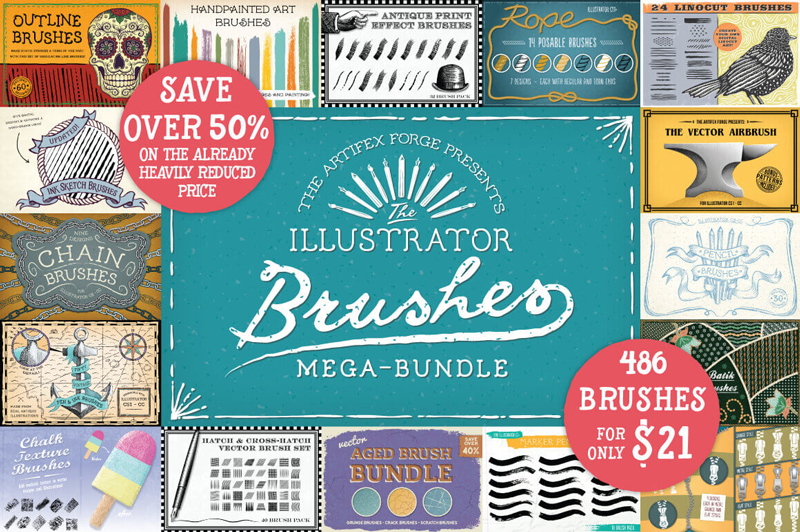
Mega Bundle of Illustrator Brushes

Illustrator brushes can add a real dose of realism to any project. Well, things are about to get real thanks to this Mighty Deal from The Artifex Forge. You’ll get 18 different Illustrator Brush sets for a combined total of 486 unique brushes! Easily customizable in stroke size and color, you’ll be impressing your clients in no time flat with these bundles covering everything from pencil to chalk brushes and rope to zipper brushes.

$21 instead of $43 – Get it now!

Elegant Amsterdam Font Collection

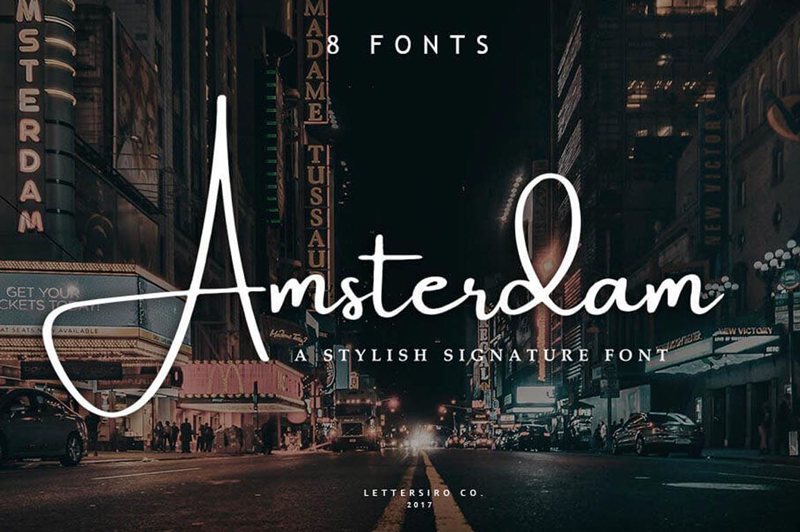
Add some serious style to your typeface toolbox with the Amsterdam Font Family! This elegant signature font features four fabulous typefaces, each offered in a regular and slanted variety, meaning you’re getting 8 different fonts! From business cards to photo watermarks, this family is here to elevate your work to the highest level.

$9 instead of $18 – Get it now!

Beautiful Handwritten Madelyn Script Family

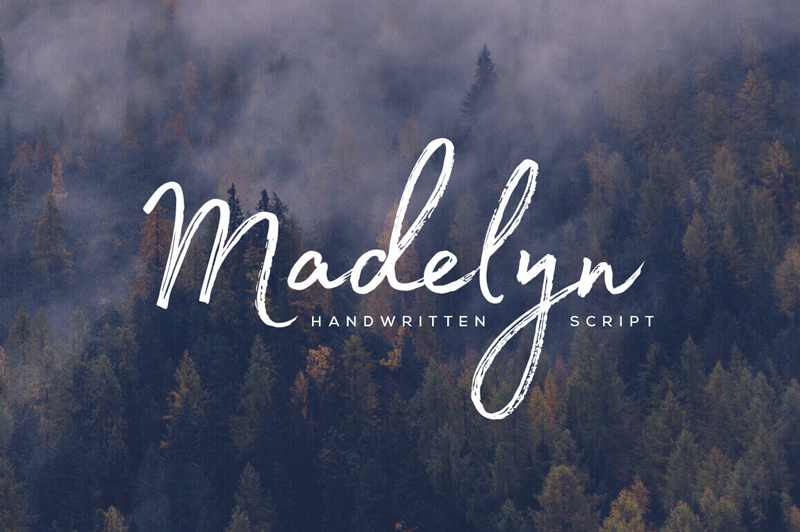
Time to extend your family! With the Madelyn Handwritten Script Font Family, you’ll be bringing home two unique font styles: Madelyn Script and Madelyn Black. These handwritten script fonts is a masterful blend of calligraphy pen and casual dry strokes. Packed with 500+ letters, over 100 ligatures and 70+ ornaments, Madelyn can bring your latest designs to a whole new level.

$17 instead of $37 – Get it now!

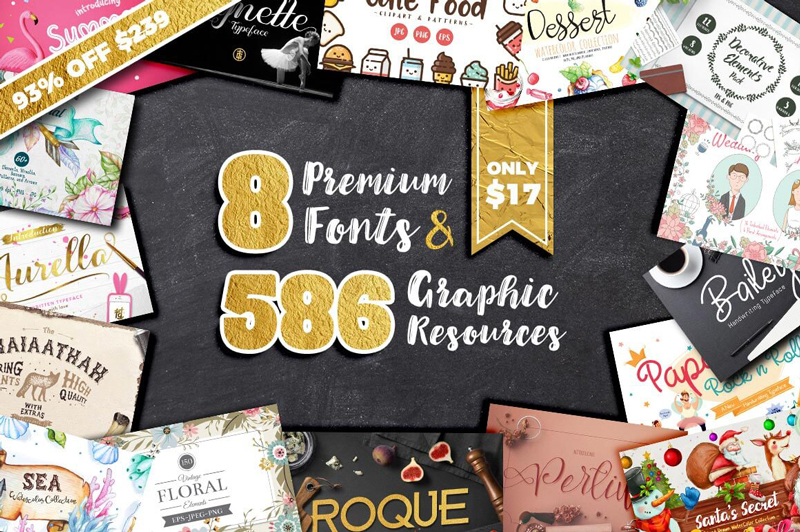
Designer’s Dream: 8 Premium Fonts & 575+ Fabulous Graphic Resources

Whether you’re starting from scratch or looking to bolster your artistic toolbox, this Mighty Deal is just magnificent! A Designer’s Dream, you’ll start with 8 premium fonts ranging from the curvaceously glamorous to the quirky and cool. But you’ll also get 8 graphic resource packs full to the brim with more than 575 professional floral elements, frames, arrows, wreaths, patterns, clipart, icons and so much more.

$17 instead of $239 – Get it now!