Standard paper sizes can be confusing. If your head’s in a whirl trying to pick the right size for your flyer or poster, we’ve got you covered.
Here you’ll find all the most commonly used standard sizes for flyers and posters in the US and Canada (known as the ANSI standard) and internationally(ISO 216).
Don’t start designing your flyer or poster before you’ve checked out the size guide below. Skip ahead to find links to poster and flyer design tutorials for Photoshop and InDesign, so you can start creating awesome layouts right away!
These are the standard sizes for flyers used across the States and Canada.
Half Sheet
This is a small flyer size, at 5.5 by 8.5 inches (139.5 x 216 mm), usually used for non-folded promotional flyers. It’s also very cheap to print.
Standard Flyer
Equivalent to a US Letter page size, at 8.5 by 11 inches (216 x 279.5 mm), this flyer is widely used across the States and Canada and is considered the industry standard.
This versatile size can be folded in half (to create a half-fold flyer), twice (to create a tri-fold, z-fold or gate-fold flyer) or three times (to create a four-panel accordion fold).
Large Format Flyer (Tabloid)
The tabloid format can, as its name implies, be used for small-format newspapers, but it can also be folded to create a large format flyer. It measures in at 11 by 17 inches (279.5 x 432 mm).
Do you want to learn how to make a high-quality flyer in Photoshop, in under an hour? Then take our new short course, How to Make a Flyer.
US and Canada Sizes (ANSI) for Posters
These are the standard sizes for posters used in the USA and Canada.
Medium Posters
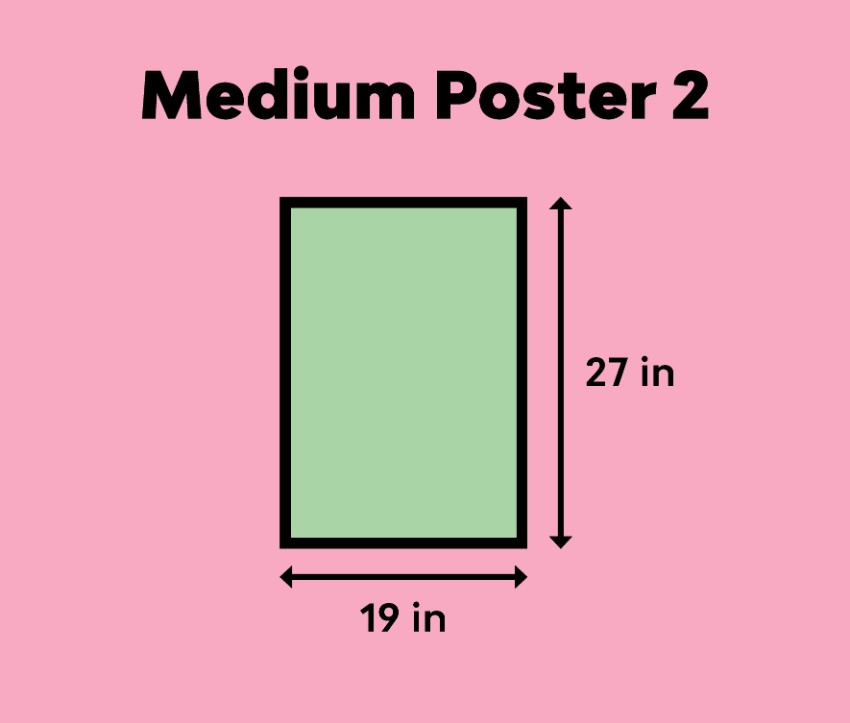
These two poster sizes, 18 by 24 inches (457 x 609.5 mm) and 19 by 27 inches (482.5 x 686 mm), are commonly used in colleges and schools and are the perfect size for showcasing charts or photographs.
Large Posters
These large poster sizes, 24 by 36 inches (609.5 x 914.5 mm) and 27 by 39 inches (686 x 990.5 mm), are used for marketing and outdoor advertising. They are also commonly used at trade shows and exhibitions, and in retail as well.
One Sheet
This is traditionally the standard movie poster size in the US. It’s used to promote new film releases—you’ll see the one sheet size, 27 by 40 inches (686 x 1016 mm), at theaters and posted up in retail areas.
Looking for an eye-catching poster style to promote a club night, festival, or music gig? This Memphis-inspired design is quick to create in InDesign and has…
International Sizes (ISO 216) for Flyers
These are the standard sizes for flyers used internationally (except Canada and the United States [see above], Mexico, Colombia, and the Dominican Republic).
DL
DL stands for ‘dimension lengthwise’. This compact flyer size is one-third of a sheet of A4 (99 x 210 mm). The DL term can be confusing, as this means that the flyer is designed to fit inside a DL envelope (which is a bit larger, at 110 by 120 mm).
This format is tall and slim, and it works well for pamphlets promoting a single offer.
A5
Slightly wider than a DL size, at 148 by 210 mm, this petite size is also often used for pamphlets and cheap-to-print flyers.
A4
Moving up the A-format scale, A4 (210 by 297 mm) is the European sister of the Letter size in the US. This size can be folded in various ways, and it can also be printed from most home and office printers.
This stylish flyer is the perfect way to promote club nights, music gigs or festivals this summer. Quick and easy to create using InDesign and Photoshop,…
International Sizes (ISO 216) for Posters
These are the standard sizes for posters used internationally.
A3
The sizes for posters move upwards through the A sizes. Because A3 (297 by 420 mm) can be printed from many home and office printers, you’ll see this size used for school, college, and community posters.
A2
Twice the size of an A3 sheet at 420 by 594 mm, A2 is used for marketing purposes and to promote music events.
A1
A large A-size at 594 by 841 mm, this can be used for a wide variety of purposes.
A0
A generous poster size at 841 by 1189 mm, again this is used widely for marketing and advertising purposes.
One Sheet
This standard US movie poster size, which measures up at 27 by 40 inches (686 x 1016 mm), is sometimes used to promote movies in some other countries, such as the UK and Australia.
Learn how to create an abstract but impactful poster in Adobe Photoshop by using compelling imagery and typography.
Conclusion
Choosing a suitable size for your flyer or poster doesn’t need to put your head in a spin. You’re sure to find a paper size to suit you from the options above.
Now that you’ve discovered the right size for your flyer, it’s time to start designing!
Standard paper sizes can be confusing. If your head’s in a whirl trying to pick the right size for your flyer or poster, we’ve got you covered.
Here you’ll find all the most commonly used standard sizes for flyers and posters in the US and Canada (known as the ANSI standard) and internationally(ISO 216).
Don’t start designing your flyer or poster before you’ve checked out the size guide below. Skip ahead to find links to poster and flyer design tutorials for Photoshop and InDesign, so you can start creating awesome layouts right away!
These are the standard sizes for flyers used across the States and Canada.
Half Sheet
This is a small flyer size, at 5.5 by 8.5 inches (139.5 x 216 mm), usually used for non-folded promotional flyers. It’s also very cheap to print.
Standard Flyer
Equivalent to a US Letter page size, at 8.5 by 11 inches (216 x 279.5 mm), this flyer is widely used across the States and Canada and is considered the industry standard.
This versatile size can be folded in half (to create a half-fold flyer), twice (to create a tri-fold, z-fold or gate-fold flyer) or three times (to create a four-panel accordion fold).
Large Format Flyer (Tabloid)
The tabloid format can, as its name implies, be used for small-format newspapers, but it can also be folded to create a large format flyer. It measures in at 11 by 17 inches (279.5 x 432 mm).
Do you want to learn how to make a high-quality flyer in Photoshop, in under an hour? Then take our new short course, How to Make a Flyer.
US and Canada Sizes (ANSI) for Posters
These are the standard sizes for posters used in the USA and Canada.
Medium Posters
These two poster sizes, 18 by 24 inches (457 x 609.5 mm) and 19 by 27 inches (482.5 x 686 mm), are commonly used in colleges and schools and are the perfect size for showcasing charts or photographs.
Large Posters
These large poster sizes, 24 by 36 inches (609.5 x 914.5 mm) and 27 by 39 inches (686 x 990.5 mm), are used for marketing and outdoor advertising. They are also commonly used at trade shows and exhibitions, and in retail as well.
One Sheet
This is traditionally the standard movie poster size in the US. It’s used to promote new film releases—you’ll see the one sheet size, 27 by 40 inches (686 x 1016 mm), at theaters and posted up in retail areas.
Looking for an eye-catching poster style to promote a club night, festival, or music gig? This Memphis-inspired design is quick to create in InDesign and has…
International Sizes (ISO 216) for Flyers
These are the standard sizes for flyers used internationally (except Canada and the United States [see above], Mexico, Colombia, and the Dominican Republic).
DL
DL stands for ‘dimension lengthwise’. This compact flyer size is one-third of a sheet of A4 (99 x 210 mm). The DL term can be confusing, as this means that the flyer is designed to fit inside a DL envelope (which is a bit larger, at 110 by 120 mm).
This format is tall and slim, and it works well for pamphlets promoting a single offer.
A5
Slightly wider than a DL size, at 148 by 210 mm, this petite size is also often used for pamphlets and cheap-to-print flyers.
A4
Moving up the A-format scale, A4 (210 by 297 mm) is the European sister of the Letter size in the US. This size can be folded in various ways, and it can also be printed from most home and office printers.
This stylish flyer is the perfect way to promote club nights, music gigs or festivals this summer. Quick and easy to create using InDesign and Photoshop,…
International Sizes (ISO 216) for Posters
These are the standard sizes for posters used internationally.
A3
The sizes for posters move upwards through the A sizes. Because A3 (297 by 420 mm) can be printed from many home and office printers, you’ll see this size used for school, college, and community posters.
A2
Twice the size of an A3 sheet at 420 by 594 mm, A2 is used for marketing purposes and to promote music events.
A1
A large A-size at 594 by 841 mm, this can be used for a wide variety of purposes.
A0
A generous poster size at 841 by 1189 mm, again this is used widely for marketing and advertising purposes.
One Sheet
This standard US movie poster size, which measures up at 27 by 40 inches (686 x 1016 mm), is sometimes used to promote movies in some other countries, such as the UK and Australia.
Learn how to create an abstract but impactful poster in Adobe Photoshop by using compelling imagery and typography.
Conclusion
Choosing a suitable size for your flyer or poster doesn’t need to put your head in a spin. You’re sure to find a paper size to suit you from the options above.
Now that you’ve discovered the right size for your flyer, it’s time to start designing!
Standard paper sizes can be confusing. If your head’s in a whirl trying to pick the right size for your flyer or poster, we’ve got you covered.
Here you’ll find all the most commonly used standard sizes for flyers and posters in the US and Canada (known as the ANSI standard) and internationally(ISO 216).
Don’t start designing your flyer or poster before you’ve checked out the size guide below. Skip ahead to find links to poster and flyer design tutorials for Photoshop and InDesign, so you can start creating awesome layouts right away!
These are the standard sizes for flyers used across the States and Canada.
Half Sheet
This is a small flyer size, at 5.5 by 8.5 inches (139.5 x 216 mm), usually used for non-folded promotional flyers. It’s also very cheap to print.
Standard Flyer
Equivalent to a US Letter page size, at 8.5 by 11 inches (216 x 279.5 mm), this flyer is widely used across the States and Canada and is considered the industry standard.
This versatile size can be folded in half (to create a half-fold flyer), twice (to create a tri-fold, z-fold or gate-fold flyer) or three times (to create a four-panel accordion fold).
Large Format Flyer (Tabloid)
The tabloid format can, as its name implies, be used for small-format newspapers, but it can also be folded to create a large format flyer. It measures in at 11 by 17 inches (279.5 x 432 mm).
Do you want to learn how to make a high-quality flyer in Photoshop, in under an hour? Then take our new short course, How to Make a Flyer.
US and Canada Sizes (ANSI) for Posters
These are the standard sizes for posters used in the USA and Canada.
Medium Posters
These two poster sizes, 18 by 24 inches (457 x 609.5 mm) and 19 by 27 inches (482.5 x 686 mm), are commonly used in colleges and schools and are the perfect size for showcasing charts or photographs.
Large Posters
These large poster sizes, 24 by 36 inches (609.5 x 914.5 mm) and 27 by 39 inches (686 x 990.5 mm), are used for marketing and outdoor advertising. They are also commonly used at trade shows and exhibitions, and in retail as well.
One Sheet
This is traditionally the standard movie poster size in the US. It’s used to promote new film releases—you’ll see the one sheet size, 27 by 40 inches (686 x 1016 mm), at theaters and posted up in retail areas.
Looking for an eye-catching poster style to promote a club night, festival, or music gig? This Memphis-inspired design is quick to create in InDesign and has…
International Sizes (ISO 216) for Flyers
These are the standard sizes for flyers used internationally (except Canada and the United States [see above], Mexico, Colombia, and the Dominican Republic).
DL
DL stands for ‘dimension lengthwise’. This compact flyer size is one-third of a sheet of A4 (99 x 210 mm). The DL term can be confusing, as this means that the flyer is designed to fit inside a DL envelope (which is a bit larger, at 110 by 120 mm).
This format is tall and slim, and it works well for pamphlets promoting a single offer.
A5
Slightly wider than a DL size, at 148 by 210 mm, this petite size is also often used for pamphlets and cheap-to-print flyers.
A4
Moving up the A-format scale, A4 (210 by 297 mm) is the European sister of the Letter size in the US. This size can be folded in various ways, and it can also be printed from most home and office printers.
This stylish flyer is the perfect way to promote club nights, music gigs or festivals this summer. Quick and easy to create using InDesign and Photoshop,…
International Sizes (ISO 216) for Posters
These are the standard sizes for posters used internationally.
A3
The sizes for posters move upwards through the A sizes. Because A3 (297 by 420 mm) can be printed from many home and office printers, you’ll see this size used for school, college, and community posters.
A2
Twice the size of an A3 sheet at 420 by 594 mm, A2 is used for marketing purposes and to promote music events.
A1
A large A-size at 594 by 841 mm, this can be used for a wide variety of purposes.
A0
A generous poster size at 841 by 1189 mm, again this is used widely for marketing and advertising purposes.
One Sheet
This standard US movie poster size, which measures up at 27 by 40 inches (686 x 1016 mm), is sometimes used to promote movies in some other countries, such as the UK and Australia.
Learn how to create an abstract but impactful poster in Adobe Photoshop by using compelling imagery and typography.
Conclusion
Choosing a suitable size for your flyer or poster doesn’t need to put your head in a spin. You’re sure to find a paper size to suit you from the options above.
Now that you’ve discovered the right size for your flyer, it’s time to start designing!
Let’s face it, sometimes even the most creative of souls among us hits a dry spell, but when this happens to you, you can feel like the only person on earth it has ever happened to. Well, here’s a little secret. The best solution to heading off these dry spells is to prepare for them by building a toolbox of design ideas and templates you can turn to, to get your creative juices flowing again.
To get you started, here are the 27 best flyer design ideas for you to add to your toolbox. All of the flyers I’m featuring here have been created using an awesome flyer maker with photo (my term for flyers that build their effectiveness around great photos), found at Placeit. Now, Placeit is one of the largest collections of flyer templates on the internet, and it’s a great resource for helping you create the best flyers in the shortest time possible.
So if you’ve been wondering how to make a flyer online, you should check it out. For a single affordable monthly fee, it also helps you make a bunch of other really cool and useful stuff, which you can download and reuse as often as you like, so it’s a good idea to add it to your toolbox as well.
27 Best Flyer Design Ideas Using a Flyer Maker With Photo
If you’re looking for flyer design ideas for a charity or non-profit, this Non-Profit Flyer template is a great place to start. First, it gives you the ability to upload a powerful, iconic photo to get the attention of your audience. Next, it offers a great selection of bold fonts designed for a simple, powerful, eye-catching message overlay.
It also provides a selection of reading fonts for a longer explanatory message and a good selection of icons you can use or swap out for an organisation’s own logo.
Here’s some flyer design inspiration for creating a gorgeous interior design flyer. The Interior Design Flyers template uses an interesting geometric pattern created from squares to arrest the eye. The flyer template is super easy to customise—just enter your information in the flyer creator, choose a photo to feature on your flyer, select an icon from the graphic options available or upload your own, select your colour scheme, and you’re ready to download and print.
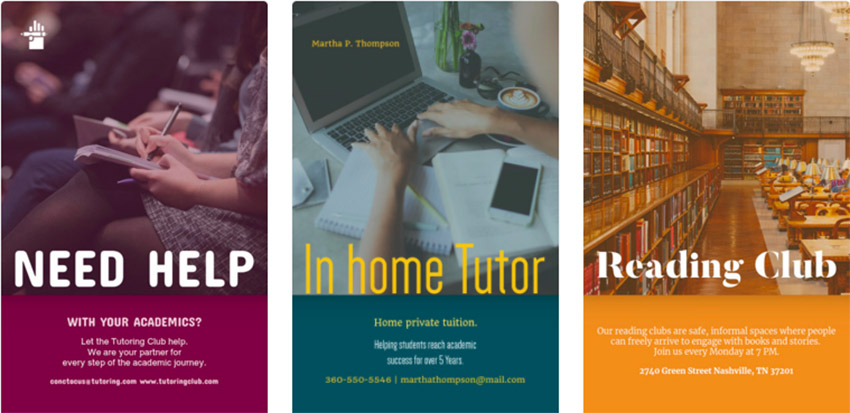
Plenty of people use their expertise in a given subject to tutor others, and they want their marketing flyers to look professional and attractive. The Design Tutoring Flyers template is the easiest and quickest way to accomplish that without using Adobe or other design programs. The template uses a structure of photo, colour bar and contrasting text to help you deliver your message in a simple but interesting way.
Whether you’re creating a flyer for a rock, jazz, pop, classical, reggae or other concert, the Concert Flyers template’s design will make your flyer look fabulous. Just make sure you have a great mood-setting photo to add to the background, or use one of the excellent ones that come with the template. Then all you need to do is fill in the details of the concert, and you’ve got a flyer you can be proud of.
If you’re trying to come up with great flyer design ideas for landscaping businesses, Landscaping Flyers has got you covered. The template uses photos of landscapes and flora and fauna, under a simple banner that highlights key pieces of information about the business. Definitely a winner.
Check out the amazing design of the Wedding Planner Flyer Template to create the best flyers for weddings, engagement parties, and other important events. The flyer uses a wonderful combination of photos, gorgeous fonts, beautifully executed icons and subtle colours to create a polished and attractive final product.
In this article, I cover the best flyer design ideas for specific types of flyers, but what I like best about Basic Flyer Template to Design Modern Flyers is that you can use it to create just about any flyer you choose, from creative to business flyers and everything in-between. It features a stylish and clean design and gorgeous background images for any occasion. As is the case with the other flyer templates here, it is very easy to customise.
For party flyer design inspiration, look no further than Custom Party Flyer. Use the background photos to indicate what kind of party it is, e.g. a photo of cocktails would suggest a cocktail party, and gummy bears and jellybeans a kid’s party. With the photo selected, all you need to do is modify the colour of the text banner to suit the theme, choose your font, and you’ve got the perfect party flyer.
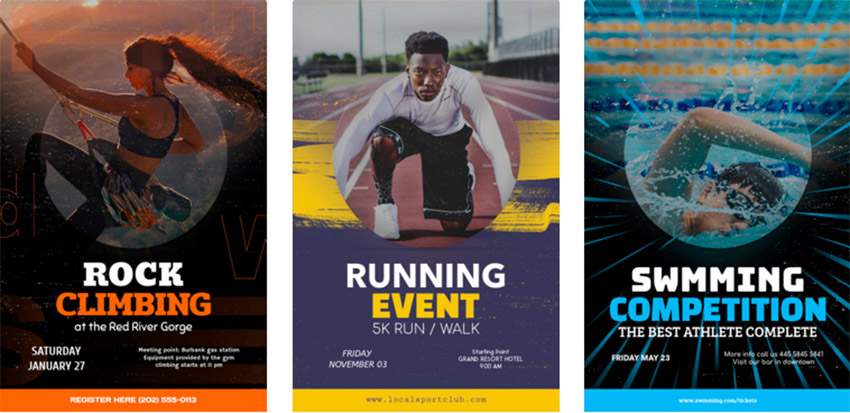
What makes the Sports Flyer Maker template so great is that everything about it communicates action. The photos of athletes in motion, the bold text and bright colour accents, and the awesome graphic flourishes that you can choose to overlay each template, all work together to make this a great flyer template.
If you’re creating a flyer for food promotion, you want people to salivate when they see it. Happily, that’s exactly what people are going to do when they see the flyers you make with the Food Flyer Maker. Not only does this template come with mouthwatering photos of food, but it has great graphics and strong, colourful fonts that call attention to the fact that there’s a special discount or a new menu on offer. Definitely one for the toolbox.
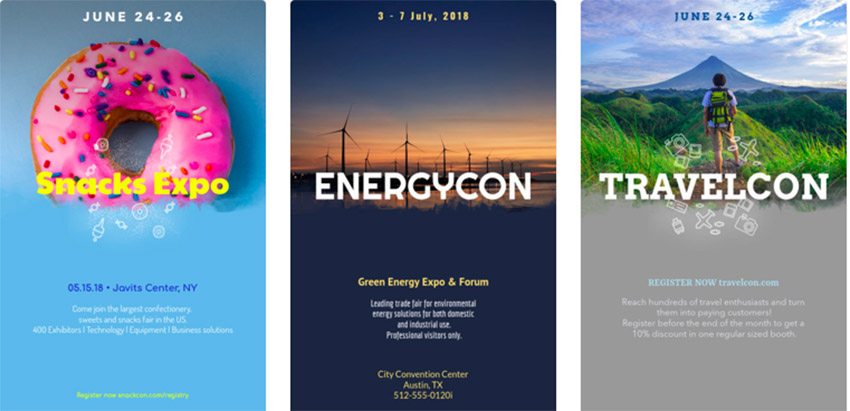
If you need to create a flyer for an event or convention, Event Flyer Maker for Conventions can help. The template and the presets below it give you plenty of examples of what makes a great Events Flyer. Customise it to add your own twist.
Stunning images of dancers in motion, choice placement of text and a large selection of colourful gradient overlays are the stand-out features of Contemporary Dance Flyer Maker. If you’re looking for flyer design ideas to announce a dance competition or performance in a visually compelling way, look no further.
There are many ways to communicate effectiveness in your house-cleaning flyers, and the House Cleaning Service Flyer Maker gives you a few great ideas. The clean, modern design is easy to customise to suit your message, and if you ever get stuck, just help yourself to one of the beautiful presets that come along with the template.
The best flyers for travel agents, hotels, tour operators and others working in the travel industry promise fun, relaxation, adventure and/or discovery. Flyer Maker App for Vacation Packages says all these things. Take a look. I dare you not to be captivated.
Flyers for summer camp are another genre of flyers that need to communicate exuberance if they’re going to attract kids and entice parents. Summer Camp Flyers keeps the emphasis on fun with great images and playful text in vibrant banners.
If you’re looking for flyer design ideas for a sales event, Online Flyer Maker for Promotion Flyers has you covered. This template uses the three components of a great sales promotion well: great images of exuberant or stylish customers, bold text to announce the offerings, and vibrant colours and patterns.
Halloween comes every year, so be ready to create scary Halloween Party announcement flyers with the Halloween Party Flyer Maker. The template provides all those wonderfully macabre photos that you need, as well as fonts that hint at dark pleasures to be had.
Looking for an innovative approach to designing a flyer for selling merchandise like jewellery and watches? The Jewelry Store Flyer Design Template combines great photos with a cool grid pattern to create a standout flyer.
Casting Flyer for Dance Auditions helps you create the perfect audition flyer for dance, theatre, modelling and other performance-related roles. With this Flyer Creator template, you have the usual choice of font styles and wonderful background photos, but also a terrific selection of colourful banners, all of which can be customised.
Create an amazing flyer to promote bars and cocktail lounges in a matter of minutes with Online Flyer Maker for Drink Promos. Use the background colour feature to highlight the colourful images of exotic-looking cocktails and pints of cold beer.
Gym Flyer Maker for Fitness Classes is a great template for designing the best flyers for a fitness business. This template and its presets offer gorgeous images of bodies exercising, vibrant colours, and bold, eye-catching fonts. Perfect for gyms, fitness centres, yoga studios, or any other fitness business.
Design Architecture Flyers is a gorgeous flyer maker template that is perfect for businesses related to the designing or constructing of buildings. The template is versatile, eye-catching, and of course very easy to customise.
Creating flyers for car dealerships, auto repair shops and related businesses has never been easier. Take a look at the Auto Repair Flyer Maker for Auto Shops template and you’ll see what I mean. All you need to do is select a background image or upload one, type in the relevant information, and your professional automotive flyer is ready to be printed.
One of the best flyer templates for real estate businesses, Design Real Estate Flyers stands head and shoulders above the competition. Aside from the stellar layout, great images, and large font selection, the template includes a number of beautifully designed icons which add a nice touch to the design.
A wonderful flyer template that uses shapes in an interesting and engaging way, Online Flyer Maker for a Recruitment Agency can be used to create flyers for recruitment agencies but is equally suited for other types of flyers as well.
Desperate for flyer design ideas to create the best flyer for a barber shop? Look no further than the Barber Shop Flyers template. This well-thought-out template will have you producing your own fabulous flyers for local barber shops in no time.
A simply wonderful template for some flyer design inspiration, Organic Market Flyers is packed full of organic and eco-friendly graphics including fruits, vegetables, plants, and flowers. It’s just perfect for advertising produce, farmer’s markets, and anything else dealing with fresh and wholesome food.
Time to Put These Flyer Design Ideas to Work
So there you have my 27 best flyer design ideas using a flyer maker with photo. If you’re looking for more flyer design inspiration, there are tons more amazing flyer templates available at Placeit. I’d love to know your favourites, so leave a comment below and tell me which flyer templates are going into your toolbox. Can’t wait to see what you choose.
Let’s face it, sometimes even the most creative of souls among us hits a dry spell, but when this happens to you, you can feel like the only person on earth it has ever happened to. Well, here’s a little secret. The best solution to heading off these dry spells is to prepare for them by building a toolbox of design ideas and templates you can turn to, to get your creative juices flowing again.
To get you started, here are the 27 best flyer design ideas for you to add to your toolbox. All of the flyers I’m featuring here have been created using an awesome flyer maker with photo (my term for flyers that build their effectiveness around great photos), found at Placeit. Now, Placeit is one of the largest collections of flyer templates on the internet, and it’s a great resource for helping you create the best flyers in the shortest time possible.
So if you’ve been wondering how to make a flyer online, you should check it out. For a single affordable monthly fee, it also helps you make a bunch of other really cool and useful stuff, which you can download and reuse as often as you like, so it’s a good idea to add it to your toolbox as well.
27 Best Flyer Design Ideas Using a Flyer Maker With Photo
If you’re looking for flyer design ideas for a charity or non-profit, this Non-Profit Flyer template is a great place to start. First, it gives you the ability to upload a powerful, iconic photo to get the attention of your audience. Next, it offers a great selection of bold fonts designed for a simple, powerful, eye-catching message overlay.
It also provides a selection of reading fonts for a longer explanatory message and a good selection of icons you can use or swap out for an organisation’s own logo.
Here’s some flyer design inspiration for creating a gorgeous interior design flyer. The Interior Design Flyers template uses an interesting geometric pattern created from squares to arrest the eye. The flyer template is super easy to customise—just enter your information in the flyer creator, choose a photo to feature on your flyer, select an icon from the graphic options available or upload your own, select your colour scheme, and you’re ready to download and print.
Plenty of people use their expertise in a given subject to tutor others, and they want their marketing flyers to look professional and attractive. The Design Tutoring Flyers template is the easiest and quickest way to accomplish that without using Adobe or other design programs. The template uses a structure of photo, colour bar and contrasting text to help you deliver your message in a simple but interesting way.
Whether you’re creating a flyer for a rock, jazz, pop, classical, reggae or other concert, the Concert Flyers template’s design will make your flyer look fabulous. Just make sure you have a great mood-setting photo to add to the background, or use one of the excellent ones that come with the template. Then all you need to do is fill in the details of the concert, and you’ve got a flyer you can be proud of.
If you’re trying to come up with great flyer design ideas for landscaping businesses, Landscaping Flyers has got you covered. The template uses photos of landscapes and flora and fauna, under a simple banner that highlights key pieces of information about the business. Definitely a winner.
Check out the amazing design of the Wedding Planner Flyer Template to create the best flyers for weddings, engagement parties, and other important events. The flyer uses a wonderful combination of photos, gorgeous fonts, beautifully executed icons and subtle colours to create a polished and attractive final product.
In this article, I cover the best flyer design ideas for specific types of flyers, but what I like best about Basic Flyer Template to Design Modern Flyers is that you can use it to create just about any flyer you choose, from creative to business flyers and everything in-between. It features a stylish and clean design and gorgeous background images for any occasion. As is the case with the other flyer templates here, it is very easy to customise.
For party flyer design inspiration, look no further than Custom Party Flyer. Use the background photos to indicate what kind of party it is, e.g. a photo of cocktails would suggest a cocktail party, and gummy bears and jellybeans a kid’s party. With the photo selected, all you need to do is modify the colour of the text banner to suit the theme, choose your font, and you’ve got the perfect party flyer.
What makes the Sports Flyer Maker template so great is that everything about it communicates action. The photos of athletes in motion, the bold text and bright colour accents, and the awesome graphic flourishes that you can choose to overlay each template, all work together to make this a great flyer template.
If you’re creating a flyer for food promotion, you want people to salivate when they see it. Happily, that’s exactly what people are going to do when they see the flyers you make with the Food Flyer Maker. Not only does this template come with mouthwatering photos of food, but it has great graphics and strong, colourful fonts that call attention to the fact that there’s a special discount or a new menu on offer. Definitely one for the toolbox.
If you need to create a flyer for an event or convention, Event Flyer Maker for Conventions can help. The template and the presets below it give you plenty of examples of what makes a great Events Flyer. Customise it to add your own twist.
Stunning images of dancers in motion, choice placement of text and a large selection of colourful gradient overlays are the stand-out features of Contemporary Dance Flyer Maker. If you’re looking for flyer design ideas to announce a dance competition or performance in a visually compelling way, look no further.
There are many ways to communicate effectiveness in your house-cleaning flyers, and the House Cleaning Service Flyer Maker gives you a few great ideas. The clean, modern design is easy to customise to suit your message, and if you ever get stuck, just help yourself to one of the beautiful presets that come along with the template.
The best flyers for travel agents, hotels, tour operators and others working in the travel industry promise fun, relaxation, adventure and/or discovery. Flyer Maker App for Vacation Packages says all these things. Take a look. I dare you not to be captivated.
Flyers for summer camp are another genre of flyers that need to communicate exuberance if they’re going to attract kids and entice parents. Summer Camp Flyers keeps the emphasis on fun with great images and playful text in vibrant banners.
If you’re looking for flyer design ideas for a sales event, Online Flyer Maker for Promotion Flyers has you covered. This template uses the three components of a great sales promotion well: great images of exuberant or stylish customers, bold text to announce the offerings, and vibrant colours and patterns.
Halloween comes every year, so be ready to create scary Halloween Party announcement flyers with the Halloween Party Flyer Maker. The template provides all those wonderfully macabre photos that you need, as well as fonts that hint at dark pleasures to be had.
Looking for an innovative approach to designing a flyer for selling merchandise like jewellery and watches? The Jewelry Store Flyer Design Template combines great photos with a cool grid pattern to create a standout flyer.
Casting Flyer for Dance Auditions helps you create the perfect audition flyer for dance, theatre, modelling and other performance-related roles. With this Flyer Creator template, you have the usual choice of font styles and wonderful background photos, but also a terrific selection of colourful banners, all of which can be customised.
Create an amazing flyer to promote bars and cocktail lounges in a matter of minutes with Online Flyer Maker for Drink Promos. Use the background colour feature to highlight the colourful images of exotic-looking cocktails and pints of cold beer.
Gym Flyer Maker for Fitness Classes is a great template for designing the best flyers for a fitness business. This template and its presets offer gorgeous images of bodies exercising, vibrant colours, and bold, eye-catching fonts. Perfect for gyms, fitness centres, yoga studios, or any other fitness business.
Design Architecture Flyers is a gorgeous flyer maker template that is perfect for businesses related to the designing or constructing of buildings. The template is versatile, eye-catching, and of course very easy to customise.
Creating flyers for car dealerships, auto repair shops and related businesses has never been easier. Take a look at the Auto Repair Flyer Maker for Auto Shops template and you’ll see what I mean. All you need to do is select a background image or upload one, type in the relevant information, and your professional automotive flyer is ready to be printed.
One of the best flyer templates for real estate businesses, Design Real Estate Flyers stands head and shoulders above the competition. Aside from the stellar layout, great images, and large font selection, the template includes a number of beautifully designed icons which add a nice touch to the design.
A wonderful flyer template that uses shapes in an interesting and engaging way, Online Flyer Maker for a Recruitment Agency can be used to create flyers for recruitment agencies but is equally suited for other types of flyers as well.
Desperate for flyer design ideas to create the best flyer for a barber shop? Look no further than the Barber Shop Flyers template. This well-thought-out template will have you producing your own fabulous flyers for local barber shops in no time.
A simply wonderful template for some flyer design inspiration, Organic Market Flyers is packed full of organic and eco-friendly graphics including fruits, vegetables, plants, and flowers. It’s just perfect for advertising produce, farmer’s markets, and anything else dealing with fresh and wholesome food.
Time to Put These Flyer Design Ideas to Work
So there you have my 27 best flyer design ideas using a flyer maker with photo. If you’re looking for more flyer design inspiration, there are tons more amazing flyer templates available at Placeit. I’d love to know your favourites, so leave a comment below and tell me which flyer templates are going into your toolbox. Can’t wait to see what you choose.
Let’s face it, sometimes even the most creative of souls among us hits a dry spell, but when this happens to you, you can feel like the only person on earth it has ever happened to. Well, here’s a little secret. The best solution to heading off these dry spells is to prepare for them by building a toolbox of design ideas and templates you can turn to, to get your creative juices flowing again.
To get you started, here are the 27 best flyer design ideas for you to add to your toolbox. All of the flyers I’m featuring here have been created using an awesome flyer maker with photo (my term for flyers that build their effectiveness around great photos), found at Placeit. Now, Placeit is one of the largest collections of flyer templates on the internet, and it’s a great resource for helping you create the best flyers in the shortest time possible.
So if you’ve been wondering how to make a flyer online, you should check it out. For a single affordable monthly fee, it also helps you make a bunch of other really cool and useful stuff, which you can download and reuse as often as you like, so it’s a good idea to add it to your toolbox as well.
27 Best Flyer Design Ideas Using a Flyer Maker With Photo
If you’re looking for flyer design ideas for a charity or non-profit, this Non-Profit Flyer template is a great place to start. First, it gives you the ability to upload a powerful, iconic photo to get the attention of your audience. Next, it offers a great selection of bold fonts designed for a simple, powerful, eye-catching message overlay.
It also provides a selection of reading fonts for a longer explanatory message and a good selection of icons you can use or swap out for an organisation’s own logo.
Here’s some flyer design inspiration for creating a gorgeous interior design flyer. The Interior Design Flyers template uses an interesting geometric pattern created from squares to arrest the eye. The flyer template is super easy to customise—just enter your information in the flyer creator, choose a photo to feature on your flyer, select an icon from the graphic options available or upload your own, select your colour scheme, and you’re ready to download and print.
Plenty of people use their expertise in a given subject to tutor others, and they want their marketing flyers to look professional and attractive. The Design Tutoring Flyers template is the easiest and quickest way to accomplish that without using Adobe or other design programs. The template uses a structure of photo, colour bar and contrasting text to help you deliver your message in a simple but interesting way.
Whether you’re creating a flyer for a rock, jazz, pop, classical, reggae or other concert, the Concert Flyers template’s design will make your flyer look fabulous. Just make sure you have a great mood-setting photo to add to the background, or use one of the excellent ones that come with the template. Then all you need to do is fill in the details of the concert, and you’ve got a flyer you can be proud of.
If you’re trying to come up with great flyer design ideas for landscaping businesses, Landscaping Flyers has got you covered. The template uses photos of landscapes and flora and fauna, under a simple banner that highlights key pieces of information about the business. Definitely a winner.
Check out the amazing design of the Wedding Planner Flyer Template to create the best flyers for weddings, engagement parties, and other important events. The flyer uses a wonderful combination of photos, gorgeous fonts, beautifully executed icons and subtle colours to create a polished and attractive final product.
In this article, I cover the best flyer design ideas for specific types of flyers, but what I like best about Basic Flyer Template to Design Modern Flyers is that you can use it to create just about any flyer you choose, from creative to business flyers and everything in-between. It features a stylish and clean design and gorgeous background images for any occasion. As is the case with the other flyer templates here, it is very easy to customise.
For party flyer design inspiration, look no further than Custom Party Flyer. Use the background photos to indicate what kind of party it is, e.g. a photo of cocktails would suggest a cocktail party, and gummy bears and jellybeans a kid’s party. With the photo selected, all you need to do is modify the colour of the text banner to suit the theme, choose your font, and you’ve got the perfect party flyer.
What makes the Sports Flyer Maker template so great is that everything about it communicates action. The photos of athletes in motion, the bold text and bright colour accents, and the awesome graphic flourishes that you can choose to overlay each template, all work together to make this a great flyer template.
If you’re creating a flyer for food promotion, you want people to salivate when they see it. Happily, that’s exactly what people are going to do when they see the flyers you make with the Food Flyer Maker. Not only does this template come with mouthwatering photos of food, but it has great graphics and strong, colourful fonts that call attention to the fact that there’s a special discount or a new menu on offer. Definitely one for the toolbox.
If you need to create a flyer for an event or convention, Event Flyer Maker for Conventions can help. The template and the presets below it give you plenty of examples of what makes a great Events Flyer. Customise it to add your own twist.
Stunning images of dancers in motion, choice placement of text and a large selection of colourful gradient overlays are the stand-out features of Contemporary Dance Flyer Maker. If you’re looking for flyer design ideas to announce a dance competition or performance in a visually compelling way, look no further.
There are many ways to communicate effectiveness in your house-cleaning flyers, and the House Cleaning Service Flyer Maker gives you a few great ideas. The clean, modern design is easy to customise to suit your message, and if you ever get stuck, just help yourself to one of the beautiful presets that come along with the template.
The best flyers for travel agents, hotels, tour operators and others working in the travel industry promise fun, relaxation, adventure and/or discovery. Flyer Maker App for Vacation Packages says all these things. Take a look. I dare you not to be captivated.
Flyers for summer camp are another genre of flyers that need to communicate exuberance if they’re going to attract kids and entice parents. Summer Camp Flyers keeps the emphasis on fun with great images and playful text in vibrant banners.
If you’re looking for flyer design ideas for a sales event, Online Flyer Maker for Promotion Flyers has you covered. This template uses the three components of a great sales promotion well: great images of exuberant or stylish customers, bold text to announce the offerings, and vibrant colours and patterns.
Halloween comes every year, so be ready to create scary Halloween Party announcement flyers with the Halloween Party Flyer Maker. The template provides all those wonderfully macabre photos that you need, as well as fonts that hint at dark pleasures to be had.
Looking for an innovative approach to designing a flyer for selling merchandise like jewellery and watches? The Jewelry Store Flyer Design Template combines great photos with a cool grid pattern to create a standout flyer.
Casting Flyer for Dance Auditions helps you create the perfect audition flyer for dance, theatre, modelling and other performance-related roles. With this Flyer Creator template, you have the usual choice of font styles and wonderful background photos, but also a terrific selection of colourful banners, all of which can be customised.
Create an amazing flyer to promote bars and cocktail lounges in a matter of minutes with Online Flyer Maker for Drink Promos. Use the background colour feature to highlight the colourful images of exotic-looking cocktails and pints of cold beer.
Gym Flyer Maker for Fitness Classes is a great template for designing the best flyers for a fitness business. This template and its presets offer gorgeous images of bodies exercising, vibrant colours, and bold, eye-catching fonts. Perfect for gyms, fitness centres, yoga studios, or any other fitness business.
Design Architecture Flyers is a gorgeous flyer maker template that is perfect for businesses related to the designing or constructing of buildings. The template is versatile, eye-catching, and of course very easy to customise.
Creating flyers for car dealerships, auto repair shops and related businesses has never been easier. Take a look at the Auto Repair Flyer Maker for Auto Shops template and you’ll see what I mean. All you need to do is select a background image or upload one, type in the relevant information, and your professional automotive flyer is ready to be printed.
One of the best flyer templates for real estate businesses, Design Real Estate Flyers stands head and shoulders above the competition. Aside from the stellar layout, great images, and large font selection, the template includes a number of beautifully designed icons which add a nice touch to the design.
A wonderful flyer template that uses shapes in an interesting and engaging way, Online Flyer Maker for a Recruitment Agency can be used to create flyers for recruitment agencies but is equally suited for other types of flyers as well.
Desperate for flyer design ideas to create the best flyer for a barber shop? Look no further than the Barber Shop Flyers template. This well-thought-out template will have you producing your own fabulous flyers for local barber shops in no time.
A simply wonderful template for some flyer design inspiration, Organic Market Flyers is packed full of organic and eco-friendly graphics including fruits, vegetables, plants, and flowers. It’s just perfect for advertising produce, farmer’s markets, and anything else dealing with fresh and wholesome food.
Time to Put These Flyer Design Ideas to Work
So there you have my 27 best flyer design ideas using a flyer maker with photo. If you’re looking for more flyer design inspiration, there are tons more amazing flyer templates available at Placeit. I’d love to know your favourites, so leave a comment below and tell me which flyer templates are going into your toolbox. Can’t wait to see what you choose.
Let’s face it, sometimes even the most creative of souls among us hits a dry spell, but when this happens to you, you can feel like the only person on earth it has ever happened to. Well, here’s a little secret. The best solution to heading off these dry spells is to prepare for them by building a toolbox of design ideas and templates you can turn to, to get your creative juices flowing again.
To get you started, here are the 27 best flyer design ideas for you to add to your toolbox. All of the flyers I’m featuring here have been created using an awesome flyer maker with photo (my term for flyers that build their effectiveness around great photos), found at Placeit. Now, Placeit is one of the largest collections of flyer templates on the internet, and it’s a great resource for helping you create the best flyers in the shortest time possible.
So if you’ve been wondering how to make a flyer online, you should check it out. For a single affordable monthly fee, it also helps you make a bunch of other really cool and useful stuff, which you can download and reuse as often as you like, so it’s a good idea to add it to your toolbox as well.
27 Best Flyer Design Ideas Using a Flyer Maker With Photo
If you’re looking for flyer design ideas for a charity or non-profit, this Non-Profit Flyer template is a great place to start. First, it gives you the ability to upload a powerful, iconic photo to get the attention of your audience. Next, it offers a great selection of bold fonts designed for a simple, powerful, eye-catching message overlay.
It also provides a selection of reading fonts for a longer explanatory message and a good selection of icons you can use or swap out for an organisation’s own logo.
Here’s some flyer design inspiration for creating a gorgeous interior design flyer. The Interior Design Flyers template uses an interesting geometric pattern created from squares to arrest the eye. The flyer template is super easy to customise—just enter your information in the flyer creator, choose a photo to feature on your flyer, select an icon from the graphic options available or upload your own, select your colour scheme, and you’re ready to download and print.
Plenty of people use their expertise in a given subject to tutor others, and they want their marketing flyers to look professional and attractive. The Design Tutoring Flyers template is the easiest and quickest way to accomplish that without using Adobe or other design programs. The template uses a structure of photo, colour bar and contrasting text to help you deliver your message in a simple but interesting way.
Whether you’re creating a flyer for a rock, jazz, pop, classical, reggae or other concert, the Concert Flyers template’s design will make your flyer look fabulous. Just make sure you have a great mood-setting photo to add to the background, or use one of the excellent ones that come with the template. Then all you need to do is fill in the details of the concert, and you’ve got a flyer you can be proud of.
If you’re trying to come up with great flyer design ideas for landscaping businesses, Landscaping Flyers has got you covered. The template uses photos of landscapes and flora and fauna, under a simple banner that highlights key pieces of information about the business. Definitely a winner.
Check out the amazing design of the Wedding Planner Flyer Template to create the best flyers for weddings, engagement parties, and other important events. The flyer uses a wonderful combination of photos, gorgeous fonts, beautifully executed icons and subtle colours to create a polished and attractive final product.
In this article, I cover the best flyer design ideas for specific types of flyers, but what I like best about Basic Flyer Template to Design Modern Flyers is that you can use it to create just about any flyer you choose, from creative to business flyers and everything in-between. It features a stylish and clean design and gorgeous background images for any occasion. As is the case with the other flyer templates here, it is very easy to customise.
For party flyer design inspiration, look no further than Custom Party Flyer. Use the background photos to indicate what kind of party it is, e.g. a photo of cocktails would suggest a cocktail party, and gummy bears and jellybeans a kid’s party. With the photo selected, all you need to do is modify the colour of the text banner to suit the theme, choose your font, and you’ve got the perfect party flyer.
What makes the Sports Flyer Maker template so great is that everything about it communicates action. The photos of athletes in motion, the bold text and bright colour accents, and the awesome graphic flourishes that you can choose to overlay each template, all work together to make this a great flyer template.
If you’re creating a flyer for food promotion, you want people to salivate when they see it. Happily, that’s exactly what people are going to do when they see the flyers you make with the Food Flyer Maker. Not only does this template come with mouthwatering photos of food, but it has great graphics and strong, colourful fonts that call attention to the fact that there’s a special discount or a new menu on offer. Definitely one for the toolbox.
If you need to create a flyer for an event or convention, Event Flyer Maker for Conventions can help. The template and the presets below it give you plenty of examples of what makes a great Events Flyer. Customise it to add your own twist.
Stunning images of dancers in motion, choice placement of text and a large selection of colourful gradient overlays are the stand-out features of Contemporary Dance Flyer Maker. If you’re looking for flyer design ideas to announce a dance competition or performance in a visually compelling way, look no further.
There are many ways to communicate effectiveness in your house-cleaning flyers, and the House Cleaning Service Flyer Maker gives you a few great ideas. The clean, modern design is easy to customise to suit your message, and if you ever get stuck, just help yourself to one of the beautiful presets that come along with the template.
The best flyers for travel agents, hotels, tour operators and others working in the travel industry promise fun, relaxation, adventure and/or discovery. Flyer Maker App for Vacation Packages says all these things. Take a look. I dare you not to be captivated.
Flyers for summer camp are another genre of flyers that need to communicate exuberance if they’re going to attract kids and entice parents. Summer Camp Flyers keeps the emphasis on fun with great images and playful text in vibrant banners.
If you’re looking for flyer design ideas for a sales event, Online Flyer Maker for Promotion Flyers has you covered. This template uses the three components of a great sales promotion well: great images of exuberant or stylish customers, bold text to announce the offerings, and vibrant colours and patterns.
Halloween comes every year, so be ready to create scary Halloween Party announcement flyers with the Halloween Party Flyer Maker. The template provides all those wonderfully macabre photos that you need, as well as fonts that hint at dark pleasures to be had.
Looking for an innovative approach to designing a flyer for selling merchandise like jewellery and watches? The Jewelry Store Flyer Design Template combines great photos with a cool grid pattern to create a standout flyer.
Casting Flyer for Dance Auditions helps you create the perfect audition flyer for dance, theatre, modelling and other performance-related roles. With this Flyer Creator template, you have the usual choice of font styles and wonderful background photos, but also a terrific selection of colourful banners, all of which can be customised.
Create an amazing flyer to promote bars and cocktail lounges in a matter of minutes with Online Flyer Maker for Drink Promos. Use the background colour feature to highlight the colourful images of exotic-looking cocktails and pints of cold beer.
Gym Flyer Maker for Fitness Classes is a great template for designing the best flyers for a fitness business. This template and its presets offer gorgeous images of bodies exercising, vibrant colours, and bold, eye-catching fonts. Perfect for gyms, fitness centres, yoga studios, or any other fitness business.
Design Architecture Flyers is a gorgeous flyer maker template that is perfect for businesses related to the designing or constructing of buildings. The template is versatile, eye-catching, and of course very easy to customise.
Creating flyers for car dealerships, auto repair shops and related businesses has never been easier. Take a look at the Auto Repair Flyer Maker for Auto Shops template and you’ll see what I mean. All you need to do is select a background image or upload one, type in the relevant information, and your professional automotive flyer is ready to be printed.
One of the best flyer templates for real estate businesses, Design Real Estate Flyers stands head and shoulders above the competition. Aside from the stellar layout, great images, and large font selection, the template includes a number of beautifully designed icons which add a nice touch to the design.
A wonderful flyer template that uses shapes in an interesting and engaging way, Online Flyer Maker for a Recruitment Agency can be used to create flyers for recruitment agencies but is equally suited for other types of flyers as well.
Desperate for flyer design ideas to create the best flyer for a barber shop? Look no further than the Barber Shop Flyers template. This well-thought-out template will have you producing your own fabulous flyers for local barber shops in no time.
A simply wonderful template for some flyer design inspiration, Organic Market Flyers is packed full of organic and eco-friendly graphics including fruits, vegetables, plants, and flowers. It’s just perfect for advertising produce, farmer’s markets, and anything else dealing with fresh and wholesome food.
Time to Put These Flyer Design Ideas to Work
So there you have my 27 best flyer design ideas using a flyer maker with photo. If you’re looking for more flyer design inspiration, there are tons more amazing flyer templates available at Placeit. I’d love to know your favourites, so leave a comment below and tell me which flyer templates are going into your toolbox. Can’t wait to see what you choose.
Let’s face it, sometimes even the most creative of souls among us hits a dry spell, but when this happens to you, you can feel like the only person on earth it has ever happened to. Well, here’s a little secret. The best solution to heading off these dry spells is to prepare for them by building a toolbox of design ideas and templates you can turn to, to get your creative juices flowing again.
To get you started, here are the 27 best flyer design ideas for you to add to your toolbox. All of the flyers I’m featuring here have been created using an awesome flyer maker with photo (my term for flyers that build their effectiveness around great photos), found at Placeit. Now, Placeit is one of the largest collections of flyer templates on the internet, and it’s a great resource for helping you create the best flyers in the shortest time possible.
So if you’ve been wondering how to make a flyer online, you should check it out. For a single affordable monthly fee, it also helps you make a bunch of other really cool and useful stuff, which you can download and reuse as often as you like, so it’s a good idea to add it to your toolbox as well.
27 Best Flyer Design Ideas Using a Flyer Maker With Photo
If you’re looking for flyer design ideas for a charity or non-profit, this Non-Profit Flyer template is a great place to start. First, it gives you the ability to upload a powerful, iconic photo to get the attention of your audience. Next, it offers a great selection of bold fonts designed for a simple, powerful, eye-catching message overlay.
It also provides a selection of reading fonts for a longer explanatory message and a good selection of icons you can use or swap out for an organisation’s own logo.
Here’s some flyer design inspiration for creating a gorgeous interior design flyer. The Interior Design Flyers template uses an interesting geometric pattern created from squares to arrest the eye. The flyer template is super easy to customise—just enter your information in the flyer creator, choose a photo to feature on your flyer, select an icon from the graphic options available or upload your own, select your colour scheme, and you’re ready to download and print.
Plenty of people use their expertise in a given subject to tutor others, and they want their marketing flyers to look professional and attractive. The Design Tutoring Flyers template is the easiest and quickest way to accomplish that without using Adobe or other design programs. The template uses a structure of photo, colour bar and contrasting text to help you deliver your message in a simple but interesting way.
Whether you’re creating a flyer for a rock, jazz, pop, classical, reggae or other concert, the Concert Flyers template’s design will make your flyer look fabulous. Just make sure you have a great mood-setting photo to add to the background, or use one of the excellent ones that come with the template. Then all you need to do is fill in the details of the concert, and you’ve got a flyer you can be proud of.
If you’re trying to come up with great flyer design ideas for landscaping businesses, Landscaping Flyers has got you covered. The template uses photos of landscapes and flora and fauna, under a simple banner that highlights key pieces of information about the business. Definitely a winner.
Check out the amazing design of the Wedding Planner Flyer Template to create the best flyers for weddings, engagement parties, and other important events. The flyer uses a wonderful combination of photos, gorgeous fonts, beautifully executed icons and subtle colours to create a polished and attractive final product.
In this article, I cover the best flyer design ideas for specific types of flyers, but what I like best about Basic Flyer Template to Design Modern Flyers is that you can use it to create just about any flyer you choose, from creative to business flyers and everything in-between. It features a stylish and clean design and gorgeous background images for any occasion. As is the case with the other flyer templates here, it is very easy to customise.
For party flyer design inspiration, look no further than Custom Party Flyer. Use the background photos to indicate what kind of party it is, e.g. a photo of cocktails would suggest a cocktail party, and gummy bears and jellybeans a kid’s party. With the photo selected, all you need to do is modify the colour of the text banner to suit the theme, choose your font, and you’ve got the perfect party flyer.
What makes the Sports Flyer Maker template so great is that everything about it communicates action. The photos of athletes in motion, the bold text and bright colour accents, and the awesome graphic flourishes that you can choose to overlay each template, all work together to make this a great flyer template.
If you’re creating a flyer for food promotion, you want people to salivate when they see it. Happily, that’s exactly what people are going to do when they see the flyers you make with the Food Flyer Maker. Not only does this template come with mouthwatering photos of food, but it has great graphics and strong, colourful fonts that call attention to the fact that there’s a special discount or a new menu on offer. Definitely one for the toolbox.
If you need to create a flyer for an event or convention, Event Flyer Maker for Conventions can help. The template and the presets below it give you plenty of examples of what makes a great Events Flyer. Customise it to add your own twist.
Stunning images of dancers in motion, choice placement of text and a large selection of colourful gradient overlays are the stand-out features of Contemporary Dance Flyer Maker. If you’re looking for flyer design ideas to announce a dance competition or performance in a visually compelling way, look no further.
There are many ways to communicate effectiveness in your house-cleaning flyers, and the House Cleaning Service Flyer Maker gives you a few great ideas. The clean, modern design is easy to customise to suit your message, and if you ever get stuck, just help yourself to one of the beautiful presets that come along with the template.
The best flyers for travel agents, hotels, tour operators and others working in the travel industry promise fun, relaxation, adventure and/or discovery. Flyer Maker App for Vacation Packages says all these things. Take a look. I dare you not to be captivated.
Flyers for summer camp are another genre of flyers that need to communicate exuberance if they’re going to attract kids and entice parents. Summer Camp Flyers keeps the emphasis on fun with great images and playful text in vibrant banners.
If you’re looking for flyer design ideas for a sales event, Online Flyer Maker for Promotion Flyers has you covered. This template uses the three components of a great sales promotion well: great images of exuberant or stylish customers, bold text to announce the offerings, and vibrant colours and patterns.
Halloween comes every year, so be ready to create scary Halloween Party announcement flyers with the Halloween Party Flyer Maker. The template provides all those wonderfully macabre photos that you need, as well as fonts that hint at dark pleasures to be had.
Looking for an innovative approach to designing a flyer for selling merchandise like jewellery and watches? The Jewelry Store Flyer Design Template combines great photos with a cool grid pattern to create a standout flyer.
Casting Flyer for Dance Auditions helps you create the perfect audition flyer for dance, theatre, modelling and other performance-related roles. With this Flyer Creator template, you have the usual choice of font styles and wonderful background photos, but also a terrific selection of colourful banners, all of which can be customised.
Create an amazing flyer to promote bars and cocktail lounges in a matter of minutes with Online Flyer Maker for Drink Promos. Use the background colour feature to highlight the colourful images of exotic-looking cocktails and pints of cold beer.
Gym Flyer Maker for Fitness Classes is a great template for designing the best flyers for a fitness business. This template and its presets offer gorgeous images of bodies exercising, vibrant colours, and bold, eye-catching fonts. Perfect for gyms, fitness centres, yoga studios, or any other fitness business.
Design Architecture Flyers is a gorgeous flyer maker template that is perfect for businesses related to the designing or constructing of buildings. The template is versatile, eye-catching, and of course very easy to customise.
Creating flyers for car dealerships, auto repair shops and related businesses has never been easier. Take a look at the Auto Repair Flyer Maker for Auto Shops template and you’ll see what I mean. All you need to do is select a background image or upload one, type in the relevant information, and your professional automotive flyer is ready to be printed.
One of the best flyer templates for real estate businesses, Design Real Estate Flyers stands head and shoulders above the competition. Aside from the stellar layout, great images, and large font selection, the template includes a number of beautifully designed icons which add a nice touch to the design.
A wonderful flyer template that uses shapes in an interesting and engaging way, Online Flyer Maker for a Recruitment Agency can be used to create flyers for recruitment agencies but is equally suited for other types of flyers as well.
Desperate for flyer design ideas to create the best flyer for a barber shop? Look no further than the Barber Shop Flyers template. This well-thought-out template will have you producing your own fabulous flyers for local barber shops in no time.
A simply wonderful template for some flyer design inspiration, Organic Market Flyers is packed full of organic and eco-friendly graphics including fruits, vegetables, plants, and flowers. It’s just perfect for advertising produce, farmer’s markets, and anything else dealing with fresh and wholesome food.
Time to Put These Flyer Design Ideas to Work
So there you have my 27 best flyer design ideas using a flyer maker with photo. If you’re looking for more flyer design inspiration, there are tons more amazing flyer templates available at Placeit. I’d love to know your favourites, so leave a comment below and tell me which flyer templates are going into your toolbox. Can’t wait to see what you choose.
Let’s face it, sometimes even the most creative of souls among us hits a dry spell, but when this happens to you, you can feel like the only person on earth it has ever happened to. Well, here’s a little secret. The best solution to heading off these dry spells is to prepare for them by building a toolbox of design ideas and templates you can turn to, to get your creative juices flowing again.
To get you started, here are the 27 best flyer design ideas for you to add to your toolbox. All of the flyers I’m featuring here have been created using an awesome flyer maker with photo (my term for flyers that build their effectiveness around great photos), found at Placeit. Now, Placeit is one of the largest collections of flyer templates on the internet, and it’s a great resource for helping you create the best flyers in the shortest time possible.
So if you’ve been wondering how to make a flyer online, you should check it out. For a single affordable monthly fee, it also helps you make a bunch of other really cool and useful stuff, which you can download and reuse as often as you like, so it’s a good idea to add it to your toolbox as well.
27 Best Flyer Design Ideas Using a Flyer Maker With Photo
If you’re looking for flyer design ideas for a charity or non-profit, this Non-Profit Flyer template is a great place to start. First, it gives you the ability to upload a powerful, iconic photo to get the attention of your audience. Next, it offers a great selection of bold fonts designed for a simple, powerful, eye-catching message overlay.
It also provides a selection of reading fonts for a longer explanatory message and a good selection of icons you can use or swap out for an organisation’s own logo.
Here’s some flyer design inspiration for creating a gorgeous interior design flyer. The Interior Design Flyers template uses an interesting geometric pattern created from squares to arrest the eye. The flyer template is super easy to customise—just enter your information in the flyer creator, choose a photo to feature on your flyer, select an icon from the graphic options available or upload your own, select your colour scheme, and you’re ready to download and print.
Plenty of people use their expertise in a given subject to tutor others, and they want their marketing flyers to look professional and attractive. The Design Tutoring Flyers template is the easiest and quickest way to accomplish that without using Adobe or other design programs. The template uses a structure of photo, colour bar and contrasting text to help you deliver your message in a simple but interesting way.
Whether you’re creating a flyer for a rock, jazz, pop, classical, reggae or other concert, the Concert Flyers template’s design will make your flyer look fabulous. Just make sure you have a great mood-setting photo to add to the background, or use one of the excellent ones that come with the template. Then all you need to do is fill in the details of the concert, and you’ve got a flyer you can be proud of.
If you’re trying to come up with great flyer design ideas for landscaping businesses, Landscaping Flyers has got you covered. The template uses photos of landscapes and flora and fauna, under a simple banner that highlights key pieces of information about the business. Definitely a winner.
Check out the amazing design of the Wedding Planner Flyer Template to create the best flyers for weddings, engagement parties, and other important events. The flyer uses a wonderful combination of photos, gorgeous fonts, beautifully executed icons and subtle colours to create a polished and attractive final product.
In this article, I cover the best flyer design ideas for specific types of flyers, but what I like best about Basic Flyer Template to Design Modern Flyers is that you can use it to create just about any flyer you choose, from creative to business flyers and everything in-between. It features a stylish and clean design and gorgeous background images for any occasion. As is the case with the other flyer templates here, it is very easy to customise.
For party flyer design inspiration, look no further than Custom Party Flyer. Use the background photos to indicate what kind of party it is, e.g. a photo of cocktails would suggest a cocktail party, and gummy bears and jellybeans a kid’s party. With the photo selected, all you need to do is modify the colour of the text banner to suit the theme, choose your font, and you’ve got the perfect party flyer.
What makes the Sports Flyer Maker template so great is that everything about it communicates action. The photos of athletes in motion, the bold text and bright colour accents, and the awesome graphic flourishes that you can choose to overlay each template, all work together to make this a great flyer template.
If you’re creating a flyer for food promotion, you want people to salivate when they see it. Happily, that’s exactly what people are going to do when they see the flyers you make with the Food Flyer Maker. Not only does this template come with mouthwatering photos of food, but it has great graphics and strong, colourful fonts that call attention to the fact that there’s a special discount or a new menu on offer. Definitely one for the toolbox.
If you need to create a flyer for an event or convention, Event Flyer Maker for Conventions can help. The template and the presets below it give you plenty of examples of what makes a great Events Flyer. Customise it to add your own twist.
Stunning images of dancers in motion, choice placement of text and a large selection of colourful gradient overlays are the stand-out features of Contemporary Dance Flyer Maker. If you’re looking for flyer design ideas to announce a dance competition or performance in a visually compelling way, look no further.
There are many ways to communicate effectiveness in your house-cleaning flyers, and the House Cleaning Service Flyer Maker gives you a few great ideas. The clean, modern design is easy to customise to suit your message, and if you ever get stuck, just help yourself to one of the beautiful presets that come along with the template.
The best flyers for travel agents, hotels, tour operators and others working in the travel industry promise fun, relaxation, adventure and/or discovery. Flyer Maker App for Vacation Packages says all these things. Take a look. I dare you not to be captivated.
Flyers for summer camp are another genre of flyers that need to communicate exuberance if they’re going to attract kids and entice parents. Summer Camp Flyers keeps the emphasis on fun with great images and playful text in vibrant banners.
If you’re looking for flyer design ideas for a sales event, Online Flyer Maker for Promotion Flyers has you covered. This template uses the three components of a great sales promotion well: great images of exuberant or stylish customers, bold text to announce the offerings, and vibrant colours and patterns.
Halloween comes every year, so be ready to create scary Halloween Party announcement flyers with the Halloween Party Flyer Maker. The template provides all those wonderfully macabre photos that you need, as well as fonts that hint at dark pleasures to be had.
Looking for an innovative approach to designing a flyer for selling merchandise like jewellery and watches? The Jewelry Store Flyer Design Template combines great photos with a cool grid pattern to create a standout flyer.
Casting Flyer for Dance Auditions helps you create the perfect audition flyer for dance, theatre, modelling and other performance-related roles. With this Flyer Creator template, you have the usual choice of font styles and wonderful background photos, but also a terrific selection of colourful banners, all of which can be customised.
Create an amazing flyer to promote bars and cocktail lounges in a matter of minutes with Online Flyer Maker for Drink Promos. Use the background colour feature to highlight the colourful images of exotic-looking cocktails and pints of cold beer.
Gym Flyer Maker for Fitness Classes is a great template for designing the best flyers for a fitness business. This template and its presets offer gorgeous images of bodies exercising, vibrant colours, and bold, eye-catching fonts. Perfect for gyms, fitness centres, yoga studios, or any other fitness business.
Design Architecture Flyers is a gorgeous flyer maker template that is perfect for businesses related to the designing or constructing of buildings. The template is versatile, eye-catching, and of course very easy to customise.
Creating flyers for car dealerships, auto repair shops and related businesses has never been easier. Take a look at the Auto Repair Flyer Maker for Auto Shops template and you’ll see what I mean. All you need to do is select a background image or upload one, type in the relevant information, and your professional automotive flyer is ready to be printed.
One of the best flyer templates for real estate businesses, Design Real Estate Flyers stands head and shoulders above the competition. Aside from the stellar layout, great images, and large font selection, the template includes a number of beautifully designed icons which add a nice touch to the design.
A wonderful flyer template that uses shapes in an interesting and engaging way, Online Flyer Maker for a Recruitment Agency can be used to create flyers for recruitment agencies but is equally suited for other types of flyers as well.
Desperate for flyer design ideas to create the best flyer for a barber shop? Look no further than the Barber Shop Flyers template. This well-thought-out template will have you producing your own fabulous flyers for local barber shops in no time.
A simply wonderful template for some flyer design inspiration, Organic Market Flyers is packed full of organic and eco-friendly graphics including fruits, vegetables, plants, and flowers. It’s just perfect for advertising produce, farmer’s markets, and anything else dealing with fresh and wholesome food.
Time to Put These Flyer Design Ideas to Work
So there you have my 27 best flyer design ideas using a flyer maker with photo. If you’re looking for more flyer design inspiration, there are tons more amazing flyer templates available at Placeit. I’d love to know your favourites, so leave a comment below and tell me which flyer templates are going into your toolbox. Can’t wait to see what you choose.
In
this tutorial, you will learn to create a Russian inspired vector text
effect, beautifully decorated with traditional geometric designs and
bright yellow and red colors.
You’ll use the Appearance panel in Adobe Illustrator to
create and save a graphic style for the letters, and this will make it
easier to recolor the entire piece of text. You will create a new
geometric pattern and two new Pattern Brushes that will help us to
decorate the vector text.
By the end of this tutorial, you will be
able to apply these techniques for other text effects as well. Let’s
start!
If
you need more Illustrator styles and text effects, make sure to head
over to GraphicRiver, where you’ll find plenty of resources.
Tutorial
Assets
To
complete the tutorial, you will need the following assets:
Launch Illustrator and
go to File
> New to
open a blank document. Type a name for your file, set the
dimensions, and then select Pixels as Units and RGB as Color
Mode.
Next,
go to Edit
> Preferences > General,
set the Keyboard
Increment to 1
px and, while there, go to Units to
make sure they are set as in the following image. I usually work with
these settings, and they will help you throughout the drawing process.
2. How
to Create the Russian Text
Step
1
To create this text effect, we
are going to use the word “Русский„, which means “Russian”. So grab the Type
Tool (T) and write the letters “PYCCKNN” on your artboard using
the Russian Land Font, with a size of 240 pt. In the Set the tracking for
the selected characters field, select a value of 10 in order to add
more space between the letters.
Choose Expand from the Object menu, followed by Ungroup (Shift-Control-G) to
turn the text into individual letters.
Step
2
Select
only the last two letters, go to the Transform panel, and from the
drop-down menu, choose Flip Horizontal. Now these letters match the Cyrillic alphabet.
We
need an accent to complete the last letter, so follow the sequence of
images to create it. First, draw two 20 x 20 px circles filled with
black and, after that, draw a curved path to connect them at the
bottom. Give it a 4 pt black Stroke and choose Expand from the Object menu to turn the stroke into a shape. Now, select all three
shapes and press Unite in the Pathfinder panel to merge them into the
shape of the accent. Move it above the last letter.
3. How
to Create the Colored Text Layers
Step
1
Focus
on the first letter and fill it with pale blue for the moment. Also,
select a 1 pt blue Stroke.
Step
2
With
the letter still selected, add a New Stroke at the bottom of the Appearance panel. Give it a 10 pt pink Stroke.
Add
a New Stroke at the bottom of the Appearance panel and give it a 10
pt green Stroke. While this Stroke attribute stays selected in the Appearance panel, go to Effect > Distort & Transform >
Transform and apply the settings shown. This will move the green
layer to the bottom right side to create some depth.
Step
3
With
the first letter still selected, press the New Graphic Style icon at
the bottom of the Graphic Styles panel in order to save it. Now,
select the rest of the letters and apply the same style to them.
Step
4
Select
the text and choose Expand Appearance followed by Expand from the Object menu in order to expand the appearances and strokes. Ungroup
(Shift-Control-G) twice to get the individual colored layers.
At
this point, the text may not look great in some areas. If you get the
spikes shown in the close-up, you can remove them with the help of the Delete Anchor Point Tool (-). Simply click on the anchor point at the
tip to remove it, and the curve will update itself.
Step
5
Move
each letter to a separate layer to keep things organized in the Layers panel. On each layer, you should have four shapes corresponding
to the four appearances that you applied earlier. Rename the
green shape “depth”, the pink shape “outer border”, the pale
blue shape “main letter”, and the blue shape “inner border”.
On each layer, you should have the same thing.
4. How
to Color the Russian Text
Step
1
Select
only the “depth” shape of the first letter and go to Select >
Same > Fill Color. As a result, Illustrator will select all the
green shapes for you. Replace the fill color with red.
Step
2
Next,
select only the “outer border” shape of the first letter and go
to Select > Same > Fill Color. As a result, Illustrator will
select all the pink shapes, and you can easily replace the fill color
with off-white. Also, apply a 1 pt red Stroke and press the Align
Stroke to Inside option in the Stroke panel.
Step
3
Now,
select the “main letter” shape and use the same method to replace
the pale blue color with yellow. Also, go to Effect > Stylize > Inner
Glow and apply the settings shown.
Step
4
The
last shape is the “inner border”. Replace the blue color with
red using the same method.
Step
5
At
this point, if you zoom in on the first letter, you will notice that some corners are missing and we need to fix them. Grab the Pen Tool
(P) and draw a triangle shape to cover the empty space in the
corners. Fill them with the same red as the “depth” shape (1).
Now,
select the “depth” shape along with the triangles and press Unite in the Pathfinder panel to merge them (2). Move the newly obtained
“depth” shape to the back, where it was (3).
Step
6
Zoom in on the other letters as well, and fix the corners as explained in the
previous step.
5. How
to Create a Simple Traditional Russian Pattern
Step
1
Let’s
create a simplified version of a traditional pattern. Take the Rectangle Tool (M) and draw a 50 x 50 px square on your artboard (1);
then draw a smaller 20 x 20 px square in the center. Select a 6 pt
black Stroke for both of them (2).
Rotate
both squares 45 degrees using the Transform panel (3) and then choose Expand from the Object menu to turn the strokes into fills. Drag the
two shapes to the Swatches panel to save it as a New Pattern Swatch
(4).
Step
2
Let’s
apply the pattern. Focus on the first letter and select the shape
called “main letter”. Add a New Fill above the existing yellow
Fill and select the newly saved Squares Pattern Swatch from the Swatches panel (1).
To scale down the pattern, go to Object >
Transform > Scale and make sure that only the Transform Patterns
option is checked. Type 15% in the Scale Uniform field and hit OK (2). Finally, set the Blending Mode to Overlay for this Fill
attribute (3).
Step
3
Repeat
the same thing for the other letters and apply the pattern.
6. How
to Create Shading on the Edge of the Russian Text
Step
1
Let’s
create a mask shape first. Select the “depth” shape of the first
letter and then Copy and Paste in Place (Shift-Control-V) to make a
copy of it in front of everything (1). Next, select the “outer
border” shape and then Copy and Paste in Place (Shift-Control-V) again (2). For visual reasons, I’ve changed the fill colors to blue
and green.
While
these copies stay selected, press Minus Front in the Pathfinder panel
and, as a result, you’ll get a group of shapes (3). Keep only the
shapes that match the bottom right edge, and delete the rest. Go
to Object > Compound Path > Make (Control-8) to merge the
remaining shapes into one. This will be the masking shape (4).
Repeat
the same thing for the other letters because you will need a masking
shape for each one of them (5). Hide them for the moment.
Step
2
Use
the Pen Tool (P) or the Line Segment Tool (\) to draw a short, straight path in the bottom right corner of the first letter (1).
Give it a 2 pt black Stroke; then go to Effect > Blur >
Gaussian Blur and apply a Radius of 4 px. Reduce the Opacity to 75%
(2).
Multiply
this path and add copies in the other corners where a shadow should
be, as shown in the image below (3).
Step
3
Now,
select all the shading paths along with the mask shape that you created earlier (which should be in front), and set to stroke-none,
fill-none and go to Object > Clipping Mask > Make (Control-7).
This will make the shading visible only on the red edge.
Step
4
Do
the same thing for the other letters by multiplying the same shading
path and arranging them in the areas where you want to create a
subtle shadow. After that, mask them using the shapes created
earlier.
7. How
to Create a Simple, Traditional Criss-Cross Pattern Brush
Step
1
Let’s
create a simplified version of a criss-cross traditional stripe decoration. Take
the Rectangle Tool (M) and draw a 117.5 x 117.5 px square on your
artboard (1). Next, draw four smaller 17.5 x 17.5 px squares filled
with dark red, and arrange them in the outer corners of the bigger one
(2). Draw another four 17 x 67 px rectangles filled with red, and
arrange them between the small squares on the sides (3).
Select
all the shapes and Rotate them 45 degrees in the Transform panel. At this point, you can delete the gray square (4). Next, take the Delete Anchor Point Tool (-) and click on the outer points of the
small squares to delete them. Now the squares will turn into
triangles.
Go
to View > Rulers > Show Rulers and drag two horizontal and two
vertical Guides to the base of each triangle (5). They will help you
to draw a new square in between. Fill it with bright yellow and send
it to the back (6).
Step
2
Drag
the square decoration that you have created in the previous step into
the Brushes panel to save it as a New Pattern Brush. In the Pattern
Brush Options window, type “CrissCross Pattern Brush” as the name
and drag the Scale slider to 4%. Hit OK.
Step
3
Let’s
apply the newly saved brush. Grab the Pen Tool (P) or the Line
Segment Tool (\) and draw a straight path at the top of the first
letter up to the inner red border (1). Select a 1 pt Stroke and the CrissCross Pattern Brush from the Brushes panel. Make extra
adjustments if needed and make sure it fits perfectly (2).
Draw
a new path with the same length, right at the bottom of the
criss-cross stripe decoration (3), and give it a 1 pt red Stroke. This
will make the design more symmetrical (4).
Repeat
the same thing and create another criss-cross stripe decoration at
the bottom of the first letter (5).
Step
4
Use
the technique explained above to create criss-cross stripe
decorations on the rest of the letters, as shown below.
8. How
to Create a Geometric Flower Pattern Brush
Step
1
Use
the Rectangle Tool (M) to draw a small 12 x 8.5 px rectangle on your
artboard and fill it with bright yellow. Switch to the Direct
Selection Tool (A) and use it to select only the two top points; then
move them to the right using the Right Arrow key on your keyboard.
You will obtain a geometric petal-like shape (1).
Next,
draw two small 5.5 x 2.5 px rectangles and arrange them in the shape
of a cross. Align the left corner of the petal shape with the corner
of the gray cross as shown below (2). While the petal shape stays
selected, go to Object > Transform > Reflect, check Horizontal, and hit Copy. You will obtain the second petal, and you need to align
it with the corner of the gray cross (3).
While
both petals stay selected, go back to Object > Transform >
Reflect, and this time, check Vertical. Hit Copy and you will obtain
two new petals for the left side. Arrange them in place (4).
While
the four petals stay selected, go to Object > Transform >
Rotate and choose a 90 degrees Angle. Hit Copy and you will get the
last four petals. Arrange them in place, and now the geometric flower is
complete (5).
Use
the Rectangle Tool (M) to draw a square around the flower. Mine was
exactly 50 x 50 px. Fill it with dark red and send it to the back (6).
Step
2
Select
the geometric flower and the red square and Rotate them 45 degrees in
the Transform panel. Drag everything into the Brushes panel to save
it as a New Pattern Brush. In the Pattern Brush Options window, just
type “Geometric Flower Pattern Brush” as the name and then hit OK.
Step
3
Now,
let’s use the newly saved brush to decorate the Russian vector text.
Focus on the first letter and draw a straight path with the Pen Tool
(P) or the Line Segment Tool (\) as shown (1). Select a 1 pt Stroke
and the Geometric Flower Pattern Brush from the Brushes panel. Open
the Stroke Options window from the Appearance panel, and drag the Scale slider to 15% in order to make the geometric flowers smaller
(2).
Draw
another path on the first letter and apply the same settings in order
to add more decorations (3).
Step
4
Repeat
the same thing for the rest of the letters and decorate them with the Geometric Flower Pattern Brush as well.
9. How
to Add Extra Details on the Russian Text Effect
Step
1
Zoom in on the first letter and draw a shape as shown in the image below, between
the red inner border. After that, draw similar shapes on the other
letters. Fill these shapes with the same shade of red as the inner
border.
Step
2
Finally,
you can add a very small red circle filled with the same shade of red
on the first, third, and fourth letters.
10. How
to Create the Shadow Under the Russian Text Effect
Step 1
Focus
on the first letter again and select only the “depth” shape. Copy and Paste in Place (Shift-Control-V) to make a copy of it in front of
everything (1). Next, select the “outer border” shape and Copy and Paste in Place (Shift-Control-V) again to make a copy of this
shape as well (2). For visual reasons, I’ve changed the fill colors to
blue and gray.
While
both copies stay selected, press Unite in the Pathfinder panel to
merge them into a new shape (3). Send this new shape under the letter
in the Layers panel; then go to Effect > Stylize > Drop Shadow
and apply this effect three times to create the shadow (4).
These
are the settings for the three Drop Shadow effects:
Step
2
Follow
the technique explained above to create the new shapes for the rest
of the letters and send them to the back. Apply the Drop Shadow effect
three times using the same settings.
Awesome Work, You’re Done!
Here
is the final image of the Russian-inspired text effect. I hope you
enjoyed this tutorial and that you learned new techniques today that
can be applied in future projects as well.
Keep on drawing and learning with the recommended tutorials:
Today’s tutorial is a little bit special, as I am going to show you how to build something based on a traditional hand-sewed Romanian decorative pattern. The…