Archiwum kategorii: Web Tools

33 Best InDesign Newsletter Templates (New for 2019)

Post pobrano z: 33 Best InDesign Newsletter Templates (New for 2019)

Thinking of starting your own newsletter? Discover a few goodies from this list of premium templates.

33 Best InDesign Newsletter Templates

Newsletters are one of the best ways to get your readers to take notice! And high-quality, professional newsletter templates are finally here to make the process much easier!

Get started with a monthly newsletter today! To help you begin, we’re bringing you another amazing selection of incredible InDesign newsletter templates from Envato Elements and Envato Market.

Whether you need a newsletter for your business, employees or student activities, these templates have been exclusively designed for those familiar with Adobe InDesign.

Just jump right in to update these files with your monthly projects or memos. Not familiar with InDesign? Tackle the basics with this lesson from Grace Fussell.

Company InDesign Newsletter Templates

Keep your clients informed with a professional company newsletter template. Check out this list of favorites below.

Business Newsletter

Create a winning combination to draw readers in! Our first business newsletter is this stylish look from GrizzlyDesign. It features a total of 10 various color combinations along with 12 uniquely created pages. Try it out for your first newsletter today!

Business Newsletter

Law Firm Newsletter

Help the world know more about important information in their local community. This next InDesign newsletter template is great for those who work in law and business. It features a complete branding package along with several different print layouts like bifolds, trifolds, and more.

Law Firm Newsletter

InDesign Newsletter Template

Connect to your audience by being a part of their daily routine! This next newsletter template is perfect for creatives and entrepreneurs. It can be used for nearly any type of industry and fits eight total pages into one stylish combination. Check it out!

InDesign Newsletter Template

Business Newsletter

Not sure where to begin? Get inspired by your local newspapers for a uniquely designed newsletter. This clean template is fully editable and saves valuable time. It’s also best suited for InDesign versions CS4 and above.

Business Newsletter

InDesign Newsletter Template

Let one special color pop out on your extraordinary newsletter. This blue newsletter template is simple and easy to use. Customize it fast with your brand or favorite colors for a bold new look. Included within this download is everything you need to get started.

Newsletter

Newsletter Brochure InDesign Template

Keep your partners updated on the latest company news with this newsletter template. This design features a basic business theme with well-organized layers and so much more. Get access to free fonts and various color combinations all in one download.

Newsletter Brochure InDesign Template

Newsletter – Fashion Look Book Bi-Fold

Make a fashion statement with this sharp bi-fold newsletter. Easily update the smart object placeholders with professional images of your products and inventory. You’ll also get a hold of an extra bonus pack of icons along with this download.

Newsletter  Fashion Look Book Bi-Fold

Corporate InDesign Newsletter Template

Need a good corporate newsletter? Then check out this striking and modern design. This template features an eight-paged layout with bleed guides and well-organized layers. An additional help file is also included for more instructions.

Corporate Newsletter

Fashion Newsletter

Is your goal to have a career in fashion? Then share your favorite tips and trends with this stylish newsletter template. Great for fashion photographers and curators, this template features 16 pages of custom layouts we know you’ll enjoy! Add it to your collection today!

Fashion Newsletter

InDesign Newsletter Template

Highlight the latest discoveries in your industry with this next awesome template. This newsletter template is simple and easy to use. Just open it up with Adobe InDesign to get started right away. Included in this download are master pages, free fonts, and more!

Newsletter Template

Corporate Newsletter

Need
a corporate newsletter that is straight to the point? Perhaps this next design
is right up your alley. This corporate newsletter will be a phenomenal
addition to any business or organization. A minimum version of Adobe
InDesign CS4 is required to edit this template.

Corporate Newsletter

InDesign Newsletter Template

Our last business template will definitely make your
company shine. This template features a fully editable and flexible
design that is ready for all your company highlights and bullet points. Get
access to eight unique pages along with free fonts and more.

Newsletter

School InDesign Newsletter Templates

Highlight your school activities with a monthly newsletter. Here is our next list of favorites to add to your arsenal.

Creative Newsletter

Show off your creativity with a striking cover. This newsletter template is great for creatives and artists. It features a soft color scheme you can easily customize to fit your school or company brand. Enjoy a clean and trendy design for under $10.

 Creative Newsletter

Modern Colorful Newsletter

Need a multipurpose template that’s great for many projects? Then check out this next awesome template. This colorful design features four InDesign files packed with all the assets you need for a custom newsletter. Mix and match the styles you like for a bold new appearance!

Modern Colorful Newsletter

Student Newsletter

Get to know more about your local school’s activities with this student newsletter. This professional design features a calming blue color theme with strong typography and geometric elements. Organize it to fit your needs with Adobe InDesign.

Student Newsletter

Aingtea Newsletter Vol. 3

What stories will you tell? The Aingtea newsletter template is both striking and efficient. It features a smart, clean design with plenty of room for large photos and text. Enjoy the well-layered documents with editable features like smart objects and more to cover your needs.

Aingtea Newsletter

Multipurpose InDesign Newsletter Template

What are all the fun and exciting things happening on campus? Make sure to share them with your peers with this exciting newsletter. This multipurpose template is well designed with column layouts and more. Enjoy 12 unique pages for your student newsletter.

Multipurpose Newsletter

Multipurpose Newsletter

Multipurpose InDesign newsletter templates are perfect for students to design. This next newsletter template allows you to curate your favorite visual stories into one incredible cover. Check out this file to get access to eight custom pages along with a unique master set. Try it out!

Multipurpose Newsletter

Simple InDesign Newsletter Templates

Looking for a simple, minimalist aesthetic? This next list of newsletter templates features effortless designs with very little upkeep. Though some Adobe InDesign experience is needed, you definitely won’t need to be an expert!

Newsletter

Keep things simple with this chic and sophisticated newsletter template. This elegant design features soft, calming colors and a balance of geometric and text elements. And since everything is fully editable, you’ll be able to customize this template as soon as you download it.

Newsletter

InDesign Newsletter Template

Or shake things up with this next newsletter design. This template features a sleek, minimalist vibe that dedicates the cover to all your important headlines. Designed with a grid-based layout, this template contains 12 unique pages and so much more.

Newsletter Template

InDesign Newsletter Template

Keeping your fans, friends or followers updated has gotten a whole lot easier. This newsletter template features a simple style that is easy to customize fast. Some of the features included in this design are four custom pages, automatic numbering, and editable graphics.
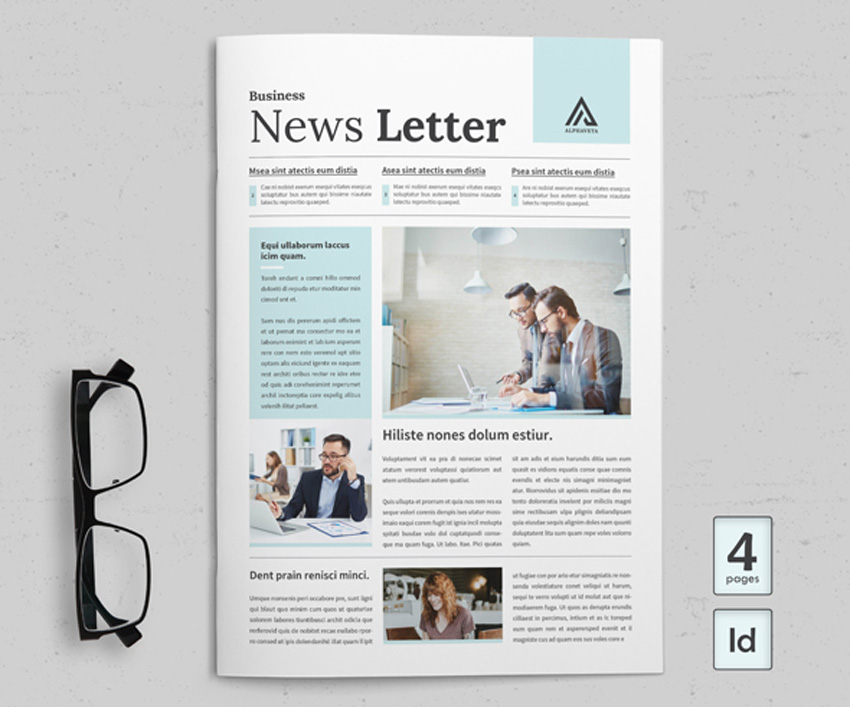
Newsletter Template

Modern Newsletter

Create a refreshing, new experience with your newsletter. This next design is modern and professional. It includes plenty of room for your big headlines along with extra fun details to keep your readers interested. Have fun updating this template with Adobe InDesign.

Modern Newsletter

Fashion InDesign Newsletter Template

Running a fashion newsletter? Update your fans monthly with a stunning new template. Inspired by the latest trends in newspaper design, this template is fully organized with editable layers, graphics and text. Add it to your collection today!
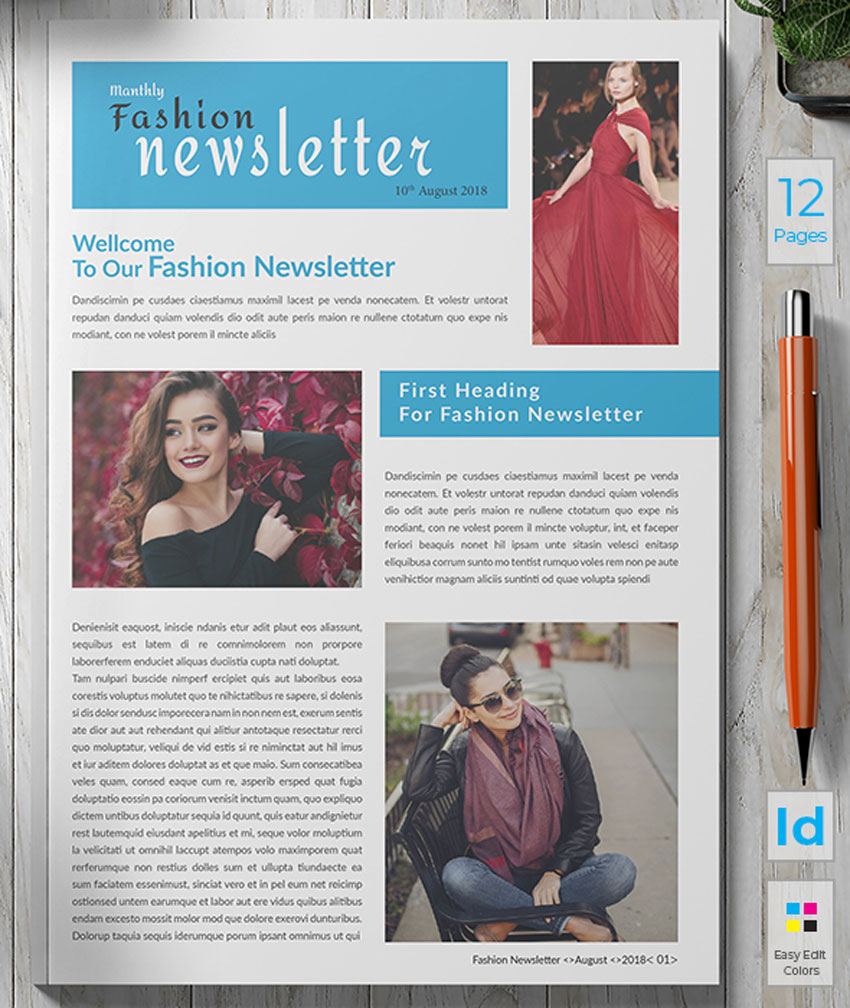
Newsletter

Multipurpose Newsletter

Do you have a great idea for a big headline? Write it down on this next newsletter template. This multipurpose design is modern and unique. It features large, angular photos that are sliced with bold color effects and text. Celebrate your great news with this fun template.

Multipurpose Newsletter

Newsletter Template

Celebrate your favorite moments in history or pop culture with this simple newsletter template. Although the images in the preview aren’t included, you’ll be able to update these areas fast with your own exclusive work. Enjoy fully editable files and a quick help guide.

Newsletter Template

InDesign Newsletter Template

Minimalism never fails when it comes to great design. And this next newsletter template shows us why. It features a stunning, clean aesthetic with plenty of room for important visuals. Highlight your brand just like the one below with a striking, two-toned color effect.

Newsletter

Newsletter

Feature important news about your industry. This stunning newsletter template includes eight pages packed into one easy-to-edit file. Update the text, graphics and photos with the latest versions of Adobe InDesign. Add it to your creative arsenal!

Newsletter

InDesign Newsletter Template

Keep your dreams alive with an exciting newsletter. This template is the perfect layout for bloggers, photographers, and more. Inspired by various creative industries, this template includes 10 pages available at a standard A4 size. Check it out!

Newsletter

Aingtea Newsletter Vol. 2

Launch a monthly newsletter with beautiful visual imagery. This next Aingtea template is best suited for striking graphics and photos. Keep your readers updated with 12 custom pages along with easily editable colors, text, and more. Add it to your collection!

Aingtea Newsletter

Medical Newsletter

Share your discoveries with the world. This medical newsletter is a great starter design for students and businesses. It includes print-ready files that can be printed as soon as you need them. Update them fast with the latest versions of Adobe InDesign.

Medical Newsletter

Newsletter InDesign Template

Want more options for your newsletter? Then check out this next fantastic design. This newsletter template features three color variations that are all available in a standard A4 size. It also includes additional formats like editable Illustrator files for more help.
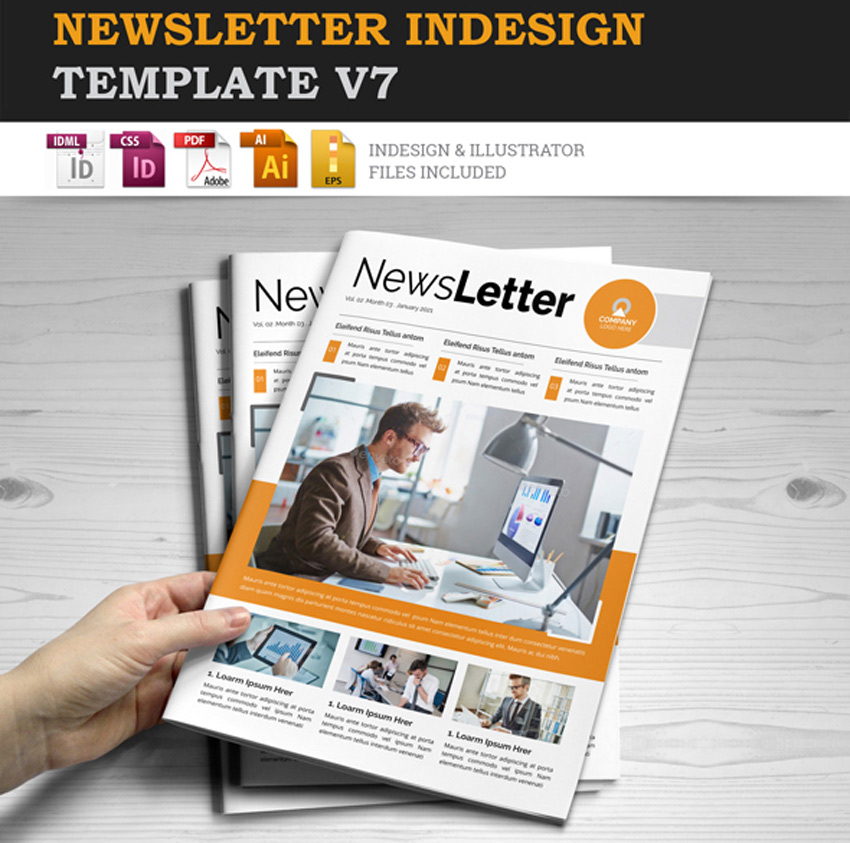
Newsletter InDesign Template

Corporate E Newsletter

Thinking of launching a corporate e-newsletter? Download this customizable template to get started right away. It was made with Adobe InDesign and features and additional PDF for more helpful information. Add it to your creative tools today!

Corporate E Newsletter

InDesign Newsletter Template

Inspired by the Sunday newspaper? Get the look you’re going for with this incredible template. Business-friendly and efficient, this template features a clean, minimal layout with well-organized layers. Get access to master pages, color swatches and more, all in one download!

Newsletter

More InDesign Newsletter Templates

Newsletters are a fantastic way of reaching out to the community. So highlight the things that matter most in your next issue. I hope this list has inspired you to dive into your next creative project with ease.

Want more InDesign templates? Check out these articles for more inspiration:

Tried any of these assets? Let us know! Tell us your favorites in the comments below.

This
has been a selection of premium resources perfect for the avid creator.
For more creative newsletter templates, check out Envato Market and Envato Elements, or enlist the help of our talented designers at Envato Studio. Happy creating!

33 Best InDesign Newsletter Templates (New for 2019)

Post pobrano z: 33 Best InDesign Newsletter Templates (New for 2019)

Thinking of starting your own newsletter? Discover a few goodies from this list of premium templates.

33 Best InDesign Newsletter Templates

Newsletters are one of the best ways to get your readers to take notice! And high-quality, professional newsletter templates are finally here to make the process much easier!

Get started with a monthly newsletter today! To help you begin, we’re bringing you another amazing selection of incredible InDesign newsletter templates from Envato Elements and Envato Market.

Whether you need a newsletter for your business, employees or student activities, these templates have been exclusively designed for those familiar with Adobe InDesign.

Just jump right in to update these files with your monthly projects or memos. Not familiar with InDesign? Tackle the basics with this lesson from Grace Fussell.

Company InDesign Newsletter Templates

Keep your clients informed with a professional company newsletter template. Check out this list of favorites below.

Business Newsletter

Create a winning combination to draw readers in! Our first business newsletter is this stylish look from GrizzlyDesign. It features a total of 10 various color combinations along with 12 uniquely created pages. Try it out for your first newsletter today!

Business Newsletter

Law Firm Newsletter

Help the world know more about important information in their local community. This next InDesign newsletter template is great for those who work in law and business. It features a complete branding package along with several different print layouts like bifolds, trifolds, and more.

Law Firm Newsletter

InDesign Newsletter Template

Connect to your audience by being a part of their daily routine! This next newsletter template is perfect for creatives and entrepreneurs. It can be used for nearly any type of industry and fits eight total pages into one stylish combination. Check it out!

InDesign Newsletter Template

Business Newsletter

Not sure where to begin? Get inspired by your local newspapers for a uniquely designed newsletter. This clean template is fully editable and saves valuable time. It’s also best suited for InDesign versions CS4 and above.

Business Newsletter

InDesign Newsletter Template

Let one special color pop out on your extraordinary newsletter. This blue newsletter template is simple and easy to use. Customize it fast with your brand or favorite colors for a bold new look. Included within this download is everything you need to get started.

Newsletter

Newsletter Brochure InDesign Template

Keep your partners updated on the latest company news with this newsletter template. This design features a basic business theme with well-organized layers and so much more. Get access to free fonts and various color combinations all in one download.

Newsletter Brochure InDesign Template

Newsletter – Fashion Look Book Bi-Fold

Make a fashion statement with this sharp bi-fold newsletter. Easily update the smart object placeholders with professional images of your products and inventory. You’ll also get a hold of an extra bonus pack of icons along with this download.

Newsletter  Fashion Look Book Bi-Fold

Corporate InDesign Newsletter Template

Need a good corporate newsletter? Then check out this striking and modern design. This template features an eight-paged layout with bleed guides and well-organized layers. An additional help file is also included for more instructions.

Corporate Newsletter

Fashion Newsletter

Is your goal to have a career in fashion? Then share your favorite tips and trends with this stylish newsletter template. Great for fashion photographers and curators, this template features 16 pages of custom layouts we know you’ll enjoy! Add it to your collection today!

Fashion Newsletter

InDesign Newsletter Template

Highlight the latest discoveries in your industry with this next awesome template. This newsletter template is simple and easy to use. Just open it up with Adobe InDesign to get started right away. Included in this download are master pages, free fonts, and more!

Newsletter Template

Corporate Newsletter

Need
a corporate newsletter that is straight to the point? Perhaps this next design
is right up your alley. This corporate newsletter will be a phenomenal
addition to any business or organization. A minimum version of Adobe
InDesign CS4 is required to edit this template.

Corporate Newsletter

InDesign Newsletter Template

Our last business template will definitely make your
company shine. This template features a fully editable and flexible
design that is ready for all your company highlights and bullet points. Get
access to eight unique pages along with free fonts and more.

Newsletter

School InDesign Newsletter Templates

Highlight your school activities with a monthly newsletter. Here is our next list of favorites to add to your arsenal.

Creative Newsletter

Show off your creativity with a striking cover. This newsletter template is great for creatives and artists. It features a soft color scheme you can easily customize to fit your school or company brand. Enjoy a clean and trendy design for under $10.

 Creative Newsletter

Modern Colorful Newsletter

Need a multipurpose template that’s great for many projects? Then check out this next awesome template. This colorful design features four InDesign files packed with all the assets you need for a custom newsletter. Mix and match the styles you like for a bold new appearance!

Modern Colorful Newsletter

Student Newsletter

Get to know more about your local school’s activities with this student newsletter. This professional design features a calming blue color theme with strong typography and geometric elements. Organize it to fit your needs with Adobe InDesign.

Student Newsletter

Aingtea Newsletter Vol. 3

What stories will you tell? The Aingtea newsletter template is both striking and efficient. It features a smart, clean design with plenty of room for large photos and text. Enjoy the well-layered documents with editable features like smart objects and more to cover your needs.

Aingtea Newsletter

Multipurpose InDesign Newsletter Template

What are all the fun and exciting things happening on campus? Make sure to share them with your peers with this exciting newsletter. This multipurpose template is well designed with column layouts and more. Enjoy 12 unique pages for your student newsletter.

Multipurpose Newsletter

Multipurpose Newsletter

Multipurpose InDesign newsletter templates are perfect for students to design. This next newsletter template allows you to curate your favorite visual stories into one incredible cover. Check out this file to get access to eight custom pages along with a unique master set. Try it out!

Multipurpose Newsletter

Simple InDesign Newsletter Templates

Looking for a simple, minimalist aesthetic? This next list of newsletter templates features effortless designs with very little upkeep. Though some Adobe InDesign experience is needed, you definitely won’t need to be an expert!

Newsletter

Keep things simple with this chic and sophisticated newsletter template. This elegant design features soft, calming colors and a balance of geometric and text elements. And since everything is fully editable, you’ll be able to customize this template as soon as you download it.

Newsletter

InDesign Newsletter Template

Or shake things up with this next newsletter design. This template features a sleek, minimalist vibe that dedicates the cover to all your important headlines. Designed with a grid-based layout, this template contains 12 unique pages and so much more.

Newsletter Template

InDesign Newsletter Template

Keeping your fans, friends or followers updated has gotten a whole lot easier. This newsletter template features a simple style that is easy to customize fast. Some of the features included in this design are four custom pages, automatic numbering, and editable graphics.

Newsletter Template

Modern Newsletter

Create a refreshing, new experience with your newsletter. This next design is modern and professional. It includes plenty of room for your big headlines along with extra fun details to keep your readers interested. Have fun updating this template with Adobe InDesign.

Modern Newsletter

Fashion InDesign Newsletter Template

Running a fashion newsletter? Update your fans monthly with a stunning new template. Inspired by the latest trends in newspaper design, this template is fully organized with editable layers, graphics and text. Add it to your collection today!

Newsletter

Multipurpose Newsletter

Do you have a great idea for a big headline? Write it down on this next newsletter template. This multipurpose design is modern and unique. It features large, angular photos that are sliced with bold color effects and text. Celebrate your great news with this fun template.

Multipurpose Newsletter

Newsletter Template

Celebrate your favorite moments in history or pop culture with this simple newsletter template. Although the images in the preview aren’t included, you’ll be able to update these areas fast with your own exclusive work. Enjoy fully editable files and a quick help guide.

Newsletter Template

InDesign Newsletter Template

Minimalism never fails when it comes to great design. And this next newsletter template shows us why. It features a stunning, clean aesthetic with plenty of room for important visuals. Highlight your brand just like the one below with a striking, two-toned color effect.

Newsletter

Newsletter

Feature important news about your industry. This stunning newsletter template includes eight pages packed into one easy-to-edit file. Update the text, graphics and photos with the latest versions of Adobe InDesign. Add it to your creative arsenal!

Newsletter

InDesign Newsletter Template

Keep your dreams alive with an exciting newsletter. This template is the perfect layout for bloggers, photographers, and more. Inspired by various creative industries, this template includes 10 pages available at a standard A4 size. Check it out!

Newsletter

Aingtea Newsletter Vol. 2

Launch a monthly newsletter with beautiful visual imagery. This next Aingtea template is best suited for striking graphics and photos. Keep your readers updated with 12 custom pages along with easily editable colors, text, and more. Add it to your collection!

Aingtea Newsletter

Medical Newsletter

Share your discoveries with the world. This medical newsletter is a great starter design for students and businesses. It includes print-ready files that can be printed as soon as you need them. Update them fast with the latest versions of Adobe InDesign.

Medical Newsletter

Newsletter InDesign Template

Want more options for your newsletter? Then check out this next fantastic design. This newsletter template features three color variations that are all available in a standard A4 size. It also includes additional formats like editable Illustrator files for more help.

Newsletter InDesign Template

Corporate E Newsletter

Thinking of launching a corporate e-newsletter? Download this customizable template to get started right away. It was made with Adobe InDesign and features and additional PDF for more helpful information. Add it to your creative tools today!

Corporate E Newsletter

InDesign Newsletter Template

Inspired by the Sunday newspaper? Get the look you’re going for with this incredible template. Business-friendly and efficient, this template features a clean, minimal layout with well-organized layers. Get access to master pages, color swatches and more, all in one download!

Newsletter

More InDesign Newsletter Templates

Newsletters are a fantastic way of reaching out to the community. So highlight the things that matter most in your next issue. I hope this list has inspired you to dive into your next creative project with ease.

Want more InDesign templates? Check out these articles for more inspiration:

Tried any of these assets? Let us know! Tell us your favorites in the comments below.

This
has been a selection of premium resources perfect for the avid creator.
For more creative newsletter templates, check out Envato Market and Envato Elements, or enlist the help of our talented designers at Envato Studio. Happy creating!

33 Best InDesign Newsletter Templates (New for 2019)

Post pobrano z: 33 Best InDesign Newsletter Templates (New for 2019)

Thinking of starting your own newsletter? Discover a few goodies from this list of premium templates.

33 Best InDesign Newsletter Templates

Newsletters are one of the best ways to get your readers to take notice! And high-quality, professional newsletter templates are finally here to make the process much easier!

Get started with a monthly newsletter today! To help you begin, we’re bringing you another amazing selection of incredible InDesign newsletter templates from Envato Elements and Envato Market.

Whether you need a newsletter for your business, employees or student activities, these templates have been exclusively designed for those familiar with Adobe InDesign.

Just jump right in to update these files with your monthly projects or memos. Not familiar with InDesign? Tackle the basics with this lesson from Grace Fussell.

Company InDesign Newsletter Templates

Keep your clients informed with a professional company newsletter template. Check out this list of favorites below.

Business Newsletter

Create a winning combination to draw readers in! Our first business newsletter is this stylish look from GrizzlyDesign. It features a total of 10 various color combinations along with 12 uniquely created pages. Try it out for your first newsletter today!

Business Newsletter

Law Firm Newsletter

Help the world know more about important information in their local community. This next InDesign newsletter template is great for those who work in law and business. It features a complete branding package along with several different print layouts like bifolds, trifolds, and more.

Law Firm Newsletter

InDesign Newsletter Template

Connect to your audience by being a part of their daily routine! This next newsletter template is perfect for creatives and entrepreneurs. It can be used for nearly any type of industry and fits eight total pages into one stylish combination. Check it out!

InDesign Newsletter Template

Business Newsletter

Not sure where to begin? Get inspired by your local newspapers for a uniquely designed newsletter. This clean template is fully editable and saves valuable time. It’s also best suited for InDesign versions CS4 and above.

Business Newsletter

InDesign Newsletter Template

Let one special color pop out on your extraordinary newsletter. This blue newsletter template is simple and easy to use. Customize it fast with your brand or favorite colors for a bold new look. Included within this download is everything you need to get started.

Newsletter

Newsletter Brochure InDesign Template

Keep your partners updated on the latest company news with this newsletter template. This design features a basic business theme with well-organized layers and so much more. Get access to free fonts and various color combinations all in one download.

Newsletter Brochure InDesign Template

Newsletter – Fashion Look Book Bi-Fold

Make a fashion statement with this sharp bi-fold newsletter. Easily update the smart object placeholders with professional images of your products and inventory. You’ll also get a hold of an extra bonus pack of icons along with this download.

Newsletter  Fashion Look Book Bi-Fold

Corporate InDesign Newsletter Template

Need a good corporate newsletter? Then check out this striking and modern design. This template features an eight-paged layout with bleed guides and well-organized layers. An additional help file is also included for more instructions.

Corporate Newsletter

Fashion Newsletter

Is your goal to have a career in fashion? Then share your favorite tips and trends with this stylish newsletter template. Great for fashion photographers and curators, this template features 16 pages of custom layouts we know you’ll enjoy! Add it to your collection today!

Fashion Newsletter

InDesign Newsletter Template

Highlight the latest discoveries in your industry with this next awesome template. This newsletter template is simple and easy to use. Just open it up with Adobe InDesign to get started right away. Included in this download are master pages, free fonts, and more!

Newsletter Template

Corporate Newsletter

Need
a corporate newsletter that is straight to the point? Perhaps this next design
is right up your alley. This corporate newsletter will be a phenomenal
addition to any business or organization. A minimum version of Adobe
InDesign CS4 is required to edit this template.

Corporate Newsletter

InDesign Newsletter Template

Our last business template will definitely make your
company shine. This template features a fully editable and flexible
design that is ready for all your company highlights and bullet points. Get
access to eight unique pages along with free fonts and more.

Newsletter

School InDesign Newsletter Templates

Highlight your school activities with a monthly newsletter. Here is our next list of favorites to add to your arsenal.

Creative Newsletter

Show off your creativity with a striking cover. This newsletter template is great for creatives and artists. It features a soft color scheme you can easily customize to fit your school or company brand. Enjoy a clean and trendy design for under $10.

 Creative Newsletter

Modern Colorful Newsletter

Need a multipurpose template that’s great for many projects? Then check out this next awesome template. This colorful design features four InDesign files packed with all the assets you need for a custom newsletter. Mix and match the styles you like for a bold new appearance!

Modern Colorful Newsletter

Student Newsletter

Get to know more about your local school’s activities with this student newsletter. This professional design features a calming blue color theme with strong typography and geometric elements. Organize it to fit your needs with Adobe InDesign.

Student Newsletter

Aingtea Newsletter Vol. 3

What stories will you tell? The Aingtea newsletter template is both striking and efficient. It features a smart, clean design with plenty of room for large photos and text. Enjoy the well-layered documents with editable features like smart objects and more to cover your needs.

Aingtea Newsletter

Multipurpose InDesign Newsletter Template

What are all the fun and exciting things happening on campus? Make sure to share them with your peers with this exciting newsletter. This multipurpose template is well designed with column layouts and more. Enjoy 12 unique pages for your student newsletter.

Multipurpose Newsletter

Multipurpose Newsletter

Multipurpose InDesign newsletter templates are perfect for students to design. This next newsletter template allows you to curate your favorite visual stories into one incredible cover. Check out this file to get access to eight custom pages along with a unique master set. Try it out!

Multipurpose Newsletter

Simple InDesign Newsletter Templates

Looking for a simple, minimalist aesthetic? This next list of newsletter templates features effortless designs with very little upkeep. Though some Adobe InDesign experience is needed, you definitely won’t need to be an expert!

Newsletter

Keep things simple with this chic and sophisticated newsletter template. This elegant design features soft, calming colors and a balance of geometric and text elements. And since everything is fully editable, you’ll be able to customize this template as soon as you download it.

Newsletter

InDesign Newsletter Template

Or shake things up with this next newsletter design. This template features a sleek, minimalist vibe that dedicates the cover to all your important headlines. Designed with a grid-based layout, this template contains 12 unique pages and so much more.

Newsletter Template

InDesign Newsletter Template

Keeping your fans, friends or followers updated has gotten a whole lot easier. This newsletter template features a simple style that is easy to customize fast. Some of the features included in this design are four custom pages, automatic numbering, and editable graphics.

Newsletter Template

Modern Newsletter

Create a refreshing, new experience with your newsletter. This next design is modern and professional. It includes plenty of room for your big headlines along with extra fun details to keep your readers interested. Have fun updating this template with Adobe InDesign.

Modern Newsletter

Fashion InDesign Newsletter Template

Running a fashion newsletter? Update your fans monthly with a stunning new template. Inspired by the latest trends in newspaper design, this template is fully organized with editable layers, graphics and text. Add it to your collection today!

Newsletter

Multipurpose Newsletter

Do you have a great idea for a big headline? Write it down on this next newsletter template. This multipurpose design is modern and unique. It features large, angular photos that are sliced with bold color effects and text. Celebrate your great news with this fun template.

Multipurpose Newsletter

Newsletter Template

Celebrate your favorite moments in history or pop culture with this simple newsletter template. Although the images in the preview aren’t included, you’ll be able to update these areas fast with your own exclusive work. Enjoy fully editable files and a quick help guide.

Newsletter Template

InDesign Newsletter Template

Minimalism never fails when it comes to great design. And this next newsletter template shows us why. It features a stunning, clean aesthetic with plenty of room for important visuals. Highlight your brand just like the one below with a striking, two-toned color effect.

Newsletter

Newsletter

Feature important news about your industry. This stunning newsletter template includes eight pages packed into one easy-to-edit file. Update the text, graphics and photos with the latest versions of Adobe InDesign. Add it to your creative arsenal!

Newsletter

InDesign Newsletter Template

Keep your dreams alive with an exciting newsletter. This template is the perfect layout for bloggers, photographers, and more. Inspired by various creative industries, this template includes 10 pages available at a standard A4 size. Check it out!

Newsletter

Aingtea Newsletter Vol. 2

Launch a monthly newsletter with beautiful visual imagery. This next Aingtea template is best suited for striking graphics and photos. Keep your readers updated with 12 custom pages along with easily editable colors, text, and more. Add it to your collection!

Aingtea Newsletter

Medical Newsletter

Share your discoveries with the world. This medical newsletter is a great starter design for students and businesses. It includes print-ready files that can be printed as soon as you need them. Update them fast with the latest versions of Adobe InDesign.

Medical Newsletter

Newsletter InDesign Template

Want more options for your newsletter? Then check out this next fantastic design. This newsletter template features three color variations that are all available in a standard A4 size. It also includes additional formats like editable Illustrator files for more help.

Newsletter InDesign Template

Corporate E Newsletter

Thinking of launching a corporate e-newsletter? Download this customizable template to get started right away. It was made with Adobe InDesign and features and additional PDF for more helpful information. Add it to your creative tools today!

Corporate E Newsletter

InDesign Newsletter Template

Inspired by the Sunday newspaper? Get the look you’re going for with this incredible template. Business-friendly and efficient, this template features a clean, minimal layout with well-organized layers. Get access to master pages, color swatches and more, all in one download!

Newsletter

More InDesign Newsletter Templates

Newsletters are a fantastic way of reaching out to the community. So highlight the things that matter most in your next issue. I hope this list has inspired you to dive into your next creative project with ease.

Want more InDesign templates? Check out these articles for more inspiration:

Tried any of these assets? Let us know! Tell us your favorites in the comments below.

This
has been a selection of premium resources perfect for the avid creator.
For more creative newsletter templates, check out Envato Market and Envato Elements, or enlist the help of our talented designers at Envato Studio. Happy creating!

33 Best InDesign Newsletter Templates (New for 2019)

Post pobrano z: 33 Best InDesign Newsletter Templates (New for 2019)

Thinking of starting your own newsletter? Discover a few goodies from this list of premium templates.

33 Best InDesign Newsletter Templates

Newsletters are one of the best ways to get your readers to take notice! And high-quality, professional newsletter templates are finally here to make the process much easier!

Get started with a monthly newsletter today! To help you begin, we’re bringing you another amazing selection of incredible InDesign newsletter templates from Envato Elements and Envato Market.

Whether you need a newsletter for your business, employees or student activities, these templates have been exclusively designed for those familiar with Adobe InDesign.

Just jump right in to update these files with your monthly projects or memos. Not familiar with InDesign? Tackle the basics with this lesson from Grace Fussell.

Company InDesign Newsletter Templates

Keep your clients informed with a professional company newsletter template. Check out this list of favorites below.

Business Newsletter

Create a winning combination to draw readers in! Our first business newsletter is this stylish look from GrizzlyDesign. It features a total of 10 various color combinations along with 12 uniquely created pages. Try it out for your first newsletter today!

Business Newsletter

Law Firm Newsletter

Help the world know more about important information in their local community. This next InDesign newsletter template is great for those who work in law and business. It features a complete branding package along with several different print layouts like bifolds, trifolds, and more.

Law Firm Newsletter

InDesign Newsletter Template

Connect to your audience by being a part of their daily routine! This next newsletter template is perfect for creatives and entrepreneurs. It can be used for nearly any type of industry and fits eight total pages into one stylish combination. Check it out!

InDesign Newsletter Template

Business Newsletter

Not sure where to begin? Get inspired by your local newspapers for a uniquely designed newsletter. This clean template is fully editable and saves valuable time. It’s also best suited for InDesign versions CS4 and above.

Business Newsletter

InDesign Newsletter Template

Let one special color pop out on your extraordinary newsletter. This blue newsletter template is simple and easy to use. Customize it fast with your brand or favorite colors for a bold new look. Included within this download is everything you need to get started.

Newsletter

Newsletter Brochure InDesign Template

Keep your partners updated on the latest company news with this newsletter template. This design features a basic business theme with well-organized layers and so much more. Get access to free fonts and various color combinations all in one download.

Newsletter Brochure InDesign Template

Newsletter – Fashion Look Book Bi-Fold

Make a fashion statement with this sharp bi-fold newsletter. Easily update the smart object placeholders with professional images of your products and inventory. You’ll also get a hold of an extra bonus pack of icons along with this download.

Newsletter  Fashion Look Book Bi-Fold

Corporate InDesign Newsletter Template

Need a good corporate newsletter? Then check out this striking and modern design. This template features an eight-paged layout with bleed guides and well-organized layers. An additional help file is also included for more instructions.

Corporate Newsletter

Fashion Newsletter

Is your goal to have a career in fashion? Then share your favorite tips and trends with this stylish newsletter template. Great for fashion photographers and curators, this template features 16 pages of custom layouts we know you’ll enjoy! Add it to your collection today!

Fashion Newsletter

InDesign Newsletter Template

Highlight the latest discoveries in your industry with this next awesome template. This newsletter template is simple and easy to use. Just open it up with Adobe InDesign to get started right away. Included in this download are master pages, free fonts, and more!

Newsletter Template

Corporate Newsletter

Need
a corporate newsletter that is straight to the point? Perhaps this next design
is right up your alley. This corporate newsletter will be a phenomenal
addition to any business or organization. A minimum version of Adobe
InDesign CS4 is required to edit this template.

Corporate Newsletter

InDesign Newsletter Template

Our last business template will definitely make your
company shine. This template features a fully editable and flexible
design that is ready for all your company highlights and bullet points. Get
access to eight unique pages along with free fonts and more.

Newsletter

School InDesign Newsletter Templates

Highlight your school activities with a monthly newsletter. Here is our next list of favorites to add to your arsenal.

Creative Newsletter

Show off your creativity with a striking cover. This newsletter template is great for creatives and artists. It features a soft color scheme you can easily customize to fit your school or company brand. Enjoy a clean and trendy design for under $10.

 Creative Newsletter

Modern Colorful Newsletter

Need a multipurpose template that’s great for many projects? Then check out this next awesome template. This colorful design features four InDesign files packed with all the assets you need for a custom newsletter. Mix and match the styles you like for a bold new appearance!

Modern Colorful Newsletter

Student Newsletter

Get to know more about your local school’s activities with this student newsletter. This professional design features a calming blue color theme with strong typography and geometric elements. Organize it to fit your needs with Adobe InDesign.

Student Newsletter

Aingtea Newsletter Vol. 3

What stories will you tell? The Aingtea newsletter template is both striking and efficient. It features a smart, clean design with plenty of room for large photos and text. Enjoy the well-layered documents with editable features like smart objects and more to cover your needs.

Aingtea Newsletter

Multipurpose InDesign Newsletter Template

What are all the fun and exciting things happening on campus? Make sure to share them with your peers with this exciting newsletter. This multipurpose template is well designed with column layouts and more. Enjoy 12 unique pages for your student newsletter.

Multipurpose Newsletter

Multipurpose Newsletter

Multipurpose InDesign newsletter templates are perfect for students to design. This next newsletter template allows you to curate your favorite visual stories into one incredible cover. Check out this file to get access to eight custom pages along with a unique master set. Try it out!

Multipurpose Newsletter

Simple InDesign Newsletter Templates

Looking for a simple, minimalist aesthetic? This next list of newsletter templates features effortless designs with very little upkeep. Though some Adobe InDesign experience is needed, you definitely won’t need to be an expert!

Newsletter

Keep things simple with this chic and sophisticated newsletter template. This elegant design features soft, calming colors and a balance of geometric and text elements. And since everything is fully editable, you’ll be able to customize this template as soon as you download it.

Newsletter

InDesign Newsletter Template

Or shake things up with this next newsletter design. This template features a sleek, minimalist vibe that dedicates the cover to all your important headlines. Designed with a grid-based layout, this template contains 12 unique pages and so much more.

Newsletter Template

InDesign Newsletter Template

Keeping your fans, friends or followers updated has gotten a whole lot easier. This newsletter template features a simple style that is easy to customize fast. Some of the features included in this design are four custom pages, automatic numbering, and editable graphics.

Newsletter Template

Modern Newsletter

Create a refreshing, new experience with your newsletter. This next design is modern and professional. It includes plenty of room for your big headlines along with extra fun details to keep your readers interested. Have fun updating this template with Adobe InDesign.

Modern Newsletter

Fashion InDesign Newsletter Template

Running a fashion newsletter? Update your fans monthly with a stunning new template. Inspired by the latest trends in newspaper design, this template is fully organized with editable layers, graphics and text. Add it to your collection today!

Newsletter

Multipurpose Newsletter

Do you have a great idea for a big headline? Write it down on this next newsletter template. This multipurpose design is modern and unique. It features large, angular photos that are sliced with bold color effects and text. Celebrate your great news with this fun template.

Multipurpose Newsletter

Newsletter Template

Celebrate your favorite moments in history or pop culture with this simple newsletter template. Although the images in the preview aren’t included, you’ll be able to update these areas fast with your own exclusive work. Enjoy fully editable files and a quick help guide.

Newsletter Template

InDesign Newsletter Template

Minimalism never fails when it comes to great design. And this next newsletter template shows us why. It features a stunning, clean aesthetic with plenty of room for important visuals. Highlight your brand just like the one below with a striking, two-toned color effect.

Newsletter

Newsletter

Feature important news about your industry. This stunning newsletter template includes eight pages packed into one easy-to-edit file. Update the text, graphics and photos with the latest versions of Adobe InDesign. Add it to your creative arsenal!

Newsletter

InDesign Newsletter Template

Keep your dreams alive with an exciting newsletter. This template is the perfect layout for bloggers, photographers, and more. Inspired by various creative industries, this template includes 10 pages available at a standard A4 size. Check it out!

Newsletter

Aingtea Newsletter Vol. 2

Launch a monthly newsletter with beautiful visual imagery. This next Aingtea template is best suited for striking graphics and photos. Keep your readers updated with 12 custom pages along with easily editable colors, text, and more. Add it to your collection!

Aingtea Newsletter

Medical Newsletter

Share your discoveries with the world. This medical newsletter is a great starter design for students and businesses. It includes print-ready files that can be printed as soon as you need them. Update them fast with the latest versions of Adobe InDesign.

Medical Newsletter

Newsletter InDesign Template

Want more options for your newsletter? Then check out this next fantastic design. This newsletter template features three color variations that are all available in a standard A4 size. It also includes additional formats like editable Illustrator files for more help.

Newsletter InDesign Template

Corporate E Newsletter

Thinking of launching a corporate e-newsletter? Download this customizable template to get started right away. It was made with Adobe InDesign and features and additional PDF for more helpful information. Add it to your creative tools today!

Corporate E Newsletter

InDesign Newsletter Template

Inspired by the Sunday newspaper? Get the look you’re going for with this incredible template. Business-friendly and efficient, this template features a clean, minimal layout with well-organized layers. Get access to master pages, color swatches and more, all in one download!

Newsletter

More InDesign Newsletter Templates

Newsletters are a fantastic way of reaching out to the community. So highlight the things that matter most in your next issue. I hope this list has inspired you to dive into your next creative project with ease.

Want more InDesign templates? Check out these articles for more inspiration:

Tried any of these assets? Let us know! Tell us your favorites in the comments below.

This
has been a selection of premium resources perfect for the avid creator.
For more creative newsletter templates, check out Envato Market and Envato Elements, or enlist the help of our talented designers at Envato Studio. Happy creating!

33 Best InDesign Newsletter Templates (New for 2019)

Post pobrano z: 33 Best InDesign Newsletter Templates (New for 2019)

Thinking of starting your own newsletter? Discover a few goodies from this list of premium templates.

33 Best InDesign Newsletter Templates

Newsletters are one of the best ways to get your readers to take notice! And high-quality, professional newsletter templates are finally here to make the process much easier!

Get started with a monthly newsletter today! To help you begin, we’re bringing you another amazing selection of incredible InDesign newsletter templates from Envato Elements and Envato Market.

Whether you need a newsletter for your business, employees or student activities, these templates have been exclusively designed for those familiar with Adobe InDesign.

Just jump right in to update these files with your monthly projects or memos. Not familiar with InDesign? Tackle the basics with this lesson from Grace Fussell.

Company InDesign Newsletter Templates

Keep your clients informed with a professional company newsletter template. Check out this list of favorites below.

Business Newsletter

Create a winning combination to draw readers in! Our first business newsletter is this stylish look from GrizzlyDesign. It features a total of 10 various color combinations along with 12 uniquely created pages. Try it out for your first newsletter today!

Business Newsletter

Law Firm Newsletter

Help the world know more about important information in their local community. This next InDesign newsletter template is great for those who work in law and business. It features a complete branding package along with several different print layouts like bifolds, trifolds, and more.

Law Firm Newsletter

InDesign Newsletter Template

Connect to your audience by being a part of their daily routine! This next newsletter template is perfect for creatives and entrepreneurs. It can be used for nearly any type of industry and fits eight total pages into one stylish combination. Check it out!

InDesign Newsletter Template

Business Newsletter

Not sure where to begin? Get inspired by your local newspapers for a uniquely designed newsletter. This clean template is fully editable and saves valuable time. It’s also best suited for InDesign versions CS4 and above.

Business Newsletter

InDesign Newsletter Template

Let one special color pop out on your extraordinary newsletter. This blue newsletter template is simple and easy to use. Customize it fast with your brand or favorite colors for a bold new look. Included within this download is everything you need to get started.

Newsletter

Newsletter Brochure InDesign Template

Keep your partners updated on the latest company news with this newsletter template. This design features a basic business theme with well-organized layers and so much more. Get access to free fonts and various color combinations all in one download.

Newsletter Brochure InDesign Template

Newsletter – Fashion Look Book Bi-Fold

Make a fashion statement with this sharp bi-fold newsletter. Easily update the smart object placeholders with professional images of your products and inventory. You’ll also get a hold of an extra bonus pack of icons along with this download.

Newsletter  Fashion Look Book Bi-Fold

Corporate InDesign Newsletter Template

Need a good corporate newsletter? Then check out this striking and modern design. This template features an eight-paged layout with bleed guides and well-organized layers. An additional help file is also included for more instructions.

Corporate Newsletter

Fashion Newsletter

Is your goal to have a career in fashion? Then share your favorite tips and trends with this stylish newsletter template. Great for fashion photographers and curators, this template features 16 pages of custom layouts we know you’ll enjoy! Add it to your collection today!

Fashion Newsletter

InDesign Newsletter Template

Highlight the latest discoveries in your industry with this next awesome template. This newsletter template is simple and easy to use. Just open it up with Adobe InDesign to get started right away. Included in this download are master pages, free fonts, and more!

Newsletter Template

Corporate Newsletter

Need
a corporate newsletter that is straight to the point? Perhaps this next design
is right up your alley. This corporate newsletter will be a phenomenal
addition to any business or organization. A minimum version of Adobe
InDesign CS4 is required to edit this template.

Corporate Newsletter

InDesign Newsletter Template

Our last business template will definitely make your
company shine. This template features a fully editable and flexible
design that is ready for all your company highlights and bullet points. Get
access to eight unique pages along with free fonts and more.

Newsletter

School InDesign Newsletter Templates

Highlight your school activities with a monthly newsletter. Here is our next list of favorites to add to your arsenal.

Creative Newsletter

Show off your creativity with a striking cover. This newsletter template is great for creatives and artists. It features a soft color scheme you can easily customize to fit your school or company brand. Enjoy a clean and trendy design for under $10.

 Creative Newsletter

Modern Colorful Newsletter

Need a multipurpose template that’s great for many projects? Then check out this next awesome template. This colorful design features four InDesign files packed with all the assets you need for a custom newsletter. Mix and match the styles you like for a bold new appearance!

Modern Colorful Newsletter

Student Newsletter

Get to know more about your local school’s activities with this student newsletter. This professional design features a calming blue color theme with strong typography and geometric elements. Organize it to fit your needs with Adobe InDesign.

Student Newsletter

Aingtea Newsletter Vol. 3

What stories will you tell? The Aingtea newsletter template is both striking and efficient. It features a smart, clean design with plenty of room for large photos and text. Enjoy the well-layered documents with editable features like smart objects and more to cover your needs.

Aingtea Newsletter

Multipurpose InDesign Newsletter Template

What are all the fun and exciting things happening on campus? Make sure to share them with your peers with this exciting newsletter. This multipurpose template is well designed with column layouts and more. Enjoy 12 unique pages for your student newsletter.

Multipurpose Newsletter

Multipurpose Newsletter

Multipurpose InDesign newsletter templates are perfect for students to design. This next newsletter template allows you to curate your favorite visual stories into one incredible cover. Check out this file to get access to eight custom pages along with a unique master set. Try it out!

Multipurpose Newsletter

Simple InDesign Newsletter Templates

Looking for a simple, minimalist aesthetic? This next list of newsletter templates features effortless designs with very little upkeep. Though some Adobe InDesign experience is needed, you definitely won’t need to be an expert!

Newsletter

Keep things simple with this chic and sophisticated newsletter template. This elegant design features soft, calming colors and a balance of geometric and text elements. And since everything is fully editable, you’ll be able to customize this template as soon as you download it.

Newsletter

InDesign Newsletter Template

Or shake things up with this next newsletter design. This template features a sleek, minimalist vibe that dedicates the cover to all your important headlines. Designed with a grid-based layout, this template contains 12 unique pages and so much more.

Newsletter Template

InDesign Newsletter Template

Keeping your fans, friends or followers updated has gotten a whole lot easier. This newsletter template features a simple style that is easy to customize fast. Some of the features included in this design are four custom pages, automatic numbering, and editable graphics.

Newsletter Template

Modern Newsletter

Create a refreshing, new experience with your newsletter. This next design is modern and professional. It includes plenty of room for your big headlines along with extra fun details to keep your readers interested. Have fun updating this template with Adobe InDesign.

Modern Newsletter

Fashion InDesign Newsletter Template

Running a fashion newsletter? Update your fans monthly with a stunning new template. Inspired by the latest trends in newspaper design, this template is fully organized with editable layers, graphics and text. Add it to your collection today!

Newsletter

Multipurpose Newsletter

Do you have a great idea for a big headline? Write it down on this next newsletter template. This multipurpose design is modern and unique. It features large, angular photos that are sliced with bold color effects and text. Celebrate your great news with this fun template.

Multipurpose Newsletter

Newsletter Template

Celebrate your favorite moments in history or pop culture with this simple newsletter template. Although the images in the preview aren’t included, you’ll be able to update these areas fast with your own exclusive work. Enjoy fully editable files and a quick help guide.

Newsletter Template

InDesign Newsletter Template

Minimalism never fails when it comes to great design. And this next newsletter template shows us why. It features a stunning, clean aesthetic with plenty of room for important visuals. Highlight your brand just like the one below with a striking, two-toned color effect.

Newsletter

Newsletter

Feature important news about your industry. This stunning newsletter template includes eight pages packed into one easy-to-edit file. Update the text, graphics and photos with the latest versions of Adobe InDesign. Add it to your creative arsenal!

Newsletter

InDesign Newsletter Template

Keep your dreams alive with an exciting newsletter. This template is the perfect layout for bloggers, photographers, and more. Inspired by various creative industries, this template includes 10 pages available at a standard A4 size. Check it out!

Newsletter

Aingtea Newsletter Vol. 2

Launch a monthly newsletter with beautiful visual imagery. This next Aingtea template is best suited for striking graphics and photos. Keep your readers updated with 12 custom pages along with easily editable colors, text, and more. Add it to your collection!

Aingtea Newsletter

Medical Newsletter

Share your discoveries with the world. This medical newsletter is a great starter design for students and businesses. It includes print-ready files that can be printed as soon as you need them. Update them fast with the latest versions of Adobe InDesign.

Medical Newsletter

Newsletter InDesign Template

Want more options for your newsletter? Then check out this next fantastic design. This newsletter template features three color variations that are all available in a standard A4 size. It also includes additional formats like editable Illustrator files for more help.

Newsletter InDesign Template

Corporate E Newsletter

Thinking of launching a corporate e-newsletter? Download this customizable template to get started right away. It was made with Adobe InDesign and features and additional PDF for more helpful information. Add it to your creative tools today!

Corporate E Newsletter

InDesign Newsletter Template

Inspired by the Sunday newspaper? Get the look you’re going for with this incredible template. Business-friendly and efficient, this template features a clean, minimal layout with well-organized layers. Get access to master pages, color swatches and more, all in one download!

Newsletter

More InDesign Newsletter Templates

Newsletters are a fantastic way of reaching out to the community. So highlight the things that matter most in your next issue. I hope this list has inspired you to dive into your next creative project with ease.

Want more InDesign templates? Check out these articles for more inspiration:

Tried any of these assets? Let us know! Tell us your favorites in the comments below.

This
has been a selection of premium resources perfect for the avid creator.
For more creative newsletter templates, check out Envato Market and Envato Elements, or enlist the help of our talented designers at Envato Studio. Happy creating!

33 Best InDesign Newsletter Templates (New for 2019)

Post pobrano z: 33 Best InDesign Newsletter Templates (New for 2019)

Thinking of starting your own newsletter? Discover a few goodies from this list of premium templates.

33 Best InDesign Newsletter Templates

Newsletters are one of the best ways to get your readers to take notice! And high-quality, professional newsletter templates are finally here to make the process much easier!

Get started with a monthly newsletter today! To help you begin, we’re bringing you another amazing selection of incredible InDesign newsletter templates from Envato Elements and Envato Market.

Whether you need a newsletter for your business, employees or student activities, these templates have been exclusively designed for those familiar with Adobe InDesign.

Just jump right in to update these files with your monthly projects or memos. Not familiar with InDesign? Tackle the basics with this lesson from Grace Fussell.

Company InDesign Newsletter Templates

Keep your clients informed with a professional company newsletter template. Check out this list of favorites below.

Business Newsletter

Create a winning combination to draw readers in! Our first business newsletter is this stylish look from GrizzlyDesign. It features a total of 10 various color combinations along with 12 uniquely created pages. Try it out for your first newsletter today!

Business Newsletter

Law Firm Newsletter

Help the world know more about important information in their local community. This next InDesign newsletter template is great for those who work in law and business. It features a complete branding package along with several different print layouts like bifolds, trifolds, and more.

Law Firm Newsletter

InDesign Newsletter Template

Connect to your audience by being a part of their daily routine! This next newsletter template is perfect for creatives and entrepreneurs. It can be used for nearly any type of industry and fits eight total pages into one stylish combination. Check it out!

InDesign Newsletter Template

Business Newsletter

Not sure where to begin? Get inspired by your local newspapers for a uniquely designed newsletter. This clean template is fully editable and saves valuable time. It’s also best suited for InDesign versions CS4 and above.

Business Newsletter

InDesign Newsletter Template

Let one special color pop out on your extraordinary newsletter. This blue newsletter template is simple and easy to use. Customize it fast with your brand or favorite colors for a bold new look. Included within this download is everything you need to get started.

Newsletter

Newsletter Brochure InDesign Template

Keep your partners updated on the latest company news with this newsletter template. This design features a basic business theme with well-organized layers and so much more. Get access to free fonts and various color combinations all in one download.

Newsletter Brochure InDesign Template

Newsletter – Fashion Look Book Bi-Fold

Make a fashion statement with this sharp bi-fold newsletter. Easily update the smart object placeholders with professional images of your products and inventory. You’ll also get a hold of an extra bonus pack of icons along with this download.

Newsletter  Fashion Look Book Bi-Fold

Corporate InDesign Newsletter Template

Need a good corporate newsletter? Then check out this striking and modern design. This template features an eight-paged layout with bleed guides and well-organized layers. An additional help file is also included for more instructions.

Corporate Newsletter

Fashion Newsletter

Is your goal to have a career in fashion? Then share your favorite tips and trends with this stylish newsletter template. Great for fashion photographers and curators, this template features 16 pages of custom layouts we know you’ll enjoy! Add it to your collection today!

Fashion Newsletter

InDesign Newsletter Template

Highlight the latest discoveries in your industry with this next awesome template. This newsletter template is simple and easy to use. Just open it up with Adobe InDesign to get started right away. Included in this download are master pages, free fonts, and more!

Newsletter Template

Corporate Newsletter

Need
a corporate newsletter that is straight to the point? Perhaps this next design
is right up your alley. This corporate newsletter will be a phenomenal
addition to any business or organization. A minimum version of Adobe
InDesign CS4 is required to edit this template.

Corporate Newsletter

InDesign Newsletter Template

Our last business template will definitely make your
company shine. This template features a fully editable and flexible
design that is ready for all your company highlights and bullet points. Get
access to eight unique pages along with free fonts and more.

Newsletter

School InDesign Newsletter Templates

Highlight your school activities with a monthly newsletter. Here is our next list of favorites to add to your arsenal.

Creative Newsletter

Show off your creativity with a striking cover. This newsletter template is great for creatives and artists. It features a soft color scheme you can easily customize to fit your school or company brand. Enjoy a clean and trendy design for under $10.

 Creative Newsletter

Modern Colorful Newsletter

Need a multipurpose template that’s great for many projects? Then check out this next awesome template. This colorful design features four InDesign files packed with all the assets you need for a custom newsletter. Mix and match the styles you like for a bold new appearance!

Modern Colorful Newsletter

Student Newsletter

Get to know more about your local school’s activities with this student newsletter. This professional design features a calming blue color theme with strong typography and geometric elements. Organize it to fit your needs with Adobe InDesign.

Student Newsletter

Aingtea Newsletter Vol. 3

What stories will you tell? The Aingtea newsletter template is both striking and efficient. It features a smart, clean design with plenty of room for large photos and text. Enjoy the well-layered documents with editable features like smart objects and more to cover your needs.

Aingtea Newsletter

Multipurpose InDesign Newsletter Template

What are all the fun and exciting things happening on campus? Make sure to share them with your peers with this exciting newsletter. This multipurpose template is well designed with column layouts and more. Enjoy 12 unique pages for your student newsletter.

Multipurpose Newsletter

Multipurpose Newsletter

Multipurpose InDesign newsletter templates are perfect for students to design. This next newsletter template allows you to curate your favorite visual stories into one incredible cover. Check out this file to get access to eight custom pages along with a unique master set. Try it out!

Multipurpose Newsletter

Simple InDesign Newsletter Templates

Looking for a simple, minimalist aesthetic? This next list of newsletter templates features effortless designs with very little upkeep. Though some Adobe InDesign experience is needed, you definitely won’t need to be an expert!

Newsletter

Keep things simple with this chic and sophisticated newsletter template. This elegant design features soft, calming colors and a balance of geometric and text elements. And since everything is fully editable, you’ll be able to customize this template as soon as you download it.

Newsletter

InDesign Newsletter Template

Or shake things up with this next newsletter design. This template features a sleek, minimalist vibe that dedicates the cover to all your important headlines. Designed with a grid-based layout, this template contains 12 unique pages and so much more.

Newsletter Template

InDesign Newsletter Template

Keeping your fans, friends or followers updated has gotten a whole lot easier. This newsletter template features a simple style that is easy to customize fast. Some of the features included in this design are four custom pages, automatic numbering, and editable graphics.

Newsletter Template

Modern Newsletter

Create a refreshing, new experience with your newsletter. This next design is modern and professional. It includes plenty of room for your big headlines along with extra fun details to keep your readers interested. Have fun updating this template with Adobe InDesign.

Modern Newsletter

Fashion InDesign Newsletter Template

Running a fashion newsletter? Update your fans monthly with a stunning new template. Inspired by the latest trends in newspaper design, this template is fully organized with editable layers, graphics and text. Add it to your collection today!

Newsletter

Multipurpose Newsletter

Do you have a great idea for a big headline? Write it down on this next newsletter template. This multipurpose design is modern and unique. It features large, angular photos that are sliced with bold color effects and text. Celebrate your great news with this fun template.

Multipurpose Newsletter

Newsletter Template

Celebrate your favorite moments in history or pop culture with this simple newsletter template. Although the images in the preview aren’t included, you’ll be able to update these areas fast with your own exclusive work. Enjoy fully editable files and a quick help guide.

Newsletter Template

InDesign Newsletter Template

Minimalism never fails when it comes to great design. And this next newsletter template shows us why. It features a stunning, clean aesthetic with plenty of room for important visuals. Highlight your brand just like the one below with a striking, two-toned color effect.

Newsletter

Newsletter

Feature important news about your industry. This stunning newsletter template includes eight pages packed into one easy-to-edit file. Update the text, graphics and photos with the latest versions of Adobe InDesign. Add it to your creative arsenal!

Newsletter

InDesign Newsletter Template

Keep your dreams alive with an exciting newsletter. This template is the perfect layout for bloggers, photographers, and more. Inspired by various creative industries, this template includes 10 pages available at a standard A4 size. Check it out!

Newsletter

Aingtea Newsletter Vol. 2

Launch a monthly newsletter with beautiful visual imagery. This next Aingtea template is best suited for striking graphics and photos. Keep your readers updated with 12 custom pages along with easily editable colors, text, and more. Add it to your collection!

Aingtea Newsletter

Medical Newsletter

Share your discoveries with the world. This medical newsletter is a great starter design for students and businesses. It includes print-ready files that can be printed as soon as you need them. Update them fast with the latest versions of Adobe InDesign.

Medical Newsletter

Newsletter InDesign Template

Want more options for your newsletter? Then check out this next fantastic design. This newsletter template features three color variations that are all available in a standard A4 size. It also includes additional formats like editable Illustrator files for more help.

Newsletter InDesign Template

Corporate E Newsletter

Thinking of launching a corporate e-newsletter? Download this customizable template to get started right away. It was made with Adobe InDesign and features and additional PDF for more helpful information. Add it to your creative tools today!

Corporate E Newsletter

InDesign Newsletter Template

Inspired by the Sunday newspaper? Get the look you’re going for with this incredible template. Business-friendly and efficient, this template features a clean, minimal layout with well-organized layers. Get access to master pages, color swatches and more, all in one download!

Newsletter

More InDesign Newsletter Templates

Newsletters are a fantastic way of reaching out to the community. So highlight the things that matter most in your next issue. I hope this list has inspired you to dive into your next creative project with ease.

Want more InDesign templates? Check out these articles for more inspiration:

Tried any of these assets? Let us know! Tell us your favorites in the comments below.

This
has been a selection of premium resources perfect for the avid creator.
For more creative newsletter templates, check out Envato Market and Envato Elements, or enlist the help of our talented designers at Envato Studio. Happy creating!

Divi Theme Review: A Multipurpose Theme That Meets the Hype?

Post pobrano z: Divi Theme Review: A Multipurpose Theme That Meets the Hype?

Divi, brought to you by Elegant Themes, is one of the most well-known and popular multipurpose themes in the market to date. It boasts having everything you need to build a beautiful website from the ground up, thanks to the built-in visual page builder. And with demo content for industries of all kinds, it would seem this theme really does have everything you’d need to launch a WordPress site.

But does it live up to all the hype?

Today we’re going to dive in and check out everything Divi has to offer when it comes to features and price so you can see for yourself. And as an added bonus, we’re going to run some speed tests on Divi for those that are worried a multipurpose theme might drag down their site’s speed and performance.

So, let’s get started.

What is Divi?

Divi is the flagship creation of Elegant Themes and comes as part of an Elegant Themes membership. With your membership, you have access to two themes, Divi and Extra. You also get the social share plugin Monarch and the email opt-in and lead generation plugin Bloom.

The creators behind Divi claim that Bloom is more than just a WordPress theme; instead it’s a powerful website building platform that replaces the default WordPress editor (yes, even Gutenberg). But more than that, despite its multipurpose essence, Divi is built with beginners in mind.

You don’t have to have any technical, coding, development, or web design skills to build a stunning WordPress site using Divi. Adding to that, there’s no complicated set up either. All you have to do is install and activate the theme like you would any other WordPress theme. From there you can start building with ease.

The frontend customization functionality gives you a real-time live preview of your website as you make changes. And because Divi doesn’t place limits on industry, design, or layouts, it can honestly be called a multipurpose theme.

Last but not least, Divi comes with an exclusive page builder – Divi Builder – which is super convenient. You no longer have to invest in a page builder and a separate WordPress theme when launching a website.

But that’s not all Divi theme has to offer.

Divi Theme: Standout Features All Site Owners Want

1. Divi Builder + Layout Packs

We get it, the WordPress Classic Editor is pretty limiting and Gutenberg is…a work in progress. Luckily, Divi comes with a drag and drop visual editor that helps you avoid both the old and new WordPress editors.

When you set out to create a new post or page, and click the Use The Divi Builder button, you’ll find your screen comprised of:

  • Sections
  • Rows that fit within sections
  • Columns that fit within rows

Here’s an example:

divi builder example

Of course, you can build your post or page’s layout from scratch by adding sections, rows, and columns, as well as modules (more on those later). And any time you want to make a change, just drag the section, row, or column and place it where you want it to go.


Divi Builder also makes it easy to:

  • Bulk edit multiple elements at a time
  • Find and replace changes
  • Copy and paste styles across elements
  • Drag and drop media files right onto your pages
  • Use the built-in keyboard shortcuts for faster site creation

It’s worth noting that the Divi Builder plugin can be purchased separately if you like the idea of using a WordPress page builder, but want to use a different WordPress theme.

Pre-made Layout Packs

If you want to make things even easier on yourself, or just need a little inspiration, use any one of Divi’s 100+ Layout Packs.

divi pre-made layout packs

The Layout Packs are categorized so you can find what you need fast. For example, you might choose to view the Online Store, Technology, or Lifestyle packs. Altogether, there are over 100 Layout Packs and an impressive 800 pre-made website layouts for you to pick from, with new layouts being added every week.

When you click on a layout, another screen appears. Because each layout pack comes as a set, you’ll be able to choose the page or layout you’re creating (e.g., About, Homepage, Landing Page, etc.) and see a preview of it before you decide to use that specific layout.

layout pack details

This makes choosing the right layout for your website a breeze. And remember, you can always customize a layout you choose on the backend or frontend of your site. divi frontend editing

Though it may seem a little confusing at first, once you start messing around with the editor you’ll quickly get the hang of it.

2. 40+ Content Modules

Finding the perfect element for your website can be tough if you aren’t sure what you’re doing. In an effort to cater to beginner site owners, Divi packs over 40 specific content modules into the Divi Builder, making site creation even faster.

divi modules

You can choose from popular modules like:

  • Contact form
  • Image
  • Button
  • Search bar
  • Testimonial
  • Video

Or some more unique modules such as:

  • Countdown timers
  • Login section
  • Toggle
  • Filterable portfolio
  • Blurb

Though Divi inserts pre-designed modules onto your site when you pick one, remember, there are no design constraints.

module customization

You can easily customize everything on any module you select, from color schemes to copy, border width to animations. The options are endless and you are always in control over the way your theme (and website) looks.

more module customization options

3. Easy to Use Dashboard

One of the nicest things about Divi is the dashboard that’s available for customizing some important global settings.

divi dashboard

Here’s a look at some of the most important them options you can configure:

  • General: here you can upload a logo, enable a fixed navigation bar, allow Google Fonts, choose which social media icons to display, and enable translations.
  • Navigation: exclude certain pages from the navigation bar, enable dropdown menus, and select how many dropdown tiers to show.
  • Builder: enable/disable Divi Builder on post types (posts, pages, and projects).
  • Layout: choose whether to show author, date, categories, and comments in post information section, show comments on posts, and place thumbs on posts.
  • Ads: enable ad banners, upload an image, or include a destination URL or Google AdSense code.
  • SEO: optimize homepage, single post, and index page SEO by enabling things like meta descriptions, keywords, and title layouts.
  • Integration: add code to specific parts of your website, such as the <head> of your blog for integrating with third-party services like Google Analytics.
  • Updates: ensure your theme is always up to date with your account username and API key.

This simple interface is easy to access and makes configuring important settings for your website something even a beginner can understand and handle.

4. WordPress Plugin Compatibility

With so many people using WooCommerce these days, it would be a huge mistake if the team behind Divi didn’t make their theme fully compatible. That said, Divi takes things further when it comes to playing nice with WooCommerce stores.

Not only are there ample Layout Packs made specifically for eCommerce shops in general, there are customizations that correspond to your WooCommerce shop you can include while creating your website.

For example, if you assign categories to your WooCommerce products, you can also choose those categories after choosing the Shop module to your site using Divi.

woocommerce shop settings

Adding to that, Divi helps you build an international brand. Supporting 32 languages with RTL support, you can translate both the back and frontends of your website.

divi translations

It also supports the popular translation plugin WPML, so creating a multilingual site is doable no matter which approach to site translations you take.

5. Additional Customizations

There are so many ways to create a unique website with Divi it would be impossible to outline them all. That said, it’s worth noting some of the most stand out customization options available so you can get a feel for the creative freedom Divi offers site owners.

Hover Effects

Make your Divi modules fun and interactive by customizing the hover effects. Change the background color, module position, shadows, text sizes, and so much more – all in real-time so you know it works the way you want it to.

hover effects

In addition, combine your hover effects with Divi’s Module Link options, which turn any module, row, or section into a clickable link.

Fonts and Text Styling

font and text styling

With Divi’s font and text styling customizations, you can do the following:

  • Choose from over 800 font styles
  • Upload custom fonts
  • Search for specific fonts using the search bar
  • Access recently used fonts for consistency
  • Apply font styling such as underline or strikethrough
  • Control font weights with more precision
  • Manage headings individually

Shape Dividers

Perhaps one of the most unique customization options in Divi are the shape dividers. You can easily create dynamic transitions between blocks of content to keep people engaged, organize your pages, and stand out from all the other sites in your industry.

shape dividers

Dividers can be placed above and below each Divi section on your site, complete with transition effects. Choose from 26 shapes, each of which can be flipped, rotated, resized, combined, and customized for a non-traditional look.

shape dividers example

Element Transformations

Another neat thing Divi lets site owners do is move elements around, scale them up or down, rotate them on three different axis, and skew/adjust them with ease.

element transformations

Other great customization features found in Divi include:

  • Responsive editing and different device previews
  • Border additions, complete with sizing, corner adjustments, and custom colors
  • Advanced code editor for those comfortable with CSS (use the editor or Divi code module)
  • Change hue, saturation, brightness, contrast, blur, and more using background and blend modes
  • Add depth to your website by adding drop and text shadows
  • Include animations with any site element, customizing type, speed, and direction
  • Apply custom background colors, gradients, images, and videos to any element

6. Built-in Marketing Tools

divi marketing tools

There’s more to running a successful online business than creating a beautiful website, even if you’re using Divi. Luckily, Elegant Themes understands this and gives website owners plenty of marketing tools to help.

  • eCommerce compatibility (not just WooCommerce)
  • Pricing tables, complete with design and content settings
  • Email opt-in module for list building and lead generation
  • Integration with email service providers like MailChimp, ConvertKit, and Constant Contact
  • Built-in contact form with advanced conditional logic (hide and show fields based on user behavior to increase conversions)
  • Social follow module and Monarch plugin’s social share system

Lastly, Divi comes with built-in split testing, which is something not a lot of WordPress themes offer. Test page designs against one another, choose goals to reach, and see which variation converts the highest by viewing the detailed data collected right in the Divi dashboard.

divi theme split testing results

Whether lead generation, increasing sales, or boosting subscribers is your ultimate goal, Divi helps you reach it.

  • Test individual elements
  • Create an unlimited number of variations
  • Pick a goal you want to meet and let Divi track progress
  • Start tracking results right away
  • Access important data and make improvements

Divi Speed Test

Now that you know all about Divi’s best features as a multipurpose theme, it’s time to look at how it performs. After all, a WordPress theme is only as good as its performance on your site. If your theme slows your page loads, and harms the user experience, it’s not worth it.

We ran our speed test with a fresh WordPress install and performed the following steps:

  1. We tested the site’s performance using LoadImpact. In our graphs, blue represents the response time, while purple is the number of requests.
  2. Using Chrome developer tools and Pingdom’s website speed test we discovered how long the site takes to load.

Of course,  results will vary as you build your site with more content, images, and functionality. It will also depend on the type of WordPress web hosting you use to run your site. But these tests will give you a good starting point.

Divi had an average response time of 95ms with LoadImpact, which at first glance may not seem that impressive.

divi theme loadimpact test

But when you take into account a two minute load test ran 11,945 requests, for an average of 100 requests/second, Divi’s steady response time is actually really great.

Divi loads in 676 ms with Chrome Developer Tools. With Pingdom, Divi loads in 1.25 seconds (with a 322.3KB page size and 22 requests) and has a performance grade of 90%.

Divi Support & Documentation

When you purchase Divi, you’ll have access to their extensive documentation, support forums, and an exceptional support team that’s available around the clock via live chat.

divi theme documentation

In addition, as you build your website using Divi, you’ll have access to multiple help buttons as you create that when clicked, launch the Divi Helper and a playlist of instructional videos that will help you with whatever you’re currently working on.

divi theme divi helper

If you need technical support, you can also use the email ticketing system.

Divi Theme Pricing

As we mentioned earlier, Divi theme is available as part of an Elegant Themes membership that will cost $89/year.

With it, you get access to Divi theme, Extra theme, Bloom plugin, and Monarch plugin. In addition, you’ll receive 100s of Website Packs for easy site creation, products updates, premium support, and unlimited website usage.

divi theme pricing

If you really love Divi and the other premium products that come with being an Elegant Themes member, you can always make a one-time payment of $249  that will give you access to:

  • Divi, Extra, Bloom, and Monarch
  • Hundreds of Website Packs
  • Lifetime updates
  • Lifetime premium support
  • Unlimited website usage

No matter which price point you choose, there’s a 30-day money back guarantee so you can try Divi risk-free.

The Verdict

After carefully evaluating all the features that come with Divi, it’s safe to say it’s an excellent choice for anyone looking to build a highly converting and visually appealing website.

It’s ease of use, extensive functionality, and affordable price are just some of the reasons why website owners of all kinds should consider choosing Divi theme for their WordPress website.

All that said, for those still on the fence, here’s a look at the pros and cons of using Divi theme.

Pros:

  • Ideal for beginner site owners with limited technical knowledge
  • Beautiful pre-made templates that are fully customizable
  • Drag and drop editor that gives you complete creative freedom
  • Compatibility with eCommerce and marketing tools and services
  • Multilingual and RTL support for building a global brand
  • Exceptional documentation and support
  • Great value for your money (including access to additional premium themes and plugins)

Cons:

  • Changing themes can be a problem because of theme lock-in
  • Number of customization options can be overwhelming to novices
  • Lacking advanced developer options

Final Thoughts

In the end, Divi has a lot to offer website owners in all industries and can honestly be labeled one of the best multipurpose themes in the market. And with a generous 30-day money back guarantee, you have nothing to lose by trying Divi on your site to see if you like it.

If you do decide to use Divi, make sure to check out these real-life Divi theme examples to get your creative juices flowing. And don’t forget, every website needs a great domain name, so get one by using any of these best domain name generators.

As an added bonus for being a loyal reader, get 20% OFF an Elegant Themes membership by using our exclusive coupon. No code is necessary, just click and buy!

The post Divi Theme Review: A Multipurpose Theme That Meets the Hype? appeared first on WebresourcesDepot.

Divi Theme Review: A Multipurpose Theme That Meets the Hype?

Post pobrano z: Divi Theme Review: A Multipurpose Theme That Meets the Hype?

Divi, brought to you by Elegant Themes, is one of the most well-known and popular multipurpose themes in the market to date. It boasts having everything you need to build a beautiful website from the ground up, thanks to the built-in visual page builder. And with demo content for industries of all kinds, it would seem this theme really does have everything you’d need to launch a WordPress site.

But does it live up to all the hype?

Today we’re going to dive in and check out everything Divi has to offer when it comes to features and price so you can see for yourself. And as an added bonus, we’re going to run some speed tests on Divi for those that are worried a multipurpose theme might drag down their site’s speed and performance.

So, let’s get started.

What is Divi?

Divi is the flagship creation of Elegant Themes and comes as part of an Elegant Themes membership. With your membership, you have access to two themes, Divi and Extra. You also get the social share plugin Monarch and the email opt-in and lead generation plugin Bloom.

The creators behind Divi claim that Bloom is more than just a WordPress theme; instead it’s a powerful website building platform that replaces the default WordPress editor (yes, even Gutenberg). But more than that, despite its multipurpose essence, Divi is built with beginners in mind.

You don’t have to have any technical, coding, development, or web design skills to build a stunning WordPress site using Divi. Adding to that, there’s no complicated set up either. All you have to do is install and activate the theme like you would any other WordPress theme. From there you can start building with ease.

The frontend customization functionality gives you a real-time live preview of your website as you make changes. And because Divi doesn’t place limits on industry, design, or layouts, it can honestly be called a multipurpose theme.

Last but not least, Divi comes with an exclusive page builder – Divi Builder – which is super convenient. You no longer have to invest in a page builder and a separate WordPress theme when launching a website.

But that’s not all Divi theme has to offer.

Divi Theme: Standout Features All Site Owners Want

1. Divi Builder + Layout Packs

We get it, the WordPress Classic Editor is pretty limiting and Gutenberg is…a work in progress. Luckily, Divi comes with a drag and drop visual editor that helps you avoid both the old and new WordPress editors.

When you set out to create a new post or page, and click the Use The Divi Builder button, you’ll find your screen comprised of:

  • Sections
  • Rows that fit within sections
  • Columns that fit within rows

Here’s an example:

divi builder example

Of course, you can build your post or page’s layout from scratch by adding sections, rows, and columns, as well as modules (more on those later). And any time you want to make a change, just drag the section, row, or column and place it where you want it to go.


Divi Builder also makes it easy to:

  • Bulk edit multiple elements at a time
  • Find and replace changes
  • Copy and paste styles across elements
  • Drag and drop media files right onto your pages
  • Use the built-in keyboard shortcuts for faster site creation

It’s worth noting that the Divi Builder plugin can be purchased separately if you like the idea of using a WordPress page builder, but want to use a different WordPress theme.

Pre-made Layout Packs

If you want to make things even easier on yourself, or just need a little inspiration, use any one of Divi’s 100+ Layout Packs.

divi pre-made layout packs

The Layout Packs are categorized so you can find what you need fast. For example, you might choose to view the Online Store, Technology, or Lifestyle packs. Altogether, there are over 100 Layout Packs and an impressive 800 pre-made website layouts for you to pick from, with new layouts being added every week.

When you click on a layout, another screen appears. Because each layout pack comes as a set, you’ll be able to choose the page or layout you’re creating (e.g., About, Homepage, Landing Page, etc.) and see a preview of it before you decide to use that specific layout.

layout pack details

This makes choosing the right layout for your website a breeze. And remember, you can always customize a layout you choose on the backend or frontend of your site. divi frontend editing

Though it may seem a little confusing at first, once you start messing around with the editor you’ll quickly get the hang of it.

2. 40+ Content Modules

Finding the perfect element for your website can be tough if you aren’t sure what you’re doing. In an effort to cater to beginner site owners, Divi packs over 40 specific content modules into the Divi Builder, making site creation even faster.

divi modules

You can choose from popular modules like:

  • Contact form
  • Image
  • Button
  • Search bar
  • Testimonial
  • Video

Or some more unique modules such as:

  • Countdown timers
  • Login section
  • Toggle
  • Filterable portfolio
  • Blurb

Though Divi inserts pre-designed modules onto your site when you pick one, remember, there are no design constraints.

module customization

You can easily customize everything on any module you select, from color schemes to copy, border width to animations. The options are endless and you are always in control over the way your theme (and website) looks.

more module customization options

3. Easy to Use Dashboard

One of the nicest things about Divi is the dashboard that’s available for customizing some important global settings.

divi dashboard

Here’s a look at some of the most important them options you can configure:

  • General: here you can upload a logo, enable a fixed navigation bar, allow Google Fonts, choose which social media icons to display, and enable translations.
  • Navigation: exclude certain pages from the navigation bar, enable dropdown menus, and select how many dropdown tiers to show.
  • Builder: enable/disable Divi Builder on post types (posts, pages, and projects).
  • Layout: choose whether to show author, date, categories, and comments in post information section, show comments on posts, and place thumbs on posts.
  • Ads: enable ad banners, upload an image, or include a destination URL or Google AdSense code.
  • SEO: optimize homepage, single post, and index page SEO by enabling things like meta descriptions, keywords, and title layouts.
  • Integration: add code to specific parts of your website, such as the <head> of your blog for integrating with third-party services like Google Analytics.
  • Updates: ensure your theme is always up to date with your account username and API key.

This simple interface is easy to access and makes configuring important settings for your website something even a beginner can understand and handle.

4. WordPress Plugin Compatibility

With so many people using WooCommerce these days, it would be a huge mistake if the team behind Divi didn’t make their theme fully compatible. That said, Divi takes things further when it comes to playing nice with WooCommerce stores.

Not only are there ample Layout Packs made specifically for eCommerce shops in general, there are customizations that correspond to your WooCommerce shop you can include while creating your website.

For example, if you assign categories to your WooCommerce products, you can also choose those categories after choosing the Shop module to your site using Divi.

woocommerce shop settings

Adding to that, Divi helps you build an international brand. Supporting 32 languages with RTL support, you can translate both the back and frontends of your website.

divi translations

It also supports the popular translation plugin WPML, so creating a multilingual site is doable no matter which approach to site translations you take.

5. Additional Customizations

There are so many ways to create a unique website with Divi it would be impossible to outline them all. That said, it’s worth noting some of the most stand out customization options available so you can get a feel for the creative freedom Divi offers site owners.

Hover Effects

Make your Divi modules fun and interactive by customizing the hover effects. Change the background color, module position, shadows, text sizes, and so much more – all in real-time so you know it works the way you want it to.

hover effects

In addition, combine your hover effects with Divi’s Module Link options, which turn any module, row, or section into a clickable link.

Fonts and Text Styling

font and text styling

With Divi’s font and text styling customizations, you can do the following:

  • Choose from over 800 font styles
  • Upload custom fonts
  • Search for specific fonts using the search bar
  • Access recently used fonts for consistency
  • Apply font styling such as underline or strikethrough
  • Control font weights with more precision
  • Manage headings individually

Shape Dividers

Perhaps one of the most unique customization options in Divi are the shape dividers. You can easily create dynamic transitions between blocks of content to keep people engaged, organize your pages, and stand out from all the other sites in your industry.

shape dividers

Dividers can be placed above and below each Divi section on your site, complete with transition effects. Choose from 26 shapes, each of which can be flipped, rotated, resized, combined, and customized for a non-traditional look.

shape dividers example

Element Transformations

Another neat thing Divi lets site owners do is move elements around, scale them up or down, rotate them on three different axis, and skew/adjust them with ease.

element transformations

Other great customization features found in Divi include:

  • Responsive editing and different device previews
  • Border additions, complete with sizing, corner adjustments, and custom colors
  • Advanced code editor for those comfortable with CSS (use the editor or Divi code module)
  • Change hue, saturation, brightness, contrast, blur, and more using background and blend modes
  • Add depth to your website by adding drop and text shadows
  • Include animations with any site element, customizing type, speed, and direction
  • Apply custom background colors, gradients, images, and videos to any element

6. Built-in Marketing Tools

divi marketing tools

There’s more to running a successful online business than creating a beautiful website, even if you’re using Divi. Luckily, Elegant Themes understands this and gives website owners plenty of marketing tools to help.

  • eCommerce compatibility (not just WooCommerce)
  • Pricing tables, complete with design and content settings
  • Email opt-in module for list building and lead generation
  • Integration with email service providers like MailChimp, ConvertKit, and Constant Contact
  • Built-in contact form with advanced conditional logic (hide and show fields based on user behavior to increase conversions)
  • Social follow module and Monarch plugin’s social share system

Lastly, Divi comes with built-in split testing, which is something not a lot of WordPress themes offer. Test page designs against one another, choose goals to reach, and see which variation converts the highest by viewing the detailed data collected right in the Divi dashboard.

divi theme split testing results

Whether lead generation, increasing sales, or boosting subscribers is your ultimate goal, Divi helps you reach it.

  • Test individual elements
  • Create an unlimited number of variations
  • Pick a goal you want to meet and let Divi track progress
  • Start tracking results right away
  • Access important data and make improvements

Divi Speed Test

Now that you know all about Divi’s best features as a multipurpose theme, it’s time to look at how it performs. After all, a WordPress theme is only as good as its performance on your site. If your theme slows your page loads, and harms the user experience, it’s not worth it.

We ran our speed test with a fresh WordPress install and performed the following steps:

  1. We tested the site’s performance using LoadImpact. In our graphs, blue represents the response time, while purple is the number of requests.
  2. Using Chrome developer tools and Pingdom’s website speed test we discovered how long the site takes to load.

Of course,  results will vary as you build your site with more content, images, and functionality. It will also depend on the type of WordPress web hosting you use to run your site. But these tests will give you a good starting point.

Divi had an average response time of 95ms with LoadImpact, which at first glance may not seem that impressive.

divi theme loadimpact test

But when you take into account a two minute load test ran 11,945 requests, for an average of 100 requests/second, Divi’s steady response time is actually really great.

Divi loads in 676 ms with Chrome Developer Tools. With Pingdom, Divi loads in 1.25 seconds (with a 322.3KB page size and 22 requests) and has a performance grade of 90%.

Divi Support & Documentation

When you purchase Divi, you’ll have access to their extensive documentation, support forums, and an exceptional support team that’s available around the clock via live chat.

divi theme documentation

In addition, as you build your website using Divi, you’ll have access to multiple help buttons as you create that when clicked, launch the Divi Helper and a playlist of instructional videos that will help you with whatever you’re currently working on.

divi theme divi helper

If you need technical support, you can also use the email ticketing system.

Divi Theme Pricing

As we mentioned earlier, Divi theme is available as part of an Elegant Themes membership that will cost $89/year.

With it, you get access to Divi theme, Extra theme, Bloom plugin, and Monarch plugin. In addition, you’ll receive 100s of Website Packs for easy site creation, products updates, premium support, and unlimited website usage.

divi theme pricing

If you really love Divi and the other premium products that come with being an Elegant Themes member, you can always make a one-time payment of $249  that will give you access to:

  • Divi, Extra, Bloom, and Monarch
  • Hundreds of Website Packs
  • Lifetime updates
  • Lifetime premium support
  • Unlimited website usage

No matter which price point you choose, there’s a 30-day money back guarantee so you can try Divi risk-free.

The Verdict

After carefully evaluating all the features that come with Divi, it’s safe to say it’s an excellent choice for anyone looking to build a highly converting and visually appealing website.

It’s ease of use, extensive functionality, and affordable price are just some of the reasons why website owners of all kinds should consider choosing Divi theme for their WordPress website.

All that said, for those still on the fence, here’s a look at the pros and cons of using Divi theme.

Pros:

  • Ideal for beginner site owners with limited technical knowledge
  • Beautiful pre-made templates that are fully customizable
  • Drag and drop editor that gives you complete creative freedom
  • Compatibility with eCommerce and marketing tools and services
  • Multilingual and RTL support for building a global brand
  • Exceptional documentation and support
  • Great value for your money (including access to additional premium themes and plugins)

Cons:

  • Changing themes can be a problem because of theme lock-in
  • Number of customization options can be overwhelming to novices
  • Lacking advanced developer options

Final Thoughts

In the end, Divi has a lot to offer website owners in all industries and can honestly be labeled one of the best multipurpose themes in the market. And with a generous 30-day money back guarantee, you have nothing to lose by trying Divi on your site to see if you like it.

If you do decide to use Divi, make sure to check out these real-life Divi theme examples to get your creative juices flowing. And don’t forget, every website needs a great domain name, so get one by using any of these best domain name generators.

As an added bonus for being a loyal reader, get 20% OFF an Elegant Themes membership by using our exclusive coupon. No code is necessary, just click and buy!

The post Divi Theme Review: A Multipurpose Theme That Meets the Hype? appeared first on WebresourcesDepot.

Divi Theme Review: A Multipurpose Theme That Meets the Hype?

Post pobrano z: Divi Theme Review: A Multipurpose Theme That Meets the Hype?

Divi, brought to you by Elegant Themes, is one of the most well-known and popular multipurpose themes in the market to date. It boasts having everything you need to build a beautiful website from the ground up, thanks to the built-in visual page builder. And with demo content for industries of all kinds, it would seem this theme really does have everything you’d need to launch a WordPress site.

But does it live up to all the hype?

Today we’re going to dive in and check out everything Divi has to offer when it comes to features and price so you can see for yourself. And as an added bonus, we’re going to run some speed tests on Divi for those that are worried a multipurpose theme might drag down their site’s speed and performance.

So, let’s get started.

What is Divi?

Divi is the flagship creation of Elegant Themes and comes as part of an Elegant Themes membership. With your membership, you have access to two themes, Divi and Extra. You also get the social share plugin Monarch and the email opt-in and lead generation plugin Bloom.

The creators behind Divi claim that Bloom is more than just a WordPress theme; instead it’s a powerful website building platform that replaces the default WordPress editor (yes, even Gutenberg). But more than that, despite its multipurpose essence, Divi is built with beginners in mind.

You don’t have to have any technical, coding, development, or web design skills to build a stunning WordPress site using Divi. Adding to that, there’s no complicated set up either. All you have to do is install and activate the theme like you would any other WordPress theme. From there you can start building with ease.

The frontend customization functionality gives you a real-time live preview of your website as you make changes. And because Divi doesn’t place limits on industry, design, or layouts, it can honestly be called a multipurpose theme.

Last but not least, Divi comes with an exclusive page builder – Divi Builder – which is super convenient. You no longer have to invest in a page builder and a separate WordPress theme when launching a website.

But that’s not all Divi theme has to offer.

Divi Theme: Standout Features All Site Owners Want

1. Divi Builder + Layout Packs

We get it, the WordPress Classic Editor is pretty limiting and Gutenberg is…a work in progress. Luckily, Divi comes with a drag and drop visual editor that helps you avoid both the old and new WordPress editors.

When you set out to create a new post or page, and click the Use The Divi Builder button, you’ll find your screen comprised of:

  • Sections
  • Rows that fit within sections
  • Columns that fit within rows

Here’s an example:

divi builder example

Of course, you can build your post or page’s layout from scratch by adding sections, rows, and columns, as well as modules (more on those later). And any time you want to make a change, just drag the section, row, or column and place it where you want it to go.


Divi Builder also makes it easy to:

  • Bulk edit multiple elements at a time
  • Find and replace changes
  • Copy and paste styles across elements
  • Drag and drop media files right onto your pages
  • Use the built-in keyboard shortcuts for faster site creation

It’s worth noting that the Divi Builder plugin can be purchased separately if you like the idea of using a WordPress page builder, but want to use a different WordPress theme.

Pre-made Layout Packs

If you want to make things even easier on yourself, or just need a little inspiration, use any one of Divi’s 100+ Layout Packs.

divi pre-made layout packs

The Layout Packs are categorized so you can find what you need fast. For example, you might choose to view the Online Store, Technology, or Lifestyle packs. Altogether, there are over 100 Layout Packs and an impressive 800 pre-made website layouts for you to pick from, with new layouts being added every week.

When you click on a layout, another screen appears. Because each layout pack comes as a set, you’ll be able to choose the page or layout you’re creating (e.g., About, Homepage, Landing Page, etc.) and see a preview of it before you decide to use that specific layout.

layout pack details

This makes choosing the right layout for your website a breeze. And remember, you can always customize a layout you choose on the backend or frontend of your site. divi frontend editing

Though it may seem a little confusing at first, once you start messing around with the editor you’ll quickly get the hang of it.

2. 40+ Content Modules

Finding the perfect element for your website can be tough if you aren’t sure what you’re doing. In an effort to cater to beginner site owners, Divi packs over 40 specific content modules into the Divi Builder, making site creation even faster.

divi modules

You can choose from popular modules like:

  • Contact form
  • Image
  • Button
  • Search bar
  • Testimonial
  • Video

Or some more unique modules such as:

  • Countdown timers
  • Login section
  • Toggle
  • Filterable portfolio
  • Blurb

Though Divi inserts pre-designed modules onto your site when you pick one, remember, there are no design constraints.

module customization

You can easily customize everything on any module you select, from color schemes to copy, border width to animations. The options are endless and you are always in control over the way your theme (and website) looks.

more module customization options

3. Easy to Use Dashboard

One of the nicest things about Divi is the dashboard that’s available for customizing some important global settings.

divi dashboard

Here’s a look at some of the most important them options you can configure:

  • General: here you can upload a logo, enable a fixed navigation bar, allow Google Fonts, choose which social media icons to display, and enable translations.
  • Navigation: exclude certain pages from the navigation bar, enable dropdown menus, and select how many dropdown tiers to show.
  • Builder: enable/disable Divi Builder on post types (posts, pages, and projects).
  • Layout: choose whether to show author, date, categories, and comments in post information section, show comments on posts, and place thumbs on posts.
  • Ads: enable ad banners, upload an image, or include a destination URL or Google AdSense code.
  • SEO: optimize homepage, single post, and index page SEO by enabling things like meta descriptions, keywords, and title layouts.
  • Integration: add code to specific parts of your website, such as the <head> of your blog for integrating with third-party services like Google Analytics.
  • Updates: ensure your theme is always up to date with your account username and API key.

This simple interface is easy to access and makes configuring important settings for your website something even a beginner can understand and handle.

4. WordPress Plugin Compatibility

With so many people using WooCommerce these days, it would be a huge mistake if the team behind Divi didn’t make their theme fully compatible. That said, Divi takes things further when it comes to playing nice with WooCommerce stores.

Not only are there ample Layout Packs made specifically for eCommerce shops in general, there are customizations that correspond to your WooCommerce shop you can include while creating your website.

For example, if you assign categories to your WooCommerce products, you can also choose those categories after choosing the Shop module to your site using Divi.

woocommerce shop settings

Adding to that, Divi helps you build an international brand. Supporting 32 languages with RTL support, you can translate both the back and frontends of your website.

divi translations

It also supports the popular translation plugin WPML, so creating a multilingual site is doable no matter which approach to site translations you take.

5. Additional Customizations

There are so many ways to create a unique website with Divi it would be impossible to outline them all. That said, it’s worth noting some of the most stand out customization options available so you can get a feel for the creative freedom Divi offers site owners.

Hover Effects

Make your Divi modules fun and interactive by customizing the hover effects. Change the background color, module position, shadows, text sizes, and so much more – all in real-time so you know it works the way you want it to.

hover effects

In addition, combine your hover effects with Divi’s Module Link options, which turn any module, row, or section into a clickable link.

Fonts and Text Styling

font and text styling

With Divi’s font and text styling customizations, you can do the following:

  • Choose from over 800 font styles
  • Upload custom fonts
  • Search for specific fonts using the search bar
  • Access recently used fonts for consistency
  • Apply font styling such as underline or strikethrough
  • Control font weights with more precision
  • Manage headings individually

Shape Dividers

Perhaps one of the most unique customization options in Divi are the shape dividers. You can easily create dynamic transitions between blocks of content to keep people engaged, organize your pages, and stand out from all the other sites in your industry.

shape dividers

Dividers can be placed above and below each Divi section on your site, complete with transition effects. Choose from 26 shapes, each of which can be flipped, rotated, resized, combined, and customized for a non-traditional look.

shape dividers example

Element Transformations

Another neat thing Divi lets site owners do is move elements around, scale them up or down, rotate them on three different axis, and skew/adjust them with ease.

element transformations

Other great customization features found in Divi include:

  • Responsive editing and different device previews
  • Border additions, complete with sizing, corner adjustments, and custom colors
  • Advanced code editor for those comfortable with CSS (use the editor or Divi code module)
  • Change hue, saturation, brightness, contrast, blur, and more using background and blend modes
  • Add depth to your website by adding drop and text shadows
  • Include animations with any site element, customizing type, speed, and direction
  • Apply custom background colors, gradients, images, and videos to any element

6. Built-in Marketing Tools

divi marketing tools

There’s more to running a successful online business than creating a beautiful website, even if you’re using Divi. Luckily, Elegant Themes understands this and gives website owners plenty of marketing tools to help.

  • eCommerce compatibility (not just WooCommerce)
  • Pricing tables, complete with design and content settings
  • Email opt-in module for list building and lead generation
  • Integration with email service providers like MailChimp, ConvertKit, and Constant Contact
  • Built-in contact form with advanced conditional logic (hide and show fields based on user behavior to increase conversions)
  • Social follow module and Monarch plugin’s social share system

Lastly, Divi comes with built-in split testing, which is something not a lot of WordPress themes offer. Test page designs against one another, choose goals to reach, and see which variation converts the highest by viewing the detailed data collected right in the Divi dashboard.

divi theme split testing results

Whether lead generation, increasing sales, or boosting subscribers is your ultimate goal, Divi helps you reach it.

  • Test individual elements
  • Create an unlimited number of variations
  • Pick a goal you want to meet and let Divi track progress
  • Start tracking results right away
  • Access important data and make improvements

Divi Speed Test

Now that you know all about Divi’s best features as a multipurpose theme, it’s time to look at how it performs. After all, a WordPress theme is only as good as its performance on your site. If your theme slows your page loads, and harms the user experience, it’s not worth it.

We ran our speed test with a fresh WordPress install and performed the following steps:

  1. We tested the site’s performance using LoadImpact. In our graphs, blue represents the response time, while purple is the number of requests.
  2. Using Chrome developer tools and Pingdom’s website speed test we discovered how long the site takes to load.

Of course,  results will vary as you build your site with more content, images, and functionality. It will also depend on the type of WordPress web hosting you use to run your site. But these tests will give you a good starting point.

Divi had an average response time of 95ms with LoadImpact, which at first glance may not seem that impressive.

divi theme loadimpact test

But when you take into account a two minute load test ran 11,945 requests, for an average of 100 requests/second, Divi’s steady response time is actually really great.

Divi loads in 676 ms with Chrome Developer Tools. With Pingdom, Divi loads in 1.25 seconds (with a 322.3KB page size and 22 requests) and has a performance grade of 90%.

Divi Support & Documentation

When you purchase Divi, you’ll have access to their extensive documentation, support forums, and an exceptional support team that’s available around the clock via live chat.

divi theme documentation

In addition, as you build your website using Divi, you’ll have access to multiple help buttons as you create that when clicked, launch the Divi Helper and a playlist of instructional videos that will help you with whatever you’re currently working on.

divi theme divi helper

If you need technical support, you can also use the email ticketing system.

Divi Theme Pricing

As we mentioned earlier, Divi theme is available as part of an Elegant Themes membership that will cost $89/year.

With it, you get access to Divi theme, Extra theme, Bloom plugin, and Monarch plugin. In addition, you’ll receive 100s of Website Packs for easy site creation, products updates, premium support, and unlimited website usage.

divi theme pricing

If you really love Divi and the other premium products that come with being an Elegant Themes member, you can always make a one-time payment of $249  that will give you access to:

  • Divi, Extra, Bloom, and Monarch
  • Hundreds of Website Packs
  • Lifetime updates
  • Lifetime premium support
  • Unlimited website usage

No matter which price point you choose, there’s a 30-day money back guarantee so you can try Divi risk-free.

The Verdict

After carefully evaluating all the features that come with Divi, it’s safe to say it’s an excellent choice for anyone looking to build a highly converting and visually appealing website.

It’s ease of use, extensive functionality, and affordable price are just some of the reasons why website owners of all kinds should consider choosing Divi theme for their WordPress website.

All that said, for those still on the fence, here’s a look at the pros and cons of using Divi theme.

Pros:

  • Ideal for beginner site owners with limited technical knowledge
  • Beautiful pre-made templates that are fully customizable
  • Drag and drop editor that gives you complete creative freedom
  • Compatibility with eCommerce and marketing tools and services
  • Multilingual and RTL support for building a global brand
  • Exceptional documentation and support
  • Great value for your money (including access to additional premium themes and plugins)

Cons:

  • Changing themes can be a problem because of theme lock-in
  • Number of customization options can be overwhelming to novices
  • Lacking advanced developer options

Final Thoughts

In the end, Divi has a lot to offer website owners in all industries and can honestly be labeled one of the best multipurpose themes in the market. And with a generous 30-day money back guarantee, you have nothing to lose by trying Divi on your site to see if you like it.

If you do decide to use Divi, make sure to check out these real-life Divi theme examples to get your creative juices flowing. And don’t forget, every website needs a great domain name, so get one by using any of these best domain name generators.

As an added bonus for being a loyal reader, get 20% OFF an Elegant Themes membership by using our exclusive coupon. No code is necessary, just click and buy!

The post Divi Theme Review: A Multipurpose Theme That Meets the Hype? appeared first on WebresourcesDepot.

Divi Theme Review: A Multipurpose Theme That Meets the Hype?

Post pobrano z: Divi Theme Review: A Multipurpose Theme That Meets the Hype?

Divi, brought to you by Elegant Themes, is one of the most well-known and popular multipurpose themes in the market to date. It boasts having everything you need to build a beautiful website from the ground up, thanks to the built-in visual page builder. And with demo content for industries of all kinds, it would seem this theme really does have everything you’d need to launch a WordPress site.

But does it live up to all the hype?

Today we’re going to dive in and check out everything Divi has to offer when it comes to features and price so you can see for yourself. And as an added bonus, we’re going to run some speed tests on Divi for those that are worried a multipurpose theme might drag down their site’s speed and performance.

So, let’s get started.

What is Divi?

Divi is the flagship creation of Elegant Themes and comes as part of an Elegant Themes membership. With your membership, you have access to two themes, Divi and Extra. You also get the social share plugin Monarch and the email opt-in and lead generation plugin Bloom.

The creators behind Divi claim that Bloom is more than just a WordPress theme; instead it’s a powerful website building platform that replaces the default WordPress editor (yes, even Gutenberg). But more than that, despite its multipurpose essence, Divi is built with beginners in mind.

You don’t have to have any technical, coding, development, or web design skills to build a stunning WordPress site using Divi. Adding to that, there’s no complicated set up either. All you have to do is install and activate the theme like you would any other WordPress theme. From there you can start building with ease.

The frontend customization functionality gives you a real-time live preview of your website as you make changes. And because Divi doesn’t place limits on industry, design, or layouts, it can honestly be called a multipurpose theme.

Last but not least, Divi comes with an exclusive page builder – Divi Builder – which is super convenient. You no longer have to invest in a page builder and a separate WordPress theme when launching a website.

But that’s not all Divi theme has to offer.

Divi Theme: Standout Features All Site Owners Want

1. Divi Builder + Layout Packs

We get it, the WordPress Classic Editor is pretty limiting and Gutenberg is…a work in progress. Luckily, Divi comes with a drag and drop visual editor that helps you avoid both the old and new WordPress editors.

When you set out to create a new post or page, and click the Use The Divi Builder button, you’ll find your screen comprised of:

  • Sections
  • Rows that fit within sections
  • Columns that fit within rows

Here’s an example:

divi builder example

Of course, you can build your post or page’s layout from scratch by adding sections, rows, and columns, as well as modules (more on those later). And any time you want to make a change, just drag the section, row, or column and place it where you want it to go.


Divi Builder also makes it easy to:

  • Bulk edit multiple elements at a time
  • Find and replace changes
  • Copy and paste styles across elements
  • Drag and drop media files right onto your pages
  • Use the built-in keyboard shortcuts for faster site creation

It’s worth noting that the Divi Builder plugin can be purchased separately if you like the idea of using a WordPress page builder, but want to use a different WordPress theme.

Pre-made Layout Packs

If you want to make things even easier on yourself, or just need a little inspiration, use any one of Divi’s 100+ Layout Packs.

divi pre-made layout packs

The Layout Packs are categorized so you can find what you need fast. For example, you might choose to view the Online Store, Technology, or Lifestyle packs. Altogether, there are over 100 Layout Packs and an impressive 800 pre-made website layouts for you to pick from, with new layouts being added every week.

When you click on a layout, another screen appears. Because each layout pack comes as a set, you’ll be able to choose the page or layout you’re creating (e.g., About, Homepage, Landing Page, etc.) and see a preview of it before you decide to use that specific layout.

layout pack details

This makes choosing the right layout for your website a breeze. And remember, you can always customize a layout you choose on the backend or frontend of your site. divi frontend editing

Though it may seem a little confusing at first, once you start messing around with the editor you’ll quickly get the hang of it.

2. 40+ Content Modules

Finding the perfect element for your website can be tough if you aren’t sure what you’re doing. In an effort to cater to beginner site owners, Divi packs over 40 specific content modules into the Divi Builder, making site creation even faster.

divi modules

You can choose from popular modules like:

  • Contact form
  • Image
  • Button
  • Search bar
  • Testimonial
  • Video

Or some more unique modules such as:

  • Countdown timers
  • Login section
  • Toggle
  • Filterable portfolio
  • Blurb

Though Divi inserts pre-designed modules onto your site when you pick one, remember, there are no design constraints.

module customization

You can easily customize everything on any module you select, from color schemes to copy, border width to animations. The options are endless and you are always in control over the way your theme (and website) looks.

more module customization options

3. Easy to Use Dashboard

One of the nicest things about Divi is the dashboard that’s available for customizing some important global settings.

divi dashboard

Here’s a look at some of the most important them options you can configure:

  • General: here you can upload a logo, enable a fixed navigation bar, allow Google Fonts, choose which social media icons to display, and enable translations.
  • Navigation: exclude certain pages from the navigation bar, enable dropdown menus, and select how many dropdown tiers to show.
  • Builder: enable/disable Divi Builder on post types (posts, pages, and projects).
  • Layout: choose whether to show author, date, categories, and comments in post information section, show comments on posts, and place thumbs on posts.
  • Ads: enable ad banners, upload an image, or include a destination URL or Google AdSense code.
  • SEO: optimize homepage, single post, and index page SEO by enabling things like meta descriptions, keywords, and title layouts.
  • Integration: add code to specific parts of your website, such as the <head> of your blog for integrating with third-party services like Google Analytics.
  • Updates: ensure your theme is always up to date with your account username and API key.

This simple interface is easy to access and makes configuring important settings for your website something even a beginner can understand and handle.

4. WordPress Plugin Compatibility

With so many people using WooCommerce these days, it would be a huge mistake if the team behind Divi didn’t make their theme fully compatible. That said, Divi takes things further when it comes to playing nice with WooCommerce stores.

Not only are there ample Layout Packs made specifically for eCommerce shops in general, there are customizations that correspond to your WooCommerce shop you can include while creating your website.

For example, if you assign categories to your WooCommerce products, you can also choose those categories after choosing the Shop module to your site using Divi.

woocommerce shop settings

Adding to that, Divi helps you build an international brand. Supporting 32 languages with RTL support, you can translate both the back and frontends of your website.

divi translations

It also supports the popular translation plugin WPML, so creating a multilingual site is doable no matter which approach to site translations you take.

5. Additional Customizations

There are so many ways to create a unique website with Divi it would be impossible to outline them all. That said, it’s worth noting some of the most stand out customization options available so you can get a feel for the creative freedom Divi offers site owners.

Hover Effects

Make your Divi modules fun and interactive by customizing the hover effects. Change the background color, module position, shadows, text sizes, and so much more – all in real-time so you know it works the way you want it to.

hover effects

In addition, combine your hover effects with Divi’s Module Link options, which turn any module, row, or section into a clickable link.

Fonts and Text Styling

font and text styling

With Divi’s font and text styling customizations, you can do the following:

  • Choose from over 800 font styles
  • Upload custom fonts
  • Search for specific fonts using the search bar
  • Access recently used fonts for consistency
  • Apply font styling such as underline or strikethrough
  • Control font weights with more precision
  • Manage headings individually

Shape Dividers

Perhaps one of the most unique customization options in Divi are the shape dividers. You can easily create dynamic transitions between blocks of content to keep people engaged, organize your pages, and stand out from all the other sites in your industry.

shape dividers

Dividers can be placed above and below each Divi section on your site, complete with transition effects. Choose from 26 shapes, each of which can be flipped, rotated, resized, combined, and customized for a non-traditional look.

shape dividers example

Element Transformations

Another neat thing Divi lets site owners do is move elements around, scale them up or down, rotate them on three different axis, and skew/adjust them with ease.

element transformations

Other great customization features found in Divi include:

  • Responsive editing and different device previews
  • Border additions, complete with sizing, corner adjustments, and custom colors
  • Advanced code editor for those comfortable with CSS (use the editor or Divi code module)
  • Change hue, saturation, brightness, contrast, blur, and more using background and blend modes
  • Add depth to your website by adding drop and text shadows
  • Include animations with any site element, customizing type, speed, and direction
  • Apply custom background colors, gradients, images, and videos to any element

6. Built-in Marketing Tools

divi marketing tools

There’s more to running a successful online business than creating a beautiful website, even if you’re using Divi. Luckily, Elegant Themes understands this and gives website owners plenty of marketing tools to help.

  • eCommerce compatibility (not just WooCommerce)
  • Pricing tables, complete with design and content settings
  • Email opt-in module for list building and lead generation
  • Integration with email service providers like MailChimp, ConvertKit, and Constant Contact
  • Built-in contact form with advanced conditional logic (hide and show fields based on user behavior to increase conversions)
  • Social follow module and Monarch plugin’s social share system

Lastly, Divi comes with built-in split testing, which is something not a lot of WordPress themes offer. Test page designs against one another, choose goals to reach, and see which variation converts the highest by viewing the detailed data collected right in the Divi dashboard.

divi theme split testing results

Whether lead generation, increasing sales, or boosting subscribers is your ultimate goal, Divi helps you reach it.

  • Test individual elements
  • Create an unlimited number of variations
  • Pick a goal you want to meet and let Divi track progress
  • Start tracking results right away
  • Access important data and make improvements

Divi Speed Test

Now that you know all about Divi’s best features as a multipurpose theme, it’s time to look at how it performs. After all, a WordPress theme is only as good as its performance on your site. If your theme slows your page loads, and harms the user experience, it’s not worth it.

We ran our speed test with a fresh WordPress install and performed the following steps:

  1. We tested the site’s performance using LoadImpact. In our graphs, blue represents the response time, while purple is the number of requests.
  2. Using Chrome developer tools and Pingdom’s website speed test we discovered how long the site takes to load.

Of course,  results will vary as you build your site with more content, images, and functionality. It will also depend on the type of WordPress web hosting you use to run your site. But these tests will give you a good starting point.

Divi had an average response time of 95ms with LoadImpact, which at first glance may not seem that impressive.

divi theme loadimpact test

But when you take into account a two minute load test ran 11,945 requests, for an average of 100 requests/second, Divi’s steady response time is actually really great.

Divi loads in 676 ms with Chrome Developer Tools. With Pingdom, Divi loads in 1.25 seconds (with a 322.3KB page size and 22 requests) and has a performance grade of 90%.

Divi Support & Documentation

When you purchase Divi, you’ll have access to their extensive documentation, support forums, and an exceptional support team that’s available around the clock via live chat.

divi theme documentation

In addition, as you build your website using Divi, you’ll have access to multiple help buttons as you create that when clicked, launch the Divi Helper and a playlist of instructional videos that will help you with whatever you’re currently working on.

divi theme divi helper

If you need technical support, you can also use the email ticketing system.

Divi Theme Pricing

As we mentioned earlier, Divi theme is available as part of an Elegant Themes membership that will cost $89/year.

With it, you get access to Divi theme, Extra theme, Bloom plugin, and Monarch plugin. In addition, you’ll receive 100s of Website Packs for easy site creation, products updates, premium support, and unlimited website usage.

divi theme pricing

If you really love Divi and the other premium products that come with being an Elegant Themes member, you can always make a one-time payment of $249  that will give you access to:

  • Divi, Extra, Bloom, and Monarch
  • Hundreds of Website Packs
  • Lifetime updates
  • Lifetime premium support
  • Unlimited website usage

No matter which price point you choose, there’s a 30-day money back guarantee so you can try Divi risk-free.

The Verdict

After carefully evaluating all the features that come with Divi, it’s safe to say it’s an excellent choice for anyone looking to build a highly converting and visually appealing website.

It’s ease of use, extensive functionality, and affordable price are just some of the reasons why website owners of all kinds should consider choosing Divi theme for their WordPress website.

All that said, for those still on the fence, here’s a look at the pros and cons of using Divi theme.

Pros:

  • Ideal for beginner site owners with limited technical knowledge
  • Beautiful pre-made templates that are fully customizable
  • Drag and drop editor that gives you complete creative freedom
  • Compatibility with eCommerce and marketing tools and services
  • Multilingual and RTL support for building a global brand
  • Exceptional documentation and support
  • Great value for your money (including access to additional premium themes and plugins)

Cons:

  • Changing themes can be a problem because of theme lock-in
  • Number of customization options can be overwhelming to novices
  • Lacking advanced developer options

Final Thoughts

In the end, Divi has a lot to offer website owners in all industries and can honestly be labeled one of the best multipurpose themes in the market. And with a generous 30-day money back guarantee, you have nothing to lose by trying Divi on your site to see if you like it.

If you do decide to use Divi, make sure to check out these real-life Divi theme examples to get your creative juices flowing. And don’t forget, every website needs a great domain name, so get one by using any of these best domain name generators.

As an added bonus for being a loyal reader, get 20% OFF an Elegant Themes membership by using our exclusive coupon. No code is necessary, just click and buy!

The post Divi Theme Review: A Multipurpose Theme That Meets the Hype? appeared first on WebresourcesDepot.