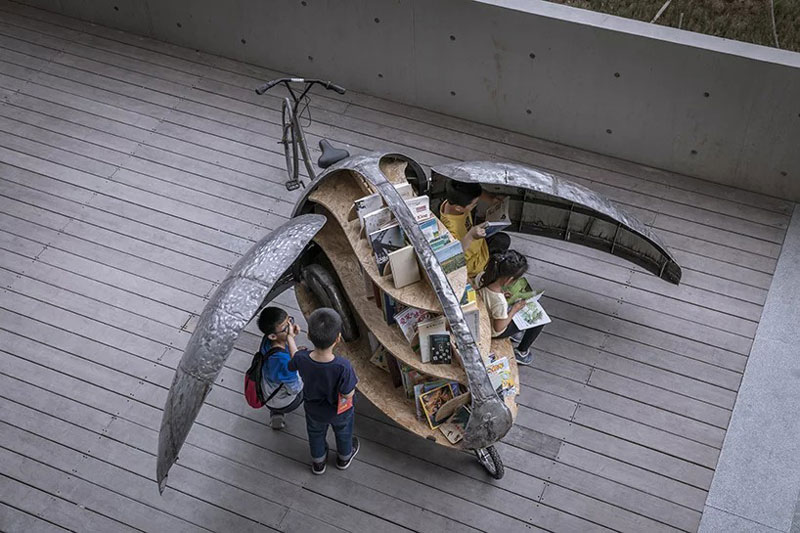
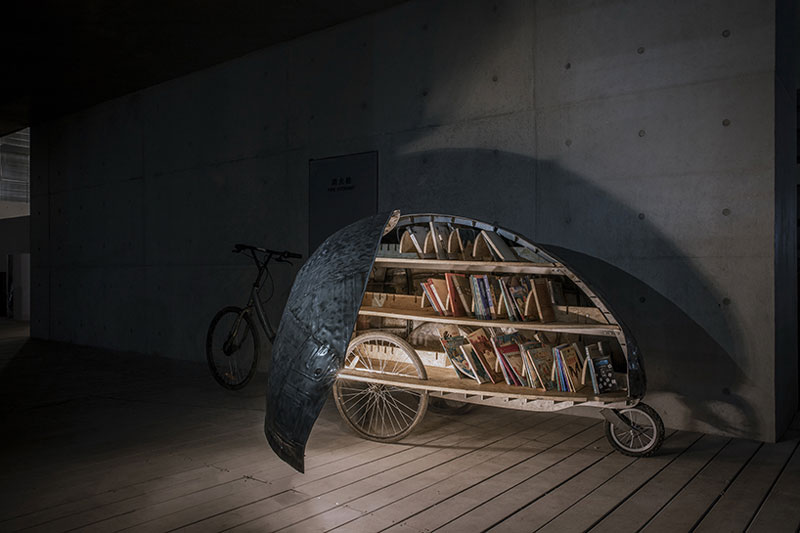
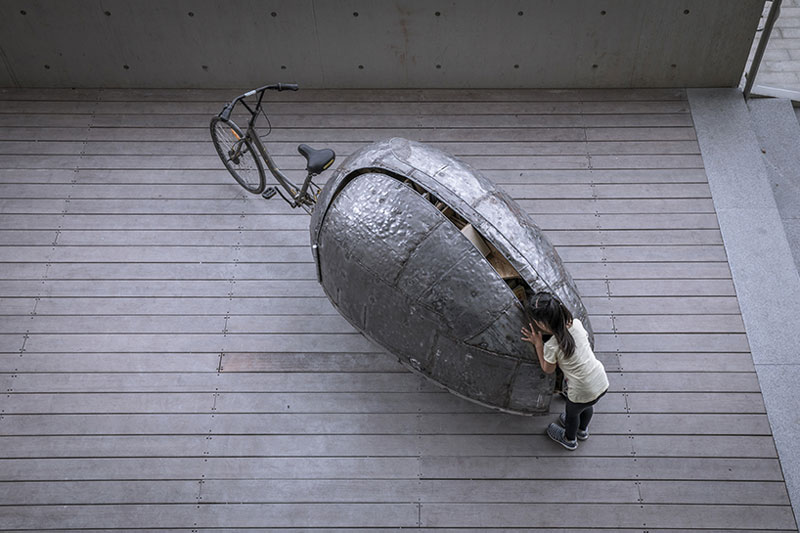
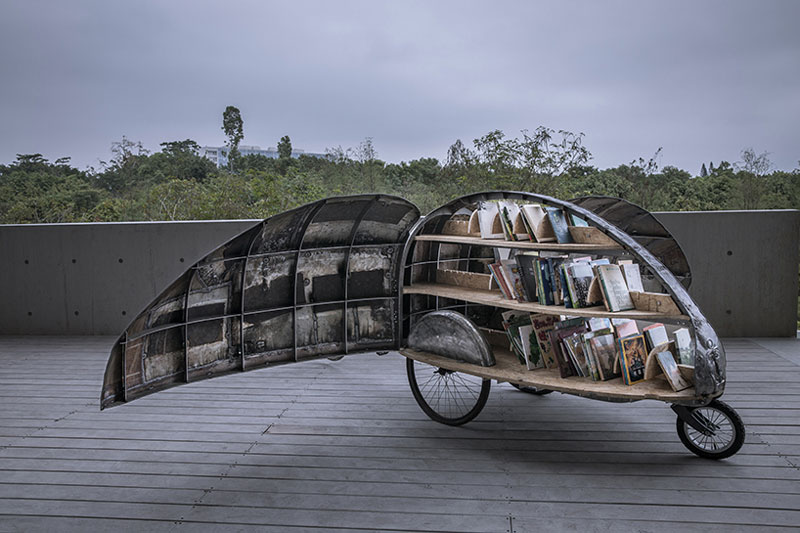
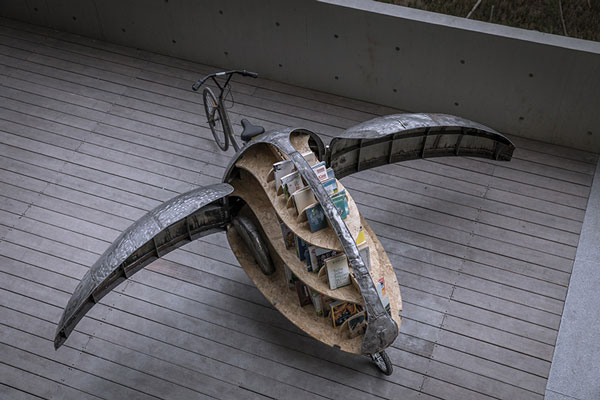
When closed, this bike looks like the random food-selling street carts you can see everywhere in China. However, when the ladybug opens its wings, something magical happens: it’s a tiny library!
Made of abandonned bikes and discarded metal car sheets, this “library-bike” can go anywhere to bring joy to kids by carrying children books. Just like a regular library, this bike also allows for kids to stay there and enjoy their book on the spot, thanks to a sitting space available.
This project was thought and built by LUO Studio, a design agency from Beijing in China.
When closed, this bike looks like the random food-selling street carts you can see everywhere in China. However, when the ladybug opens its wings, something magical happens: it’s a tiny library!
Made of abandonned bikes and discarded metal car sheets, this “library-bike” can go anywhere to bring joy to kids by carrying children books. Just like a regular library, this bike also allows for kids to stay there and enjoy their book on the spot, thanks to a sitting space available.
This project was thought and built by LUO Studio, a design agency from Beijing in China.
Creating a website for a client who insists on using moving elements to make their website stand out means walking a fine line between creativity and distraction. There will always be clients who want obnoxious elements like background music, cursor trailers, and strange volume adjustment interfaces. However, some interactive elements have the potential to support user experience when implemented correctly.
Traditional advice tells designers to avoid moving elements, but moving elements can create the edge a website needs to be truly original. You don’t have to sacrifice originality to create a better user experience. Some of the top web design trends in 2019 incorporate movement into the page. For example, scroll-triggered animations, rotating animations, and using CSS to produce drop-shadows are effective at engaging users when done correctly.
Here’s how to incorporate moving elements on a webpage without distracting the user:
1. Fade the moving element into the background
Playing around with opacity is one way to make movement supportive rather than distracting. For example, Dutch Bros. Coffee uses a low-opacity mp4 file in the background for all of their locations. Each location’s page is styled in high contrast and features the address, hours of operation, and a link to a map. The content is clearly visible over the video playing in the background, and it makes you feel like you’re actually at the drive-thru window getting a coffee.
Fading a video into the background is just one way to subdue the possible distraction of a moving element. You can also make animated gifs and other animations low opacity. A video works for Dutch Bros. because the video conveys the experience you’d get at one of their locations. A video may not be the correct.
2. Automate your post sliders
If you’ve got a slider at the top of your page, automate the movement of that slider. For example, have each slide automatically move to the next after a couple of seconds, and rotate between no more than three pieces of content.
Make sure the content you feature in your slider is content you want visitors to focus on the most. A moving slider is distracting, but it works in your favor when you want visitors to pay attention to that content first.
3. Make use of state changes based on user interaction
Change the appearance of an element on mouseover. For example, if you’re asking for a donation, create a graphic that changes when a user hovers over that element. Make the change something that will make users smile.
A wonderful example of animation done correctly is Meteor Toys. When a user clicks on any of the three top menu options, the content zooms forward to meet the user. Clicking the other content on the page produces similar zoom animations that open content boxes right on the same page. This is called semantic animation.
4. Use parallax sparingly
There are an infinite number of website templates that use parallax, but when it’s not used intentionally, it doesn’t benefit the website. For instance, parallax scrolling looks cool, but if you’re just filling in a template, you’re not using the feature with intention.
Other sites like everylastdrop.co.uk use parallax to tell a story. In this case, the story is about how much water the average UK citizen uses each day, and leads the user to a short video at the end that describes how to save water. The presentation is unusual, but it’s definitely unique and engaging.
5. Remember to offer controls to users
When using movement to capture attention, remember to offer controls to users. Unless you’ve created a perfectly timed presentation, let users do their own scrolling and navigating. When users are on a website that isn’t a video presentation, they expect to stay in control.
Porchevolution.com is a great example of a site that has potential, but will lose users due to lack of controls. While the user can move this creative presentation along by clicking, they can’t adjust the volume. Since the soundtrack is half the presentation, some users will leave the site.
Keep refining your moving elements
When using moving elements on a page, continue to refine those elements based on user feedback. If you get emails or social media comments saying your animations are annoying or distracting, you may want to revamp them a bit.
At the end of the day, the coolest website in the world won’t be functional if it’s also distracting.
Creating a website for a client who insists on using moving elements to make their website stand out means walking a fine line between creativity and distraction. There will always be clients who want obnoxious elements like background music, cursor trailers, and strange volume adjustment interfaces. However, some interactive elements have the potential to support user experience when implemented correctly.
Traditional advice tells designers to avoid moving elements, but moving elements can create the edge a website needs to be truly original. You don’t have to sacrifice originality to create a better user experience. Some of the top web design trends in 2019 incorporate movement into the page. For example, scroll-triggered animations, rotating animations, and using CSS to produce drop-shadows are effective at engaging users when done correctly.
Here’s how to incorporate moving elements on a webpage without distracting the user:
1. Fade the moving element into the background
Playing around with opacity is one way to make movement supportive rather than distracting. For example, Dutch Bros. Coffee uses a low-opacity mp4 file in the background for all of their locations. Each location’s page is styled in high contrast and features the address, hours of operation, and a link to a map. The content is clearly visible over the video playing in the background, and it makes you feel like you’re actually at the drive-thru window getting a coffee.
Fading a video into the background is just one way to subdue the possible distraction of a moving element. You can also make animated gifs and other animations low opacity. A video works for Dutch Bros. because the video conveys the experience you’d get at one of their locations. A video may not be the correct.
2. Automate your post sliders
If you’ve got a slider at the top of your page, automate the movement of that slider. For example, have each slide automatically move to the next after a couple of seconds, and rotate between no more than three pieces of content.
Make sure the content you feature in your slider is content you want visitors to focus on the most. A moving slider is distracting, but it works in your favor when you want visitors to pay attention to that content first.
3. Make use of state changes based on user interaction
Change the appearance of an element on mouseover. For example, if you’re asking for a donation, create a graphic that changes when a user hovers over that element. Make the change something that will make users smile.
A wonderful example of animation done correctly is Meteor Toys. When a user clicks on any of the three top menu options, the content zooms forward to meet the user. Clicking the other content on the page produces similar zoom animations that open content boxes right on the same page. This is called semantic animation.
4. Use parallax sparingly
There are an infinite number of website templates that use parallax, but when it’s not used intentionally, it doesn’t benefit the website. For instance, parallax scrolling looks cool, but if you’re just filling in a template, you’re not using the feature with intention.
Other sites like everylastdrop.co.uk use parallax to tell a story. In this case, the story is about how much water the average UK citizen uses each day, and leads the user to a short video at the end that describes how to save water. The presentation is unusual, but it’s definitely unique and engaging.
5. Remember to offer controls to users
When using movement to capture attention, remember to offer controls to users. Unless you’ve created a perfectly timed presentation, let users do their own scrolling and navigating. When users are on a website that isn’t a video presentation, they expect to stay in control.
Porchevolution.com is a great example of a site that has potential, but will lose users due to lack of controls. While the user can move this creative presentation along by clicking, they can’t adjust the volume. Since the soundtrack is half the presentation, some users will leave the site.
Keep refining your moving elements
When using moving elements on a page, continue to refine those elements based on user feedback. If you get emails or social media comments saying your animations are annoying or distracting, you may want to revamp them a bit.
At the end of the day, the coolest website in the world won’t be functional if it’s also distracting.
Creating a website for a client who insists on using moving elements to make their website stand out means walking a fine line between creativity and distraction. There will always be clients who want obnoxious elements like background music, cursor trailers, and strange volume adjustment interfaces. However, some interactive elements have the potential to support user experience when implemented correctly.
Traditional advice tells designers to avoid moving elements, but moving elements can create the edge a website needs to be truly original. You don’t have to sacrifice originality to create a better user experience. Some of the top web design trends in 2019 incorporate movement into the page. For example, scroll-triggered animations, rotating animations, and using CSS to produce drop-shadows are effective at engaging users when done correctly.
Here’s how to incorporate moving elements on a webpage without distracting the user:
1. Fade the moving element into the background
Playing around with opacity is one way to make movement supportive rather than distracting. For example, Dutch Bros. Coffee uses a low-opacity mp4 file in the background for all of their locations. Each location’s page is styled in high contrast and features the address, hours of operation, and a link to a map. The content is clearly visible over the video playing in the background, and it makes you feel like you’re actually at the drive-thru window getting a coffee.
Fading a video into the background is just one way to subdue the possible distraction of a moving element. You can also make animated gifs and other animations low opacity. A video works for Dutch Bros. because the video conveys the experience you’d get at one of their locations. A video may not be the correct.
2. Automate your post sliders
If you’ve got a slider at the top of your page, automate the movement of that slider. For example, have each slide automatically move to the next after a couple of seconds, and rotate between no more than three pieces of content.
Make sure the content you feature in your slider is content you want visitors to focus on the most. A moving slider is distracting, but it works in your favor when you want visitors to pay attention to that content first.
3. Make use of state changes based on user interaction
Change the appearance of an element on mouseover. For example, if you’re asking for a donation, create a graphic that changes when a user hovers over that element. Make the change something that will make users smile.
A wonderful example of animation done correctly is Meteor Toys. When a user clicks on any of the three top menu options, the content zooms forward to meet the user. Clicking the other content on the page produces similar zoom animations that open content boxes right on the same page. This is called semantic animation.
4. Use parallax sparingly
There are an infinite number of website templates that use parallax, but when it’s not used intentionally, it doesn’t benefit the website. For instance, parallax scrolling looks cool, but if you’re just filling in a template, you’re not using the feature with intention.
Other sites like everylastdrop.co.uk use parallax to tell a story. In this case, the story is about how much water the average UK citizen uses each day, and leads the user to a short video at the end that describes how to save water. The presentation is unusual, but it’s definitely unique and engaging.
5. Remember to offer controls to users
When using movement to capture attention, remember to offer controls to users. Unless you’ve created a perfectly timed presentation, let users do their own scrolling and navigating. When users are on a website that isn’t a video presentation, they expect to stay in control.
Porchevolution.com is a great example of a site that has potential, but will lose users due to lack of controls. While the user can move this creative presentation along by clicking, they can’t adjust the volume. Since the soundtrack is half the presentation, some users will leave the site.
Keep refining your moving elements
When using moving elements on a page, continue to refine those elements based on user feedback. If you get emails or social media comments saying your animations are annoying or distracting, you may want to revamp them a bit.
At the end of the day, the coolest website in the world won’t be functional if it’s also distracting.
Creating a website for a client who insists on using moving elements to make their website stand out means walking a fine line between creativity and distraction. There will always be clients who want obnoxious elements like background music, cursor trailers, and strange volume adjustment interfaces. However, some interactive elements have the potential to support user experience when implemented correctly.
Traditional advice tells designers to avoid moving elements, but moving elements can create the edge a website needs to be truly original. You don’t have to sacrifice originality to create a better user experience. Some of the top web design trends in 2019 incorporate movement into the page. For example, scroll-triggered animations, rotating animations, and using CSS to produce drop-shadows are effective at engaging users when done correctly.
Here’s how to incorporate moving elements on a webpage without distracting the user:
1. Fade the moving element into the background
Playing around with opacity is one way to make movement supportive rather than distracting. For example, Dutch Bros. Coffee uses a low-opacity mp4 file in the background for all of their locations. Each location’s page is styled in high contrast and features the address, hours of operation, and a link to a map. The content is clearly visible over the video playing in the background, and it makes you feel like you’re actually at the drive-thru window getting a coffee.
Fading a video into the background is just one way to subdue the possible distraction of a moving element. You can also make animated gifs and other animations low opacity. A video works for Dutch Bros. because the video conveys the experience you’d get at one of their locations. A video may not be the correct.
2. Automate your post sliders
If you’ve got a slider at the top of your page, automate the movement of that slider. For example, have each slide automatically move to the next after a couple of seconds, and rotate between no more than three pieces of content.
Make sure the content you feature in your slider is content you want visitors to focus on the most. A moving slider is distracting, but it works in your favor when you want visitors to pay attention to that content first.
3. Make use of state changes based on user interaction
Change the appearance of an element on mouseover. For example, if you’re asking for a donation, create a graphic that changes when a user hovers over that element. Make the change something that will make users smile.
A wonderful example of animation done correctly is Meteor Toys. When a user clicks on any of the three top menu options, the content zooms forward to meet the user. Clicking the other content on the page produces similar zoom animations that open content boxes right on the same page. This is called semantic animation.
4. Use parallax sparingly
There are an infinite number of website templates that use parallax, but when it’s not used intentionally, it doesn’t benefit the website. For instance, parallax scrolling looks cool, but if you’re just filling in a template, you’re not using the feature with intention.
Other sites like everylastdrop.co.uk use parallax to tell a story. In this case, the story is about how much water the average UK citizen uses each day, and leads the user to a short video at the end that describes how to save water. The presentation is unusual, but it’s definitely unique and engaging.
5. Remember to offer controls to users
When using movement to capture attention, remember to offer controls to users. Unless you’ve created a perfectly timed presentation, let users do their own scrolling and navigating. When users are on a website that isn’t a video presentation, they expect to stay in control.
Porchevolution.com is a great example of a site that has potential, but will lose users due to lack of controls. While the user can move this creative presentation along by clicking, they can’t adjust the volume. Since the soundtrack is half the presentation, some users will leave the site.
Keep refining your moving elements
When using moving elements on a page, continue to refine those elements based on user feedback. If you get emails or social media comments saying your animations are annoying or distracting, you may want to revamp them a bit.
At the end of the day, the coolest website in the world won’t be functional if it’s also distracting.
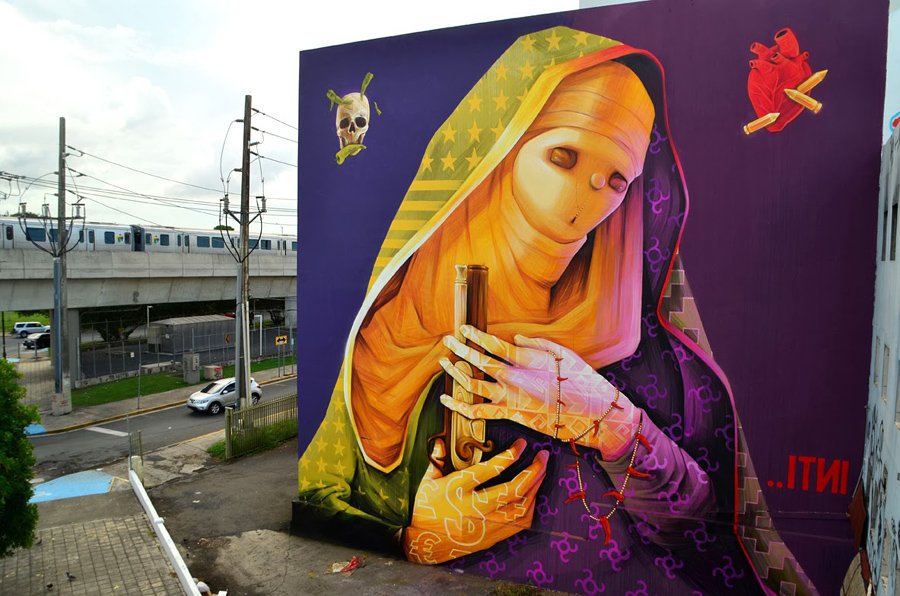
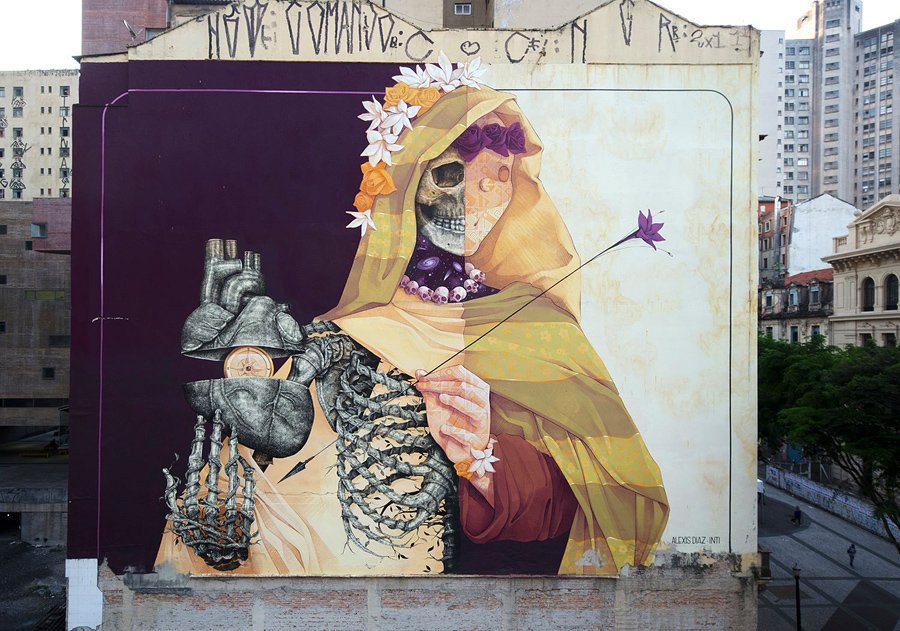
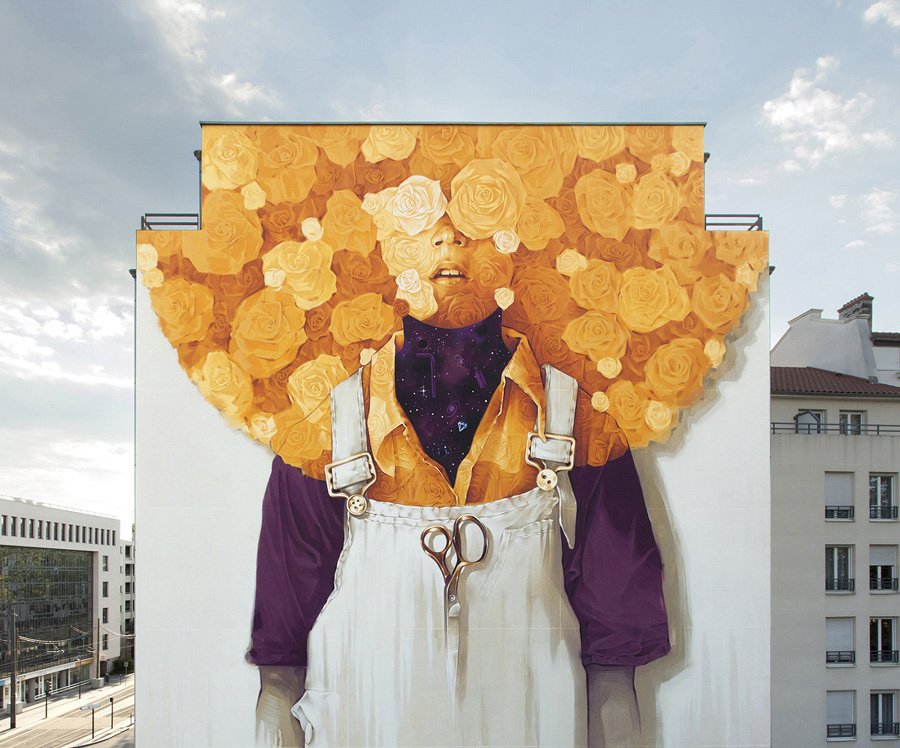
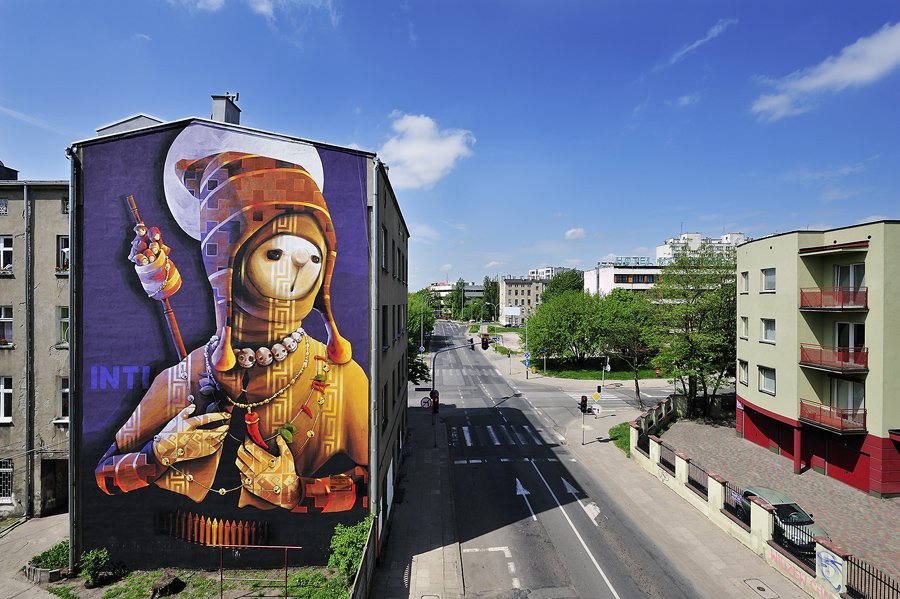
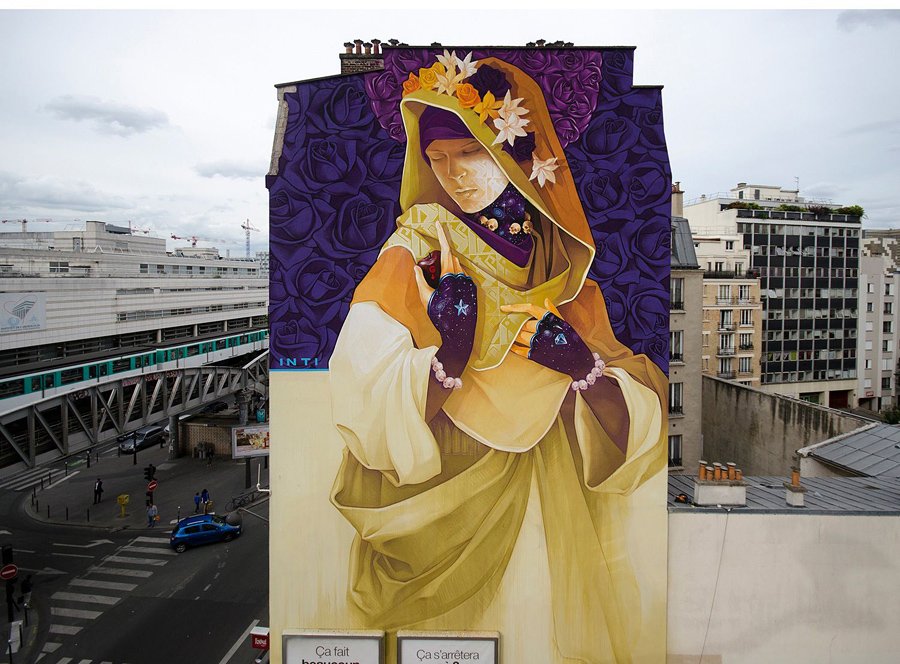
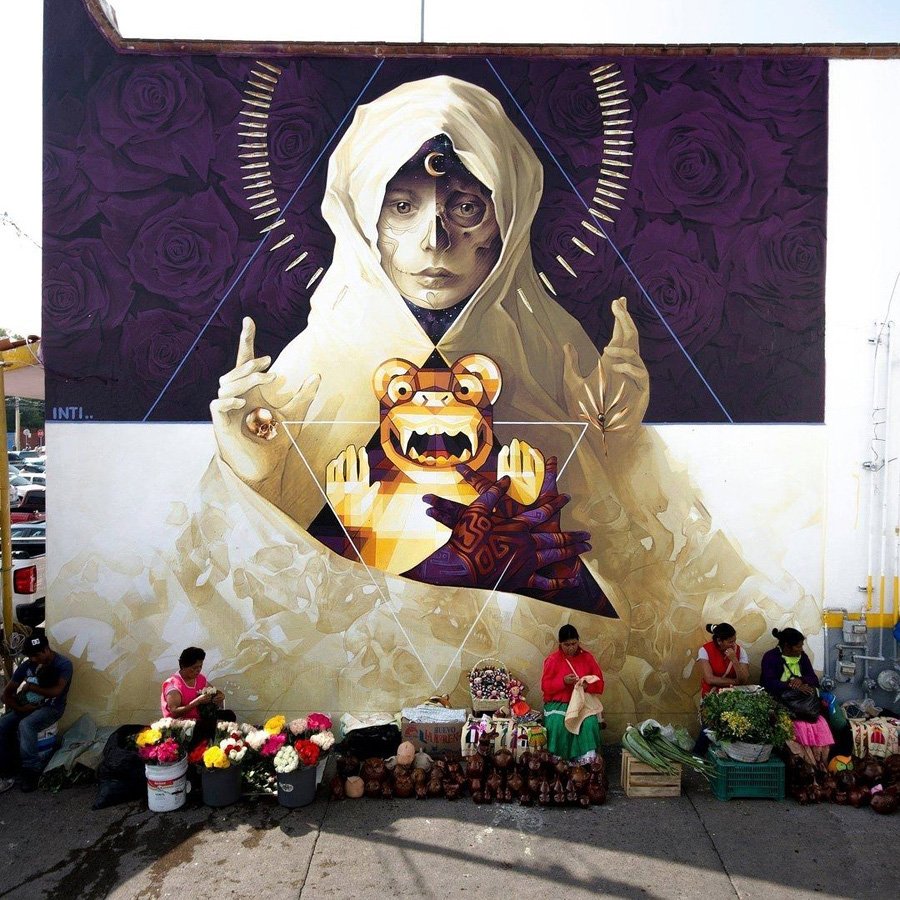
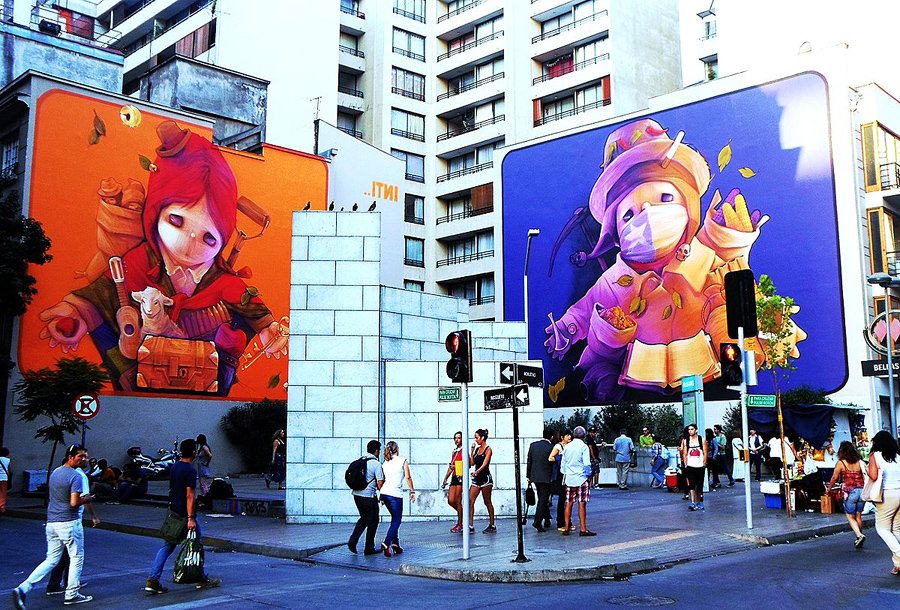
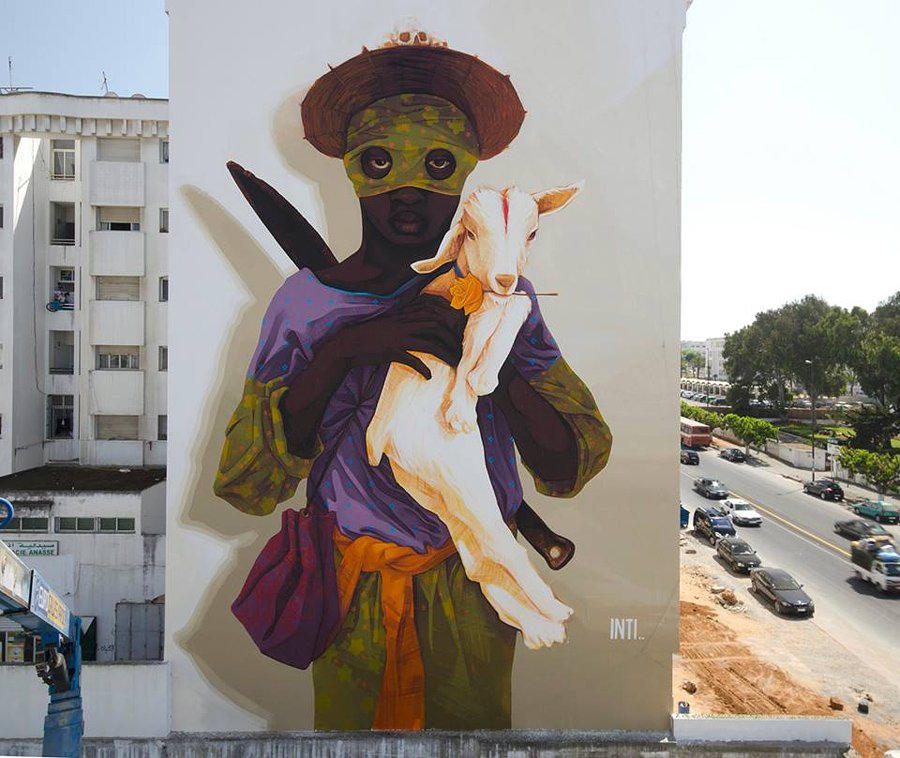
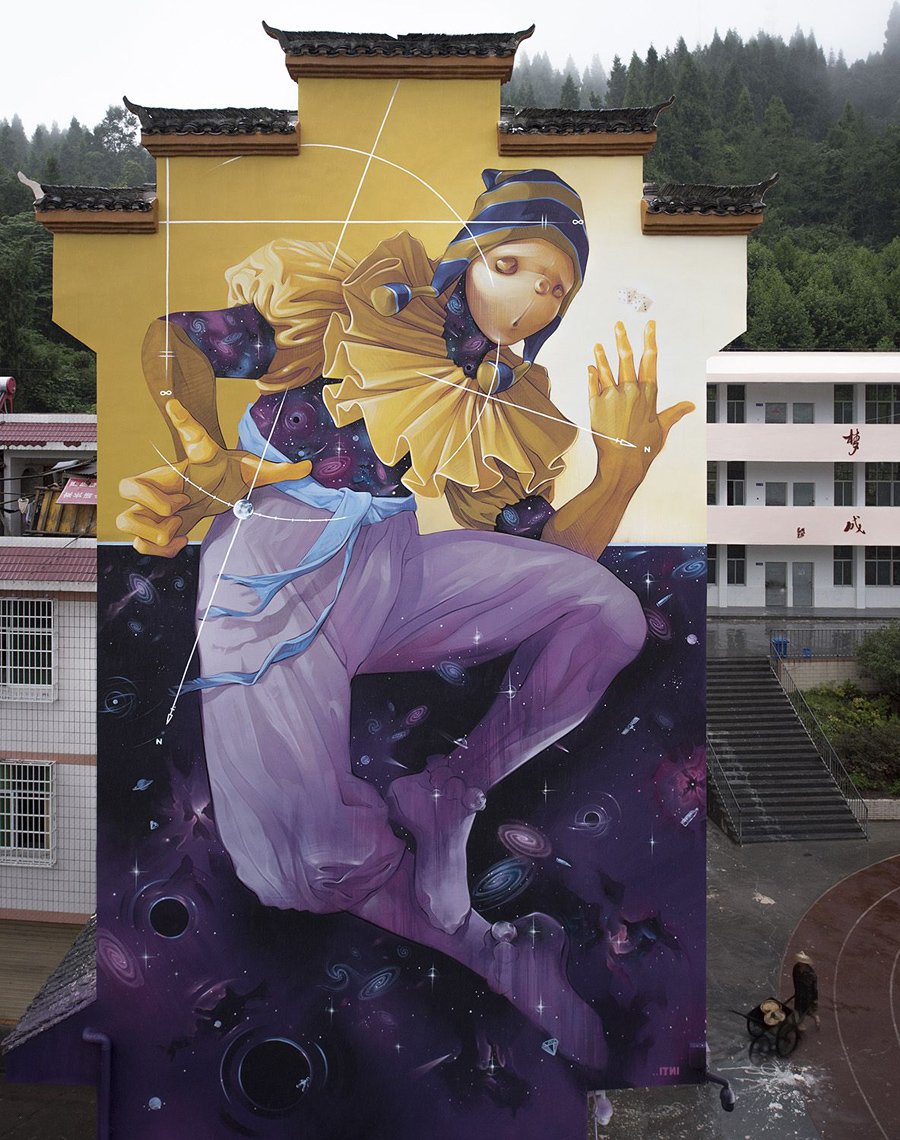
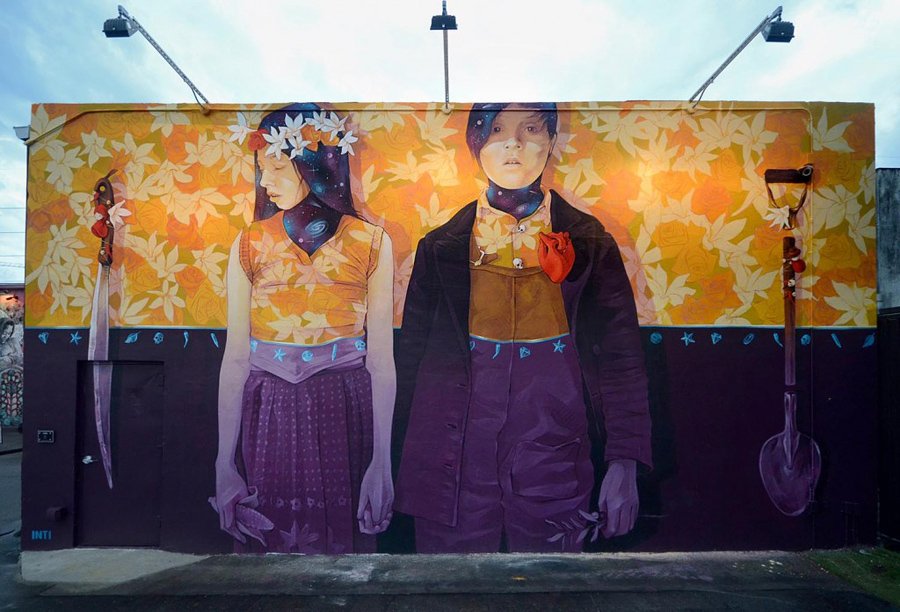
There is no such thing as a too big wall for INIT. The Chilean street artist enjoys creating on very large surfaces, adding poetry to otherwise greyish and boring landscapes.
Using very contrasting styles and color schemes, INIT’s mural art sends a message accross in a very subtle way while enchanting the cities.
There is no such thing as a too big wall for INIT. The Chilean street artist enjoys creating on very large surfaces, adding poetry to otherwise greyish and boring landscapes.
Using very contrasting styles and color schemes, INIT’s mural art sends a message accross in a very subtle way while enchanting the cities.
There is no such thing as a too big wall for INIT. The Chilean street artist enjoys creating on very large surfaces, adding poetry to otherwise greyish and boring landscapes.
Using very contrasting styles and color schemes, INIT’s mural art sends a message accross in a very subtle way while enchanting the cities.
You can have the best open source project in the world but, if it doesn’t have good documentation, chances are it’ll never take off. In the office, good documentation could save you having to repeatedly answer the same questions. Documentation ensures that people can figure out how things work if key employees decide to leave the company or change roles. Well documented coding guidelines help bring consistency to a codebase.
If you’re writing long-form text, Markdown is clearly a great alternative to authoring HTML. Sometimes though, Markdown syntax isn’t enough. It’s always been possible to write straight HTML inside of Markdown documents. This includes custom elements so, if you’re building a design system with native web components, it’s easy to incorporate them inside your text-based documentation. If you’re working with React (or any other framework that speaks JSX, like Preact or Vue), you can do the same thing by using MDX.
This article is a broad overview of the tools available for writing documentation and for building style guides. Not all the tools listed here make use of MDX but it’s increasingly being incorporated into documentation tooling.
What is MDX?
A .mdx file has exactly the same syntax as a regular Markdown file, but lets you import interactive JSX components and embed them within your content. Support for Vue components is in alpha. It’s easy to get MDX set up with Create React App. There are MDX plugins for Next.js and Gatsby. The forthcoming version two release of Docusaurus will also come with built-in support.
Writing documentation with Docusaurus
Docusaurus is made by Facebook and used by every Facebook open source project, apart from React. It’s also used by many major open source projects outside of Facebook, including Redux, Prettier, Gulp and Babel.
Projects making use of Docusaurus.
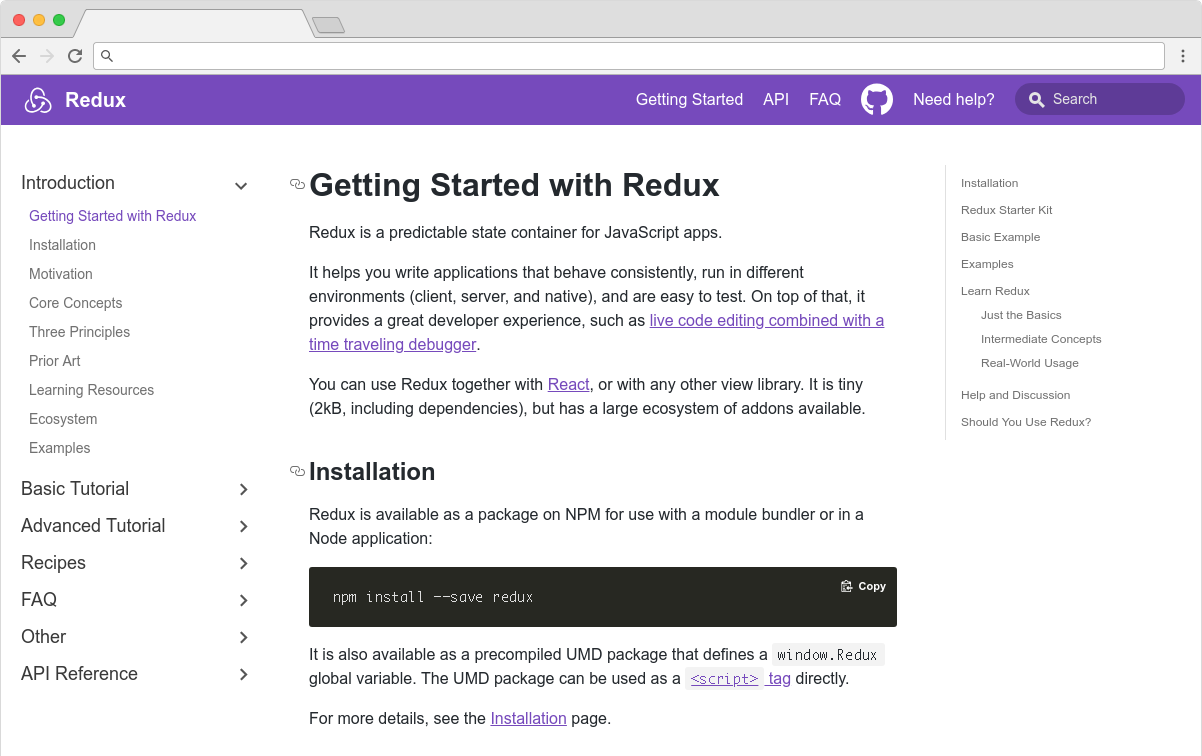
You can use Docusaurus to document anything — it isn’t front-end specific. Docusaurus uses React under the hood, but you don’t have to know that framework to make use of it. It’ll take your Markdown files and turn them into a nicely-structured, well-formatted and readable documentation site, with a nice design right out of the box.
The Redux site shows the typical Docusaurus layout
Sites created with Docusaurus can also include a Markdown-based blog. Prism.js is included by default for zero-setup syntax highlighting. While relatively new, Docusaurus has proven popular, being voted the number one new tool of 2018 on StackShare.
Other options for written content
Docusaurus specifically caters to building documentation. Of course, there are a million and one ways to make a website — so you could roll your own solution with any back-end language, CMS, or static site generator.
The documentation sites for React, IBM’s design system, Apollo and Ghost CMS use Gatsby, for example — a generic static site generator often used for blogs. If you work with the Vue framework, VuePress is becoming a popular option. MkDocs is an open source static site generator for creating documentation, written in Python and configured with a single YAML file. GitBook is a popular paid product that’s free for open-source and non-profit teams. If you’re building internal documentation and want something easy, the reading experience on GitHub itself isn’t half bad, so you could just commit some Markdown files and leave it at that.
Documenting components: Docz, Storybook and Styleguidist
Style guides, design systems, pattern libraries — whatever you want to call them — have become a hugely popular area of concern in the last decade. What’s really made the difference in turning them from vanity projects into useful tools isn’t the pontificating of thought leaders but the emergence of component-driven frameworks, like React, and the tools mentioned here.
Storybook, Docz and Styleguidist all do much the same thing: display interactive UI components and document their API. A project may have dozens or even hundreds of components to keep track of — all with a variety to states and styles. If you want components to be reused, people have to know that they exist. We aid discoverability when we catalog components. A style guide gives an easily searchable and scannable overview of all your UI components. This helps to maintain visual consistency and avoid duplicating work.
These tools provide a convenient way to review different states. It can be difficult to reproduce every state of a component in the context of a real application. Rather than needing to click through an actual app, developing a component in isolation can be helpful. Hard-to-reach states (like a loading state, for example) can be mocked.
Dan Green wrote a nice synopsis of the benefits of using Storybook, but it applies equally to Docz and Styleguidist:
„Storybook has made it really easy for designers who code to collaborate with engineers. By working in storybook they don’t need to get a whole environment running (docker container, etc). For Wave, we have many important components that are only visible in the middle of a process that is short lived and time consuming to reproduce (i.e. a loading screen that only shows while a user is having their payment account set up). Before Storybook, we didn’t have a good way to work on these components and were forced to temporary hacks in order to make them visible. Now, with Storybook we have an isolated place to easily work on them, which has the bonus feature of being easily accessible for designers and PMs. It also makes it really easy for us to show off these states in sprint demos.”
– Dan Green, Wave Financial
As well as visualizing different states side-by-side and listing props, its often helpful to have written content about a component — whether its explaining the design rationale, use-cases, or describing the results of user-testing. Markdown is easy enough for *anybody* to learn — ideally a style guide should be a joint resource for designers and developers that both disciplines contribute to. Docz, Styleguidist and Storybook all offer a way to seamlessly intermingle Markdown with the components themselves.
Docz
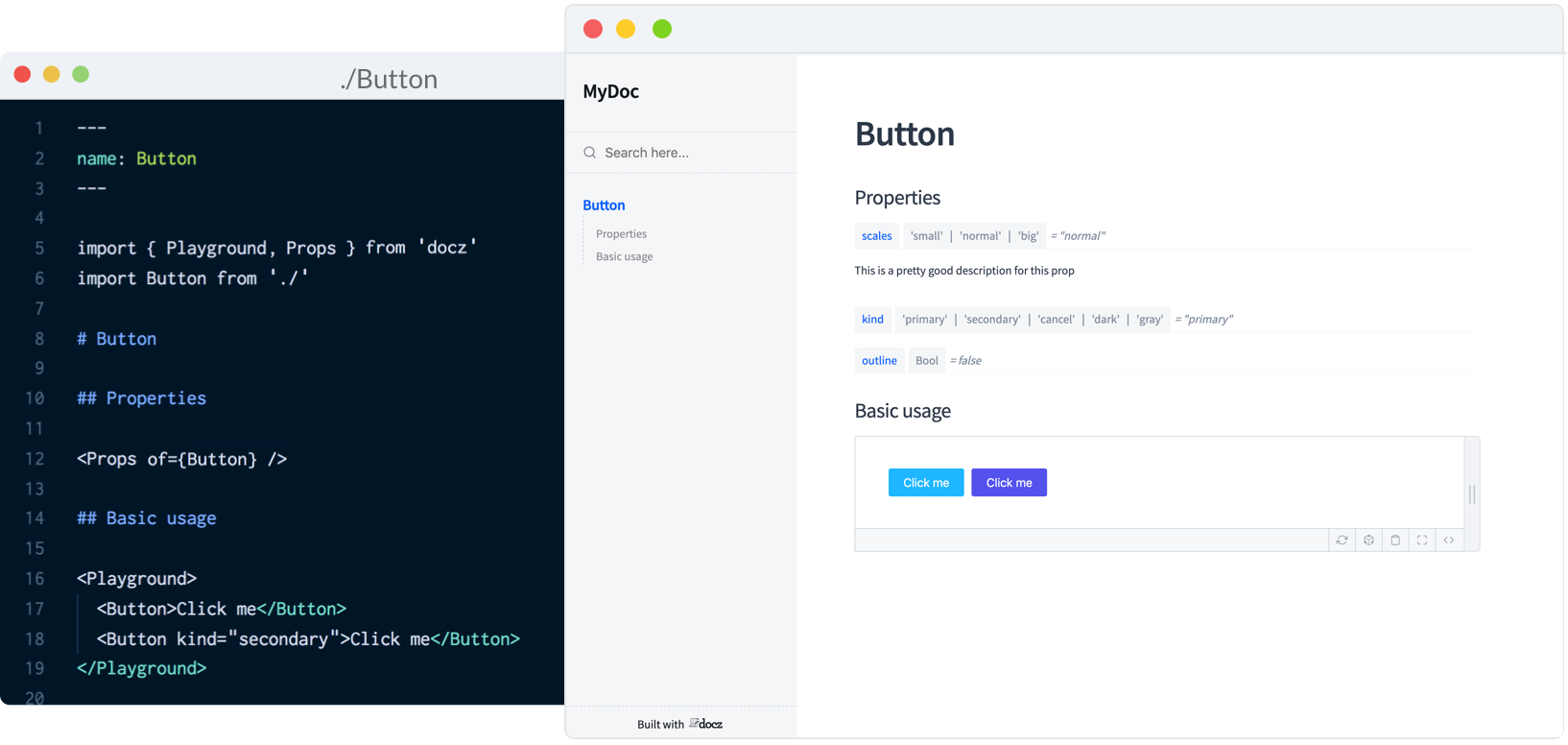
Currently, Docz is a React-only project, but is working on support for Preact, Vue and web components. Docz is the newest of the three tools, but has already amounted over 14,000+ stars on GitHub. It is, to my mind, the easiest solution to work with. Docz provides two components — <Playground> and <Props>. These are imported and used directly in .mdx files.
import { Playground, Props } from "docz";
import Button from "../src/Button";

## You can _write_ **markdown**
### You can import and use components

<Button>click</Button>
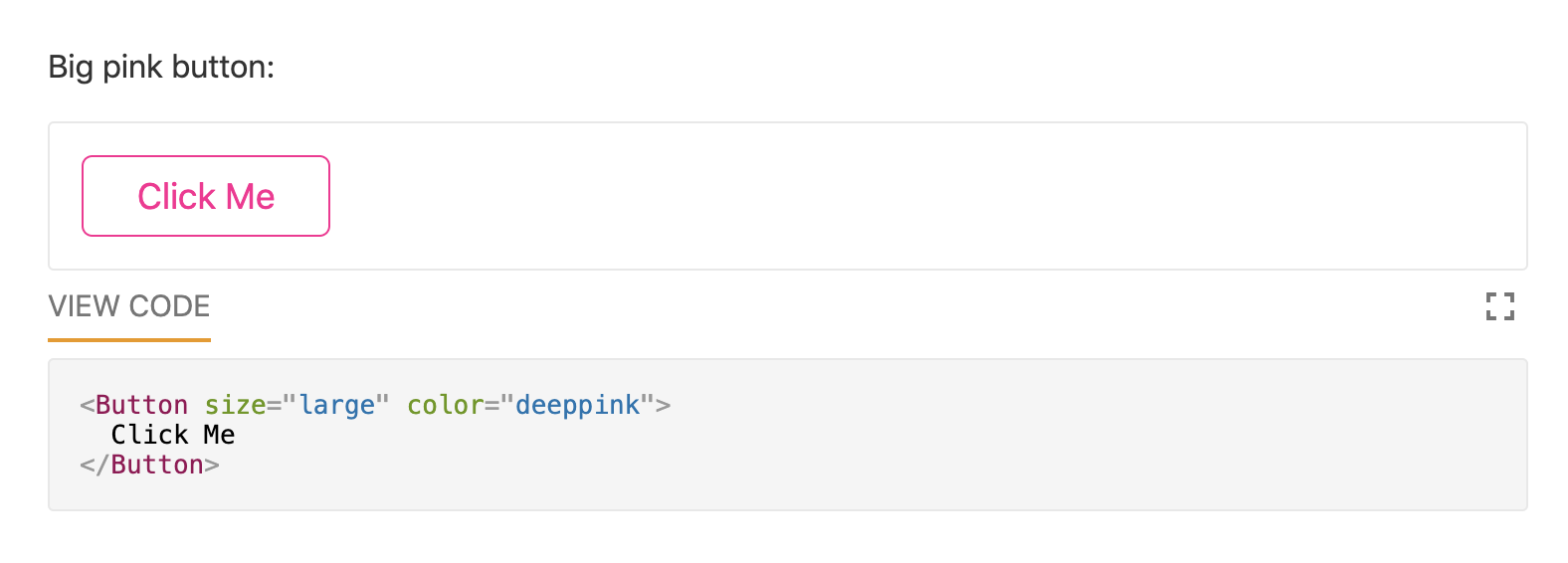
You can wrap your own React components with <Playground> to create the equivalent of an embedded CodePen or CodeSandbox — a view of your component alongside editable code.
<Playground>
  <Button>click</Button>
</Playground>
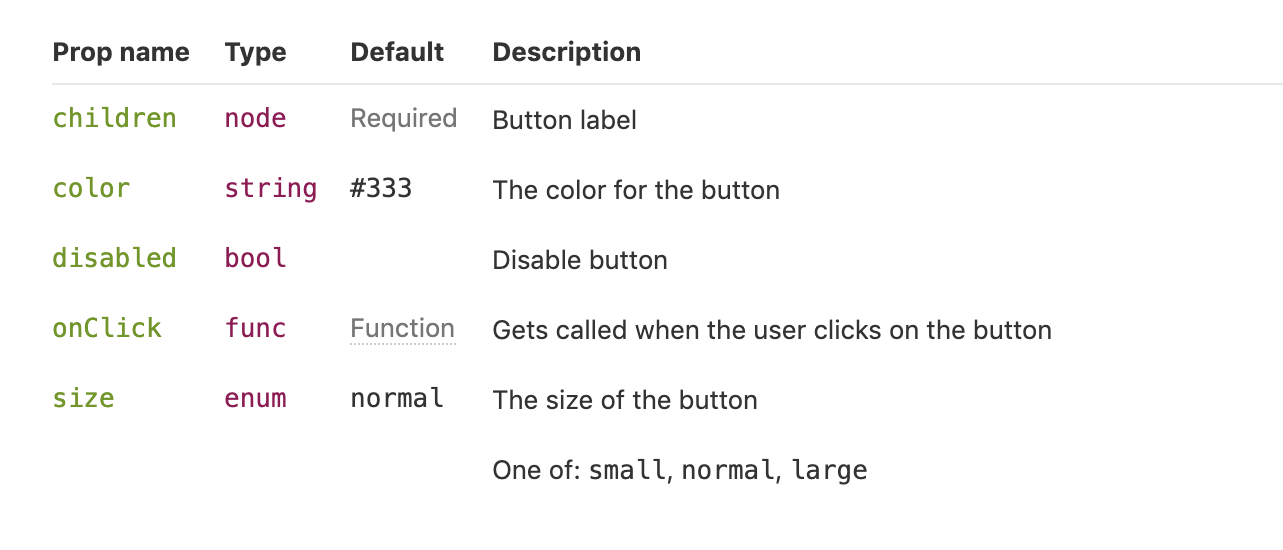
<Props> will show all the available props for a given React component, default values, and whether the prop is required.
<Props of={Button} />
I personally find this MDX-based approach the simplest to understand and the easiest to work with.
Just like with Docz, examples are written using Markdown syntax. Styleguidist uses Markdown code blocks (triple backticks) in regular .md files rather than MDX:
Code blocks in Markdown usually just show the code. With Styleguidist, any code block with a language tag of js, jsx or javascript will be rendered as a React component along with the code. Just like with Docz, the code is editable — you can change props and instantly see the result.
Styleguidist will automatically create a table of props from either PropTypes, Flow or Typescript declarations.
Styleguidist currently supports React and Vue.
Storybook
Storybook markets itself as „a development environment for UI components.” Rather than writing examples of components inside Markdown or MDX files, you write *stories* inside Javascript files. A *story* documents a particular state of a component. A component might have stories for a loading state and a disabled state, for example.
Storybook is less straightforward to use than Styleguidist and Docz. At over 36,000 GitHub stars though, it’s the most popular option. It’s an open source project with 657 contributors and a full-time maintainer. It is used by, among others, Airbnb, Algolia, Atlassian, Lyft, and Salesforce. Storybook supports more frameworks than any other offering — React, React Native, Vue, Angular, Mithril, Ember, Riot, Svelte and plain HTML are all supported.
Writing documentation about components currently requires addons. In a future release, Storybook is taking inspiration from Docz and adopting MDX.
# Button

Some _notes_ about your button written with **markdown syntax**.

<Story name="disabled">
  <Button disabled>lorem ipsum</Button>
</Story>
Storybook’s new Docs feature is being rolled out incrementally over the next couple of months and looks set to be a big step forward.
Do you use @storybookjs for component docs or design systems? You're gonna love DocBlocks: 📦 Drop into MDX 🏗 Modular and composable 🤝 Compatible w/ @gatsbyjs, #nextjs, etc
The benefits of pattern libraries have been extolled at nauseating length in a million Medium articles. When done well, they aid visual consistency and facilitate the creation of cohesive products. Of course, none of these tools can magic up a design system. That takes careful thought about both design and CSS. But when it comes time to communicate that system to the rest of an organization, Docz, Storybook and Styleguidist are all great options.