Want to warp some text? In this video from my course, 10 Essential Design Tips in Adobe Illustrator, you’ll learn all the ins and outs of distorting and warping text in Adobe Illustrator.
How to Warp Text in Adobe Illustrator
Prepare the Text for Warping
So we’re going to learn how to warp stuff. Let’s grab our Type Tool, left click anywhere on the artboard, and type some text. Let’s type „WARPED”. And we can go to the Character panel at the top, and we can pick a font—let’s go for Gotham Bold.
Then I’m going to go to the alignment options and select Align Center so that it’s in the middle. Now let’s create a couple of copies by holding Alt-Shift and dragging. So your screen should look like this:
Create a Bulge Effect
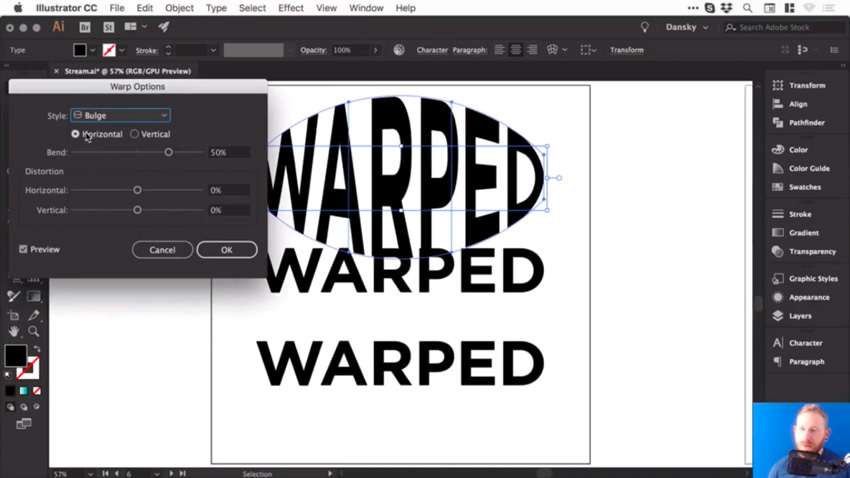
We’ll select the first piece of text, and go to Object > Envelope Distort > Make with Warp. We’ve got the Preview option checked, and we can choose the Style as well. There are lots of presets to choose from, so let’s go for Bulge, and see how that looks.
So at the moment, we are bulging this text horizontally, and we can adjust that Bend slider. So, of course, we can go up a few percent and you’ll see it starts to bulge outwards. Or we can go ever so slightly into the negatives and it will go inwards.
You could also bulge this vertically, so it’ll behave slightly differently. It really does depend what you’re going for.
Add Distortion
We could also distort this both horizontally and vertically, using the slider. So you could make one side appear larger by dragging the Horizontal Distortion slider to -100.
But let’s go for something more subtle. Choose the following values:
Horizontal Bend: -2%
Horizontal Distortion: -54%
Vertical Distortion: 25%
Then click OK, you can see that we’ve warped the text.
And if we click on it, we still have all of these options along the top, where you can change the preset and other values.
Adjust the Bulge Effect
Now, at the moment, if I press Command-Y to go into outline mode, you can see that it’s still got a box and lines around it, and I can’t change the fill color or anything.
So what I recommend is once you’ve done your warp, and you’re happy with your text, go to Object > Expand. Leave Object and Fill selected, click OK, and then we can switch into outline mode again, and you’ll be able to see your text.
Now remember, when you expand anything in Illustrator, essentially what you see becomes the paths of the shape. So this is now made up of lots of different anchor points, and we can go in and adjust these if we want to fine tune that warp.
But also, when we select it, it now has a fill color, and we can easily change it if we want to.
Create an Arc Effect
So let’s go and warp something else.
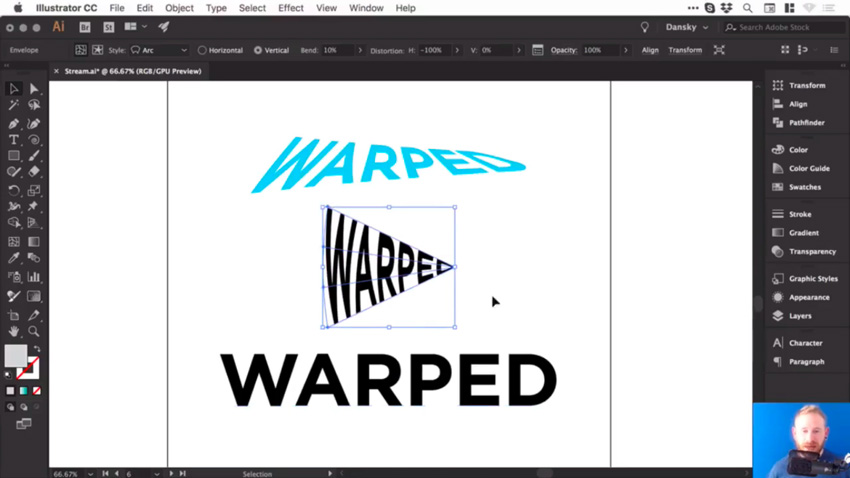
Click on the second piece of text and, as before, go to Object > Envelope Distort > Make with Warp. This time, for the Style, let’s choose Arc. So we’ll set the Distortion back to 0, and then we can bend this up or down, and of course, you can adjust the Bend to Vertical as well.
Let’s try these settings:
Vertical Bend: -72%
Horizontal Distortion: -100%
Vertical Distortion: 0%
And it should look like this:
Adjust the Arc Effect
Once you’re happy with your warp, and you’d like to start adding color to it, or possibly getting creative and adding some strokes or brushes, you can go to Object > Expand. Leave Object and Fill selected, click OK, and now we can get creative with this.
Let’s add some brushes. We’ll start by swapping the fill and the stroke, so we now have an outline. And from the Brushes panel, let’s choose a pencil brush with an orange color.
So those are a few ways to warp text in Illustrator, and now I’ll leave you to go and have a lot of fun experimenting with them.
Watch the Full Course
In the full course, 10 Essential Design Tips in Adobe Illustrator, you’ll learn about ten essential design tips to help you bring your creative ideas to life in Adobe Illustrator. You’ll master a variety of different techniques, helping you to boost your creativity and transfer your ideas to a digital canvas.
You can take this course straight away with a subscription to Envato Elements. For a single low monthly fee, you get access not only to this course, but also to our growing library of over 1,000 video courses and industry-leading eBooks on Envato Tuts+.
Plus you now get unlimited downloads from the huge Envato Elements library of 490,000+ creative assets. Create with unique fonts, photos, graphics and templates, and deliver better projects faster.
Y’all know about font-display? It’s pretty great. It’s a CSS property that you can use within @font-face blocks to control how, visually, that font loads. Font loading is really pretty damn complicated. Here’s a guide from Zach Leatherman to prove it, which includes over 10 font loading strategies, including strategies that involve critical inline CSS of subsets of fonts combined with loading the rest of the fonts later through JavaScript. It ain’t no walk in the park.
Using font-displayis kinda like a walk in the park though. It’s just a single line of CSS. It doesn’t solve everything that Zach’s more exotic demos do, but it can go a long way with that one line. It’s notable to bring up right now, as support has improved a lot lately. It’s now in Firefox 58+, Chrome 60+, Safari 11.1+, iOS 11.3+, and Chrome on Android 64+. Pretty good.
What do you get from it? The ability to control FOUT and FOIT as is right for your project, two things that both kinda suck in regards to font loading. We’ve got a couple posts on it around here:
FOUT = Flash of Unstyled Text
FOIT = Flash of Invisible Text
Neither is great. In a perfect world, our custom fonts just show up immediately. But since that’s not a practical possibility, we pick based on our priorities.
If you’re OK with FOUT, you’re probably best off with font-display: swap; which will display a fallback font fairly fast, but swap in your custom font when it loads.
If you’re OK with FOIT, you’re probably best off with font-display: block; which is fairly similar to current browser behavior, where it shows nothing as it waits for the custom font, but will eventually fall back.
If you only want the custom font to show at all if it’s there immediately,font-display: optional; is what you want. It’ll still load in the background and be there next page load probably.
Those are some pretty decent options for a single line of CSS. But again, remember if you’re running a major text-heavy site with custom fonts, Zach’s guide can help you do more.
I’d almost go out on a limb and say: every @font-face block out there should have a font-display property. With the only caveat being you’re doing something exotic and for some reason want the browser default behavior.
Wanna hear something quite unfortunate? We already mentioned font-display: block;. Wouldn’t you think it, uh, well, blocked the rendering of text until the custom font loads? It doesn’t. It’s still got a swap period. It would be the perfect thing for something like icon fonts where the icon (probably) has no meaning unless the custom font loads. Alas, there is no font-display solution for that.
In this tutorial I’ll show you how to use Adobe Photoshop to create a colorful 3D floral collage featuring a beautiful woman.
First, we’ll isolate the model from the background. After that, we’ll add our background. Then we will cut out the model to create a 3D effect. Later, we will add the flowers and crystals. Next, we will import the waves, the jewelry, and the crow on the model. Then, we will the tribal marks and geometrical shapes to keep the collage balanced. Finally, we will adjust the contrast, vibration, and saturation using Adobe Lightroom. Let’s get started!
Tutorial Assets
The following assets were used during the production of this tutorial:
1. How to Isolate the Model and Prepare the Base Background
Step 1
Create a new 2160 by 1440px document in Photoshop with the given settings:
Step 2
Open the model image. Cut out the image using the Pen Tool (P). Find a spot on the main image to start drawing the outline. As we’re drawing, we want to zoom in closer to the subject. Press Control-(+) or Control-(–) to zoom in and out.
Step 3
Now that we have drawn the outline, we want to soften the edges of the hair before removing the background. Right-click, Make Selection, and then select the Marquee Tool (M). Once the option bar pops up, choose Select Inverse and click on Select and Mask. This will open the Select and Mask Workspace.
Step 4
Then, activate the Refine Edge Brush Tool (R). Brush over any detailed hair areas that are missing from your selection with this tool (we can change the brush size and hardness from the brush drop-down in the top left). This will select the detailed hair areas and remove the contrasting background. When you are done,click OK.
Step 5
Now we want to remove the background. Select the Marquee Tool (M). Right-click and Select Inverse. Then hit Delete.
2. How to Bring the Image Into the Main Canvas
Drag the image into the main canvas using the Move Tool (V).Then, resize by pressing Control-T. This will bring up the transformation tools you want. We do not want the image to deform or stretch, so press Shift while resizing. Then press Enter.
3. How to Create a Colorful Background
Step 1
Press Control-Shift-N to make a new layer. Name the layer “Background”. Set this layer under the model’s one.
Step 2
Activate the Rectangle Tool (U) fill it with the blue color #1caeb3 and drag the rectangle over the whole background.
4. How to Create the 3D Cuts on the Model
Step 1
We want to cut out the model’s top head and a little bit of the forehead. Activate the Pen Tool (P), andthen outline the top part as shown below.
Step 2
After drawing the outline, Right-click and select Make Selection. Make sure the model’s layer is selected. Then press Delete on the keyboard.
Step 3
Next, we want to cut out the bottom part of the model. Activate the Pen Tool (P), and then outline the bottom part, following the body shape as shown below.
Step 4
After drawing the outline, Right-click and select Make Selection. Make sure the model’s layer is selected, and then press Delete on the keyboard.
Step 5
Now we want to create the 3D effect. Activate the circle Ellipse Tool (U), fill it with black #000000, and then draw a circle on top of the model’s head and place the layer under the model’s layer. Next, name the layer head ellipse.
Step 6
Next, we want to do the same for the bottom part. Activate the Ellipse Tool (U), fill it with black #000000, and then draw a circle on the bottom part and place the layer under the model’s layer. Next, name the layer body ellipse.
5. How to Add the Flowers and Crystals
Step 1
Drag the flower onto the main canvas. Then, Press Control-T to resize the image. We do not want the image to deform or stretch, so press Shift while resizing, and then press Enter. Use the Move Tool (V) to center the image. Next, place the flower’s layer under the model’s layer.
Step 2
Now, press Control-J to duplicate the flower. Activate the Move Tool (V) to bring the flower onto the bottom part.
Step 3
Then, we want to make the flower slightly bigger. Press Control-T to resize the image, holding Shift while resizing. Right-click and select Flip Horizontal, and then press Enter. Use the Move Tool (V) to center the image. Then, place the flower’s layer under the model’s layer.
Next, we want to change the flower’s hue.
Step 4
Now we want to change the flower’s hue. Select both layers, Right-click, and Merge Layers. Then, Press Control-U tobring out the Hue/saturation adjustment layer. Then change the Hue to -61 and the Saturation to +31.
Step 5
Now we want to add the crystals. Drag the crystal onto the main canvas. Then, press Control-T to resize the image, holding Shift while resizing, and then press Enter. Use the Move Tool (V) to place the crystals on the right.
Step 6
Now, we want to add another small crystal in the head. Press Control-J to duplicate the crystal and press Control-T to resize the image, holding Shift while resizing. Use the Move Tool (V) to place the duplicated crystal as shown below.
6. How to Add the Waves, the Jewelry, and the Crow
Step 1
Import the waves onto the main canvas. Place the layer above the model’s layer, and then press Alt and click on the adjustment layer to place the image on the model only.
Step 2
Open the mirror picture in Photoshop. Use the Pen Tool (P) to cut the crown and remove the background. Drag the jewelry into the main file on top of the model’s neck. Press Control-T, holding Shift while resizing the image.
Step 3
Drag the crow image into the main file. Resize the image. Press Control-T, holding the Shift key while resizing. Use the Move Tool (V) and bring the crow onto the model’s left shoulder.
7. How to Make the Model Black and White and Add the Circle and Tribal Marks
Step 1
Now we want to turn the model black and white. Select the Model layer in the Layers panel and turn it to black and white. Click on Image > Adjustments > Black and white, and then click OK or Alt-Shift-Control-B.
Step 2
Now that we’ve turned the model black and white, we want to add a colorful circle behind to make her pop. Activate the Ellipse Tool (U), make the fill color of the circle sky blue (#00fcff), and place the layer right above the background layer.
Step 3
Now we want to add some tribal marks. Use the Ellipse Tool (U), make sure the fill color is white, draw a circle, and use the Move Tool (V) to place it on the model’s forehead. Then press Control-J to duplicate the circle and use the Move Tool (V) to place the duplicated circle on the chin.
Step 4
We want to add the remaining marks on the model’s chest. Use the Ellipse Tool (U), make sure the fill color is white, draw a small circle, and duplicate the layer four times by pressing Control-J. Select all four layers, Right-click, and Merge Layers. Then duplicate the merged layers three times and use the Move Tool (V) to place them as shown below.
8. How to Add Lines, More Flowers, and Additional Elements
Step 1
Activate the Rectangle Tool (U). Fill it in sky blue (#00fcff) and drag a thin rectangle on top of the model. Then, press Control-J to duplicate the rectangle three times. Place one rectangle under the model’s layer and use the Move Tool (V) to place it under the shoulder. Now we want to make this line thicker. Press Control-T and drag the rectangle vertically to make it thicker.
Step 2
Next, we want to add two circles at the end of the thin lines to balance it. Activate the Ellipse Tool (U), fill it in sky blue (#00fcff) and draw a small circle on the left side, on top of the rectangles. Then, press Control-J to duplicate the circle and use the Move Tool (V) to place the duplicated circle on the right side as shown below.
Step 3
Now that we’ve added the lines, we want to add more flowers. Select the flowers layer and press Control-J to duplicate it. Then activate the Move Tool (V) to slightly move it to the right side as shown below.
Step 4
Now we want to add a colorful line on the model’s hair to make it pop more. Activate the Rectangle Tool (U), fill the color in purple (#ff00d2) and draw a thin, medium rectangle. Then press Control-T to rotate the rectangle. Then, use the Move Tool (V) to place it on the right edge as shown below.
9. How to Do the Final Retouching in Adobe Lightroom
Step 1
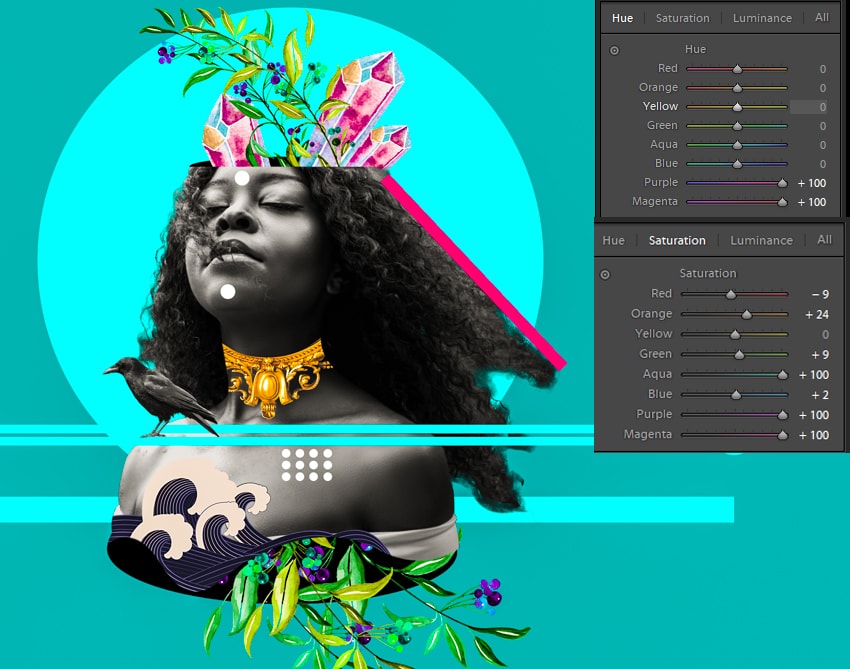
Now we want to make the entire image pop out more. Export the photo as a JPEG from Photoshop. Import the picture in Lightroom. Then click develop. Boost the Temperature to +5, Clarity to+33, Vibrance to +14, and Saturation to +7.
Step 2
We want to play more with the hue and saturation. Go to the hue palette. Bring the Purple hue to +100 andthe Magenta hue to +100. Then click on the Saturation panel. Set the Red hue to -9, the Orange hue to +24, the Aqua hue to +100, the Blue hue to +2, and the Purple and Magenta hue to +100.
10. How to Export the Final Artwork From Adobe Lightroom
Now that we are finished, we want to export our artwork as a JPEG. Click File, and then Export. Select in which folder we want to save our image. Then click Export.
Awesome Work, You’re Done!
I hope that you’ve enjoyed the tutorial and learned something new for your own projects. Feel free to share your results or leave comments in the box below. Keep creating!
As children, many of us used to draw or doodle to express our thoughts. Perhaps we doodled during lessons when work felt tedious and we no longer wanted to pay attention.
Some of may have doodles while thinking, creating a pattern or texture on the page. Perhaps we were discouraged by our early results and believed that we would never make it as a designer. As a result, we might have chosen a different profession.
Now, however, there is a whole new digital realm – which can assist us with bringing drawings or doodles to life. This has opened up a wide range of opportunities for many people to work in digital art or design.
Many people are taking the opportunity to learn about graphic design, even without a formal education. It’s possible to take part in online tutorials which can guide you on programs such as Illustrator, Photoshop or InDesign. There is a multitude of books available to teach the principles of design.
This is often a helpful path to follow. However, learning the foundations of graphic design, acquiring new skills or tools and developing your own personal artistic style can be a complex process. The following tips will guide you in your development as a graphic designer who combines beautifully edited images, fonts, and ideas to convey information to an audience, especially to produce a specific effect.
Listen to the influencers
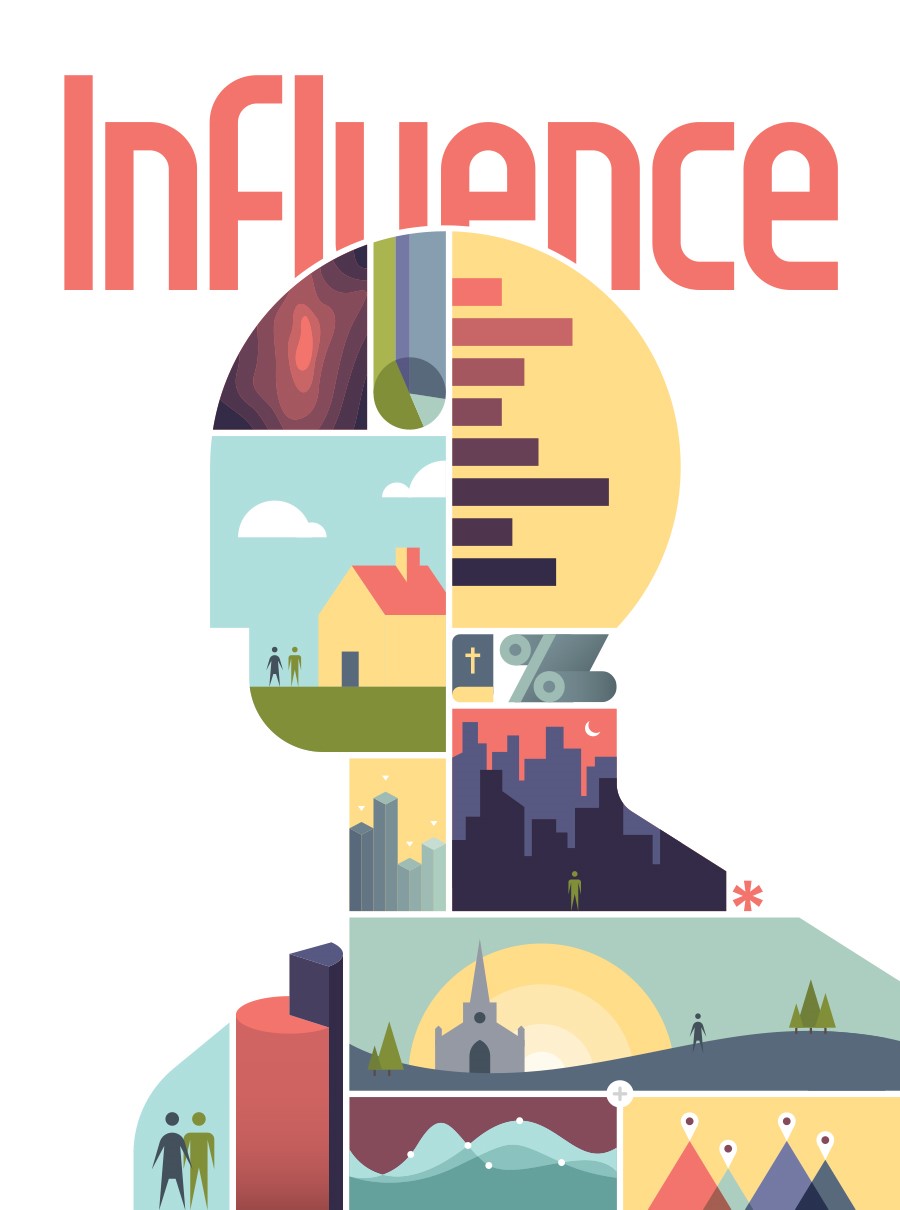
Influencers are people with a strong online presence who develop and market a concept. This could be anything from an online concept such as a capsule wardrobe (which uses design to advertise products) to online artists who share skills or products which appeal to their audiences.
By speaking with influencers, you’ll gain insight into the online world and how it works. This can help you gain insight into how to follow trends. You might also learn the language often used online and gain tips on how to market products.
If you’re looking for influencers to engage with, turn to social media. Instagram and Twitter. Chat with the influencers who inspire you. They might respond to you, and you can begin a conversation. This will help you to learn from them.
Alternatively, you can follow the conversations and exchanges which exist between influencers and yourself. This will enable you to become a part of the design community.
You’ll be able to find support throughout your journey. Some influencers even work alongside other designers or people in the industry in order to host events or guest posts.
Search for inspiration
Once you’ve committed to becoming a graphic designer, start searching for work which inspires you. This can be as simple as searching the web and bookmarking artists or websites which inspire you. You could also build a Pinterest board with images which inspire you.
As you build your collection, you’ll begin to find the patterns or styles in the images which inspire you. This will assist you to begin creating your own works of art. If you’re constantly saving art deco images or cartoon designs, you could find resources on how to create them.
Create a hierarchy
The graphic design uses hierarchy in order to make content simple, digestible and easy to understand. This page is evidence of this – there are larger headings, subheadings and bold type which enables you to easily scan the page.
Hierarchy helps you to capture your viewers’ attention and makes your site easy to understand.
In order to create hierarchy on your pages, you can use different techniques, including:
Size
Color
Spacing
Grouping
It’s usually best to use one dominant aspect of your design when you’d like to create an interesting page. You could use an attractive logo or a dominant header in order to draw attention to the most important aspect of your page.
However, if your page is very well balanced, you might be able to focus on two different areas (such as a heading and a call to action button).
The element you give dominance to should be the most important part of your site or message. This will help you to create attention in the place that you need it most.
Spatial awareness
When you’re designing, it helps to acknowledge both positive and negative (white) space. Positive space is the space you use for your design or content and is how you fill the page. Negative space is the empty space which hasn’t been filled. At their best, these two different elements need to be in harmony with each other.
This will keep your design looking clean, simple and orderly. Used consciously, negative space can send a very effective message.
How do know when you’ve achieved the perfect balance between positive and negative space? There are no simple answers. It isn’t about the amount of space you use in your design, as much as it’s about eliminating anything superfluous so that your page is as clean as possible.
Go back to the foundations
When taken apart, every design is about simple elements which have been constructed to send a greater message. When you take a design apart (like un – baking a cake) you get to see the core elements that are used in the mix.
Once you’ve taken a design apart and reduced it to its simplest terms, you’ll find that you can use these principles to create your own designs. If you’re a beginner, you might want to start slowly, but as an advanced designer, you can begin to incorporate more complex techniques.
If you’re not sure how to combine the different elements to produce the effect you would like, you can experiment. You’ll learn each step of the way.
When you experiment with a design you:
Learn that you know more than you think you do.
You’ll learn where you are skilled, and where you could acquire new knowledge.
There are multiple ways to approach any design or problem in order to achieve the results you’d like.
Analyze your inspirations
If you’re a beginner and you’ve begun to grasp the basic concepts and use them effectively, it’s time to move on to the designs that inspired you and learn to analyze them. By taking your inspirations apart, you’ll begin to see how they were formed, and how you can begin to work in a similar way.
If your inspirations are websites, explore how they have been put together and the way that text, color, shape, symmetry, line and space have been used to create the look that appeals to you most. You’ll notice that although effective design can make a big impact, the concepts are very simple.
Pay attention to alignment
You might notice that the way you lay out your page or align your fonts makes a massive difference. This is because of the role symmetry plays in page composition. A single flourish or well-placed element can add just what you need to make your design stand out
Your designs might range from simple to complex, but your goal is to always strive for balance. Use symmetry as your guide to create a page which works.
Work with text
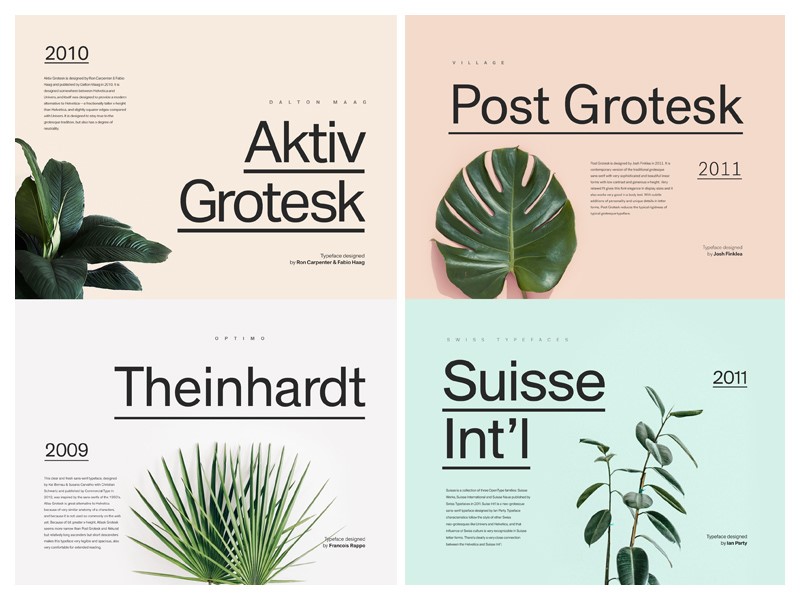
When you’re working as a designer, your goal is to get your message across. Whether you’re creating an attractive logo or working towards making a magazine’s copy readable, your goal is to work towards clarity. This doesn’t mean your fonts need to be boring. There is a wide range of fonts which will add visual appeal to your design or page.
Summary
When you’re working hard at becoming a graphic designer, your goal is to practice, practice, practice. Although you might feel intimidated by the skill of experienced designers and worry about ever being able to work to this standard. However, even the most skilled designers were once beginners learning the foundations.
In the creative field, everyone embarks on a unique journey, developing their own style in individual ways. There’s no single way to approach design and the majority of the time, you’ll learn through practice.
As you keep learning and developing, you’ll find out which skills are strong within your work, and which are lacking.
If you practice and develop new skills, you’ll develop as a designer. Over time, work which took you ages to manage will become intuitive and you’ll be able to manage to achieve results quickly. Mastering new projects will give you confidence as a designer.






.jpg)